
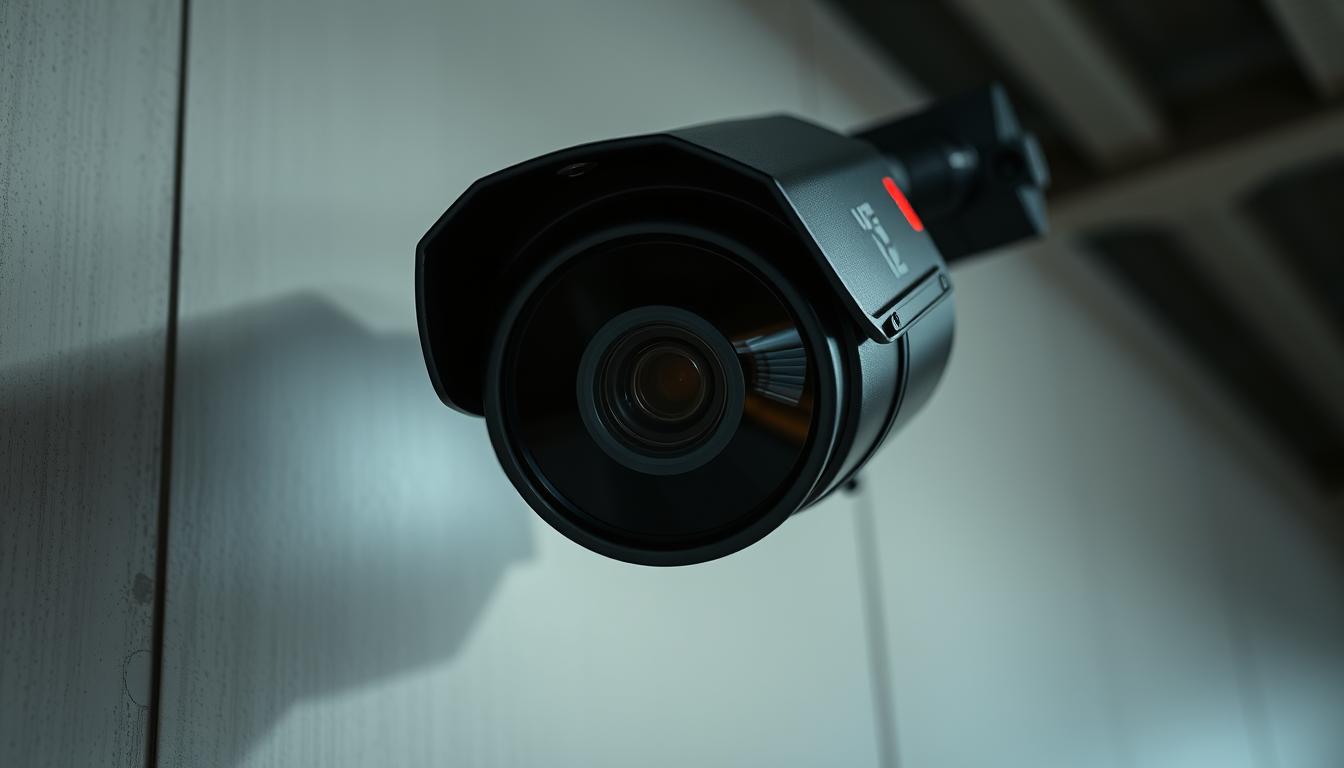
Why is the red light blinking on my CCTV camera? Fixes & Solutions
That small flashing indicator on your security device can create confusion for many users. Different manufacturers implement unique visual signals across their surveillance systems.
A blinking status light often indicates normal recording activity. However, these indicators can mean different things depending on your specific model and brand.
Understanding these visual cues is crucial for proper security system monitoring. Proper interpretation prevents unnecessary concerns about your equipment’s performance.
This comprehensive guide explores both common and uncommon reasons for status indicator behavior. We’ll cover actionable troubleshooting steps for various scenarios affecting your surveillance setup.
Environmental factors and camera positioning can influence how these signals appear. Both hardware and software elements contribute to indicator light behavior.
Key Takeaways
- Blinking lights serve as status indicators for security cameras
- Different manufacturers use unique signaling systems
- Most often indicates normal recording activity
- Proper interpretation prevents false alarms
- Environmental factors affect light visibility
- Both hardware and software influence indicator behavior
- Regular maintenance ensures accurate status signals
Understanding Your CCTV Camera’s Blinking Red Light
Status lights serve as silent communicators between your security system and you. These visual signals provide immediate feedback about equipment operation. Proper interpretation ensures your surveillance remains effective.
The Role of Visual Status Indicators in Security
Security systems use light indicators to convey operational status. These visual cues offer instant information about camera functionality. Different brands implement unique signaling patterns.
Modern surveillance equipment employs sophisticated LED technology. These lights can show recording status, connection issues, or power problems. Understanding these signals prevents false security assumptions.
Environmental factors affect how we perceive these indicators. Lighting conditions can change their apparent color and intensity. Proper placement ensures clear visibility of status signals.
Why Interpreting the Light Correctly is Crucial for Security
Correct interpretation maintains effective security monitoring. Misreading signals can create vulnerabilities in your protection system. It helps distinguish normal operation from genuine issues.
Different manufacturers use various colors and patterns. Some systems use steady lights while others utilize blinking patterns. Always consult your specific model’s documentation.
These indicators have evolved from simple LEDs to multi-color systems. They now convey complex information through light sequences. This evolution enhances user communication with security equipment.
Both residential and commercial security systems benefit from proper interpretation. It ensures optimal performance of your surveillance setup. Regular verification of status indicators maintains system reliability.
What a Blinking Red Light Indicator Actually Signifies
Security systems employ various light indicators to show their current operational mode. These visual cues provide immediate feedback about your equipment’s status and performance.
Different manufacturers implement unique signaling systems. Understanding these patterns helps distinguish normal operation from potential issues.
Blinking vs. Solid Light: Decoding the Basic Signals
A solid red indicator typically means continuous recording is active. This steady glow confirms the device is capturing footage.
Blinking patterns convey different messages. Rapid flashes might indicate video processing or data transmission.
Slow blinking often signifies standby mode or motion-activated recording. The frequency and duration matter for proper interpretation.
Advanced models use combined patterns for multiple status messages. Some systems employ different colors alongside red indicators.
Infrared LEDs and Night Vision Activation
Infrared illumination works separately from status indicators. These LEDs activate automatically in low-light conditions.
Night vision mode often shows different light behaviors. The infrared array may glow faintly red when active.
Modern cameras use separate LED systems for functions. Status indicators and infrared illumination serve different purposes.
Environmental conditions affect how these lights appear. Darkness makes infrared LEDs more visible to human eyes.
Boot-up sequences often display unique light patterns. These differ from normal operation indicators.
Always consult your specific model’s documentation. Brand variations exist in how lights communicate status information.
Why is the Red Light Blinking on My CCTV Camera?
Visual indicators provide immediate feedback about your surveillance equipment’s operation. These signals vary significantly across different models and manufacturers.
Understanding these patterns helps distinguish normal operation from potential issues. Always consult your specific model’s documentation for accurate interpretation.
The Primary Meaning: Active Recording and Standby Mode
Most security systems use blinking patterns to show recording activity. A steady rhythm often indicates continuous video capture.
Standby mode typically uses different blinking patterns. These signals show the device is powered but not actively recording.
Motion-activated systems display unique indicator behaviors. The lights may change patterns when movement detection occurs.
Data processing activities often trigger specific blinking sequences. These signals show the device is working with captured footage.
Secondary Meanings: Low Battery, Boot-Up, and Connection Status
Wireless security cameras use specific patterns for power issues. A particular blinking rhythm often signals low battery conditions.
Boot-up sequences display distinctive indicator patterns. These signals occur during system initialization and calibration.
Connection problems trigger specific warning signals. Network issues often cause regular blinking intervals until resolved.
Storage status affects indicator behavior in some models. Memory card problems may trigger unusual blinking patterns.
Firmware updates can temporarily change light behavior. System errors might also cause unexpected indicator patterns.
Environmental factors like temperature extremes affect LED performance. Always verify actual camera functionality alongside light signals.
Common Scenarios That Trigger a Blinking Red Indicator
Various operational states activate different visual signals on surveillance equipment. These patterns communicate essential information about device performance.
Understanding these scenarios helps users distinguish normal operation from potential issues. Proper interpretation ensures your security setup functions optimally.
Normal Operation: During Live Recording and Data Processing
Most surveillance devices use specific blinking patterns during active recording. A consistent rhythm typically indicates successful video capture.
Data processing activities often trigger unique blinking sequences. Video compression and file storage operations create distinct light patterns.
Motion-activated systems display different indicator behaviors. The lights may change when movement detection activates recording.
Multiple devices in a system might synchronize their indicator patterns. Some brands coordinate lights across all cameras in a network.
Warning Signals: Network Connectivity Issues and Power Problems
Network connectivity problems manifest through specific blinking rhythms. IP cameras often use rapid flashes when connection issues occur.
Power-related concerns trigger distinctive warning patterns. Low battery conditions typically activate regular blinking intervals.
Storage capacity issues might affect indicator behavior. Full memory cards can cause unusual blinking sequences in some models.
Environmental factors like temperature extremes influence LED performance. Extreme conditions might trigger warning indicators unexpectedly.
Smart features like motion detection affect light behavior. Advanced functions often create complex blinking patterns during operation.
Always verify actual device functionality alongside visual signals. Physical inspection confirms whether indicators represent real issues.
Blinking Lights on Real vs. Fake Security Cameras
Many property owners encounter confusion when distinguishing operational cameras from deterrent devices. Understanding these differences ensures your security investment provides actual protection rather than just visual deterrence.
Decorative units often employ basic LED patterns to create the illusion of active monitoring. These imitation devices typically feature simple, repetitive blinking patterns that lack the sophistication of genuine security equipment.
How Dummy Cameras Use Lights to Mimic Real Surveillance
Fake security systems rely on basic visual cues to simulate functionality. Most decorative cameras utilize simple LED circuits that create consistent, predictable blinking patterns.
These imitation devices often feature:
- Single-color LED indicators with fixed blinking rhythms
- Basic power connections without data transmission capabilities
- Consistent patterns that don’t change with environmental conditions
- No integration with actual recording or monitoring systems
Authentic security equipment employs advanced indicator systems. Functional cameras use varied light patterns that correspond to different operational states and activities.
Identifying Authentic Cameras: Build Quality, Branding, and Wiring
Genuine surveillance systems display distinct physical characteristics that separate them from imitation devices. Quality construction materials and professional branding indicate authentic security equipment.
Look for these authenticity markers:
- Manufacturer logos and model information clearly displayed
- Industry certification marks and compliance stickers
- Professional-grade construction with weather-resistant materials
- Proper wiring connections for power, data, and network integration
Functional security cameras typically feature sophisticated indicator systems. These may include multi-color LEDs, pattern variations, and synchronization with actual recording activities.
Advanced features distinguish real surveillance systems. Infrared illumination, night vision capabilities, and mobile app integration indicate genuine security equipment rather than decorative replicas.
Warranty documentation and support services further validate authenticity. Reputable manufacturers provide comprehensive service agreements and technical support for their products.
Always verify equipment functionality through actual testing. Check recording quality, remote access capabilities, and system integration to confirm you have genuine security protection.
The Critical Importance of Consulting Your Camera’s Manual
Manufacturer documentation holds the key to proper status indicator interpretation. Every security brand implements unique visual signaling systems for their surveillance equipment.
These differences make universal interpretation impossible across various models. Consulting your specific device’s manual provides accurate information about visual signals.
Manufacturer-Specific Codes: Variations in Color and Pattern
Major brands employ distinct color coding systems for their status indicators. Reolink cameras often use blue lights for specific operational states rather than traditional colors.
Hikvision systems might utilize alternating light patterns for different functions. Blink cameras employ unique blinking sequences that differ from other brands.
Professional-grade systems typically feature more sophisticated indicator designs. These advanced setups use multi-color combinations and complex pattern variations.
Consumer models generally employ simpler visual signaling methods. Understanding these differences prevents incorrect assumptions about device status.
Finding and Understanding the Indicator Legend for Your Model
Camera manuals typically contain dedicated sections for light indicator information. These sections explain color meanings, blinking patterns, and operational states.
Digital manuals are available through manufacturer websites if physical copies are missing. Most brands maintain comprehensive online documentation libraries.
Firmware updates can occasionally change indicator light behavior patterns. Always check for updated manual versions after software upgrades.
Manufacturer support teams provide clarification for ambiguous indicator meanings. Contact information is usually available in product documentation.
Proper interpretation prevents unnecessary service calls and equipment concerns. It ensures you respond appropriately to actual issues rather than false alarms.
Understanding manufacturer-specific codes maintains optimal security system performance. This knowledge helps distinguish normal operation from genuine malfunctions.
Step-by-Step Guide to Troubleshooting the Blinking Light
Following structured diagnostic steps clarifies whether blinking patterns indicate normal operation or actual issues. This systematic approach saves time and prevents unnecessary concerns about your surveillance equipment.
Begin with basic physical checks before moving to more complex system diagnostics. Each step builds upon the previous one for comprehensive problem-solving.
Document any unusual patterns observed during the troubleshooting process. This information helps technical support provide accurate assistance if needed.
Step 1: Initial Physical Inspection of Cables and Hardware
Start with a thorough visual examination of all physical components. Check every connection point for secure attachment and proper alignment.
Inspect cables for fraying, cuts, or corrosion signs. Weather exposure can damage outdoor wiring over time.
Verify mounting stability and camera positioning. Loose mounts affect both recording quality and indicator visibility.
Examine the housing for cracks or moisture intrusion. Physical damage often triggers unusual light behavior.
Clean lenses and sensors gently with appropriate materials. Dust accumulation interferes with proper device operation.
Step 2: Verifying Power Supply and Battery Levels
Confirm adequate power delivery to your surveillance equipment. Use multimeters to test outlet voltage when possible.
Check battery status on wireless models through manufacturer apps. Most systems provide precise charge level information.
Test backup power systems if installed. UPS units require regular maintenance for reliable operation.
Inspect power adapters for proper output specifications. Incorrect voltage damages sensitive electronic components.
Monitor power consumption during different operational modes. Sudden spikes may indicate developing issues.
Step 3: Checking Network and Wi-Fi Connections
Verify internet connectivity through device status indicators. Most modern equipment shows connection quality visually.
Test network speeds at camera locations. Bandwidth limitations affect data transmission and indicator patterns.
Check router configurations for proper port forwarding. Incorrect settings prevent remote access functionality.
Examine wireless signal strength at installation points. Physical obstructions reduce connection reliability.
Review firewall and security software settings. Overly restrictive configurations block necessary communications.
Reset network equipment if connection issues persist. Power cycling routers often resolves temporary glitches.
Update firmware to ensure compatibility with current network standards. Older versions may have connectivity limitations.
Consult your equipment manual for specific reset procedures. Different brands use unique initialization methods.
Check storage media capacity and write speeds. Full memory cards trigger warning indicators in many systems.
Contact technical support if all troubleshooting steps fail. Professional assistance resolves complex hardware problems.
Using Monitoring Software to Diagnose Camera Status
Modern surveillance systems offer sophisticated software tools that provide deeper insights than physical indicators alone. These applications deliver comprehensive status information through intuitive interfaces.
Monitoring platforms bridge the gap between visual signals and actual equipment performance. They transform basic light patterns into detailed operational data.

Accessing Live Feeds to Confirm Recording Functionality
Live viewing capabilities allow immediate verification of equipment operation. Simply open your monitoring application and select the desired camera feed.
Most systems display recording status icons alongside live video streams. These indicators show whether footage is being captured and stored.
Look for these confirmation signals within your software interface:
- Recording icons (usually red circles) during active capture
- Time stamps updating in real-time
- Motion detection alerts appearing on screen
- Storage capacity indicators showing available space
Remote access features enable status checks from any location. Mobile apps provide the same functionality as desktop interfaces.
Interpreting Software Alerts and Error Messages
Monitoring platforms generate specific notifications for various operational states. These alerts provide clearer information than physical indicators alone.
Common notification types include:
- Connection loss warnings with timestamps
- Storage capacity alerts before reaching limits
- Motion detection triggers with captured clips
- System error messages with suggested solutions
Dashboard features display overall system health at a glance. Connectivity status, storage levels, and device status appear in organized panels.
Historical logging tracks all status changes and events. Review these logs to identify patterns or recurring issues.
Advanced systems correlate software alerts with physical indicator behavior. This integration helps users understand what different light patterns actually mean.
Always investigate software warnings promptly. They often provide early detection of developing problems before they affect security coverage.
Beyond CCTV: Other Devices with Red Light Indicators
Electronic devices across numerous categories employ visual indicators for status communication. These signals appear on equipment ranging from personal gadgets to industrial machinery. Understanding these patterns helps users interpret device behavior accurately.
Red illumination serves as a universal warning and status signal across industries. Manufacturers choose this color for its high visibility and psychological impact. The consistency helps users quickly recognize important status changes.
Digital Cameras and Smartphones: Common Red Light Uses
Consumer electronics frequently utilize colored indicators for user feedback. Digital cameras employ red signals during recording activity and low battery conditions. These visual cues provide immediate operational status.
Smartphones incorporate LED notification systems for various alerts. These tiny lights indicate:
- Incoming calls and messages
- Charging status and battery levels
- System notifications and app alerts
Mobile devices often use different colors for specific notification types. Red typically signifies urgent alerts or critical system status.
Home Electronics and Automotive Dash Warning Lights
Home entertainment systems utilize status indicators extensively. Routers and modems show connection status through colored illumination. Gaming consoles display operational modes using light patterns.
Automotive systems employ red dashboard warnings for critical alerts. These signals indicate:
- Engine and transmission problems
- Brake system issues
- Oil pressure and temperature warnings
- Safety system malfunctions
Industrial equipment uses standardized color coding for operator safety. Red typically indicates emergency stops or critical malfunctions. Medical devices employ similar coding for equipment status monitoring.
“Color coding standardization across industries ensures consistent user experience and rapid problem recognition.”
The psychological impact of red as a warning color enhances safety across applications. This consistency helps users quickly identify critical situations regardless of device type.
Understanding these conventions assists with security equipment interpretation. The knowledge transfers effectively between different technological systems.
Local CCTV Regulations and Compliance in Singapore
Singapore maintains specific legal frameworks governing surveillance equipment installation and operation. These rules balance security needs with individual privacy rights under the Personal Data Protection Act.
Understanding these requirements prevents legal complications while maintaining effective security coverage. Proper compliance demonstrates respect for privacy while ensuring protection.
Understanding Privacy Laws and Data Protection Guidelines
The PDPA establishes clear boundaries for surveillance activities in Singapore. This legislation protects personal data collected through various means, including security systems.
Public area recording generally receives more leniency than private spaces. However, expectations of privacy still apply in certain public contexts.
Semi-public spaces require clear signage notification about surveillance activities. Businesses must display visible notices when cameras monitor areas.
Audio recording faces stricter regulations than video surveillance alone. Most situations prohibit audio capture without explicit consent.
Data retention periods must follow reasonable timeframes for security purposes. Storage security mandates protect footage from unauthorized access.
Camera placement should avoid capturing neighboring private properties unnecessarily. Angling devices properly respects adjacent privacy boundaries.
Ensuring Your Surveillance Setup is Legal and Ethical
Workplace monitoring requires transparent employee notification about surveillance practices. Companies must inform staff about camera locations and purposes.
Non-compliance can result in significant financial penalties under Singapore law. Violations may include fines and mandatory system modifications.
Obtaining proper permissions varies by context and surveillance purpose. Residential setups differ from commercial installations in approval processes.
Ethical considerations extend beyond legal requirements in security implementation. Respecting privacy builds trust within communities and organizations.
The balance between security and privacy requires careful consideration of all factors. Effective protection shouldn’t compromise fundamental privacy rights.
Regular reviews ensure ongoing compliance with evolving regulations and standards. Staying informed about legal updates maintains proper surveillance practices.
Debunking Myths: What the Blinking Light Doesn’t Always Mean
Common misconceptions about visual indicators can lead to incorrect assumptions about equipment operation. Many users mistakenly believe all flashing patterns indicate the same functions across different models.
Understanding what these signals don’t represent is equally important as knowing their actual meanings. This knowledge prevents unnecessary concerns about your surveillance setup.
Not Every Blink Equals Recording: Power vs. Recording Indicators
Many security systems utilize separate LED indicators for different functions. Power status lights often operate independently from recording indicators.
Some models feature:
- Steady illumination for power connection confirmation
- Separate blinking patterns for active recording status
- Different colored LEDs for distinct operational modes
- Combination patterns indicating multiple functions simultaneously
Infrared illumination arrays frequently get mistaken for status indicators. These night vision components glow faintly red during low-light operation.
Boot-up sequences and system diagnostics create temporary blinking patterns. These don’t necessarily correlate with actual recording activity.
How Ambient Light and Camera Angle Can Create Misinterpretation
Environmental lighting conditions significantly affect how we perceive indicator lights. Bright sunlight can make steady lights appear to blink or pulse.
Viewing angles alter the apparent behavior of status indicators. An off-center perspective might make continuous illumination seem intermittent.
Camera positioning influences indicator visibility and interpretation. Mounting height and distance affect how clearly users see actual light patterns.
Weather conditions like rain or fog can distort light perception. Moisture on the lens might make indicators appear differently than intended.
Physical damage to the housing or LED cover changes light behavior. Cracks or scratches can make steady lights seem irregular or blinking.
“Never assume indicator meaning without verifying actual camera function through monitoring software or live feed checks.”
Some systems experience firmware glitches that affect light behavior. These software issues might cause misleading patterns that don’t reflect true status.
Different manufacturers employ unique signaling systems across their product lines. One brand’s recording indicator might be another’s power status light.
Always consult your specific model’s documentation for accurate interpretation. This prevents confusion between normal operation and genuine malfunctions.
Regular verification through monitoring applications confirms actual recording status. Software indicators provide more reliable information than physical lights alone.
The Technology Behind CCTV Camera Status Lights
Modern surveillance equipment incorporates sophisticated visual signaling systems that communicate operational status through carefully engineered light patterns. These indicators represent the culmination of decades of technological advancement in both hardware design and software integration.
How LEDs are Integrated into Security Camera Design
Light-emitting diodes connect directly to the main circuit board through precision soldering. Manufacturers position these components near the lens housing for optimal visibility. The placement ensures users can see status signals from various angles.
Each LED connects to dedicated control chips that manage illumination patterns. These microcontrollers receive instructions from the camera’s central processing unit. Firmware updates can modify how these chips interpret status commands.
Advanced models feature multi-color RGB systems instead of single-color options. These arrangements enable more complex status communication through color combinations. Different hues can indicate various operational states simultaneously.
Infrared night vision LEDs operate on separate circuits from status indicators. These components serve distinct purposes within the overall surveillance system. Their placement avoids interference with status light visibility.
The Evolution of Indicator Technology in Modern IP Cameras
Early surveillance equipment used simple incandescent bulbs for basic status indication. These evolved to single-color LED systems with limited pattern capabilities. Modern IP cameras now feature programmable multi-color systems.
Contemporary designs incorporate energy-efficient LED technology that minimizes power consumption. Wireless models particularly benefit from these low-power solutions. Battery life extends significantly through smart power management.
Manufacturing processes now embed LED indicators within durable, weather-resistant housings. These designs protect delicate electronic components from environmental factors. The integration ensures long-term reliability in various conditions.
Software control systems have become increasingly sophisticated over time. Modern firmware can customize light patterns based on user preferences. Some brands allow app-based configuration of indicator behavior.
Future trends point toward reduced physical indicators in favor of app-based status reporting. However, visual signals remain crucial for immediate local status checks. The technology continues evolving toward smarter, more intuitive communication methods.
“The shift from simple bulbs to smart LED systems represents one of the most significant yet overlooked advancements in surveillance technology.”
Power management systems carefully balance indicator functionality with overall energy consumption. These systems prioritize essential functions during low-power situations. The design ensures critical status information remains available even during power constraints.
Different manufacturers implement unique approaches to indicator technology integration. Some brands emphasize subtle, discreet signaling while others prefer prominent visual cues. These variations reflect diverse design philosophies across the security industry.
When the Blinking Light is Misleading: Environmental Factors
External conditions often influence how we perceive surveillance equipment status indicators. Various elements can create false impressions about your device’s actual operational status. Understanding these factors prevents unnecessary concerns about your security setup.
Impact of Obstructions, Damage, and Extreme Weather
Direct sunlight can completely obscure or mimic indicator patterns. Bright conditions make it difficult to distinguish actual signals from reflections. This visual interference causes confusion about recording status.
Physical obstructions like dirt, debris, or spider webs affect light visibility. These elements distort how indicators appear to the human eye. Regular cleaning ensures accurate status interpretation.
Weather conditions significantly impact equipment operation. Heavy rain or snow can create optical illusions with status lights. Moisture accumulation might make steady illumination appear to blink.
Temperature extremes cause abnormal LED behavior in surveillance systems. Both extreme heat and cold affect electronic component performance. These conditions can trigger unusual patterns that don’t reflect actual status.
Physical damage to the housing or lens alters light perception. Cracks or scratches change how indicators appear from different angles. Always inspect equipment for visible damage during troubleshooting.
Mounting position creates viewing angle challenges. An off-center perspective might make continuous lights seem intermittent. Proper installation ensures optimal indicator visibility.
Software Glitches and Firmware Issues That Affect Indicators
Software bugs can cause misleading indicator patterns in security systems. These glitches might show incorrect status information through physical lights. The device could be functioning normally despite unusual signals.
Firmware issues sometimes create conflicts between actual operation and visual indicators. Outdated software versions may not communicate status accurately. Regular updates maintain proper synchronization between functions and indicators.
Power fluctuations affect LED reliability in surveillance equipment. Voltage spikes or drops can cause irregular blinking patterns. Stable power sources ensure consistent indicator behavior.
Network problems create conflicting signals between physical lights and software status. Connection issues might cause indicators to show incorrect information. Always verify through monitoring applications for accurate status confirmation.
Manufacturers occasionally release firmware updates specifically for indicator light issues. These patches resolve communication problems between hardware and software components. Keeping systems updated prevents misleading signals.
“Environmental factors and software glitches account for nearly 40% of false alarm reports in security systems according to industry studies.”
Distinguishing between environmental factors and actual system issues requires systematic verification. Check physical conditions first, then consult monitoring software for status confirmation. This approach prevents misinterpretation of indicator signals.
For comprehensive guidance on interpreting your specific model’s indicators, consult our detailed troubleshooting guide that covers all major brands and their unique signaling systems.
Ensuring Optimal Performance for Your Security System
Proper interpretation of visual signals maintains your surveillance equipment’s effectiveness. Understanding what different patterns mean prevents false alarms and ensures reliable protection.
Regular maintenance keeps your security setup performing at its best. Schedule monthly checks of all components and connections. Professional monitoring services provide additional reliability for critical security needs.
Keep detailed records of system performance and any unusual signals. This documentation helps identify patterns and resolve issues quickly. Regular firmware updates ensure your equipment stays current with security standards.
Test all system components quarterly to verify proper operation. This includes checking recording functionality, power sources, and network connections. Comprehensive testing confirms your security remains uncompromised.
Understanding both hardware indicators and software status reports provides complete system awareness. This dual knowledge ensures you can trust your security equipment’s performance over time.
FAQ
What does a blinking red light mean on my security camera?
A blinking red light often indicates normal operation, such as active recording or data processing. However, it can also signal issues like low battery or connectivity problems. Always check your camera’s manual for brand-specific meanings.
How can I tell if my security camera is real or a dummy based on its lights?
Real cameras typically have consistent, functional light indicators tied to actual operations like recording or night vision. Fake security cameras may use blinking red lights purely for visual mimicry without genuine functionality. Look for additional signs like build quality and proper wiring.
Should I be concerned if the red light on my CCTV camera starts blinking?
Not necessarily. Many cameras use a blinking red light during normal recording or standby mode. However, if the pattern changes unexpectedly or is accompanied by performance issues, it may indicate a problem requiring troubleshooting.
Can I turn off the blinking red light on my surveillance camera?
Some models allow users to disable light indicators via settings in the companion software or mobile app. Check your device’s manual or software options to see if this feature is available for your specific brand and model.
Do all security cameras use the same colors for status indicators?
No, different manufacturers use various colors and patterns. For example, while red often relates to recording or warnings, green might indicate power, and blue could signal connectivity. Always refer to your camera’s documentation for accurate interpretations.
What should I do if troubleshooting doesn’t resolve the blinking light issue?
If basic steps like checking power, connections, and rebooting don’t help, consult your camera’s support resources. Contact customer service for your brand or seek professional assistance to diagnose potential hardware or firmware problems.
Are there legal considerations for using CCTV cameras with visible indicators?
Yes, especially regarding privacy. In places like Singapore, regulations may require informing individuals about surveillance. Ensure your system complies with local laws, and use status lights ethically to maintain transparency in monitored areas.


