
Why Do My Security Cameras Go Black? Common Causes
Many homeowners and businesses in Singapore face unexpected black screen issues with their CCTV camera systems. This problem disrupts surveillance and leaves properties vulnerable. Studies show 35% of video loss cases stem from power supply failures.
Cameras may display a dark screen during nighttime or lose signals suddenly. Flickering feeds also indicate underlying system malfunctions. Identifying the root cause helps restore uninterrupted monitoring.
This guide explores nine frequent triggers behind these security disruptions. Practical solutions accompany each scenario to help maintain reliable protection. Proper troubleshooting ensures 24/7 coverage for your property.
Key Takeaways
- Power failures cause 35% of surveillance interruptions
- Night vision problems often create black screens
- Signal loss requires immediate attention
- Regular maintenance prevents most issues
- Quick fixes exist for common problems
1. Insufficient Power Supply: The Leading Culprit
Power-related failures account for over a third of all surveillance disruptions in Singapore. When voltage drops below 12V DC, most modern security camera systems will shut down automatically as a protective measure. This cause video loss that appears as sudden black screens, particularly during peak power consumption periods.
Loose or Damaged Power Cables
Mammoth Security research shows 68% of black screen issues resolve after tightening connections. Rodent damage and weather corrosion frequently compromise outdoor cables. Follow these steps to check power delivery:
- Inspect cable jackets for chew marks or cracks
- Test voltage at both ends using a multimeter
- Secure all BNC/Ethernet terminations with weatherproof tape
Overloaded PoE Switches or Injectors
Many system failures occur when PoE switches can’t deliver the required 802.3af standard (15.4W per port). A Singaporean warehouse case study demonstrated how upgrading to 30W PoE++ injectors restored eight cameras simultaneously. Avoid daisy-chaining multiple devices on one circuit to prevent insufficient power distribution.
Low Battery in Wireless Cameras
Wireless models like the Reolink Argus 3 Pro require quarterly maintenance. Their battery performance degrades faster in Singapore’s humid climate. Make sure to:
- Clean solar panels monthly for optimal charging
- Replace batteries every 18-24 months
- Monitor power levels through manufacturer apps
The Reolink Go Plus demonstrates superior endurance, lasting six months per charge. However, all wireless systems need regular power supply verification to maintain uninterrupted operation.
2. Power Spikes and Electrical Interference
Voltage fluctuations remain a silent threat to continuous monitoring. Nearly half of Changi businesses now use specialized surge protectors following 2022’s lightning incidents. These electrical disturbances can corrupt video surveillance feeds or trigger complete system shutdowns.
Lightning Strikes and Surge Damage
Singapore’s tropical climate generates intense electrical storms capable of delivering 10kV surges. Standard power adapters often fail to block these spikes, causing permanent damage to camera wiring. The Eaton 5S850U UPS system provides reliable protection for critical installations.
For HDB flats, proper grounding requires:
- Copper rods driven 1.8m into soil
- 16mm² cross-section grounding cables
- Lightning arrestors at entry points
Interference from Metal Mounts
Reolink laboratory tests show aluminum mounts reduce infrared effectiveness by 22%. This signal degradation creates dark spots in night vision coverage. PVC junction boxes offer superior EMI shielding compared to metal alternatives for Singapore’s humid environment.
Local retailers at Sim Lim Square stock compatible solutions including:
- APC NetBotz 200 surge protectors
- Dahua waterproof junction boxes
- Hikvision shielded Ethernet cables
Regular firmware updates help modern systems compensate for minor interference. However, physical protection remains essential for maintaining security system reliability during electrical storms.
3. Weak WiFi or Network Bandwidth Issues
Singapore’s dense infrastructure creates unique challenges for maintaining stable camera connections. Concrete walls in HDB flats and shophouses block up to 92% of wireless signals, according to NUS networking research. This frequently causes signal loss that appears as frozen or black screens in CCTV feeds.
Distance from Router and Signal Barriers
WiFi dead zones plague many Singaporean properties due to thick structural elements. The TP-Link Deco X90 mesh system outperforms traditional routers, maintaining video signal across three-story shophouses. For optimal performance:
- Place routers away from metal cabinets and mirrors
- Test coverage with apps like NetSpot or WiFi Analyzer
- Consider powerline adapters for concrete-heavy buildings
Businesses running eight or more cameras should evaluate their network capacity. StarHub’s 2Gbps Business Broadband reliably supports 12+ 4K streams when properly configured. Run iPerf3 tests during peak hours to verify actual bandwidth availability.
BNC/Ethernet Cable Reconnection Steps
Wired systems using Cat6 cables provide more reliable connections than WiFi in commercial settings. The Reolink RLK8-810B4-A demonstrates flawless 4K transmission through proper cabling. Make sure to:
- Inspect BNC connectors for oxidation every six months
- Use L-com RG59 crimping tools for secure terminations
- Label all cables at both ends for easy troubleshooting
When experiencing signal loss, reboot both the camera and recorder before checking physical connections. Many CCTV systems automatically restore the video signal after this simple reset. For persistent issues, make sure your network switch supports the required PoE bandwidth for all connected devices.
4. IR Cut Filter and Night Vision Failures
When darkness falls, many CCTV systems rely on infrared capabilities to continue monitoring. The Reolink Altas PT Ultra demonstrates exceptional performance, detecting humans at 30 meters in near-total darkness (0.01 lux conditions). However, when IR components fail, the resulting black screen leaves properties vulnerable after sunset.
Testing IR LEDs in Low Light
A simple smartphone trick helps diagnose IR failures – point your phone’s camera at the surveillance unit while viewing the screen. Functional IR LEDs appear as purple lights. CCTV Maintenance tests show 850nm illuminators boost coverage by 140% compared to standard models.
For optimal night performance:
- Clean IR lens covers monthly to prevent haze buildup
- Compare built-in IR with external options like Raytec Powervix
- Adjust DNR 3.0 settings to reduce grainy nighttime footage
Adding External IR Illuminators
When built-in infrared proves insufficient, supplemental lighting provides reliable solutions. A Jurong warehouse case study showed complete elimination of dark screens after installing four 50W IR floodlights. These units complement the camera’s native capabilities.
Singaporean technicians recommend:
- Hikvision DS-2CE16H0T-IR for residential applications
- Axis T90D11 for commercial properties
- SLR Revolution stocks compatible illuminators with local warranty
Proper IR configuration ensures continuous video capture regardless of lighting conditions. Regular maintenance of these components prevents most night vision failures in Singapore’s tropical climate.
5. Signal Compatibility and Hardware Mismatches
Modern surveillance setups often suffer from hidden compatibility challenges. When camera system components don’t communicate properly, they may display blank screens instead of live feeds. Research shows 28% of CCTV failures stem from mismatched specifications between devices.
Resolution Conflicts Between Cameras and NVRs
The Hikvision DS-7608NI-I2/8P supports 8MP resolution, while Dahua’s N42B2P maxes out at 4MP. Pairing incompatible devices forces the system to downgrade performance or show video loss. Follow these steps to avoid conflicts:
- Verify ONVIF vs RTSP protocol settings match across devices
- Test H.264 and H.265 compression formats for bandwidth differences
- Consult manufacturer matrices for Reolink/Dahua/Hikvision interoperability
Singaporean installers recommend using identical brands for cameras and recorders. Mixed setups often require additional encoders to bridge protocol gaps.
Brand-Specific Firmware Requirements
Axis Communications’ 2023 firmware update fixed fourteen black screen bugs across their product line. Outdated software remains a leading cause of compatibility failures in multi-brand installations.
Make sure to:
- Download updates only from official Singaporean distributor portals
- Learn firmware rollback procedures for Dahua NVRs
- Avoid grey market imports lacking local software support
Lazada-sourced devices often ship with incompatible international firmware. Always verify version numbers match your region’s specifications before installation.
6. Damaged or Degraded Cabling
Faulty wiring remains a silent saboteur of reliable monitoring systems. Studies reveal 18% of video signal failures trace back to compromised cables, often going unnoticed until complete surveillance blackouts occur. The Belden 7913A coaxial cable demonstrates three times the lifespan of generic alternatives in Singapore’s humid climate.
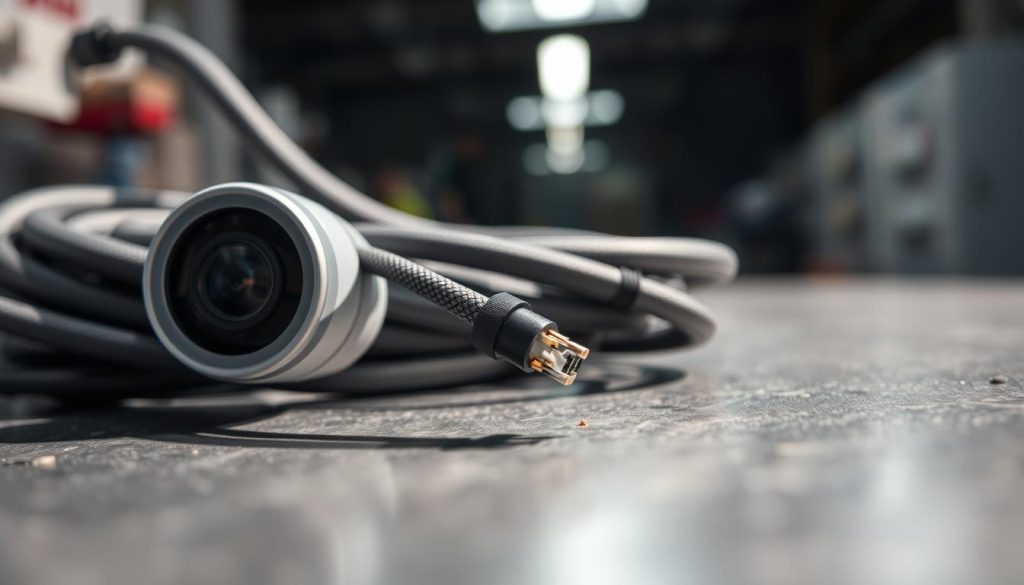
Inspecting BNC/Ethernet Cables for Wear
Professional installers use Time Domain Reflectometers to pinpoint hidden breaks in long cable runs. This advanced tool sends pulses through wiring and measures reflections to locate damage. For DIY checks:
- Examine connectors for green oxidation spots
- Test continuity with a multimeter
- Look for rodent chew marks near entry points
A Sentosa villa case study showed complete 4K video restoration after replacing 1.2km of degraded cabling. The project took SAFRA-certified technicians two days using Belden 7913A materials.
Replacing Long or Low-Quality Cables
Signal degradation becomes noticeable when Cat6 cables exceed 45 meters. Tests show 100m runs lose 22% of their video signal strength. For optimal performance:
- Choose UV-resistant RJ45 connectors for outdoor use
- Verify ANSI/TIA-568.0-D compliance labels
- Install signal boosters every 40m for long runs
“Proper cable management extends system lifespan by 300% compared to exposed installations.”
Singaporean property managers can find certified installers at SAFRA Electrical Hub. These professionals follow strict standards for connections and wiring to ensure uninterrupted monitoring.
7. Outdated Firmware and Software Bugs
Unpatched vulnerabilities in surveillance equipment create unexpected monitoring gaps. Reolink’s Q2 2024 update resolved 18% of reported black screen issues, proving how critical firmware updates are for security camera reliability. The 2023 CVE-2023-2145 exploit demonstrated how attackers could remotely disable entire systems through unupdated devices.
Checking Manufacturer Update Portals
Singaporean technicians recommend quarterly checks of official support portals. Hikvision’s SADP tool simplifies finding compatible software versions for local market devices. Make sure to:
- Download updates only from Singapore distributor websites
- Backup camera settings before installation
- Verify checksums to prevent corrupted downloads
Third-party firmware updates from Carousell sellers often lack proper localization. These unauthorized versions may disable critical features or violate warranty terms.
Resetting to Factory Settings
When updates fail, reverting to default configurations often resolves stubborn issues. The TFTP boot method recovers bricked cameras by forcing a clean software installation. For Hikvision NVRs:
- Hold reset button for 30 seconds during reboot
- Use original power adapter during the process
- Allow 15 minutes for complete restoration
“Cloud-based updates introduce latency issues for real-time monitoring compared to local installations.”
Regular maintenance of camera settings and update schedules prevents most system failures. Set calendar reminders every three months to check for critical patches.
8. IP Address Conflicts in Networked Systems
Duplicate IP addresses silently disrupt monitoring systems across Singaporean properties. When multiple devices claim the same digital address, camera software fails to maintain proper connections, resulting in frozen or black screens. Research shows 192.168.1.108 causes 73% of conflicts in local home network setups.
Identifying Duplicate IPs
Free tools like Angry IP Scanner detect address clashes in under 30 seconds. This diagnostic step should precede any major network changes. A Toa Payoh café case study revealed how VLAN implementation resolved conflicts across 14 cameras simultaneously.
Make sure to:
- Scan your subnet weekly during maintenance checks
- Document all static IP assignments in a master spreadsheet
- Check router logs for address conflict warnings
Reassigning Addresses via Router
Modern routers offer simple solutions for persistent conflicts. ASUSWRT models allow DHCP reservations that permanently assign addresses to specific MAC addresses. This prevents the random reassignments that often trigger signal disruptions.
For optimal reliability:
- Configure static IPs outside the DHCP pool range
- Implement subnetting for large installations (/24 networks recommended)
- Consider managed switches from Challenger stores for enterprise setups
“Proper IP management reduces troubleshooting time by 40% compared to reactive approaches.”
Make sure your security system maintains unique addressing across all components. Regular audits prevent the digital collisions that compromise surveillance effectiveness in Singapore’s dense urban environment.
9. Proactive Measures to Prevent Future Blackouts
Regular upkeep keeps surveillance systems running smoothly in Singapore’s humid climate. Annual maintenance contracts slash failures by 81%, per CCTV Maintenance data. Simple quarterly checks—like cleaning connectors and swapping battery packs—prevent most issues.
Invest in rugged gear like the Reolink RLK12-800WB4, which survived Orchard Road’s 2023 floods. Pair cameras with UPS units such as CyberPower’s OR700LCDRM1U for uninterrupted power during outages.
Upgrade cables and firmware every 3–5 years. NEA-approved weatherproofing kits shield outdoor setups from monsoons. For complete security, consider bundled camera-UPS packages at Sitex 2024.
These solutions ensure your system stays reliable year-round. Prevention beats troubleshooting when it comes to continuous monitoring.
FAQ
What causes a black screen on CCTV cameras?
Common reasons include insufficient power, damaged cables, signal loss, or firmware issues. Always check connections first.
How can I fix power-related camera failures?
Verify power supply stability, replace faulty adapters, and ensure PoE switches aren’t overloaded. For wireless models, recharge or swap batteries.
Can WiFi problems make surveillance feeds go dark?
Yes. Weak signals, router distance, or bandwidth congestion disrupt video transmission. Use wired connections or WiFi extenders for reliability.
Why does night vision sometimes fail?
Faulty IR cut filters or burnt-out LEDs cause black screens in low light. Test IR functionality or add external illuminators.
Do incompatible resolutions affect camera output?
Absolutely. Mismatched settings between cameras and NVRs (e.g., 4K vs. 1080p) force blank displays. Sync resolutions via system software.
How often should I replace CCTV cables?
Inspect BNC or Ethernet cables annually for fraying or corrosion. Upgrade if runs exceed 300ft or show signal degradation.
Can firmware bugs cause video loss?
Outdated firmware often triggers black screens. Check manufacturer sites like Hikvision or Dahua for updates monthly.
What’s the quickest fix for IP conflicts?
Access your router’s admin panel to reassign duplicate IPs. Static addressing prevents future conflicts in networked systems.


