
Why CCTV camera suddenly stopped working?
A CCTV camera suddenly stopping can worry homeowners, more so in Singapore. Home security is key there. Knowing why your CCTV camera isn’t working is important. It helps you fix it yourself or know when to call a pro.
Keeping your CCTV working is vital for safety. It helps prevent security issues and keeps your home safe.
Key Takeaways
- CCTV camera malfunction can significantly impact home security.
- Common troubleshooting CCTV steps should be understood by all homeowners.
- Regular maintenance is essential for preventing CCTV not working scenarios.
- Identifying issues early can save time and costs for repairs.
- Consulting with professionals may be necessary for complex problems.
Common Causes of CCTV Camera Failure
CCTV camera failures often stem from a few common issues. Knowing these problems helps in fixing them quickly. Some common security camera problems include:
- Power supply problems: Not enough power can cause cameras to fail. This might happen if power cords are faulty or connections are loose.
- Connectivity issues: A weak or broken network connection can lead to lost footage. These issues can affect both wired and wireless connections.
- Faulty cables: Damaged or frayed cables can block signal transmission, causing camera failure.
- Outdated firmware: Neglecting firmware updates can make cameras malfunction.
By spotting these common causes, users can fix problems and get their CCTV systems working again.
Power Supply Issues
Power supply problems often cause CCTV cameras to malfunction. Fixing these issues early can save time and money. Regular checks make the system more reliable and effective. It’s important to inspect power cords and connections and check battery health in wireless cameras.
Checking Power Cords and Connections
It’s vital to check power cords and connections often for damage. This helps avoid sudden video loss. Look for:
- Frayed wires or exposed insulation
- Loose connections at power adapters and outlets
- Signs of overheating or discoloration around power sources
By doing this, you can avoid common power supply problems and keep your cameras working well.
Inspecting Battery Health for Wireless Cameras
For wireless cameras, keeping an eye on battery health is key. Weak batteries can cause video loss and poor performance. Check the batteries by:
- Checking the expiration date of the batteries
- Testing the voltage using a multimeter
- Replacing old or weak batteries promptly
By focusing on battery health, you can make sure your wireless cameras work well. This helps avoid any surveillance disruptions.
Network Connectivity Problems
Network issues can stop CCTV cameras from working right. Finding out why these problems happen is key to keeping surveillance going without breaks. By checking wired and wireless connections, users can find and fix problems.
Testing Wired and Wireless Connections
First, look at your wired connections for damage or loose connections. Make sure cables are tight and not frayed. This helps avoid CCTV network problems.
If you have wireless cameras, check the signal strength. Things like walls and other electronic devices can mess with the signal. This can make your camera’s performance shaky.
Pinging Camera’s IP Address
Pinging the camera’s IP address is a good way to check if it’s connected. This shows if the camera is online or if there’s a conflict with IP addresses. If the ping shows packet loss or can’t connect, you need to dig deeper.
For more help on fixing these issues, check here. Taking these steps will help fix network problems and keep your CCTV system running well.
Physical Inspection of Cables and Components
Checking your CCTV system regularly is key for it to work well. Look closely at all cables and parts. Even small problems can cause big issues.
By checking cables CCTV and parts often, you can avoid bigger problems.
Identifying Loose or Damaged Cables
Bad cables can mess up your images and make the system unreliable. Look for any signs of damage or wear on the cables. If you find any, fix the connections that are loose.
Doing this often keeps your system running smoothly and your place safe.
Verifying Connections and Integrity of Components
It’s important to check if all connections are good and strong. Make sure all plugs are snug and there’s no rust. A detailed check can spot problems early.
Firmware and Software Updates
Keeping your camera software up to date is key for your CCTV system’s best performance. It’s important to make sure the firmware is current. Old firmware can cause problems like reduced function and more security risks.
Keeping your surveillance system’s firmware updated is vital. Regular checks and updates are a must. This keeps your system secure and running smoothly.
Upgrading Camera Firmware
Updating your CCTV camera’s firmware is a must. Manufacturers release updates to fix issues, add new features, and boost security. Skipping these updates can put your system at risk and lower its performance.
- Check the manufacturer’s website often for firmware updates.
- Follow the instructions carefully to avoid problems during the update.
- Save your current settings before updating to avoid losing data.
By following these steps, you make your CCTV system more effective and secure against threats.
Camera Settings and Configuration
Proper CCTV camera settings are key for a good surveillance system. It’s important to check and adjust camera settings often. If not, you might face camera configuration issues, leading to problems like recording failures or poor motion detection.
When setting up security cameras, make sure to check the resolution, frame rate, and field of view. Wrong settings can miss important moments. It’s up to users to keep settings right to protect their property well.
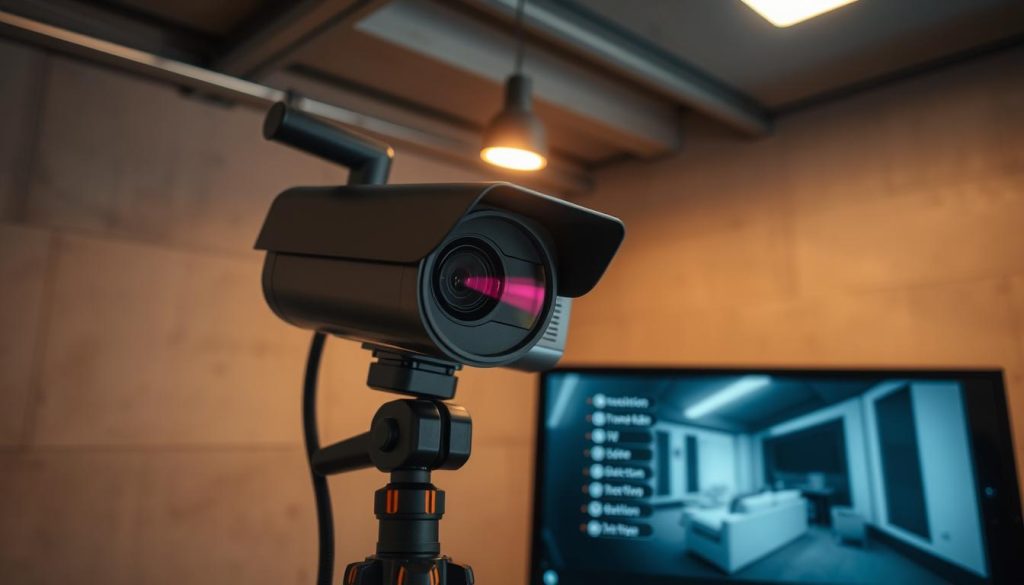
Testing settings regularly can catch problems early. This allows for quick fixes. Understanding these settings makes CCTV systems more reliable.
Why CCTV Camera Suddenly Stopped Working?
It’s important to know why CCTV cameras fail suddenly. Many things can cause these problems, leaving users confused. Finding out what went wrong helps fix the issue.
Electrical surges can damage cameras quickly. Power outages also cause problems, affecting the whole system. Checking connections and equipment regularly helps avoid these issues.
Network failures can stop cameras from working. It’s key to check for any network problems. Keeping equipment in good shape is essential for continuous surveillance.
Rebooting the CCTV System
Rebooting the CCTV system is a simple way to fix many technical issues. Sometimes, just restarting the CCTV camera can make a big difference. It can solve problems like frozen images or missed recordings, making the equipment work again.
To reset security camera systems, follow these steps:
- Turn off the power supply either via the main switch or by disconnecting the power adapter.
- Wait for about 30 seconds to 1 minute, letting any leftover power go away.
- Reconnect the power supply to the camera.
- Watch as the camera starts up, making sure all lights are normal.
This is a good first step when you’re having trouble with your CCTV system. A reboot can fix temporary problems that stop the system from working right. Doing this regularly can help keep your system running smoothly.
Utilizing Professional Services
When DIY troubleshooting doesn’t work, seeking professional services is key. Issues like camera malfunctions or unclear faults need expert help. It’s time to call in professional CCTV repair technicians.
Finding reliable technical support CCTV in Singapore is important. Look for local services with good reviews. Make sure they have the right skills for your CCTV system. Good technicians can spot problems you can’t see.
Getting professional help has many benefits. They have the tools and know-how to fix complex issues fast. This prevents damage to your system and keeps it working well. With expert services, you can relax, knowing your system is in good hands.
Maintaining Your CCTV System for Optimal Performance
Regular maintenance of your CCTV system is key to keeping it working well. By setting up a routine check schedule, you can spot problems early. This could be loose connections or parts that need replacing.
Keeping your system’s software and firmware current is also vital. Updates from the manufacturer can fix bugs and boost performance. Always check for updates to keep your system safe and efficient.
Don’t forget to consider how old your CCTV parts are. Even top-notch gear can wear out over time. A good maintenance plan with regular checks and updates will keep your security strong and avoid unexpected issues.
FAQ
What are some common causes of CCTV camera failure?
CCTV cameras can fail due to power issues, network problems, or damaged cables. Outdated firmware and wrong settings also cause problems. Regular checks and upkeep can prevent these issues.
How can I check the power supply of my CCTV cameras?
Check power cords and connections for damage. Make sure cables are tight and secure. For wireless cameras, check the battery to see if it’s charged and working.
What steps can I take to troubleshoot network connectivity problems?
Test both wired and wireless connections. Check cables for damage and ensure they’re connected well. Pinging the camera’s IP address can show if it’s connected to the network right.
Why is a physical inspection of cables and components necessary?
A physical check is key to find loose or damaged cables. It also checks the integrity of connections and components. This ensures your CCTV system works well.
How do I keep my CCTV camera firmware up to date?
Update firmware regularly for best camera performance. Check for updates from the manufacturer and follow their instructions. This keeps your system secure and efficient.
How do incorrect camera settings affect CCTV performance?
Wrong settings can cause recording failures or poor surveillance. Regularly check and adjust camera settings to ensure effective surveillance.
What should I do if my CCTV camera suddenly stops working?
First, check for power, network, or connection issues. Regular maintenance can prevent failures. If problems continue, get professional help.
What is the benefit of rebooting my CCTV system?
Rebooting can fix technical issues like frozen images or missed recordings. It’s a simple step that often solves problems.
When is it necessary to seek professional services for CCTV issues?
Get professional help for persistent issues or when unsure of the problem. Experts can find and fix complex faults.
How can regular maintenance improve my CCTV system’s functionality?
Regular maintenance, like inspections and updates, reduces failure risks. It also boosts your system’s security and reliability.


