
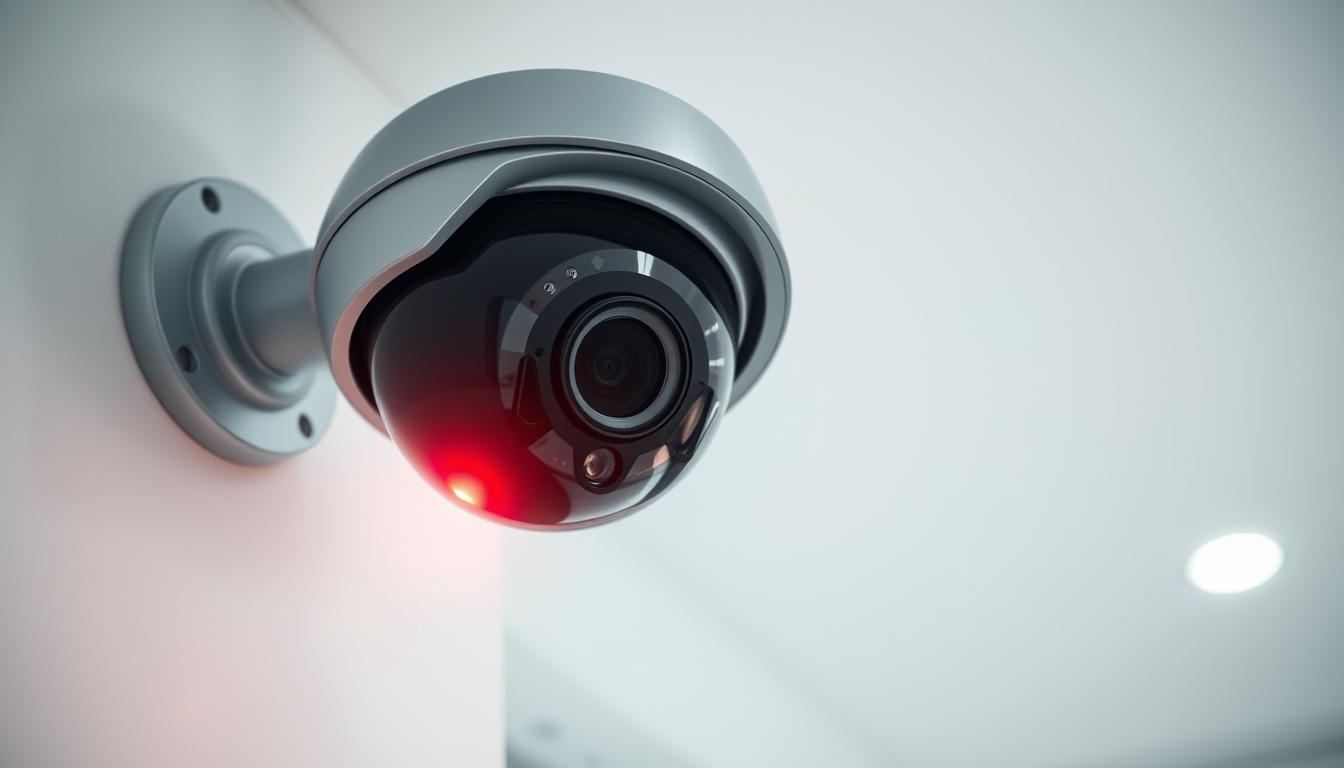
What is the red light on my CCTV camera? Explained
Many homeowners and business operators in Singapore notice a glowing indicator on their surveillance equipment. This small beacon often causes curiosity and concern. People wonder about its purpose and what different patterns might signal.
Understanding these visual cues is essential for proper security system monitoring. It provides peace of mind knowing your property is protected. The status light acts as a simple communication tool between the device and its owner.
That small illuminated dot serves as a status indicator. It tells users if their surveillance device is functioning correctly. In low-light conditions, a steady glow typically means the unit is active and operational.
This guide offers comprehensive information about interpreting these signals. We’ll cover basic functionality, troubleshooting common issues, and technical aspects. You’ll learn to distinguish between various recording modes and understand different brands.
Modern surveillance technology continues to evolve. Some advanced models use infrared or have no visible indicators at all. Knowing how to read your equipment’s signals ensures effective security management.
Key Takeaways
- The illuminated indicator acts as a status beacon for your surveillance equipment.
- A steady glow usually means the device is powered on and functioning.
- Different blinking patterns can indicate various operational modes like recording.
- Understanding these signals is crucial for maintaining an effective security setup.
- Not all surveillance units have visible lights; some use infrared technology.
- The meaning of indicator patterns varies between manufacturers and models.
- This guide provides practical knowledge for better security system management.
What is the Red Light on My CCTV Camera? The Direct Answer
That small, glowing dot on your surveillance unit is a direct line of communication from your security system. Its behavior—steady or flashing—gives you an immediate, at-a-glance status report. While meanings can vary, a few common interpretations apply to most models.
The Primary Meaning: Power and Status
A solid, steady glow usually means the camera is powered on and functioning properly. Think of it as an “idle” or “standby” mode. The unit is active, connected, and ready for action but may not be saving footage at that exact moment.
When that steady glow changes to a blinking or flashing pattern, pay attention. This often signals the device is engaged in a core task. A blinking red light frequently means it is actively recording or transmitting data.
“LED indicators are the simplest user interface. A steady light says ‘I’m here,’ while a blinking one says ‘I’m working.'”
It’s a common misconception that a visible glow always means recording is happening. Many devices use different colored LEDs or patterns to distinguish between standby and active recording modes. Always check your specific model’s guide.
Infrared Illumination in Low Light
Often, the visible glow isn’t a status indicator at all. It’s infrared (IR) illumination at work. These LEDs emit light invisible to humans, but cameras can see it for night vision.
Our eyes perceive a faint red or amber glow from these LEDs in dark environments. So, a solid red light at night often means the unit’s night vision is active, helping it see clearly.
Some security cameras feature multiple small LEDs around the lens. This array provides broad, even illumination for superior low-light coverage. The technical reason for the visible color is the wavelength of light these IR LEDs emit.
Design philosophies differ between brands. One manufacturer might use a red LED purely for power status. Another might use the visible IR glow as a secondary status cue. This is why consulting your manual is essential for a definitive answer.
Understanding these signals empowers you to manage your security with confidence. You’ll know if your system is truly watching.
Understanding Your CCTV Camera’s Basic Functionality
Behind every security camera’s lens lies a sophisticated system designed to capture, process, and store visual information. These devices transform light into digital data your security system can use. Knowing how they work helps you choose the right equipment for your Singapore property.
Core Components and How They Work
Modern surveillance cameras contain several key parts. Each plays a vital role in monitoring your space effectively. The image sensor is the most critical component inside.
Two main sensor types exist: CCD and CMOS. CCD chips, like 1/2 inch and 1/4 inch models, were traditional favorites. CMOS technology now dominates due to lower power use and cost.
Sensor size directly affects image quality and low-light performance. Larger sensors capture more light, creating clearer pictures. This is crucial for Singapore’s varied lighting conditions.
Resolution determines how much detail your footage holds. Basic systems start at 720p HD. Higher-end security cameras offer 4K UHD or even 5 Megapixel clarity.
Better resolution means you can identify faces and license plates from farther away. It also requires more storage space for recorded video. Your choice balances detail needs with practical constraints.
Other essential parts include the lens, processor, and housing. The lens focuses light onto the sensor. The processor converts this data into a viewable format.
Weatherproof housing protects internal electronics from Singapore’s humid climate. All these elements must work together seamlessly. A failure in one component can compromise your entire surveillance system.
The Purpose of Status Indicators
Those small LED lights on your equipment serve as simple communication tools. They provide immediate visual feedback about camera operation. This helps users monitor their security systems at a glance.
Manufacturers include these indicators for several important reasons. First, they offer user awareness. You can instantly see if your device has power and is functioning.
Second, they assist with troubleshooting. Unusual light patterns often signal problems. A missing glow might mean a power supply issue.
Third, visible indicators can act as a deterrent. A blinking light suggests active monitoring. This may discourage unwanted activity around your property.
Different camera types use various indicator systems. Wired models might have simpler light patterns. Wireless security cameras often use more complex sequences to show network status.
Analog and IP cameras also differ in their signaling approaches. Traditional analog systems may have basic power lights. Modern IP cameras frequently use multi-color LEDs to convey detailed status information.
Some advanced security systems now use mobile apps instead of physical lights. These applications provide real-time status updates on your smartphone. You can check recording activity, motion alerts, and system health remotely.
Understanding these basic functions empowers you as a user. You can make better decisions about your security setup. You’ll also recognize when something isn’t working correctly.
Knowledge of your equipment’s operation transforms you from a passive observer to an active security manager.
This foundation prepares you for interpreting specific signals from your devices. Next, we’ll explore what different light patterns actually mean during daily operation.
Does a Red Light Always Mean the Camera is Recording?
The relationship between indicator lights and recording activity is more nuanced than many users realize. A common assumption links any visible glow directly to active video capture. This isn’t always accurate across different security devices.
Manufacturers design their status indicators based on various operational philosophies. Some prioritize user awareness, while others focus on discretion. Understanding these design choices helps you interpret signals correctly.
Standby Mode vs. Active Recording Mode
A solid, steady indicator often means your device is in standby mode. The security camera has power and is operational. It’s ready to begin capturing footage when triggered.
Active recording mode typically shows a different signal. Many models use a blinking or flashing pattern for this state. This visual cue confirms video data is being saved to storage.
Motion-activated systems add another layer of complexity. Their lights may only activate during recording events. You might see intermittent blinking when movement is detected.
Some advanced devices use completely different approaches. They might have recording indicators within their software interface. The mobile app shows when footage is being captured.
This separation between standby and active states is crucial. It helps users distinguish between a powered-on device and one actually saving video. Knowing this difference prevents false assumptions about your system’s operation.
“A steady light means ‘I’m ready,’ while a blinking light says ‘I’m working right now.’ This distinction is fundamental to understanding your security equipment.”
Differences Between Camera Brands and Models
Indicator systems vary significantly between manufacturers. Each brand implements status lights according to their design philosophy. There’s no universal standard for these visual signals.
Reolink cameras often use a specific pattern. A solid blue light typically indicates normal operation. A blinking blue light usually means the device is actively recording footage.
Wyze devices follow a different approach. Many models use colored LEDs to show various states. Green might mean connected, while blue could indicate recording activity.
Ring security cameras prioritize discretion in their designs. Some models have no visible external indicators at all. Status information appears exclusively within the companion mobile application.
Camera type also affects indicator placement and meaning. Dome cameras might have subtle, recessed lights. Bullet cameras often feature more prominent status indicators.
PTZ (Pan-Tilt-Zoom) models frequently include multiple indicator lights. These show different operational aspects like movement tracking. The complexity increases with the device’s capabilities.
Fake surveillance equipment often misuses these patterns. They might feature constant blinking red lights to appear legitimate. Authentic security systems rarely use such obvious, continuous signals.
Professional-grade installations sometimes disable physical indicators entirely. They rely on network monitoring tools instead. This approach maintains security through obscurity.
Always consult your specific device’s documentation. The user manual provides definitive information about indicator meanings. Manufacturer websites often have detailed support articles too.
Understanding these brand-specific implementations is essential. It ensures you correctly interpret your security system’s status signals. This knowledge helps you maintain optimal surveillance coverage for your property.
A Guide to Common LED Indicators on Security Cameras
The colored LEDs on your surveillance device act as a simple yet powerful language. They communicate its operational status at a glance.
Understanding this visual code is essential for any property owner in Singapore. It confirms your security system is active and working correctly.
This guide breaks down the general meanings behind different colors and patterns. Always check your specific model manual for definitive signals.
Decoding the Colors: Red, Green, Blue, and Amber
Each hue on an LED indicator conveys a specific piece of information. While brands vary, some conventions are widely used.
A red light on a security camera most often signifies active recording. It can also mean infrared night vision is engaged in darkness.
Green lights usually show a unit is powered on and functioning normally. They often indicate a stable state without active event capture.
Blue indicators commonly point to network activity. This includes a successful Wi-Fi connection or an ongoing Bluetooth pairing process.
Amber or orange colors typically serve as warnings. They may signal setup mode, a firmware update, or an error condition needing attention.
Not all CCTV cameras use a red light. Some employ other colors for recording status. Modern systems might hide lights completely for discretion.
Older fake devices often misuse a constant blinking red pattern. Authentic security cameras use more nuanced signs.
What Blinking vs. Solid Lights Typically Signify
The behavior of the light is as important as its color. A solid glow and a blinking pattern tell very different stories.
Solid lights generally indicate a stable, continuous state. A steady green light often means the camera is powered on and idle.
A constant blue glow usually confirms a persistent network connection. These are passive status reports.
Blinking lights typically signal active processes or alerts. Blinking red lights frequently mean the camera is saving footage right now.
A flashing green or blue light might indicate data transmission or a system update in progress. This shows the device is busy.
“Think of a solid light as the device saying ‘I’m here and ready.’ A blinking light is it saying ‘I’m actively working on something at this moment.'”
Error conditions are also often communicated through specific blink patterns. A rapidly flashing amber light is a common trouble signal.
Brand examples illustrate these differences. A Reolink camera might use a solid blue for power and a blinking blue for recording.
Wyze models often employ colored blinks for different activity. Ring devices may forgo external lights, using software alerts instead.
Learning these patterns turns a simple indicator into a valuable monitoring tool. You can instantly assess your surveillance system‘s health and activity.
How to Check if Your CCTV Camera is Actually Recording
Effective security monitoring requires confirming that your cameras are functioning as intended. Regular verification ensures your surveillance system provides reliable protection. This process involves multiple checking methods for comprehensive assurance.
Property owners in Singapore should establish a routine for these checks. Consistent monitoring prevents security gaps during critical times. A multi-layered approach delivers the most accurate assessment.
Visual Inspection Techniques
Begin with direct observation of your security camera’s physical indicators. LED lights offer immediate visual feedback about operational status. Different patterns communicate specific activities.
Look for a blinking red indicator, which often signals active recording. A steady glow might mean standby mode instead. Some devices use different colors for various functions.
Check for physical movement in PTZ (Pan-Tilt-Zoom) models during operation. These cameras should respond to control commands or automated tracking. Lack of movement could indicate malfunction.
In darkness, observe for infrared illumination around the lens. A faint red glow confirms night vision activation. This shows the camera working in low-light conditions.
Examine the housing for status displays on professional models. Some units feature small screens showing recording symbols. These provide unambiguous confirmation of activity.
Remember that visual checks offer quick, preliminary information. They should complement more thorough verification methods. Different brands implement indicators uniquely.
Using Camera Software and Mobile Apps
Modern surveillance systems include digital interfaces for detailed monitoring. Access your camera’s software through a web browser or dedicated application. These platforms provide real-time status information.
Log into the system to view live footage from each security camera. This confirms both functionality and proper positioning. Live streaming capability verifies network connectivity too.
Navigate to recording status sections within the software interface. Look for active recording indicators or timestamps. Most applications display “Recording Now” or similar confirmations.
Check recording schedules and motion detection logs. These show historical activity patterns and triggered events. Review storage usage statistics to ensure adequate capacity.
Mobile apps offer convenient remote verification from anywhere in Singapore. Push notifications can alert you to recording interruptions. Regular app checks maintain awareness of system health.
“Digital interfaces transform guesswork into certainty. Seeing live footage and recording confirmations provides undeniable proof of system operation.”
Update your application regularly for optimal performance. New versions often include improved monitoring features. Consistent software maintenance supports reliable surveillance.
Verifying Power and Network Connections
Continuous operation depends on stable power and network infrastructure. Begin with physical inspection of all connections and cables. Look for secure fittings at both outlet and device points.
Check power adapters and transformers for proper function. Use a multimeter to test voltage output if possible. Consider Singapore’s power stability and prepare for outages.
Implement uninterruptible power supplies (UPS) for critical security systems. These maintain operation during brief power disruptions. Backup power solutions prevent recording gaps.
For network cameras, verify internet connectivity and signal strength. Ethernet connections should show active link lights on routers and switches. Wi-Fi cameras require strong, consistent signals.
Test network bandwidth to ensure sufficient capacity for video streams. Multiple cameras recording simultaneously need adequate throughput. Bandwidth limitations can cause failed recordings.
Examine storage devices for proper operation and available space. Full hard drives prevent new footage from being saved. Implement automatic overwrite policies or capacity alerts.
Regularly review system logs for error messages related to power or network issues. These often provide early warnings before complete failures occur. Proactive monitoring identifies developing problems.
When cameras appear powered but aren’t saving footage, follow systematic troubleshooting. First, reboot the device and check connections. Then verify storage device health and available capacity.
Review recording settings in the software interface. Ensure schedules align with your security needs. Test motion detection sensitivity if using event-based recording.
Establish a weekly verification routine for optimal security maintenance. Document each check to identify recurring issues. Consistent monitoring provides peace of mind and reliable protection.
Your surveillance investment deserves regular attention. Proper verification ensures cameras deliver their intended security value. These practices maintain system integrity over time.
The Role of Motion Detection in CCTV Operation
Motion-activated functionality has revolutionized property protection by focusing resources on meaningful incidents rather than empty footage. This intelligent approach represents a core feature in modern surveillance setups across Singapore. It transforms security systems from passive observers into responsive guardians.
These smart solutions analyze the camera’s field of view for changes. When movement occurs, the system springs into action. This targeted method offers significant advantages over traditional continuous recording.
How Motion-Activated Recording Works
Fundamental motion detection technology relies on sophisticated algorithms working with image sensors. These systems constantly compare consecutive video frames. They look for pixel variations that indicate movement within the monitored area.
Different detection types offer varying capabilities. Basic pixel-based systems trigger on any change in the scene. Infrared sensors detect heat signatures from moving objects like people or vehicles.
AI-enhanced systems represent the most advanced solutions available today. They can distinguish between different movement types with impressive accuracy. This intelligence helps reduce false alarms from pets or blowing foliage.
Sensors and algorithms work together seamlessly in quality security cameras. The sensor captures visual data, while the processor analyzes it in real time. This partnership enables instant response to security events.
Proper setup requires adjusting sensitivity settings through your device’s software interface. Finding the right balance prevents unnecessary recordings while capturing genuine threats. Regular tuning maintains optimal performance as environmental conditions change.
Benefits for Storage and Security Focus
Motion-activated recording conserves substantial storage space on your surveillance system. Instead of saving hours of uneventful footage, it captures only relevant activity. This efficiency extends the usable recording time on hard drives or cloud storage.
Focused security monitoring makes event review much faster and easier. Security personnel can quickly scan through recorded incidents without sifting through empty footage. This streamlined process improves response times during investigations.
Proper motion detection configuration reduces overall power consumption. Cameras and recording devices work less intensively when not constantly processing video. This efficiency can extend the operational life of your entire security setup.
“Smart motion detection represents the evolution from blanket surveillance to intelligent security management. It filters out the noise to highlight what truly matters for property protection.”
Modern systems integrate detection with other security features seamlessly. Motion events can trigger alerts, activate lighting, or send notifications to mobile devices. This creates a coordinated security response rather than isolated functions.
Advanced technology now distinguishes between people, vehicles, and animals. This classification helps prioritize alerts based on potential threat level. Homeowners receive notifications about human movement while ignoring neighborhood cats.
This smart approach to security management represents a significant advancement for property protection. It delivers more effective monitoring while reducing resource requirements. Implementing proper motion detection transforms your surveillance from a simple recorder into an intelligent security partner.
Exploring Different CCTV Recording Modes
Security professionals understand that not all footage needs to be recorded continuously. Modern surveillance systems offer various recording strategies to balance security coverage with practical constraints like storage and power.
Choosing the right mode is a crucial setup step. It determines what your security camera preserves and how efficiently it uses resources. This section explores the three primary methods.
Continuous 24/7 Recording
This mode captures footage without interruption, day and night. It’s the default for many high-security installations in Singapore. Banks, jewelry stores, and data centers often rely on it.
The advantage is comprehensive coverage with zero gaps. Every event within the camera’s view is documented. This is vital where every second of evidence could be critical.
Top-tier CCTV cameras supporting this mode often record in crystal-clear 4K UHD. The trade-off is substantial storage demand. A single camera recording continuously can fill a terabyte drive in weeks.
Managing this requires robust Network Video Recorders (NVRs) with large-capacity hard drives. Many systems use automatic overwrite policies. Older footage is deleted to make space for new recordings.
For property owners, this mode means constant activity from the device. The status light may glow or blink steadily, indicating ongoing operation.
Scheduled Recording
This intelligent approach records only during predefined time periods. You can program cameras to be active during business hours, at night, or on specific days.
It’s an excellent solution for retail shops, offices, or construction sites. Coverage focuses on periods of highest risk or vacancy. This method significantly conserves storage space compared to 24/7 capture.
Configuration happens through the camera’s software or the DVR/NVR interface. You set a weekly timetable for each security camera. The system automatically activates and deactivates recording.
“Scheduled recording brings precision to surveillance. It ensures resources are focused exactly when and where they’re needed most, eliminating waste.”
This mode affects indicator lights. They typically only illuminate during active recording windows. Seeing a dark camera during off-hours is normal and expected.
Motion-Activated Recording
This smart mode conserves the most resources. The camera remains in a low-power standby state until its sensors detect movement. It then triggers recording for a set duration.
Modern motion detection technology is highly advanced. AI-powered features can distinguish between people, vehicles, and animals. This reduces false alarms from pets or swaying plants.
It’s ideal for residential properties, warehouses, and perimeter monitoring. Storage savings are dramatic, as hours of empty footage are never saved. You review only relevant events.
The impact on indicator lights is intermittent. They may flash briefly when motion is sensed and recording starts. This blinking pattern is a common visual cue for this mode.
Choosing the right mode depends on your specific needs. High-risk areas demand continuous recording. Locations with predictable patterns benefit from scheduling.
Most sites gain from motion-activated solutions. Many modern security systems support hybrid approaches. You can use continuous recording in key areas while using motion activation elsewhere.
Always configure these settings through your official software interface. Test each mode to ensure it meets your coverage requirements. Proper setup turns your surveillance investment into a truly intelligent guardian.
Technical Aspects: What’s Happening Inside Your Camera
Technical sophistication transforms simple light into detailed digital evidence within every surveillance unit. Modern security equipment integrates optics, processors, and storage systems seamlessly. Understanding these internal mechanisms helps you interpret external signals correctly.
Each component plays a specific role in the monitoring chain. From lens to storage, data flows through specialized circuits. This journey explains why indicator lights behave as they do.
Infrared LEDs and Night Vision
Infrared illumination represents a clever solution for low-light monitoring. Special LEDs emit light at wavelengths invisible to human eyes. Security cameras detect this illumination perfectly.
These infrared LEDs typically operate around 850nm wavelength. Human vision perceives this as a faint red glow in darkness. That’s why night vision often creates visible red lights around lenses.
Traditional infrared systems produce monochrome black-and-white footage. Newer color night vision technology uses advanced sensors and algorithms. These systems maintain color information even in near-dark conditions.
High-end models like the Reolink Atlas PT Ultra combine multiple technologies. They offer superior low-light performance without excessive visible glow. This balance between visibility and discretion matters for security.
Infrared arrays vary between security camera models. Some feature numerous small LEDs for even illumination. Others use focused beams for longer distance coverage.
The visible glow from these LEDs sometimes gets mistaken for status indicators. In darkness, that red halo simply means night vision is active. It doesn’t necessarily indicate recording status.
Advanced systems minimize visible light emission for discreet operation. Professional installations often prioritize this stealth approach. Understanding this distinction prevents misinterpretation.
How the Camera Processes and Stores Footage
Image capture begins when light hits the camera’s sensor. Modern devices use CMOS technology for efficiency and quality. These sensors convert photons into electrical signals.
The processor then transforms raw data into viewable video. This involves color correction, noise reduction, and compression. Different chipsets offer varying processing capabilities.
Compression formats dramatically affect storage requirements. H.264 remains common for its balance of quality and size. H.265 (HEVC) provides better compression but needs more processing power.
Superior compression allows longer retention periods on limited storage. A 4K UHD stream requires careful management. High-resolution footage demands efficient encoding.
Storage solutions vary across security systems:
- Local SD cards: Convenient for single cameras but limited in capacity
- Network Video Recorders (NVRs): Centralized storage for multiple cameras
- Cloud solutions: Remote storage with accessibility from anywhere
- Network-attached storage (NAS): Flexible expansion for growing systems
Audio recording capabilities differ between models. Basic security cameras often omit microphones entirely. Advanced units include audio capture for comprehensive monitoring.
Singapore regulations govern audio surveillance carefully. Recording conversations without consent carries legal implications. Always understand local laws before enabling audio features.
“The journey from photon to stored file involves multiple technical stages. Each impacts the final footage quality and system reliability.”
Network connectivity enables modern IP camera functionality. These devices transmit video signals over internet protocols. Bandwidth requirements depend on resolution, frame rate, and compression.
Power management systems ensure continuous operation. Power over Ethernet (PoE) simplifies installation for wired systems. Battery backup options maintain surveillance during outages.
Indicator light behaviors connect directly to these internal processes. A steady glow often means power flows correctly. Blinking patterns might signal data transmission or storage activity.
Real security cameras typically avoid constant blinking indicators. Discreet operation prevents drawing unnecessary attention. This differs from fake devices with obvious flashing lights.
Technical specifications translate directly to practical performance. Understanding these relationships helps you choose appropriate equipment. It also explains why your surveillance system behaves as it does.
Maintaining Your CCTV System for Reliable Operation
Singapore’s humid climate demands specific maintenance protocols to keep CCTV equipment functioning optimally year-round. Regular care prevents image degradation and system failures that compromise property protection. A documented maintenance schedule transforms your security investment into a dependable guardian.
Consistent upkeep addresses environmental challenges unique to this region. High humidity can fog lenses and corrode connections. Tropical rainfall tests housing integrity against water intrusion.
Dust accumulation from urban environments gradually obscures footage clarity. These factors make scheduled maintenance non-negotiable for reliable surveillance. Proper care ensures your system captures evidence when it matters most.
Routine Checks and Cleaning
Establish a quarterly maintenance schedule for comprehensive system care. This frequency balances thoroughness with practical time investment. Each session should follow a consistent checklist for all security cameras.
Begin with lens cleaning using appropriate materials. Use microfiber cloths and lens cleaning solution designed for optical surfaces. Avoid abrasive materials that could scratch delicate coatings.
Check housing integrity for each unit in your surveillance network. Look for cracks, condensation, or seal deterioration. These issues can lead to water damage and internal component failure.
Verify cable connections at both camera and recording device ends. Ensure power and data cables remain securely attached. Loose connections cause intermittent operation and footage gaps.
Inspect camera positioning and field of view quarterly. Buildings settle and vegetation grows, potentially blocking sightlines. Adjust angles to maintain optimal coverage of key areas.
Test recording functionality during each maintenance session. Verify footage saves correctly with accurate timestamps. Review playback quality to ensure clarity meets security needs.
Storage maintenance requires regular attention for continuous operation. Monitor hard drive health through your system’s software interface. Most security systems provide storage status indicators.
Implement these essential maintenance tasks:
- Monthly: Quick visual inspection of all camera housings and indicator lights
- Quarterly: Comprehensive cleaning, connection checks, and recording tests
- Semi-annually: Thorough system diagnostics including storage health assessment
- Annually: Professional inspection of wiring and power supplies
Document every maintenance activity in a dedicated log. Record dates, findings, and actions taken. This history helps identify recurring issues and plan preventive solutions.
Troubleshooting Common Issues
When security cameras stop functioning, systematic troubleshooting identifies the root cause. Begin with the most common problems before investigating complex issues. This methodical approach saves time and restores protection quickly.
Non-functional units often have simple explanations. Check power supplies first, as interrupted electricity is a frequent culprit. Verify outlet functionality and transformer operation.
Examine indicator lights for diagnostic clues. Missing illumination suggests power problems. Unusual blinking patterns may indicate system errors needing attention.
Connectivity issues affect both wired and wireless security systems differently. For wired setups, inspect Ethernet cables and switch connections. For wireless networks, verify signal strength and router configuration.
Address these common problems with specific solutions:
- No power: Test outlets, check circuit breakers, verify transformer output
- Poor image quality: Clean lenses, adjust focus, check camera settings
- Intermittent operation: Inspect cables, test connections, monitor power stability
- Failed recording: Verify storage space, check schedule settings, test motion detection
Power-related problems require careful investigation. Singapore’s electrical infrastructure generally provides stable supply. However, localized issues can affect security equipment.
Test backup systems regularly to ensure they function during outages. Uninterruptible power supplies (UPS) require battery replacement every 2-3 years. Document testing dates and results for reliability tracking.
“Proactive maintenance prevents ninety percent of security system failures. The remaining ten percent require professional diagnosis and repair.”
Know when to seek professional assistance versus attempting DIY repairs. Electrical work, structural mounting, and complex network configuration typically need expert attention. Simple cleaning, basic adjustments, and software troubleshooting are often manageable.
Local regulations and laws may affect maintenance activities. Certain repairs require licensed professionals in Singapore. Always verify compliance requirements before modifying security systems.
Regular maintenance ensures your surveillance investment delivers consistent protection. It transforms reactive problem-solving into proactive system management. Your property deserves this level of care and attention.
Debunking Myths: Real vs. Fake CCTV Cameras
How can you tell if that blinking device on the wall is a genuine security tool or just an empty shell? This question troubles many property owners in Singapore who want reliable protection. Understanding the difference between authentic and imitation surveillance equipment is crucial for effective security.
Common misconceptions about camera indicators often lead to false assumptions. People might think constant blinking means active monitoring. In reality, professional systems rarely operate this way.
This section separates fact from fiction regarding surveillance technology. You’ll learn to spot imitation devices and understand why real protection matters. Knowledge empowers you to make informed decisions about your property’s safety.
Identifying Indicators of Fake Surveillance Cameras
Fake security cameras often reveal themselves through poor construction and unrealistic features. These imitation devices prioritize appearance over function. They aim to create the illusion of surveillance without actual monitoring capability.
Build quality provides the first clue. Genuine equipment uses durable materials designed for Singapore’s climate. Imitations feel lightweight and plasticky when examined closely.
Indicator behavior offers another clear distinction. Authentic systems use subtle, meaningful light patterns. Fake models frequently feature constant blinking red lights that serve no real purpose.
Real surveillance devices communicate specific status information through their indicators. They might glow steadily during normal operation. A blinking pattern could signal recording activity or system alerts.
Imitations lack this sophisticated communication. Their lights often blink randomly or remain constantly illuminated. This unrealistic behavior should raise immediate suspicion.
- Unrealistic wiring: Fake cameras may have decorative cables that don’t connect properly
- Generic branding: Absence of legitimate manufacturer logos or model numbers
- Incorrect proportions: Lenses or housings that don’t match genuine specifications
- Poor mounting: Flimsy brackets or improper installation methods
- Missing components: No visible image sensor behind the lens glass
Professional installations focus on discreet, effective monitoring. They prioritize function over flashy displays. Understanding these differences helps you identify authentic protection systems.
Do All Real Cameras Have Visible Lights?
Not every legitimate surveillance device features obvious status indicators. Many professional and covert models operate without visible lights entirely. Their design philosophy emphasizes discretion over visible signaling.
Covert surveillance equipment serves specific security needs. These devices blend into their environment while providing actual monitoring. They avoid drawing attention to their presence and function.
Some advanced systems use infrared technology that’s invisible to human eyes. These units provide night vision capability without visible glow. Their operation remains completely undetectable to casual observers.
Design choices vary between manufacturers and applications. Retail environments might use visible deterrents. Residential or sensitive areas often benefit from discreet monitoring solutions.
“Visible indicators represent a design choice, not a requirement for functionality. The most effective surveillance often happens without anyone noticing the equipment.”
Fake cameras as deterrents offer limited effectiveness. Savvy intruders can often identify imitation devices. They recognize the unrealistic features and constant blinking patterns.
Some businesses choose imitation equipment for budget reasons. This approach carries significant risks. False security creates vulnerability when actual incidents occur.
Consider these risks of relying on imitation devices:
- No evidence collection: During incidents, no footage exists for investigation
- False confidence: Property owners may assume protection that doesn’t exist
- Legal implications: Some jurisdictions regulate surveillance signage and equipment
- Reputation damageCustomers or residents may feel deceived
Verifying camera authenticity requires several verification steps. Start by checking manufacturer documentation and serial numbers. Professional installation typically includes system testing and certification.
Consult with security experts who understand legitimate indicator behavior and system operation. They can assess your equipment and provide genuine protection solutions.
Real surveillance delivers actual security benefits beyond mere appearance. Functional systems deter crime through visible presence and actual monitoring capability. They provide evidence when incidents occur and support investigations.
Investing in genuine protection offers peace of mind that imitation devices cannot provide. Your property deserves authentic security that works when needed most. Make informed choices based on functionality rather than appearance alone.
Ensuring Your Security System Works as Intended
The true power of any monitoring setup lies in the user’s ability to interpret its operational cues correctly. Understanding your specific model’s indicator meanings transforms simple observation into effective security management.
Regular verification keeps your protection active. Check recording status through software and watch for expected light patterns. This practice ensures your investment delivers reliable surveillance.
Modern security systems evolve with features like AI detection and cloud storage. Professional installation optimizes these technologies for your property. Maintenance preserves camera performance over time.
Distinguish genuine equipment from imitation devices. Authentic CCTV cameras provide real protection and evidence. Consult experts when upgrading or troubleshooting your setup.
Mastering these aspects empowers you to maintain robust security. Your vigilance, supported by proper equipment knowledge, creates lasting peace of mind for any Singapore property.
FAQ
Does a solid red light mean my security camera is recording?
Not always. A solid red LED often means the device has power and is functioning. For many models from brands like Reolink or Lorex, a solid light indicates standby or night vision mode. Check your specific unit’s manual to confirm its recording status signals.
What does a blinking red light on my surveillance camera mean?
A blinking red indicator usually signals activity. This often means the system is actively recording footage, uploading data, or has motion detection enabled. It’s a common visual cue that your device is processing video or an event.
Can I turn off the red light on my CCTV system?
Many modern security cameras, like certain Arlo or Nest models, offer a privacy mode in their software. This feature disables the visible LED for discreet monitoring. Always check local laws, as some regions require visible indicators on recording devices.
Why is the red light on during the day but off at night?
This typically relates to infrared illumination. During daytime, the red LED may show power status. At night, it might turn off as internal infrared LEDs activate for night vision, which are invisible to the human eye but allow the camera to capture clear footage in darkness.
How do I know if my camera is recording without the light?
Use the companion app or software. Brands like Hikvision or Annke provide apps where you can view live feeds, check recording schedules, and access stored footage. Verifying power and network connections in the app is the most reliable method.
Do fake security cameras have working red lights?
Yes, many dummy surveillance devices include battery-operated blinking LEDs to mimic real equipment. To identify a fake, look for lack of brand logos, no visible lens, or inability to find its model in official software. Authentic systems have functional recording verification.
Post Tags : CCTV camera flashing red light CCTV camera malfunction indicators CCTV camera status lights CCTV system troubleshooting Decoding CCTV camera signals Meaning of red light on CCTV Red Light on Security Cameras Security camera notification lights Surveillance camera alerts Understanding CCTV camera indicators


