

What happens to old security camera footage? Storage Options
Modern surveillance systems play a vital role in protecting both homes and businesses. They help prevent crime and provide crucial evidence when needed. Proper management of recorded material is essential for accessibility and legal compliance.
CCTV technology offers clear video quality and multiple viewing angles. This requires careful handling of large amounts of data. Understanding retention policies and deletion cycles impacts overall security effectiveness.
In tech-forward environments like Singapore, managing digital evidence requires attention to local regulations. Storage capacity, resolution settings, and retention periods all influence how long recordings remain available.
Key Takeaways
- Surveillance systems automatically overwrite oldest recordings when space runs out
- Retention duration depends on storage capacity and system settings
- Footage serves as critical evidence for legal and investigative purposes
- Multiple storage solutions exist including local drives and cloud options
- Regular assessment of storage needs prevents data loss
- Backup routines and quality storage investments enhance reliability
- Compliance with local data protection laws is essential in Singapore
Understanding the Lifespan of Your Security Footage
The duration your surveillance recordings remain accessible depends on multiple technical factors. Different environments require varying retention approaches to meet specific security objectives.
Why Footage Retention Periods Matter
Retention timelines directly impact evidence availability for investigations and legal proceedings. Proper duration settings ensure compliance with regulatory requirements while maintaining operational effectiveness.
Short retention windows may cause loss of critical evidence. Extended periods require substantial storage investment. Finding the right balance protects your interests without unnecessary costs.
The Core Principle: Automatic Overwriting
Most modern systems employ automatic overwriting when storage capacity reaches limits. This process deletes the oldest material to accommodate new recordings, ensuring continuous operation.
While efficient for space management, this feature risks losing important data if not properly configured. Understanding your system’s overwrite settings prevents unexpected evidence loss.
For comprehensive information about storage options, explore our guide on security camera footage storage solutions.
In Singapore, businesses must align retention policies with local data protection laws. Minimum retention requirements exist for certain industries, making compliance essential for legal operations.
Factors influencing retention duration include storage capacity, resolution settings, and recording modes. Higher resolution footage consumes more space, reducing overall retention time.
Motion-activated recording conserves space compared to continuous capture. This approach extends retention periods while maintaining security coverage during active events.
What Happens to Old Security Camera Footage?
When surveillance systems reach their storage limits, they initiate a systematic process to manage space efficiently. This automated approach ensures continuous operation while making room for fresh material.
The Auto-Overwrite Process Explained
Most modern recording systems employ automatic overwriting as their primary space management solution. This feature systematically removes the oldest files to accommodate new recordings.
The process follows a first-in-first-out cycle that maintains uninterrupted capture. Older material gets replaced by recent events, creating a continuous loop.
Proper configuration of retention settings prevents unexpected evidence loss. Businesses should regularly monitor their storage capacity to avoid critical data deletion.
Industry studies indicate over 75% of material loss incidents result from automatic overwriting. This highlights the importance of understanding your system’s default settings.
Common Reasons for Deletion and Loss
Beyond automated processes, several factors contribute to material becoming inaccessible. Human error represents a significant cause of unintentional removal.
Accidental manual deletions occur during system maintenance or file management. Technical malfunctions also pose substantial risks to data preservation.
Hardware failures can corrupt storage devices, making recordings irretrievable. Environmental damage from water, fire, or power surges further threatens material integrity.
Malware attacks represent growing concerns for digital surveillance systems. These threats can encrypt or destroy valuable evidence without warning.
In Singapore, businesses must implement robust safeguards against these risks. Regular maintenance and redundant storage solutions provide essential protection.
Cloud-based options offer off-site backups that mitigate local system failures. Quality storage devices resistant to environmental hazards also enhance reliability.
Types of Security Camera Storage Systems
Choosing the right storage solution determines how effectively your surveillance operates. Different setups offer varying levels of quality, accessibility, and reliability. Your selection impacts both immediate performance and long-term security goals.
Digital Video Recorders (DVRs) for Analog Systems
DVR systems connect directly to analog cameras through coaxial cables. They encode video signals into digital format for storage on internal hard drives. This creates a cost-effective solution for basic monitoring needs.
These units provide reliable performance for standard definition recording. Their simplicity makes them easy to install and operate. However, they lack the high resolution capabilities of modern alternatives.
DVRs represent a traditional approach to video surveillance storage. They work well for small businesses with existing analog camera infrastructure. Their limitations become apparent when expanding or upgrading systems.
Network Video Recorders (NVRs) for IP Cameras
NVR systems handle footage from internet protocol cameras over network connections. They support higher resolution recording and advanced features like remote access. This makes them ideal for businesses requiring detailed visual evidence.
These recorders offer superior scalability compared to DVR options. They integrate seamlessly with other network devices and cloud services. Many Singapore businesses prefer NVRs for their enhanced security features.
NVR technology provides flexibility in camera placement and system expansion. It supports both wired and wireless IP camera configurations. The result is a more adaptable and future-proof surveillance solution.
Internal Storage: SD Cards and Built-In Memory
Many modern cameras include internal storage options like SD cards. These provide convenient local storage without external recorders. They typically offer limited capacity ranging from a few gigabytes to 128GB.
This approach works well for residential applications with minimal storage needs. Footage typically remains available for several days before automatic overwriting occurs. The convenience comes with increased risk of data loss if not properly managed.
Home users often appreciate the simplicity of internal storage solutions. They eliminate the need for separate recording equipment. However, businesses usually require more robust and expandable storage systems.
How Long Do Security Cameras Keep Footage?
Determining how long your surveillance system retains recordings involves balancing multiple considerations. Different environments demand varied approaches to meet specific operational and legal needs.
Typical Retention Periods for Homes and Businesses
Residential systems usually store material for 7-14 days. This timeframe covers most homeowner needs while managing storage space efficiently.
Business environments often require 30-90 days of retention. This extended period supports investigations and compliance with various regulations.
High-security facilities might maintain recordings for six months or longer. Banks and government buildings need extended accessibility for legal and operational reasons.
Industry-Specific Retention Guidelines
Certain sectors follow strict regulatory requirements for data preservation. Healthcare and financial institutions must adhere to specific minimum retention times.
These guidelines ensure material remains available for audits and legal proceedings. Non-compliance can result in significant penalties for organizations.
Singapore businesses must align their practices with local data protection laws. Understanding these requirements prevents legal issues while maintaining proper security protocols.
Storage capacity and recording settings significantly impact actual retention duration. Larger drives allow for longer periods while maintaining video quality.
Cloud solutions offer customizable retention plans based on subscription levels. Users can adjust these periods according to changing security needs.
Practical examples illustrate these differences clearly. Retail stores often keep footage for 30 days to handle theft incidents effectively.
Home systems might automatically overwrite after one week. This approach balances security needs with storage limitations.
Understanding these variations helps users configure their systems appropriately. Proper configuration ensures optimal performance without unnecessary storage costs.
Key Factors Influencing Footage Retention Time
Multiple technical settings determine how long your surveillance recordings remain accessible. These variables work together to create your system’s retention window. Understanding their interaction helps optimize performance.
Each configuration choice impacts storage consumption differently. Smart adjustments can extend retention without sacrificing critical detail. This balance is particularly important for Singapore businesses.
Storage Capacity and Hard Drive Size
Your storage device’s physical capacity sets the absolute limit for retention. Larger drives naturally accommodate more material over extended periods. This relationship is straightforward but crucial.
A 1TB hard drive might store high-resolution video for approximately one week. Upgrading to a 4TB unit extends this to about a month. The difference demonstrates how capacity directly influences retention duration.
Storage needs vary significantly between applications. Small residential setups often use 500GB drives. Large commercial installations require multi-terabyte systems for adequate retention.
Camera Resolution and Video Quality Settings
Higher resolution recordings consume substantially more storage space. 4K footage requires about four times more capacity than 1080p quality. This trade-off between clarity and retention must be carefully considered.
Many systems allow resolution adjustments based on specific needs. Areas requiring detailed identification might use maximum settings. General monitoring areas can use lower resolutions to conserve space.
Singapore businesses often need high-quality video for legal evidence. They must balance this requirement with practical storage limitations. Smart configuration achieves both objectives effectively.
Frame Rate and Recording Mode
The number of frames captured per second significantly impacts storage usage. Higher frame rates like 30fps provide smoother motion but consume more space. Lower rates like 15fps reduce storage needs while maintaining usable video.
Recording mode presents the most significant storage optimization opportunity. Continuous recording captures everything but maximizes storage consumption. Motion-activated recording conserves space by only capturing activity.
Motion detection can reduce storage usage by up to 80% compared to continuous recording. This extension dramatically increases retention periods without additional hardware investment. The approach works particularly well for locations with intermittent activity.
Practical adjustments help maximize retention within existing hardware limits. Lowering resolution in non-critical areas preserves space. Enabling motion detection extends recording duration significantly.
These configurations allow users to balance video clarity with storage efficiency. Tailoring settings to specific security needs creates optimal system performance. Regular review ensures continued alignment with changing requirements.
Exploring Modern Storage Solutions
Contemporary surveillance demands flexible and reliable data preservation methods. Advanced options now provide better accessibility and scalability than traditional setups. These innovations help users meet evolving security requirements efficiently.
External Hard Drives and Network-Attached Storage (NAS)
External drives offer simple expansion for existing systems. They provide additional terabytes without replacing internal components. This approach extends retention periods significantly.
NAS units serve commercial environments with multiple cameras. They support shared network access and large capacity needs. These systems handle extensive recording demands effectively.
Both options require upfront investment but no recurring fees. They provide physical control over your material. This appeals to users preferring local data management.
The Rise of Cloud Storage for Security Footage
Remote storage solutions have gained substantial popularity recently. They offer virtually unlimited capacity through subscription models. Users can access material from anywhere with internet connection.
Providers like Amazon S3 ensure exceptional data durability. Their infrastructure protects against local hardware failures. This reliability makes them valuable for critical evidence preservation.
Singapore businesses appreciate built-in compliance features. Encryption and secure handling meet local data protection laws. Cloud options simplify regulatory adherence for organizations.
Hybrid Systems: Combining Local and Cloud Storage
Many modern setups blend both local and remote solutions. This approach provides redundancy against system failures. Local devices handle immediate access while cloud serves as backup.
Hybrid configurations ensure continuous availability even during incidents. If local hardware fails, cloud copies remain accessible. This dual protection enhances overall security effectiveness.
Cost considerations balance between upfront and ongoing expenses. Local components require initial investment while cloud involves monthly fees. The combination offers flexibility for different budget needs.
Best Practices for Managing and Storing Footage
Effective data preservation requires strategic planning and consistent execution. Proper management ensures your visual evidence remains accessible when needed most. These practices help maintain system reliability while meeting operational demands.
Establishing a Reliable Backup Routine
Regular backups protect against unexpected data loss. Schedule automatic transfers to both local and remote locations. This dual approach safeguards against hardware failures and disasters.
On-site backups provide immediate access to recent material. External drives or NAS devices serve this purpose effectively. Off-site cloud storage adds an extra layer of protection.
Testing backup systems monthly verifies their functionality. This practice ensures quick recovery during emergencies. Many organizations overlook this critical step until problems arise.
“A robust backup strategy reduces data loss risks by over 90% according to industry studies.”
Singapore businesses must align routines with legal requirements. Certain industries mandate specific retention periods. Compliance ensures footage remains available for audits and investigations.
Investing in Quality, Scalable Storage Solutions
Superior storage devices enhance system reliability and longevity. Enterprise-grade hard drives withstand continuous operation better than consumer models. Their durability justifies the higher initial investment.
Network-attached storage (NAS) offers excellent scalability for growing needs. These systems support multiple drives and RAID configurations. Data redundancy protects against individual drive failures.
Solid-state drives provide faster access speeds for critical review situations. While more expensive per gigabyte, their performance benefits certain applications. Many security professionals recommend hybrid setups.
Cloud solutions provide virtually unlimited expansion potential. They eliminate physical space constraints while offering remote accessibility. Subscription models allow flexible budgeting based on actual needs.
Regular maintenance extends storage device lifespan. Monitor drive health indicators and update firmware regularly. Proactive management prevents unexpected system failures.
Consider both current and future requirements when selecting solutions. Scalable systems accommodate growth without complete replacements. This forward-thinking approach maximizes long-term value.
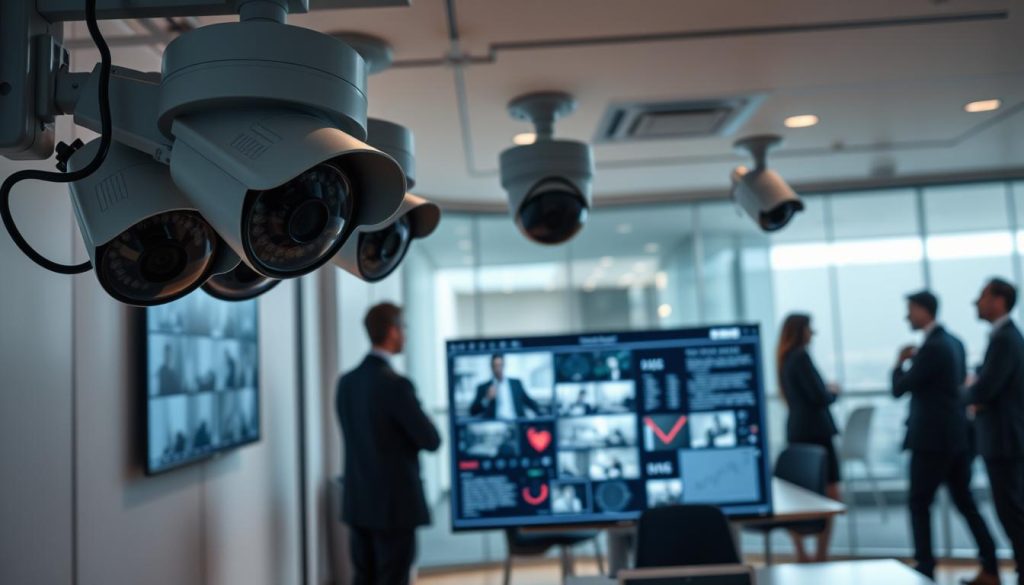
Legal Considerations for Footage Retention in Singapore
Singapore’s regulatory framework significantly impacts how organizations manage their surveillance material. Compliance with local laws ensures proper handling while avoiding legal complications.
Understanding Singapore’s Data Protection Laws
The Personal Data Protection Act (PDPA) governs how businesses handle visual recordings containing personal information. This legislation establishes clear guidelines for responsible data management.
Organizations must retain material only as long as necessary for its original purpose. The PDPA emphasizes accuracy, security, and proper disposal principles. These requirements directly affect retention period decisions.
Financial penalties for non-compliance can reach significant amounts. Reputational damage often proves more costly than monetary fines. Understanding these consequences motivates proper compliance.
How Regulations Dictate Minimum Storage Duration
Different industries face specific retention requirements under Singaporean law. Financial institutions typically maintain recordings for six months minimum. This supports audit trails and investigation needs.
Healthcare facilities often retain material longer for patient safety documentation. Retail environments commonly use 30-day periods for incident resolution. Each sector’s requirements reflect its operational realities.
Regular policy reviews ensure ongoing compliance as regulations evolve. Legal experts provide valuable guidance for complex situations. Proactive management prevents unexpected compliance issues.
Proper configuration of surveillance systems supports legal requirements. Storage capacity must accommodate mandated retention periods. Resolution settings balance evidential quality with practical limitations.
“Organizations that implement PDPA-compliant retention policies reduce legal risks by maintaining appropriate evidence accessibility while respecting data minimization principles.”
Singapore businesses benefit from understanding these legal frameworks. Clear policies align operational practices with regulatory expectations. This approach maximizes security system effectiveness within legal boundaries.
How to Extend the Lifespan of Your Security Footage
Maximizing how long your surveillance material remains available requires smart configuration choices. Strategic adjustments to recording parameters can significantly increase retention duration without hardware upgrades. These techniques help both homes and businesses optimize their existing systems.
Optimizing Resolution and Frame Rate for Efficiency
Video clarity directly impacts storage consumption. Higher resolution captures more detail but requires more space. Finding the right balance ensures adequate identification while extending retention periods.
Reducing resolution from 4K to 1080p can cut file sizes by approximately half. This simple adjustment might double how long your system keeps recordings. Many environments don’t require maximum resolution for effective monitoring.
Frame rate adjustments offer another efficiency opportunity. Lowering from 30 frames per second to 15 reduces data recorded per second. This change maintains usable video while conserving substantial storage capacity.
Singapore businesses should test different combinations for their specific needs. Areas requiring detailed evidence might keep higher settings. General monitoring zones can use optimized configurations to save space.
Leveraging Motion Detection to Conserve Space
Motion-activated recording represents the most effective space-saving technique. This feature only captures activity rather than continuous footage. The reduction in unnecessary material dramatically extends retention duration.
Properly configured motion detection can decrease storage usage by up to 80%. This transforms a one-week retention period into several weeks on the same drive. The technology has advanced significantly in accuracy and reliability.
Modern systems allow sensitivity adjustments to minimize false triggers. Users can define specific detection zones to focus on important areas. These refinements ensure critical events get captured while maximizing efficiency.
Homeowners particularly benefit from this approach. Residential properties typically have long periods without activity. Motion activation ensures recordings only happen when needed.
Businesses in Singapore appreciate how this method supports compliance with data minimization principles. It aligns with PDPA requirements while maintaining security effectiveness. The combination provides both legal and operational advantages.
Regular review of detection settings ensures continued optimal performance. Environmental changes might require adjustments to maintain accuracy. This proactive approach maximizes both security coverage and storage efficiency.
Options for Recovering Lost or Deleted Footage
Even with the best storage systems and backup routines, material can sometimes become inaccessible. Understanding recovery options helps restore critical evidence when unexpected loss occurs.
Utilizing Data Recovery Software Tools
Specialized software provides the first line of defense against accidental deletion. Programs like EaseUS Data Recovery Wizard offer impressive success rates for retrieving material.
These tools scan storage devices to locate and restore deleted files. They support various video formats including MP4 and AVI. Quick action after data loss significantly improves recovery chances.
The process involves downloading, installation, and comprehensive scanning. Users can preview recoverable files before restoration. This approach works well for recently deleted material.
Engaging Professional Data Recovery Services
Complex situations often require expert intervention. Physical damage to drives or extensive data loss demands professional handling. These specialists use advanced techniques in controlled environments.
Cleanroom facilities prevent further damage during recovery attempts. Professionals achieve higher success rates for severely compromised devices. The service comes at greater cost but offers better results.
Singapore-based companies like Ever Higher Pte Ltd demonstrate exceptional recovery capabilities. Their 95% success rate provides confidence for critical situations. This option ensures maximum retrieval potential.
Recovery examples include material from formatted drives and malware attacks. These scenarios show the versatility of modern recovery methods. Both software and services address different levels of data loss.
“Professional recovery services can retrieve material from physically damaged drives with up to 95% success, making them invaluable for critical evidence restoration.”
While prevention through regular backups remains ideal, recovery options provide essential safety nets. They ensure that even when incidents occur, valuable evidence can often be restored. This comprehensive approach to material management protects both homes and businesses.
The Role of Technology in Footage Management
Technological innovation continuously reshapes how we handle surveillance recordings. Modern advancements deliver smarter solutions for preserving visual evidence. These developments address both storage efficiency and analytical capabilities.
Current systems leverage cutting-edge hardware and software integration. This combination maximizes retention while minimizing physical space requirements. The result transforms how organizations manage their security data.
Advancements in Storage Capacity and Compression
Storage technology has achieved remarkable density improvements. Multi-terabyte drives now offer extensive retention periods without constant overwriting. This evolution supports longer preservation of critical evidence.
Compression algorithms represent another significant breakthrough. Formats like H.265 reduce file sizes by approximately 50% compared to older standards. This efficiency maintains video quality while conserving substantial space.
- Higher capacity drives support extended retention without hardware upgrades
- Advanced compression maintains clarity while reducing storage demands
- Combined technologies enable cost-effective preservation solutions
These innovations benefit both residential and commercial applications. Homeowners gain extended coverage from compact systems. Businesses achieve compliance with regulatory retention requirements.
The Integration of AI for Smart Analysis and Storage
Artificial intelligence revolutionizes how systems process surveillance material. Smart algorithms analyze content in real-time, identifying relevant events automatically. This intelligent filtering optimizes storage utilization dramatically.
AI-powered features include motion analysis and object recognition. Cameras can distinguish between people, vehicles, and animals. This precision reduces false alerts and unnecessary recording.
“AI integration reduces storage of irrelevant material by up to 70%, focusing capacity on genuinely important events while maintaining comprehensive security coverage.”
Singapore’s smart city initiatives embrace these technologies extensively. Public safety systems utilize AI for efficient monitoring across urban areas. The approach enhances security while managing substantial data volumes.
Future trends point toward deeper cloud and AI integration. These developments promise even smarter storage management and faster incident response. The evolution continues to transform security effectiveness.
Making Informed Decisions About Your Security Data
Optimizing your visual evidence preservation involves balancing technical capabilities with practical needs. Comprehensive understanding of storage capacity, legal obligations, and technological advancements forms the foundation for smart choices.
Regular assessment of security requirements ensures your system remains effective. Adjust retention periods and solutions to align with environmental changes or updated regulations.
Investing in scalable options like cloud services or NAS future-proofs your setup. These reliable solutions guarantee data accessibility when critical moments arise.
Singapore businesses must stay current with evolving data protection laws. Compliance impacts how material gets stored and managed effectively.
Integrate best practices like routine backups and camera setting optimization into security protocols. This approach minimizes risks while maximizing system performance.
Proactive management empowers users to extract maximum value from their surveillance systems. For specialized needs regarding long-term CCTV footage preservation, professional guidance ensures optimal results.
FAQ
How long is security footage typically kept?
Retention periods vary widely. Most home systems store video for 1-2 weeks. Businesses often keep recordings for 30-90 days. Specific industries like finance may require longer storage due to regulations.
What factors affect how long my recordings are stored?
Key factors include hard drive size, video resolution, frame rate, and recording mode. Higher quality settings and continuous recording consume more space, reducing retention time.
Do security systems automatically delete old video?
Yes. Most modern DVR and NVR systems use automatic overwriting. When storage fills up, the system deletes the oldest files to make room for new recordings.
What are the main storage options for surveillance systems?
Common solutions include internal hard drives in recorders, cloud storage services, network-attached storage (NAS) devices, and removable media like microSD cards.
Are there legal requirements for keeping surveillance footage?
Yes. Singapore’s Personal Data Protection Act (PDPA) sets guidelines. Businesses must retain footage only as long as necessary for legal or business purposes.
Can deleted security video be recovered?
Sometimes. Specialized data recovery software or professional services might retrieve overwritten files if the storage sectors haven’t been fully rewritten.
How does cloud storage work for security cameras?
Cloud systems upload recordings to remote servers via internet. This provides off-site backup but requires subscription fees and sufficient bandwidth.
What’s the difference between continuous and motion-activated recording?
Continuous recording captures everything 24/7, using more space. Motion-activated only records when movement is detected, significantly extending retention periods.


