
What does the red light on a CCTV camera mean? Explained
That small glowing dot on your surveillance equipment catches your eye. For homeowners and business operators across Singapore, this visual signal raises questions about their property’s security. Understanding these status lights is crucial for effective monitoring.
The meaning of that illuminated indicator is not universal. It varies significantly based on the device’s brand, model, and current recording mode. This guide will demystify your security cameras for you.
We cover all light colors and behaviors, from steady to blinking patterns. Knowing this helps distinguish functional units from dummy devices in the market. Modern surveillance systems integrate many features where the status light is just one component.
Network activity and software settings also play vital roles. Our comprehensive explanation empowers you to visually inspect your setup. You’ll learn to use monitoring software and perform basic troubleshooting with confidence.
Key Takeaways
- The red light’s meaning depends on your specific camera model and brand.
- Status indicators provide immediate visual feedback about your system’s operation.
- Different colors and blinking patterns signal various functions or issues.
- Understanding these lights helps verify if your surveillance equipment is active.
- This knowledge aids in distinguishing real security devices from fake ones.
- Indicator behavior is one part of a larger security ecosystem to monitor.
- Proper interpretation supports better system management and quicker troubleshooting.
Demystifying the Blink: Your Guide to CCTV Camera Lights
Indicator LEDs on security equipment provide immediate visual feedback about operational conditions without requiring software checks. These small but significant lights show whether your investment in protection is actively functioning. They serve as a direct communication channel between your security systems and you.
The primary purpose of these visual signals is transparency. You can glance at your installed cameras and understand their current state. This instant awareness forms the foundation of effective property monitoring.
Different brands and models use their indicators in unique ways. A feature common to one manufacturer might be completely absent from another device. This variation makes consulting your specific product manual essential.
Status illumination typically represents several key conditions. Your equipment might be powered on but in standby mode. It could be actively recording footage or switched to night vision operation. Some lights even signal internal errors or connection problems.
Learning to interpret these visual cues represents your first step toward proactive system management. You can identify potential issues before they develop into complete failures. This knowledge transforms you from a passive observer to an informed supervisor of your surveillance setup.
In Singapore, visible indicators serve dual purposes beyond mere status reporting. They act as a clear deterrent to potential intruders by announcing active surveillance. These lights also fulfill ethical requirements by informing people they’re within a monitored area.
Mastering this simple visual language empowers anyone responsible for property security. You gain confidence that your protective systems perform as intended. Those tiny glowing dots become valuable allies in maintaining your safety.
What Does the Red Light on a CCTV Camera Mean?
That persistent red glow isn’t just for show—it conveys critical information about your surveillance system’s activity. Interpreting this visual cue correctly lets you verify your equipment’s function at a glance.
Most models use this colored indicator as a status signal. The specific pattern and behavior provide immediate insight. You can determine if your unit is merely powered on or actively capturing footage.
The Primary Signal: Active Recording and Power
A steady red light often confirms the device has electrical power. This light means the unit is operational and ready. However, it doesn’t always guarantee video capture is happening.
In many setups, a solid glow indicates a standby or idle state. The camera is on but may not be writing data. This status is common with motion-activated recording modes.
Conversely, a blinking red pattern typically signals active surveillance. This flashing light usually means the camera recording process is underway. Each blink can correspond to data being saved to storage.
This distinction helps keep users informed about their security operations. A red light camera with a blinking indicator provides visual confirmation. You know your property protection is actively engaged.
Standby Mode vs. Active Surveillance
Understanding the difference between these two states is crucial. A powered-on camera in standby conserves energy and storage space. It awaits a trigger, like motion, to begin actual recording.
An actively surveilling unit is capturing footage continuously or per its schedule. The indicators on CCTV equipment cameras show this operational difference clearly.
Here are key distinctions between these modes:
- Standby Mode: Solid red light, device ready but not capturing, often waiting for motion detection.
- Active Surveillance: Blinking or flashing red light, video data is being recorded and stored in real-time.
- Power Confirmation: Any red illumination confirms electrical connection to the system.
Manufacturers design these features for user clarity. The visual signal removes guesswork about your security apparatus. You maintain confidence in your protective measures.
However, these are general guidelines. The exact light means can vary by brand. Some IP models use a solid red for power and a blinking blue for activity.
Always consult your device’s manual for definitive interpretation. What one model’s glow might mean could differ from another’s. This research ensures you correctly understand your specific camera.
Also, be aware of infrared illuminators in low light. What appears as a red glow might actually be IR LEDs. These are for night vision, not status indication, a topic covered later.
Proper interpretation of these indicators transforms you into an informed operator. You can quickly assess if your CCTV setup is camera working as intended. This knowledge is fundamental for effective property monitoring in Singapore.
It’s Not Always Red: Understanding Other Indicator Colors
The language of surveillance extends well beyond red illumination to include various chromatic signals. Your equipment’s indicators use a complete spectrum to communicate. Different light colors each represent specific operational states.
Learning this visual code transforms how you monitor security. You gain instant insight into network connections and system health. This knowledge helps verify all components function correctly.
Decoding Green, Blue, and White Lights
A steady green glow typically signals normal operation. The device is powered on and functioning properly. It often indicates a passive or standby mode.
This light means the unit awaits activation triggers. Motion detection or scheduled recording will engage it. The green color provides peace of mind about basic functionality.
Blue illumination usually confirms network connectivity. Your camera has established a Wi-Fi or internet connection. This enables remote viewing and smart features through mobile apps.
Without this hue, live streaming and alerts may fail. The blue signal is crucial for modern IP-based systems. It shows your device communicates with the broader security network.
White or amber lights often indicate special modes. These can include setup processes or pairing status. Some models use them to show signal strength during installation.
Other hues like purple or orange appear on advanced models. They might indicate firmware updates or specific feature activation. Always check your manual for definitive color interpretation.
What Blinking vs. Solid Lights Tell You
The behavior of these indicators provides additional clarity. Blinking patterns almost always signal action or change. Solid illumination represents a stable, ongoing condition.
A flashing green light might show network data transfer. It could indicate a system update downloading in the background. This activity is normal during software maintenance.
Blinking red patterns, as discussed, often mean active recording. Each flash can correspond to footage being saved. Solid red usually confirms power without guaranteed capture.
Here’s a quick reference for common signs:
| Light Color | Typical Meaning |
|---|---|
| Solid Red | Recording in progress or power confirmation |
| Solid Green | Camera is powered on and functional |
| Solid Blue | Connected to Wi-Fi/network successfully |
| Flashing Red | Possible malfunctions or errors detected |
| Off | Camera is powered off or not operational |
Remember these are general guidelines. Manufacturer specifications always override common interpretations. Your device’s manual remains the definitive source.
Understanding this color code empowers quick visual health checks. You can scan your entire surveillance setup in moments. Each hue provides immediate feedback about system status.
This knowledge helps distinguish between normal operation and potential issues. You become proficient in monitoring your property’s protection. Those small lights show the complete story of your security.
How Camera Type Changes the Indicator’s Meaning
Your surveillance equipment’s generation dictates the visual language its status lights use. Not all cameras communicate operational details the same way.
The technology inside your device—whether it’s a legacy analog setup or a modern digital unit—fundamentally shapes what its indicator does. This knowledge helps you set accurate expectations for your security systems.
Traditional Wired CCTV Systems
Older, analog CCTV systems often have straightforward status signals. A simple red glow on the housing usually means just one thing: the unit has power.
These models rely heavily on the central recorder. The DVR or NVR box handles the actual surveillance recording. The camera itself may not signal when it’s capturing footage.
Many of these older cameras lack visible LEDs altogether. You must check the recording unit’s display for status. This design keeps the camera housing simple and less noticeable.
When a light is present, its meaning is basic. It confirms the electrical connection is live. Advanced features like network status or storage activity aren’t shown here.
Modern IP and Wireless Security Cameras
Contemporary digital cameras use a more sophisticated visual code. Their LEDs can display power, Wi-Fi connection, recording activity, and local storage status independently.
For example, a solid blue light often confirms a successful network link. A blinking red indicator might only activate during motion-triggered recording. This multi-color system provides a detailed health report.
Interestingly, many modern designs minimize or hide these lights. Discreet, covert cameras avoid drawing attention. This is a key difference from fake units, which often feature obvious, constant blinking.
The primary status check has also shifted. For these smart systems, you often look at your mobile app. A green “online” icon replaces the physical glow as the main confirmation of operation.
Here are the key differences between the two generations:
- Traditional Systems: Basic power indicator (if any). Recording status shown on DVR/NVR. Simple, robust design.
- Modern IP Cameras: Multi-color LEDs for various functions. App-based status is primary. Often designed for discreet installation.
Understanding your camera type is crucial. It explains why your neighbor’s unit blinks while yours stays dark. Always check your specific brand manual for the definitive guide to its lights.
If you’re unsure about your indicator’s behavior, our guide on blinking red light patterns offers further troubleshooting insight.
The Infrared Factor: Red Lights in Low-Light Conditions
Not every red glow is a status message; some are the very mechanism of sight. A common point of confusion arises from infrared illuminators, which are distinct from status indicators.
Many modern security cameras have built-in IR LEDs. These components switch on automatically in darkness.
They emit light invisible to human eyes but detectable by the camera’s sensor. This enables clear surveillance after sunset.
You often see this as a faint, solid red or pinkish halo. It surrounds the lens, unlike a bright, singular LED. This soft glow confirms the night vision feature is active.
It means the unit is powered and its low-light capability is engaged. However, it does not specifically signal recording status on its own. The device could be in standby or actively capturing footage.
In total darkness, this IR halo may be the only visible “red light.” This is a sign of normal operation, not a malfunction. Understanding this prevents unnecessary concern.
A simple test can confirm IR illuminator activity. Use your smartphone’s camera and point it at your security camera in the dark.
Most phone sensors can detect the infrared spectrum. You will see a bright, purplish-white glow on your screen. This visual check proves the illuminators are functioning correctly.
It is crucial to distinguish this from a warning signal. A steady red glow from IR LEDs is functional. A bright, rapid, flashing red light often indicates an error.
This knowledge aids in accurate troubleshooting. It helps prevent false alarms where essential night vision is mistaken for a problem. Your monitoring confidence increases when you recognize this difference.
For infrared IP security cameras, this glow is standard during nocturnal operation. It signifies the device is camera working to maintain visibility. This reliable feature is a cornerstone of round-the-clock surveillance systems in Singapore.
Spotting a Fake: Why Blinking Red Lights Are Often a Decoy
In the world of security equipment, some visual signals are designed to deceive rather than inform. Many inexpensive dummy units flood the market, creating confusion about real protection.
These imitation devices often feature obvious, brightly flashing LEDs. This classic hallmark mimics the “recording” look popularized in films. Understanding this distinction helps keep your property truly secure.
Visual Clues of Dummy Security Cameras
Several clear signs reveal a non-functional imitation. Lightweight plastic construction is a common giveaway. These units feel flimsy compared to professional gear.
Many lack visible brand logos or model numbers. Genuine manufacturers proudly display their branding. Fake units often omit these details entirely.
Examine the cabling situation carefully. Some dummies have no visible cables at all. Others feature fake, non-functional wires that don’t connect to anything.
An unrealistic, overly conspicuous design can be another clue. Real surveillance blends into environments. Fake ones sometimes look like obvious props.
How Genuine Cameras Differ in Design
Authentic security systems feature robust, sturdy housing. Manufacturers use medium to high-quality materials. These units withstand weather and attempted tampering.
Wired models have visible, connected cables. Modern setups often use a single thin cable. Older models might require two separate connections.
Ventilation grills are present on real units. These prevent overheating during continuous operation. Dummy cameras typically lack this functional detail.
Professional status indicators are usually subtle. They’re part of a logical system, not standalone features. Some real cameras do have blinking lights, but they’re subdued.
The presence of infrared illuminators strongly suggests a functional device. Look for a faint red glow in darkness. This feature enables actual night vision recording.
Always purchase from reputable security brands or authorized Singapore dealers. Check for proper certification marks on packaging. This ensures you invest in real protection, not a false sense of security.
Understanding these differences empowers smart purchasing decisions. You can visually assess equipment before buying. This knowledge protects your investment and your property.
How to Visually Inspect Your CCTV Camera’s Status
You can verify camera functionality through direct observation of its housing and behavior. This hands-on approach provides immediate confirmation without software. Regular visual checks form a crucial part of system maintenance.
This method helps keep you informed about your property’s protection. It combines simple observation with knowledge from earlier sections. You become an active participant in security management.
Checking for LED Activity and Color
Begin your inspection by examining the device housing for illuminated indicators. Look carefully at all sides of the unit. Note any visible lights and their specific characteristics.
Record both the color and behavior of each indicator. A steady red light typically confirms power and standby mode. Different colors signal various operational states.
Use this simple decision guide for common LED patterns:
- Solid Green: Unit is powered on and functioning normally, likely in standby.
- Blinking Red: Active camera recording is probably occurring.
- Solid Blue: Network connection is established and stable.
- No Light: Device may be off, disconnected, or designed to be discreet.
Remember that this red light means different things across brands. The same light means recording on one model but only power on another. Always reference your specific manual.
For units with infrared capability, perform a night-time check. Look for the characteristic soft glow around the lens in darkness. This confirms the night vision feature is operational.
These visual cues lights show the current state of your equipment. They provide quick status confirmation during routine monitoring. This visual check represents your first troubleshooting step.
Observing Physical Movement in PTZ Cameras
Pan-Tilt-Zoom models require additional verification steps. Their motorized components need specific attention. Movement confirmation proves mechanical functionality.
Watch for automatic patrol patterns if your system has them enabled. The unit should smoothly rotate through its programmed positions. This activity demonstrates proper motor operation.
You can also use the system controller to command specific movements. Direct the unit to pan left or right, then tilt up or down. Successful execution confirms the camera working correctly.
Listen carefully during these operations. A faint whirring sound indicates healthy motor activity. Some models produce soft clicking noises when relays engage.
These auditory cues complement visual observations. They provide additional confirmation of mechanical health. Together, they offer comprehensive status verification.
Regular movement checks prevent mechanical issues from developing unnoticed. They ensure your PTZ cameras remain ready for responsive surveillance. This proactive approach maintains system reliability.
Combine this physical inspection with your understanding of indicator lights. You now have multiple verification methods. This knowledge transforms you into an informed operator of your security system.
Periodic visual assessments should become part of your routine maintenance schedule. They provide peace of mind about your property’s protection. Consistent checks ensure your surveillance investment delivers continuous security.
Using Your Camera’s Software for Real-Time Confirmation
Modern surveillance technology offers a direct digital window into your security operations through dedicated software applications. This represents the most reliable verification method for contemporary setups.
Moving from physical inspection to digital confirmation provides concrete evidence. You gain immediate insight into your equipment’s true status.
Accessing Live Feeds on Your Device
Begin by opening your manufacturer’s dedicated mobile app or desktop client. These applications serve as command centers for your entire surveillance network.
Locate the live view section within the software interface. Most apps display thumbnail images of all connected units. Tap or click on any thumbnail to expand it into a full-screen stream.
A clear, uninterrupted video feed is the ultimate proof of functionality. It confirms several critical features simultaneously:
- Power Supply: The unit receives adequate electricity to operate.
- Network Connection: Data transmits successfully to your viewing device.
- Lens & Sensor Health: The imaging components capture footage properly.
Successfully viewing this stream means your camera is actively participating in your security systems. This real-time monitoring capability transforms your smartphone into a portable surveillance monitor.
Interpreting Status Icons Within the App
Beyond the video itself, software interfaces contain digital indicators that provide detailed status reports. These icons often offer more accurate information than physical LEDs.
Look for symbols beside each camera listing in your app. A green dot or checkmark typically means “online and functional.” A red dot or “X” often signals connection problems.
Other common icons include:
- Recording Symbol: A red circle or film reel icon confirms active camera recording.
- Motion Alert: A waving person or bell icon shows motion detection is enabled.
- Storage Indicator: A bar or percentage displays remaining space for video data.
These digital lights show system health with precision. They can display network signal strength, firmware update status, and scheduled recording times.
Many applications maintain detailed event logs. Check the history or timeline section for evidence of motion-triggered recordings. Seeing timestamps of recent activity provides concrete proof your systems are working.
For setups with alert features, receiving push notifications to your device confirms detection activity. These instant alerts demonstrate your entire security ecosystem responds to events.
Familiarizing yourself with this software is essential. It unlocks the full value and control of your surveillance investment. You move from wondering about status to knowing with certainty.
Verifying the Power Source for Operational Assurance
Electrical reliability forms the backbone of any effective surveillance operation. Without consistent power flow, even the most advanced security cameras become inert objects. This verification process helps keep your entire setup functioning properly.
Regular power checks prevent unexpected failures. They ensure continuous monitoring of your property. Proactive verification is a cornerstone of reliable security.
Checking Connections and Cables
Begin with a physical inspection of all power components. Ensure each adapter plugs firmly into both wall outlet and camera housing. Loose connections are a frequent cause of intermittent operation.
Examine cables thoroughly for visible damage. Look for cuts, frays, or chew marks from pests. These defects can disrupt electricity flow to your equipment.
For Power over Ethernet setups, verify injectors or switches function correctly. Check that network cables carry both data and power signals. This dual-purpose wiring requires special attention.
Wireless camera owners should monitor battery levels via their app. Rechargeable units need periodic maintenance. Ensure any solar panels remain clean and unobstructed for optimal charging.
A simple monthly inspection routine prevents most power-related issues. Document your findings for future reference. This proactive approach maintains your system‘s integrity.
Understanding the Impact of Power Outages
Brief electricity interruptions can cripple unprotected CCTV systems. Cameras may reboot, missing critical moments during outages. This creates dangerous gaps in your monitoring coverage.
Some modern units feature internal battery backup. These may remain operational for short durations. Others will fail immediately when mains power disappears.
The vulnerability highlights the importance of Uninterruptible Power Supplies. A small UPS for your router and NVR maintains network connectivity. It also preserves recording capabilities during brief blackouts.
Singaporean homes and businesses benefit from this added protection. Local power grids are reliable but not immune to fluctuations. A UPS provides essential buffer time.
After any power event, perform comprehensive checks on all cameras. Verify they rebooted correctly through both visual inspection and software confirmation. This ensures your security apparatus resumes normal function.
Power verification transforms you from a passive user to an active system manager. You gain confidence in your property’s continuous protection. This knowledge represents true operational assurance for any surveillance investment.
When the Light is Off: Troubleshooting a Non-Working Camera
A completely dark unit can be the first warning of a surveillance failure. When the status indicators show no signs of life, your security coverage has a critical gap. This light means nothing, which itself might mean a serious problem.
Systematic troubleshooting is your best first response. Begin with the simplest explanations before considering complex failures. This method restores function quickly in many cases.
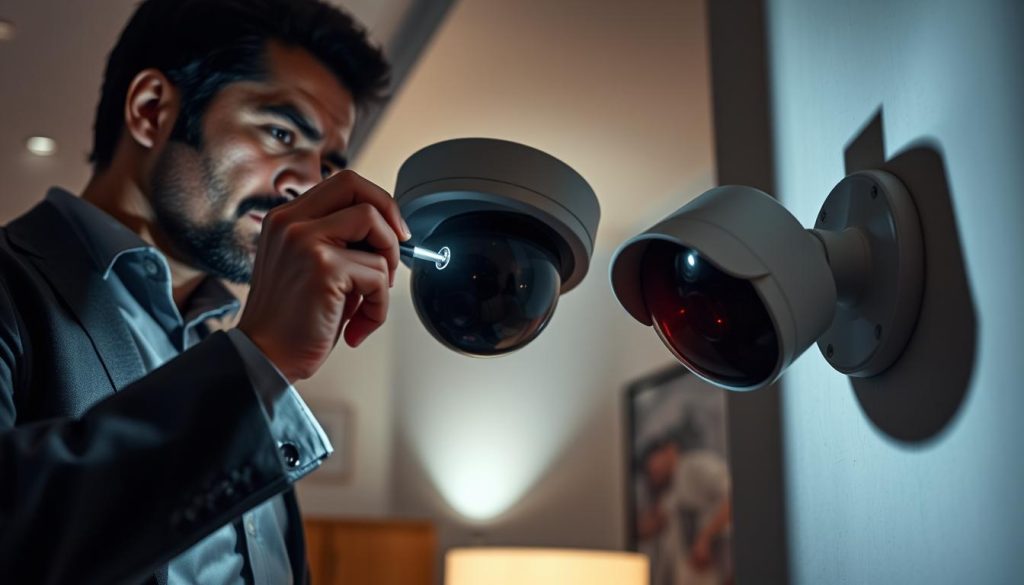
If the familiar steady red or other glow is absent, power is the prime suspect. Your visual check confirms the device isn’t receiving electricity. The following steps will guide you from basic checks to internal diagnostics.
Common Problems: Faulty Wiring and Connections
Most failures originate from external power supply issues. A tripped circuit breaker is a frequent culprit. Check your home’s electrical panel for any switches in the “off” position.
Inspect the power adapter and its connection to the outlet. Ensure it’s plugged in securely. Try a different outlet to rule out a dead socket.
Examine all cables for visible damage. Look for cuts, crimps, or chew marks from pests. Even minor damage can interrupt the flow of electricity.
For Power over Ethernet setups, verify the network cable is fully seated at both ends. A loose Ethernet connection will stop both data and power. Test with a known-working cable if possible.
Isolate the fault by swapping components. Use a spare adapter that you know works. If the camera powers on, the original adapter is faulty.
Check if other devices on the same circuit are working. If multiple camera units are dark, the issue is likely at the source. This could be a faulty switch or a problem with the main power supply.
Identifying Malfunctioning Internal Components
If power checks pass, the fault may lie within the device itself. A failed internal power supply is a common internal issue. This component converts external power for the camera‘s circuits.
Network interface failure is another possibility. The unit gets power but cannot communicate. You might see an LED light up, but no feed appears in your app.
Corrupted firmware can cause a complete lock-up. The device may power on but fail to boot properly. This requires a software reset to potentially fix.
Basic reset procedures often resolve software glitches. Locate the small pinhole reset button on the housing. Use a paperclip to press and hold it for about 10 seconds.
This restores factory settings and can clear errors. Remember you will need to reconfigure the device afterward. This step is a last resort before seeking professional help.
When all basic troubleshooting fails, the issue is likely internal. Continuing to tinker may cause further damage. At this point, expert technical support is the recommended path.
For residents in Singapore, contact your installer or the manufacturer’s local service center. They have the tools and expertise for component-level repair. This ensures your security system returns to full, reliable operation.
Beyond the Light: Other Signs Your Camera is Recording
Visual indicators provide immediate feedback. Several subtle clues confirm your surveillance system is actively capturing footage.
These secondary verification methods offer additional confidence. They work alongside physical lights and software checks.
A multi-layered approach examines network traffic and storage changes. It also listens for mechanical sounds from the equipment.
This comprehensive strategy ensures you know your property protection works. It’s particularly useful for discreet models without visible LEDs.
Network Activity and Data Storage Clues
Your router’s admin page reveals digital footprints. Connected devices show real-time data transmission rates.
Locate your security cameras by their IP addresses. Active streaming or uploading creates noticeable network activity. This traffic spike confirms the unit is sending footage.
Check the storage device for increasing used space. Hard drives in NVRs or microSD cards fill with recordings. Regular growth proves camera recording is happening consistently.
Review past footage in your app’s playback menu. Finding yesterday’s events provides definitive proof. This method doesn’t rely on any visual indicators.
Advanced systems like the Reolink Atlas PT Ultra offer clear verification. Their 4K UHD recording creates substantial data files. You can easily track storage consumption.
Network monitoring tools provide detailed insights. They show bandwidth usage per connected device. This helps identify which cameras are most active.
Audible Clicks and Motorized Movements
Some models produce faint operational sounds. Older units often click when starting or stopping recordings.
Infrared cut filters create audible switches. They move between day and night vision modes. This mechanical sound confirms the camera adapts to lighting changes.
PTZ cameras generate distinct servo motor noises. Automatic patrol patterns produce regular whirring. User-controlled movements create corresponding sounds.
Listen carefully near your installed units. These auditory cues signal normal operation. They’re especially valuable for covert installations.
Combining these signs creates powerful verification. Network checks confirm digital operation. Storage reviews prove footage preservation. Auditory signals indicate physical functionality.
This multi-layered approach delivers maximum confidence. Your surveillance investment performs as intended. You gain peace of mind about property protection in Singapore.
The Role of Motion Detection and Recording Modes
To truly understand what a status light signifies, you must first know how the camera is configured to capture footage. Modern security cameras offer different recording methods. Each mode directly controls the device’s activity and, consequently, its visual indicators.
Your system might record all the time, only during set hours, or just when it senses movement. This configuration is central to efficient surveillance. It balances security coverage with storage management.
Misinterpreting a light often stems from not knowing the active mode. A dark unit could be perfectly fine, simply waiting for a trigger. Learning this connection prevents unnecessary worry and false alarms.
How Motion-Activated Recording Works
This smart feature conserves storage and focuses on relevant events. CCTV systems use pixel analysis or infrared sensors to detect changes in the scene.
When movement occurs, the camera recording process starts automatically. It typically saves a clip for a pre-set duration after the trigger.
Visually, the unit often appears idle until activated. You might see a solid green light or no light at all during standby. The moment motion is detected, this changes.
An LED—frequently a blinking red one—will activate during the capture period. This red light means the device is currently saving footage. It’s a clear, real-time confirmation of the trigger event.
After the recording cycle ends, the indicator usually returns to its idle state. This on-demand operation is a hallmark of efficient modern systems.
Continuous vs. Scheduled Recording Indicators
Not all cameras wait for a trigger. Some are tasked with constant vigilance. Their indicator behavior reflects this non-stop operation.
In continuous recording mode, the device is always writing data to storage. A steady red light or a persistent, rhythmic blink is common. This constant glow signals that camera recording is unbroken.
Scheduled recording adds a time layer to the logic. The camera only operates during programmed hours, like business hours or nighttime.
Its indicators will mirror this schedule. They will be active only within the recording window. Outside those hours, the unit may power down or show an idle signal.
Here is a simple comparison of how indicators typically behave:
- Motion-Activated: Light is off or solid (idle) until motion triggers a blinking active state.
- Continuous: Light is steadily on or blinking constantly, indicating perpetual recording.
- Scheduled: Light activity directly corresponds to the programmed on/off times in your settings.
Understanding these modes is crucial for accurate interpretation. It helps you know if a missing red light means the camera is off, or if it’s just in a smart, waiting mode.
Always review your system’s recording settings in the app or DVR menu. Proper configuration optimizes both your security coverage and your storage space. This knowledge turns you from a passive observer into an informed system manager.
Transparency and Deterrence: The Purpose of Visible Indicators
Transparency in surveillance is not just an ethical ideal; it’s a practical strategy reinforced by visual cues. Those small glowing indicators on your equipment fulfill a role much larger than simple status reporting.
They bridge the gap between operational necessity and social responsibility. This dual function is central to modern, effective security planning.
Ethical Considerations and Privacy Awareness
In Singapore, responsible monitoring involves informing individuals they are in a watched area. Visible signs, like a steady red glow or a blinking LED, serve this ethical purpose directly.
This openness helps keep trust between property owners and the public. It aligns with guidelines that favor awareness over completely covert observation in shared spaces.
Clear signage often accompanies these visual indicators. Together, they strike a balance between the need for safety and the right to privacy.
It transforms surveillance from a hidden activity into a disclosed one. This practice meets legal standards and fosters a sense of communal security.
How Lights Act as a Crime Deterrent
The psychological impact of a visible red light camera is powerful. Potential intruders assess targets based on the perceived risk of getting caught.
A clear, active signal makes them believe their actions are being recorded. This dramatically increases the perceived risk and can stop crime before it starts.
This preventive effect contrasts with completely hidden systems. Covert cameras are valuable for investigation but offer no upfront deterrent.
Strategic placement is key. Installing units with clear indicators in prominent locations forms a visual perimeter. It announces that the property is protected.
This is a stark difference from fake cameras, which rely solely on imitation. A genuine, glowing indicator is part of a comprehensive, active defense plan.
For definitive confirmation of what a visible light signifies, our guide on what a red light means for CCTV provides detailed insight.
Ultimately, the light serves a dual purpose. It is a functional tool for the owner and a powerful psychological tool for prevention. This makes visible indicators a cornerstone of intelligent property security.
Maintaining Your CCTV System for Reliable Indicators
Proactive care ensures the visual language of your security equipment remains accurate and trustworthy over years. A neglected system can develop faults where a glowing indicator misrepresents its true state.
Regular upkeep is the foundation of dependable property protection. It preserves both image clarity and the integrity of status signals.
Singapore’s humid climate and urban environment present unique challenges. Dust, rain, and heat can degrade components faster than expected. A structured maintenance schedule counters these effects.
This commitment ensures that when you observe a steady red light, you can trust what that red light means. Your entire surveillance network operates as intended.
Routine Checks and Cleaning Procedures
A simple monthly routine prevents most common issues. Start with a visual inspection of each unit’s housing and LEDs.
Verify that indicator colors and blinking patterns match your recorded baseline. Any change could signal a developing problem.
Essential quarterly tasks include:
- Lens Cleaning: Gently wipe the outer glass with a microfiber cloth to remove dust, spider webs, and water spots. A clean lens is critical for clear evidential footage.
- IR Cover Maintenance: Clean the infrared-transparent cover over the night vision LEDs. Grime here can cause false reflections or reduce low-light performance.
- Cable and Connection Audit: Check for loose power or network cables. Ensure weatherproof seals are intact, especially after heavy rain.
- Housing Inspection: Look for cracks, condensation inside the dome, or signs of insect nests. Secure any mounting brackets that may have loosened.
These actions keep the primary function—capturing video—perfectly aligned with the secondary status indicators. A clean camera works in harmony with its lights.
For outdoor security cameras, pay extra attention after monsoon seasons. Ensure no water has breached the housing, which can damage internal circuits.
When to Seek Professional Support in Singapore
While DIY maintenance handles the basics, some situations require expert intervention. Knowing when to call a professional protects your investment.
Seek qualified technical support for:
- Persistent electrical faults or recurring power losses to a unit.
- Visible water damage inside the camera housing.
- Failed PTZ motor functions where the camera no longer moves.
- Complex network configuration issues or repeated disconnections.
- Any suspected internal hardware failure.
An annual professional inspection is a wise investment for any serious CCTV systems owner. It’s like a health check-up for your property’s eyes.
Reputable service providers in Singapore offer comprehensive checks. They update firmware, perform deep system diagnostics, and optimize recording settings.
Professional recalibration of motion detection zones improves efficiency. Experts can also fine-tune recording schedules to match your changing needs.
This support is crucial for differentiating real issues from fake cameras‘ simplistic imitation. A professional ensures every component of your systems contributes to genuine security.
Proactive maintenance guarantees your monitoring setup delivers lasting peace of mind. You gain confidence that every indicator light tells the truth.
Ensuring Your Peace of Mind with a Secure Surveillance System
True peace of mind in property protection comes from understanding, not just installing, your surveillance system. This knowledge transforms you from a passive observer into an active, informed manager of your own security.
Remember, a status indicator is just one clue. Always check your manual and use monitoring software as your primary verification tool. Perform regular visual inspections and distinguish between status LEDs and infrared illuminators.
Apply this knowledge to conduct a full audit of your current setup. For outdated or unclear systems, consider upgrading to modern equipment with reliable indicators. In security, clarity and confidence are paramount.
You are now empowered with actionable knowledge. Ensure your surveillance investment becomes a true asset for safety in Singapore.
FAQ
Does a steady red light mean my security camera is recording?
In most modern surveillance systems, a solid or steady red indicator typically signals the device is powered on and actively recording footage. It’s a primary status signal confirming operation. However, always consult your specific brand’s manual, as meanings can vary between models like Hikvision or Dahua.
What does a blinking red light on a surveillance camera indicate?
A blinking red light often signifies network activity, such as data transmission or a firmware update. In systems with motion-activated recording, it can also flash when activity is detected. It’s a clear sign the unit is functional and processing information, not just idle.
Can a CCTV camera work if the red light is off?
Yes. Many professional security cameras, especially discreet models, operate with their status LEDs disabled to remain covert. The absence of a glow doesn’t mean failure. You should verify operation through the system’s software interface or check for signs like network data usage instead.
Why do some fake security cameras have a blinking red LED?
Dummy cameras use a blinking red LED as a simple, low-cost visual deterrent to mimic a real recording device. These decoys lack actual lenses, sensors, or wiring. Genuine systems from brands like Uniview or Axis often have more subtle, multi-colored indicators for different functions.
What do green, blue, or white lights on my camera mean?
Different colors communicate various statuses. A green light commonly means the device is powered and connected to the network with normal operation. Blue or white LEDs might indicate Wi-Fi pairing mode, infrared activation in low light, or a ready state. Always check your user guide for precise color codes.
How can I be sure my camera is recording properly?
For definitive confirmation, access the live feed via your manufacturer’s app or NVR software. Look for active timestamps, motion alerts, and new files in your storage. Physically, listen for faint motor sounds in PTZ models and ensure network cables or power adapters are securely connected.


