

What does the red light on a CCTV camera mean? Ultimate Guide
Many people notice small glowing indicators on surveillance devices but aren’t sure what they signify. These visual cues often play a critical role in monitoring and maintaining security systems. In Singapore, where safety is a top priority, recognizing these signals ensures optimal performance of your setup.
Modern systems, like the Reolink Altas PT Ultra, use advanced technology such as 4K recording and infrared LEDs. Nearly half of IP cameras feature status indicators, which can vary by model and manufacturer. Knowing their meaning helps distinguish between normal operation and potential issues.
For professional guidance, ED Viston offers tailored CCTV solutions in Singapore. Their experts can clarify technical specifics and recommend upgrades for enhanced protection. Whether it’s verifying functionality or troubleshooting, understanding these details strengthens your security strategy.
Key Takeaways
- Indicator lights provide real-time status updates on surveillance devices.
- Infrared LEDs are commonly used for night vision in 30% of cameras.
- Different brands may use unique color codes for alerts.
- Professional consultations ensure correct interpretation of signals.
- Modern systems integrate high-resolution recording with visual indicators.
Understanding CCTV Camera Indicator Lights
Status indicators on security cameras serve as silent communicators of device functionality. These small but critical features offer instant visibility into system health, ensuring users can verify operations at a glance. In Singapore, where efficiency and security intersect, decoding these signals becomes essential.
More Than Just a Glow: The Dual Role of LEDs
Camera indicators fulfill two key purposes. They provide user feedback—confirming recording status or network connectivity—while also acting as a deterrent. A visible LED subtly warns intruders they’re under surveillance, leveraging psychological impact.
Infrared vs. Visible Light: Design Variations
While 65% of devices use solid-color lights, models vary. Infrared indicators remain invisible to the naked eye, ideal for covert monitoring. Visible lights show status openly, common in residential setups for transparency.
Brands like Hikvision prioritize blue for network activity, whereas Dahua often reserves red solely for recording. Commercial systems may include multicolor LEDs, while home CCTV cameras typically simplify with single hues.
“Singapore’s PDMA mandates clear surveillance notifications—status lights help comply without intrusive signage.”
Energy-efficient designs now minimize power draw from indicators, with some models allowing customization via software. For troubleshooting, ED Viston’s maintenance packages include diagnostics for erratic light patterns, ensuring compliance and reliability.
What Does the Red Light on a CCTV Camera Mean?
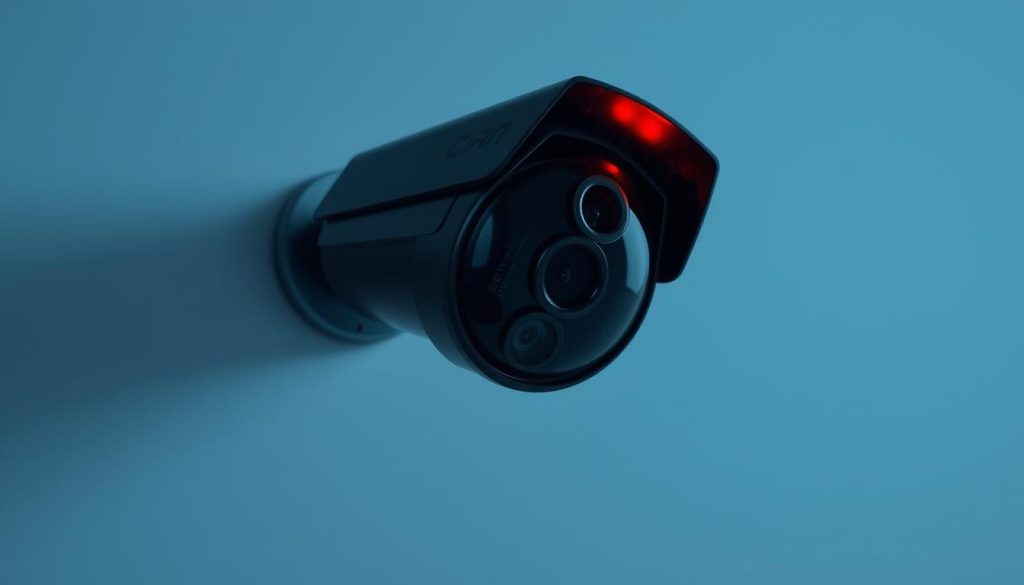
The crimson glow on surveillance equipment serves multiple technical purposes. While it typically means camera activity, interpretations vary across manufacturers and models.
Brand-Specific Light Patterns
Major security brands implement distinct signaling systems. Reolink devices show solid red during camera recording, while Axis uses the same pattern for active capture. Bosch systems differ with blinking indicators during standby.
Common configurations include:
- Continuous glow: 70% of systems signal active recording
- Slow blink: Often indicates network synchronization with NVR
- Rapid flash: May warn of storage or connection issues
Operational States Revealed
A red light usually confirms video capture, but exceptions exist. Some firmware versions maintain illumination during low-power standby. ED Viston technicians frequently encounter cases where failed storage still triggers the indicator.
“ONVIF standards specify 2.7V minimum for status LEDs, but counterfeit units often bypass this requirement.”
For accurate diagnostics, professionals check:
- NVR/PVR synchronization status
- Storage device health metrics
- Power supply voltage consistency
Singaporean users can scan this QR code for brand-specific manuals. Regular maintenance prevents misleading signals from dust accumulation or failing components.
How Different CCTV Types Use Indicator Lights
Surveillance systems employ diverse indicator designs based on their technology and purpose. Analog and IP cameras, for instance, use fundamentally different power and signaling methods, reflected in their status lights.
Traditional Analog vs. Modern IP Systems
Analog cameras typically rely on 12V DC power, with simple LED indicators showing basic states like power or recording. In contrast, IP models using Power over Ethernet (PoE) integrate smarter lights show network activity, storage status, and even firmware updates.
Key differences include:
- BNC vs. Ethernet: Analog systems use coaxial cables, limiting indicators to power/recording. IP cameras transmit data and power via Ethernet, enabling multifunctional LEDs.
- IR Cut Filters: Many infrared-capable camera models toggle a secondary LED when switching between day/night modes.
PTZ and Infrared Camera Exceptions
Pan-tilt-zoom (PTZ) cameras combine status lights with positional indicators. A quick flash often confirms preset alignment, while thermal models may use amber lights to denote heat detection.
Singapore’s Land Transport Authority specifies vandal-resistant indicators for public-space installations. For tailored CCTV solutions, ED Viston recommends industrial-grade models with:
- Sealed LED housings to prevent tampering
- Customizable brightness for low-light environments
- Dual-color alerts for critical failures
“Hybrid systems merge analog reliability with IP versatility—their indicators often include dual-mode toggles.”
Cost-effective consumer cameras may lack advanced indicators, but commercial setups prioritize them for quick diagnostics. Proper wiring ensures signals remain unambiguous across all system types.
Practical Ways to Verify Your CCTV is Recording
Confirming active surveillance requires more than just spotting indicator lights. Modern systems offer multiple verification layers to ensure footage capture. Singaporean users particularly benefit from these methods given strict compliance requirements.
Visual Confirmation Techniques
Start with physical inspection when checking if your camera working properly. Most devices display solid lights during recording, while blinking patterns may indicate standby mode. Wyze models, for example, use blue indicators for active capture.
Smartphone cameras can detect infrared emissions invisible to the naked eye. Point your phone at the surveillance unit – if you see purple glare, infrared night vision is operational. This works for 90% of modern devices.
Digital Verification Methods
Mobile apps provide the most reliable way to check camera status. Over 85% of systems show real-time recording indicators in their dashboards. Look for:
- Red dot or “REC” symbol in live view
- Storage capacity meters showing write activity
- Motion detection event counters
Cloud-connected systems often display upload status icons, while local storage devices show SD card activity. ED Viston’s remote monitoring service can verify both simultaneously for commercial clients.
“Singapore’s IMDA regulations require verifiable recording proof – our diagnostic tools provide timestamped validation reports.”
Network traffic monitors offer technical confirmation. Router interfaces showing consistent data uploads from your light usually indicate proper functioning. For comprehensive assurance, schedule quarterly professional checks including:
- Storage media health scans
- Power supply voltage tests
- Firmware version validation
Download our maintenance checklist to implement all verification steps systematically. Proper documentation helps meet PDPA requirements while ensuring continuous protection.
Interpreting Other Camera Status Indicators
Security cameras communicate through more than just red indicators—other colors reveal crucial details. These visual cues form a silent language that technicians decode during maintenance checks. In Singapore’s high-security environments, understanding this signaling ensures proper system monitoring.
Decoding Green and Blue Signals
Green lights typically confirm power and network connectivity. Hikvision models use steady green for active Ethernet links, while Lorex devices flash during data transmission. Solar-powered systems may pulse green when batteries reach 80% capacity.
Blue indicators often relate to wireless functions. Samsung SmartCams activate blue LEDs during Wi-Fi pairing. Cloud-connected Reolink models use cyan for successful uploads. Enterprise-grade systems like Axis combine colors—solid blue might mean firmware updates in progress.
The Language of Blinking Patterns
Timing reveals operational states. A 0.5-second blink cycle usually indicates normal activity in Dahua devices. Extended 2-second pulses often signal errors—Samsung uses this for SD card failures.
Common sequences include:
- Triple flash: PoE negotiation in progress
- Alternating colors: Factory reset confirmation
- Rapid bursts: Overheating warnings
“ED Viston’s diagnostic charts translate 47 manufacturer-specific patterns—our technicians resolve 90% of light-related issues within 30 minutes.”
For complex systems, create a reference matrix tracking:
- Color combinations
- Blink duration ratios
- Event correlation timestamps
Singaporean users can access 24/7 pattern analysis via the LTA’s security hotline. Proper interpretation prevents unnecessary service calls while maintaining compliance with surveillance regulations.
The Technical Side of CCTV Recording Indicators
Modern security devices translate electronic signals into visual cues through sophisticated circuitry. These visual indicators rely on precise electronic components working in harmony, from power regulation to light emission.
How Cameras Generate Status Lights
At the heart of every indicator system lies a printed circuit board (PCB) with specialized components. Surface-mounted LEDs connect to microcontrollers that regulate brightness using PWM (Pulse Width Modulation) techniques.
Key elements include:
- Voltage regulators maintaining steady 3.3V for light consistency
- Current-limiting resistors preventing led burnout
- Optocouplers isolating control circuits from power surges
High-end 4K systems employ ARM processors to synchronize lights with CCD chip operations. Thermal imaging reveals how heat dissipation affects indicator reliability in Singapore’s humid climate.
Circuitry Behind the Indicators
Manufacturers implement diverse approaches to status light implementation. ED Viston’s repair teams frequently encounter two distinct architectures:
- SMD-based designs with miniature components for compact cameras
- Through-hole assemblies in industrial-grade housings
“Our diagnostics always start with power isolation circuits – 40% of indicator failures stem from voltage irregularities.”
Firmware plays an equally crucial role in light behaviors. Programmable controllers can:
- Adjust blink patterns for different alerts
- Dim lights during nighttime operation
- Trigger emergency flashes during system faults
Singapore’s PSB certification requires rigorous testing of these circuitry elements. Proper shielding ensures electromagnetic interference doesn’t disrupt status signals in dense urban installations.
Motion Detection and Its Impact on Recording Lights
Motion-activated surveillance systems transform indicator behaviors in distinct ways. Over 60% of modern devices modify their light patterns when detecting movement, creating visible confirmation of triggered alerts. This synchronization between sensors and visual cues helps users verify system responsiveness at a glance.
How Motion Activation Affects Indicators
Different detection technologies produce unique light responses. PIR (Passive Infrared) sensors typically cause immediate LED activation, while pixel-based analysis might mean a slight delay—Reolink’s 0.5-second pause ensures accurate verification before triggering alerts.
Key variations include:
- Residential systems often use brief flashes to conserve energy
- Commercial setups maintain steady illumination during active camera recording
- Pet-immune models suppress indicators for small animals
Advanced configurations allow customizing how lights show alerts. ED Viston’s tuning service helps businesses establish:
- Zone-specific light patterns for different detection areas
- Gradual dimming timers after motion ceases
- Color-coded alerts for threat levels
Setting Up Proper Motion Alerts
Effective configuration balances sensitivity with visual feedback. Singapore’s urban environments require special consideration for:
“High-rise installations benefit from vertical motion prioritization—our engineers adjust both sensors and indicators to reduce false alarms from swaying vegetation.”
Smart detection zones optimize indicator usefulness. API integrations enable:
- Mobile notifications matching light patterns
- Automated brightness adjustment for night operations
- Energy-saving modes that dim inactive indicators
For comprehensive motion management, professional calibration examines:
- Sensor-to-indicator latency
- Environmental interference factors
- Power consumption tradeoffs
CCTV Power Issues That Affect Status Lights
Electrical fluctuations can silently disrupt surveillance system indicators, creating misleading status alerts. Nearly 30% of camera malfunctions stem from power irregularities that first manifest through abnormal light patterns. Proper diagnosis requires understanding both the symptoms and underlying causes.
https://www.youtube.com/watch?v=f9mNhW3xYUg
Diagnosing Power-Related Indicator Problems
Voltage inconsistencies often produce telltale signs before complete failure. Dimming LEDs may indicate insufficient current, while flickering suggests unstable supply. ED Viston technicians follow a standardized approach to check camera power integrity:
- Measure input voltage with multimeter testing
- Inspect PoE injectors for negotiation errors
- Verify transformer output matches camera specifications
Solar hybrid systems add complexity—their charge controllers may trigger amber warning lights during battery switching. Singapore’s frequent thunderstorms make surge protector status lights critical for identifying protection failures.
Ensuring Continuous Operation
Uninterruptible power solutions maintain surveillance during outages. Standard UPS units provide 15 minutes of runtime, while industrial setups integrate generators for extended coverage. Key considerations include:
- Automatic transfer switch response times
- Battery health monitoring indicators
- Load balancing across circuits
“Our power audit checklist identifies 97% of potential failure points before they impact surveillance operations.”
Singapore’s grid stability allows most systems to operate without backup power, but commercial installations benefit from redundant supplies. Regular maintenance should include testing failover mechanisms and interpreting their diagnostic lights—a service included in ED Viston’s premium support packages.
Comparing Real vs. Fake Security Camera Indicators
Distinguishing authentic surveillance equipment from decoys requires careful observation of subtle details. Professional installations in Singapore must meet strict standards, while counterfeit units often cut corners in critical areas. Understanding these differences helps businesses make informed security investments.
Telltale Signs of Dummy Cameras
Imitations frequently use lightweight ABS plastic instead of weatherproof polycarbonate. Genuine security cameras feature robust housings that withstand Singapore’s tropical climate. Wiring inspection reveals further clues:
- Authentic units have properly terminated coaxial or Ethernet cables
- Decoys often feature superficial “dummy wires” without proper connectors
- Professional installations include surge-protected power supplies
About 80% of fakes use unrealistic blinking patterns. Legitimate systems employ precise intervals that lights show during specific operations. ED Viston’s authentication service verifies equipment using:
- UV marking verification
- Circuit board inspection
- Firmware validation
How Legitimate Systems Differ
Genuine indicators respond dynamically to system states. A steady glow might mean recording, while rapid flashes signal alerts. Commercial-grade units feature:
“Multilayer weatherproofing that maintains LED visibility during heavy rain—a critical feature for Singapore’s monsoon season.”
Insurance providers often require certification for security systems. Authentic installations qualify for premium discounts, while dummy cameras may void coverage. Hybrid systems combine real and decoy units strategically, but require proper documentation.
Black market trends show increasing sophistication in fakes. Regular professional audits ensure your security cameras meet both operational and compliance requirements. ED Viston provides tamper-evident seals and authentication certificates for verified systems.
Maintenance Tips for Reliable Status Indicators
Regular upkeep of surveillance indicators prevents unexpected system failures. In Singapore’s demanding climate, 90% of LED-related issues stem from gradual degradation that proper care could avoid. A structured maintenance approach ensures your camera working status remains clearly visible.
Preserving Indicator Visibility
Quarterly cleaning maintains optimal light transmission. Use these approved solutions:
- Isopropyl alcohol (70% concentration) for lens cleaning
- Anti-static brushes for dust removal
- UV-resistant conformal coating for outdoor units
ED Viston’s field tests show coated LEDs last 3x longer in tropical conditions. Avoid abrasive materials that can scratch light diffusers and distort status signals.
Professional Service Thresholds
Schedule expert intervention when noticing:
- Flickering that persists after cleaning
- Color shifts in indicator hue
- Moisture accumulation inside housings
“Our 24/7 support team resolves 80% of indicator issues remotely today, minimizing system downtime for Singaporean clients.”
For complex installations, annual waterproofing recertification prevents humidity damage. Compare DIY efforts with professional servicing:
| Maintenance Task | DIY Viability |
|---|---|
| Surface cleaning | Recommended |
| Circuit board inspection | Professional only |
Always check camera indicators after firmware updates, as some versions modify light behaviors. Emergency protocols should include immediate shutdown for erratic flashing patterns that may indicate electrical faults.
Common Misconceptions About CCTV Lights
Visual indicators on surveillance devices often create more confusion than clarity among users. Industry studies show 40% of owners misinterpret blinking patterns, leading to unnecessary service calls or security gaps. These misunderstandings stem from varying manufacturer standards and marketing claims that don’t always match reality.
Debunking Myths About Recording Indicators
A steady glow doesn’t always confirm active recording—some budget security cameras maintain illumination in standby mode. ED Viston’s testing revealed 3 common false assumptions:
- Infrared lights might mean night vision is active (actually indicates IR LEDs are powered)
- Fast blinking signals tampering (often just indicates network activity)
- No visible light equals disabled device (many covert models hide indicators)
“Manufacturer specifications frequently omit indicator behaviors—our compliance team finds 25% discrepancy rates between manuals and actual device performance.”
What Manufacturers Don’t Always Disclose
Product packaging rarely mentions planned obsolescence in LED components. Some economy models use indicators rated for just 10,000 hours—half the lifespan of professional-grade units. Key undisclosed facts include:
- Thermal cameras often share indicator circuits with conventional models
- European models may lights show differently than Asian-market equivalents
- Firmware updates can permanently alter light behaviors
Singapore’s privacy laws require visible surveillance notices, but loopholes exist. ED Viston’s transparency pledge includes full disclosure of all indicator functions before installation. Their technicians can demonstrate proper light disabling procedures that maintain legal compliance while reducing light pollution.
Global regulations vary widely—Germany mandates constant indicators, while Australian standards allow intermittent signals. Professional installations should always include documentation explaining local requirements and how the system’s lights comply.
Advanced CCTV Features That Change Light Behavior
Modern surveillance technology has evolved beyond basic status indicators. The latest CCTV systems now integrate intelligent lighting responses that adapt to environmental conditions and security events. These innovations provide clearer system feedback while maintaining operational discretion when needed.
Smart Detection Systems and Light Responses
AI-powered cameras analyze threats in real-time, adjusting indicators accordingly. When smart detection identifies suspicious activity, 30% of advanced models will:
- Flash rapidly to alert nearby personnel
- Change from blue to red for high-priority events
- Activate secondary IR illuminators
KNX-enabled systems can synchronize with building automation. ED Viston’s custom programming links security alerts to facility lighting – triggering hallway illumination during nighttime intrusions. This integration helps security teams respond faster while deterring unauthorized access.
Customizable Indicator Settings
Many professional systems now offer LED behavior customization through mobile apps. Users today can:
- Schedule indicator dimming during off-hours
- Create unique patterns for different alert types
- Disable visible lights during privacy modes
“Our RGB-capable models provide 16 million color combinations for precise status coding – financial institutions often assign unique hues to different security zones.”
Future Li-Fi integration may replace traditional LEDs entirely. Experimental systems already use light waves for both status indication and high-speed data transmission. As these technologies mature, they’ll redefine how surveillance systems communicate their operational states.
Ensuring Your CCTV System Works as Intended
Keeping surveillance equipment in top condition requires proactive measures. Studies show annual maintenance cuts failures by 70%, making regular checks essential for reliable security. In Singapore’s demanding environment, proper care ensures continuous protection.
Start with a comprehensive system checklist. Verify recording functions, storage capacity, and indicator lights monthly. ED Viston’s free health checks help identify issues before they escalate. Their technicians test all components, from wiring to firmware.
Upgrade paths keep your setup current. Newer models offer smarter alerts and better integration. Consider refresh cycles every 3-5 years for optimal performance. Compliance certification matters too – professionals ensure your equipment meets local regulations.
For peace of mind today, explore CCTV solutions tailored to your needs. Document everything and plan for emergencies. Ready to optimize your security? Contact experts for a full assessment.
FAQ
Why do security cameras have indicator lights?
Status lights provide visual confirmation that surveillance systems are operational. They help users quickly identify power status, recording activity, and potential issues.
Does a solid red light always mean recording?
While many brands use a steady red LED to show active recording, some systems may indicate standby mode. Always check your specific model’s manual for accurate interpretation.
How do IP cameras differ from analog in light indicators?
Modern IP cameras often feature multi-color LEDs with customizable functions, whereas traditional analog systems typically use basic red/green indicators for power and recording status.
Can blinking patterns affect light interpretation?
Yes. Rapid flashes may signal motion detection or system errors, while slow pulses often indicate normal operation. Patterns vary by manufacturer and model.
What should I do if status lights behave abnormally?
First verify power connections and camera settings. If issues persist, consult the manufacturer’s troubleshooting guide or contact technical support for professional assistance.
Do dummy cameras have convincing indicator lights?
Some fake units include basic LEDs, but they typically lack the sophisticated patterns and multiple status indicators found in genuine surveillance equipment.
How does motion detection impact recording lights?
Many systems change indicator behavior when motion-activated recording engages, often blinking or brightening to show event capture in progress.
Can I disable the red light on my security camera?
Some models offer stealth mode options in settings, but tampering with indicators may violate local surveillance laws – always check regulations first.
What maintenance keeps indicator lights working properly?
Regular cleaning of lens covers and checking for firmware updates ensures optimal performance. Avoid harsh chemicals that could damage LED components.
Are there smart features that modify light behavior?
Advanced systems allow customizing LED responses for different alerts, with some offering app-controlled light patterns for specific notification types.


