
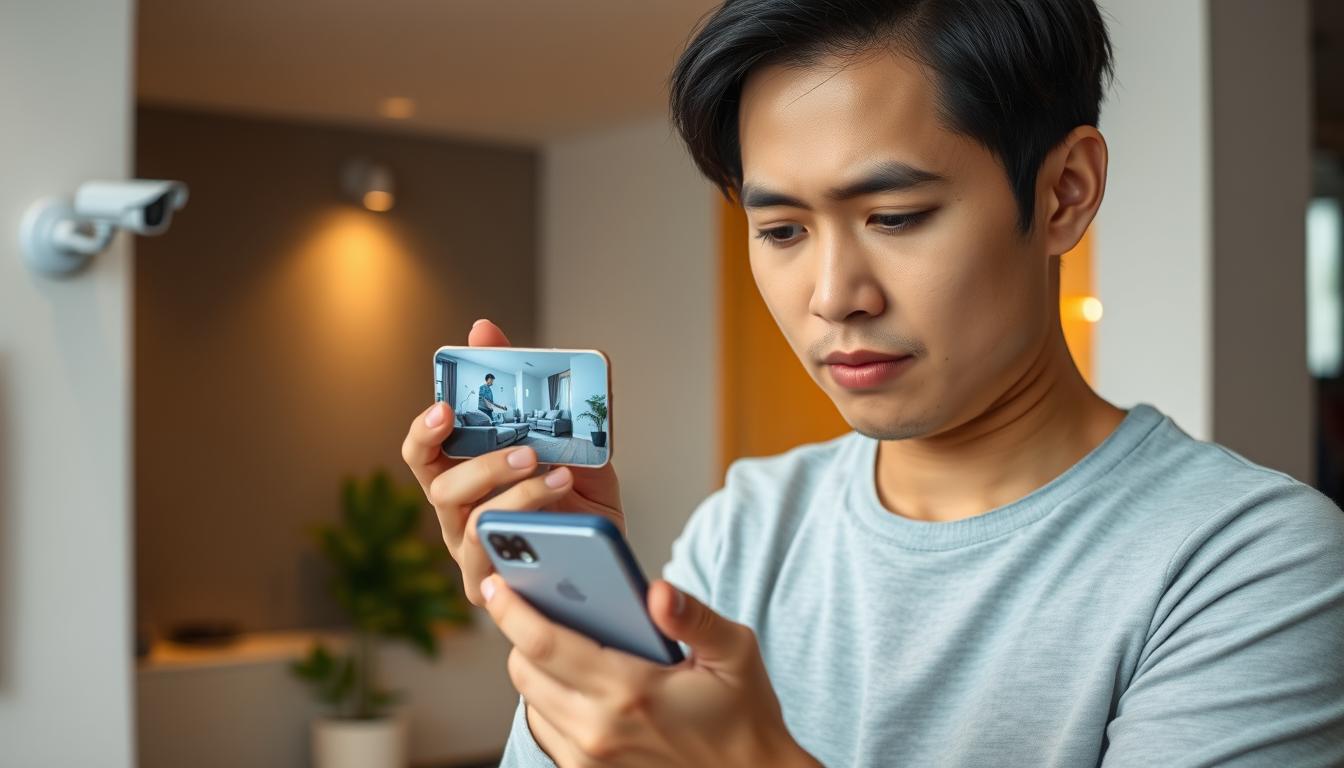
Watch Your CCTV on Your Phone Easily
Ever thought it’d be easy to watch your property on your phone? Thanks to tech, remote CCTV access is now common in homes and businesses. You can now check on your CCTV cameras from your phone, keeping your place safe wherever you are. This article will cover how to connect your CCTV to your phone, its benefits, and how to keep it secure.
Modern CCTV tech lets almost all cameras connect to phones, whether iOS or Android. Imagine getting alerts for security issues and seeing what’s happening live on your phone. Apps make it easy to check on your cameras from anywhere. For the latest in CCTV, contact CCTV Maintenance at +65 60135960.
Key Takeaways
- Real-time monitoring allows prompt responses to possible security breaches.
- CCTV systems linked to smartphones provide seamless accessibility from anywhere.
- Push notification alerts improve reaction times to unusual activities.
- User-friendly apps make CCTV monitoring simple for everyone.
- High-resolution smartphone displays enhance detail visibility in surveillance footage.
- Choosing systems with encryption bolsters protection against cyber threats.
- Utilize common-sense practices to enhance security while streaming data.
Introduction to Mobile CCTV Access
Mobile CCTV access has changed how we use our security systems. Now, we can watch camera footage live on our phones. People in Singapore are using remote monitoring solutions more because they are easy and flexible.
Smartphone CCTV integration lets us check on our properties from anywhere. This technology gives us peace of mind, knowing our places are safe.
Studies show a drop in burglaries in Singapore, thanks to better surveillance. Now, we can share videos and enjoy high-quality footage online. Features like motion detection and night vision make our homes and businesses safer.
Many companies offer mobile apps and PC software for easy monitoring. This makes it simple for homeowners and businesses to keep an eye on their properties.
Getting professional security services has many benefits. They provide after-sale support and updates. Modern security needs proper setup, like connecting cameras and DVRs to the internet. This ensures everything works smoothly.
With mobile CCTV access, we can monitor our assets in real-time. We get alerts and can access our systems remotely. This technology is changing how we protect our properties.
If you want to learn more about CCTV technology, contact CCTV Maintenance at +65 60135960. They can tell you about the latest solutions and offers.
Benefits of Watching CCTV on Your Phone
Using CCTV mobile monitoring has changed how we keep our places safe. Now, it’s easier than ever to watch live feeds on our phones thanks to new tech.
Real-Time Monitoring for Immediate Response
With real-time monitoring, you can see your place on your phone right away. This is super important in emergencies. For example, if someone breaks in, you can call the cops or alert neighbors fast.
Remote Accessibility for Peace of Mind
Smartphone apps let you watch your property from anywhere. Whether you’re on vacation or at work, you can check on your home or business. This makes you feel safe, even when you’re not there.
Push Notification Alerts for Security Updates
Many CCTV systems send push alerts for important security news. These alerts tell you about things like motion detection. This way, you can act fast to keep your place safe.
User-Friendly Mobile Applications
Today, it’s all about easy-to-use mobile apps for CCTV systems. These apps make it simple to set up and control your cameras. This makes security easy for everyone to use.
If you want to improve your security, linking CCTV cameras to your phone is key. For the latest in CCTV tech and deals, call CCTV Maintenance at +65 60135960.
Understanding CCTV Systems
CCTV, or Closed-Circuit Television, is key in today’s security. It lets us watch and record live through different cameras. Knowing how CCTV works is important for keeping any place safe. By learning about the different CCTV cameras, you can make your property safer.
There are many types of CCTV cameras for different needs:
- Dome Cameras: Great for inside, they are not very noticeable.
- Bullet Cameras: Perfect for outside, they are tough and can see far.
- PTZ Cameras: These cameras can move and zoom, giving you more control.
Surveillance systems let you watch from anywhere with internet. To work well, cameras need to be set up right. Things to think about include:
| Aspect | Description |
|---|---|
| Camera Connection | CCTV cameras can connect via wires or without them to the network. |
| Mobile App Setup | Download apps to watch from phones or tablets. |
| Monitoring Features | Look for live view, playback, and easy settings in the app. |
| Maintenance | Check camera placement and update software often for best results. |
Systems with cloud storage are even safer and easier to access. More people are using mobile CCTV for better security. A mix of camera types covers more area and keeps crime away.
To improve your security with the latest CCTV, contact CCTV Maintenance today at +65 60135960. They can help you find the right system for your needs.
How to Connect CCTV Camera with Mobile?
Connecting your CCTV camera to a mobile device can make your security better. You can use WiFi or mobile data. Both ways are easy and let you watch your property anytime. Here are the steps for each method to help you set it up right.
Connect via WiFi: Step-by-Step Guide
To connect your CCTV camera to your smartphone via WiFi, just follow these steps:
- Make sure your CCTV camera can connect to WiFi. Most modern ones can.
- Download the app for your camera. Brands like Google Nest and Ring have easy-to-use apps.
- Open the app and sign up if you need to.
- Set up your camera in the app as the instructions say.
- Use the QR code on the camera or enter a secure code to connect.
With WiFi, 79% of systems can send alerts for important events. This keeps you updated in real-time.
Connect via Mobile Data: Complete Instructions
If WiFi isn’t available, you can use mobile data. This lets you watch your camera from anywhere, even without WiFi. Here’s how:
- Turn on mobile data on your camera. It’s key for constant watching, says 57% of users.
- Put a SIM card in the camera that works with mobile data.
- Change the mobile data settings in the camera’s app or control panel.
- Link your camera to your phone using the app. Make sure both are set for mobile data.
This way, you can always see what’s happening, even without internet. It’s great for keeping safe.
Need help or want to see new CCTV options? Call CCTV Maintenance at +65 60135960. Our experts are here to help!
How can I watch my CCTV on my phone?
Watching your CCTV on your phone is easy once you know how. First, make sure your camera system connects well with your smartphone. This lets you watch your place from anywhere, boosting security.
Use a mobile app for smartphone security camera access. These apps are easy to use, letting you see live feeds and past recordings. Keep the app updated for the best performance.
Good network stability is key for a smooth connection. Make sure your device and CCTV camera are on the same network. Cloud services can also offer extra security and easy access to your footage.
For clear viewing, check your camera’s setup and connection. You’ll need the right login details for a strong connection. If you face issues, try troubleshooting for problems like bad setup, network issues, or device problems.
Want to improve your security or have questions about CCTV systems? Contact CCTV Maintenance today at +65 60135960 for the latest solutions and deals.
Troubleshooting Common Connectivity Issues
Dealing with CCTV connectivity issues can be frustrating. Identifying these common problems is the first step towards effective mobile app troubleshooting. This allows for a smoother experience. Let’s explore various aspects that can contribute to security camera login problems and how to resolve them efficiently.
Network Connectivity Problems
To ensure a reliable connection, start by checking the network status. A stable internet connection is critical for both the CCTV camera and the mobile device. Look for any disruptions in service or bandwidth limitations that may be affecting performance.
App Compatibility and Updates
Keeping the mobile application updated can prevent many connectivity issues. Compatibility between the app and camera firmware ensures smooth operation. Check the app store for any available updates and remember to install them regularly.
Camera Configuration Checks
It is essential to confirm that the camera is connected to the correct network. Double-check settings, including IP addresses and subnet masks, to avoid errors that can hinder connectivity. Regularly upgrading firmware can also provide critical fixes for issues.
Device Compatibility and User Limits
Each CCTV system has specific requirements regarding compatible devices. Ensure that your smartphone meets these standards. Also, be mindful of user limits, as exceeding the number of simultaneous connections can lead to security camera login problems.

For complete assistance and expert support, consider contacting CCTV Maintenance today at +65 60135960. Discover the latest CCTV solutions and offers.
| Issue | Potential Fix | Notes |
|---|---|---|
| Network Connectivity | Check router settings and bandwidth | A stable connection is key |
| App Compatibility | Update app to latest version | Compatible version improves performance |
| Camera Configuration | Verify camera settings | Ensure all parameters are correctly set |
| Device Compatibility | Check smartphone requirements | Different systems have unique specifications |
Choosing the Right CCTV System
Choosing the right CCTV system is key for effective mobile monitoring. Features like WiFi and high resolution make mobile security cameras easy to use. They let users stay connected without hassle.
Features to Look For in a Mobile-Compatible CCTV Camera
- WiFi Connectivity: Modern systems usually have WiFi. This lets you access them from devices like the HONOR Magic V2.
- High Resolution: Look for cameras with at least 6MP for home use. For commercial use, 8MP is better.
- Night Vision: Color night vision is key for clear footage in the dark.
- User-Friendly Apps: Choose systems with easy-to-use mobile apps. They should offer real-time notifications.
- Cloud Storage: Some models offer cloud storage. This makes your recorded footage more secure.
Top CCTV Brands for Mobile Monitoring
When looking for the best CCTV systems, top brands are known for their mobile features. Hikvision, Dahua, and Reolink are leaders in mobile-compatible security cameras.
Reading customer feedback and checking product specs helps buyers make smart choices. With so many options, spending time on research ensures you find the right system for your needs.
For personalized advice and the latest CCTV solutions, call CCTV Maintenance at +65 60135960.
Security Concerns with Mobile CCTV Access
Mobile access to CCTV systems has changed how we use our security setups. It lets us monitor remotely, which is very useful. But, it also brings risks to CCTV cameras. It’s important to know these risks to keep our systems safe.
Cybersecurity Risks with Wireless Systems
Wireless CCTV systems make it easy to access them from anywhere. But, they also have security risks. Cameras can be hacked if they’re not well-protected. Weak passwords, unencrypted data, and old firmware are common problems.
Cybercriminals can use these weaknesses to get into your CCTV feeds. This is a big security threat.
How to Secure Your CCTV Camera from Hackers
To keep your CCTV system safe, you need to take some steps. Here are some important actions to take:
- Use Strong Passwords: Make passwords that have letters, numbers, and symbols.
- Enable Two-Factor Authentication: This adds extra security by asking for another form of verification.
- Regularly Update Firmware: Updates fix security holes; keep your firmware up to date.
- Avoid Public Wi-Fi: Using public networks to access your CCTV can let hackers in.
- Review Camera Permissions: Make sure apps asking for access are real.
By following these steps, you can make your mobile monitoring safer. You’ll also keep your security camera system under your control. For more help or to check out new CCTV solutions, call CCTV Maintenance at +65 60135960.
Leveraging Cloud Services for CCTV Access
Cloud services have changed the game in security management. By using cloud CCTV storage, users can boost their security. This method offers reliable access to footage from anywhere, keeping it safe and easy to get.
The Advantages of Cloud Storage for CCTV Footage
Cloud storage for CCTV footage has many benefits:
- It stores footage off-site, keeping it safe from local issues.
- It allows remote access to footage anytime, anywhere, for great flexibility.
- It reduces the need for hardware, cutting costs and making it easier to grow.
- It offers top-notch security features like real-time alerts and smart search.
How to Use Cloud Services with Your CCTV System
Today’s CCTV systems easily work with cloud services. Users can use the app or browser interface to:
- Manage and schedule recordings easily.
- Access footage remotely, making the most of cloud surveillance.
- Enjoy on-the-go monitoring, keeping security close at hand.
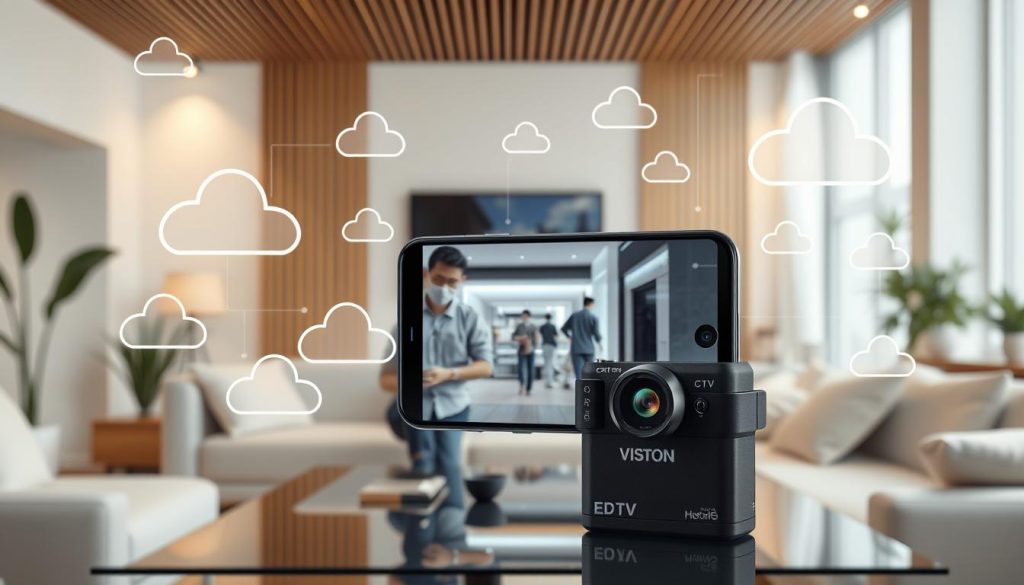
Businesses looking to switch to cloud systems have many options. Solutions like Rhombus and VXG offer scalability, customizable dashboards, and less need for old hardware.
If you want to upgrade your security with the latest tech, contact CCTV Maintenance today at +65 60135960. Learn more about the latest CCTV solutions and offers.
Best Practices for Mobile CCTV Monitoring
Effective mobile CCTV monitoring needs careful attention, mainly on your internet connection and security. A stable internet connection greatly improves your mobile surveillance experience. Follow these tips for better performance and security in your surveillance setup.
Optimizing Your Internet Connection
It’s important to regularly check and improve your internet for CCTV. A fast and reliable connection means you won’t miss any important moments. This ensures you get high-quality video feeds.
Wireless security cameras need a steady connection for clear video. So, a good internet connection is key.
Avoiding Public Wi-Fi for Enhanced Security
Public Wi-Fi might be handy, but it’s risky for your mobile surveillance. Using public networks can let hackers into your system. Use private networks or mobile data instead.
This keeps your surveillance safe and private. It’s a smart move for better security.
If you want to boost your security, contact CCTV Maintenance at +65 60135960. Learn about new offers and cutting-edge CCTV tech. It’s all about keeping your surveillance safe and worry-free.
Future of CCTV Technology and Connectivity
CCTV systems are getting better and better. The future looks bright with new features and improvements. These will change how we watch over our areas. Advanced connectivity is key for watching over long distances.
Innovative Features on the Horizon
Smart surveillance is getting a big boost. Video analytics will process data in real-time, helping us understand what’s happening. Facial recognition will let us identify people fast and right.
Smart home tech will make CCTV cameras talk to other devices. This will make security better and easier to manage. Soon, systems will think for themselves, making security even more efficient.
The Role of AI in CCTV Monitoring
AI is becoming a big part of CCTV. It helps spot threats by looking for patterns and oddities. This means we can react faster and keep things safer.
AI gets better over time, thanks to machine learning. This makes it a powerful tool for keeping us safe.
As these new techs come along, it’s important to keep up. For the latest in CCTV, call CCTV Maintenance at +65 60135960. They can show you how to boost your security.
| Feature | Description |
|---|---|
| Video Analytics | Real-time data processing for enhanced situational awareness. |
| Facial Recognition | Quick identification of individuals for improved security. |
| Smart Home Integration | Seamless communication between CCTV and smart devices. |
| AI Automation | Machine learning algorithms to identify and adapt to threats. |
| Proactive Monitoring | Automated responses to possible security breaches. |
Conclusion
Connecting your CCTV system to your phone makes it easier to watch over your place. You can see what’s happening in real-time, no matter where you are. This is great for people in Singapore who want to keep an eye on their property.
Thanks to better cameras and lower prices, using CCTV with your phone is becoming more common. It’s not just about convenience; it’s also a smart move for keeping things safe.
Now, people can manage their security systems easily with their phones. They get alerts and can see things clearly. This makes keeping an eye on your property much better.
If you want to learn more about CCTV systems, call CCTV Maintenance at +65 60135960. Start making your property safer today. Check out the new ways to watch over your place.
FAQ
How can I watch my CCTV on my phone?
To watch your CCTV on your phone, connect it to a mobile app. This app lets you see live footage and recorded clips. Make sure your CCTV camera can connect to WiFi or mobile data for remote access.
What are the benefits of CCTV mobile viewing?
CCTV mobile viewing lets you watch your cameras in real-time. This means you can respond quickly to any issues. It also offers remote access for peace of mind and alerts for security updates. Plus, the apps are easy to use.
Which brands offer good CCTV mobile viewing solutions?
Hikvision, Dahua, and Reolink are top brands for mobile CCTV systems. They offer high resolution, night vision, and easy app integration.
How do I connect my CCTV system to my smartphone?
Connect your CCTV system to your smartphone via WiFi or mobile data. For WiFi, download the app and follow the setup. For mobile data, make sure the camera has a SIM card and adjust settings.
What should I do if I experience connectivity issues while accessing my CCTV?
If you have connectivity issues, first check your internet connection. Ensure the app is updated and your camera is configured correctly. Also, confirm your device is compatible with the CCTV system.
How can I secure my CCTV camera from hackers?
To protect your CCTV camera, use strong passwords and enable two-factor authentication. Keep your firmware updated. Avoid using public Wi-Fi to access your CCTV system.
What are the advantages of using cloud services with CCTV systems?
Cloud services offer off-site storage for your footage. This makes your data more accessible and secure. Many CCTV systems work well with cloud storage, making it easy to manage and retrieve recordings.
What best practices can I follow to optimize my mobile CCTV monitoring?
To improve mobile CCTV monitoring, test your internet speed regularly. Use a secure home Wi-Fi network. Avoid public Wi-Fi when accessing your CCTV footage to reduce security risks.
What future advancements can we expect in CCTV technology?
Future CCTV technology may include better video analytics and facial recognition. It could also integrate more with smart home systems using artificial intelligence. This will lead to more proactive security monitoring.
Source Links
- https://www.cctvnz.co.nz/blog/how-to-connect-cctv-to-your-smartphone
- https://www.honor.com/ae-en/blog/how-to-connect-cctv-camera-to-cell-phone/?srsltid=AfmBOopdGSPAktICxlsXCqv6sFyDpD8u3gRLCHzxK9DULu5gVrM3U6Ll
- https://web.securitysystem.com.sg/how-to-watch-cctv-camera-from-anywhere-using-internet/
- https://www.honor.com/my/blog/how-to-connect-cctv-camera-to-cell-phone/?srsltid=AfmBOopSLafulybxk4Kl4XhrjatvfMh0-vbw5fDSDeWl9F-T1WIovNhm
- https://www.westerndigital.com/en-in/solutions/cctv/blog/how-to-connect-your-cctv-camera-to-your-phone
- https://www.honor.com/uk/blog/how-to-connect-cctv-camera-to-cell-phone/?srsltid=AfmBOoohxiku53TaGhKsMpBVb8Fp480aoo0YPYmZlV3Eu7r1RwjdXDnL
- https://pro-vigil.com/blog/how-to-watch-cctv-camera-from-anywhere-using-internet/
- https://mobilevideoguard.com/mastering-remote-viewing-how-to-watch-cctv-camera-feeds-anywhere-with-ease/
- https://www.smartsecures.com/blog/how-to-install-cctv-cameras-in-mobile
- https://www.cctvsecuritypros.com/articles/what-is-cctv-and-how-does-it-work/?srsltid=AfmBOorXpC8wCJW_PvYSZSuS7G3R_7o7mZ5KDN4nDLahhDE0Vo_ikS-a
- https://www.honor.com/uk/blog/how-to-connect-cctv-camera-to-cell-phone/?srsltid=AfmBOoo13HnMs-JuKqbk-fT6KZntP-Nv0QnumPTOe-8H0HhVSyT0GaGC
- https://alfred.camera/blog/how-to-connect-security-cameras-to-phone/
- https://reolink.com/blog/how-to-set-up-ip-camera-remote-viewing/?srsltid=AfmBOorDhwdNYgHw-KWDHazx0432Pby9AzHeEAPau2XEMJg1HwW8zYKN
- https://www.honor.com/ae-en/blog/how-to-connect-cctv-camera-to-cell-phone/?srsltid=AfmBOoqaszKrVXFwc6rjeMpfUcItVW2_hK49SB13KMEedvU6NIGW6O32
- https://www.cctvsg.net/how-to-connect-dvr-to-mobile-phones/
- https://montavue.com/blogs/news/how-to-connect-security-camera-to-phone-beginners-guide?srsltid=AfmBOoo2nVdaCUOH6xhxeXSBKtDi0e594x4VNCuLDwea90WOILJJVxdK
- https://www.caughtoncamera.net/news/common-cctv-problems-fix/
- https://network-data-cabling.co.uk/blog/12-cctv-problems-and-fixes/
- https://www.honor.com/ae-en/blog/how-to-connect-cctv-camera-to-cell-phone/?srsltid=AfmBOoqZFuc-vTiNT_svgbkLBpsYWpoUimDSlgu70X0J-TI5HE_zx-3I
- https://jimssecurity.com.au/how-to-choose-a-security-camera-cctv-system/?srsltid=AfmBOooDpNFs4M8IK3xfzq8mNeOAE5JuC-HstmbUGo7R77ewZ4IPF7qw
- https://www.honor.com/ae-en/blog/how-to-connect-cctv-camera-to-cell-phone/?srsltid=AfmBOoqumxQGvhGYm0TisGCFL6bDNNj2sD0D45zZjBYGshnVH9IlUr9C
- https://us.norton.com/blog/how-to/know-if-someone-is-watching-you-through-your-phone-camera
- https://www.rhombus.com/blog/cloud-based-video-surveillance/
- https://www.videoexpertsgroup.com/
- https://www.getkisi.com/guides/security-cameras
- https://www.gensecurity.com/blog/can-i-connect-my-security-cameras-to-my-phone
- https://nightvision.com.np/how-to-connect-cctv-camera-to-mobile/
- https://www.honor.com/uk/blog/how-to-connect-cctv-camera-to-cell-phone/?srsltid=AfmBOopVlCEpN38UcoZnW_yznbvLZb1ZdxDwGsI_ChsFn70j5Xs0Avgi
- https://reolink.com/blog/solutions-for-wireless-security-cameras-without-internet-access/?srsltid=AfmBOoopegJ5_oSEPFevCPku88DLWo3LGSMUhgWQEs-2uWZ6Cx-_OzOq
- https://www.honor.com/ae-en/blog/how-to-connect-cctv-camera-to-cell-phone/?srsltid=AfmBOoqOM2Cxbwz0wF_R8Q_LJeegH6WQh3Mx8uo_JsspMBek1wjuPI1J
- https://www.westerndigital.com/en-in/solutions/cctv/blog/how-to-view-recorded-cctv-footage-on-different-devices
- https://reolink.com/blog/how-to-set-up-ip-camera-remote-viewing/?srsltid=AfmBOopydirS-kEGdObNE1WTZpUbA4DYuBsbB27YJT4KxGhaIu3sXEBF
- https://www.honor.com/ae-en/blog/how-to-connect-cctv-camera-to-cell-phone/?srsltid=AfmBOoon10eUc85_kGQMEF5C-ViDMMn-Lbmzjh7hXNATwswNqRsxFuT3


