

Is Your CCTV Active? Check On or Off Status Now
Are you sure your CCTV system is protecting you? It’s key to know if your cameras are working. In Singapore, about half of the one million CCTV cameras are in use. Knowing if yours is on or off can save you from danger.
Learn to spot signs of active cameras, like power lights on IP cameras. This skill is vital in today’s world of constant threats. For new or updated systems, Edviston offers the latest CCTV solutions and special deals. If you’re unsure about your setup, just ask!
Want to keep your CCTV system in top shape? Contact CCTV Maintenance at +65 60135960 for expert advice.
Key Takeaways
- Regular checks on the activation status of your CCTV are vital for security.
- Understanding CCTV indicators, such as power lights and recording icons, aids in detection.
- Stay informed about legal regulations regarding CCTV installation in Singapore.
- Ensure proper configuration by regularly reviewing your camera’s recording settings.
- Consult your camera manual frequently to understand its features and functionalities.
Understanding CCTV Functionality
It’s key to understand how CCTV systems work for good security. A CCTV system overview shows cameras, recorders, and monitors. Each part is vital for smooth surveillance.
CCTV cameras use different tech. Some can move to watch areas better. Others start recording only when they see movement, saving space.
Infrared cameras light up dark places with a red glow. This helps see clearly at night. Cameras also have lights that show if they’re working right. A red light means they’re recording.
Fixing CCTV problems is important. Look for electrical issues, power problems, and cable troubles. Many cameras show live feed even if not recording. Knowing if your CCTV is on or off is key.
Using bug detectors can find CCTV systems. Watching camera movements also shows if they’re working. Each part of CCTV tech helps keep us safe.
Want to improve your CCTV? Call CCTV Maintenance at +65 60135960 for the latest tips and deals.
Importance of Knowing Your CCTV Status
It’s key to know if your CCTV system is working right for security. CCTV monitoring is vital. If your cameras aren’t working, you might miss important footage and leave your place open to threats. Checking your cameras often helps keep your place safe.
Studies show that using professional monitoring can cut security costs by more than 60%. This shows how important a good CCTV system is for security. Today, businesses use advanced CCTV tech like cloud-video and data analysis. These tools boost safety and meet legal standards.
Also, a good CCTV setup lets businesses get a Unique Reference Number (URN) for police help. This link between alarms and CCTV makes security better when trouble happens.
But, problems like flickering screens or missing footage can be big issues. These can mean missing out on important details like a thief’s face or a car’s plate. Checking things like power and connections can really help your system work better.
To keep your CCTV system strong, do regular checks. Clean the lenses and make sure recordings are working right. Also, keep cables in good shape and make sure it’s well-lit. A good system gives you peace of mind and keeps you safe.
If you need help with your CCTV, call CCTV Maintenance at +65 60135960. They can help make sure your system is top-notch and working well.
How do I know if my CCTV is on or off?
Knowing if your CCTV system is working is key to keeping your place safe. Learning to spot CCTV indicators can make your surveillance better. This part will show you how to tell if your CCTV camera is on.
Identify Indicators on Your CCTV Camera
Spotting CCTV indicators starts with looking at the camera itself. Modern cameras, like the Reolink Altas PT Ultra, have cool features like 4K UHD and night vision. To see if your camera is on, check for these signs:
- CCTV camera power indicator: A small LED light usually shows if the camera is working.
- Infrared cameras have small red lights around the lens at night. This means the camera is on.
- Some cameras have a moving lens, which means they’re active. About 60% of cameras do this when they’re on.
- Status LEDs tell you if the camera is connected and working right.
Using Status LEDs to Determine Activation
Status LEDs are key to knowing if your CCTV is on. A blinking red light usually means the camera is recording. Knowing this can help avoid worries about camera problems. Here’s what to look for:
- Red LEDs are common in real CCTV cameras. But, some fake cameras might have them too. Look for wires or the maker’s name to tell if it’s real.
- Some cameras show Wi-Fi status with lights. A steady light means you’re connected, while blinking lights might mean trouble.
- Checking the camera’s software can also confirm if it’s working. The software often shows alerts and live views.
For more info and help, call CCTV Maintenance at +65 60135960. They offer the latest in CCTV tech and deals. Keeping your CCTV system running is vital for your property’s safety.
CCTV Status Detection Techniques
It’s important to know if your CCTV system is working right. This means using different ways to check its status. By doing this, you can stop security problems before they start.
Check Your Security Camera Software
Start by logging into your security camera software. It shows you how well your system is doing. You can see live feeds, watch recordings, and check if everything is okay.
Systems like the Reolink Altas PT Ultra have easy-to-use interfaces. They help you quickly find out if there are any problems. Good software also sends alerts if something goes wrong.
A good software system helps you know if your CCTV is recording. This keeps you safe all the time.
Utilize Electronic Bug Detectors
Using electronic bug detectors for CCTV adds more security. These devices check if your cameras are working by looking for signals. If your cameras are working right, they send out a balanced signal.
This method finds problems that software checks can’t. Using both ways makes your surveillance better and keeps you safer.
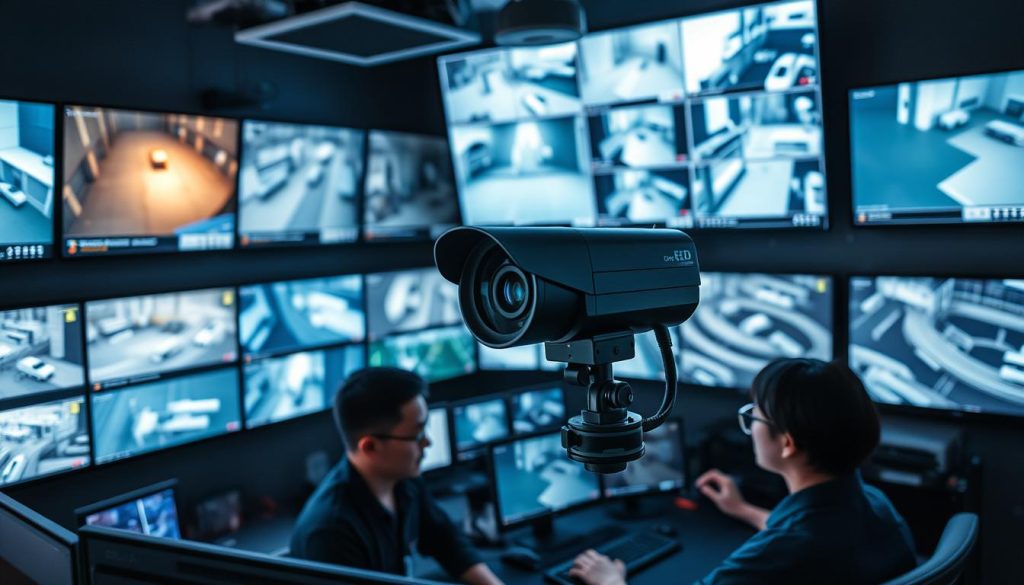
For top-notch security solutions, contact CCTV Maintenance today at +65 60135960. They offer the latest CCTV solutions and deals.
Check CCTV Camera Connection Status
To make sure your CCTV system works well, it’s important to check the camera connections. This is very true for IP cameras, which need a steady Wi-Fi connection. Fixing Wi-Fi problems with CCTV helps avoid issues with video feed and alerts.
Verifying Wi-Fi Connection for IP Cameras
First, check if your camera is connected to the network. A good Wi-Fi signal is shown in the camera’s app or interface. Here’s how to check the connection:
- Open the camera’s settings through the app or web portal.
- Look for signs that show if the camera is online.
- Check the signal strength; a weak signal can cause disconnections.
- Try restarting your router and camera to refresh the connection.
- Make sure DHCP is on your router to get an IP address automatically.
- Check with your service provider for any network outages.
It’s good to check these things often. If you have problems, following these steps can help fix them.
Power Supply Indicators and Their Meanings
Also, look at the power supply to your CCTV cameras. Many cameras have LED lights that show their status. Knowing what these lights mean can help you find and fix problems quickly:
| LED Status | Meaning |
|---|---|
| Solid Green | Camera is powered on and working fine. |
| Flashing Green | Camera is starting up or connecting to the network. |
| Solid Red | Camera is on but not connected to the network. |
| Flashing Red | Low power warning; check the power supply. |
A camera with a solid red light means it can’t record video because it’s not connected to the network. If you keep having connection problems, check the power or get help from a pro. For more info on CCTV solutions and offers, call CCTV Maintenance at +65 60135960.
CCTV System Troubleshooting Tips
Keeping your CCTV system working right means knowing common problems and how to fix them. Here are some tips to help you troubleshoot your CCTV system. Learning how to reset your CCTV camera can fix issues and make it work better.
Common Issues That May Affect CCTV Functionality
Many issues can mess up your CCTV system. Some big problems include:
- LED lights are on, but there’s no video feed.
- Inability to access recorded videos in the video management system (VMS).
- Trouble connecting to Wi-Fi.
- Cameras shutting off after business hours.
- Night vision not recording in low light situations.
- Remote video monitoring not functioning.
- DVR/NVR showing flashing or no lights.
- Low video quality and decreased frame rate.
Spotting these common problems early can save time and money. It also keeps your security system running smoothly.
Steps for Resetting Your CCTV Camera
Rebooting your CCTV camera regularly can make it work better. Here’s how to reset it right:
- Power down the camera by disconnecting it from the power source.
- Wait for about 30 seconds before reconnecting.
- Check the camera’s LED indicators to ensure it’s powered back on.
- Access the camera settings via the corresponding VMS or application.
- If issues persist, consider performing a factory reset as a last resort, which will erase existing data.
Firmware updates are also key for top performance. Regular cabling checks can spot wear and tear that causes connection issues. If problems keep happening, call the maker or a remote monitoring service. For the best help and latest CCTV tech, contact CCTV Maintenance at +65 60135960 today.
Conducting a CCTV Camera Activation Test
It’s vital to make sure your CCTV cameras work right for security. A detailed test checks if your cameras are working as they should. This guide covers the steps, from a simple test to using advanced software for deeper checks.
How to Perform a Basic Activation Test
Testing your CCTV cameras is easy. First, check if the camera is on and connected well. Many cameras show a blue light when recording. Make sure cables are tight, mainly for wired ones. Here’s how to do a basic test:
- Check power supply: Ensure the camera is plugged in or charged.
- Inspect connection: Verify that all cables are intact.
- Look for activity indicators: Observe the camera for any status LEDs.
- Test recording: Trigger the camera by movement to see if it activates.
- Listen for sounds: A buzzing or clicking noise often indicates activation.
Using Surveillance Software for Detailed Testing
For a detailed check, use CCTV testing software. It lets you see live images and check recording times. It also checks for updates and status. This software helps find:
- Authentication issues that prevent camera access.
- Firmware upgrade reminders to maintain optimal performance.
- Possible IP conflicts that could disrupt connectivity.
- Energy radiation levels emitted within specified ranges.
Using these steps ensures your CCTV systems work well. If you find big problems, get help from a pro. For more info or support, call CCTV Maintenance at +65 60135960.
Ensure CCTV Camera Functionality at All Times
Keeping your CCTV system working well is key for good surveillance. Regular maintenance checks for CCTV spot problems early. This means you can catch and record important moments without issues.
This includes updating software and checking hardware to avoid old technology.
Regular Maintenance Checks and Updates
To make sure your CCTV cameras work right, set up a maintenance plan. It should cover both hardware and software checks. Here are important things to look at during these checks:
- Check camera lenses for dirt and blockages that could make recordings blurry.
- Make sure power indicator lights are on to confirm electrical connections are good.
- Look for any damage or wear on cable connections to keep video quality high.
- Check video feed quality to make sure it’s clear and working right.
- Keep an eye on settings to make sure they’re up to date with any new upgrades or changes.
When to Call a Professional for Assistance
Even with regular upkeep, sometimes you need professional CCTV maintenance. You should call experts in these cases:
- If you can’t fix issues with video quality or frame rates.
- If there are repeated problems with power or connections.
- If you think someone has tampered with or vandalized your system and you need forensic help.
- If you’re unsure about complex software updates or compatibility with your system.
If you think your CCTV system needs a pro, call CCTV Maintenance at +65 60135960. Find out about the latest CCTV solutions and deals to keep your property safe.
Conclusion
Understanding the importance of monitoring CCTV status is key to a good security system. We looked at ways to check if your CCTV is working right. This includes checking lights, using bug detectors, and seeing how it reacts to motion.
Regular checks and maintenance can make your surveillance gear last longer and work better. It’s important to know the difference between real and fake cameras, check the power supply, and use diagnostic tools. Doing these things helps keep your property safe and gives you peace of mind.
If it’s been a while, it’s time to check your CCTV system. Contact CCTV Maintenance at +65 60135960 to find out about the latest solutions and offers. Stay alert, secure your place with CCTV, and keep your system in top shape.
FAQ
How do I know if my CCTV is on or off?
Check the CCTV camera’s power indicator light. If it’s on, the camera is working. You can also use the monitoring software to see if it’s live.
What are common indicators of an active CCTV system?
Look for LED lights on the cameras. Red or blue lights mean it’s on. Pan-tilt cameras moving show they’re active too.
How can I troubleshoot connection issues with my CCTV camera?
First, check the power supply lights on the camera. For IP cameras, make sure your Wi-Fi is working. Use your software to check the connection.
What should I do if my CCTV camera is not functioning?
Try resetting the camera by turning it off and on. Make sure all connections are tight. If it doesn’t work, look at your manual or get help from experts.
How can I test the activation of my CCTV camera?
Check for live footage in your security camera software. For more detailed checks, use advanced surveillance software.
Why is it important to ensure my CCTV camera functionality?
It’s key for keeping your place safe. If cameras don’t work, you lose surveillance and risk security breaches.
What maintenance is required for my CCTV cameras?
Clean the lenses and update software regularly. Do these tasks often. If problems come up, get help from pros.
How can I verify the status of my CCTV camera through software?
Use your CCTV monitoring software. It lets you see live feeds, check recordings, and spot alerts. This confirms if your camera is working right.
Source Links
- https://reolink.com/blog/how-to-tell-if-a-security-camera-is-on/?srsltid=AfmBOor_UkjAXv5GBO6qyBVLJLrUcRLsqPK9N00bSxXKZt9XWA9Qb9B7
- https://edgebusinesssecuritycameras.com/how-to-tell-if-a-security-camera-is-recording
- https://web.securitysystem.com.sg/cctv-law-singapore/
- https://alfred.camera/blog/how-to-tell-if-a-security-camera-is-on/
- https://reolink.com/blog/how-to-tell-if-a-security-camera-is-on/?srsltid=AfmBOooLbDelSXoiLsyN8wSrrfm7Qym6bOXxtpzq8rVMSBKO5RiJbv8Y
- https://www.precisionsecurity.com.au/how-to-know-if-cctv-is-working
- https://www.securitastechnology.com/ie/blog/what-cctv-monitoring-and-how-does-it-work
- https://network-data-cabling.co.uk/blog/12-cctv-problems-and-fixes/
- https://brillianttechnology.com.au/practical-tips-for-maintaining-your-cctv-security-system/?srsltid=AfmBOopD5lMpe0DXJRmSQmXy37fCtckfFtIQ8uBrTL-l5rVInjWfxdMJ
- https://reolink.com/blog/how-to-tell-if-a-security-camera-is-on/?srsltid=AfmBOooW4VULN2mqo349aqi62TggzDJxvSdCQtx-dAVw_CW4cu51VOf_
- https://icfix.in/how-do-i-know-if-my-cctv-is-on-or-off/
- https://www.xlrsecurity.com/blog/how-to-tell-if-a-cctv-camera-is-recording-audio-with-examples/
- https://reolink.com/blog/how-to-tell-if-a-security-camera-is-on/?srsltid=AfmBOorPVLNiVqbVyruiJ8ee_tqGI50SxyQzTchtOc3A0ehOVR4ZKmeP
- https://www.a1securitycameras.com/blog/security-camera-is-recording/?srsltid=AfmBOopHxoGYtN7nGNU1GY-ZGO4LHz5ZYflbnx1U8YGOFtSxo5Xh-_1o
- https://reolink.com/blog/how-to-tell-if-a-security-camera-is-on/?srsltid=AfmBOoqvJnb4s0_t1Stkvezg8GzWyqbIKYTNf-aAti6DVwvAWOhxljgb
- https://web.securitysystem.com.sg/cctv-problems-and-fix/
- https://solink.com/resources/security-camera-troubleshooting/
- https://reolink.com/blog/how-to-tell-if-a-security-camera-is-on/?srsltid=AfmBOoonfZxwlQA-b1Q1t7FcAI4n0oHc89aRP7Q7hZIpGjFl9Xlen-Ae
- https://www.caughtoncamera.net/news/common-cctv-problems-fix/
- https://www.cctv-camera.com.sg/articles/how-to-identify-the-camera-around-your-house-easily.html
- https://reolink.com/blog/how-to-tell-if-a-security-camera-is-on/?srsltid=AfmBOooLUK6b7KkcODWxq00Jjknx81jnNrlpoVOHOBCoc9Jz0fFYJz85
- https://cctvcameravision.com/10-steps-to-check-if-your-cctv-camera-is-working/
- https://reolink.com/blog/how-to-tell-if-a-security-camera-is-on/?srsltid=AfmBOoq9SD68kePlkfdKEQHRMoa6UFeShf-kTKEFdaZiilrb4XBAZQnB
- https://danielsalvatore.hashnode.dev/how-do-i-know-if-my-cctv-is-on-or-off


