
Guide to Installing CCTV Outside HDB Flat: Is it Illegal?
Many Singapore homeowners consider adding surveillance for safety. Understanding the rules can feel confusing. Regulations change based on where you place devices and why you use them.
Recent updates since May 2023 help clarify matters. Cameras facing common corridors now have simpler rules if placed within your unit’s boundary. No prior approval is needed for these setups.
For outdoor placements on common property, you need permission. Your Town Council is the main authority for this approval. They review applications to ensure community harmony.
Two key laws govern usage. The Personal Data Protection Act (PDPA) protects personal information. The Community Disputes Resolution Act (CDRA) addresses neighbor conflicts. Violations can lead to fines up to $5,000.
Smart doorbells with recording functions have separate exceptions. Temporary installations often get six-month permits. Renewal is required for continued use.
This guide walks you through the entire process. We cover device comparisons, technical needs, and compliance steps. With proper knowledge, enhancing your home’s security is both achievable and lawful.
Key Takeaways
- Rules differ for cameras inside your unit versus those placed on common HDB property.
- Since May 2023, corridor-facing cameras within your boundary typically don’t need prior approval.
- Outdoor installations on common areas require formal permission from your Town Council.
- The PDPA and CDRA are the main laws governing surveillance and privacy in Singapore.
- Non-compliance with regulations can result in significant fines and neighbor disputes.
- Temporary permits for external cameras are often valid for six months before renewal.
- Smart doorbells with recording capabilities follow specific exception guidelines.
Is It Illegal to Install CCTV Outside Your HDB Flat? The 2024 Answer
Navigating the legal landscape for external monitoring devices requires careful attention. The straightforward answer for 2024 is that such setups are not automatically forbidden. They operate within a strict regulatory framework that prioritizes community harmony and personal privacy.
Legality hinges entirely on compliance with specific housing policies and national laws. Proper placement and formal permissions transform a potential violation into an accepted security measure. Understanding this distinction prevents costly mistakes and neighbor disputes.
Understanding the Core Legal Principle: Private vs. Common Property
Everything depends on where you mount your equipment. Your HDB flat’s legal boundary defines what you can do without seeking permission first. Areas within your unit’s interior are considered private property.
This includes space just inside your front door. You generally have more freedom here for home security devices. The rules focus on preventing intrusion into others’ private lives.
Common property is a different matter entirely. Corridors, void decks, stairwells, and lift lobbies fall under this category. These spaces are managed collectively by the Town Council for all residents’ benefit.
Mounting any recording device on common areas always requires formal approval. The approval pathway you follow is dictated by this simple classification. Getting this wrong is the most common reason for enforcement actions.
Key Regulations: PDPA and the Community Disputes Resolution Act (CDRA)
Two main laws govern surveillance in Singapore’s public housing. The Personal Data Protection Act (PDPA) sets standards for collecting and handling personal information. It applies the moment your camera captures a neighbor’s face or license plate.
The Community Disputes Resolution Act (CDRA) specifically addresses conflicts from intrusive monitoring. Section 21 of this act prohibits devices that capture activity beyond your property lines. It aims to balance security needs with personal privacy rights.
These regulations intersect in practical ways. The PDPA governs what you do with recorded footage containing personal data. The CDRA mediates disputes when your camera’s field of view causes a nuisance.
Prohibited acts under the CDRA are clearly defined. Recording within a 100-meter radius of neighboring units may be contested. Pointing devices through windows or doorways is almost always unacceptable.
The law seeks to prevent a surveillance arms race in shared living spaces. It ensures one person’s security upgrade doesn’t become another’s privacy nightmare.
Penalties for Non-Compliant Installations
Authorities typically follow an escalating enforcement model. First offenses for unauthorized setups usually draw official warnings. Residents receive a notice to rectify the situation within a compliance period.
Repeat violations or refusal to cooperate lead to financial penalties. Fines can reach up to $5,000 under HDB bylaws and PDPA provisions. The exact amount depends on the severity and impact of the violation.
Town Councils conduct regular quarterly inspections of common areas. They actively look for non-compliant security installations during these checks. When found, owners receive removal orders with a standard 14-day deadline.
A 2023 case in Bukit Batok serves as a cautionary example. A resident faced maximum fines for refusing to re-angle devices capturing neighboring units. This highlights the importance of correct placement from the start.
Special circumstances like documented harassment may justify temporary approvals. Even these situations don’t exempt residents from following the proper application process. Due process remains essential for maintaining community trust.
With correct positioning and the right permissions, enhancing your residence’s safety is completely lawful. A compliant system acts as a powerful deterrent against theft and provides valuable evidence when needed.
Navigating Singapore’s CCTV Laws for HDB Residents
The journey to a compliant security setup starts with a single document: your HDB floor plan. This section provides the practical tools to interpret official regulations for your specific layout. You’ll learn to distinguish private from shared space with confidence.
How HDB and Town Councils Define Your Property Boundaries
Your official floor plan is the legal blueprint for your home. The thick lines on this diagram mark your unit’s boundary. Everything inside these lines is your private domain.
Areas outside these lines are common property. This includes corridors, lift lobbies, and stairwells. The Housing & Development Board (HDB) sets the overarching national policy for these spaces.
Your local Town Council manages and enforces rules on this common ground. They hold the authority to grant permissions for any modifications. Knowing which authority governs your intended camera spot is the first critical step.
The 2023 Rule Change: Corridor-Facing Cameras Within Your Unit
A significant update clarified rules for many homeowners. Since May 2023, you generally do not need prior approval for a corridor-facing device. This applies only if the entire camera and mount are physically within your unit’s boundary.
An acceptable placement is on the internal wall beside your front door. The lens must not peek beyond the door frame. The device cannot be mounted on the door itself if it swings into the common corridor.
An unacceptable placement involves fixing a bracket to the external corridor wall. Extending a mount from your doorframe outward is also prohibited. These acts are considered unauthorized alterations to common property.
Building facades are strictly off-limits due to “killer litter” risks. Falling equipment poses a severe safety hazard. Such installations violate HDB rules and can lead to immediate removal orders.
When Your Security Needs Become a Community Matter
Your private security measures become a community concern when they impact shared spaces. A camera that inadvertently captures your neighbor’s doorway is a common issue. Even with the best intent, this can be seen as intrusive monitoring.
Recording common walkways or lift areas also transitions into a shared matter. The Ang Mo Kio Town Council, for example, allows smart doorbells but restricts their recording angles. Their policy is often seen as a model for other estates.
Proactive consultation with your specific Town Council prevents disputes. Their guidelines can have slight variations between different housing estates.
Always check your Town Council’s website or contact them directly before purchase. This simple step ensures your chosen security system and its placement will be compliant. Understanding these navigational tools is the key to a smooth, dispute-free installation process.
The Step-by-Step Approval Process for External HDB CCTV
The formal approval process for mounting security cameras on shared property follows a clear sequence of steps. Completing each stage correctly prevents delays and ensures your home security enhancement proceeds smoothly. This guide walks you through the official authorization journey from start to finish.
Step 1: Determining If You Need Town Council Permission
Begin with a simple self-assessment. Ask yourself where the device will be physically mounted. If any part touches common property, you need formal consent.
Common property includes corridor walls, ceilings, and any surface beyond your unit’s boundary. Mounting brackets on these surfaces always triggers the permission requirement. Even extending a camera arm from your doorframe outward needs approval.
Use this quick checklist:
- Is the mounting bracket fixed to a common corridor wall?
- Does the camera’s field of view extend significantly into shared areas?
- Will wiring or cables run along common property surfaces?
Answering “yes” to any question means you must proceed with a formal application. Your local Town Council is the sole authority for this approval.
Step 2: Gathering Required Documentation (Including Police Reports)
Preparation is key to a successful application. Authorities require specific documents to assess your request. Having them ready speeds up the review process.
The core document package includes:
- A completed application form from your Town Council’s website.
- A scaled floor plan with the proposed camera placement and field of view clearly marked.
- A copy of your NRIC for identity verification.
- A police report case number, if applicable.
The police report is crucial if citing incidents like theft or vandalism. It provides objective evidence of your security need. Without it, your request may be seen as speculative.
Create a clear installation blueprint. Show how the camera angle minimizes intrusion on neighbors’ privacy. This demonstrates responsible planning to the reviewing officers.
Step 3: Submitting Your Formal Application
Submission methods vary between different Town Councils. Most accept applications via email, online portals, or in-person visits. Check your council’s preferred channel before sending.
Ang Mo Kio Town Council, for example, often prefers in-person submissions. Jurong Town Council readily accepts digital copies. Always confirm the current procedure on their official website.
Standard processing takes 7 to 10 working days. Complex cases may extend to 14 days. You will receive a formal written response outlining the decision.
Follow up politely if you haven’t heard back after two weeks. Keep a record of your submission date and reference number. This helps track your application’s status.
Proactive communication with your Town Council’s estate office can clarify specific requirements. Their staff can provide guidance tailored to your block’s layout.
Step 4: Understanding Temporary Permits and Renewals
Approval for external devices often comes as a temporary permit. These are typically valid for six months. This allows authorities to review the installation’s impact on the community.
You must renew the permit before it expires. The renewal process demands fresh documentation. Submit a new application form and an updated status report on your security situation.
Note the installation deadline in your approval letter. Most permits require setup within 30 days of issuance. Missing this deadline may void your authorization.
Applications can be rejected. Common reasons include excessive intrusion into common areas or insufficient justification. If rejected, you can appeal with additional evidence within 14 days.
A successful appeal often requires more detailed plans or a revised camera angle. Demonstrating willingness to adjust your security system for community harmony strengthens your case.
Following this structured pathway leads to compliant surveillance setup. It balances your safety needs with community regulations effectively.
Indoor vs. Outdoor CCTV: What You Can Install Without a Permit
Not all surveillance installations require formal permission, and knowing the difference is empowering. This section clarifies which security upgrades you can proceed with immediately. It also highlights setups that always need Town Council approval.
The key factor is physical placement. Devices entirely within your unit’s boundary often enjoy more flexibility. Equipment touching common property, however, triggers the formal application process.
Rules for Cameras Mounted Inside Your Front Door
You can position a security camera just inside your front entrance. The entire device must remain within your unit’s legal perimeter. The lens should not peek beyond the door frame into the common corridor.
This setup leverages the “within boundary” principle for hassle-free security. You monitor your immediate doorstep without altering shared space. It’s a straightforward way to deter package theft.
Technical specifications matter for compliance. Night vision must use infrared light below 850nm. This prevents disturbing neighbors with visible red glow.
Use your camera’s software features for added privacy protection. Motion zones let you ignore activity beyond your doorway. Digital masking can black out portions of the footage, like a neighbor’s window.
For a detailed guide on setting up such a system yourself, explore this resource on DIY CCTV installation.
The Special Case for Smart Doorbells and Peephole Cameras
Smart doorbells and peephole camera models often receive relaxed regulatory treatment. Authorities frequently classify them as “permitted modifications.” This applies if they replace existing hardware without structural changes.
Popular HDB-compliant models include the Xiaomi Smart Doorbell and Ring Peephole Camera. These devices typically feature a maximum 160-degree field of view. This coverage is sufficient for monitoring your own doorstep.
A critical legal requirement is disabling audio recording by default. The Personal Data Protection Act (PDPA) strictly governs audio data collection. Always check and adjust your device’s settings after installation.
Smart doorbells represent a technological evolution of the traditional peephole. Their acceptance hinges on minimal intrusion and direct replacement of an existing fixture.
These wireless devices offer convenience without complex wiring. They provide clear visual monitoring of anyone at your door. This makes them a favorite among homeowners for enhancing home safety.
Areas Strictly Off-Limits for Any Recording Device
Certain locations are prohibited for all surveillance equipment. Mounting cameras in these areas violates rules and invades privacy.
The definitive list includes:
- Shared stairwells and lift lobbies (common property).
- Boundary walls between units.
- Any angle capturing a neighbor’s private doorway or window.
- Building facades due to safety hazards.
The guiding principle is “reasonable expectation of privacy.” Your neighbors deserve peace within their own unit. A camera pointed at their space creates legitimate disputes.
Understanding these regulations empowers you to make smart choices. You can build a robust security system that respects community harmony. This knowledge is the foundation for a hassle-free upgrade.
Choosing Your System: Wired vs. Wireless CCTV for HDB Flats
Homeowners face a critical decision when upgrading their residence’s protection: wired reliability or wireless convenience. Each option presents distinct advantages and compliance considerations for public housing. Your selection impacts everything from daily operation to long-term maintenance costs.
Installation and Stability Comparison
Wired surveillance systems demand professional setup. HDB regulations require licensed electricians for any permanent wiring. These experts must follow strict conduit routing rules to avoid structural damage.
Installation involves drilling and running cables through walls. This process ensures stable Power over Ethernet (PoE) connections. Your security camera will have uninterrupted power and data transmission.
Wireless cameras offer plug-and-play simplicity. Most models use magnetic mounts or adhesive brackets. Homeowners can often position these devices themselves without professional help.
Stability differs significantly between the two approaches. Wired connections provide constant operation. Wireless systems depend on Wi-Fi strength and battery life.
Signal drops can create security gaps during critical moments. Battery-powered models need regular replacement every 3-6 months. This maintenance requirement is essential for continuous monitoring.
Privacy and Data Security Considerations
Data protection is paramount under Singapore’s Personal Data Protection Act (PDPA). Your system choice directly affects how you handle recorded footage.
Wireless cameras transmit video over your home network. Strong encryption like WPA3 secures these feeds from interception. Always enable the highest available security protocol.
Storage location presents another key decision. Local storage on a Network Video Recorder (NVR) often complies better with PDPA requirements. You maintain physical control over all recorded data.
Cloud storage offers remote access convenience. However, it involves third-party servers that may be located overseas. Review your provider’s data protection policies carefully.
Local storage gives homeowners direct custody of their surveillance footage, simplifying compliance with privacy regulations that govern personal data collection and retention.
Consider hybrid solutions for balanced security. The TP-Link Tapo C210 offers both local microSD storage and optional cloud backup. Such systems provide flexibility while respecting privacy concerns.
Long-Term Cost and Maintenance Implications
Financial planning extends beyond the initial purchase. Wired CCTV cameras have higher upfront costs but offer long-term savings.
Break down the expenses:
- Wired systems: Professional installation fees, equipment costs, and possible renovation work
- Wireless systems: Lower initial equipment costs, but recurring battery and potential cloud subscription fees
Maintenance requirements also differ. Wired installations need quarterly firmware updates and occasional cable checks. Wireless devices demand regular battery changes and Wi-Fi network monitoring.
Match your system choice to your living situation. Renters often prefer wireless solutions for their portability. Property owners might invest in wired surveillance for permanent protection.
Consider these recommendations based on priorities:
- Choose wired for maximum stability and uninterrupted operation
- Select wireless for flexibility and easier placement adjustments
- Consider hybrid models for a balance of reliability and convenience
Your final decision should align with both your home security needs and HDB regulations. A compliant system protects your property while respecting community harmony.
Smart Doorbells vs. Traditional CCTV: Rules and Recommendations
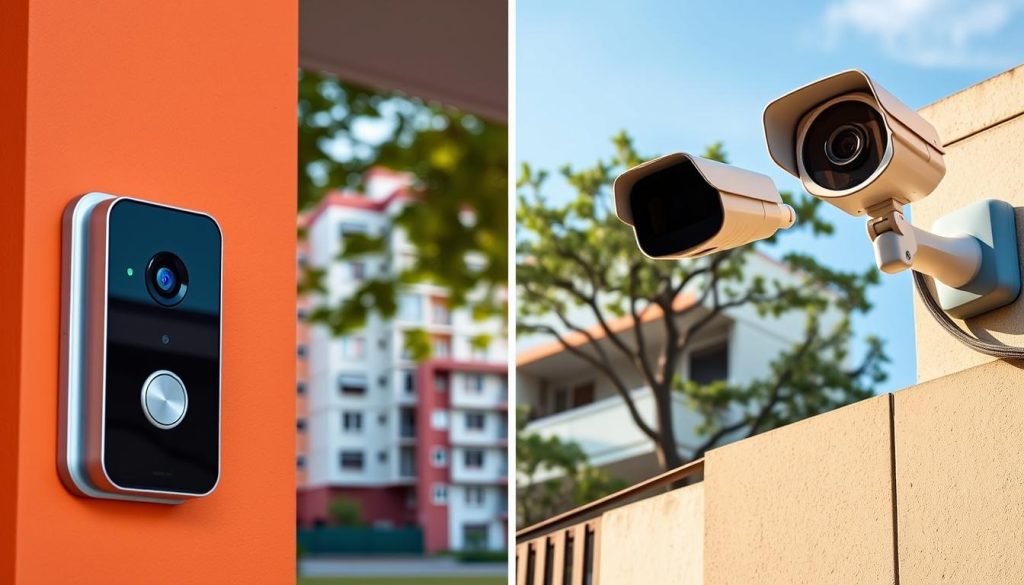
The regulatory landscape for smart doorbells differs significantly from conventional security cameras in Singapore. These modern devices occupy a unique space in home security planning. They offer specialized functions that often align better with HDB living requirements.
Understanding this distinction helps homeowners make informed choices. Smart doorbells typically face fewer regulatory hurdles than full surveillance systems. Their design and purpose make them more community-friendly options for residential security.
Why Smart Doorbells Are Often Treated Differently
Authorities view these devices through a different lens than traditional CCTV cameras. Smart doorbells usually replace existing doorbell hardware without structural modifications. This minimal alteration approach reduces concerns about permanent changes to common property.
Their narrower field of view represents another key advantage. Most models focus specifically on your own doorstep area. This targeted coverage minimizes intrusion into neighbors’ private spaces.
Research supports their community-friendly nature. A Techcom Engineering survey revealed a 73% reduction in neighbor disputes with smart doorbell adoption. This data demonstrates how these devices promote harmony in shared living environments.
Town Councils and HDB recognize these practical benefits. Many classify smart doorbells as “permitted modifications” under specific conditions. This classification streamlines the approval process for compliant installations.
Smart doorbells represent an evolution of the traditional peephole, offering enhanced security with minimal community disruption. Their acceptance stems from focused functionality and respectful design principles.
Top Features to Look for in an HDB-Compliant Smart Doorbell
Selecting the right model ensures both effectiveness and regulatory compliance. Several technical specifications matter for HDB approval. These features help maintain privacy while providing adequate security coverage.
Essential compliance features include:
- Adjustable field of view with maximum 160° horizontal coverage
- Motion zone customization to exclude common areas
- Infrared night vision below 850nm to prevent visible glow
- Local storage options for better data control under PDPA
- Automatic motion zone cropping to limit recording scope
Several models meet these requirements effectively. The Xiaomi MJSXJ12CM offers 160° coverage with advanced privacy settings. The Ring Video Doorbell Pro provides similar compliance features with reliable performance.
Additional functionality enhances security convenience. Two-way audio allows communication without opening your door. Real-time smartphone notifications keep you informed of doorstep activity instantly.
Installation Guidelines for Smart Doorbell Devices
Proper setup ensures both functionality and regulatory compliance. Installation methods vary based on your specific housing layout. Understanding your options helps choose the right approach.
DIY installation works well for many homeowners. Most wireless models use adhesive mounts or existing peephole replacements. These methods typically don’t require structural changes to your HDB unit.
Key installation considerations include:
- Position the device within your unit’s boundary when possible
- Ensure the camera angle focuses solely on your own doorstep
- Use existing electrical wiring if available for wired models
- Test the field of view before finalizing placement
- Adjust motion detection zones to exclude common corridors
Professional help becomes necessary for complex wiring situations. Licensed electricians ensure safe electrical connections. They follow HDB guidelines for any permanent modifications.
Approval requirements depend on your specific installation. Devices capturing only your doorstep often don’t need formal consent. Those viewing common areas still require Town Council permission.
The Ang Mo Kio Town Council maintains explicit smart doorbell policies. Checking with your local council provides specific guidance. Their website usually details acceptable models and installation parameters.
Follow this practical checklist for successful implementation:
- Verify your chosen model’s technical specifications match compliance requirements
- Review your Town Council’s specific smart doorbell policy online
- Test the device’s field of view before permanent installation
- Configure privacy settings to disable audio recording by default
- Document your installation with photos for future reference
- Inform immediate neighbors about your new security device
- Register the device with your Town Council if required
Smart doorbells offer a balanced approach to residential security. They provide effective monitoring while respecting community harmony. With proper selection and installation, they enhance home safety without creating neighbor conflicts.
Ethical Camera Placement to Avoid Neighbor Disputes
The angle of your lens can determine whether your security system builds trust or creates tension in your HDB community. Thoughtful positioning transforms surveillance from a privacy concern into a welcomed safety feature. This approach balances personal protection with respect for shared living spaces.
Optimal Angles and Mounting Solutions for Compliance
Correct physical positioning is your first defense against conflicts. Mount your device looking downward to cover only your door’s immediate vicinity. This simple adjustment prevents unnecessary intrusion into common areas.
Adjustable brackets offering 15-45° tilt provide precise control over viewing angles. These mounts help focus lenses inward toward your own property. They ensure your camera captures only what’s necessary for legitimate security purposes.
Never allow your equipment to capture neighbor doors or windows. Even peripheral coverage of these areas violates privacy expectations. The Community Disputes Resolution Act specifically addresses such intrusions.
Conduct a “neighbor’s perspective” test before finalizing installation. Walk to adjacent units and check what your camera might see. This practical step confirms your setup respects community boundaries.
Using Technology to Limit Your Camera’s Field of View
Modern security systems include software tools for ethical monitoring. Digital masking creates blacked-out zones within recorded footage. These privacy zones permanently exclude sensitive areas from capture.
Motion zone exclusion is another powerful feature. Configure your device to ignore activity beyond your doorstep. This prevents recording of normal corridor traffic and neighbor movements.
Some HDB-approved models feature advanced optical corrections. The Homesmart.sg A22 includes fisheye lens correction technology. This minimizes peripheral coverage while maintaining clear central imaging.
According to 2023 CDRA reports, 120 mediation cases involved improperly angled surveillance devices. Most disputes arose from cameras capturing areas beyond property boundaries.
Schedule periodic reviews of your camera angles. Check positioning after any maintenance or equipment upgrades. Regular verification ensures ongoing compliance with community standards.
The Importance of Communication with Your Neighbors
Proactive dialogue prevents misunderstandings before they escalate. Notify adjacent homeowners about your recording devices as a courtesy. Explain your security needs while assuring them of your respect for their privacy.
Visible signage transforms surveillance into transparent community protection. A simple notice stating “Security Camera in Operation” manages expectations. This openness demonstrates responsible monitoring practices.
Prepare respectful responses for neighbor concerns. Focus conversations on shared security benefits rather than defensive positions. Emphasize how proper placement protects everyone’s interests.
Consider this de-escalation approach when addressing concerns: “I understand your worry about privacy. My camera is angled specifically to monitor only my own doorway. Would you like to see the field of view to feel assured?”
Ethical placement represents a win-win strategy for HDB communities. It enhances personal security while strengthening neighborhood trust. Responsible homeowners create safer environments through considerate surveillance practices.
Technical Features Your CCTV Must Have to Comply with Singapore Law
The technical capabilities of your CCTV system directly impact its admissibility as evidence and compliance with privacy laws. Beyond obtaining proper approval for placement, the internal specifications of your equipment matter significantly. These features ensure your security setup meets Singapore’s strict regulations.
Singaporean law requires specific technical standards for all recording devices. These standards protect both your rights as a homeowner and your neighbors’ privacy. Investing in compliant features from the start prevents legal complications later.
Timestamping Requirements for Legal Evidence
Accurate timestamps transform ordinary footage into valid legal evidence. Singapore regulations mandate precision within ±30 seconds of Singapore Standard Time. This synchronization ensures your recordings hold up in official investigations.
Proper timestamping requires specific technical features. Your camera should automatically sync with atomic clock servers. Models like the Hikvision DS-2CD2043G0-I include this essential functionality.
Key timestamp specifications include:
- 24-hour format displaying date and time clearly
- Non-editable metadata embedded within video files
- Automatic daylight saving time adjustments
- Continuous operation during power fluctuations
Without accurate timestamps, your surveillance recordings lose evidentiary value. Police and courts cannot accept improperly timed footage. This technical detail makes or breaks your ability to use recordings legally.
Data Storage: Local vs. Cloud Under the PDPA
The Personal Data Protection Act (PDPA) governs how you store recorded data. Your storage method affects both compliance and accessibility. Choosing between local and cloud options requires understanding legal obligations.
Local storage on encrypted solid-state drives often simplifies PDPA compliance. You maintain physical control over all recorded footage. This approach addresses data residency requirements effectively.
Local encrypted storage gives homeowners direct custody of surveillance data, aligning with PDPA principles of data minimization and purpose limitation.
Cloud storage introduces additional considerations. The PDPA requires using approved providers with specific security measures. Essential cloud provider qualifications include:
- Data Protection Trustmark certification from Singapore’s PDPC
- AES-256 encryption for all data transmission and storage
- Singapore-based servers ensuring data remains within national borders
- Clear data retention and deletion policies
Maximum retention periods typically range from 21 to 30 days. Your system should automatically overwrite older footage. This practice complies with data minimization principles under Singapore law.
Essential Security Features for Your Footage and System
Protecting your surveillance system from unauthorized access is legally mandatory. The PDPA requires reasonable security arrangements for all personal data. This includes both the footage itself and access to your cameras.
Multi-factor authentication represents a fundamental requirement. This security layer prevents unauthorized viewing of your recordings. It combines something you know (password) with something you have (mobile device).
Additional essential security measures include:
- WPA3 encryption for all wireless transmission between devices
- Strong password policies requiring 12+ characters with mixed types
- Regular firmware updates to patch security vulnerabilities
- Automatic logout after periods of inactivity
- Disabling universal plug-and-play (UPnP) to prevent external access
Audit trails provide crucial accountability for your system. These logs record all access and viewing activity of your footage. They demonstrate responsible data management if questions arise about your monitoring practices.
For remote access, virtual private networks (VPNs) offer enhanced security. They create encrypted tunnels between your device and your home network. This prevents interception of your live camera feeds during remote viewing.
Proper configuration balances security with usability. Homeowners must easily retrieve footage when legally required. At the same time, unauthorized parties should find access impossible. This balance represents the core of compliant security system design.
Technical compliance protects you from legal liability. It ensures your evidence remains admissible in official proceedings. These features represent non-negotiable requirements for all Singapore surveillance setups.
Handling Footage Requests and Privacy Complaints
Even with a properly installed system, you may one day receive a formal request for your recorded footage. Understanding your legal obligations transforms a potential conflict into an opportunity for community cooperation. This section prepares you for managing such situations with confidence and compliance.
Transparent handling of privacy concerns demonstrates responsible ownership. It can prevent disputes from escalating into formal legal actions. Knowing the correct procedures protects both your rights and your neighbor’s privacy.
Your Neighbor’s Rights Under the CDRA
The Community Disputes Resolution Act grants specific rights regarding surveillance. Individuals can request footage that captures their property or person. This legal framework balances security needs with personal privacy protections.
Key rights include a formal 30-day response window for all requests. The requesting party must demonstrate legitimate interest in the recording. They cannot make frivolous demands for general monitoring footage.
Compensation up to $20,000 is possible for violations under the CDRA. This applies when cameras improperly capture private spaces. The Community Disputes Resolution Tribunal handles these claims.
The CDRA establishes clear boundaries for surveillance in shared living environments. It ensures one person’s security measure doesn’t become another’s privacy invasion.
Mandatory mediation is required before tribunal hearings. This process encourages neighborly resolution of disputes. Many conflicts resolve during this mediation stage.
Proper Procedure for Responding to a Footage Request
Follow a structured approach when receiving any formal request. This protects your interests while meeting legal requirements. Proper documentation is essential throughout the process.
Acknowledge receipt within 3 working days of the request. Use written communication like email for clear records. Verbal agreements should always be followed with written confirmation.
Verify the requester’s legitimate interest in your footage. Ask for specific details about the date, time, and incident. This prevents fishing expeditions through your recordings.
Essential steps for professional responses:
- Document everything: Keep copies of all correspondence and notes from conversations.
- Preserve original footage: Store unaltered data on write-protected drives until resolution.
- Consult your Town Council: They may provide guidance on local precedent and procedures.
- Maintain professionalism: Avoid emotional responses that could escalate the situation.
Template response letters help maintain consistency. They should include acknowledgment of receipt, your verification process, and a realistic timeline. Always keep copies for your records.
Seek legal counsel for complex disputes involving significant claims. Repeated complaints or demands for compensation warrant professional advice. Your home insurance may cover consultation costs.
How to Redact and Share Footage Safely and Legally
Redaction protects unrelated individuals before sharing any footage. This step is legally required under personal data protection rules. Proper redaction demonstrates respect for community privacy.
Free software tools make this process accessible. OpenShot and DaVinci Resolve offer blurring and masking features. These programs help obscure sensitive information effectively.
Step-by-step redaction guidance:
- Identify sensitive elements: Look for unrelated persons, license plates, and private interiors
- Apply blurring effects: Use motion tracking for moving subjects within the frame
- Mask private areas: Black out windows and doorways of other units
- Review the final version: Ensure only relevant incident details remain visible
- Create a clean copy: Never alter your original evidence file
Police investigations represent an important exemption. You may share unredacted footage when assisting criminal investigations. Always request official documentation of the police request.
Secure sharing methods protect the data during transfer. Use encrypted file transfer services or password-protected links. Never post surveillance footage on public platforms or social media.
Handling requests transparently often defuses tensions. It shows you take community concerns seriously. This approach turns potential conflicts into demonstrations of responsible security management.
Your proper response protects everyone involved. It maintains the integrity of your security system as legal evidence. Most importantly, it preserves harmonious relationships within your HDB community.
Implementing Your Compliant HDB Security System
Successful deployment of your monitoring equipment marks the final phase of securing your residence. Engage PSIA-certified professionals like Techcom Engineering for proper setup. They understand local regulations and ensure correct placement from the start.
Schedule a post-installation verification with your Town Council if required. Maintain your devices with monthly lens cleaning and quarterly firmware updates. Store all approval documents and warranties securely for future reference.
Inform neighbors about your operational security system as a community courtesy. Consider integrating surveillance with smart locks for comprehensive protection. Choose weatherproof models suited for Singapore’s tropical climate.
Follow data storage cycles to comply with privacy laws. Automatic deletion after mandated periods maintains legal compliance. Your responsible approach enhances home safety while respecting community harmony.
FAQ
Do I always need town council approval for a security camera?
Approval is mandatory for any device installed outside your unit on common property. This includes mounting a surveillance system on the corridor wall or ceiling. For cameras placed entirely within your home’s interior, like inside your front door, permission is generally not required.
What are the rules for using a smart doorbell in an HDB flat?
Smart doorbells are often treated as CCTV cameras. If the device’s field of view captures the common corridor or a neighbor’s unit, you must seek approval from your town council. Choosing a model with a narrow, adjustable viewing angle can help ensure compliance.
Can my neighbor legally ask me to remove my outdoor camera?
Yes, under the Community Disputes Resolution Act (CDRA). If your neighbor files a complaint that your recording device causes unreasonable surveillance or intrudes on their privacy, you may be ordered to adjust or remove the security camera. Communication is key to avoiding disputes.
How do I apply for permission to install an outdoor CCTV system?
Contact your local town council office directly. You will need to submit a formal application, often including a diagram of the proposed camera placement. Providing a police report number can strengthen your case if you’re installing due to a security incident.
What features should my security camera have to comply with Singapore law?
Your surveillance system should have accurate timestamping on footage for any potential legal evidence. Under the PDPA, you must also secure any recorded data, whether stored locally or in the cloud, to prevent unauthorized access.
Are there areas where I absolutely cannot install a recording device?
A> Yes. Never place any home security camera where it captures the interior of a neighbor’s unit, common areas like lift lobbies in a way that monitors comings and goings, or any location deemed private by the town council. Focus the lens on your own doorway.


