
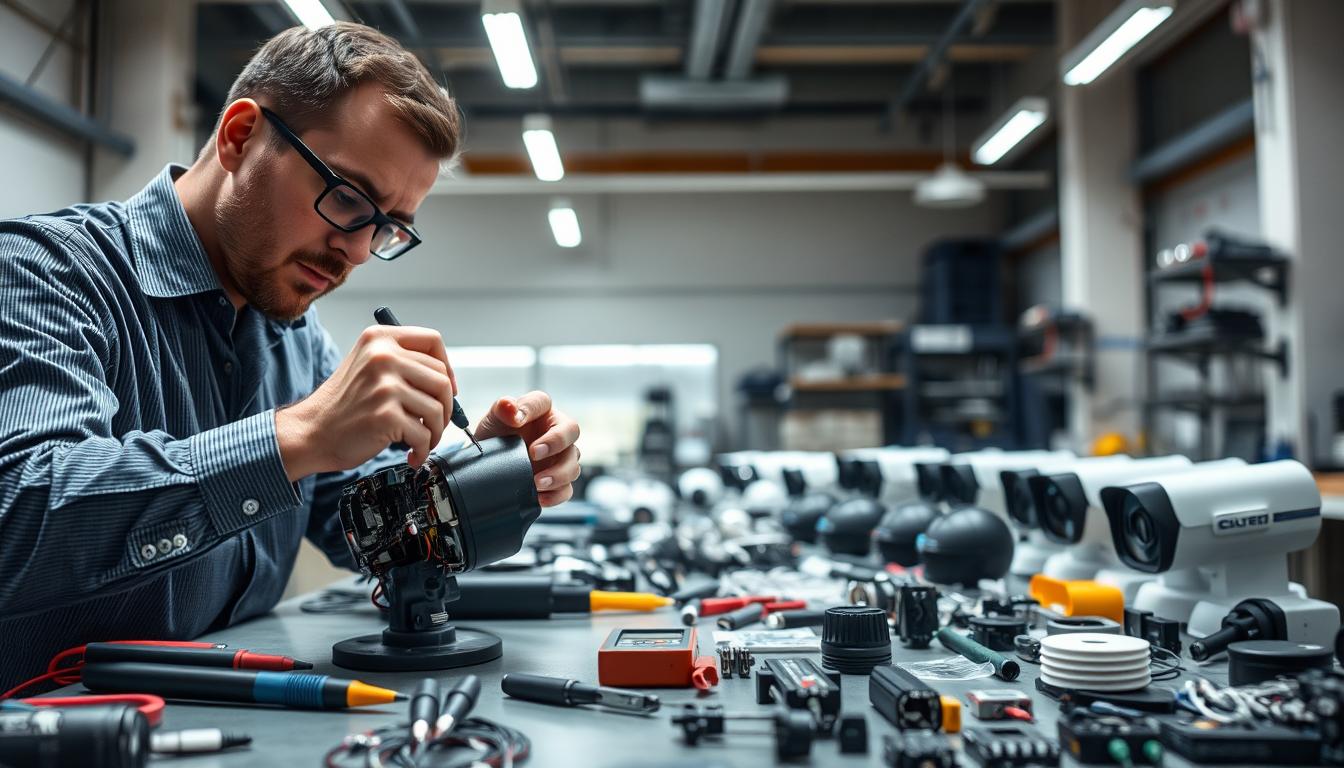
Is CCTV Camera Repairable? Expert CCTV Repair Tips
When your surveillance equipment stops working, it creates a real security headache. Homeowners and business owners across Singapore face this frustrating situation. The immediate question becomes whether to fix what you have or buy something new.
These monitoring systems represent significant investments for property protection. Keeping them operational is crucial for safety and peace of mind. A malfunction should not automatically mean a full replacement is necessary.
Many common malfunctions have straightforward fixes. The age of your equipment, the specific problem, and access to technical know-how all influence what’s possible. This guide explores those factors in detail.
You will find professional advice, do-it-yourself guidance, and cost considerations here. We also provide tips for locating reliable technical support locally. Understanding your options helps make an informed, financially smart decision.
For personalized advice or to explore the latest surveillance technology available today, consider reaching out to a local specialist. Companies like ED Viston can assess your specific situation and discuss current offers.
Key Takeaways
- A faulty surveillance unit doesn’t always require immediate replacement.
- Multiple factors determine if a fix is practical and cost-effective.
- Professional assessment can save money compared to a new purchase.
- Common issues often have simple solutions a technician can handle.
- Regular maintenance helps prevent many operational problems.
- Local experts in Singapore understand regional needs and conditions.
- Weighing repair costs against new system prices is essential.
Why Your CCTV System is a Critical Security Investment
A properly functioning surveillance setup forms the backbone of property protection in today’s world. This technology represents more than just equipment. It’s a strategic layer of defense for what matters most.
Understanding this value helps explain why maintenance matters. When visual security fails, vulnerability increases immediately. Keeping every component operational ensures continuous coverage.
The Role of CCTV in Modern Crime Prevention and Evidence
Studies consistently show monitored areas experience fewer criminal incidents. The visible presence of equipment acts as a powerful deterrent. Potential offenders often avoid locations where their actions might be recorded.
High-resolution video provides crucial detail for identification. Law enforcement agencies rely on clear footage during investigations. This evidence can make the difference in solving cases quickly.
Modern features like night vision and wide dynamic range capture events in challenging light. These capabilities ensure monitoring continues around the clock. Every recorded moment becomes potential proof if needed.
From Homes to Businesses: The Universal Need for Surveillance
Residential properties across Singapore benefit from visual security. Families install monitoring to watch over loved ones and deter package theft. Remote viewing allows checking on homes from anywhere via smartphone.
Commercial applications are equally vital. Retail stores monitor for shoplifting and ensure employee safety. Warehouses protect valuable inventory from internal and external threats.
Industrial facilities use specialized equipment for perimeter security. Each setting has unique requirements but shares the same fundamental need. Reliable observation provides protection for people, assets, and operations.
How Reliable CCTV Contributes to Peace of Mind
The psychological benefit of a trustworthy setup is significant. Property owners gain confidence knowing their spaces are watched. This assurance comes from both deterrent value and recording capability.
Cloud-based systems offer secure, remote access to live feeds and archived footage. Users can check their properties while traveling or at work. This constant connection eliminates uncertainty about what’s happening off-site.
Because these setups are so essential, maintaining them becomes a priority. Regular checks and prompt attention to issues preserve that valuable peace of mind. A well-kept surveillance network delivers on its promise of protection every day.
Understanding How Your CCTV Camera Works
Think of your surveillance network as a team, where each component has a specific job to do. Knowing what each part does helps you identify where a breakdown might occur. This foundational knowledge turns a confusing malfunction into a solvable puzzle.
Key Components: Lenses, Sensors, and Recorders (DVR/NVR)
Every unit relies on three core pieces of hardware. First, the lens gathers and focuses light, much like the human eye. Its quality determines the field of view and how much detail you can see.
Second, an image sensor sits behind the lens. This is typically a CCD or CMOS chip. It converts the focused light into a raw electrical signal.
Third, a recorder processes that signal. For analog setups, this is a Digital Video Recorder (DVR). For modern IP camera systems, it’s a Network Video Recorder (NVR). This device encodes, manages, and stores the final video.
The Journey of a Video Signal: From Capture to Storage
The path visual data takes is a multi-stage journey. It starts when light hits the sensor. The sensor’s job is to create a basic data stream from the visual scene.
This raw data then travels. It moves through a coaxial cable, a network cable, or wirelessly via Wi-Fi. A stable connection here is critical for a clear, uninterrupted feed.
Finally, the recorder receives this data. It compresses the video for efficient storage on a hard drive or in the cloud. You can then access the footage remotely or review archives. A failure at any point in this chain stops the process.
Common Technical Limitations and Environmental Challenges
Even the best equipment has inherent constraints. Older models have resolution caps, producing grainier images. The lens’s fixed field of view means it can’t see behind itself.
External factors pose constant challenges. Poor lighting creates dark, unusable footage. Rain and humidity can seep into housings. One specific technical glitch is infrared glare.
Infrared glare happens when built-in night vision LEDs reflect off shiny surfaces like tiles or pool water. This causes a foggy, white haze that obscures the picture. Understanding these limits helps set realistic expectations and guides placement to avoid problems.
Recognizing these core features and potential issues equips you to better communicate problems with a technician. It directly links a cause, like a dirty lens, to its effect—blurry output from your security system.
The Most Frequent CCTV Camera Problems You’ll Encounter
Learning to recognize typical malfunctions helps you respond quickly to security gaps. Your surveillance equipment will show clear warning signs when components begin to fail. This section serves as a diagnostic checklist for the most common issues property owners face.
Understanding these symptoms prepares you for the troubleshooting steps covered later. Each problem has distinct causes that technicians encounter regularly. Identifying them early can prevent complete system failure.
Complete Video Loss or Intermittent Signal
A blank screen on your monitor is one of the most alarming issues. This complete loss of feed often stems from simple electrical problems. A tripped circuit breaker or a failed power adapter could be the culprit.
Intermittent signals that flicker on and off point to connection faults. Cables can become chewed through by pests or accidentally disconnected. Internal board failures within the units themselves also cause this symptom.
Brands like Swann have documented cases where cameras lose video due to power supply issues. Always check the most basic elements first before assuming major hardware damage.
Poor Image Quality: Blurry, Foggy, or Discolored Footage
When your feed is visible but unclear, several factors could be at play. Blurriness often comes from a dirty or mis-focused lens. A simple cleaning might restore perfect quality.
A foggy or hazy display usually indicates condensation inside the housing. This moisture buildup clouds the view. Infrared glare from reflective surfaces creates a similar white haze at night.
Discoloration, like a persistent purple tint, signals a different technical fault. This often means the IR-cut filter is stuck in one position. Such internal issues require professional attention to fix properly.
System Downtime and Recording Failures
Sometimes units appear powered but aren’t capturing any events. This silent failure means your surveillance isn’t working. A full hard drive is one of the top causes for this system downtime.
Corrupted software or firmware can also halt recording functions. Incorrect schedule settings might accidentally disable monitoring during certain hours. The recorder itself—your DVR or NVR—could have experienced a malfunction.
These failures create dangerous gaps in your security coverage. Regular checks ensure your setup is always actively protecting your property.
Physical Damage from Weather or Accidents
Surveillance equipment faces constant exposure to the elements. Water ingress is a leading cause of damage, corroding delicate electronics from the inside. Cracked housings from impacts or falls compromise weatherproof seals.
In Singapore’s climate, constant sun exposure can degrade plastic components over time. Wiring is vulnerable to pests or landscaping work. Even well-mounted cameras can suffer from these environmental stresses.
Physical problems often require component replacement rather than simple repair. Assessing the extent of the damage determines whether a fix is cost-effective.
Is CCTV Camera Repairable? The Definitive Answer
A definitive solution exists for most surveillance equipment failures, contrary to popular belief. The immediate urge to replace a faulty unit is understandable but often unnecessary. A professional assessment usually reveals a practical path to restoration.
This section provides the clear, nuanced answer promised by the article’s title. We will dismantle the myth of disposability and outline the logic technicians use. You will learn to identify when fixing your gear is not just possible but the wisest financial move.
Yes, Most Issues Are Fixable: Breaking Down the Myth
Many assume a broken security device is a complete write-off. This is far from the truth. A significant majority of common malfunctions have straightforward solutions.
Simple wiring faults, loose connections, or a dirty lens are typical examples. These problems require minimal intervention to resolve. Even more complex electronic issues like a failed power supply board are often repairable.
Skilled technicians can replace specific components on circuit boards. They can reseal housings compromised by weather. The growing right-to-repair movement underscores that these devices are designed with serviceability in mind.
The Key Factors That Determine Repairability
Not every unit can be brought back to life. A technician evaluates several critical factors before recommending action. The first is the age and model of your equipment.
Older models may use obsolete parts that are no longer available. The extent and nature of the damage is next. Physical impact damage differs from internal moisture corrosion.
The cost of replacement parts versus a new unit is calculated. Finally, the warranty status is checked. A unit still under manufacturer coverage should always go to an authorized service center first.
When Repair is Not Just Possible, But the Smartest Choice
Several scenarios make restoration the unequivocally smart decision. For relatively new or high-end surveillance units, repair protects your initial investment. The cost is typically a fraction of buying equivalent new technology.
Minor issues like a disconnected cable or a foggy housing are perfect for repairs. Addressing them quickly prevents minor faults from escalating into major system failures.
Choosing camera repair also has a positive environmental impact. It keeps electronic waste out of landfills. This sustainable choice saves you money while supporting a circular economy for technology in Singapore and beyond.
Repair or Replace? Making the Right Financial Decision
A functional assessment is only half the battle. A cost-benefit analysis completes the picture for your security setup.
This section provides a clear framework for the final choice. You will learn to weigh age, technology, and price.
Smart financial planning protects your investment. It also ensures you have the best protection for your property.
Evaluating the Age and Technological Relevance of Your Camera
Start by honestly assessing your equipment’s generation. Older analog cameras with low resolution may not justify major repairs.
Modern IP cctv camera models offer superior clarity and remote access. They include smart features like motion alerts and cloud storage.
If your unit lacks these modern capabilities, pouring money into fixing it might be a stopgap. Upgrading could provide better long-term value and security.
Comparing the Cost of Repair Versus New Purchase
Gather concrete numbers for an accurate comparison. Basic fixes like cable replacement or cleaning often cost between $40 and $150 in Singapore.
Major component replacement, such as a lens or sensor, can exceed $350. Contrast this with the price of a new, technologically superior model.
A common rule of thumb suggests replacement becomes wiser when repair costs hit 50% of a new unit’s value. This calculation gives you a clear financial break-even point.
Remember to factor in hidden costs for a new purchase. These include installation labor and system re-configuration time.
Considering Warranty Status and Environmental Impact
Always check your warranty first. Repairs through authorized service channels are often free or low-cost for covered damage.
This makes fixing the unit the obvious choice. Ignoring the warranty can void it and waste money.
Choosing to fix your gear also has a positive environmental effect. It extends the product’s lifecycle and reduces electronic waste.
This sustainable choice supports a circular economy. It is a responsible factor for many property owners in Singapore.
Use the table below to summarize your decision-making process:
| Consideration | Leans Toward Repair | Leans Toward Replacement |
|---|---|---|
| Age & Technology | Unit is less than 3-5 years old and has modern features. | Outdated analog model lacking remote access or HD video. |
| Cost Analysis | Repair estimate is under 50% of a comparable new unit’s price. | Repair quote approaches or exceeds the cost of a new, better model. |
| Warranty Status | Device is still under a valid manufacturer’s warranty. | Warranty has expired, and parts are expensive or obsolete. |
| Problem Type | Simple issues like loose wires, dirty lens, or minor software glitches. | Major internal hardware failure, severe water damage, or physical destruction. |
This logical framework helps you move beyond guesswork. It leads to a confident, financially sound decision for your security system.
Step-by-Step Guide to Diagnosing Your CCTV Problem
A methodical approach to troubleshooting saves time and money when your security equipment malfunctions. Start with the simplest explanations before assuming complex hardware failures.
This three-stage process helps you isolate the issue. You will either solve it yourself or gather crucial information for a technician.
First Check: Power Supplies and Electrical Connections
Always begin with the power source. A dead unit often has a simple electrical explanation.
Locate the power adapter connected to your outlet. Verify it’s firmly plugged in and the outlet works by testing another device. Trace the cable from this adapter to your monitoring equipment.
For a more precise test, use a multimeter. Set it to measure DC voltage. The reading at the device’s end should fall between 11.4 and 12.6 volts for most 12V systems.
Inspect all power connectors for corrosion or looseness. Check your home’s circuit breaker panel or any GFCI outlets in the circuit. A tripped breaker can disable your entire security setup.
Second Check: Network Cables and Wi-Fi Connectivity
If power is confirmed, examine the data link. This step differs for wired and wireless configurations.
For wired systems, physically trace the Ethernet or coaxial cable from the device to the recorder. Look for sharp kinks, cuts, or damaged connectors. A poor termination can cause intermittent signal loss.
Wireless setups require checking the WiFi connection. Assess the signal strength at the unit’s location using a smartphone. Weak signals cause frozen feeds and disconnections.
Reboot your router to clear any network glitches. Verify the device’s IP address hasn’t conflicted with another on your network. These simple actions often restore a stable connection.
Third Check: Camera Housing, Lens, and Physical Condition
The final stage involves a visual inspection. External factors frequently cause performance issues.
Examine the housing for cracks or gaps. Look for condensation or water droplets on the interior of the lens cover. Moisture inside means the weatherproof seals have failed.
Check the exterior lens for dirt, spider webs, or bird droppings. These obstructions create blurry or hazy footage. Gently clean the cover with a soft, microfiber cloth.
Ensure the mounting bracket hasn’t shifted or loosened. A changed angle might point your view at a wall instead of the intended area. Tighten any loose screws carefully.
Safety note: Do not attempt to open sealed housings if you’re unsure. Tampering can void warranties and compromise weather resistance. Your visual inspection from the outside provides valuable clues.
Completing these checks resolves many common problems. You’ll know if you need a simple cleaning, a cable replacement, or professional help for internal faults.
Simple DIY Fixes You Can Safely Perform at Home
You can address several frequent security system problems without professional help. These solutions save money on service calls. They also help you understand your equipment better.
Always prioritize safety during any maintenance work. Know your limits to avoid causing more damage. The following methods are safe for most property owners in Singapore.
Cleaning a Foggy or Dirty Camera Lens for Clearer Video
Blurry footage often comes from a dirty lens surface. Dust, pollen, and water spots accumulate over time. Regular cleaning maintains optimal image quality.
Start by using a blower to remove loose dust particles. Never blow with your mouth to avoid moisture. Use a soft, microfiber cloth for the actual cleaning.
Apply a small amount of isopropyl alcohol or dedicated lens cleaner to the cloth. Never spray liquid directly on the lens. Gently wipe in circular motions from the center outward.
Check the image quality improvement after cleaning. This simple step often resolves blurry video problems. It helps your security system capture clearer evidence.
Resetting Your Camera or System to Factory Settings
Configuration errors can cause various operational issues. A factory reset clears these glitches. It restores the device to its original working state.
Locate the reset button on your equipment. This is often a small pinhole requiring a paperclip. Press and hold it for 10-15 seconds until lights flash.
For IP-based systems, access the reset function through the web interface. Log into your camera’s configuration page. Look for the system maintenance or restore options.
Important warning: This process erases all custom settings. Motion zones, schedules, and network configurations will be lost. You must reconfigure everything after the reset.
Securing Loose Cables and Checking Connection Points
Intermittent signals often stem from poor connections. Loose cables create frustrating reliability problems. Proper cable management prevents these issues.
Inspect all connection points carefully. For analog systems, check BNC connectors at both ends. For modern IP setups, examine RJ45 Ethernet ports.
Ensure each connector is fully seated and locked in place. Gently push them to confirm secure attachment. Look for any bent pins or corrosion on metal contacts.
Use cable ties or clips to prevent strain on connection points. Route wires neatly along walls or through conduit. This protects them from weather and accidental tugs.
Make sure your entire system is working right after these adjustments. Test each camera feed to confirm stable connections. Regular checks maintain long-term reliability.
Remember the scope of safe DIY work. Do not open weatherproof housings unless you have specific expertise. Internal repairs often require professional tools and knowledge.
These simple fixes address the most common minor issues. They keep your surveillance equipment functioning properly. You gain confidence in maintaining your property’s security.
Essential Tools for Basic CCTV Camera Troubleshooting
A well-stocked toolkit empowers property owners to tackle common surveillance issues confidently. The right equipment transforms maintenance from a frustrating chore into a manageable task. This collection serves as your first line of defense against security system downtime.
Investing in these resources pays for itself over time. You can perform initial diagnostics and simple fixes without waiting for a technician. This section details the hardware and software every Singaporean property owner should consider having.
Must-Have Hardware: Screwdrivers, Multimeters, and Spare Cables
Start with a quality set of precision screwdrivers. These are essential for opening junction boxes, adjusting mounts, or accessing internal components. For certain Japanese brands, use JIS-type drivers to avoid stripping delicate screw heads.
A digital multimeter is your diagnostic powerhouse. It definitively tests power supply output at the device’s connection point. This tool confirms whether a unit is receiving the correct voltage, eliminating electrical guesswork.
Keep a stock of spare, known-good cables on hand. This includes Ethernet cables for IP systems and power adapters. Swap-testing with a new cable quickly isolates whether a faulty connection causes the problem.
Other useful items include a blower brush for dust removal and cable ties for neat organization. These basic supplies address a majority of physical connection and access issues. They form the foundation of any effective cctv camera repair toolkit.
Software Tools: Firmware Updates and Configuration Access
The digital side of your system requires its own set of resources. Primary among these is access to your device’s configuration interface. This is typically a web page you reach by entering the unit’s IP address into a browser.
From this portal, you can check settings, view logs, and perform reboots. Make sure you know the login credentials for your specific surveillance equipment. Keep them stored securely for quick access during troubleshooting.
Firmware updates are crucial for security and performance. Only download these files from the manufacturer’s official website. Installing unofficial firmware can brick your device and void any warranty.
Before making any software changes, always back up your current configuration file. This simple step lets you restore all custom settings if something goes wrong. Proper software management prevents many digital glitches.
Cleaning Kits for Optimal Lens and Housing Maintenance
Regular cleaning prevents image degradation and physical damage. A dedicated kit makes this task safe and effective. Start with a lens pen, which combines a soft brush and a cleaning pad.
Use compressed air in a canister to blow dust from crevices and housings. Never use your breath, as moisture can cause internal condensation. A microfiber cloth is perfect for wiping down external surfaces without scratching.
For tougher grime on weatherproof housings, use a mild, non-abrasive cleaner. Avoid harsh chemicals that might degrade plastic or rubber seals. Isopropyl alcohol works well for removing stubborn water spots from glass.
This routine maintenance keeps your lens clear and housings intact. It directly impacts the quality of your recorded footage. A clean system is a reliable system that requires fewer professional repair calls.
Consider these tools a long-term investment in your property’s security. They enable you to perform first-line diagnostics and prevent minor issues from escalating. Having the right resources on hand provides peace of mind and practical savings.
Proactive Maintenance to Avoid Costly Repairs
Waiting for something to break is a costly security strategy. A structured maintenance plan prevents most common failures before they happen. This forward-thinking habit maximizes uptime and extends equipment lifespan significantly.
Think of it as regular health check-ups for your security setup. Simple, scheduled tasks prevent minor issues from becoming major headaches. An hour of preventative care can save hundreds in emergency repair bills.
Scheduling Regular Software and Firmware Updates
Digital hygiene is crucial for any modern surveillance system. Manufacturers release updates to fix bugs and close security loopholes. These patches address vulnerabilities that could compromise your entire network.
Set calendar reminders to check for updates every three months. Always download firmware directly from the official manufacturer website. Unofficial files can contain malware or permanently damage your equipment.
Before installing updates, back up your current configuration settings. This lets you restore everything if the update causes unexpected problems. Modern systems often include automatic update options for convenience.
These updates sometimes add new features or improve performance. Keeping your software current ensures optimal operation. It prevents digital glitches that could create security gaps.
Routine Physical Inspection of Wires, Housings, and Mounts
Perform a thorough physical check every six months. Start by examining all cable connections for wear or damage. Look for frayed insulation, especially in outdoor installations.
Check weatherproof seals on all external housings. Ensure no cracks or gaps allow moisture inside. Tighten any loose bolts on camera mounts that may have shifted.
Clear debris like leaves or spider webs from housing surfaces. Verify that all mounting brackets remain secure and properly aligned. Loose mounts can gradually change your camera’s viewing angle.
Inspect power adapters and junction boxes for signs of overheating. Make sure all cables are properly secured with clips or ties. Good cable management prevents accidental disconnections.
Environmental Management Around Camera Locations
Your equipment’s surroundings directly impact its performance. Trim tree branches that could obscure the lens or scratch the housing. Overgrown vegetation also provides hiding spots for potential intruders.
Adjust external lighting to avoid blinding your cameras at night. Position lights so they illuminate areas without creating glare on the lens. This ensures clear footage in all conditions.
Ensure sprinkler systems don’t directly spray onto equipment housings. Constant water exposure can compromise weatherproof seals over time. Redirect sprinkler heads if necessary.
Monitor for new construction or landscaping that might block views. Keep the area around each unit clear of clutter or stored items. A clean line of sight is essential for effective monitoring.
Establishing a simple maintenance schedule takes little time but offers huge returns. Mark your calendar for quarterly software checks and bi-annual physical inspections. This disciplined approach keeps your surveillance system functioning optimally year-round.
Preventative care is the smartest investment in your property’s security. It ensures reliable protection when you need it most. Your vigilance today prevents emergencies tomorrow.
Understanding CCTV Camera Repair Costs in Singapore
Transparent cost information prevents unexpected expenses when addressing security equipment issues. Property owners need realistic budgets for maintenance and restoration work. This knowledge helps you engage with service providers confidently.
Local pricing in Singapore follows specific market patterns. Understanding these patterns ensures you get fair value for your money. It also supports the financial decision-making process discussed earlier.
What Factors Influence the Final Repair Bill?
Several variables determine your total expenditure for fixing surveillance gear. The first factor is your equipment’s model and brand. Premium brands often have higher-priced genuine parts.
Availability of components significantly affects the timeline and cost. Obsolete models may need special orders from overseas. This increases both parts costs and labor time.
The nature of the fault creates another major variable. Simple wiring issues cost less than complex board-level restoration work. Internal water damage requires extensive cleaning and part replacements.
Service location choice impacts pricing too. On-site visits typically cost more than workshop services. Technicians charge for travel time and expenses in Singapore.
Finally, warranty status changes the financial equation. Authorized centers may offer better rates for covered repairs. Always check your coverage before proceeding.
Typical Price Ranges for Common Repair Services
Singapore’s market has established brackets for standard restoration work. These figures help you gauge reasonable expectations. They provide a baseline for comparing quotations.
Basic electrical fixes fall in the lower range. Power adapter replacement typically costs between SGD 50 and SGD 100. Cable re-termination or connection repairs range from SGD 80 to SGD 150.
Optical issues require more specialized attention. Cleaning a foggy lens inside a sealed housing costs SGD 200 to SGD 350. Complete lens replacement adds to this price depending on the model.
Major internal work commands premium pricing. DVR or NVR motherboard restoration often exceeds SGD 300. Sensor replacement can reach SGD 500 for high-resolution units.
These are general market rates for Singapore. Specific quotes vary based on the factors mentioned earlier. Always request detailed breakdowns from your chosen provider.
How Labor and Parts Costs are Calculated Locally
Singaporean service providers use standard industry practices. Most technicians charge a diagnostic fee upfront. This fee covers initial assessment time and may be waived if you proceed with their recommended solution.
Labor rates follow an hourly structure. Standard charges range from SGD 60 to SGD 120 per hour. Complex problems requiring specialized skills command higher rates.
Parts pricing includes procurement costs and markup. Authorized centers for brands like Hikvision or Axis use standardized pricing lists. Independent shops may offer more competitive parts pricing.
Always clarify what the quoted price includes. Ask specifically about:
- Parts costs (itemized if possible)
- Labor charges (hourly rate or flat fee)
- Diagnostic fees (and refund policies)
- Goods and Services Tax (GST)
- Warranty coverage on the performed work
This financial clarity protects your investment. It ensures no hidden charges appear on your final bill. A reputable provider will gladly provide this transparency.
Smart consumers compare at least two detailed quotations. This practice helps identify fair market value for your specific repair needs. It turns cost understanding into financial empowerment for your property’s security.
When to Call a Professional CCTV Technician
Certain surveillance system failures demand specialized knowledge that goes beyond basic troubleshooting. Knowing this boundary saves time, money, and prevents further damage to your security investment.
Attempting complex fixes without proper training often makes matters worse. A certified technician brings tools and expertise that most property owners lack. This section helps you identify the clear signs that it’s time to call a pro.
Recognizing Problems Beyond DIY Complexity
Some malfunctions involve delicate internal components requiring precision work. Diagnosing a fault on the main circuit board is one example. This task needs schematic diagrams and specialized testing equipment.
Reprogramming a corrupted memory chip is another advanced scenario. It requires specific software and knowledge of the device’s architecture. Aligning a complex varifocal lens mechanism also falls into this category.
Persistent network configuration issues after resetting indicate deeper software problems. Firmware corruption that prevents the unit from booting completely needs expert intervention. These situations exceed typical do-it-yourself skills.
Signs of Major Hardware Failure or Internal Damage
Clear physical evidence often signals serious trouble. Visible water corrosion on internal connectors is a major red flag. This indicates seal failure and potential widespread electronic damage.
A unit that gets excessively hot to the touch suggests power regulation failures. This can be a fire hazard if left unaddressed. A completely dead device with no LED indicators despite verified power points to catastrophic failure.
Physical impact that has misaligned internal components requires professional realignment. A burnt electrical smell from the housing means immediate professional assessment is crucial. These signs all point to internal hardware problems needing expert repair services.
The Value of Expert Diagnosis and Guaranteed Work
Professional experts provide accurate diagnosis using advanced diagnostic tools. They can pinpoint the exact faulty component without guesswork. This precision saves you from replacing parts that don’t need replacement.
Certified technicians source correct OEM parts for your specific model. They perform repairs without causing collateral damage to surrounding components. Most importantly, they offer a warranty on their workmanship.
This guarantee means if the issue recurs, they will fix it at no extra cost. DIY fixes provide no such protection. For critical security infrastructure, this peace of mind is invaluable.
Attempting complex internal repairs can void any remaining manufacturer warranty. Professional services maintain your coverage while getting your cctv system working right. They ensure your entire security system operates reliably after the fix.
Your surveillance equipment protects what matters most. Trusting it to qualified professionals ensures it continues performing this vital role. The next section will guide you in finding a trusted provider in Singapore.
Finding a Trusted CCTV Repair Service in Singapore
Singapore offers numerous options for surveillance system restoration, but not all service providers deliver equal value. Choosing the right partner ensures your security investment receives proper care. This guide helps you navigate the local market with confidence.
Your monitoring setup protects what matters most. Entrusting it to qualified professionals requires careful selection. Follow these practical steps to find reliable technical support.
What to Look For: Certifications, Reviews, and Brand Expertise
Start your search by verifying technical credentials. Look for technicians certified by major brands like Hikvision, Axis, or Dahua. These certifications prove specialized training on specific equipment.
Customer feedback provides real-world performance insights. Check Google My Business and Facebook for authentic reviews. Pay attention to comments about communication, pricing, and work quality.
Brand expertise matters for complex fixes. A provider familiar with your model understands its unique quirks. They can source correct parts and apply manufacturer-approved solutions.
Make sure the company has experience with your specific setup. Ask about their history with similar repair services. This due diligence prevents future headaches.
Top Recommendations for Authorized Service Centers
Authorized partners offer distinct advantages for your security gear. They have direct access to genuine parts and technical support from manufacturers. This often means faster turnaround times.
Search for “authorized service centers” followed by your brand name. For example, try “Hikvision authorized service Singapore” online. Manufacturer websites usually list their official partners.
These centers follow strict quality standards for all services. They use proper tools and techniques for each job. Your equipment stays under warranty when repaired through authorized channels.
While we avoid specific endorsements, reliable options exist. Companies like AlarVac Systems Inc. serve as examples of established providers. Always verify current partnerships directly with manufacturers.
Questions to Ask Before Hiring a Repair Technician
Prepare a list of essential questions before committing to any services. This conversation reveals their professionalism and approach. It helps you avoid unpleasant surprises later.
Start with their diagnostic process. Ask, “Do you provide a free diagnostic estimate?” A thorough assessment should precede any quote. Beware of technicians who give prices over the phone without seeing the problem.
Clarify their service method. “Is the repair performed on-site or in your workshop?” Each approach has different implications for cost and convenience. Understand their labor rate and estimated completion time.
Parts quality affects long-term reliability. Ask, “Do you use genuine or OEM-equivalent parts?” Genuine components ensure compatibility and performance. Also inquire about their warranty on both parts and labor.
Transparency separates reputable providers from others. Prioritize companies that explain their process clearly. They should provide detailed quotes without hidden fees.
For personalized assistance with your surveillance setup, consider reaching out to local experts. Specialists can assess your situation and discuss current solutions available today.
Keeping Your Surveillance System Secure for the Long Term
Reliable property monitoring for years ahead builds on the foundation of informed ownership. The answer to whether your equipment is repairable is overwhelmingly positive. This knowledge empowers you to protect your security investment effectively.
A holistic strategy combines several key elements. Regular maintenance prevents most common problems. Basic DIY fixes address minor issues quickly. Professional services handle complex faults with guaranteed results.
Your visual security setup is not a “set and forget” appliance. It requires occasional attention and smart upgrades. This dynamic approach ensures continuous protection for your property.
By following this guidance, you gain lasting peace of mind. Your surveillance system remains a dependable source of security. Take action today to secure what matters most.
FAQ
Can a faulty surveillance camera be fixed, or is replacement always necessary?
Most faults are absolutely fixable. A professional can often resolve issues like bad video, power failures, or software glitches. Replacement is typically a last resort for very old tech or severe physical damage.
What are the most common reasons a security camera stops working correctly?
Frequent problems include loose or corroded cables, a blown power adapter, internal moisture causing a foggy lens, or outdated software. Regular maintenance helps prevent many of these failures.
How do I decide between repairing my current device or buying a new one?
Consider the age, repair cost, and technological relevance. If the fix is inexpensive and the model is still supported, repair is smart. For outdated units with poor video quality, investing in a new system may offer better long-term value.
What should I check first if my video feed is lost?
Start with the basics. Ensure the power supply is plugged in and working. Next, inspect all network and connection points for cables that are loose or damaged. These simple checks solve many signal problems.
When is it essential to call a professional technician instead of trying a DIY fix?
Contact a pro for complex electrical issues, suspected internal component damage, or if you need to reconfigure the entire security system. Experts provide a proper diagnosis and guaranteed repairs, saving you time and potential further costs.
What does routine maintenance for a surveillance system involve?
Effective maintenance includes gently cleaning the lens and housing, checking for loose wires or mounts, updating device firmware, and ensuring the recording software is current. This proactive care prevents most common failures.


