

Learn How to do maintenance on camera? Effectively
Your photography equipment represents a significant investment. Proper care ensures it delivers stunning results for many years. Regular attention prevents dust buildup and mechanical issues.
Singapore’s humid climate presents unique challenges for photographers. Moisture can affect lens clarity and internal components. Establishing a consistent routine protects your gear from environmental damage.
This guide provides a comprehensive approach to preserving your camera‘s functionality. We cover everything from basic cleaning to advanced protection techniques. Follow these steps to maintain optimal image quality and avoid costly repairs.
Key Takeaways
- Regular maintenance extends your camera’s lifespan significantly
- Proper care prevents expensive repairs and performance issues
- Climate conditions in Singapore require specific protective measures
- Consistent cleaning routines preserve image quality
- Using correct tools ensures safe and effective equipment care
- Establishing habits makes camera maintenance effortless over time
Why Regular Camera Maintenance Is Non-Negotiable
Your photographic gear demands consistent attention to perform at its best. Neglecting this essential practice leads to diminished results and potential failures. Establishing a routine preserves your investment and ensures reliability.
The Direct Link Between Upkeep and Image Quality
Dust particles on lenses or sensors create visible spots in photographs. These imperfections ruin otherwise perfect shots. Even tiny smudges distort light transmission.
Clean equipment consistently delivers sharp, clear images. Professional photographers prioritize this aspect religiously. Their outstanding results depend on flawless gear performance.
Preventing Costly Repairs Through Proactive Care
Regular attention identifies minor issues before they escalate. Small problems become expensive repairs when ignored. Simple cleaning prevents major component failures.
Electronic malfunctions often stem from dust infiltration. Moisture damage causes irreversible harm to internal circuits. Proper care avoids these devastating scenarios entirely.
Your equipment’s resale value depends heavily on its condition. Well-maintained gear commands premium prices in the market. Neglected cameras lose significant value over time.
Understanding Your Camera’s Key Components
Mastering your photographic equipment begins with knowing its fundamental parts. These elements work together to capture stunning images. Each component requires specific attention for optimal performance.
Singapore’s climate demands extra vigilance with your gear. Humidity and temperature fluctuations affect different parts uniquely. Understanding these vulnerabilities helps you provide better protection.
The Lens: Your Gateway to Clear Photos
Your lens serves as the eye of your camera. It gathers light and focuses it onto the sensor. Even minor imperfections here dramatically affect image clarity.
Multiple glass elements work together within the lens barrel. Dust or smudges on any surface reduce contrast and sharpness. Professional photographers prioritize lens care above all else.
Different lenses have unique construction features. Zoom mechanisms and focus rings require periodic attention. Proper handling prevents mechanical wear over time.
The Sensor: The Heart of Your Image Quality
The sensor converts light into digital information. This sensitive component captures every detail of your photograph. Even microscopic dust particles create visible spots.
Modern sensors feature incredibly delicate surfaces. They demand careful handling during cleaning procedures. Specialized tools prevent scratches during maintenance.
Sensor technology continues evolving rapidly. Newer models often incorporate self-cleaning mechanisms. Understanding your specific sensor type guides proper care techniques.
The Camera Body: More Than Just a Shell
Your camera‘s body provides crucial protection for internal components. It shields the sensor and electronics from environmental hazards. Seals and gaskets prevent moisture and dirt infiltration.
External controls and buttons withstand constant use. These interfaces connect you to your camera’s capabilities. Regular inspection ensures all functions remain responsive.
The body’s construction varies across different models. Weather-sealed versions offer enhanced protection in humid conditions. Knowing your body’s features helps tailor your maintenance approach.
How to Do Maintenance on Camera? Your Step-by-Step Foundation
Transform your equipment preservation from sporadic efforts into a structured, reliable system. This foundation ensures every component receives proper attention without overwhelming your schedule.
Begin with regular body and lens attention to prevent dust accumulation. This proactive approach stops particles from ruining your photographs before they become problematic.
Establishing a Simple and Effective Routine
Create a schedule that matches your shooting frequency and local conditions. Singapore’s humidity demands more frequent checks than drier climates.
Document each session in a simple logbook. Track dates, observations, and actions taken. This history helps identify patterns and potential issues early.
Develop a customized checklist for your specific model. Include all external controls, ports, and moving parts. Make sure your routine covers battery and memory card slots that accumulate debris.
Pre-Cleaning Inspection: What to Look For
Always examine your equipment before any cleaning begins. Look for visible dust, smudges, or moisture residue on external surfaces.
Check buttons and dials for smooth operation. Note any stiffness or irregular movement that might indicate internal issues.
Inspect lens mounts and contacts for corrosion or dirt. These areas often show early signs of environmental damage in humid conditions.
Evaluate storage conditions regularly. Store camera equipment in cool, dry locations away from direct sunlight. Protective cases provide essential barrier protection.
This systematic approach ensures no component gets overlooked. Your consistent attention keeps equipment performing at its peak for years.
Essential Tools for Effective Camera Care
Proper equipment preservation requires the right arsenal of specialized implements. Quality accessories make the difference between adequate protection and superior performance. Investing in proper tools ensures your gear receives optimal attention.
Must-Have Cleaning Tools: Blowers, Cloths, and Solutions
A rocket blower removes loose dust without contact. This simple tool prevents scratches during initial cleaning stages. Choose one with a narrow nozzle for precise control.
Microfiber cloths offer gentle yet effective surface cleaning. Different weaves serve distinct purposes across equipment components. Always use lint-free varieties for optical surfaces.
Lens cleaning solution dissolves stubborn smudges safely. Alcohol-free formulas protect delicate coating treatments. Apply sparingly to avoid liquid seepage into mechanisms.
Sensor cleaning kits address internal dust accumulation. These specialized tools require careful handling techniques. Professional-grade options deliver reliable results for home use.
Protective Gear: Bags, Filters, and Silica Gel Packs
Padded camera bags provide essential impact protection. Look for customizable compartments that secure each component individually. Weather-resistant materials offer additional environmental shielding.
UV filters serve as permanent front-element guardians. They eliminate haze while preventing scratches and moisture damage. High-quality glass maintains optical clarity without distortion.
Silica gel packs combat humidity in storage environments. These moisture-absorbing packets protect electronic components from corrosion. Regular replacement ensures continuous protection in Singapore’s climate.
Assembling a complete maintenance kit simplifies your routine. Include all essential implements in a dedicated storage case. Portable organization ensures proper care during travel and shoots.
Step 1: Cleaning Your Camera Body and Exterior
Your equipment’s exterior serves as the first line of defense against environmental elements. Regular attention preserves both appearance and functionality. Singapore’s humid conditions make this practice particularly essential.
Begin every session with a thorough visual inspection. Look for visible dust, smudges, or moisture accumulation. Identify areas needing special attention before starting.
Safely Removing Dust and Debris with a Blower
A rocket blower provides the safest initial cleaning method. This tool dislodges particles without surface contact. Always use short, controlled bursts for best results.
Start with the camera turned off and lens removed. Hold the body with the mount facing downward. Gravity helps dust fall away during the process.
- Work from top to bottom using consistent motions
- Pay special attention to crevices around buttons and dials
- Never use compressed air cans which can force moisture inside
- Check rubber grips where debris often accumulates unnoticed
- Inspect the lens mount for any stubborn particles
Regular blower use prevents abrasive dirt from scratching surfaces. This simple tool maintains your equipment’s pristine condition.
Wiping Down the Body with a Microfiber Cloth
After dust removal, address fingerprints and smudges. Choose a high-quality microfiber cloth specifically designed for electronics. These materials lift grime without scratching.
Dampen the cloth slightly with distilled water if needed. Avoid commercial cleaners that might damage finishes. Gently wipe all external surfaces using light pressure.
Concentrate on areas frequently touched during operation. The grip, control dials, and LCD screen deserve particular attention. Always follow manufacturer guidelines for specific materials.
Store your cleaning cloth in a sealed plastic bag between uses. This prevents contamination from environmental dust. Replace cloths showing signs of wear or embedded debris.
Establish a consistent schedule based on your shooting frequency. Outdoor photographers may need weekly sessions. Studio photographers might clean monthly.
Professional service becomes necessary when you notice persistent issues. Sticky buttons or unresponsive controls often indicate internal problems. Seek expert help for complex exterior issues.
Step 2: Proper Lens Care and Cleaning Techniques
Your optical components deserve meticulous attention to maintain peak performance. Proper handling preserves image clarity and protects your investment. Singapore’s humid environment makes regular lens care particularly crucial.
Begin each session with a thorough visual inspection. Look for dust, fingerprints, or moisture residue. Identify areas needing special attention before proceeding.
Step-by-Step Guide to Smudge-Free Lens Cleaning
Start with a rocket blower to remove loose particles. Hold the lens facing downward to let gravity assist. Use short, controlled bursts to dislodge debris.
Next, use a premium microfiber cloth for surface cleaning. Move in gentle circular motions from center to edge. This technique prevents streaking and ensures even coverage.
For stubborn smudges, apply lens cleaning solution sparingly. Never spray directly onto the glass surface. Dampen your cloth lightly instead.
Different lens types require specific approaches. Wide-angle optics need extra care around curved elements. Telephoto lenses demand attention to extended barrels.
Special coatings require alcohol-free solutions. These preserve anti-reflective properties and prevent damage. Always check manufacturer recommendations for coated surfaces.
Establish a regular schedule based on usage frequency. Outdoor photographers may clean weekly. Studio users might maintain monthly routines.
Using a UV Filter for Added Lens Protection
UV filters serve as permanent front-element guardians. They provide physical protection against scratches and impacts. High-quality glass maintains optical integrity.
These accessories reduce atmospheric haze in photographs. They enhance color saturation and contrast. Premium filters minimize light distortion.
Installation requires careful handling to avoid dust trapping. Clean both filter surfaces regularly. Remove periodically for thorough lens inspection.
Storage practices significantly impact lens longevity. Use dedicated cases with padding. Include silica gel packs for humidity control.
Recognize when professional service becomes necessary. Persistent spots or fungus growth indicate expert attention needed. Don’t attempt internal repairs yourself.
Regular attention preserves your equipment’s value and performance. Consistent care ensures brilliant results for years.
Step 3: Camera Sensor Maintenance and Cleaning
Your digital sensor represents the most delicate component in your photographic system. This sensitive surface captures every detail of your images. Proper attention ensures flawless performance and prevents frustrating imperfections.
Singapore’s humid environment makes sensor care particularly crucial. Moisture can attract dust particles more aggressively. Regular inspection prevents long-term damage to this vital component.
Common Sensor Issues: Spots, Dust, and Streaks
Dust particles create visible spots in your photographs. These appear as dark specks against light backgrounds. They become especially noticeable at smaller apertures.
Streaks often indicate improper cleaning attempts. These marks show where solutions weren’t applied correctly. They require different approaches than simple dust removal.
Smudges typically result from oily residues. These might come from internal mechanisms or improper handling. They demand careful treatment to avoid spreading.
Fungal growth presents serious concerns in humid climates. Singapore’s moisture levels can encourage this damaging development. Early detection prevents irreversible harm.
How to Safely Clean Your Camera Sensor at Home
Begin with a fully charged battery. This prevents the shutter from closing during the process. Activate your camera’s cleaning mode to lock the mirror up.
Use a rocket blower for initial dust removal. Hold the camera firmly with the mount facing downward. This position lets gravity assist with particle removal.
For stubborn particles, employ a specialized sensor brush. These tools feature ultra-soft fibers that lift debris gently. They’re particularly effective for stuck dust.
Deep cleaning requires sensor swabs and solution. Apply one drop of cleaning fluid to the swab’s tip. Wipe across the sensor surface in a single horizontal motion.
“Proper sensor care preserves your equipment’s value and ensures professional results. Consistent attention prevents most common image quality issues.”
Always work in a clean, dust-free environment. Choose a room with minimal air movement. Close windows and turn off fans before beginning.
When to Opt for Professional Sensor Cleaning
Seek professional help for persistent contamination. Multiple failed cleaning attempts indicate need for expert attention. Professionals have specialized tools and experience.
Visible scratches demand immediate professional assessment. These require delicate handling and possible component replacement. Never attempt scratched sensor repair yourself.
Liquid damage always warrants professional service. Moisture can seep into surrounding electronics. Quick professional intervention prevents further damage.
Consider professional service for high-value equipment. Expensive cameras deserve expert care. The cost outweighs potential replacement expenses.
Establish a regular professional cleaning schedule. Heavy users might benefit from quarterly service. Occasional photographers might schedule annual attention.
Singapore’s climate justifies more frequent professional checks. Humidity accelerates dust accumulation and potential issues. Local service centers understand regional challenges.
Best Practices for Storing Your Camera
Proper storage extends your equipment’s lifespan and preserves image quality. Thoughtful preservation prevents damage from environmental factors. A systematic approach ensures your gear remains ready for action.
Singapore’s tropical climate demands special consideration for photographic equipment. High humidity levels threaten delicate internal components. Strategic storage solutions combat these challenging conditions effectively.
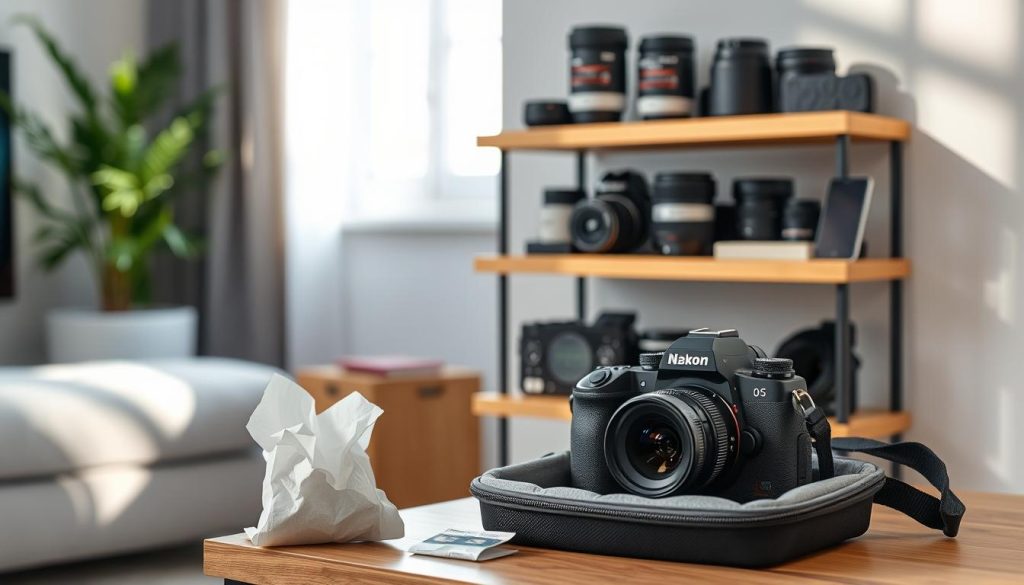
Creating the Ideal Storage Environment in Singapore’s Climate
Select a cool, dry location away from direct sunlight. Avoid areas near windows or exterior walls. Temperature stability prevents condensation and material stress.
Monitor humidity levels with a digital hygrometer. Ideal conditions maintain 40-50% relative humidity. This range prevents mold growth and metal corrosion.
Use enclosed cabinets or shelves for added protection. These barriers reduce dust accumulation and light exposure. Solid doors provide better insulation than open shelving.
Consider these environmental factors for optimal storage:
- Consistent temperature between 20-25°C prevents component damage
- Low humidity levels protect electronic circuits from corrosion
- Dark conditions prevent UV damage to rubber and plastic parts
- Stable environments avoid thermal expansion and contraction issues
- Dust-free spaces maintain optical clarity and mechanical function
The Role of Silica Gel Packs in Moisture Control
Silica gel packs absorb ambient moisture effectively. These desiccants protect equipment in humid environments. Regular replacement ensures continuous protection.
Place packs inside your camera bag and storage area. Use multiple packets for comprehensive coverage. Indicator varieties change color when saturated.
Reactivate silica gel by heating in an oven. This process restores moisture-absorbing capabilities. Follow manufacturer guidelines for safe reactivation.
“Proper moisture control preserves electronic components and prevents fungal growth. Consistent humidity management is non-negotiable in tropical climates.”
Remove batteries during extended storage periods. Store them separately in temperature-controlled conditions. This practice prevents leakage and circuit damage.
Detach lenses from the camera body for long-term preservation. Store them in individual padded compartments. Front and rear caps provide essential protection.
Choose a high-quality camera bag with customizable dividers. Look for weather-resistant materials and secure closures. Proper organization prevents internal collisions during storage.
Establish a monthly inspection routine for stored equipment. Check for moisture accumulation or dust infiltration. Address any issues immediately to prevent damage.
Emergency preparedness includes backup storage options. Identify alternative locations during extreme weather conditions. Quick relocation protects your investment from environmental surprises.
Keeping Your Camera Updated: Firmware and Software
Digital photography relies on sophisticated software working alongside hardware components. Regular updates keep your system functioning at peak performance. This digital care complements your physical equipment attention.
Manufacturers continuously improve their products through software enhancements. These updates address performance issues and add new capabilities. Staying current ensures your gear operates with maximum efficiency.
How to Check for and Install Firmware Updates
Begin by visiting your manufacturer’s support website monthly. Most brands maintain dedicated firmware sections for each model. Bookmark these pages for quick access during your routine checks.
Follow this systematic approach for successful updates:
- Verify your current firmware version through camera menu settings
- Download the correct file for your specific model and region
- Use a fully charged battery or AC adapter during installation
- Transfer the file to a formatted memory card using your computer
- Follow on-screen instructions carefully without interrupting the process
Different brands have unique installation procedures. Nikon users often update through their SnapBridge app. Canon typically requires computer transfer to memory cards.
Always backup your settings and images before proceeding. This precaution prevents data loss during the update process. Document your custom configurations for easy restoration.
Why Regular Updates Are Critical for Performance
Firmware enhancements directly impact your photographic results. Updates frequently improve autofocus accuracy and speed. These changes can significantly enhance your image quality.
Bug fixes resolve operational issues that might develop over time. Manufacturers address problems reported by users worldwide. These corrections prevent frustrating technical glitches during important shoots.
New features sometimes appear through firmware releases. Your existing equipment might gain capabilities previously unavailable. This extends your gear’s usefulness without additional investment.
“Regular firmware updates keep your equipment performing at its best. They represent ongoing manufacturer support for your photographic investment.”
Security patches protect against potential vulnerabilities. As cameras become more connected, these updates become increasingly important. They safeguard your personal data and network connections.
Compatibility improvements ensure your gear works with newer accessories. Lenses and flashes might require updated firmware for optimal performance. This maintains your system’s cohesive operation.
Establish a quarterly schedule for checking available updates. Mark your calendar for seasonal reviews of manufacturer websites. This habit keeps your equipment at the camera top of its capabilities.
Always test your equipment thoroughly after each update. Verify all functions operate correctly before important photography sessions. This final check ensures successful installation and operation.
Recognizing When to Seek Professional Camera Servicing
Even with excellent personal care, your photographic equipment sometimes needs expert attention. Professional servicing resolves complex issues beyond routine cleaning. Knowing when to seek help protects your investment and ensures optimal performance.
Singapore’s service centers offer specialized expertise for various camera brands. They understand local climate challenges and common equipment problems. Choosing the right provider guarantees proper handling of your valuable gear.
Signs Your Camera Needs Expert Attention
Unusual noises during operation often indicate internal mechanical issues. Grinding sounds from lenses or shutters signal immediate professional assessment. These symptoms frequently precede complete component failure.
Persistent image quality problems despite thorough cleaning demand expert diagnosis. Consistent blurring, focusing errors, or strange color casts suggest internal alignment issues. Professionals have calibration equipment for precise adjustments.
Unresponsive controls or erratic behavior indicate electronic problems. Buttons that don’t register presses or menus that freeze require technical expertise. These issues often involve motherboard or sensor connections.
Physical damage always warrants professional evaluation. Drops, impacts, or water exposure can cause hidden internal damage. Experts perform comprehensive diagnostics to identify all affected components.
Consider these warning signs requiring professional service:
- Consistent error messages that persist after resetting
- Autofocus systems that hunt continuously without locking
- Exposure inconsistencies across identical shooting conditions
- Battery drainage significantly faster than normal operation
- Visible internal dust or debris that resists cleaning attempts
Choosing a Qualified Service Center in Singapore
Select service centers with manufacturer certifications and authorized status. These facilities receive genuine parts and specialized training. They follow precise procedures for each camera model.
Evaluate technician expertise through customer reviews and service warranties. Look for centers offering minimum 90-day repair guarantees. This demonstrates confidence in their workmanship and parts quality.
Singapore hosts several reputable camera service providers. They understand regional climate challenges and common humidity-related issues. Local expertise ensures appropriate solutions for tropical conditions.
Prepare your equipment properly before sending it for service:
- Backup all images and remove memory cards
- Document specific symptoms with example photographs
- Include original purchase receipts for warranty claims
- Remove personal accessories and third-party components
- Note any previous repair history or modifications
Clear communication helps technicians diagnose issues efficiently. Describe problems precisely with examples of when they occur. Provide sample images demonstrating image quality issues.
Post-service verification ensures proper repair completion. Test all functions thoroughly before accepting the equipment back. Verify that original issues are resolved without new problems appearing.
Maintain detailed service records for future reference. These documents help track recurring issues and establish repair history. Proper documentation supports warranty claims and resale value.
Professional servicing extends your equipment’s lifespan by years. It maintains peak performance and protects your photographic investment. Regular expert attention keeps your gear at the camera top condition.
For comprehensive guidance on camera servicing procedures, visit our detailed resource at professional camera service techniques.
Advanced Tips for Maximizing Your Camera’s Lifespan
Elevating your preservation strategy transforms ordinary protection into extraordinary longevity. These advanced techniques build upon fundamental practices for superior results. They address specific challenges photographers face in diverse shooting situations.
Singapore’s varied environments demand adaptable protection methods. From urban shoots to coastal photography, each location presents unique risks. Mastering these advanced approaches ensures your gear survives any assignment.
Protecting Your Gear from Environmental Factors
Environmental threats constantly challenge photographic equipment. Humidity, temperature extremes, and particulate matter threaten internal components. Advanced protection requires understanding these specific dangers.
Weather-sealing provides the first layer of defense. Quality camera bags with waterproof zippers prevent moisture intrusion. Silicone seals around buttons and dials block dust and rain.
Consider these advanced environmental protection strategies:
- Use desiccant packs in all storage containers for humidity control
- Employ weatherproof covers during sudden tropical downpours
- Implement temperature buffering when moving between air-conditioned and outdoor environments
- Use protective filters on all lenses to prevent front-element damage
- Establish cleaning stations in your vehicle for field maintenance
Acclimatization prevents condensation damage. When moving between temperature extremes, allow gradual adjustment. Keep equipment in sealed bags during transition periods.
Specialized tools enhance environmental protection. Hygrometers monitor storage humidity levels. Thermometers track temperature stability in your storage area.
Coastal photography demands extra vigilance. Salt spray causes rapid corrosion on metal components. Use protective covers and immediate post-shoot cleaning.
Organizing and Maintaining Your Camera Accessories
Accessory management directly impacts your photographic efficiency. Well-organized gear saves time and prevents damage. Systematic approaches transform chaotic collections into streamlined systems.
Modular organization systems offer maximum flexibility. Customizable dividers accommodate different lenses and accessories. Clear labeling ensures quick identification during fast-paced shoots.
Your camera bag serves as mobile protection and organization. Choose models with dedicated compartments for each item. Padded separators prevent contact between delicate components.
Implement these comprehensive organization strategies:
- Color-code memory cards by capacity and speed rating
- Use transparent pouches for small accessories like filters and caps
- Maintain cleaning kits in every bag for immediate access
- Create checklist cards for verifying complete packing
- Rotate equipment usage to ensure even wear across your collection
Digital inventory management tracks your entire collection. Photograph each item with serial numbers visible. Cloud storage ensures access from any location.
Regular accessory inspection prevents unexpected failures. Check cables for fraying and connectors for corrosion. Test flash units and remote triggers monthly.
Professional photographers often use pelican cases for maximum protection. These offer crush-proof security and environmental sealing. They’re ideal for travel between challenging locations.
Advanced camera care extends beyond basic cleaning. It involves systematic organization and environmental adaptation. These practices keep camera equipment performing optimally for decades.
Customized routines match your specific photography style. Wildlife photographers need different approaches than studio professionals. Tailor your methods to your most common shooting conditions.
Future-proofing involves anticipating technological changes. While maintaining current gear, watch emerging standards. This awareness helps plan upgrades without abandoning existing systems.
Ultimately, advanced preservation becomes second nature. It transforms from conscious effort into automatic habit. Your equipment rewards this attention with reliable performance and stunning image quality.
Ensuring Your Camera Stays in Top Condition for Years to Come
Your photographic investment deserves consistent attention for lasting performance. Following these practices keeps your equipment in peak condition.
Regular cleaning prevents dust buildup and preserves image quality. Proper storage protects against Singapore’s humidity. These habits extend your gear’s lifespan significantly.
Establish a personalized schedule based on usage patterns. Consistency is key for long-term preservation. Your equipment rewards this attention with reliable operation.
Well-maintained cameras deliver superior results for many years. They retain higher resale value and perform reliably. This approach ensures your investment continues producing stunning photographs.
Make sure to implement these strategies regularly. Your dedication to proper equipment care pays dividends in image quality and equipment longevity.
FAQ
What is the best way to clean camera lenses?
Use a lens blower first to remove loose dust. Then, apply a small amount of lens cleaning solution to a microfiber cloth and gently wipe in a circular motion. Avoid spraying solution directly onto the lens to prevent liquid seeping into edges.
How often should I clean my camera sensor?
Clean your sensor only when you notice dust spots affecting image quality. Over-cleaning can cause damage. For most photographers, this might be every few months, depending on usage and environment.
Can I use regular household cleaners on my camera equipment?
No. Household cleaners often contain chemicals that can damage lens coatings and camera body finishes. Always use products specifically designed for camera care.
What role do silica gel packs play in camera maintenance?
Silica gel packs absorb moisture, helping prevent mold and fungus growth on lenses and internal components. They are especially useful in humid climates like Singapore’s when storing your gear.
How can I protect my camera from environmental damage?
Use protective filters on lenses, keep equipment in a quality camera bag when not in use, and avoid exposing gear to extreme temperatures, rain, or sandy conditions without proper protection.
When should I seek professional camera servicing?
Seek professional help for complex internal issues, persistent sensor problems, error messages, or after exposure to water or significant impact. Regular maintenance can often prevent these issues.
Why are firmware updates important for my camera?
Firmware updates often fix bugs, improve performance, add features, and enhance compatibility with newer accessories. Check your manufacturer’s website regularly for available updates.
What’s the proper way to store camera equipment long-term?
Store in a cool, dry place with silica gel packs. Remove batteries, use body and lens caps, and keep equipment in a padded bag. Avoid attics or basements where temperature and humidity fluctuate.


