
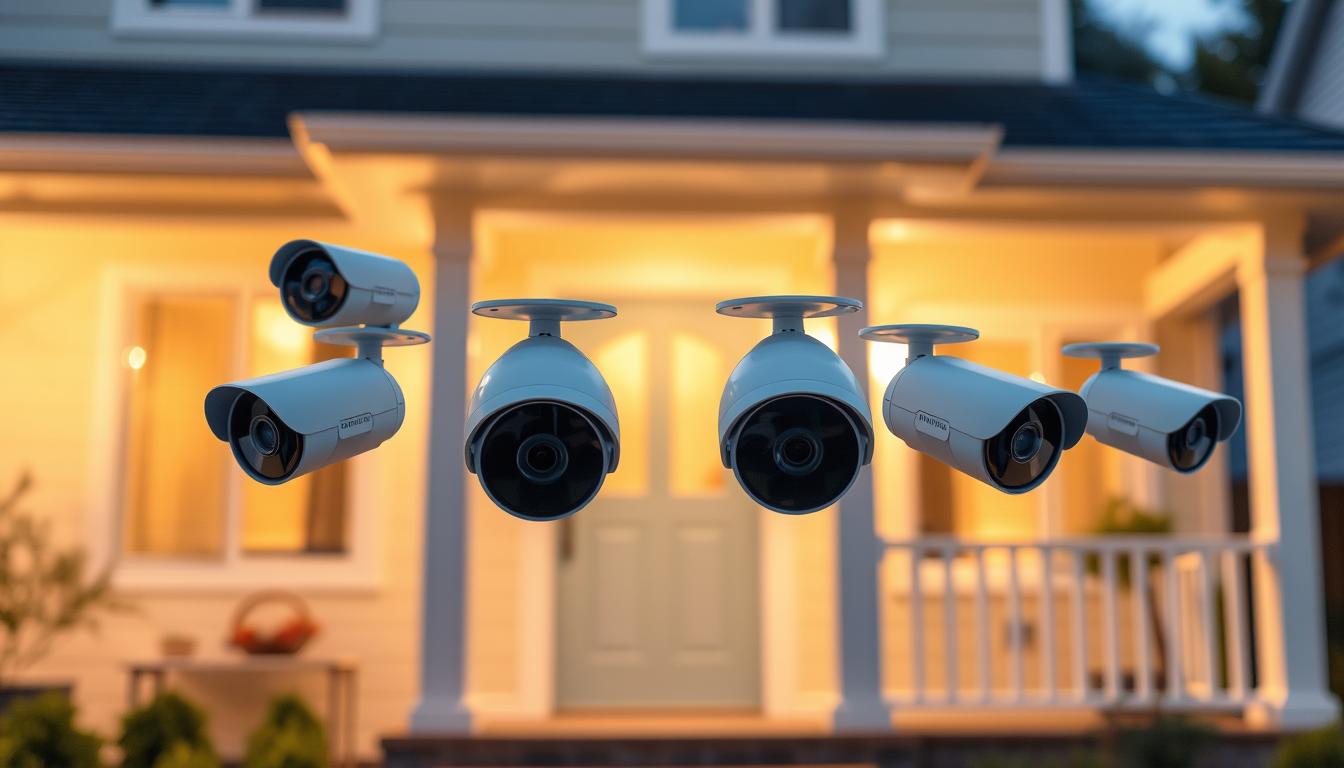
How many security cameras is too much? A Practical Guide
Singapore’s urban landscape and high population density make safety a top priority for residents. Many households rely on surveillance systems to enhance home security and maintain peace of mind. However, installing too many devices can lead to privacy concerns and unnecessary maintenance hassles.
Local HDB regulations provide guidelines on placement, but the question remains—where should homeowners draw the line? The average setup includes 2 to 6 devices, ensuring coverage without overwhelming a space. Visible monitoring tools can also affect comfort levels, making it essential to strike a balance.
This guide explores practical ways to determine the ideal number for your property. We’ll examine coverage needs, legal considerations, and psychological impacts to help you make an informed decision.
Key Takeaways
- Singapore’s dense living conditions increase reliance on surveillance for safety.
- Excessive monitoring can invade privacy and increase upkeep efforts.
- HDB rules outline proper camera placement to avoid violations.
- Most homes use 2–6 devices for effective yet unobtrusive coverage.
- Visible cameras may influence resident behavior and comfort levels.
Understanding Modern Security Camera Needs
Modern living demands smarter ways to protect homes, making surveillance systems essential. In Singapore, evolving safety regulations and urban density amplify this need. The right setup balances coverage with discretion, ensuring effectiveness without intrusion.
The Rising Importance of Surveillance in Singapore
Singapore’s 2023 HDB corridor policy now permits more flexible camera placements, reflecting growing safety priorities. A study revealed that visible security cameras reduce burglary risks by 31%. Residents increasingly view them as non-negotiable safeguards.
“Homes without surveillance face three times higher break-in risks, emphasizing their deterrent value.”
How Cameras Deter Crime and Provide Evidence
Beyond prevention, recorded footage simplifies insurance claims and legal processes. Thieves often avoid properties with visible devices, fearing identification. For businesses, high-quality recordings can resolve disputes or theft incidents swiftly.
Residential setups typically focus on entry points, while commercial spaces require broader coverage. Both benefit from strategic placement—maximizing visibility while respecting privacy laws.
Key Factors Determining Your Ideal Camera Count
Every property has unique surveillance needs based on its design and vulnerabilities. A well-planned security setup considers spatial dimensions, architectural features, and potential weak points. Overlooking these elements may leave critical areas exposed or create redundant coverage.
Property size and layout considerations
Compact studio apartments often require just 2 devices—one for the main entrance and another for balcony access. In contrast, two-story landed homes may need 6-8 units to monitor staircases, garages, and multiple entry points.
Industry guidelines suggest one device per 20ft of perimeter space. Large estates with extensive grounds might deploy 20+ units, while HDB corridors benefit from strategic single-camera placements.
“Multi-level properties see 40% better incident detection with staggered camera angles on each floor.”
Identifying high-risk areas that need coverage
Service entrances, secluded windows, and poorly lit corners are prime targets for intrusions. These zones demand prioritized monitoring—often requiring narrower focal lengths than open areas.
Smart placement minimizes blind spots through 30% overlapping fields of view. For example, a 4-camera HDB setup covers the doorway, lift lobby, and both corridor ends, while landed properties add coverage for driveways and back gates.
Residential vs Commercial Security Camera Requirements
Residential and commercial properties have vastly different monitoring needs. While homes focus on entry points, businesses require comprehensive coverage of larger spaces and valuable assets. The right approach depends on your specific risks and operational scale.
Home surveillance essentials
Most cameras home setups use 2-6 devices. Apartments typically need:
- 1 device for the main door
- 1 for balcony/emergency exits
- Optional units for living areas
Landed properties often add coverage for:
- Garages and driveways
- Backyard access points
- Perimeter fencing
Business protection demands
Commercial spaces require higher number cameras due to:
- Larger square footage
- Multiple employee/customer touchpoints
- Inventory protection needs
“Retail stores focus 40% of their cameras on POS stations, while warehouses prioritize infrared coverage for low-light areas.”
Effective security system budgets range from $50 for basic models to $500 for advanced commercial units. Consider:
- TP-Link’s $50 indoor cameras for apartments
- Dahua’s $300 weatherproof systems for landed homes
- Enterprise-grade $500+ setups for warehouses
Businesses with many security concerns often start with 16 cameras and scale up. Key factors include:
- Cash handling areas needing dedicated monitoring
- High-theft inventory sections
- Employee access control points
Strategic Placement to Maximize Coverage
Optimizing camera angles can reduce the total number needed while improving overall coverage. Proper placement ensures critical zones remain visible without cluttering your property with redundant devices. A single well-positioned unit often monitors multiple areas, cutting costs and simplifying maintenance.
Essential Monitoring Points for Any Property
Focus on high-traffic zones like entry points—doors, windows, and garages. Angling a camera at 115° tilt (common in PTZ models) can cover both a driveway and front steps. For HDB corridors, vertical positioning at 8–10ft height captures faces without invading neighboring privacy.
Dense foliage or building structures may block views. Trim overhanging branches and test sightlines during installation. Weatherproof outdoor cameras withstand Singapore’s heavy rains, but ensure seals are checked quarterly to prevent moisture damage.
How Positioning Affects Quantity Needed
360° panoramic cameras suit open spaces like courtyards, replacing 2–3 standard units. In garages, wide-angle lenses reduce blind spots near vehicles. The Second source notes:
“Overlapping fields of view by 30% minimizes gaps, allowing fewer cameras to achieve full perimeter monitoring.”
For multi-level homes, stagger devices to avoid duplicating angles. A landed property might use one camera per floor facing stairwells, while HDBs benefit from corridor units pointing toward lift lobbies.
Technical Specifications That Impact Camera Numbers
Camera capabilities like resolution and durability directly influence how many units your property requires. High-end models with advanced features often reduce the need for multiple devices, while budget options may necessitate strategic placement to compensate for limitations. Singapore’s tropical climate adds unique challenges, making weatherproofing and humidity resistance critical factors.
Resolution and Coverage Efficiency
Higher resolution (like 4K vs 2K) captures finer details but increases storage needs—the Third source notes 4K footage consumes 3x more space. For license plate recognition, 8MP cameras at 25ft distance provide 100 pixels per foot, eliminating the need for additional close-up units.
Wide-angle lenses (130°+) cover corridors effectively, while zoom lenses suit gate monitoring. The SwitchBot Pan/Tilt Cam Plus demonstrates how 355° rotation can replace two fixed devices in corners.
“Overlapping 4K camera views by 20% achieves 98% area coverage with 30% fewer units.”
Environmental Adaptations
Indoor cameras prioritize compact designs and two-way audio, while outdoor models need IP66+ ratings for Singapore’s heavy rains. Infrared night vision works best beyond 10m, whereas color night vision enhances detail in well-lit areas.
Vandal-proof housings protect ground-level installations, and Power over Ethernet (PoE) ensures stable connections for critical zones. For humidity resistance, look for cameras tested at 95% RH—especially near pools or coastal areas where salt accelerates corrosion.
Singapore’s Surveillance Regulations You Should Know
Singapore’s surveillance laws strike a careful balance between safety and personal privacy. Recent updates to HDB corridor policies and the Personal Data Protection Act (PDPA) dictate where and how devices can be installed. Ignoring these rules risks fines or neighbor disputes, making compliance essential for responsible monitoring.
Legal placement guidelines for HDB flats
May 2023 revisions allow corridor-facing cameras if they don’t capture neighboring units’ interiors. The Third source notes angled mounts must stay within 45° of your doorway. Violations incur up to S$5,000 fines under PDPA.
For landed property, avoid pointing devices at public sidewalks or adjacent homes. Strategic placement focuses on:
- Own gate/doorway sightlines
- Garage entrances without overshooting boundaries
- Height restrictions (below 2.5m for HDBs)
Privacy concerns and neighbor considerations
Domestic helpers’ spaces require explicit consent for monitoring under employment contracts. Condos often mandate multi-tiered approvals—70% resident agreement for common-area installations.
“Data retention beyond 90 days violates PDPA unless for ongoing investigations.”
Disputes commonly arise from devices capturing balconies or shared corridors. Blocking neighbors’ cameras legally requires mediation if adjustments fail. Proactive communication prevents 80% of conflicts.
Balancing Security Needs With Your Budget
Smart budgeting for surveillance requires balancing protection needs with financial constraints. A phased approach lets homeowners prioritize high-risk areas first, then expand coverage as funds allow. Professional installations cost $900–$1,600, but DIY setups can slash expenses by 60%.
Cost-Effective Placement Strategies
Start with critical zones like entry points and blind spots. One well-positioned camera often covers multiple areas, reducing the total system cost. For example:
- Angle devices at 45° to monitor doors and adjacent walkways
- Use wide lenses (130°+) in hallways instead of multiple units
- Opt for bulk purchases—5+ device bundles save 20%
“Cloud storage costs $10/month but avoids DVR upgrade fees, offering better long-term value for small properties.”
Investing in Quality Over Quantity
High-end thermal cameras cost more upfront but detect intrusions in total darkness, eliminating the need for extra lighting. The Third source notes:
- Professional-grade systems qualify for 20% insurance discounts
- 4K resolution reduces blind spots, cutting required units by 30%
- Weatherproof models last 3x longer in Singapore’s humidity
Factor in hidden costs like electrical work or maintenance contracts. Annual plans often cost 15% less than monthly options, freeing up your budget for future upgrades.
Professional Installation vs DIY Approaches
Choosing between professional installation and DIY setups can significantly impact your surveillance effectiveness. Each method offers unique advantages, from expert precision to cost savings. Your decision hinges on technical confidence, budget, and long-term maintenance needs.
Benefits of Expert Camera Placement
Professionals minimize errors—56% of DIY failures stem from cabling issues, per the Third source. They optimize angles to reduce blind spots and calibrate motion sensors to cut false alarms by 40%. Concealed wiring maintains aesthetics while ensuring reliable power connections.
“Expert installations increase system lifespan by 30% through proper weatherproofing and voltage management.”
Smart Home Integration Possibilities
Modern security systems sync with platforms like Alexa or Google Home. The Second source highlights SwitchBot Hub’s ability to link cameras with lights and locks. Key integrations include:
- Automated alerts when motion triggers recordings
- Voice-controlled camera feeds via smart speakers
- Centralized app management for multi-device setups
DIY enthusiasts can achieve similar results but may face compatibility hurdles. Future-proof your investment by choosing devices with open API support for upcoming tech upgrades.
Maintaining Your Camera System Effectively
Proper maintenance ensures your surveillance system operates at peak performance year-round. Singapore’s tropical weather and urban pollution create unique challenges that demand regular attention. A neglected setup may fail when you need it most, turning critical blind spots into vulnerabilities.

Regular checks to ensure proper coverage
Test all devices quarterly to verify angles haven’t shifted. The Third source found 22% of hard drive failures occur during monsoon seasons without preventive checks:
“Systems with quarterly maintenance experience 60% fewer outages than unmonitored setups.”
Follow this monsoon preparation checklist:
- Clear foliage blocking camera views
- Apply anti-fog treatment to lenses
- Verify waterproof seals on outdoor units
Weatherproofing and cleaning requirements
Dust accumulation reduces night vision clarity by up to 40%. Use microfiber cloths for lens cleaning—never abrasive materials. For spider webs, apply non-toxic repellent around mounts monthly.
5G-enabled cameras simplify remote diagnostics but still need physical care. Professional packages include:
- Bi-annual firmware updates
- SD card replacements every 18 months
- Voltage stability tests
DIY alternatives work for tech-savvy owners who can commit to consistent schedules. Either approach preserves your system’s coverage reliability through Singapore’s harsh weather cycles.
Common Mistakes When Determining Camera Quantity
Avoidable errors often compromise the effectiveness of security systems. From inadequate testing to technical oversights, these missteps create vulnerabilities despite investing in multiple devices. Addressing them ensures reliable coverage without unnecessary costs.
Overlooking Blind Spots and Lighting Issues
The Third source found 55% of failures stem from poor lighting or unmonitored zones. Dark corners or glare-prone areas reduce footage clarity, defeating the purpose of surveillance. Test night vision monthly by:
- Simulating low-light conditions with timed lamps
- Checking infrared effectiveness beyond 10 meters
- Adjusting angles to avoid sun glare during peak hours
“4K cameras lose 30% effectiveness in backlit areas without proper calibration.”
Underestimating Storage and Power Needs
Storage miscalculations account for 37% of system errors, per the Third source. High-resolution recordings demand robust solutions:
- RAID configurations for businesses with 16+ cameras
- Cloud backups to prevent power outage data loss
- Bandwidth checks for remote viewing (minimum 5Mbps per 4K stream)
Plan for 1TB storage per 4 cameras to retain 30 days of 1080p footage. Singapore’s humidity also accelerates hardware wear—opt for industrial-grade SD cards in outdoor units.
Implementing Your Optimized Security Setup
Finalizing your monitoring setup requires attention to detail and proper execution. Begin with high-priority zones like entry points, then expand coverage weekly. Test each device before permanent mounting.
For cameras, verify angles cover intended areas without blind spots. The First source recommends checking sightlines at different times. Contact Wen Hong (+65 60135960) for professional calibration.
Complete this home security checklist before activation:
- Confirm stable power and internet connections
- Set appropriate motion detection zones
- Secure wiring against weather damage
Notify neighbors about external devices per Singapore’s guidelines. ED Viston (+65 8313 4578) provides compliant notification templates. Address concerns proactively to maintain community harmony.
Train all household members on system operation for consistent monitoring. Regular drills ensure everyone responds appropriately to alerts. This completes your journey toward reliable peace mind.
Schedule a 30-day audit to assess your security setup. Review footage quality, false alarms, and coverage gaps. Adjust placements as needed for optimal performance.
FAQ
What’s the ideal number of cameras for a typical home?
Most homes need 2-6 devices, covering entry points like doors, garages, and high-traffic areas. Larger properties may require more for full surveillance.
How does property layout affect camera placement?
Complex layouts with blind spots or multiple entryways often need extra units. Open spaces benefit from wide-angle lenses, reducing total devices needed.
Are outdoor cameras different from indoor ones?
Yes. Outdoor models need weatherproofing and night vision, while indoor versions focus on discreet monitoring. Each type impacts your system’s total count.
What’s the legal limit for cameras in Singapore?
HDB rules prohibit pointing devices at neighbors’ homes. Private properties allow more flexibility, but privacy laws still apply to recording public areas.
Can fewer high-quality cameras replace multiple basic ones?
Advanced models with 4K resolution and pan-tilt-zoom features can cover wider areas, potentially lowering your total setup while maintaining security.
How often should I check my camera system?
Test monthly for obstructions, dead batteries, or software updates. Seasonal weather changes may require adjustments to maintain optimal coverage.
What’s the biggest mistake in camera placement?
Ignoring blind spots near windows or behind large objects. Always map your property’s vulnerable zones before finalizing positions.
Do businesses need more cameras than homes?
Commercial spaces often require 16+ units for inventory protection, employee safety, and liability coverage—especially in retail or high-traffic workplaces.
How does night vision impact camera quantity?
Low-light performance reduces the need for extra infrared lights or overlapping devices in dark areas, streamlining your overall setup.
Should I hire a professional installer?
Experts optimize angles and minimize gaps, but DIY systems with smart home integration offer customizable solutions for tech-savvy users.


