
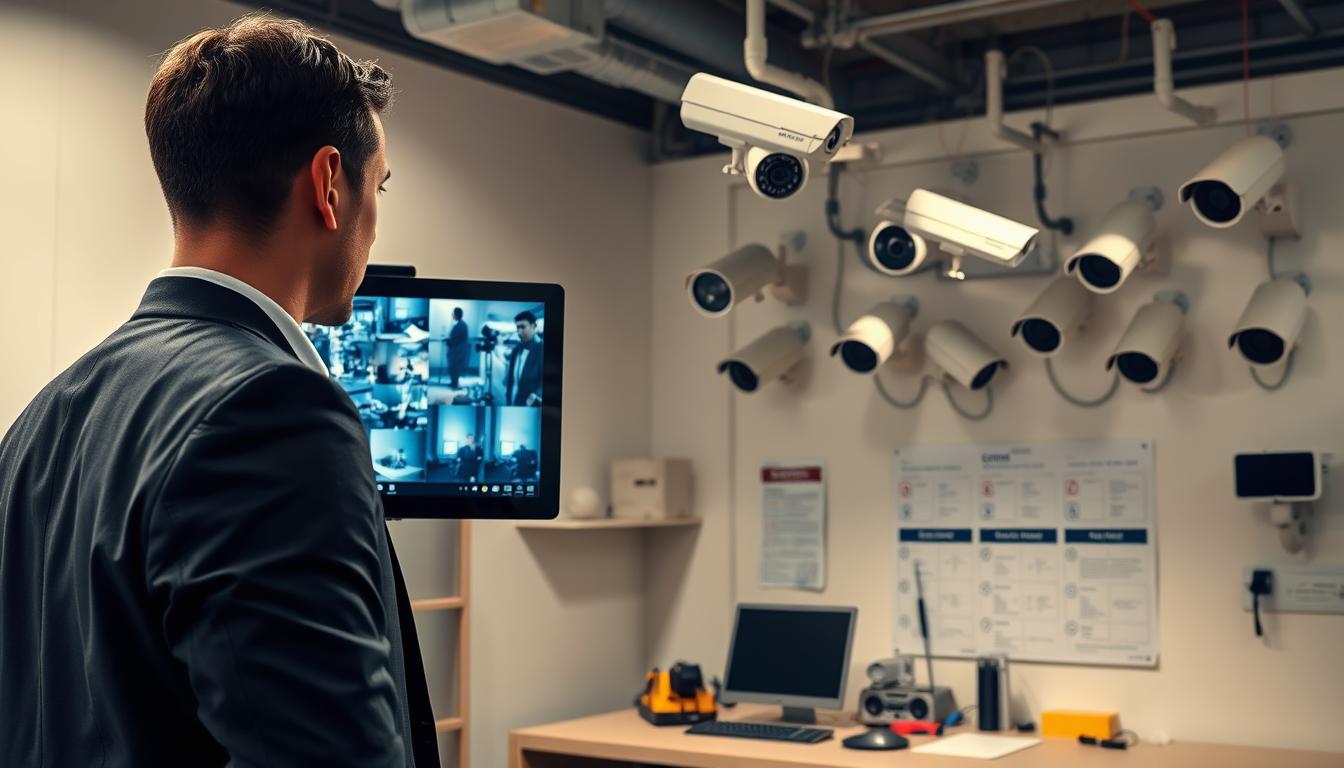
How do you inspect CCTV? Essential Steps
Security cameras form the backbone of modern protection for homes and businesses across Singapore. These surveillance systems provide constant monitoring and valuable evidence when needed most. Regular maintenance ensures they perform reliably.
A thorough review goes beyond a simple glance. It involves checking multiple components for optimal function. This includes the physical hardware, recording software, and overall system performance.
Neglecting this process carries real risks. A failed camera during an incident offers no security. Blurry footage lacks evidential value. Non-compliance with regulations like Singapore’s PDPA can lead to legal issues.
This guide provides a clear, actionable process for property owners and managers. It breaks down the evaluation into logical steps anyone can follow. You’ll learn to verify everything from lens clarity to data storage integrity.
Key Takeaways
- Regular CCTV checks are essential for reliable security system operation.
- A proper evaluation examines hardware, software, and functionality together.
- Singapore’s humid climate and PDPA regulations make inspections particularly important.
- Poor maintenance can result in useless footage and potential legal non-compliance.
- Systematic reviews help prevent failures during critical security events.
- This guide offers practical steps suitable for homeowners and professionals.
- Understanding the full process allows for better security management.
Understanding the Critical Role of CCTV Inspections
Regular evaluation of surveillance systems transforms them from passive recording devices into active security assets. This process verifies that every component functions correctly to protect your property. It turns theoretical security into practical, reliable protection.
With nearly one million cameras operating across Singapore, each system’s reliability matters. Consistent checks ensure these networks deter crime effectively. They provide the clear evidence needed when incidents occur.
Proactive Security vs. Reactive Response
A proactive approach identifies vulnerabilities before criminals exploit them. Routine inspections spot camera blind spots, failing hardware, or full storage. This prevents incidents rather than just documenting them after the fact.
Reactive security means discovering problems during a crisis. A malfunctioning camera during a break-in offers no protection. The stress and cost of this failure far exceed regular maintenance efforts.
Well-maintained CCTV systems act as powerful deterrents. They scare off potential thieves and vandals before crimes happen. This creates genuine security rather than just recording capability.
The High Cost of System Failure in Singapore
System failure extends beyond a camera going completely dark. Degraded image quality, failed motion detection, or corrupted recordings are equally damaging. These issues render footage useless for identifying perpetrators.
Singapore’s dense urban environment presents specific risks. Theft, vandalism, and harassment are real threats that functional surveillance deters. A single successful break-in with no usable evidence can cost far more than years of maintenance.
Financial losses from stolen property represent just one concern. Legal liability under Singapore’s PDPA regulations adds another layer of risk. Proper CCTV maintenance protects against both financial and legal consequences.
Regular inspections represent an investment in peace of mind. They ensure your security system delivers the protection you paid for. This proactive approach saves money while extending equipment lifespan significantly.
Legal and Regulatory Considerations for CCTV in Singapore
Singapore’s regulatory landscape adds a critical layer to the evaluation of any surveillance setup. A technical review of hardware and software alone is insufficient. Every property owner must verify their CCTV system operates within strict legal boundaries.
Non-compliance carries serious consequences. These range from financial penalties to forced equipment removal. Understanding these rules protects you from liability while ensuring your security solutions remain effective.
The inspection process must include a legal compliance check. This ensures your surveillance activities respect privacy laws and installation guidelines. It transforms your security setup from a potential liability into a reliable asset.
Personal Data Protection Act (PDPA) Compliance
CCTV footage constitutes personal data under Singapore law. The PDPA governs its collection, use, and disclosure. Organizations and even homeowners have specific obligations.
Your inspection should verify several key compliance points. First, ensure proper notices are displayed where cameras operate. These notices inform individuals about surveillance activities.
Second, check that footage storage follows security protocols. Access controls must limit viewing to authorized personnel only. Retention periods should be clearly defined and adhered to strictly.
Individuals retain the right to request access to footage containing their image. Your system must facilitate such requests within PDPA timelines. Purpose limitation is another critical principle.
Cameras should only collect data for stated security purposes. Using footage for unrelated reasons violates the law. Regular CCTV maintenance checks should include these compliance verifications.
HDB and Private Property Installation Guidelines
Installation rules differ significantly between housing types. HDB residents face stricter regulations than private property owners. Understanding these distinctions prevents legal issues.
For HDB flats, town council approval is typically mandatory for corridor-facing cameras. Approvals are often granted for six-month periods. Cameras must not intrude on neighbors’ privacy.
The placement should focus on your own doorway area. Avoid capturing adjacent units or common corridors excessively. Regular checks ensure cameras haven’t shifted to problematic angles.
Private property owners enjoy more flexibility but still have responsibilities. Landed homes and condominiums require careful camera aiming. All surveillance should remain within your property boundaries.
Pointing cameras directly into neighboring windows creates privacy violations. Such actions can lead to disputes and legal action. Audio recording without consent carries particularly strict penalties.
Your inspection checklist must include physical placement verification. Confirm each camera’s field of view stays within legal limits. This protects against complaints from neighbors or visitors.
Non-compliance risks are substantial. The Personal Data Protection Commission can impose significant fines. Town councils may order camera removal for guideline violations.
Affected individuals can also pursue legal action for privacy infringement. These consequences make legal checks essential to sustainable CCTV systems.
Review your setup against the latest PDPC and town council guidelines. Regulations evolve to address new security and privacy needs. A legally compliant system operates trouble-free for years.
This approach protects your property while respecting others’ rights. It ensures your surveillance monitoring serves its purpose without creating legal exposure. Make sure your next review includes these critical compliance checks.
Building Your Comprehensive CCTV Inspection Checklist
The effectiveness of any monitoring setup depends on regular, structured reviews of both physical and digital elements. A well-designed checklist transforms vague concerns into actionable verification steps. This systematic approach ensures consistent performance across all surveillance components.
Your checklist serves as the blueprint for reliable security. It guides you through every critical aspect of your cctv system. Following this framework prevents oversights that could compromise protection.
Divide your evaluation into two clear domains: hardware and software. Each requires different tools and verification steps. This separation makes the process manageable and thorough.
Essential Hardware Components to Evaluate
Begin with the physical elements of your security setup. These components face environmental stress daily. A methodical review catches problems before they cause failures.
Examine each camera housing for signs of weather damage. Singapore’s humid climate promotes moisture ingress. Look for condensation inside the dome or casing.
Check all mounts and brackets for stability. Vibrations from construction or traffic can loosen fittings over time. Secure mounts prevent blurred image quality from camera movement.
Inspect cables and connectors thoroughly. External wiring suffers from sun exposure and heat. Rodents sometimes chew through insulation, creating short circuits.
Verify every power supply and adapter. Voltage fluctuations are common in older buildings. Use a multimeter to confirm stable output levels.
Review physical storage devices like DVRs or NVRs. Ensure proper ventilation to prevent overheating. Dust accumulation inside these units affects cctv systems reliability.
Pay special attention to lens clarity and focus. Even slight smudges degrade nighttime quality. Clean each camera carefully with appropriate materials.
Prioritize cameras in high-traffic areas during your cctv maintenance. Entry points and valuables storage needs the most reliable coverage. Common issues include incorrect placement and dirty lenses.
Software and Data Storage Points to Verify
Digital elements require equal attention during your review. Software configurations determine how your system captures and manages information. These settings evolve with security needs.
Check firmware versions on all devices. Manufacturers release updates to patch vulnerabilities. Outdated software exposes your network to security risks.
Review user account permissions and access levels. Former employees or tenants might still have viewing rights. Limit administrative controls to trusted personnel only.
Verify motion detection sensitivity settings. Adjust them to avoid false alarms from passing shadows or pets. Proper calibration saves storage space and review time.
Confirm recording schedules match operational hours. Continuous capture might be unnecessary for low-risk periods. Scheduled recording extends archive duration.
Examine network configuration and security protocols. Ensure your cctv systems operate on a segregated network when possible. This prevents unauthorized access through other connected devices.
Assess storage health with diagnostic tools. Check the hard drive in your recorder for bad sectors. Monitor free space to prevent automatic overwrite of critical footage.
Make sure overwrite settings align with retention policies. Some events require longer preservation than others. Configure alerts for when capacity reaches critical levels.
Verify backup systems function correctly. Cloud storage sync should occur without errors. Secondary local drives provide redundancy if primary storage fails.
Document findings for each checklist item. Use clear notes like “Camera 3: East Gate – Lens slightly dirty, mount secure, feed clear.” This creates a valuable history for future reference.
Your checklist becomes a living document through regular updates. Each inspection adds new observations and details. This evolving record tracks the health of your entire cctv system.
When you inspect your setup, follow the same format each time. Consistency makes comparisons easier across different review periods. Spot trends like recurring lens fogging or cable degradation.
These practical tips transform abstract concepts into concrete tasks. A comprehensive checklist ensures no component gets overlooked. Regular cctv maintenance based on this framework delivers lasting protection.
A successful surveillance review begins long before you look at a single camera feed by assembling essential diagnostic tools. Having the right equipment prevents frustrating delays and ensures a complete evaluation of every component. This preparation transforms a vague check into a structured, effective process.
Gathering the Right Tools for an Effective Inspection
Think of this like a professional pipe inspection. Technicians use specialized tools like CUES camera systems and WINCAN V10 software for thorough assessments. Your security setup deserves similar attention with purpose-built equipment.
Being properly equipped makes the entire process faster and more accurate. It helps uncover hidden issues that a casual glance would miss. Let’s break down what you need into physical and digital categories.
Basic Physical Tools and Cleaning Supplies
Start with these essentials for hands-on work. They address the most common physical problems found during routine maintenance.
- Stable ladder: Safely reach elevated camera positions.
- Screwdrivers: Tighten loose mounts and housing screws.
- Flashlight: Illuminate dark corners and examine connections.
- Compressed air duster: Blow dust from housings before wiping.
- Microfiber cloths: Clean lenses without scratching.
- Isopropyl alcohol solution: Safely dissolve grime on glass.
- Work gloves: Protect hands during the procedure.
Follow specific cleaning steps for optimal clarity. First, use the air duster to remove loose debris. This prevents scratching the lens during wiping.
Next, apply a small amount of cleaning solution to a microfiber cloth. Gently wipe the glass in a circular motion. Avoid spraying liquid directly onto the camera.
Finally, clean the exterior housing. This prevents dirt buildup that can trap moisture. Singapore’s humidity makes this maintenance task especially important.
Digital Testing Tools and Software Diagnostics
Modern security relies heavily on digital components. These tools verify that your system captures, processes, and stores data correctly.
Begin with the manufacturer’s own applications. Most cctv systems include mobile apps or client software. Use them to test live view quality and playback functions.
For deeper troubleshooting, consider a portable IP camera tester. This professional-grade device can power and configure cameras on the spot. It identifies network and power issues without a full setup.
Network diagnostic tools are equally valuable. Simple ping commands check camera connectivity. Network scanner apps help spot IP address conflicts that disrupt video feeds.
Advanced diagnostic software allows for automated checks and real-time performance monitoring. This technology delivers faster, more accurate reporting.
Make sure all login credentials are ready before starting. You’ll need access to the recorder, router, and any cloud accounts. This saves significant time during the evaluation.
Homeowners can perform basic checks with common apps. Professionals might justify investment in specialized testers. Understanding this difference helps plan your approach.
The right equipment makes your review efficient and thorough. It increases the likelihood of spotting problems early. This proactive approach protects your property’s security effectively.
Step 1: Conducting a Physical Inspection of Hardware
Begin your evaluation by getting hands-on with the cameras, mounts, and cables that comprise the system’s skeleton. This first step focuses on the tangible elements you can see and touch. A thorough physical review identifies wear, environmental damage, and misalignment before testing digital functions.
If the hardware is compromised, software settings cannot restore full performance. This foundation check ensures every component is physically sound and correctly positioned.
Checking Camera Housing, Mounts, and Angles
Start with a visual scan of each camera housing. Look for cracks, fading, or signs of water ingress. Singapore’s humidity often causes condensation inside dome casings, which blurs the image.
Examine mounts and brackets for tightness. A loose mount can ruin the field of view through slight movement. Use a screwdriver to secure any fittings that have vibrated loose over time.
Verify each camera angle still covers its intended property area. New obstructions like overgrown plants or construction materials can create blind spots. Adjust the position to maintain complete coverage of critical zones.
Look for external threats such as insect nests or bird droppings on the housing. These can obscure the lens or cause overheating. Regular maintenance prevents these common issues.
Inspecting Cables, Connections, and Power Supplies
Cables and connectors are frequent points of failure. Inspect all wiring for fraying, cuts, or chew marks from pests. External cables suffer from sun exposure and heat degradation.
Check every connection point. Ensure BNC or Ethernet connectors are snug and ports are free of corrosion. A loose connection causes intermittent signal loss, leading to gaps in video recording.
Make sure all power supplies and adapters function correctly. Use a multimeter to verify stable output voltage if possible. Fluctuating power can damage sensitive camera electronics over time.
Follow cable conduits back to the recorder. Look for any sections that have become detached or damaged. Securing loose conduits is a simple maintenance task that prevents major problems.
Cleaning Lenses and Sensors for Optimal Clarity
Dust, grime, and fingerprints are the enemies of clarity. Even a slight film on the lens drastically reduces image quality, especially at night. A regular cleaning routine is non-negotiable for reliable CCTV systems.
Follow these steps for safe, effective cleaning. First, use a blower or compressed air to remove loose dust and debris. This prevents scratching the glass during wiping.
Next, apply a small amount of lens cleaning solution to a microfiber cloth. Gently wipe the lens in a circular motion from the center outward. Avoid spraying liquid directly onto the camera.
For cameras with infrared night vision, check the IR cut filter. Dust on this filter can cause hazy or distorted nighttime footage. Use a cotton swab with isopropyl alcohol for precise cleaning.
Finally, wipe down the exterior housing. This prevents dirt buildup that can trap moisture and lead to condensation. These tips ensure your cctv cameras deliver the sharp focus they were designed for.
Document the condition of each component after your review. Note any minor issues, like a slightly loose conduit, for future monitoring. This record is invaluable for tracking the health of your security system and planning proactive cctv maintenance.
Step 2: How Do You Inspect CCTV Functionality?
Functional testing determines whether your security cameras actually perform their intended duties. This phase moves beyond physical condition to evaluate operational performance. Each device must capture usable video under real-world conditions.
The process verifies that every component works as designed. It answers whether your surveillance setup provides reliable protection. Proper testing identifies functional weaknesses before they compromise security.
Testing Live Feed Quality and Camera Focus
Begin by viewing each camera feed on your monitor or mobile app. Check for sharpness, color accuracy, and proper exposure. A blurry image fails to identify people or objects clearly.
Adjust manual focus if the picture appears soft. Many modern cameras offer auto-focus, but manual adjustment ensures optimal clarity. Test feeds at different times to account for changing light.
Examine the image quality in both bright daylight and shaded areas. Incorrect white balance can distort colors significantly. Low-light settings affect nighttime performance dramatically.
Make sure each lens provides a crisp view of its designated zone. Common issues include backlight washing out details. Proper calibration solves most image quality problems.
Verifying Night Vision and Motion Detection
Night vision capability requires specific testing. View the camera feed in complete darkness or cover the IR LEDs temporarily. The image should switch to monochrome while maintaining detail.
Check that infrared illumination covers the entire scene. Dark corners indicate insufficient IR range. This affects identification during critical nighttime monitoring.
Motion detection testing involves walking through designated zones. Verify that the system logs events or starts recording properly. Sensitivity settings prevent false alarms from shadows or pets.
Calibrating motion zones ensures the security system responds only to relevant activity. This optimization saves storage space and review time.
Test detection during both day and night cycles. Lighting changes affect sensor performance. Recalibrate zones if the camera misses important movement regularly.
Checking Pan-Tilt-Zoom (PTZ) Operations
For cameras with PTZ capabilities, test each function thoroughly. Use the control software to pan left and right across the full range. Movement should be smooth without jerking or stalling.
Tilt functions require similar verification. Check both upward and downward movement limits. Preset positions should return to exact coordinates when selected.
Zoom testing evaluates optical and digital capabilities. Optical zoom should provide clear, detailed video at maximum extension. Digital zoom often reduces image quality significantly.
Make sure preset tours function correctly if programmed. These automated sequences cover multiple areas systematically. Failed presets create security gaps in your surveillance coverage.
Regular functional inspection maintains cctv systems effectiveness. It ensures each device performs its specific role within the overall cctv system. This proactive approach represents essential cctv maintenance.
Step 3: Reviewing Recording and Playback Systems
The true value of any surveillance setup lies not in capturing moments but in reliably preserving them for future review. This phase examines the digital memory of your entire security operation. It validates that your cctv system doesn’t just watch but also remembers.
Problems with recording and playback affect nearly 30% of installations. These issues can render months of monitoring useless when evidence is needed most. A systematic review prevents such critical failures.
Confirming Continuous and Motion-Based Recording
Begin by verifying that all cameras are actively writing data. Access your recorder’s interface or logs. Look for real-time status indicators showing each feed is recording.
For systems using scheduled recording, check that timers align with operational hours. A shop closed overnight might not need 24/7 capture. Proper scheduling extends storage duration significantly.
Test motion-based settings by walking through monitored zones. The system should create event markers or start recording clips. Adjust sensitivity to avoid false triggers from shadows or pets.
Make sure critical areas like entrances use continuous capture. Motion-only mode might miss subtle incidents. This balance between coverage and storage efficiency is key.
Testing Playback Quality and Archive Accessibility
Randomly select dates and times from the past week. Attempt to retrieve footage from each camera. Playback should be smooth with clear image quality.
Check for accurate timestamps and dates on all files. Incorrect timestamps undermine evidence credibility. Verify that exported clips maintain their original video quality.
Test archive access through different methods. Use mobile apps, desktop clients, and web interfaces. Consistent accessibility ensures you can retrieve evidence from anywhere.
Regular playback testing confirms the system’s evidence is not just stored but remains retrievable and court-admissible when required.
Look for corrupted files or playback errors. These indicate storage media problems or software glitches. Address them immediately to prevent data loss.
Assessing Storage Capacity and Management
Navigate to your system‘s storage settings panel. Check total capacity and used space. Calculate how many days of recording remain before overwrite occurs.
Review hard drive health status if available. Many recorders show S.M.A.R.T. data indicating drive reliability. Replace drives showing warning signs proactively.
Configure overwrite rules to match retention needs. Financial or high-security areas often require longer archives. Standard residential zones might need only 7-14 days.
Set up alerts for low disk space. Automated notifications prevent the drive from filling completely. A full hard drive halts all new recording immediately.
Consider additional storage solutions if retention is insufficient. Larger hard drives or network-attached storage can extend archives. Cloud backup provides off-site protection for critical footage.
This process ensures your surveillance data remains intact and accessible. It transforms raw video into organized, retrievable evidence. Proper storage management is fundamental to effective cctv maintenance.
Step 4: Analyzing Software, Network, and Remote Access
This step moves beyond the cameras to examine the brains and connectivity of your security operation. It addresses the digital core that non-technical users often overlook. A thorough review here ensures your system is not just functional but also secure and modern.
You must verify software integrity, network stability, and remote access. These elements are vital for reliable surveillance. They complete the technical inspection and help you verify your CCTV is working correctly from anywhere.
Updating Firmware and Security Patches
Regular firmware updates are non-negotiable for security and performance. Manufacturers release these patches to fix bugs and, critically, to close vulnerabilities. Hackers often target outdated software in cctv systems.
Check for updates through your recorder’s admin menu or the manufacturer’s website. Apply updates during a scheduled maintenance window to avoid disruption. Always follow the provided instructions carefully.
This process improves system stability and can add new features. It is a cornerstone of proactive cctv maintenance. Never ignore update notifications.
Advanced diagnostic software enables automated checks and real-time performance monitoring. This technology delivers faster, more accurate reporting.
Testing Mobile App and Remote Viewing Capabilities
Modern monitoring demands reliable remote access. Test this by using your mobile data connection, away from your home Wi-Fi. Open the official app and try to view live feeds.
Check playback of recorded footage from a remote location. Ensure you receive push notifications for motion alerts. These steps confirm seamless on-the-go monitoring.
If the app fails, verify your port forwarding or DDNS settings. Many connectivity issues stem from incorrect network configuration. Make sure your router settings support remote viewing.
Verifying Network Security and User Permissions
Network security is your final defense layer. Begin by changing all default passwords on cameras and the recorder. Default credentials are public knowledge and a major risk.
Check for IP address conflicts, a common problem. Each camera must have a unique address. Set static IPs or use DHCP reservations on your router for stability.
Review user account permissions meticulously. Most users should have “view only” privileges. Limit administrative controls to one or two trusted people.
Consider basic network hygiene. Placing cameras on a segregated network, like a guest VLAN, limits damage if a device is compromised. This protects your main home network.
Make sure your system isn’t using default ports that bots easily scan. Adjust firewall settings to allow only necessary traffic. These actions fortify your entire surveillance setup.
This step completes the step-by-step guide. A full inspection covers physical hardware, functional performance, recording integrity, and digital network health. Your cctv system is now verified as operational, secure, and ready.
Establishing a Proactive CCTV Maintenance Routine
A complete review is just the start. The real goal is building a consistent schedule that prevents problems before they occur. This transforms your security setup from a reactive tool into a reliable, long-term asset.
Proactive care extends equipment lifespan and ensures constant protection. It saves money by avoiding emergency repairs. Your property deserves this level of dedicated attention.
Recommended Inspection Frequency for Singapore Properties
Singapore’s tropical climate demands a specific maintenance rhythm. High humidity and frequent rain accelerate wear on outdoor components. A structured schedule counteracts these environmental challenges.
Perform a basic visual check every month. Walk around your property and look at each camera. Verify they are operational and free from obvious obstructions like spider webs or new plant growth.
Conduct a full comprehensive inspection quarterly. Follow the detailed steps outlined in this guide. This deeper review catches issues like minor lens fogging or slightly loose connections.
Schedule an annual professional service check. A qualified technician can perform advanced diagnostics. They handle complex tasks like detailed network analysis and structural remounting.
A small, scheduled time investment in maintenance prevents the high cost and stress of emergency repairs or total system replacement.
This three-tiered approach balances effort with results. Monthly checks are quick and easy. Quarterly reviews provide thorough verification. Annual expert visits ensure peak long-term performance.
Routine Cleaning and Environmental Protection Tasks
Simple monthly tasks protect your investment significantly. Start with a gentle lens wipe-down using a microfiber cloth. This maintains optimal image clarity for identification purposes.
Inspect each housing for signs of moisture ingress or physical damage. Ensure seals are intact, especially after heavy rain. Address any problems immediately to prevent internal component failure.
Check that no new obstructions block camera views. Trim back fast-growing tropical plants. Remove any cobwebs or nests that accumulate on the housing.
For external connectors, consider applying a dielectric grease. This non-conductive compound prevents corrosion in humid conditions. It is a simple tip that enhances reliability.
Update your recording device’s software during these routine sessions. Install available security patches and firmware updates. This protects your entire system from digital vulnerabilities.
Verify power supplies are stable and cables are secure. Look for any chew marks from pests or weathering on external wires. These small steps prevent big issues.
Make sure cameras rated for indoor use are not exposed to direct heavy rain. Adjust placements or add protective covers if needed. Proper environmental protection is key in Singapore.
Keep a simple maintenance log. Use a notebook or spreadsheet to track each inspection date, findings, and actions taken. This record is valuable for warranty claims and provides a history of your cctv maintenance.
This proactive routine turns inspection into a standard part of property upkeep. It secures the long-term reliability and return on investment your security solution promises. Start your schedule today.
Troubleshooting Common CCTV Issues Post-Inspection
Even well-maintained security systems can develop faults that require immediate diagnostic attention. This practical guide helps transform inspection findings into actionable repairs. It provides clear solutions for the most frequent technical problems.
Follow logical steps to isolate each issue. Begin with simple checks before moving to complex configurations. This method saves time and prevents unnecessary equipment replacement.
Diagnosing No Video Signal or Poor Image Quality
A blank screen or blurry picture renders any camera useless. Start troubleshooting with the most basic elements first. This systematic approach identifies the root cause efficiently.
First, verify physical connections and power sources. Check if the camera’s status LED is illuminated. A dark LED often indicates a failed power supply or loose cable.
Examine all cables for visible damage. Look for frayed wires or corroded connectors. Singapore’s humid climate accelerates wear on external wiring.
If power seems correct, test the video signal path. Try a different monitor or cable to isolate the problem. This determines whether the issue lies with the camera or display equipment.
For poor image quality, clean the lens thoroughly. Use a microfiber cloth with lens cleaning solution. Remove any smudges that degrade clarity.
Adjust camera settings through the management software. Check white balance for accurate color reproduction. Modify brightness and contrast to suit current lighting conditions.
Verify the camera operates in the correct mode. Some units switch automatically between day and night settings. Manual override may be necessary for consistent performance.
If problems persist, consider professional assessment. Certain CCTV camera repairs require specialized tools and expertise. Hardware failures often need technician intervention.
Resolving Playback and Storage Problems
Recording issues undermine the entire purpose of surveillance. When footage is missing or corrupted, evidence disappears. Address storage concerns promptly to maintain system integrity.
First, check the recorder’s storage status. Access the device menu to view hard drive health. Look for warnings about bad sectors or full capacity.
A completely full drive stops new recording automatically. Review retention settings and overwrite rules. Increase storage capacity if archive duration is insufficient.
For playback errors, try accessing files on a different device. Use media players like VLC to test video file integrity. This isolates whether the problem is with the file or playback software.
Many recorders have a database repair function. Run this utility to fix corrupted index files. It often resolves search and playback issues without data loss.
Regular storage maintenance prevents most playback problems. Schedule monthly checks of disk health and free space.
Monitor recording schedules carefully. Ensure all cameras capture footage during critical periods. Motion-based recording should trigger reliably for security events.
Backup important footage to secondary storage. Use external drives or cloud services for redundancy. This protects against total data loss from hardware failure.
Fixing Network and Remote Access Failures
Modern surveillance depends on reliable network connectivity. When remote viewing fails, monitoring capability suffers. Network issues often stem from configuration errors.
Begin by verifying each camera’s IP address. Check for conflicts within your network. Each device requires a unique address for proper communication.
Examine router settings for port forwarding rules. Ensure the correct ports are open for remote access. UPnP functionality should be enabled if supported.
Test connectivity using basic network tools. Ping each camera from a computer on the same network. A “Request Timeout” response indicates connection problems.
Update all mobile apps and management software. Outdated applications often lose compatibility. Install the latest versions from official sources.
Confirm remote access services are active. Systems using P2P or DDNS need these features enabled. Check manufacturer documentation for specific setup steps.
Review user permissions and access controls. Ensure accounts have appropriate viewing rights. Limit administrative access to prevent configuration changes.
For persistent network failures, consider network segregation. Place cameras on a separate VLAN for improved security. This protects your main network from potential breaches.
These troubleshooting tips address the majority of common issues. They empower owners to maintain their security investment. Regular attention prevents small problems from becoming major failures.
Know when professional help is necessary. Complex network reconfiguration or hardware replacement often requires expert skills. A qualified technician can diagnose obscure problems quickly.
This systematic approach completes the maintenance cycle. Inspection identifies issues, and troubleshooting resolves them. Your surveillance system remains reliable and effective.
Ensuring Long-Term Reliability and System Performance
Achieving lasting protection requires viewing your surveillance setup as a living investment, not static hardware. Consistent, structured reviews are the most effective way to guarantee your cctv system performs for years.
This guide outlined key pillars: a regular schedule, a comprehensive checklist, and understanding legal requirements. Professional solutions handle complex issues when they arise.
System performance naturally degrades without proper care. Proactive maintenance combats this decline. It ensures your security remains a powerful deterrent.
Well-maintained cameras provide investigative value and significant peace of mind. As technology evolves with AI and cloud features, the core principles of checking hardware, data, and security stay constant.
You now have the details to take full control. Implement this routine today to secure your property’s long-term reliability and protection.
FAQ
How often should I check my security cameras?
For reliable performance, a monthly visual check is wise. A full, detailed inspection of all CCTV system components should happen at least twice a year. After severe weather in Singapore, check for damage immediately. This maintenance routine prevents small issues from becoming major failures.
What causes blurry footage on my surveillance system?
Blurry image quality often stems from a dirty lens or sensor. Physical inspection can reveal smudges, spider webs, or moisture inside the housing. Other culprits include a camera out of focus, a failing power supply, or low-quality recording settings in the software.
Is my CCTV setup compliant with Singapore’s PDPA?
Compliance involves several steps. Cameras should only monitor your property, not public areas or neighbors’ homes. Notify individuals with clear signage. Secure your footage with passwords and limit access. Regularly review your system’s data handling to ensure it meets Personal Data Protection Act standards.
My camera has no video signal. What should I do first?
Start with basic physical inspection. Check if the camera is receiving power by looking for indicator lights. Verify all cable connections are secure. If those are fine, test the camera with a different cable or power source. Network issues or internal damage could also be the source.
How can I improve my CCTV system’s night vision?
First, clean the camera lens and infrared (IR) LEDs. Ensure no objects or bright lights are causing glare. Check the camera settings; the IR mode should be auto or always on. If image clarity is still poor, you may need cameras with more powerful IR illumination for your specific areas.
What’s the best way to manage CCTV storage needs?
Assess your recording needs—continuous or motion-only. Use high-capacity, surveillance-grade hard drives. Configure recording settings to overwrite old footage automatically. For critical areas, consider a system with extended storage or cloud backup. Regularly verify that playback is accessible and storage isn’t full.


