
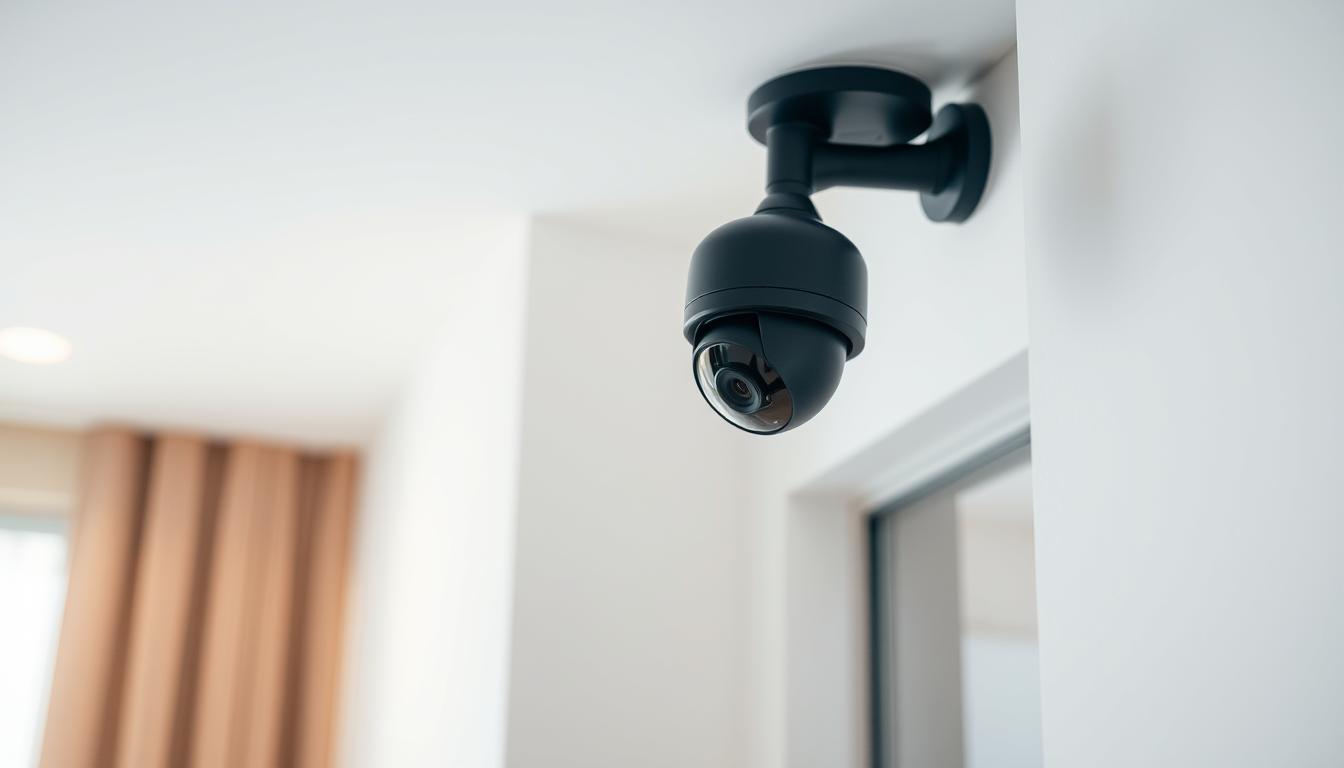
How do I turn off my CCTV camera? Simple Instructions
Many homeowners in Singapore use surveillance systems for safety, but privacy concerns are growing. Properly managing these devices ensures both security and compliance with local regulations like the PDPA.
Modern security cameras offer multiple control options, from physical switches to mobile apps. Understanding these methods helps maintain energy efficiency and system longevity. Dome, bullet, and WiFi cameras each have unique deactivation processes.
Local providers like Viewtron demonstrate how Singaporean households balance monitoring needs with privacy rights. Regular maintenance becomes crucial when devices remain inactive for extended periods.
Key Takeaways
- Singapore’s PDPA affects home surveillance usage
- Three control methods exist: hardware, software, and apps
- Different camera types require specific handling
- Energy savings come from proper device management
- Professional systems need specialized maintenance
Understanding When and Why to Disable Your CCTV Camera
The Personal Data Protection Act reshapes how Singaporeans approach home monitoring systems. Strategic deactivation preserves privacy while maintaining essential security coverage. This balance becomes crucial in residential areas with shared spaces.
Privacy considerations for homeowners
Singapore’s PDPA mandates clear signage for surveillance areas capturing public spaces. A 2023 High Court case fined a homeowner S$5,000 for recording neighbor’s property without consent. Domestic workers and tenants retain privacy rights that may require temporary camera deactivation.
Common scenarios include disabling living room cameras during family gatherings. Always document these changes in maintenance logs for legal compliance. Professional security systems often feature privacy zones that blur sensitive areas.
Energy-saving benefits of deactivation
Modern surveillance cameras consume 4-15 watts during continuous operation. Industry tests show 30% power reduction when deactivating unused units. Energy Star-rated models like the Hikvision DS-2CD2143G0-I offer scheduled power-saving modes.
Maintenance costs drop significantly with strategic deactivation cycles. Heat buildup decreases in DVR units when fewer cameras operate simultaneously. This extends equipment lifespan while reducing monthly electricity bills.
Legal compliance scenarios
Landlords must inform tenants about active surveillance systems under PDPA guidelines. Insurance policies may require temporary deactivation during property showings. Cybersecurity risks increase with always-on cameras exposed to potential hacking attempts.
Best practices include:
- Creating deactivation schedules for low-risk periods
- Using physical lens covers for visual privacy
- Maintaining activity logs for legal protection
Viewtron’s 2023 consumer report notes 68% of Singaporean users deactivate cameras during sleeping hours. This practice combines energy efficiency with personal privacy considerations.
How Do I Turn Off My CCTV Camera? Physical Methods
Hardware-based solutions offer reliable ways to manage security devices without software dependencies. Physical deactivation ensures immediate results, especially during emergencies or maintenance periods.
Unplugging the power source directly
Locate the power supply unit, typically found near the DVR or along the cable route. For outdoor units, check waterproof junction boxes mounted near installation points.
Safety first: Always use insulated gloves and a voltage tester before handling wires. Singapore’s SS 638 standards recommend disconnecting mains power before servicing any electrical device.
- Trace the camera’s power cable to its source
- Switch off the circuit breaker if using hardwired systems
- Gently disconnect the DC plug or terminal block
- Label the cable for easy reconnection
Frequent plugging may wear out connectors. Consider using a switched power strip for regular users. Dahua systems often feature quick-release ports, while Hikvision models may require screwdriver access.
Using the hardware ON/OFF switch
Many modern security cameras include physical switches for convenience. These are usually located:
- On the camera housing (indoor models)
- Behind removable panels (dome types)
- At the base mount (bullet cameras)
Industrial models like Axis feature weatherproof toggle switches. Residential units often use recessed buttons requiring a pin tool. Always check manufacturer guides, as improper switching may void warranties.
For temporary shutdowns, physical switches provide the safest way to turn CCTV cameras off without system reboots. Combine this with signage like “Camera Maintenance in Progress” during service windows.
“Hardware controls remain essential for compliance audits and emergency protocols in Singaporean installations.”
When reactivating, allow 2-3 minutes for system initialization. Outdoor cameras may need weather seal checks after switch manipulation.
Disabling Cameras Through System Software
Modern security systems provide flexible software controls for easy camera management. This method is ideal for users who need temporary deactivation without physical access. Brands like Viewtron and Uniview offer intuitive interfaces for Singaporean households.
Accessing Your CCTV Management Interface
First, log in to your NVR or DVR system using secure credentials. Always use unique passwords and enable two-factor authentication if available. Most Singaporean systems, like Viewtron’s NVR, display a dashboard with connected devices.
Follow these steps for access:
- Open the manufacturer’s software (e.g., Uniview’s EZView)
- Enter admin credentials (defaults should be changed)
- Navigate to the Device Management tab
Step-by-Step Deactivation Process
Once logged in, locate the camera you wish to disable. Right-click the live feed and select Disable or use the group control feature for multiple units. Scheduling options let users automate this process during low-risk hours.
“Software deactivation preserves system integrity while meeting PDPA requirements for temporary privacy.”
For advanced settings:
- Set user permissions (admin vs. guest access)
- Check firmware compatibility before updates
- Enable remote access securely via VPN
Modern CCTV systems often include data purge options during deactivation. This ensures no residual footage remains in storage. Always test reactivation to confirm system stability.
Mobile App Controls for Remote Management
Singaporean homeowners increasingly rely on mobile apps to manage their security systems remotely. These tools offer flexibility, allowing users to disable cameras from anywhere while maintaining compliance with local privacy laws.
Popular CCTV Apps in Singapore
Leading brands like Hikvision and Viewtron provide dedicated apps for seamless control. Hikvision’s iVMS-4500 and Viewtron’s proprietary app feature:
- Biometric login and two-factor authentication (2FA) for enhanced security
- Cross-platform compatibility with iOS (iPhone), Android (Xiaomi/Oppo), and tablets
- Low data usage—under 50MB/hour for live streaming
Configuring Arm/Disarm Functions
These apps let users disable cameras in three steps:
- Open the app and authenticate via fingerprint or PIN
- Select the camera feed and tap Disable in the settings menu
- Confirm with a swipe or password prompt
“Geo-fencing automation in apps like Viewtron’s can auto-disable cameras when your phone enters a designated safe zone.”
For emergencies, most apps support instant reactivation via push notifications. Battery optimization modes reduce background drain, while screen-sharing features simplify troubleshooting with tech support.
Viewtron System Specific Instructions
Viewtron’s advanced surveillance systems provide tailored solutions for Singaporean households. Their AI-enhanced NVR platforms offer precise control through intuitive interfaces and specialized feature sets.
Master arm/disarm feature setup
The centralized control switch requires these hardware components:
- Viewtron VTH-3000 series NVR with firmware 5.2+
- Minimum 4GB RAM for AI processing
- Dedicated 500GB storage for configuration backups
Configure the master control in three steps:
- Access System Settings via the physical menu button
- Navigate to Security > Global Controls
- Enable “Master Arm” and set authentication method
“Viewtron’s scene modes allow simultaneous deactivation of multiple cameras while maintaining perimeter sensors active for layered security.”
Customizing which functions to disable
Selective deactivation preserves essential monitoring during private moments. The feature matrix includes:
- Motion alerts (independent of recording)
- Cloud backup synchronization
- External siren triggers
- Mobile push notifications
LED status lights indicate:
- Solid red: Full deactivation
- Blinking blue: Partial functions active
- Green: System armed
Always perform firmware updates before modifying configurations. Viewtron’s mobile app syncs changes across all devices within 30 seconds of confirmation.
Security Considerations When Turning Off Cameras
Proper security protocols become critical when managing surveillance system deactivation in Singapore. Temporary shutdowns create potential entry points for unauthorized access if proper safeguards aren’t implemented. Both physical and digital protections should work together to maintain system integrity.
https://www.youtube.com/watch?v=cT0qfSQmNIo
Preventing unauthorized reactivation
Changing default credentials is the first defense against unwanted system access. Many Singaporean installers recommend:
- Biometric authentication for control panels inside locked enclosures
- Dedicated VPN tunnels for remote management instead of open ports
- Monthly activity log reviews for suspicious reactivation attempts
Network segmentation proves effective by isolating camera systems from primary home networks. Cellular-enabled models benefit from SIM card removal during extended deactivation periods. Professional security audits can identify vulnerabilities in your current setup.
Maintaining system integrity
Deactivated systems still require protection against tampering. Tamper-evident seals on junction boxes alert owners to physical interference. Encryption should remain active even when cameras aren’t recording to protect stored footage.
“Singapore’s Cyber Security Agency recommends AES-256 encryption as the minimum standard for idle surveillance systems.”
Third-party integrations often create weak points. Disable unnecessary API connections during shutdowns and verify all firmware updates before reactivation. For comprehensive protection, combine these measures with scheduled integrity checks by certified technicians.
Optimal Times to Disable Home Surveillance
Singaporean households benefit from scheduled deactivation of security devices during sensitive moments. Intelligent timing preserves privacy while maintaining essential protection, especially in multi-generational homes. Modern systems integrate seamlessly with smart home ecosystems for effortless control.
Family privacy considerations
Cultural norms dictate careful management of home surveillance during family gatherings or personal moments. Many Singaporean families disable indoor cameras when:
- Hosting religious ceremonies at home
- Children have playdates or study sessions
- Elderly family members require medical care
Smart lighting systems can trigger automatic camera deactivation when detecting nighttime movement in bedrooms. Temporary disable durations range from 30 minutes to 8 hours in most cameras easy to configure interfaces.
Managing guest visits effectively
Hospitality traditions influence how security cameras are managed during social events. Best practices include:
- Creating guest access codes with limited permissions
- Using privacy screens for visible but inactive devices
- Disabling sound detection in entertainment areas
“Calendar integrations now allow pre-scheduled deactivation for recurring events like weekly mahjong sessions.”
Post-event checks should verify system reactivation and review any triggered motion alerts during downtime. Neighbor notification features maintain community trust when shared wall cameras are temporarily disabled.
Camera-Specific Deactivation Methods
Wireless and wired surveillance devices demand specific shutdown procedures for optimal performance. Each model has unique technical requirements that affect how they should be properly managed during maintenance or privacy periods.
Managing wireless connectivity during deactivation
Modern wireless wifi cameras require careful frequency band management before shutdown. Always disable 2.4GHz/5GHz transmissions through the admin panel first to prevent signal interference with other devices.
- Initiate soft shutdown via manufacturer app
- Remove backup power sources if present
- Disconnect from mesh networks if applicable
Signal jamming prevention measures should remain active even during deactivation. Many Singaporean installers recommend keeping encryption protocols enabled to maintain network security.
Physical differences between dome and bullet models
These two primary types of security cameras have distinct power management needs. Dome cameras typically feature internal power switches, while bullet models often require direct cable disconnection.
Key shutdown considerations:
- PoE cameras need proper switch port deactivation
- Tamper-proof mounts may require special tools
- Weatherproofing seals must remain intact
“Dome cameras’ compact design often conceals reset buttons behind removable panels, requiring careful handling during maintenance.”
IR cut filters in night vision models need separate deactivation through software. Always check manufacturer guidelines, as brands like Reolink and TP-Link have unique shutdown sequences for their device lines.
For comprehensive guidance on physical disconnection methods, review our detailed resource on security camera power management during maintenance periods.
Maintaining Your CCTV System Post-Deactivation
Singaporean households should prioritize post-deactivation checks to preserve system integrity. Proper upkeep ensures seamless reactivation while preventing technical failures that compromise home security. Regular maintenance also aligns with Singapore’s humid climate, which accelerates wear on electronic components.
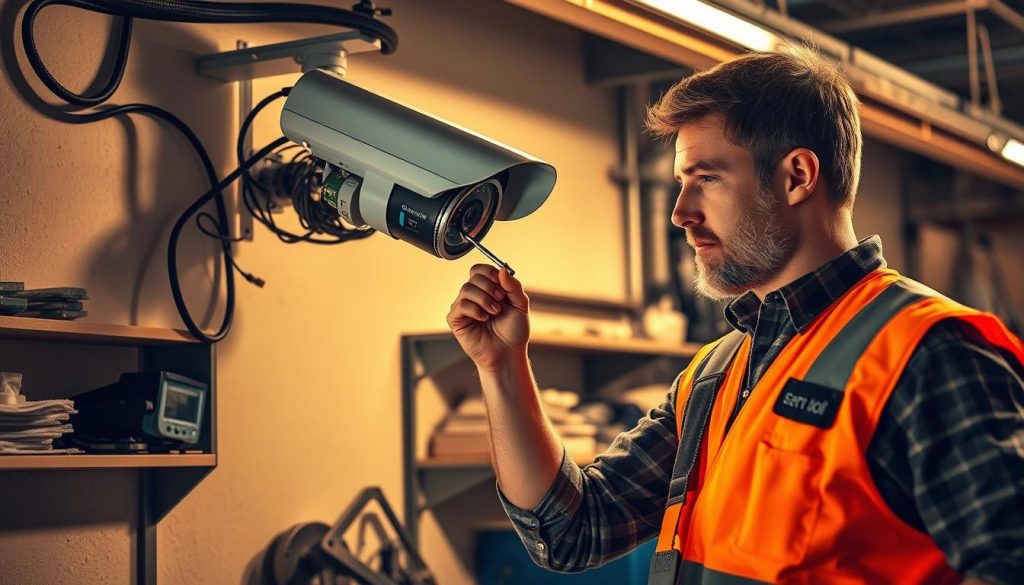
Essential diagnostic steps for reactivated systems
Monthly inspections catch issues before they escalate. Start with a visual check of all cables and connectors for corrosion or damage—common in tropical environments. Test each camera’s field of view to ensure no obstructions have developed.
Advanced diagnostics include:
- Power surge protection tests using multimeters
- Night vision calibration with infrared light checks
- Motion zone reconfiguration for changed environments
“Professional servicing every 6 months extends system lifespan by 40%, according to Viewtron’s 2023 reliability study.”
Optimizing software and security updates
Firmware updates patch vulnerabilities in surveillance software. Always download updates directly from manufacturer portals—third-party sources risk malware infections. Schedule updates during low-usage periods to minimize disruptions.
Key practices include:
- Verifying update checksums before installation
- Creating backup configurations before major updates
- Testing cloud storage synchronization post-update
Enable automatic security patches for critical vulnerabilities, but review changelogs to avoid compatibility issues. Singapore’s Cyber Security Agency recommends quarterly audits of user access logs for unauthorized changes.
Expert Tips for Smart CCTV Management in Singapore
Professional installations by SECOM demonstrate best practices for residential security systems. Their IMDA-certified equipment meets Singapore’s strict compliance standards while offering hybrid cloud storage options.
Consider monitored response services for enhanced protection. These often reduce insurance premiums by 15-20% while maintaining privacy through impact assessments.
Future-proof setups integrate AI analytics without compromising current functionality. Multi-language support ensures all household members can operate the system effectively.
For businesses, community surveillance agreements create shared security networks. Always plan for disaster recovery to maintain coverage during maintenance or outages.
FAQ
What are the privacy benefits of disabling a CCTV camera?
Turning off home surveillance cameras ensures privacy during sensitive moments, such as family gatherings or personal activities. It prevents unintended recording and maintains trust with guests.
Can I save energy by turning off my security cameras?
Yes. Deactivating cameras when not needed reduces power consumption, especially for older models. Modern CCTV systems often include energy-saving modes for better efficiency.
How do I physically turn off a CCTV camera?
Locate the power adapter or switch on the device. Unplugging the power source or using the hardware ON/OFF switch will immediately deactivate the camera.
What’s the easiest way to disable cameras remotely?
Most modern CCTV systems support mobile apps like Viewtron or Hik-Connect. These apps let users arm or disarm cameras with just a few taps.
Are there legal reasons to turn off surveillance cameras?
Yes. Singapore has strict privacy laws. Disabling cameras in private areas, like bathrooms or bedrooms, ensures compliance with regulations.
How can I prevent unauthorized reactivation of my CCTV system?
Use strong passwords, enable two-factor authentication, and restrict admin access. Regularly check system logs for suspicious activity.
What’s the difference between disabling dome and bullet cameras?
Dome cameras often have tamper-proof designs, requiring software deactivation. Bullet cameras may have external switches for quick power-off.
When is the best time to turn off home surveillance?
Consider disabling cameras during private family events or when hosting trusted guests. Balance security needs with privacy concerns.
How do I maintain my CCTV system after deactivation?
Perform regular checks, update firmware, and test reactivation to ensure the system remains functional when needed.
Can wireless WiFi cameras be turned off remotely?
Yes. Most wireless security cameras support remote management via apps or cloud platforms, allowing easy on/off control.


