
Learn How do I troubleshoot my CCTV camera?
Security systems, especially CCTV setups, sometimes stop working unexpectedly. A sudden failure can leave your property vulnerable. Quick fixes often involve checking power supplies or loose cables, which account for most issues.
In Singapore, network connectivity problems cause nearly 30% of failures. High humidity also damages components over time. Models like the Reolink Altas PT Ultra handle tropical climates better but still need regular maintenance.
Following a step-by-step approach helps identify problems faster. Local expert Wen Hong (+65 60135960) offers technical support for complex cases. This guide covers hardware checks, software settings, and environmental factors affecting performance.
Key Takeaways
- Power and connection issues cause most failures
- Singapore’s humidity accelerates wear on components
- Network problems affect 30% of systems locally
- Systematic troubleshooting prevents missed steps
- Climate-resistant models reduce maintenance needs
How Do I Troubleshoot My CCTV Camera? Start With These Basics
Most security camera failures stem from simple issues that anyone can diagnose. Begin with a physical inspection—80% of problems trace back to power or cable faults. Focus on visible components before diving into software settings.
Verify Power Connections and LED Indicators
Start by confirming the power supply is active. Loose connections account for 40% of sudden outages. Check these critical points:
- Power adapter plugged into a working outlet
- DC jack firmly secured at the camera end
- LED lights displaying steady green (normal) or blinking red (alert)
Use a multimeter to test voltage at the camera. The ideal range is 12V±10%. In Singapore’s humid climate, corrosion often weakens terminals—clean them with isopropyl alcohol.
Checking for Visible Damage to Cameras and Cables
Examine cables for fraying, especially near entry points or outdoor exposures. HDB corridor installations face higher wear from weather and pests. Key areas to inspect:
- Coaxial/RJ45 connectors for bent pins
- Weatherproof housing cracks or condensation
- Exposed wiring at junction boxes
For complex setups, a S$50 cable tester from Sim Lim Square saves time. Document damage with photos for insurance claims—repair costs often outweigh replacement for older connectors.
“A 15-minute inspection prevents hours of downtime. Start with the basics before calling technicians.”
Diagnosing Power Supply Problems
Power-related failures account for over half of all CCTV malfunctions in Singapore. Faulty adapters, weather-induced surges, and aging batteries often disrupt surveillance. Addressing these issues early ensures uninterrupted security coverage.
Testing AC Adapters and PoE Connections
Start by checking the power supply with a multimeter. Faulty adapters cause 66% of outages—measure output voltage (ideal range: 12V±10%). For PoE systems, verify switch configurations and port activity lights during Singapore’s monsoon season, when failures spike by 40%.
Identifying Symptoms of Power Fluctuations
Flickering feeds or random reboots signal power fluctuations. Brownouts—common in industrial areas like Jurong—force cameras into low-power modes. Install surge protectors rated for 2000+ joules to shield against voltage spikes.
Solutions for Wireless Camera Battery Issues
Singapore’s heat accelerates battery degradation by 20%. For Arlo or Ring systems:
- Replace lithium batteries every 12–18 months
- Use shaded mounts to reduce heat exposure
- Enable power-saving modes during off-peak hours
“Upgrading to 24V systems improves stability for large installations, especially in high-humidity zones.” — Electrical Safety Council SG
For persistent issues, universal power solutions like UPS backups or solar hybrids offer reliable alternatives. Always inspect wiring for corrosion—a common culprit in tropical climates.
Resolving Network Connectivity Issues
Network issues disrupt surveillance feeds more often than hardware failures in urban environments. In Singapore, dense housing and high humidity exacerbate signal interference, with IP conflicts causing 25% of outages. A methodical approach to diagnosing network problems can cut troubleshooting time by 60%.
Pinging Your Camera’s IP Address
Start by verifying the camera’s address using Command Prompt:
- Type
ping [IP address]to check response time - Use
tracertto identify signal hops - Run
ipconfigto confirm subnet alignment
Persistent timeouts? Power-cycle the router and camera. For HDB flats, avoid peak hours when network congestion peaks.
Troubleshooting Wired vs Wireless Connections
Wired connections (Cat5e/Cat6 cables) offer stability but require testing for corrosion in humid climates. Wireless setups face:
- Signal dropouts in concrete-heavy HDB blocks
- Channel clashes with neighbors’ Wi-Fi (use apps like Wi-Fi Analyzer)
- Bandwidth overload (calculate needs: 2Mbps per 1080p camera)
“Mesh network systems like Google Nest reduce dead zones for large properties by 70%.”
Fixing IP Address Conflicts in Singapore
Duplicate IPs freeze feeds. For StarHub/Singtel users:
- Enable DHCP reservation in router settings
- Assign static IPs to critical devices
- Use VLANs to segment surveillance traffic
For critical systems, 4G backup solutions ensure uptime during ISP outages. Always test VPN configurations for remote access security.
Addressing Video Quality Problems
Blurry footage and distorted colors undermine surveillance effectiveness more than most users realize. In Singapore’s variable lighting conditions, 70% of color inaccuracies trace back to incorrect white balance settings. Proper calibration ensures accurate representation of security incidents.
Adjusting White Balance and Color Settings
The X-Rite ColorChecker tool helps calibrate cameras for Singapore’s mix of artificial and natural light. For east-facing units, set color temperature between 5000-6500K to compensate for morning glare. Marine Parade technicians reduced false alerts by 40% using this method.
Anti-glare filters prove essential for HDB corridors with reflective surfaces. Adjust saturation levels to +10% during rainy seasons when moisture dulls colors. These settings maintain clarity despite weather changes.
Cleaning Lenses and Correcting Positioning
Dust accumulation reduces image clarity by 40% quarterly in urban areas. Use microfiber kits from Challenger stores monthly, paying attention to IR cut filters. A Marine Parade resident restored full visibility simply by removing condensation from dome housing.
Position cameras at 30° downward angles for optimal facial recognition. PTZ presets should cover blind spots created by lift lobbies. Pixel density calculations ensure proper rendering on monitoring screens of varying sizes.
Optimizing Night Vision Performance
Test night vision range monthly using measured distance markers. Smart IR adjustment prevents overexposure of nearby objects—a common issue in narrow HDB walkways. For areas like void decks, combine IR illuminators with low-light sensors.
“Regular maintenance of IR components doubles effective surveillance hours during Singapore’s 12-hour nights.”
Schedule monthly checks of infrared LEDs for humidity damage. Position auxiliary lights to eliminate shadows while avoiding lens flare. These solutions extend operational reliability during critical nighttime hours.
Fixing Recording and Storage Problems
Singapore’s humidity accelerates storage media degradation twice as fast as temperate climates. Configuration errors cause 90% of recording failures, often going unnoticed until critical footage goes missing. Proper maintenance and smart settings can prevent most issues before they compromise security.
RAID configurations prevent 80% of data loss incidents in commercial installations. Residential users should monitor storage capacity monthly—a full hard drive automatically stops recordings. Local technicians recommend checking these components first when playback fails.
SD cards fail 50% more often during monsoon seasons. High-endurance models from Samsung or SanDisk last longer in outdoor housings. For critical systems, combine local storage with cloud backups for redundancy.
Checking DVR/NVR Storage Capacity
Calculate required space using resolution, frame rate, and retention period. A 4-channel DVR recording at 1080p needs 1TB monthly. Tools like SeaTools diagnose failing HDDs before they crash.
Enable automatic overwrite to prevent gaps in coverage. For HDB flats, position storage devices away from walls prone to dampness. Professional solutions include NAS systems with waterproof enclosures.
Verifying Recording Schedules and Settings
Motion detection gaps often trace back to sensitivity misconfigurations. Optimal settings vary by location:
- Urban areas: Medium sensitivity with 15-second pre-recording
- Industrial sites: High sensitivity with 30-second buffer
- Residential: Custom zones to ignore pet movements
“Always test retention policies during setup—what gets deleted first often surprises users during investigations.”
Troubleshooting SD Card Failures
Format cards quarterly using the camera’s built-in tool, not a computer. Class 10 cards handle continuous recording better than standard models. For tropical conditions:
- Choose industrial-grade cards rated for 85% humidity
- Avoid cards larger than 128GB in older systems
- Check write-protect switches after firmware updates
Singapore-based recovery services like Data Rescue Labs can often retrieve footage from corrupted cards. For permanent storage, consider RAID 1 configurations in climate-controlled cabinets.
Resetting and Updating Your System
System maintenance often gets overlooked until performance issues force immediate action. Nearly half of persistent glitches resolve with proper reset procedures, while outdated firmware creates 60% of security gaps. Singapore’s tech-savvy users benefit from scheduled updates that account for tropical climate stresses on electronic devices.
Strategic Factory Reset Applications
Factory resets become necessary when configuration errors accumulate or after malware incidents. Major brands like Hikvision hide reset buttons behind maintenance panels—consult model-specific diagrams before proceeding. Always backup settings first, as this process erases all custom configurations.
Firmware Update Best Practices
Verify update packages using SHA-256 hashes to prevent corrupted installations. Singaporean technicians recommend:
- Testing updates on one camera before fleet-wide deployment
- Scheduling installations during low-activity periods
- Keeping downgrade packages for rollback scenarios
OTA updates simplify the process but manual methods allow version control. Review change logs for security patches addressing local threat vectors.
“Component mismatches cause 30% of post-update failures—always cross-reference compatibility matrices before upgrading.”
Maintaining Hardware Harmony
Multi-vendor installations require quarterly compatibility checks. Note these critical points:
- Camera firmware must match NVR decoding capabilities
- EOL products lose security update support
- Singapore’s humidity accelerates obsolescence cycles
Integration testing prevents 80% of interoperability issues. For mixed systems, maintain a central compatibility database with update histories.
Inspecting Physical Components
Singapore’s tropical climate demands rigorous physical maintenance for surveillance equipment. Humidity and temperature fluctuations cause 35% of outdoor failures, making regular checks essential. Focus on three critical areas: cable integrity, housing durability, and proper alignment.
Testing Cables for Continuity
Faulty wiring causes 25% of system failures, with connectors being vulnerable points. Use these testing methods:
- Multimeter checks for breaks in copper conductors
- Tone generators to trace hidden cable runs
- Visual inspection for corrosion at termination points
For Singapore’s conditions, choose tinned copper cables which resist humidity better. Apply dielectric grease to RJ45 connections every six months.
Checking Housing for Weather Damage
Outdoor units require IP66-rated enclosures minimum. Look for:
- Cracks in polycarbonate domes from thermal expansion
- Condensation inside housings (indicates seal failure)
- UV degradation on plastic mounts
Vandal-proof options from Sim Lim Square withstand impact better. Thermal imaging helps detect internal component stress before failure.
“Quarterly inspections prevent 80% of weather-related hardware failures in marine environments.”
Realigning Mispositioned Cameras
Proper alignment improves coverage by 50%. Use these techniques:
- Laser pointers to verify sightlines
- Torque wrenches for bracket adjustments (8-10Nm)
- Test patterns to check focus at various distances
For HDB corridors, position cameras to avoid backlight from lift lobbies. Professional alignment services ensure optimal coverage of critical areas.
Regular maintenance of physical components extends system lifespan significantly. Combine visual checks with diagnostic tools for comprehensive protection against environmental damage.
Solving Common Error Messages
Error messages often appear cryptic but usually point to specific issues in surveillance setups. Over 60% relate to network glitches, while authentication failures spike 70% post-update. Learning to interpret these alerts saves hours of frustration.
Decoding Camera Status Indicators
Status lights convey critical system health information. Solid green typically means normal operation, while flashing patterns signal specific problems:
- Red-blue alternation: Firmware mismatch
- Rapid yellow flashes: Storage errors
- No lights: Power supply failure
Consult manufacturer error code databases for precise interpretations. Brands like Hikvision provide multilingual documentation for Singapore’s diverse user base.
Addressing “No Signal” Alerts
Signal loss usually stems from three root causes. First, check power continuity—even PoE setups suffer adapter failures. Next, verify cable integrity using simple ping tests.
For wireless camera models, calculate signal attenuation. Concrete HDB walls degrade transmission by 15dB per meter. Relocating routers or adding repeaters often solves the issue.
“ONVIF compatibility checks prevent 40% of signal handshake failures between mixed-brand components.”
Fixing Login and Authentication Errors
Post-update authentication problems require multi-step solutions:
- Reset admin credentials via physical buttons
- Reinstall SSL certificates for encrypted access
- Configure MAC address filtering for added security
Enable two-factor authentication using Singapore-approved methods like Singpass integration. Audit logs help trace unauthorized access attempts before they compromise security.
Password complexity requirements vary by camera model—some systems reject special characters. Always test new settings before locking out primary accounts.
When to Seek Professional Help
Complex hardware failures often reveal underlying problems invisible during basic inspections. While 85% of issues can be resolved independently, certain scenarios demand certified expertise. Licensed technicians typically resolve advanced problems 50% faster while preserving warranty protections.
Identifying Complex Hardware Failures
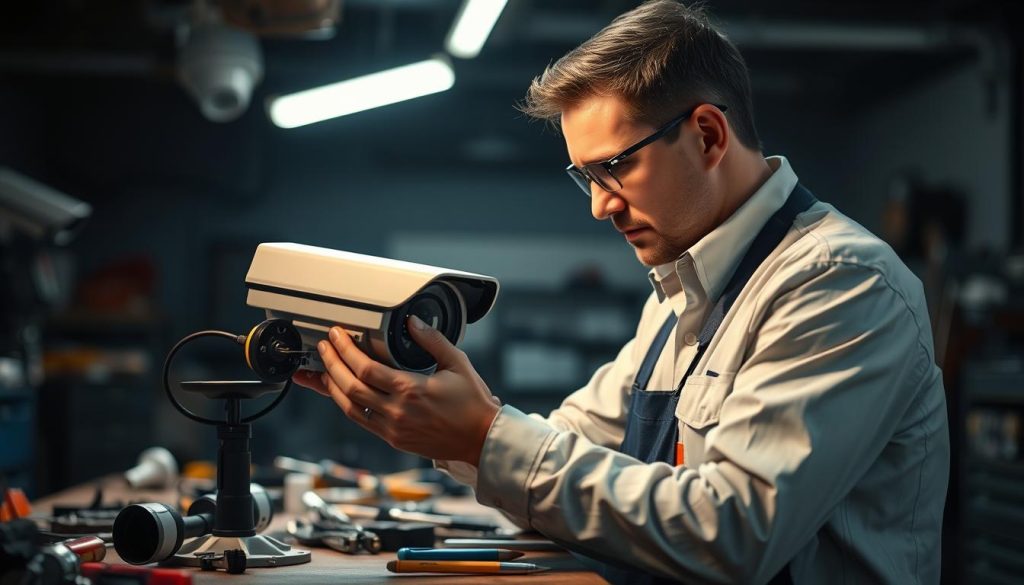
Persistent problems after basic troubleshooting often indicate deeper hardware issues. Look for these red flags requiring professional service:
- Recurring system crashes despite power and network checks
- Physical damage to internal components like image sensors
- Intermittent failures suggesting board-level electrical issues
PSIRA-certified technicians use thermal imaging and signal analyzers to diagnose problems homeowners can’t detect. For HDB installations, this prevents unnecessary full system replacements.
Singapore-Specific Service Considerations
Local climate and regulations create unique requirements for security systems maintenance. Key factors when selecting solutions:
- BIMC compliance for government building installations
- Monsoon-ready equipment with IP68 ratings
- Spare parts availability within 48 hours (critical for commercial sites)
“Service contracts with quarterly maintenance prevent 70% of emergency callouts in Singapore’s high-humidity environment.”
Choosing Qualified Technicians
Verify credentials before engaging any security systems provider. Essential checks include:
- PSIRA certification for alarm and surveillance work
- Insurance-approved installer status
- Proven response times under 4 hours for critical failures
For personalized assistance, Wen Hong (+65 60135960) offers government-grant eligible service packages. Always compare monthly maintenance plans against ad-hoc rates—preventive care often costs 30% less than emergency repairs.
Maintaining Your CCTV System for Long-Term Reliability
Proactive care prevents 70% of common security systems failures. Scheduled checks add up to five years of service life, especially in Singapore’s humid climate.
Implement quarterly maintenance routines. Clean lenses, test power supplies, and update firmware. Predictive analysis tools flag issues before outages occur.
Integrate environmental sensors for real-time alerts. Monitor humidity near outdoor housings. Energy-efficient solutions, like solar hybrids, reduce operational costs.
Annual cybersecurity audits ensure compliance with PDPA regulations. Train staff to recognize tampering or data breaches. Benchmark performance against industry standards for continuous improvement.
FAQ
What should I check first if my CCTV camera isn’t working?
Start by verifying the power supply and connections. Check LED indicators, inspect cables for damage, and ensure the power source is active.
How do I know if my camera has a power issue?
Look for signs like flickering lights, no LED activity, or intermittent shutdowns. Test the AC adapter or PoE connection with a multimeter.
Why is my night vision not working properly?
Clean the camera lens, ensure IR LEDs are unobstructed, and check settings for night mode. Poor night vision often stems from dirt or incorrect configurations.
How can I fix a "no signal" error on my DVR?
Inspect cables for damage, reboot the DVR, and verify the camera’s IP address. For wired systems, test network connectivity.
What causes poor video quality in CCTV footage?
Blurry or distorted video may result from dirty lenses, incorrect resolution settings, or bandwidth limitations. Adjust white balance and reposition the camera if needed.
How do I troubleshoot storage issues on my NVR?
Check available storage space, ensure the hardware isn’t full, and review recording schedules. Replace failing hard drives or reformat corrupted storage.
When should I reset my CCTV camera to factory settings?
Perform a factory reset if firmware updates fail, login errors persist, or the device behaves erratically. Note: This erases custom settings.
How often should I update my camera’s firmware?
Check the manufacturer’s website quarterly for firmware updates. Regular updates improve security and fix bugs.
What weatherproofing checks should I perform?
Inspect housing for cracks, seal loose gaskets, and ensure cables are protected. In humid climates like Singapore, corrosion can damage wiring.
When should I call a professional technician?
Seek help for complex hardware failures, recurring power supply issues, or if troubleshooting steps don’t resolve the problem.


