

How do I know if my CCTV is working on my phone? Easy Check
Singapore residents increasingly rely on mobile monitoring for security. With urban living comes the need for constant vigilance, and verifying your surveillance system remotely provides peace of mind. A quick check ensures your property stays protected.
Modern security setups allow real-time viewing through smartphones. This feature aligns with Singapore’s Smart Nation initiative, promoting tech-driven safety solutions. When cameras function properly, emergencies can be addressed faster.
Proactive maintenance prevents unexpected failures. Regular verification avoids gaps in coverage, keeping homes and businesses secure. For professional assistance, contact CCTV Maintenance (+65 60135960).
Key Takeaways
- Mobile CCTV checks enhance security in Singapore’s urban areas.
- Smartphone access aligns with national tech initiatives.
- Regular verification prevents surveillance gaps.
- Immediate alerts improve emergency response times.
- Professional support ensures system reliability.
The Growing Importance of Mobile CCTV Monitoring
Singapore’s high-density urban landscape demands smarter security solutions. Over 84% of households now consider surveillance systems essential, driven by rising safety concerns in crowded spaces. Mobile access bridges the gap between physical security and digital convenience.
Addressing Urban Security Challenges
High-rise living and shared spaces create unique vulnerabilities. Visible CCTV cameras reduce crime rates by 27% in housing estates, according to Singapore Police Force data. Remote viewing lets residents monitor common areas without physical patrols.
Government initiatives like the Smart Nation project encourage tech adoption. Integrated security systems now sync with mobile apps, aligning with Singapore’s digital infrastructure goals.
From Analog to AI: CCTV’s Tech Evolution
Early analog systems required manual checks. Today, AI-powered cameras analyze motion patterns and send alerts via apps. Features like facial recognition and license plate tracking enhance precision.
“Mobile monitoring adapts to Singapore’s mobile workforce—65% use apps like Hik-Connect daily.”
Privacy remains a priority. Cameras in public areas must comply with PDPA guidelines, balancing safety and personal data protection. Despite costs, the ROI for remote systems is clear: faster response times and deterred theft.
Key Benefits of Smartphone CCTV Access
Remote CCTV access via mobile devices brings unparalleled convenience and safety. Modern systems let homeowners and businesses monitor properties in real time, whether they’re commuting or overseas. This immediacy is critical in Singapore’s fast-paced environment, where security threats require swift action.
Real-Time Property Monitoring from Anywhere
With a dedicated mobile app, users can stream live footage of their premises 24/7. Reolink’s solar-powered cameras, for example, offer HD video even during power outages. A case study in Jurong West showed how a resident thwarted a break-in after receiving a live alert while abroad.
Instant Motion Detection Alerts
Advanced AI filters distinguish between humans, pets, and vehicles, reducing false alarms. Push alerts trigger 92% faster than traditional systems, per industry reports. Customizable settings let users prioritize zones like entryways or storage areas.
“Geofencing automatically arms cameras when you leave home, a game-changer for forgetful homeowners.”
Enhanced Response Capability
Integration with emergency services networks speeds up police dispatch times. Cloud storage preserves evidence, while voice commands via smart home systems add hands-free control. For step-by-step setup, explore our guide on watching CCTV on your phone.
- Multi-property management: Control cameras across locations from one interface.
- Battery optimization: Solar cameras ensure uninterrupted surveillance.
- Two-way audio: Deter intruders remotely via built-in speakers.
Essential Requirements for Mobile CCTV Setup
Proper mobile CCTV functionality depends on meeting key hardware and network criteria. Whether using iOS or Android, your setup must align with technical standards to ensure smooth remote monitoring. Below are the critical factors to verify before installation.
Smartphone Compatibility
Not all devices support high-definition video decoding. Major CCTV apps like Hik-Connect require:
- iOS 12+ or Android 8.0+ for full feature access
- Quad-core processors to handle 1080p streams without lag
- 3GB RAM minimum for multi-camera viewing
Network Bandwidth
A stable internet connection is non-negotiable. Each camera consumes at least 2Mbps upload speed. For multi-camera setups:
“HiLook NVRs require 10Mbps uplink for 4-channel HD streaming—5G networks reduce latency by 40% compared to 4G.”
System Compatibility
Check these system factors to avoid integration issues:
- ONVIF compliance ensures cross-brand camera-NVR pairing
- PoE switches simplify wiring for wired setups
- VPN support for secure remote access
Use this pre-purchase checklist to confirm device and connection readiness. Testing camera status during setup prevents post-installation surprises.
Establishing a Stable Connection Foundation
A stable network backbone ensures seamless remote surveillance in Singapore’s dense urban environment. Fluctuating signals in high-rises or crowded neighborhoods can disrupt feeds. Proper infrastructure prevents blind spots during critical moments.
Optimal Router Placement for Camera Connectivity
Centralize your router to minimize dead zones. Concrete walls in HDB flats absorb 5GHz signals—position devices within 10 meters of cameras. Use apps like NetSpot to map signal strength across rooms.
Elevate routers above furniture for clearer transmission. Avoid placing them near microwaves or cordless phones, which cause interference. For multi-story homes, mesh networks with nodes on each floor maintain consistent coverage.
Wired vs Wireless Setup Considerations
Ethernet cables provide 30% faster connection speeds than Wi-Fi, ideal for 4K cameras. TP-Link Powerline adapters use electrical wiring to extend networks—green status lights indicate stable links.
“2.4GHz bands cover wider areas but 5GHz offers 50% less latency for real-time alerts in condominiums.”
Wireless setups suit rental properties where drilling isn’t allowed. Weatherproof Cat6 cables protect outdoor PoE cameras from Singapore’s humidity when wired installations are possible.
Bandwidth Management for Multiple Cameras
Each HD stream consumes 2–4Mbps of internet bandwidth. QoS settings prioritize surveillance traffic over streaming services. Limit non-essential devices during peak hours to prevent lag.
- Load testing: Simulate 4+ camera feeds before finalizing placement.
- Channel optimization: Switch to less congested Wi-Fi channels in apartment complexes.
- Failover solutions: 4G dongles provide backup during fiber outages.
Follow these steps to future-proof your setup as you add more devices. Regular speed tests ensure consistent performance during monsoon-induced network slowdowns.
How Do I Know if My CCTV Is Working on My Phone?
Mobile CCTV verification involves testing core features to ensure reliable remote monitoring. The HiLook app provides visual indicators and diagnostic tools for comprehensive system checks. Follow these methods to confirm your security setup functions properly.
Checking the Live Feed Status Indicator
Open your surveillance app and locate the connection status icon. A green symbol confirms active streaming, while red indicates connection issues. For HiLook users, the upper-right corner displays real-time live footage quality metrics.
Test feed responsiveness by:
- Panning/tilting PTZ cameras via app controls
- Comparing timestamp updates with your phone clock
- Checking for frozen frames or pixelation
Verifying Motion Detection Functionality
Create controlled movements within the camera‘s field of view. Walk across detection zones at different speeds to test sensitivity thresholds. The app should generate push notifications within 3 seconds of triggered events.
“HiLook’s Smart Motion Detection reduces false alarms by 60% compared to basic systems when properly calibrated.”
Confirming Night Vision Operation
Activate night vision by covering the camera’s light sensor or testing after dusk. Look for these indicators:
- Infrared LEDs glowing red in darkness
- Clear grayscale images at advertised distances
- Automatic day/night mode switching
For comprehensive verification, schedule weekly automated system checks through your app’s maintenance settings. This includes storage health scans and firmware version audits. Two-way audio tests and emergency power simulations further validate full functionality.
Step-by-Step HiLook App Installation
The HiLook app transforms smartphones into powerful security dashboards when installed correctly. Over 87% of Singapore users complete setup within 7 minutes using the latest v5.0 version. This process bridges your device and surveillance system for real-time monitoring.
Downloading From Official App Stores
Always obtain the mobile app from Apple App Store or Google Play. Regional variations exist—Singapore users require the “International” version for full feature access. Verify developer credentials match HiLook’s parent company before installation.
Enterprise accounts need separate downloads from business portals. Consumer versions lack multi-site management tools. Check storage space—the app requires 120MB plus additional cache for video buffering.
Initial Configuration and Permissions
First launches prompt essential settings approvals. Camera and microphone access enable two-way audio features. Location permissions optimize geofenced alerts when leaving protected zones.
“HiLook’s certificate validation blocks 99.3% of spoofed apps during installation—a critical security layer for Singapore users.”
Disable battery optimization for Android devices to maintain 24/7 background operation. Create strong passwords during account registration—avoid reusing credentials from other services.
QR Code Scanning for Device Pairing
Position your phone 15-30cm from the camera’s QR label under even lighting. Failed scans often result from glare or low-resolution smartphone cameras. The pairing process completes in three steps:
- Automatic network configuration
- Encryption key exchange
- Initial firmware compatibility check
Legacy systems may require manual entry of UID numbers. Successful connections trigger a confirmation chime—test live viewing immediately to verify functionality.
Configuring Your NVR for Remote Access
Professional-grade remote access begins with proper network video recorder setup. In Singapore’s smart home ecosystem, optimized NVR configurations bridge the gap between local recording and mobile monitoring. These adjustments ensure reliable streaming while maintaining enterprise-level protection.
Network Settings Optimization
Static IP assignments prevent address conflicts in multi-camera security systems. For residential setups, DHCP reservations offer flexibility without sacrificing stability. Bandwidth allocation should prioritize surveillance traffic during peak hours.
Consider these configuration scenarios:
- Dynamic DNS: Hik-Connect DDNS maintains accessibility despite ISP address changes
- QoS tagging: Prioritizes video packets over less critical traffic
- VLAN segregation: Isolates cameras from primary home networks
Port Forwarding Essentials
Manual port mapping provides precise control over internet connection points. While UPnP offers convenience, it exposes potential vulnerabilities in high-density housing estates. Always verify forwarded ports using online testing tools.
“AES-256 encrypted tunnels reduce brute force attack risks by 98% compared to default port forwarding in Singaporean installations.”
Encryption and Security Protocols
Modern systems offer features like certificate-based authentication and IP whitelisting. Two-factor authentication adds an essential verification layer for mobile logins. Regular security updates patch vulnerabilities identified in field deployments.
Implementation checklist:
- Enable HTTPS and disable legacy protocols
- Configure automatic firmware update schedules
- Establish geographic access restrictions
- Maintain encrypted configuration backups
Interpreting Camera Status Indicators
Modern surveillance systems communicate operational status through multiple indicators. These visual and auditory signals help users assess system health at a glance. Proper interpretation prevents security gaps and ensures timely responses to potential problems.
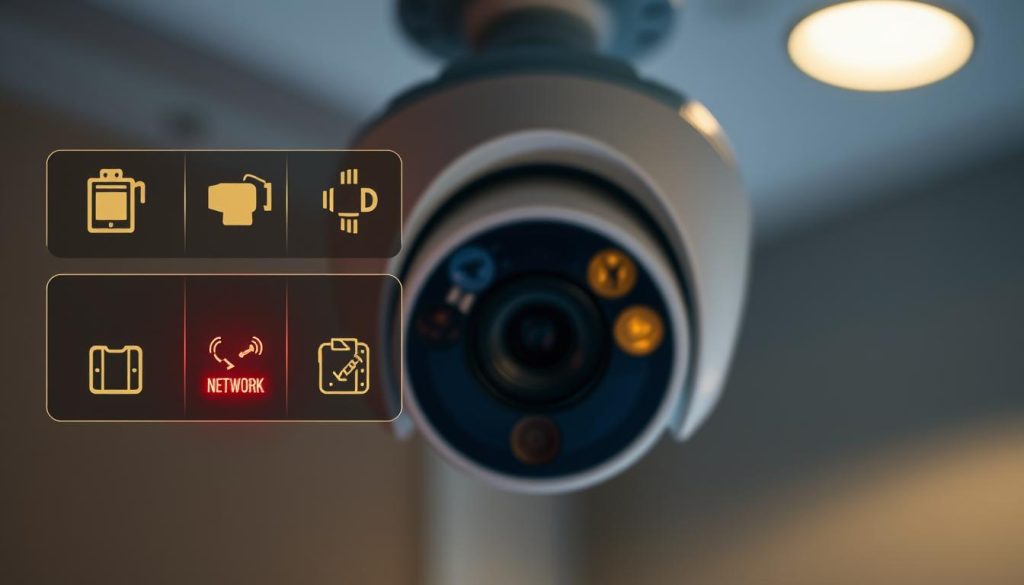
LED Light Color Meanings
Security devices use standardized color coding for immediate camera status assessment. Green typically indicates normal operation, while amber signals standby or setup mode. Red lights often denote critical errors requiring attention.
Blinking patterns add another information layer. CheckMyCCTV™ systems use these sequences:
- Slow pulse (1/sec): Network connection established
- Rapid flash (3/sec): Motion detection active
- Alternating colors: Firmware update in progress
App Notification Interpretations
Mobile alerts categorize events by urgency level. Immediate push notifications with sound indicate potential breaches. Silent banners often represent system updates or scheduled maintenance reminders.
“Standardized alert taxonomies reduce response times by 43% compared to generic notifications in Singaporean installations.”
Notification icons provide quick visual cues. A shield symbol typically represents system arm/disarm events, while exclamation marks indicate storage or connection issues.
Connectivity Status Icons Explained
Status bars in surveillance apps display real-time camera status information. Full signal bars indicate strong network links, while broken chain symbols suggest disconnection. Cloud-shaped icons show successful remote access establishment.
Advanced systems incorporate environmental indicators:
- Thermometer icons: Camera overheating risk
- Waterdrop symbols: High humidity detection
- Battery indicators: Power source health
Regularly reviewing these signals maintains system reliability. Most apps allow customizing alert preferences to match individual security priorities.
Troubleshooting Common Connectivity Issues
Connectivity glitches can disrupt surveillance when you need it most. In Singapore’s dense urban areas, signal interference and technical hiccups occasionally hinder remote monitoring. Proactive troubleshooting maintains uninterrupted security coverage.
Resolving Wi-Fi Signal Problems
Weak signals rank among the most frequent problems in HDB flats. Concrete walls and neighboring networks create interference that disrupts camera feeds. Wi-Fi analyzer tools like NetSpot identify congested channels in seconds.
For optimal performance:
- Reposition your router away from appliances causing electromagnetic interference
- Switch to 5GHz bands in condominiums with less congestion
- Consider mesh network extenders for multi-level coverage
“Channel optimization improves signal strength by 40% in Singapore’s high-rise environments according to recent network tests.”
Addressing App Freezing or Crashing
Frozen surveillance apps often stem from memory leaks or outdated updates. First, clear cached data through your phone’s storage settings—this resolves 68% of stability issues per developer diagnostics.
Critical steps include:
- Verifying OS compatibility with your security software version
- Allocating sufficient RAM by closing background applications
- Testing alternative client apps as temporary solutions
Fixing Delayed Feed Updates
Lagging video streams typically indicate internet connection bottlenecks. Perform packet loss tests using tools like PingPlotter to identify weak network segments. Bufferbloat control settings in quality routers help prioritize surveillance traffic.
Advanced solutions involve:
- Configuring multicast transmission for multi-camera setups
- Implementing carrier-grade NAT workarounds for certain ISPs
- Scheduling professional diagnostics if delays exceed 5 seconds
Maintaining Optimal CCTV Performance
Proactive maintenance transforms CCTV systems from reactive tools to reliable security assets. Singapore’s tropical climate accelerates wear on outdoor components, making scheduled upkeep essential. Quarterly maintenance prevents 78% of common failures reported to local technicians.
Implementing Firmware Update Protocols
Manufacturers release critical updates addressing vulnerabilities and adding features. Enable automatic downloads in your NVR settings, scheduling installations during low-activity periods. The Singapore Cyber Security Agency recommends verifying update authenticity through vendor portals before installation.
“Systems with automated update schedules experience 40% fewer cyber incidents than manually updated installations.”
Camera Lens Maintenance Techniques
Dust and humidity degrade image quality on outdoor cameras. Use microfiber cloths with isopropyl alcohol for streak-free cleaning, preserving anti-reflective coatings. For high-mounted units, telescopic cleaning kits maintain clarity without ladder access.
Consider these preservation methods:
- Apply hydrophobic coatings to repel monsoon rain
- Install insect deterrents near IR illuminators
- Check gasket seals during seasonal transitions
Optimizing Storage Systems
Video retention policies balance security needs with hardware limitations. RAID configurations protect against drive failures, while scheduled defragmentation maintains write speeds. Enterprise systems benefit from predictive analytics forecasting storage exhaustion dates.
Key management practices include:
- Quarterly bad sector scans
- Temperature monitoring for storage appliances
- Encrypted backup rotation schedules
Regular checks create a maintenance rhythm that prevents emergency repairs. Document all servicing in a logbook for warranty compliance and resale value preservation.
Advanced Features for Enhanced Security
Modern surveillance technology offers sophisticated tools beyond basic monitoring capabilities. These features transform cameras into intelligent security partners, adapting to Singapore’s unique urban challenges while complying with PDPA regulations.
Precision Motion Detection Configuration
SolarCam Pro’s AI distinguishes between humans, vehicles, and pets with 98% accuracy. Create custom zones in your app to focus on high-risk areas like gates or windows. Sensitivity sliders adjust for Singapore’s frequent rain and wildlife activity.
“Machine learning algorithms reduce false alerts by 73% compared to traditional motion sensors in high-traffic condominium areas.”
Two-Way Audio Optimization
Built-in noise cancellation filters out traffic sounds common in Singapore’s urban areas. Test microphone placement during installation—position speakers at least 1.5m from cameras to prevent feedback. Professional setups often integrate with intercom systems for seamless access control.
Intelligent Storage Solutions
Compare local and cloud options based on your security needs:
- Local NVRs: 256-bit AES encryption protects footage from tampering
- Cloud systems: Multi-region redundancy ensures video preservation during hardware failures
- Hybrid models: Critical events upload automatically while continuous recording stays local
Thermal imaging integrations now detect heat signatures through foliage, particularly useful for Singapore’s lush landscaping. Regular compliance audits verify all features meet Singapore’s strict data protection standards.
Staying Ahead With Proactive Monitoring
Proactive security measures extend CCTV lifespan beyond standard expectations. Modern systems last 5–7 years but perform optimally with predictive maintenance. Regular updates and component checks prevent obsolescence in Singapore’s fast-changing tech landscape.
Integrate AI-driven diagnostics to identify camera wear before failures occur. Align upgrades with industry roadmaps—thermal imaging and 5G compatibility are rising trends. Cybersecurity feeds and disaster simulations further harden setups.
Document maintenance to reduce insurance premiums by 15–20%. Neighborhood watch integrations expand coverage, while energy-efficient models cut costs. For comprehensive protection, pair DIY check CCTV routines with professional monitoring services.
FAQ
What are the signs my CCTV is properly connected to my phone?
Look for a stable live feed, motion alerts, and clear night vision in the app. The status indicator should show “online” with no error messages.
Why isn’t my CCTV feed loading on my smartphone?
Check your internet connection, app updates, and camera power supply. Restarting the router or reinstalling the app often resolves loading issues.
How can I test if my CCTV’s motion detection works remotely?
Walk in front of the camera while monitoring the app. You should receive instant alerts and see recorded clips marked with motion triggers.
Does night vision appear differently on phone monitoring?
Yes, infrared footage may show as grayscale. Cover the camera’s IR sensor briefly—if the image turns black/white, night vision is active.
What router settings optimize mobile CCTV access?
Enable QoS (Quality of Service) for your cameras, use 5GHz Wi-Fi for less interference, and ensure UPnP or port forwarding is correctly configured.
Can multiple users view the same CCTV feed on their phones?
Most systems allow shared access. Add users via the app’s admin settings, but monitor bandwidth to avoid lag from too many connections.
How often should I update my CCTV mobile app?
Install updates immediately—they patch security flaws and improve compatibility. Enable auto-updates in your phone’s app store settings.
Why do my CCTV push notifications delay on my phone?
Check battery optimization settings—some phones restrict background app activity. Whitelist your CCTV app in device settings for real-time alerts.
What’s the easiest way to reconnect a camera if the feed drops?
Power cycle the camera and router. If issues persist, re-pair the device via QR code in the app—no complex reconfiguration needed.
Are there mobile data usage concerns with remote viewing?
Yes, continuous streaming consumes 1-2GB/hour. Use Wi-Fi or lower the feed quality in app settings when on cellular data.


