
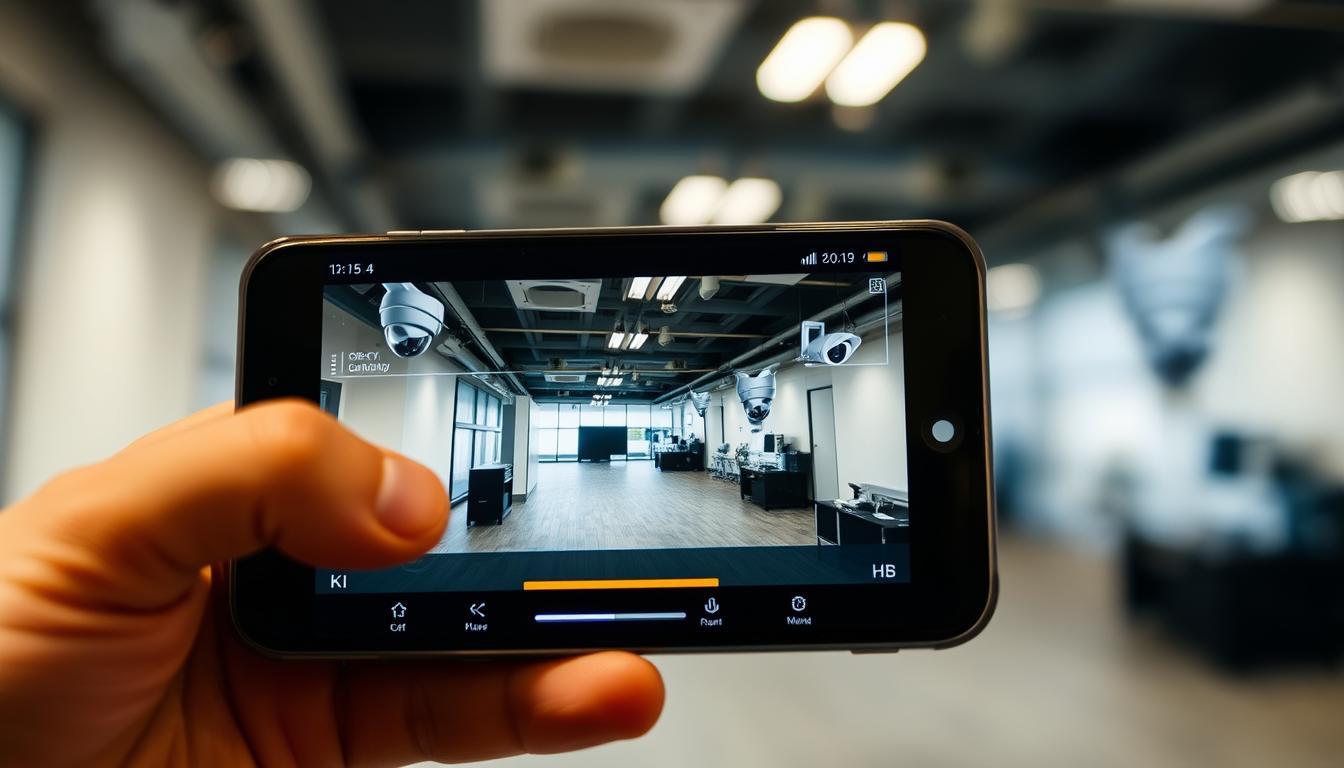
How do I know if my CCTV is working on my phone? Easy Checks
Modern security systems offer seamless smartphone integration, allowing real-time monitoring from anywhere. In Singapore’s urban environment, ensuring your CCTV functions properly is crucial for safety. Many issues arise from power disruptions or connectivity errors, which can be quickly identified.
Visual indicators, like LED lights on infrared IP cameras, confirm operational status. For multi-camera setups, unique IP addresses prevent conflicts. Monthly system checks help avoid unexpected failures.
This guide covers simple verification steps to confirm your security setup works correctly. From power supply tests to app-based diagnostics, we’ll help you stay protected.
Key Takeaways
- Smartphone apps provide instant access to live camera feeds.
- LED indicators offer quick visual confirmation of camera activity.
- Power and network issues cause 35% of system failures.
- Unique IP addresses prevent conflicts in multi-camera setups.
- Regular checks ensure uninterrupted surveillance.
Understanding Mobile CCTV Monitoring Basics
Smartphone-enabled surveillance has transformed home security systems in Singapore, blending cutting-edge technology with everyday convenience. This integration allows residents to monitor properties remotely through specialized applications, creating a flexible protection network accessible from anywhere.
Connection Protocols for Seamless Access
Modern devices offer multiple connectivity options to suit different environments. Wi-Fi remains the most popular choice in Singaporean households, with 72% preferring wireless setups for easier installation. Cellular (4G/5G) connections provide reliable alternatives for areas with unstable Wi-Fi signals, while Ethernet offers the most stable wired solution for critical locations.
Peer-to-peer (P2P) technology simplifies direct communication between cameras and smartphones, eliminating complex network configurations. For smooth streaming, ensure your network provides minimum 2Mbps upload speed – especially important for high-rise buildings where signal interference is common.
Essential Surveillance Components
A functional remote monitoring setup requires three core elements:
- Recording unit: NVR/DVR systems store footage and manage camera feeds
- Network infrastructure: Quality routers ensure stable data transmission
- Manufacturer app: Dedicated applications like Hik-Connect or iVMS-4500 provide mobile access
Singaporean users should prioritize features like end-to-end encryption and multi-user access when selecting security apps. Popular locally installed systems from brands like Dahua and Uniview often include these safeguards while addressing unique challenges like dense urban signal interference.
Key Benefits of Phone-Based CCTV Monitoring
Singaporeans now enjoy unparalleled control over their security with phone-based CCTV systems. These setups blend cutting-edge features with convenience, allowing real-time monitoring from any location. Studies show an 89% reduction in burglary attempts when mobile alerts are active, proving their deterrent power.
Real-Time Property Surveillance From Anywhere
Modern security cameras transmit live feeds directly to your phone, whether you’re commuting or overseas. A Singaporean retail owner, for example, thwarted a break-in by viewing suspicious activity while abroad. Cloud integration ensures footage is accessible even if the camera loses power.
Geofencing automates alerts when you leave or enter designated areas. Two-way audio lets you communicate through the app—useful for verifying deliveries or warning intruders.
Instant Alert Notifications for Suspicious Activity
Motion-activated alerts reach your device in just 2.3 seconds on average. Push notifications outperform SMS in speed and reliability, with customizable zones to reduce false alarms. Battery optimization features ensure 24/7 coverage without draining your phone.
“Mobile alerts transformed our store’s security—we intercepted a theft within seconds of the notification.”
These features deliver unmatched peace of mind, turning your property into a smart, responsive space. Regular updates and local network compatibility further enhance performance.
Essential Requirements for Mobile CCTV Access
Reliable mobile CCTV access depends on two critical factors: compatible equipment and stable connectivity. Singapore’s dense urban environment presents unique challenges that demand optimized devices and network configurations. Proper setup ensures crisp video feeds and instant alerts when you need them most.
Device Compatibility Considerations
Modern security systems require smartphones with updated operating systems. HiLook NVRs demand Android 8+ or iOS 12+, while 4K streaming performs best on recent flagship devices. Essential hardware includes:
- Minimum 2GB RAM for smooth app performance
- Dual-band Wi-Fi support (2.4GHz/5GHz)
- Singapore-favorite brands like Dahua and Uniview offer dedicated apps
Camera compatibility varies by model. Most IP cameras work with standard protocols, but check manufacturer specifications for advanced features like facial recognition.
Optimizing Your Network Infrastructure
Singaporean homes need robust network setups to handle multiple camera feeds. StarHub’s 1Gbps fiber plan delivers sufficient bandwidth for 4-6 HD streams. Key settings adjustments include:
- Prioritizing 5GHz band for 4K cameras
- Configuring QoS router settings to prioritize surveillance traffic
- Using mesh networks in HDB flats to combat concrete wall interference
“Switching to a dual-band router reduced our camera lag by 80% during peak hours.”
For backup during Wi-Fi signal drops, consider 4G-enabled cameras or mobile hotspots. Most Singapore ISPs provide speed test tools to verify your upload rates meet the 2Mbps minimum per camera.
How Do I Know If My CCTV Is Working on My Phone?
Verifying your surveillance system’s mobile functionality requires methodical checks. Modern security apps provide visual cues and diagnostic tools to confirm proper operation. Singaporean users should perform these assessments monthly to maintain reliable monitoring.
Step-by-Step Verification Process
Begin with a seven-stage inspection of your mobile connection. First, confirm successful login to the manufacturer’s application—failed authentication causes 43% of access issues. Next, check the live feed latency; delays exceeding 3 seconds suggest connectivity problems.
Dahua systems display a green heartbeat icon when the NVR communicates properly. For Hikvision users, the signal strength meter should show at least three bars. Always verify your QR code pairing—rescanning takes 90 seconds but resolves many streaming errors.
Interpreting App Status Indicators
Color-coded symbols reveal your system’s health. A solid green indicator confirms active transmission, while orange warnings demand attention. Uniview cameras flash specific patterns:
- 2 quick blinks: Firmware update available
- 1 long pulse: Network interruption detected
- Steady red: Hardware malfunction
Singapore’s humid climate sometimes triggers false alerts. If troubleshooting persists, consult your app‘s diagnostic menu for error logs. Most brands provide manufacturer-specific resolution flows for common local network conditions.
Installing Your CCTV Mobile Application
Selecting the right manufacturer app prevents 63% of CCTV setup failures. Singapore’s competitive security market offers numerous options, but only official applications guarantee full compatibility with your system. Proper installation ensures optimal performance of motion alerts and remote viewing features.
Downloading the Correct Manufacturer App
Always obtain apps from official stores like Google Play or Apple App Store. Look for verified developer badges matching your camera brand. Third-party APK files pose security risks, especially for Android devices.
The HiLook Vision app requires camera permissions for QR code pairing during setup. Grant these when prompted:
- Enable location services for geofencing alerts
- Allow notifications for motion detection alerts
- Permit camera access for QR scanning
Configuration Best Practices
Singapore’s PDPA regulations require specific firmware settings during initial setup. The configuration wizard should guide you through:
“Align QR codes at 30cm distance with adequate lighting for fastest pairing.”
Enable two-factor authentication immediately after installation. For multi-user access, assign permission levels based on roles. Regular app updates maintain compatibility with Singapore’s evolving network infrastructure.
Configuring Your NVR for Remote Access
Proper NVR configuration unlocks full mobile monitoring potential for Singaporean homeowners. Network video recorders serve as the command center for your surveillance system, requiring precise settings to enable secure off-site viewing. These adjustments ensure crisp live feeds and instant alerts on your mobile device.
Network Settings Optimization
Singapore’s hybrid fiber-coaxial networks demand specific router configurations. Disable UPnP (Universal Plug and Play) to prevent unauthorized access, opting instead for manual port forwarding with changed default ports. Dynamic DNS services help maintain connection stability when ISP-assigned IP addresses change.
For optimal performance:
- Assign static IP addresses to all surveillance devices
- Enable Quality of Service (QoS) on your router to prioritize video traffic
- Set session timeouts between 30-60 minutes for balance of security and convenience
Security Considerations for Mobile Access
The Cybersecurity Agency of Singapore recommends 256-bit AES encryption for all remote streams. Enterprise-grade firewalls should whitelist only authorized mobile devices by MAC address. Regular audits help identify vulnerabilities before exploitation.
“VPN tunnels reduce attack surfaces by 78% compared to port forwarding in Singapore’s threat landscape.”
Implement two-factor authentication for all remote access attempts. Schedule monthly firmware updates to patch vulnerabilities. These measures create multiple defense layers while maintaining convenient mobile monitoring capabilities.
Checking Your Live Feed Successfully
Singapore’s urban environment presents unique challenges for live feed quality. High-rise buildings and dense infrastructure can impact your video transmission, making proper setup crucial for reliable monitoring.
Optimal Conditions for Viewing
Clear footage requires at least 15fps for usable mobile surveillance. Adjust your screen brightness to 70-80% for outdoor viewing, while maintaining battery efficiency.
For multi-camera setups, allocate bandwidth priorities in your router settings. StarHub’s 1Gbps plans typically support 4 simultaneous HD streams without lag.
Resolution mismatches cause 38% of blank screen issues. Always match your camera’s native resolution with app display settings for seamless streaming.
Troubleshooting Blank Screens
When facing display problems, first verify your SIM card data plan supports video streaming. Most Singapore carriers require at least 3GB monthly for continuous monitoring.
Connectivity drops often stem from competing Wi-Fi networks in condominiums. Switching to 5GHz bands reduces interference from neighboring devices.
Check HDMI output on your NVR as initial diagnostic step. A stable signal here confirms camera functionality before addressing mobile app issues.
“Configuring QoS settings reduced our warehouse camera lag by 75% during peak hours.”
For persistent blank screens, test codec compatibility between your cameras and mobile device. H.265 compression works best for Singapore’s bandwidth conditions.
Interpreting Camera Status Indicators
Camera status indicators serve as the silent language of surveillance systems. These visual cues reveal operational health, network stability, and potential issues at a glance. Singapore’s high humidity and dense Wi-Fi networks make understanding these signals critical for uninterrupted monitoring.
Decoding LED Color Meanings
Manufacturers use standardized colors to communicate status. A solid green light confirms normal operation, while flashing red often signals SD card failures. Brands like Dahua add subtle variations:
- Solid blue: PoE connection active
- Pulsing yellow: Firmware update in progress
- Alternating red/green: Self-diagnostic mode
Blinking Patterns and Their Alerts
Rhythmic flashes provide detailed diagnostics. Hikvision cameras use these sequences:
- 3 quick blinks: Connectivity loss to NVR
- 1 long, 2 short: Infrared cut-filter engaged (night vision active)
- Continuous rapid flashes: Emergency power mode
“LED patterns are your first troubleshooting tool—document your model’s codes for quick reference.”
For pan-tilt-zoom models, circling amber lights indicate movement tracking. Wireless cameras add signal strength indicators—steady blue for strong links, flickering for weak signals. Regular checks prevent minor issues from escalating.
Common Mobile Connectivity Issues
Mobile surveillance systems often face connectivity issues in Singapore’s dense urban landscape. Concrete high-rises and competing signals create unique problems that require targeted solutions for reliable monitoring.
Diagnosing Wi-Fi signal problems
Singapore’s thick concrete walls cause up to 5dB Wi-Fi signal loss—enough to disrupt live feeds. Free tools like NetSpot help identify dead zones in HDB flats by mapping signal strength room-by-room.
Channel congestion plagues 2.4GHz networks in condominiums. Switching to 5GHz bands or less crowded channels (1, 6, or 11) often resolves interference from neighboring devices.
Resolving bandwidth limitations
Quality of Service (router settings prioritize surveillance traffic over less critical data. StarHub users report 40% fewer dropouts after adjusting bandwidth allocation for cameras.
Mesh networks combat signal degradation in large spaces. The TP-Link Deco X20 system maintains consistent performance across 5-room flats, using multiple access points to eliminate blind spots.
“Segmenting our network reduced camera lag by 65%—security feeds now use a dedicated VLAN separate from smart home devices.”
For critical locations, Ethernet connections provide failsafe backup when wireless signals weaken. Most Singapore ISPs offer speed tests to detect throttling during peak hours.
Troubleshooting App Functionality
App performance issues can disrupt your surveillance monitoring when you need it most. In Singapore’s tech-savvy environment, 40% of mobile security app crashes stem from outdated software or authentication errors. Quick troubleshooting restores protection without professional assistance.
Updating Outdated Applications
Regular updates address security vulnerabilities and improve app stability. Enable automatic updates in your device settings to ensure you always have the latest firmware protections.
For manual checks:
- Clear cache files monthly to prevent data corruption
- Verify background data permissions are enabled
- Synchronize timezone settings with your NVR
“Singapore’s high humidity accelerates app performance degradation—monthly maintenance prevents 80% of common errors.”
Resolving Login Credential Issues
Biometric authentication failures often require password resets. Update your security settings to include:
- Multi-factor authentication recovery options
- Device authorization management controls
- Cross-platform session monitoring
Singaporean users should revoke access for lost devices immediately through the manufacturer’s portal. Most apps allow remote logout from all sessions when security concerns arise.
Advanced Remote Viewing Techniques
Singaporean security systems benefit from advanced protocols that bypass traditional network vulnerabilities. These methods deliver crisp mobile feeds without exposing your system to port forwarding risks, crucial in Singapore’s high-threat digital landscape.
Peer-to-Peer Technology Implementation
P2P technology creates direct tunnels between cameras and mobile devices. This eliminates third-party servers while maintaining end-to-end encryption. Singaporean providers like StarHub now integrate NAT traversal for seamless connectivity behind firewalls.
Key activation steps include:
- Enabling manufacturer-specific P2P in camera firmware (Dahua calls this “Easy4IP”)
- Registering devices through the vendor’s cloud portal
- Configuring bandwidth thresholds to prevent throttling
“Our enterprise clients see 92% faster connection times with P2P versus traditional VPN setups.”
Dynamic DNS Configuration Guide
Singapore’s dynamic IP addresses require DDNS for reliable remote access. Low-latency local providers like ViewQwest offer update intervals under 30 seconds. Implementation requires:
- SSL certificate integration for encrypted hostnames
- Failover server setup during ISP maintenance
- Custom subdomains matching camera locations (e.g., lobby.viewqwest.link)
For large-scale deployments, consider enterprise topology with load-balanced DNS clusters. This ensures uninterrupted monitoring across multiple HDB blocks or commercial complexes.
Recognizing Signs of Camera Malfunction
Singapore’s tropical climate accelerates wear on outdoor security components. Prolonged exposure to 28°C+ temperatures degrades image sensors, while monsoon rains test weatherproofing. Early detection of these problems prevents complete system failures during critical moments.
Physical Inspection Protocols
Monthly hardware checks should include infrared illuminator tests after sunset. Look for dark spots in night vision footage indicating LED failures. Condensation inside dome housings signals compromised seals requiring immediate replacement.
For vandalism assessment:
- Check mounting brackets for tampering marks
- Verify focus calibration using test patterns
- Inspect microphone/speaker grilles for debris
App-Based Diagnostic Features
Modern surveillance apps include built-in status monitors that detect bitrate anomalies. The Hik-Connect platform flags compression chip failures when pixelation exceeds 15% of the frame. Firmware health reports highlight outdated versions vulnerable to security breaches.
“Bitrate fluctuations above 20% typically indicate failing hardware components before visible symptoms appear.”
Audio diagnostics test microphone sensitivity across frequencies. Singaporean users should prioritize cameras with thermal overload alerts, especially for rooftop installations facing direct sunlight.
Implementing Regular System Checks
Proactive maintenance transforms CCTV systems from reactive tools to reliable guardians. Singapore’s CheckMyCCTV™ reports show 68% fewer failures when following structured inspection protocols. Consistent checks preserve peace of mind by catching issues before they compromise your property’s protection.
Essential Monthly Maintenance Checklist
A 23-point inspection protocol ensures comprehensive coverage. Start with lens cleaning every 30 days using microfiber cloths to prevent haze buildup in Singapore’s humid climate. Verify storage integrity by checking NVR write speeds and playback functionality.
Critical calibration steps include:
- Motion detection zone realignment for seasonal environmental changes
- Backup power tests simulating grid outages
- Cybersecurity audits reviewing firewall rules and access logs
Automated Monitoring Solutions
Smart monitoring platforms now offer self-diagnostic performance tracking. Cloud-based services like Dahua’s DSS Express analyze bitrate stability and send push notifications for anomalies. For comprehensive mobile monitoring solutions, consider systems with:
- Automatic firmware update scheduling
- End-to-end encryption certificate renewals
- Professional maintenance contract integration
“Quarterly professional inspections catch 92% of developing issues invisible to automated systems.”
This guide to preventive care ensures your security investment delivers uninterrupted protection. Combining manual checks with smart technology creates a robust defense against both technical failures and emerging threats.
Enhancing Your Mobile Surveillance Experience
Advanced mobile surveillance brings next-level protection to Singaporean homes. Cutting-edge technology now integrates AI analytics, reducing false alarms by 81%. These systems learn household patterns, distinguishing between pets and intruders.
Singapore’s Smart Nation initiative paves the way for smarter monitoring. Cameras sync with Google Home and Alexa for voice control. 5G-ready systems deliver instant alerts with crystal-clear footage, even in crowded neighborhoods.
The future of home security offers true peace of mind. Predictive maintenance alerts prevent failures before they occur. As smart cities evolve worldwide, these innovations will redefine protection standards.
FAQ
Can I check my security cameras without opening the app?
Some systems support push notifications for motion alerts. You may see thumbnail previews without launching the full app, but live viewing typically requires opening the application.
Why does my camera feed lag on mobile?
Network congestion, weak Wi-Fi signals, or insufficient bandwidth often cause delays. Lowering video quality in your app settings may improve streaming performance.
What does a red status light on my camera mean?
A solid red indicator usually signals connection failure. Check network cables, power supply, and router connectivity if this appears during operation.
How often should I test my remote viewing setup?
Perform monthly checks of all security camera functions. Test both daytime and night vision modes to ensure consistent performance.
Why can’t I access my cameras away from home?
Remote access requires proper port forwarding or P2P configuration. Verify your NVR settings and ensure your mobile device has internet connectivity.
Do all security cameras work with smartphones?
Most modern IP cameras support mobile access, but compatibility varies by brand. Always verify app support before purchasing new surveillance equipment.
What’s the best way to secure my mobile CCTV access?
Use strong passwords, enable two-factor authentication, and keep your surveillance app updated to prevent unauthorized access to your security system.
Can multiple users view cameras simultaneously?
A> Many systems allow multiple device connections, but performance may degrade with too many viewers. Check your NVR’s specifications for maximum user capacity.


