
How do I know if my CCTV is working? Simple Checks
Your surveillance system provides critical protection for your property. In Singapore’s dense urban landscape, reliable monitoring is essential for safety. A functioning CCTV setup offers real security and valuable peace of mind.
This guide presents clear steps to verify your security cameras work properly. We focus on practical methods suitable for any home or business. You will learn to perform basic checks without technical expertise.
Regular verification ensures your system meets your security needs. Cameras require active maintenance, not a “set and forget” approach. Proactive checks confirm they record when needed most.
Key Takeaways
- Confirming your CCTV operates correctly is vital for property security.
- Active surveillance requires functional cameras for effective monitoring.
- Multiple verification methods exist to check your system status.
- Understanding camera functionality helps prevent security gaps.
- Regular inspections ensure cameras work during critical moments.
- Simple visual and technical checks can quickly assess performance.
- Proper maintenance provides reliable protection and peace of mind.
Why Regularly Checking Your CCTV is Non-Negotiable in Singapore
Singapore’s specific living conditions elevate routine camera maintenance from a suggestion to a necessity. Over 84% of households now view surveillance systems as essential. This isn’t just about having cameras; it’s about ensuring they work flawlessly.
Regular verification protects your investment and, more importantly, your safety. A non-functional system offers no real protection. It creates a dangerous illusion of security.
The High Stakes of Urban Security in a Dense Environment
The unique urban landscape here presents distinct challenges. High-rise HDB flats, condominiums, and bustling commercial areas create complex security zones. Shared corridors, lifts, and common facilities are particularly vulnerable.
Physical patrols cannot provide constant coverage in these high-density areas. Reliable monitoring falls to electronic eyes. A well-maintained CCTV network fills this critical gap.
Data from the Singapore Police Force highlights the impact: visible security cameras reduce crime rates by 27% in housing estates. This statistic underscores the high stakes. Your system must be active to be effective.
From Deterrence to Evidence: The Multifaceted Role of CCTV
Modern security systems serve multiple, vital functions. First, they act as a powerful visual deterrent. Potential intruders often avoid properties with obvious, active surveillance.
Beyond prevention, these systems provide crucial forensic evidence. Should an incident occur, clear, timestamped footage is invaluable. It is vital for police reports and successful insurance claims.
For families and business owners, the ability to monitor property remotely addresses core safety concerns. This real-time access aligns perfectly with Singapore’s Smart Nation goals.
Regular checks ensure this multi-layered tool is always operational. It must work as a deterrent, a live monitor, and an evidence collector. Neglecting maintenance creates security gaps at the worst possible moment.
Proactive verification guarantees your system meets your security needs. It transforms a static installation into a dynamic shield for your home or business.
How do I know if my CCTV is on or off? Start with Visual Clues
Your cameras display obvious signs when they are powered on. A quick visual check can confirm a system’s operational status without any technical tools.
This immediate assessment uses the physical features of the units. Look for three primary signs.
Decoding LED Indicator Lights and Their Meanings
Modern security devices communicate status through small indicator lights. These are often located on the front or side of the housing.
A solid green light usually indicates normal power and operation. A blinking green or amber light often signals network activity or recording. Red lights typically mean the night vision mode is active.
Blue indicators can show motion detection is engaged. Different manufacturers use various color codes.
Always refer to your product manual for precise interpretations. The absence of any light is a major red flag.
Observing Physical Movement in PTZ and Motorized Cameras
Cameras with motorized capabilities offer a clear visual confirmation. Use your system’s control software to command a pan or tilt.
Observing the housing physically rotate or angle upward provides undeniable proof. It receives power and processes commands correctly.
This test is especially useful for dome-style units. A stationary unit might indicate a power or motor failure.
Spotting the Infrared Glow in Low Light Conditions
Security systems often operate in complete darkness. This function relies on infrared technology.
When ambient light levels drop, the camera’s IR LEDs activate. You will see a faint red ring around the lens.
This visible glow confirms the unit is powered and actively monitoring. If no red lights appear in a dark room, a serious problem likely exists.
These simple visual checks form the foundation of any security assessment. They provide a fast, reliable status report for your property.
Using Your Mobile App for Instant Status Confirmation
Modern surveillance technology puts verification power directly in your pocket through dedicated mobile applications. Your smartphone becomes the ultimate tool for real-time system checks. This method provides immediate, remote confirmation of your security setup’s health.
Companion software from brands like Hik-Connect or Reolink offers comprehensive control. These platforms transform status verification from a guess into a certainty. You gain direct insight into every camera’s operational state.
Accessing and Verifying the Live Video Feed
Open your security system’s dedicated mobile app and log in. Navigate to the live view section immediately. A clear, uninterrupted stream with a current timestamp confirms active operation.
The dashboard should display smooth video playback without lag or freezing. This real-time feed is the primary indicator of proper function. Any disruption suggests connectivity or power issues requiring attention.
For comprehensive guidance on mobile verification, explore our detailed resource on how to check CCTV functionality via.
Testing Motion Detection Alerts and Push Notifications
Walk within your camera’s field of view to test motion detection. A properly configured system sends push notifications within seconds. These alerts should appear directly on your phone’s lock screen.
Check your app’s notification settings to ensure they’re enabled. The sensitivity levels often need adjustment for optimal performance. Regular testing prevents missed events during critical moments.
Failed alerts indicate configuration problems or sensor malfunctions. Immediate troubleshooting restores this vital security feature.
Checking Timestamps and Feed Responsiveness for Accuracy
Compare the timestamp on your live feed with your phone’s clock. Synchronization is crucial for accurate event logging. Discrepancies suggest system clock errors needing correction.
Test feed responsiveness by using interactive features. Try two-way audio or PTZ camera controls if available. Commands should execute smoothly without significant delay.
Most apps include a device health section. This area displays connection strength, storage status, and active error messages. Regular monitoring here provides a complete system overview.
Persistent connection failures or “offline” status demand immediate investigation. These signs point to power, network, or configuration problems affecting security.
Conducting a Power Supply and Connection Audit
The reliability of any electronic monitoring system hinges on stable power delivery and robust data connections. Before investigating complex software glitches, always start with a thorough physical inspection of your security setup. This systematic approach identifies the root cause of most surveillance failures.
A methodical audit of this physical infrastructure often resolves what appears to be a complex technical issue. Focus on the pathways that deliver electricity and transmit video data. These fundamental components form the backbone of operational security.
Inspecting Power Adapters, Cables, and Indicator Lights
Begin your audit at the source of electricity. Locate the power adapter plugged into your wall outlet. Verify the unit feels warm to the touch, indicating active current flow.
Check for a lit LED on the adapter itself. This small light confirms the transformer is receiving mains power. A dark adapter suggests a tripped circuit breaker or faulty socket.
Test the outlet by plugging in another device, like a lamp. This simple check rules out electrical problems at the source. Next, trace the DC power cable running from the adapter to your camera.
Ensure connections are fully seated and secure at both ends. Look for any visible damage along the cable’s length. Frayed wires or cracked insulation can interrupt the power supply.
Finally, observe the camera housing for its own indicator lights. A solid or blinking light typically means the unit is receiving power. Different colors signal various operational modes.
Refer to your product manual for specific light codes. The complete absence of any glow is a definitive red flag. This visual inspection takes only minutes but provides critical information.
Verifying Wired Ethernet and Network Connections
Wired IP cameras depend on physical Ethernet links for data transmission. Trace the network cable from each camera back to your router or switch. Examine the entire length for kinks, cuts, or chew marks from pests.
Check the RJ45 connectors at both ends. They should click firmly into their ports. A loose connection can cause intermittent signal loss and video dropouts.
Inspect the corresponding lights on your network equipment. Most routers have activity indicators for each Ethernet port. Blinking lights confirm data is flowing through that connection.
For installations with multiple cameras, label each cable at both ends. This organization simplifies future troubleshooting. It helps quickly identify which line serves which camera location.
Consider testing cables with a network tester if problems persist. These affordable tools verify all eight wires inside the Ethernet cable are properly connected. Faulty wiring inside the jacket is invisible to the naked eye.
Troubleshooting Unstable Wi-Fi for Wireless IP Cameras
Wireless cameras introduce different challenges. They depend entirely on a stable radio signal from your router. Weak Wi-Fi is the most common cause of connectivity problems for these units.
Check your router’s admin interface first. Look for the camera in the list of connected devices. An “online” status confirms basic network handshaking is successful.
Use a Wi-Fi analyzer app on your smartphone. Stand near your camera’s location to measure signal strength. Most apps display signal strength in decibels (dBm).
A reading stronger than -67 dBm is generally acceptable for video streaming. Weaker signals cause lag, freezing, or complete disconnection. Thick concrete walls in Singaporean HDB flats significantly weaken Wi-Fi signals.
Common household appliances also create interference. Microwaves, cordless phones, and baby monitors operate on similar 2.4GHz frequencies. Reposition your router or camera to avoid these obstacles.
Consider adding a Wi-Fi extender if signal weakness persists. Place it halfway between your router and the problem camera. This creates a reliable bridge for video data transmission.
Regular monitoring of wireless performance prevents unexpected dropouts. A stable connection ensures continuous surveillance coverage for your property.
Advanced Verification with Electronic Signal Detectors
The most conclusive way to confirm a camera is actively transmitting involves specialized detection tools. This method goes beyond checking for power lights or app connectivity.
It provides a hardware-level answer by scanning for the electronic signals cameras emit.
How Bug Detectors Can Confirm Camera Transmission
Electronic bug detectors, often called RF detectors, scan for radio frequency emissions. Wireless security cameras generate these RF signals when streaming video.
These handheld tools monitor the airwaves for such transmissions. Sweeping a detector around a room provides immediate feedback.
An alert from the device confirms an active wireless transmission is present. This verification happens without needing to access the camera’s software or network settings.
It represents the definitive technical method for detection. You learn if a device is broadcasting, not just powered on.
Using These Tools for Privacy Assurance and Hidden Camera Checks
This capability is invaluable for personal security and privacy assurance. It addresses a specific and serious concern.
These detectors are particularly useful in temporary accommodations. They are essential for checking hotel rooms, Airbnb rentals, or changing areas.
The scan provides an extra layer of security against unauthorized surveillance. It helps spot hidden threats that visual inspection might miss.
You can also use this technology on your own property. Verify your wireless cameras are emitting the expected signals.
This confirms their functionality from a transmission standpoint. It complements other checks for a complete system audit.
Understanding this detection capability is part of comprehensive security knowledge. While not an everyday tool for most, its function is important.
It offers ultimate assurance for specific privacy concerns. Investing in a quality detector provides significant peace of mind for home and work.
Ensuring Your Network Foundation is Solid and Stable
The performance of your IP-based security cameras is directly tied to the health of your home network. A weak or congested connection causes lag, dropouts, and failed recordings. Building a stable foundation prevents these common problems.
This foundation supports every modern feature. It enables smooth remote viewing, instant motion alerts, and reliable cloud storage. Your network is the unseen backbone of the entire surveillance system.
Optimizing this setup requires a few strategic steps. Focus on placement, connection type, and traffic management.
Optimal Router Placement for Strong Camera Connectivity
Strategic router placement dramatically improves camera performance. Centralize your router within the home for balanced coverage. This is crucial in Singaporean HDB flats with concrete walls.
Try to position the unit within 10 meters of your key security cameras. Elevate the router on a shelf to avoid signal obstruction. Keep it away from large metal appliances and thick furniture.
Concrete construction materials heavily absorb Wi-Fi signals, especially the faster 5GHz band. A central, elevated location helps the signal penetrate difficult areas more effectively.
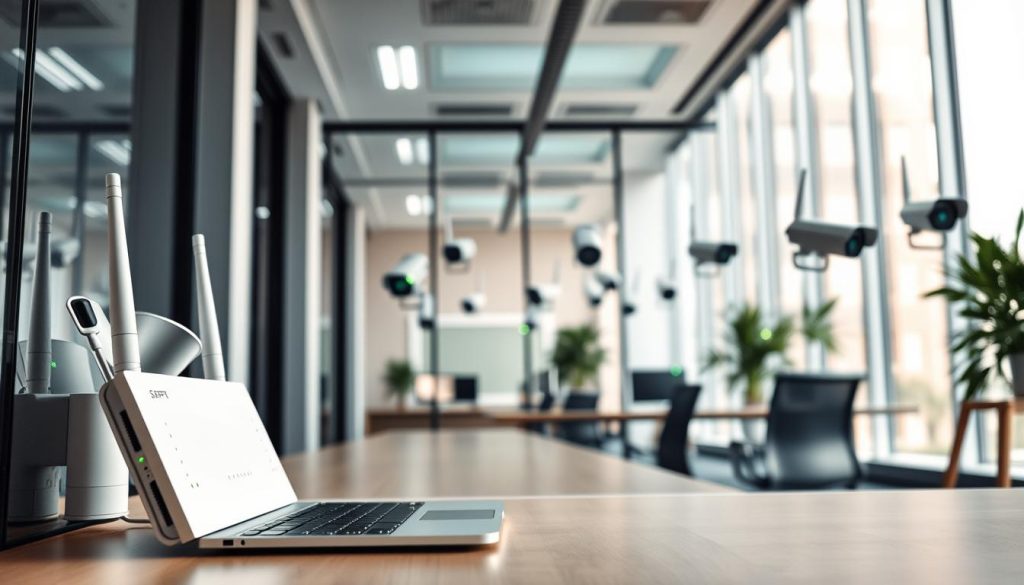
For larger homes or challenging layouts, consider a mesh Wi-Fi system. It creates a seamless web of coverage, eliminating dead zones. This investment ensures strong connectivity in every corner.
Wired vs. Wireless Setups: Weighing Reliability and Flexibility
Choosing between wired and wireless connections involves a key trade-off. Ethernet cables provide superior reliability and speed for fixed cameras. This setup is ideal for permanent installations where running cables is possible.
Data shows Ethernet offers up to 30% faster connection speeds than Wi-Fi. This is critical for high-resolution 4K CCTV cameras. It guarantees a stable, dedicated data pathway.
Wireless setups offer valuable placement flexibility. They are perfect for locations where drilling for cables is impractical. Ensure your cameras connect to the less congested 5GHz band if supported.
The 2.4GHz band is more common but slower and prone to interference. Always verify signal strength at the camera’s mounting point during installation. A strong initial connection prevents future headaches.
Managing Bandwidth for Multiple HD Camera Feeds
Multiple cameras streaming HD video can strain a home network. Each high-definition feed typically consumes 2-4Mbps of bandwidth. Four cameras can easily use over 15Mbps.
This saturation causes video lag, freezing, or complete dropouts. Proactive bandwidth management is essential for multi-camera systems. The goal is to prioritize surveillance traffic.
Access your router’s admin settings and enable Quality of Service (QoS). This feature lets you prioritize data packets from your security cameras. It ensures smooth streaming even when other devices are downloading large files.
Regular maintenance also helps. Reboot your router and network switches every few months. This clears temporary memory glitches that degrade performance over time.
A well-planned network eliminates a major source of technical issues. It transforms your collection of cameras into a cohesive, responsive security system.
Identifying Real CCTV Cameras vs. Convincing Dummy Units
The effectiveness of security deterrence depends heavily on whether observers believe your cameras are genuine recording devices. This distinction matters for property owners evaluating their own systems and for assessing neighboring security setups. Knowing what to look for prevents investment in ineffective props.
Authentic surveillance equipment serves both psychological and functional roles. Dummy units offer only visual presence without actual monitoring capability. Spotting the difference requires examining specific physical and technical attributes.
Examining Wires, Connectors, and Housing for Authenticity
Begin your inspection with the most visible components. Functional security cameras require legitimate wiring for both electricity and data transmission. Follow the cable from the unit to confirm it connects to a genuine power source.
Look for proper connectors that seat securely in their ports. Flimsy or decorative wires that end abruptly indicate a dummy unit. Real installations feature robust cabling designed for long-term outdoor or indoor use.
Assess the housing material carefully. Authentic cameras use durable plastics or metal alloys that feel substantial. They withstand weather exposure and potential tampering attempts.
Lightweight, hollow-feeling housings often signal imitation products. Check the lens itself—it should be actual glass or high-quality polycarbonate. A painted dot or plastic cover cannot capture video.
Subtle status LEDs provide another telltale sign. These small lights illuminate during operation, though some models hide them discreetly. Their presence confirms electronic activity within the housing.
Researching Brands and Models for Common Security Features
Before purchasing or verifying existing equipment, invest time in brand research. Reputable security manufacturers maintain detailed online specifications for their products. These documents list standard features and technical capabilities.
In Singapore, legitimate brands like Hikvision, Dahua, and Axis have official distribution channels. Verify sellers through company websites to avoid counterfeit products. Customer reviews offer real-world insights into performance and build quality.
Compare the physical unit against official product images. Check for model numbers and certification marks. Authentic devices include proper documentation and warranty information.
Some advanced dummy units mimic operational signs like blinking LEDs. They lack core functionalities such as network connectivity or mechanical movement. Research helps you recognize these limitations.
Understanding these distinctions ensures your security investment delivers actual protection. It also helps identify when neighboring properties use convincing replicas rather than functional systems.
Step-by-Step Troubleshooting for Common CCTV Issues
Most security camera problems follow predictable patterns. Systematic diagnosis resolves them without professional help. Begin with the simplest potential causes first.
Document any error messages displayed on screens or in software logs. These codes provide specific clues for faster resolution. Organized notes streamline the entire process.
Addressing “No Video Signal” or Black Screen Problems
A blank monitor or app view indicates a broken video chain. Follow a logical sequence to isolate the fault. Start with power verification at the source.
Check the wall outlet with another device like a lamp. Ensure the power adapter feels warm and shows an indicator light. Trace the cable to the camera for secure connections.
Next, examine the video or data connection. For wired cameras, inspect Ethernet cables for damage. Verify Wi-Fi signal strength at the camera’s location.
Finally, perform a reboot of both the camera and recorder. Power cycle each device completely. This clears temporary software glitches that cause blank screens.
If the feed remains black, test with a different monitor or cable. This confirms whether the issue lies with display hardware. Methodical elimination pinpoints the exact failure point.
Resolving Mobile App Connectivity and Login Failures
Remote access problems often relate to network changes. First, ensure you’re on a different network than your surveillance system. Use mobile data to test remote connectivity.
Check if your router’s public IP address has changed. This affects port forwarding rules required for remote access. Update these settings in your router administration panel.
Verify your login credentials are correct in the mobile app. Simple typos cause most authentication failures. Use the password recovery feature if available.
For persistent login issues, reset the camera to factory defaults. Re-add it to the app following the pairing process carefully. Scan the QR code during setup for proper configuration.
An IP address scan can reveal network conflicts. Two devices with the same IP cause connection failures. Assign static IP addresses to your cameras for stability.
Fixing Issues with Recording and Playback of Footage
When a system stops capturing events, check storage health first. Is the hard drive in the NVR full or faulty? Are SD cards in cameras formatted with adequate capacity?
Verify recording schedules are enabled in system settings. Continuous or motion-activated recording must be active. Review these configurations periodically.
Playback problems often stem from corrupted storage or incompatible players. Try accessing the footage from a different device. Use the manufacturer’s official playback software for best compatibility.
File corruption can occur during power outages. Ensure your system has proper surge protection. A UPS provides clean power during brief electrical interruptions.
Check that the correct time and date stamps appear on recorded files. Incorrect timestamps complicate event review. Synchronize your recorder with an internet time server.
Systematic troubleshooting resolves most common surveillance issues. Follow these steps in order before seeking professional assistance. Regular verification prevents many problems from developing initially.
Keep a log of resolved issues and their solutions. This creates a valuable reference for future maintenance. Your security system remains reliable through proactive care.
Essential Maintenance Tips to Keep Your System Running Smoothly
Consistent care transforms your security investment into a reliable long-term solution. It addresses both visible wear and invisible software issues.
Establishing a simple routine ensures all components function optimally. This includes cleaning, updating, and reviewing your entire setup.
Regular Cleaning of Camera Lenses and Housings
Singapore’s tropical climate presents unique challenges for outdoor equipment. Humidity, rain, and dust accumulate on external surfaces quickly.
Clean camera lenses every three to six months for clear visibility. Use a soft microfiber cloth with appropriate lens cleaner.
Gently wipe away dust, spider webs, and water spots. Avoid abrasive materials that could scratch delicate glass.
Inspect the housing for cracks or seal damage after severe weather. Proper maintenance preserves image quality for reliable footage.
Scheduling Firmware and Software Updates
Manufacturers release periodic updates to enhance security and performance. These patches address vulnerabilities and improve stability.
Enable automatic updates in your camera’s settings when available. This ensures you receive the latest protections seamlessly.
Check the manufacturer’s website quarterly for manual updates. New features often accompany these software releases.
Update your mobile monitoring software simultaneously. This maintains compatibility between all system components.
Always back up your configuration before applying major updates. This precaution allows easy restoration if needed.
Periodic Review of Storage Capacity and Settings
Conduct quarterly checks of your storage solutions. For NVRs and DVRs, verify hard drive health and available space.
Cloud subscriptions and SD cards require similar attention. Ensure automatic renewals are active and cards show no signs of failure.
Configure alerts for when storage reaches 80% capacity. This provides ample time to manage archived recording files.
Revisit motion detection settings every few months. Adjust zones and sensitivity to reduce false triggers from environmental changes.
Verify that recording schedules align with your current security needs. Update alert recipient lists if contact information changes.
Perform bi-annual physical inspections of all mounts and cables. Look for wear, corrosion, or animal damage after storms.
Document all maintenance checks in a simple log. This creates a valuable history for troubleshooting recurring issues.
Your system remains dependable through these consistent checks. Proper care ensures your cameras capture every important moment.
When DIY Checks Aren’t Enough: Signs You Need a Professional
While DIY maintenance saves money, certain situations demand professional security expertise. Homeowners and business managers should recognize clear warning signs. These indicators suggest your troubleshooting efforts have reached their limit.
Calling in a specialist at the right moment prevents small issues from becoming major security failures. It ensures your property remains properly protected. Professional help also brings specialized tools and regulatory knowledge.
Persistent Technical Glitches and Recurring Failures
Repeated technical problems signal deeper underlying issues. If cameras frequently drop offline or show distorted video, investigate further. These glitches often point to complex hardware or network failures.
Basic fixes like rebooting may provide temporary relief. The same issue returning suggests a root cause beyond simple solutions. Professionals use diagnostic tools for cable testing and signal analysis.
They identify problems in wiring, power supplies, or network configurations. Their expertise resolves recurring failures efficiently. This saves time and frustration compared to endless DIY attempts.
Suspected Tampering or Physical Damage to Equipment
Visible damage requires immediate professional assessment. Cracked housings from impact compromise weatherproof seals. Water ingress or burnt components indicate serious electrical issues.
These problems typically need expert repair or complete replacement. Unauthorized access presents another critical concern. Changed settings you didn’t authorize suggest possible tampering.
Unknown user accounts or redirected camera angles demand forensic investigation. Security professionals conduct thorough audits of your entire system. They re-secure configurations and restore proper monitoring functions.
Complex System Upgrades and Advanced Configuration
Major expansions benefit from professional planning and execution. Adding multiple new cameras requires careful network capacity assessment. Integrating access control or advanced analytics needs expert configuration.
Setting up complex network video recorders (NVRs) involves technical precision. Compatibility between components ensures optimal performance. Professionals manage these intricate setups effectively.
They configure advanced features like motion zoning and privacy masking. Their work guarantees all elements function together seamlessly. This creates a cohesive security solution rather than separate devices.
Specialists possess tools beyond typical homeowner resources. These include network analyzers and specialized configuration software. Their efficiency in diagnosis and repair justifies the investment.
In Singapore, licensed providers ensure work meets local regulations. They understand specific building codes and environmental factors. Ongoing maintenance contracts offer valuable peace of mind.
Timely professional intervention prevents incorrect installations. It avoids security gaps that could compromise your property. This proactive approach protects your long-term investment in surveillance.
Implementing a Routine Check Schedule for Lasting Security
Establishing a regular verification schedule transforms your security cameras from passive devices into active guardians. This proactive approach ensures your system functions properly during critical moments. Monthly checks boost reliability by an impressive 67%.
Create simple monthly routines using your mobile apps. Verify live feed access and test motion alerts. These quick steps catch most issues early.
Schedule thorough quarterly inspections for all home and business areas. Clean lenses, review settings, and install updates. Annual deep-dives should assess camera angles and features.
Integrate these tools into your existing calendar with reminders. Document each verification briefly for tracking purposes. Regular maintenance moves you from questioning functionality to confident assurance.
This disciplined approach delivers true security and lasting peace of mind for Singaporean users. Your property remains protected through consistent care.
FAQ
What are the quickest visual signs my security camera is active?
Look for a solid or blinking LED light on the device, which is a common power and status indicator. In low light, you might see a faint red glow from the infrared LEDs. Motorized PTZ units may move slightly during self-checks.
Can my phone confirm the entire surveillance system is recording?
Yes. Open your system’s official app, like those from Hikvision or Dahua. A live, timestamped feed confirms operation. Test motion alerts by walking in view; a prompt notification confirms detection and recording features are active.
Why is a stable network connection critical for my IP cameras?
Wireless cameras rely on a strong Wi-Fi signal for video transmission. Weak connections cause lag, failed alerts, or black screens. For reliability, a wired Ethernet setup with a PoE switch often provides the most stable power and data connection.
How can I distinguish a real security camera from a convincing dummy unit?
Check for functional details: authentic devices have wiring for power and network, a brand name like Axis or Uniview, and a visible lens with infrared LEDs. Dummy models typically lack these working internal components and connections.
What basic maintenance prevents common CCTV problems?
Regularly clean the camera lens with a soft cloth for a clear picture. Schedule firmware updates through the app to patch security flaws. Periodically check your NVR or cloud storage capacity to ensure continuous recording without overwriting crucial footage.
When should I call a professional installer instead of troubleshooting myself?
Contact a professional for persistent issues like recurring system failures, complex wiring problems, or suspected physical damage. They are also essential for advanced setup, integrating multiple security features, and ensuring optimal camera placement for full coverage.


