
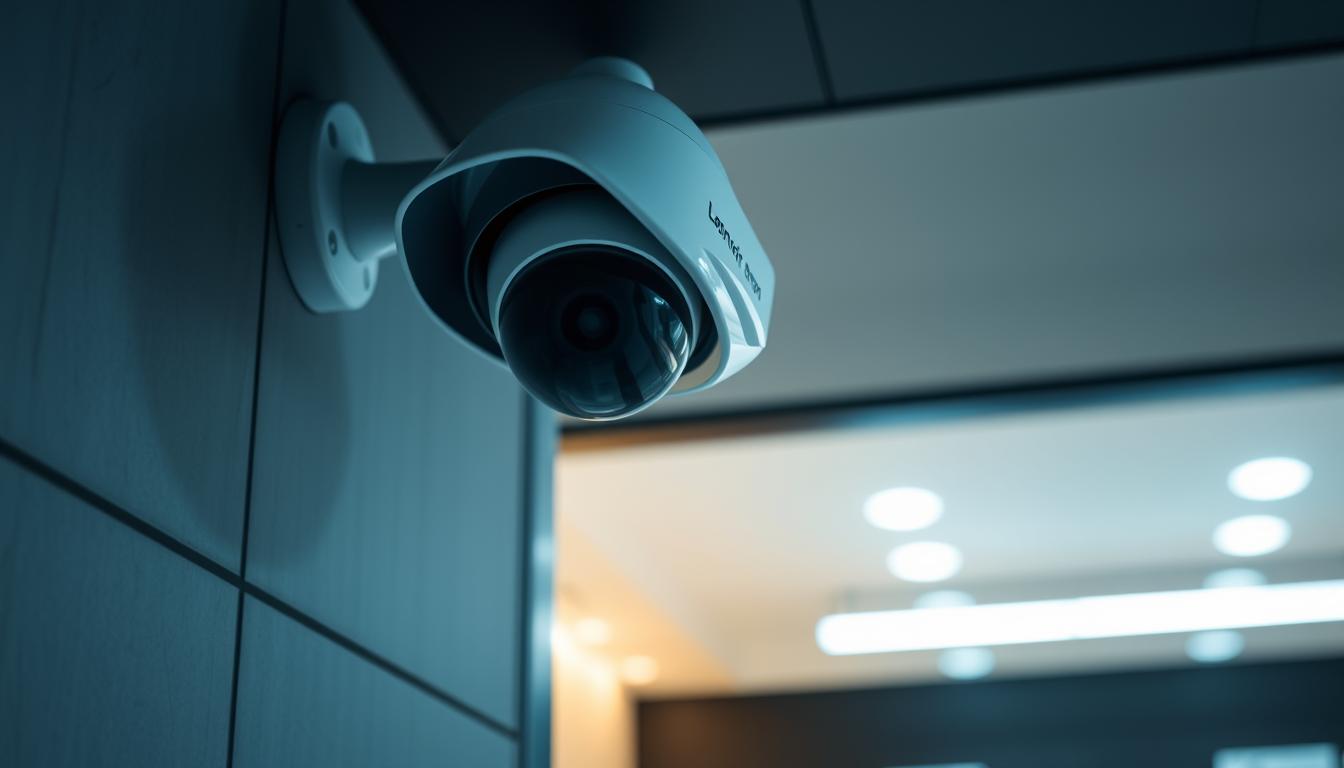
How do I know if my CCTV is on or off? Easy Checks
Keeping your security system operational is crucial for safety. In Singapore, over a million CCTV cameras monitor public and private spaces, yet nearly half may not function properly. A non-working camera creates gaps in surveillance, leaving properties vulnerable.
Modern systems like the Reolink Altas PT Ultra offer 4K recording and night vision, but even advanced tech needs verification. Active cameras often show movement or LED indicators. Wired and wireless models require different checks, from power supply tests to app notifications.
This guide covers five simple ways to confirm your security system status. Learn to spot signs like pan-tilt motions (60% of such models move when recording) or use software alerts. For professional help, contact CCTV Maintenance at +65 60135960.
Key Takeaways
- Singapore has over 1 million CCTV cameras, with 50% potentially inactive.
- Check for LED lights or movement to verify camera activity.
- Modern systems like Reolink offer 4K and night vision features.
- Wired and wireless cameras need different verification methods.
- Professional maintenance ensures compliance and functionality.
Understanding CCTV Indicators
LED indicators provide instant feedback on whether your surveillance system is active. These visual cues, often overlooked, are critical for verifying your device’s *status* and ensuring uninterrupted monitoring. In Singapore, where humidity and power fluctuations are common, regularly checking these signs prevents unexpected failures.
Power Indicator Lights
Most cameras use *LED lights* to show their *power supply* connection. A solid green light typically means the device is on standby, while blue indicates active streaming. For PoE (Power over Ethernet) models, inspect the network cable—if the port lights are off, the *camera working* may be disrupted.
To test infrared-capable devices, dim the room lights. A faint *red light* glow confirms night vision activation. Brands like Reolink use blinking patterns: three rapid flashes often signal a firmware update in progress.
Status LEDs and Their Meanings
Different colors and patterns convey specific alerts. For example:
- Red: Recording or night vision (80% of IP cameras use this for alerts).
- Blue: Stable connection (common in Hikvision models).
- Amber: Low battery in wireless cameras.
Solar-powered units may show intermittent lights due to energy-saving modes. If indicators are unresponsive, reset the *power supply* or check for obstructions blocking the sensor. For advanced diagnostics, consult the manufacturer’s manual—each brand has unique *status* codes.
Visual Checks to Determine CCTV Status
Visually inspecting your security setup provides instant confirmation of operational status. Physical cues like movement or infrared emissions reveal whether cameras are actively monitoring. These methods are especially useful in Singapore’s humid climate, where electronic alerts may falter.
Observing Camera Movement
Pan-tilt models often emit a 40–50dB hum when rotating. Test patrol functions by triggering preset paths—active units will respond smoothly. For fixed cameras, gently adjust the lens; resistance suggests recording is disabled.
Time-lapse verification works for stationary units. Capture footage over 10 minutes—subtle shifts in shadows or lighting confirm activity. Avoid false negatives by checking for dust or spider webs blocking the view.
Checking for Infrared Lights
Most cameras switch to night vision automatically at dusk. Use a smartphone camera to detect IR emissions—invisible to the naked eye but appearing as purple-white dots on phone screens. Models like ColorX retain color in low light, while traditional B/W systems offer longer range (up to 30ft).
Dawn/dusk transitions test auto-IR activation. Observe the lens for a faint red glow as lighting dims. For solar-powered units, intermittent lights may indicate energy-saving mode rather than failure.
“A silent pan-tilt camera is often a dead one—listen for the buzz.”
- Environmental factors: Heavy rain or glare can mimic inactivity.
- Smartphone trick: Point your phone at the IR emitter for quick verification.
- Lens inspection: Clean smudges with microfiber cloths monthly.
Using Security Camera Software
Modern surveillance systems rely heavily on intuitive software to monitor and verify camera activity. Over 92% of installed units in Singapore support mobile apps, allowing remote access to live feeds and recorded video. Cloud-based platforms like Reolink and HikConnect sync across devices, but require stable internet for real-time updates.
Local storage alternatives use SD cards or NVRs, ideal for areas with spotty connectivity. Always check your system’s firmware version—outdated software may disable critical features like motion alerts. Regular updates ensure compatibility with newer security protocols.
Logging In to View Live Feed
Launch your manufacturer’s app and authenticate with two-factor security where available. Most interfaces display thumbnail grids for multi-camera views. Tap any feed to enlarge it; lag or distortion suggests bandwidth issues.
Test two-way audio by pressing the microphone icon—a 2-second delay is normal. For PTZ models, use on-screen controls to verify pan-tilt responsiveness. If feeds freeze, toggle between Wi-Fi and mobile data to isolate connection problems.
Checking Recording Status
Navigate to the video archive tab to confirm recordings. Cloud systems show upload timestamps, while local storage displays file sizes. Missing footage may indicate:
- Full storage (delete old files or upgrade capacity)
- Disabled motion zones (reconfigure in settings)
- Power surges interrupting NVRs (use surge protectors)
Export a 10-second clip to verify playback quality. Grainy or choppy video often points to insufficient lighting or lens obstructions. For professional diagnostics, contact CCTV Maintenance at +65 60135960.
How Do I Know If My CCTV Is On or Off? Electronic Methods
Advanced electronic tools can reveal hidden surveillance activity with precision. Unlike visual inspections, these ways check systems at a technical level, detecting signals or heat signatures invisible to the naked eye. Ideal for verifying covert or tampered devices, they’re widely used by security professionals in Singapore.
Using Electronic Bug Detectors
Most cameras emit radio frequencies (RF) between 2.4–5GHz when operational. Handheld detectors ($150–$500) scan these wavelengths, distinguishing real fake units. Consumer models identify basic signals, while pro-grade analyzers map signal strength and location.
For wired systems, monitor power lines with voltage testers—fluctuations under 5V suggest standby mode. Battery-powered models require thermal scanners, as they emit minimal RF but generate detectable heat during recording.
Detecting Energy Radiation
Energy radiation analysis confirms active surveillance. Thermal cameras spot heat from IR LEDs or processors, even through walls. Spectrum analyzers decode Wi-Fi or cellular transmissions from IP cameras, revealing live feeds.
“A 2023 study found thermal imaging detects 92% of hidden cameras, outperforming RF scanners in shielded rooms.”
- Legal note: Signal scanning may violate privacy laws—consult Singapore’s PDPA guidelines.
- DIY tip: Smartphone apps like RF Detector Lite approximate signal presence but lack accuracy.
Verifying Wi-Fi Connection for IP Cameras
Nearly 70% of surveillance failures originate from connectivity problems. IP cameras require stable network status with minimum signal strength of -67dBm to transmit high-quality footage. Singapore’s dense urban environment often causes interference, making regular checks essential.
Checking Network Status
Begin diagnostics by accessing your router’s admin panel. Look for connected devices—active cameras should appear with assigned IP addresses. For mesh systems, ensure nodes provide consistent coverage across all camera locations.
Use WiFi analyzers like NetSpot to:
- Identify congested channels (switch to 5GHz bands if available)
- Measure signal strength at camera mounting points
- Detect interference from neighboring networks
Test Ethernet cables with a continuity tester. Faulty wiring often causes intermittent connection issues, especially in humid conditions. PoE systems require verified switch ports—check for amber lights indicating active power delivery.
Resolving Connection Issues
Reboot your router and cameras to clear temporary glitches. For persistent problems:
- Assign static IPs to prevent address conflicts
- Enable QoS settings to prioritize video streams
- Configure 4G fallback for critical locations
VPN users should whitelist surveillance apps to bypass firewall restrictions. Factory resets restore default settings when firmware updates fail. For professional network optimization, contact CCTV Maintenance at +65 60135960.
“Signal degradation increases by 15% during Singapore’s monsoon season—monthly channel scans prevent dropout incidents.”
Common CCTV Issues and Fixes
Power fluctuations and software bugs account for over 60% of surveillance interruptions. In Singapore, where 35% of failures stem from electrical problems, understanding these system vulnerabilities ensures uninterrupted monitoring. Proactive troubleshooting saves costs compared to emergency repairs while maintaining compliance with security regulations.
Power Supply Problems
Voltage drops plague long cable runs in commercial installations. Use a multimeter to test endpoints—readings below 11V DC require thicker gauge wiring or power boosters. For PoE setups, check switch port outputs match camera specifications (typically 48V).
Faulty adapters often have swollen capacitors. Replacement requires matching microfarad (μF) ratings exactly. Solar-powered units need monthly battery terminal cleaning to prevent corrosion in humid conditions.

Software Glitches
Outdated firmware causes 28% of malfunctions. Always download updates directly from manufacturer portals—third-party files may contain malware. For failed installations, perform rollbacks via safe mode using the original USB recovery tool.
SD card issues manifest as “storage full” errors despite available space. Format cards monthly using the camera’s built-in tool, not PCs. NVR compatibility problems often resolve by enabling ONVIF profiles in both devices.
Motion detection calibration requires adjusting sensitivity zones seasonally. Heavy rain in Singapore may trigger false alerts—reduce sensitivity by 15% during monsoon months. Sync all cameras to NTP servers to prevent timestamp discrepancies in legal evidence.
Performing a Basic Activation Test
Systematic verification ensures your surveillance remains operational when needed most. Multiple ways to verify activation range from physical inspections to digital diagnostics, each providing unique insights into your system’s health.
Testing Camera Response
Test each camera‘s power input using a multimeter—healthy units show 12V DC ±10%. For PoE models, verify Ethernet cable continuity and switch port activity lights. Complete testing takes 15-45 minutes depending on system size.
IP cameras should respond within 2 seconds to ping commands. Failed responses indicate network configuration issues or hardware faults. PTZ models require additional calibration checks for smooth pan-tilt movement across preset positions.
Using Surveillance Software for Detailed Checks
Advanced camera diagnostics include ONVIF protocol verification for compatibility. Monitor bitrate consistency—fluctuations beyond 15% suggest encoding problems. Most professional tools display real-time data streams for analysis.
“Bitrate analysis catches 73% of intermittent recording issues before they cause footage gaps.”
Tamper alerts and pixel error detection identify physical damage. For outdoor units, simulate heavy rain to test weatherproofing. Thermal scans reveal overheating components that may fail during extended operation.
- Voltage tests: Confirm stable power delivery at terminal blocks
- Vandalism tests: Assess housing durability against forced entry
- Storage verification: Validate write speeds on SD cards/NVRs
Regular Maintenance for Optimal Performance
Singapore’s tropical climate demands specialized maintenance routines for electronics. High humidity accelerates corrosion while monsoon rains test weatherproofing. A bi-monthly schedule preserves your home security system’s functionality through seasonal changes.
Cleaning and System Updates
Use 70% isopropyl alcohol and microfiber cloths for lens cleaning—avoid paper towels that scratch coatings. Check housing gaskets every six months; cracked seals invite moisture that clouds footage. For outdoor units, trim vegetation back 1.5 meters to prevent false motion triggers.
Firmware updates every 90 days patch security vulnerabilities. Always backup configurations before installing updates through manufacturer portals. Risk mitigation includes testing updates on one camera before fleet-wide deployment.
“Lightning strikes cause 12% of camera failures in Southeast Asia—install surge protectors with at least 4kV ratings.”
Identifying Need for Professional Assistance
Seek professional help when facing recurring error codes or failed hardware resets. Warranty claims require documented maintenance logs showing compliance with service intervals. Upgrade considerations arise when:
- Resolution falls below 1080p in modern systems
- Night vision range drops by 40% from original specs
- Software no longer receives security patches
Rodent prevention combines physical barriers with ultrasonic repellents near wiring. For complex network integrations or compliance audits, certified technicians ensure proper configuration.
Ensuring Your CCTV System Is Always Ready
A reliable security system requires consistent upkeep. In Singapore’s climate, quarterly inspections prevent common failures. Check power supplies, lens clarity, and software updates to maintain peak performance.
Backup solutions like UPS units or solar panels ensure continuous operation during outages. Pair these with encrypted cloud storage for data redundancy. Regular cybersecurity audits protect against breaches, especially for home networks.
Integrate your setup with emergency response protocols for faster alerts. Test motion sensors monthly and replace aging devices every 5–7 years. For professional maintenance, contact CCTV specialists at +65 60135960.
Key steps:
- Schedule bi-annual compliance checks
- Train staff on basic troubleshooting
- Sync with smart home automation
FAQ
What do the LED lights on my security camera mean?
Most CCTV cameras have LED indicators showing status. A solid green or blue light often means the device is powered and recording. A red light may indicate night vision mode or an issue.
Can I tell if my camera is recording without checking the software?
Yes. Look for small infrared LEDs glowing red in low light, listen for subtle mechanical sounds, or check if the lens moves when motion is detected.
Why isn’t my wireless security camera showing in the app?
Connection drops happen. Verify Wi-Fi signal strength, restart the camera, and ensure firmware is updated. Check power cables if using a wired model.
How often should I test my surveillance system?
Perform basic checks weekly. Verify recording functionality monthly. Deep-test motion sensors and night vision quarterly for optimal security performance.
What’s the easiest way to confirm my CCTV is working?
Walk through the camera’s field of view while checking live feed on your phone or computer. Modern systems often send motion alerts to confirm detection.
Do fake security cameras have working lights?
Some dummy models feature blinking LEDs to appear real, but lack actual recording capability. Always verify through official software or physical inspection.
Can I detect hidden cameras without specialized equipment?
Basic methods include scanning for unusual Wi-Fi networks, checking reflective surfaces for tiny lenses, and using smartphone cameras to spot infrared emissions.
Why does my outdoor camera stop working at night?
This often indicates power supply issues or failed infrared components. Check connections, clean the lens, and verify night vision settings in your security software.


