
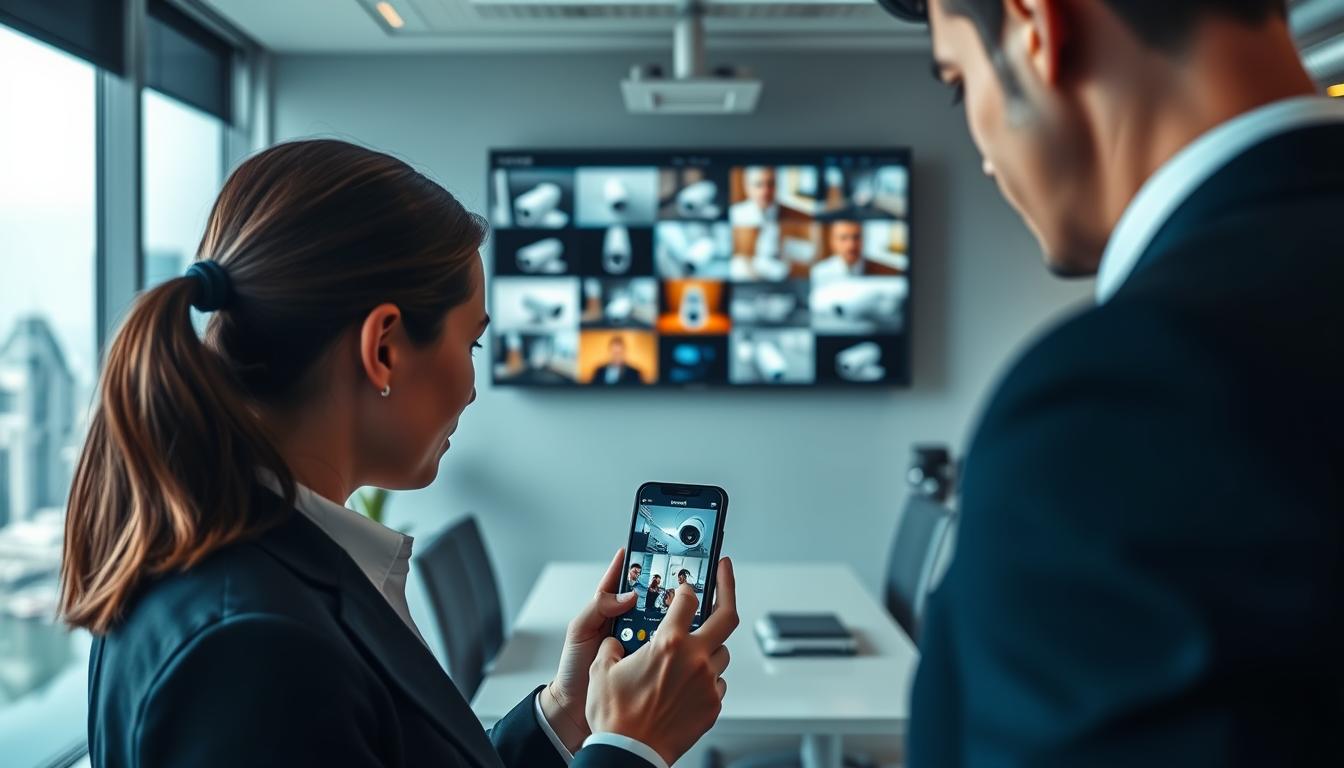
Learn How can I watch my CCTV on my phone?
Modern security systems offer incredible flexibility for property monitoring. You can now view your surveillance cameras directly from your smartphone anywhere with internet access.
This remote viewing capability transforms how we approach security. It provides real-time alerts and peace of mind whether you’re at work or traveling.
Most contemporary security cameras support mobile connectivity. Setting up this feature requires understanding some basic technical requirements and compatibility checks.
This guide will walk you through the entire process step-by-step. You’ll learn about different connection methods and important security considerations to protect your feed.
Key Takeaways
- Mobile monitoring allows real-time camera viewing from any location
- Modern security systems typically support smartphone connectivity
- Proper setup requires checking system and app compatibility first
- Multiple connection options exist including WiFi and mobile data
- Security measures are essential to prevent unauthorized access
- Advanced features like motion alerts enhance surveillance capabilities
- Troubleshooting tips help resolve common setup issues quickly
Introduction to Mobile CCTV Monitoring
Security technology has transformed dramatically in recent years. The ability to view surveillance feeds remotely represents one of the most significant advancements in modern protection systems.
This evolution means property owners no longer need to be physically present to monitor their spaces. Smartphone connectivity brings unprecedented flexibility to security management.
The Evolution of Remote Surveillance
Traditional surveillance systems required dedicated monitoring stations. Security personnel had to watch multiple screens in a fixed location.
The digital revolution changed everything. Network-enabled cameras emerged, allowing feeds to travel across internet connections.
Mobile technology accelerated this transformation further. Modern systems now integrate seamlessly with smartphones and tablets.
Cloud storage development marked another milestone. Recorded footage became accessible from anywhere with internet connectivity.
Why Monitoring Your CCTV on a Phone Is a Game-Changer
Smartphone monitoring delivers instant access to your security feeds. You receive real-time alerts about unusual activity at your property.
Modern applications simplify setup dramatically. Even non-technical users can configure their systems quickly.
High-quality smartphone displays enhance viewing experiences. Devices like the HONOR Magic V2 showcase crisp, clear footage.
Cloud integration ensures your recordings remain secure yet accessible. You can review footage from any location with internet access.
This technology continues evolving with new features regularly. Future developments promise even greater convenience and security.
Key Benefits of Watching CCTV on Your Phone
Mobile surveillance technology delivers powerful advantages for modern property protection. These systems transform smartphones into portable security command centers with remarkable capabilities.
Today’s security solutions offer more than just remote viewing. They provide comprehensive monitoring tools that enhance both response times and peace of mind.
Real-Time Monitoring and Instant Awareness
Live camera feeds keep you connected to your property constantly. You see events as they happen, not after they occur.
Immediate visual access enables quick decision-making during security incidents. Whether it’s a delivery arrival or unexpected activity, you respond instantly.
“Real-time monitoring transforms reactive security into proactive protection.”
High-quality smartphone displays like the HONOR Magic V2 showcase crystal-clear footage. Every detail becomes visible, ensuring nothing gets missed.
Remote Accessibility From Any Location
Geographical limitations disappear with mobile surveillance technology. Your security system travels with you wherever you go.
Business owners appreciate checking multiple locations during travel. Homeowners enjoy monitoring their property while at work or on vacation.
- Access feeds from Singapore beaches or overseas hotels
- Switch between multiple camera views effortlessly
- Review recorded footage during commute times
Cloud integration ensures your recordings remain accessible yet secure. Internet connectivity becomes your only requirement for full access.
Instant Motion Detection Alerts and Push Notifications
Smart detection systems work constantly even when you’re not watching. Advanced algorithms distinguish between routine movement and potential security events.
Immediate push notifications deliver alerts directly to your lock screen. These warnings include snapshot previews of triggered events.
Customizable sensitivity settings prevent false alarms from pets or passing vehicles. You receive only relevant notifications that demand attention.
Proactive alerts enable faster response times to genuine security concerns. Many systems even integrate with local authority notifications for comprehensive protection.
User-friendly applications make these advanced features accessible to everyone. Simple interfaces ensure even non-technical users manage their security effectively.
Mobile surveillance delivers peace of mind for both residential and commercial properties. The combination of instant access and intelligent alerts creates a powerful security partnership between technology and user awareness.
What You Need to Get Started
Establishing a robust mobile CCTV setup demands attention to three critical elements. These components work together to create a seamless remote monitoring experience. Proper selection ensures reliable performance and optimal security coverage.
Compatible CCTV Cameras and Systems
Modern surveillance requires specific camera types for mobile connectivity. WiFi-enabled models represent the most common choice for remote access. These devices connect directly to your home or business network.
IP cameras offer excellent compatibility with smartphone monitoring. They transmit digital signals over your internet connection. Many support cloud storage integration for recorded footage.
Traditional analog systems may require additional hardware. Network video recorders (NVRs) often bridge older technology with modern apps. HiLook systems demonstrate strong compatibility with mobile platforms.
Check manufacturer specifications before purchasing any equipment. Ensure the system explicitly supports remote viewing capabilities. This verification prevents compatibility issues during setup.
Choosing the Right Smartphone and App
Your mobile device serves as the primary monitoring interface. Both iOS and Android platforms support most security applications. Modern smartphones handle high-definition video streams effectively.
The manufacturer’s dedicated app typically offers the best performance. These applications are specifically designed for their camera systems. They often include advanced features not available in generic viewers.
Consider screen quality when selecting your monitoring device. Higher resolution displays show clearer details from your cameras. Larger screens make it easier to view multiple feeds simultaneously.
App selection criteria should include update frequency and user reviews. Regular updates indicate ongoing developer support. Positive user feedback suggests reliable performance and good customer service.
The Importance of a Stable Internet Connection
Network reliability forms the backbone of remote monitoring. Your cameras and smartphone both require consistent internet access. This connectivity enables real-time video transmission and alert delivery.
Upload speed significantly impacts remote viewing quality. Most residential connections prioritize download speeds. Ensure your plan provides adequate upload bandwidth for video streaming.
WiFi signal strength affects camera performance throughout your property. Consider mesh network systems for larger homes or buildings. These systems eliminate dead zones and maintain strong connectivity.
Mobile data serves as a reliable backup option when WiFi fails. Many security apps automatically switch between connection types. This redundancy ensures continuous monitoring during network disruptions.
Proper camera configuration maximizes your available bandwidth. Adjust resolution and frame rate settings based on your internet capabilities. These optimizations prevent buffering and ensure smooth remote viewing.
How Can I Watch My CCTV on My Phone? The Core Methods
Successful mobile surveillance begins with understanding core connection methods and compatibility requirements. These fundamental elements determine whether your remote monitoring setup works seamlessly or encounters frustrating technical hurdles.
Understanding Your Connection Options
Modern security systems offer multiple pathways to connect your surveillance equipment to mobile devices. Each method serves different scenarios and technical environments.
WiFi connectivity represents the most common approach for residential setups. This wireless solution eliminates cable clutter while providing reliable access. Most IP cameras support this connection method out of the box.
Mobile data connections serve as excellent backup options. They maintain surveillance during internet outages or when traveling. Some specialized cameras even include SIM card slots for dedicated cellular connectivity.
Ethernet connections provide the most stable performance for critical locations. Wired setups avoid wireless interference issues common in urban Singapore environments. They ensure consistent video streaming quality.
Network configuration plays a crucial role in all connection types. Proper router settings ensure smooth video transmission to your mobile app. Incorrect configurations often cause frustrating disconnections.
Ensuring App and Device Compatibility
Compatibility checks prevent the most common mobile monitoring frustrations. Not all security equipment works with every smartphone or application.
Operating system matching forms the foundation of compatibility. Android and iOS platforms require different app versions. Always verify your phone’s OS version matches the application requirements.
Camera model verification ensures your specific equipment supports remote access. Many manufacturers provide compatibility lists on their websites. Cross-reference your model number before attempting setup.
Application selection demands careful consideration. Manufacturer apps typically offer the best performance and feature integration. Third-party applications might lack specific functionality for your cctv systems.
Technical specifications impact viewing quality significantly. Higher-resolution displays on modern mobile devices showcase clearer footage. Older phones might struggle with high-definition video streams.
Regular updates maintain compatibility between all components. Camera firmware, mobile apps, and phone operating systems require periodic updates. These ensure continued functionality and security enhancements.
Network requirements vary between different connection methods. WiFi networks need adequate bandwidth for smooth video transmission. Mobile data connections require stable signal strength throughout your location.
Connecting Your CCTV to Your Phone Via WiFi
The majority of contemporary security cameras now feature built-in WiFi capabilities for seamless smartphone integration. This wireless approach eliminates cable clutter while providing flexible camera placement throughout your property.
Proper setup ensures reliable remote access to your surveillance feeds. Following manufacturer guidelines guarantees optimal performance and security.
Step 1: Downloading and Installing the Manufacturer’s App
Begin by identifying your camera’s brand and model number. Visit your device’s official app store to locate the correct mobile app.
Search using the manufacturer’s name rather than generic terms. This ensures you download the specific application designed for your equipment.
Installation typically takes just a few minutes. Grant necessary permissions for camera access and notifications during setup.
Step 2: Configuring Your Camera’s WiFi Settings
Power on your camera and access its settings menu. Select wireless network configuration from the options.
Choose your home WiFi network from the available list. Enter your network password carefully to establish connection.
Most cameras indicate successful connection with LED status lights. Solid green lights usually signal proper network integration.
Step 3: Pairing the Camera with Your Smartphone
Open your installed security app and create an account if required. Follow the in-app instructions for adding new devices.
Common methods include scanning QR codes or entering serial numbers. Ensure your phone and camera are on the same WiFi network during pairing.
Successful pairing typically provides immediate access to your live feed. Test remote viewing by checking footage away from your local network.
Network security remains crucial during WiFi setup. Always change default passwords and enable encryption features. Regular firmware updates protect against potential vulnerabilities.
Common connection issues often relate to signal strength. Consider these troubleshooting tips for optimal performance:
- Position cameras within reasonable range of your router
- Use WiFi extenders for larger properties
- Avoid physical obstructions between devices
- Check for interference from other electronic devices
Maintain stable connectivity through regular network checks. Monitor signal strength indicators within your security app. Restart equipment periodically to refresh connections.
Using Mobile Data for CCTV Viewing
Cellular networks provide a reliable alternative when traditional internet connections fail. This backup method ensures continuous surveillance coverage regardless of location or WiFi availability.
Mobile data connectivity transforms standard security systems into truly portable solutions. You maintain visual access to your property even during internet outages or while traveling.
When to Use a Mobile Data Connection
Remote locations without WiFi infrastructure benefit greatly from cellular monitoring. Construction sites, rural properties, and temporary installations often rely on this method.
Mobile data serves as an excellent backup during network disruptions. It ensures uninterrupted surveillance when primary internet connections fail.
Travel scenarios make cellular viewing particularly valuable. You can check your property from anywhere with cellular coverage.
Step 1: Inserting a SIM Card into Your Camera
Begin by verifying your camera’s compatibility with SIM cards. Not all security cameras support cellular connectivity.
Locate the SIM card slot typically found on the camera’s housing. Use a small tool to open the compartment carefully.
Insert an active SIM card with sufficient data allocation. Ensure the card is properly seated before closing the compartment.
Power cycle your camera to recognize the new SIM card. Most devices indicate successful detection through status lights.
Step 2: Configuring Mobile Data and APN Settings
Access your camera’s configuration menu through its companion app. Navigate to network settings and select mobile data options.
Enter the correct APN settings provided by your cellular carrier. These settings vary between providers and ensure proper network access.
Test the connection by viewing your live feed away from WiFi networks. Successful streaming confirms proper configuration.
“Mobile data transforms surveillance cameras into independent monitoring stations that operate anywhere with cellular coverage.”
Data plan selection requires careful consideration of your monitoring needs. Continuous streaming consumes significant bandwidth compared to motion-activated recording.
Singapore’s excellent cellular network coverage makes mobile data monitoring particularly effective. Major providers offer competitive data plans suitable for security applications.
The HONOR Magic V2’s brilliant display showcases mobile footage with exceptional clarity. Its high resolution ensures you miss no important details.
Optimize data usage by adjusting video quality settings. Lower resolutions reduce consumption while maintaining acceptable image quality.
Monitor your data usage regularly through carrier apps. Set alerts to prevent unexpected overage charges.
Troubleshooting mobile connections involves checking signal strength first. Camera placement affects cellular reception significantly.
Reset network settings if connectivity issues persist. Most cameras have a physical reset button for this purpose.
Regularly update your camera’s firmware to maintain optimal performance. Manufacturers often release improvements for cellular connectivity.
Choosing the Right CCTV Camera App
Modern surveillance applications offer sophisticated features beyond basic camera viewing. The right mobile app transforms your smartphone into a comprehensive security management tool.
Quality applications provide seamless integration with your security system. They deliver reliable performance and enhanced functionality for peace of mind.
Essential Features to Look For
Real-time monitoring capabilities form the foundation of any quality security app. Look for smooth video streaming with minimal latency.
Notification systems should deliver instant alerts for security events. Customizable settings prevent unnecessary interruptions.
Cloud integration ensures your footage remains accessible and secure. This feature provides backup protection for critical recordings.
User interface design significantly impacts your daily monitoring experience. Intuitive navigation makes security management effortless.
Cross-platform compatibility ensures consistent performance across devices. Verify operating system requirements before installation.
“The best security applications combine robust features with simplicity, creating powerful yet accessible tools for property protection.”
Regular software updates maintain security and functionality. Choose applications with active developer support.
Top App Recommendations for Reliable Performance
Manufacturer-developed applications typically offer the best integration. These apps are specifically designed for their camera systems.
iDVR-PRO Viewer provides excellent functionality for iPhone and iPad users. It supports multiple camera views and advanced features.
Third-party applications can offer additional flexibility for mixed systems. Research user reviews and update frequency before selection.
Consider data usage optimization in your app selection. Some applications provide bandwidth management features.
Singapore’s network environment demands reliable performance under various conditions. Test applications during different times to ensure consistency.
Evaluation should include trial periods when available. Many premium applications offer free versions with basic functionality.
Security remains paramount in application selection. Verify encryption standards and privacy policies before granting permissions.
Troubleshooting Common Connection Issues
Even the most reliable surveillance systems occasionally encounter technical challenges. Understanding how to resolve these problems quickly restores your peace of mind and security coverage.
Most connection difficulties fall into three main categories. Network problems, application glitches, and performance issues represent the most frequent concerns.

Fixing Network Connectivity Problems
Wireless signal strength directly impacts your surveillance system’s reliability. Weak WiFi signals cause about 24% of all network failures in home security setups.
Start by checking your camera’s placement relative to your router. Physical obstructions like walls and furniture can significantly reduce signal quality.
Incorrect passwords represent another common authentication issue. Always double-check your network credentials during initial setup.
Electronic interference from other devices can disrupt your connection. Microwaves, cordless phones, and Bluetooth devices often cause wireless interference.
Try these troubleshooting steps for network issues:
- Test your connection strength at different locations
- Restart your router and modem periodically
- Consider WiFi extenders for larger properties
- Verify all network settings match your provider’s requirements
Resolving App Compatibility and Glitches
Mobile applications sometimes experience technical difficulties. These problems often stem from compatibility issues or software bugs.
Always ensure your smartphone’s operating system matches the app requirements. Outdated operating systems frequently cause application crashes.
Regular updates provide crucial bug fixes and security enhancements. Developers constantly improve their applications based on user feedback.
If your security app freezes or behaves unexpectedly, try these solutions:
- Force close and restart the application completely
- Check for available updates in your app store
- Clear the app’s cache and data if problems persist
- Reinstall the application as a last resort option
What to Do If Your Live Feed Is Lagging
Buffering and lagging disrupt real-time monitoring experiences. These performance issues often relate to bandwidth limitations.
Check your internet speed during peak usage hours. Streaming video requires consistent bandwidth for smooth viewing.
Reduce your camera’s resolution settings temporarily. Lower quality streams require less bandwidth and may improve performance.
Consider these additional solutions for lagging feeds:
- Limit other devices using your network during critical monitoring
- Upgrade your internet plan if bandwidth consistently falls short
- Test your connection during different times of day
- Contact your provider if speeds consistently underperform
Persistent problems may require professional technical support. Many manufacturers offer dedicated help lines for connectivity issues.
Regular maintenance prevents most common problems before they occur. Simple preventative measures ensure reliable surveillance coverage.
Ensuring Security for Your Mobile CCTV Stream
Protecting your surveillance feed demands serious attention to digital safeguards. Remote monitoring convenience brings potential vulnerabilities that require proactive measures.
Understanding the Cybersecurity Risks
Digital surveillance systems face constant threats from unauthorized access attempts. Hackers often target weakly protected cameras through automated scanning tools.
Public WiFi networks present particular dangers for mobile viewing. These open networks lack proper encryption, exposing your login credentials.
Default passwords represent the most common entry point for breaches. Many users neglect changing factory settings, creating easy targets.
Outdated firmware contains known vulnerabilities that attackers exploit. Regular security updates patch these weaknesses before they cause issues.
“A single compromised camera can provide access to your entire network infrastructure.”
Implementing Strong Passwords and Encryption
Create unique credentials combining letters, numbers and special characters. Avoid dictionary words or personal information that hackers might guess.
Modern encryption technologies scramble your video data during transmission. This prevents interception even if someone accesses your network.
Multi-factor authentication adds an extra layer of protection beyond passwords. This feature requires secondary verification through email or mobile notifications.
Schedule regular password changes every three to six months. This practice limits potential damage from undetected breaches.
Network segmentation isolates your cameras from other connected devices. This containment strategy prevents lateral movement if one device gets compromised.
Review your system’s security settings through the manufacturer’s app today. Enable available encryption features and disable unnecessary remote access ports.
Monitor login attempts and receive security alerts for suspicious activity. These notifications help detect unauthorized access before significant damage occurs.
Professional installation services often include security configuration assistance. They ensure your system follows industry best practices from day one.
Enhancing Your Experience with Smart Features
Modern surveillance systems offer sophisticated capabilities that transform basic monitoring into intelligent security management. These advanced functions provide greater control and customization for your protection needs.
Customizing Motion Alerts and Notifications
Smart notification systems deliver crucial security updates directly to your device. They activate when the system detects movement or potential unauthorized access.
Most applications feature intuitive interfaces for adjusting sensitivity levels. You can fine-tune detection parameters to match your specific environment.
Customization options accommodate different security scenarios effectively. Homeowners might set higher sensitivity for nighttime hours. Business owners could prioritize specific entry points.
“Proper alert customization reduces false alarms by 70% while maintaining critical security coverage.”
Advanced systems support zone monitoring for precise detection. You can designate specific areas for heightened attention. This feature minimizes unnecessary notifications from peripheral movement.
Some platforms offer facial recognition capabilities. These systems distinguish between familiar faces and potential threats. This technology significantly reduces false alerts from family members or regular visitors.
Utilizing Cloud Storage for Recorded Footage
Cloud integration revolutionizes how you manage and access recorded material. This technology stores your surveillance data securely off-site.
Remote accessibility ensures your footage remains available from any location. You can review recordings during commute times or while traveling.
Automated backup systems protect against local device failures. Your data remains safe even if physical equipment experiences issues.
Modern cloud services employ robust encryption standards. This ensures only authorized users can view your stored material.
Storage plans typically offer flexible capacity options. You can choose packages that match your recording needs and retention requirements.
Singapore’s excellent internet infrastructure supports seamless cloud integration. High-speed connections enable quick uploading and smooth playback.
Smart home integration expands your system’s capabilities further. Many platforms connect with other security devices for comprehensive protection.
Automated responses enhance your security experience significantly. Systems can trigger lights or sounds when detecting unusual activity.
Remote configuration allows adjustments from anywhere with internet access. You can modify settings without being physically present at the property.
These advanced features work together to create a sophisticated monitoring experience. They provide peace of mind through intelligent, customizable protection.
Optimizing Video Quality on Your Smartphone
Achieving crystal-clear surveillance footage on your mobile device requires careful attention to both camera configuration and display capabilities. The right combination of technical settings and hardware quality transforms ordinary monitoring into exceptional security oversight.
Modern smartphones like the HONOR Magic V2 showcase surveillance footage with remarkable clarity. Their high-resolution displays make every detail visible during remote viewing sessions.
Adjusting Camera Settings for Clearer Feeds
Proper camera configuration dramatically improves your mobile monitoring experience. Resolution settings significantly impact both image quality and bandwidth requirements.
Higher resolution captures more detail but consumes more data. Finding the right balance ensures clear footage without excessive bandwidth usage.
Frame rate adjustments affect how smoothly motion appears on your screen. Higher rates provide smoother playback but require stronger network connections.
Compression settings help manage file sizes while maintaining acceptable quality. Modern codecs efficiently balance visual clarity with storage efficiency.
Lighting conditions greatly influence final image quality. Cameras with good low-light performance maintain clarity during nighttime monitoring.
Camera positioning affects what details appear in your feed. Strategic placement ensures optimal coverage of critical areas.
Regular app updates often include video quality improvements. Maintaining current software ensures access to the latest optimization features.
How Your Phone’s Display Affects Viewing
Your smartphone’s screen quality directly impacts how you perceive surveillance footage. Higher resolution displays reveal finer details that might be missed on inferior screens.
Screen size influences how much information appears at once. Larger displays make it easier to view multiple camera feeds simultaneously.
Color accuracy ensures proper representation of surveillance scenes. Accurate colors help distinguish important details in various lighting conditions.
Brightness settings affect visibility in different environments. Automatic brightness adjustment maintains optimal viewing in changing light conditions.
Bandwidth considerations remain crucial for maintaining video quality. Stable internet connections prevent buffering and ensure smooth streaming.
Mobile data usage requires careful management during remote viewing. Quality settings should balance clarity with reasonable data consumption.
For comprehensive guidance on mobile surveillance setup, explore this detailed resource on mobile CCTV configuration.
Modern devices offer various display enhancement features. These technologies improve how security footage appears on smaller screens.
Understanding these factors helps create an optimal mobile monitoring setup. The right combination delivers clear, reliable surveillance access anywhere.
Specific Considerations for Viewers in Singapore
Singapore’s unique environment demands special attention when setting up mobile surveillance. The tropical climate and urban density create distinct challenges for reliable monitoring.
Local regulations and infrastructure considerations impact how you implement your security systems. Understanding these factors ensures optimal performance and legal compliance.
Local Network Tips and Best Practices
Singapore’s high-density living affects wireless signal performance. Concrete walls and multiple devices can interfere with your camera’s connection.
Position cameras within clear line of sight to your router whenever possible. This placement minimizes signal obstruction from physical barriers.
Consider wired Ethernet connections for critical surveillance locations. This approach provides the most stable network access for important cameras.
“Singapore’s advanced infrastructure supports excellent surveillance capabilities when properly configured.”
Choose internet service providers known for reliable uptime and speed. StarHub and Singtel offer strong options for security applications.
Regular firmware updates maintain compatibility with local network standards. These security updates protect against emerging threats.
Weather conditions impact outdoor camera performance significantly. Heavy rain can affect wireless signals and camera visibility.
Power supply stability remains crucial for continuous monitoring. Consider battery backups during Singapore’s occasional power fluctuations.
Local service providers offer specialized support for surveillance systems. They understand Singapore’s unique requirements and regulations.
Data protection laws govern how you store and access recorded footage. The Personal Data Protection Act sets clear guidelines for security systems.
Implement strong network security measures to protect your feeds. Use encryption and secure passwords to prevent unauthorized access.
Following these local best practices ensures reliable mobile monitoring. Your surveillance system will perform optimally in Singapore’s unique environment.
Taking the Next Step with Your Mobile Security
Mobile security evolution continues transforming property protection today. Evaluate your current needs to identify upgrade opportunities.
Consider advanced features like cloud storage integration and smart home connectivity. These enhancements create comprehensive protection systems.
Regular maintenance and updates ensure optimal performance. Professional installation services provide expert configuration for complex setups.
Develop a complete security strategy that combines mobile monitoring with physical safeguards. This approach delivers maximum property protection.
Business investments in quality systems yield excellent returns through improved security. Emerging technologies will further enhance remote access experience.
FAQ
What are the main benefits of accessing CCTV on a mobile device?
Mobile access offers real-time monitoring, instant motion alerts, and remote viewing from anywhere. Users receive push notifications for security events, enhancing awareness and response times.
What equipment is needed to view CCTV footage on a smartphone?
You need compatible CCTV cameras, a stable internet connection, and the manufacturer’s mobile app. Most modern security systems support smartphone integration.
Can I watch my CCTV feed using mobile data instead of WiFi?
A> Yes, many systems support mobile data. Insert a SIM card into compatible cameras or use your phone’s data plan. Ensure sufficient bandwidth for smooth video streaming.
How do I troubleshoot connectivity issues with my CCTV app?
Check your network stability, update the app, and restart devices. Verify camera settings and ensure firmware is current for optimal performance.
Are there security risks with streaming CCTV to a phone?
A> Yes, risks include unauthorized access. Use strong passwords, enable encryption, and keep software updated to protect your surveillance data.
What features should I look for in a CCTV mobile app?
Prioritize motion detection alerts, cloud storage options, user-friendly interfaces, and multi-camera support. Reliable apps offer customizable notifications and secure access.
How can I improve video quality when viewing on my phone?
Adjust camera resolution settings in the app and ensure a strong internet connection. High-resolution displays on newer smartphones enhance clarity.
Is it possible to receive alerts for motion detection on my device?
Absolutely. Enable push notifications in your app settings. Customize sensitivity levels to reduce false alerts and focus on important events.


