
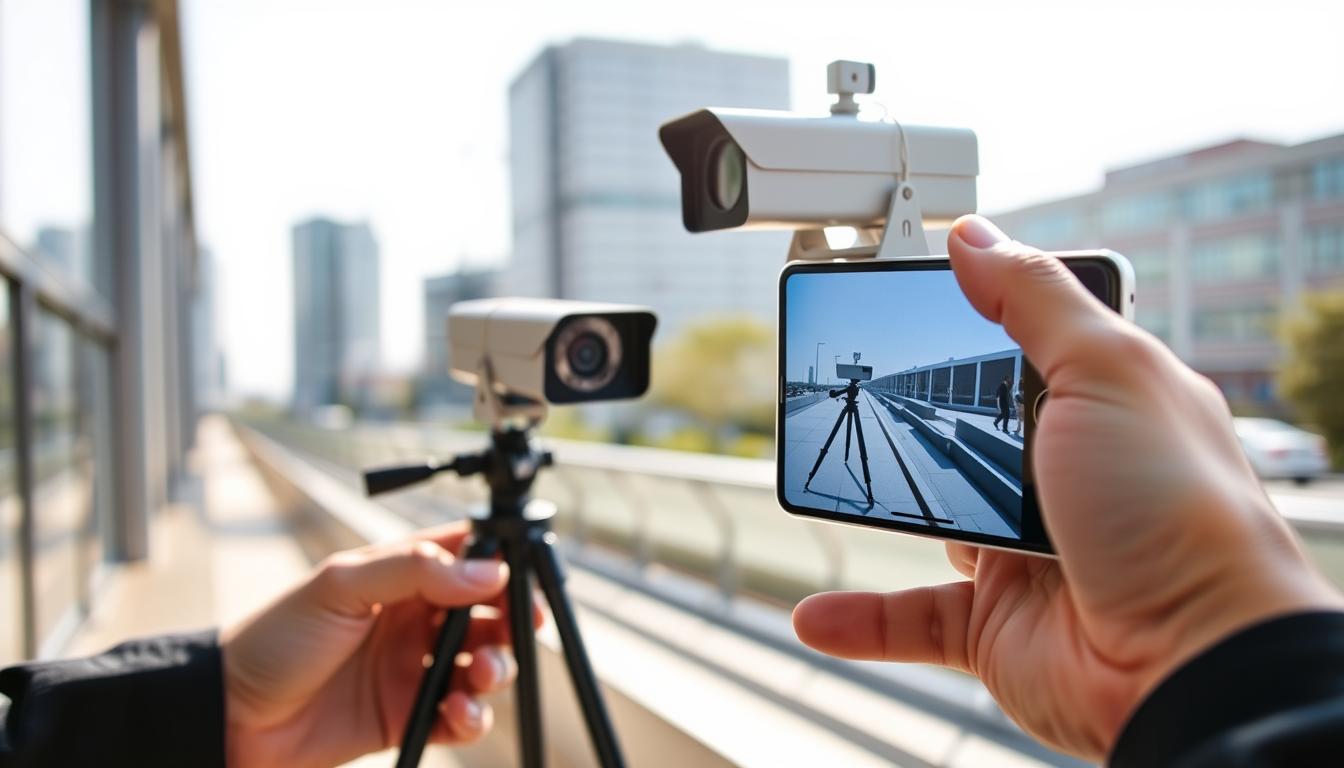
How can I detect my CCTV camera with my phone?
Mobile surveillance is transforming security in Singapore. More homeowners and businesses are adopting this technology for enhanced protection. Smartphone integration has revolutionized traditional security systems.
Modern systems offer incredible convenience through phone access. You can monitor your property from anywhere at any time. This provides real-time security updates and peace of mind.
Technological advancements make phone-based detection possible. Various methods exist to connect your surveillance equipment to mobile devices. This guide will explore these options in detail.
Following sections provide step-by-step instructions for setup. You’ll learn to access your security feed through mobile apps. This approach meets modern home and business security needs effectively.
Key Takeaways
- Mobile CCTV monitoring is growing rapidly in Singapore’s security market
- Smartphone integration has dramatically improved traditional surveillance systems
- Phone access provides convenient, real-time security monitoring from anywhere
- Multiple technological methods exist for connecting cameras to mobile devices
- Mobile access offers enhanced security benefits and peace of mind
- Step-by-step guidance will follow for system setup and connection
- Modern security needs are well-served by mobile surveillance capabilities
Introduction to Mobile CCTV Monitoring
Surveillance technology has undergone a remarkable transformation in recent years. Traditional analog systems have evolved into sophisticated digital solutions. This evolution enables seamless smartphone integration for modern security needs.
Modern IP cameras represent the cutting edge of surveillance technology. These devices connect directly to internet networks for data transmission. They capture high-quality video footage and transmit it digitally.
Network Video Recorders (NVR) serve as the central hub for these systems. They manage video storage and processing from multiple cameras. NVR units enable organized access to recorded and live footage.
Wireless connectivity options have revolutionized remote monitoring capabilities. WiFi and mobile data networks provide flexible connection methods. This wireless infrastructure supports real-time video streaming to mobile devices.
Mobile applications serve as the interface between users and their security systems. These apps provide intuitive control panels for camera management. Users can view live feeds, review recordings, and adjust settings remotely.
The technical infrastructure requires proper network configuration for optimal performance. Home and business networks must support the data demands of video streaming. Proper bandwidth allocation ensures smooth mobile access to camera feeds.
User experience with mobile surveillance applications continues to improve dramatically. Modern apps offer responsive interfaces and reliable performance. Singaporean users appreciate the convenience of checking their property from anywhere.
Adoption rates for mobile surveillance solutions continue rising across Singapore. Both residential and commercial sectors embrace this advanced technology. The convenience and security benefits drive this growing trend.
Key Benefits of Connecting Your CCTV to a Smartphone
Linking your security cameras to mobile devices unlocks a new dimension of property monitoring capabilities. This integration transforms traditional surveillance into dynamic, responsive protection systems. Modern smartphone connectivity delivers substantial advantages that enhance overall security effectiveness.
Mobile access to surveillance systems provides immediate response capabilities and continuous oversight. Property owners gain unprecedented control over their security arrangements through simple smartphone interfaces.
Real-Time Monitoring and Instant Awareness
Live video streaming to your mobile device ensures constant visibility of protected areas. This immediate access enables quick response to potential security threats as they develop.
High-resolution footage displayed on modern smartphone screens provides crystal-clear detail identification. Real-time monitoring capabilities allow for instant assessment of situations without delay.
“Mobile surveillance transforms passive recording into active protection, creating responsive security ecosystems.”
This instant awareness significantly reduces response times during critical incidents. Property managers can address issues before they escalate into serious security breaches.
Remote Access From Any Location
Geographical limitations disappear with smartphone-connected surveillance systems. Internet connectivity enables camera viewing from virtually anywhere globally.
Business travelers can check office security while abroad. Homeowners monitor their property during vacations or work hours. This flexibility represents a fundamental shift in security management approaches.
Cloud storage integration allows retrieval of recorded footage from remote locations. Historical data remains accessible without physical presence at the recording site.
Instant Notification Alerts for Security Events
Smartphone applications deliver immediate alerts when surveillance systems detect unusual activity. Motion detection triggers prompt notifications directly to mobile devices.
These instant warnings provide early awareness of potential security incidents. Users receive alerts for unauthorized access attempts, movement in restricted areas, or unusual patterns.
Customizable alert settings allow tailoring notifications to specific security needs. This personalized approach ensures relevant warnings without unnecessary distraction.
Advanced detection algorithms minimize false alarms while maintaining high security sensitivity. The system balances responsiveness with accuracy for optimal protection.
Essential Requirements for Remote CCTV Viewing
Three critical components must align perfectly for seamless smartphone-based security monitoring. Proper configuration ensures reliable access to surveillance feeds from any location. Meeting these technical prerequisites guarantees optimal performance for mobile security systems.
https://www.youtube.com/watch?v=cT0qfSQmNIo
A Compatible CCTV System and Mobile App
Modern surveillance equipment must support mobile connectivity features. IP cameras with WiFi capability represent the standard for remote access. These devices transmit data through network connections to dedicated applications.
Manufacturer-specific software provides the interface for mobile monitoring. iOS and Android platforms require different versions of these security apps. Compatibility between camera models and mobile operating systems is essential.
Hardware requirements include cameras with embedded streaming technology. Network video recorders should support remote access protocols. Mobile devices need sufficient processing power for smooth video decoding.
“The synergy between hardware and software creates the foundation for reliable remote surveillance systems.”
Initial setup demands both devices operate on the same local network. This enables proper camera detection and configuration. Pairing procedures vary between manufacturers but follow similar principles.
A Stable and Robust Internet Connection
Bandwidth requirements depend on video quality and number of cameras. High-definition streaming typically needs 2-4 Mbps upload speed per camera. Singapore’s fiber optic networks generally provide sufficient capacity for residential systems.
Wireless network stability significantly impacts streaming performance. Dual-band routers offer better connectivity options for multiple devices. 5GHz bands provide less interference for security camera transmissions.
Network configuration must support port forwarding or cloud connectivity. Static IP addresses simplify remote access setup. These settings ensure consistent connection to surveillance feeds from outside locations.
Mobile data requirements apply when accessing cameras away from WiFi. 4G/5G networks provide adequate speed for remote viewing. Data consumption varies based on usage frequency and video quality.
Ongoing access demands maintained internet service reliability. Router capabilities should match the system’s data transmission needs. Network infrastructure must support continuous video streaming without interruption.
How can I detect my CCTV camera with my phone?
Establishing a reliable connection between your surveillance equipment and mobile device requires following specific procedures. These essential steps ensure seamless integration and optimal performance.
Step 1: Downloading and Installing the Manufacturer’s App
Begin by accessing your device’s application store. Search for your camera brand’s official mobile application. Popular options include Hik-Connect, ZOSI Smart, and TP-Link Kasa.
Download the correct version for your operating system. Create an account within the application using your email address. This account manages all your connected security devices.
Step 2: Configuring Your Camera’s Network Settings
Ensure both your mobile device and surveillance equipment connect to the same WiFi network. Access your camera’s settings through its interface or web portal.
Configure network parameters according to your router specifications. Proper WiFi configuration enables smooth data transmission between devices.
For detailed network setup guidance, consult our comprehensive mobile viewing guide.
Step 3: Pairing the Camera with Your Phone via QR Code or UID
Open your installed security application and navigate to the add device section. Locate your camera’s unique identification number or QR code.
Scan the QR code using your phone’s camera function. Alternatively, manually enter the UID if scanning isn’t available.
The pairing process typically completes within seconds. Your camera feed should now appear in the application interface.
“Proper initial setup ensures long-term reliability in mobile surveillance systems.”
Follow these procedures carefully for first-time success. Most modern systems simplify this connection process through intuitive design.
Manufacturers continually improve their applications for easier setup experiences. Singaporean users appreciate these streamlined approaches to security management.
Ensuring Device and Operating System Compatibility
Compatibility forms the foundation of successful mobile surveillance integration. Different manufacturers use various connection protocols and software requirements. Understanding these differences prevents frustration during setup.
Modern security systems demand specific hardware and software alignment. Your smartphone must meet minimum performance standards. Older devices may struggle with video streaming demands.
Check your camera manufacturer’s compatibility list before purchase. Most brands provide detailed requirements on their websites. This prevents mismatched equipment and software issues.
Operating system versions significantly impact functionality. iOS and Android have different app development cycles. Manufacturers often prioritize one platform over another.
Operating System Requirements
iOS users need to verify minimum version support. Most security apps require iOS 12 or newer. Apple’s strict app guidelines ensure consistent performance.
Android fragmentation creates unique challenges. Different device manufacturers modify the operating system. This can affect camera app functionality and stability.
Always check your specific Android version and device model. Some security cameras work better with certain smartphone brands. Samsung devices often receive priority optimization.
Hardware Specifications
Processor speed affects video decoding performance. Modern multi-core processors handle HD streaming efficiently. Older single-core processors may struggle with multiple camera feeds.
RAM requirements depend on app complexity and camera count. 2GB RAM represents the absolute minimum for basic systems. 4GB or more ensures smooth multi-camera operation.
Storage space matters for recorded footage access. Local caching requires available internal memory. Cloud storage options reduce local storage demands.
“Compatibility verification prevents 80% of mobile surveillance setup issues. Always check requirements before installation.”
Software and Firmware Matching
Camera firmware versions must match app capabilities. Outdated firmware causes connection failures and feature limitations. Regular updates maintain compatibility and security.
Mobile apps receive frequent feature updates and bug fixes. Automatic updates ensure you always have the latest version. Manual checks provide additional verification.
Some advanced features require specific firmware versions. Motion detection sensitivity and AI recognition need matching software. This coordination ensures optimal system performance.
Brand-Specific Considerations
Popular brands like Hikvision and Dahua have extensive compatibility lists. Their apps support numerous device models and operating systems. Lesser-known brands may have limited device support.
User reviews reveal real-world compatibility experiences. Singaporean users often share local network compatibility insights. These experiences help identify potential issues beforehand.
Manufacturer support varies significantly between brands. Some provide excellent Singapore-based technical support. Others rely on international support channels with longer response times.
For comprehensive guidance on matching your equipment, review our detailed compatibility guide. This resource covers all major brands available in Singapore.
Compatibility Verification Checklist
- Confirm minimum iOS/Android version requirements
- Verify smartphone processor and RAM specifications
- Check camera firmware version against app requirements
- Review manufacturer’s compatibility documentation
- Read user experiences with your specific device model
- Test basic functionality before full installation
- Plan for regular software update maintenance
Thorough compatibility checking saves time and ensures reliable operation. Modern security systems offer incredible convenience when properly matched. Singapore users enjoy seamless mobile monitoring with compatible equipment.
Troubleshooting Common Connection Problems
Even the most reliable surveillance systems occasionally encounter technical difficulties. These connection challenges can disrupt your mobile monitoring capabilities. Understanding common problems helps restore functionality quickly.
Most connectivity issues stem from simple configuration errors or environmental factors. Network instability and software glitches represent frequent culprits. Proper troubleshooting methods resolve these problems effectively.
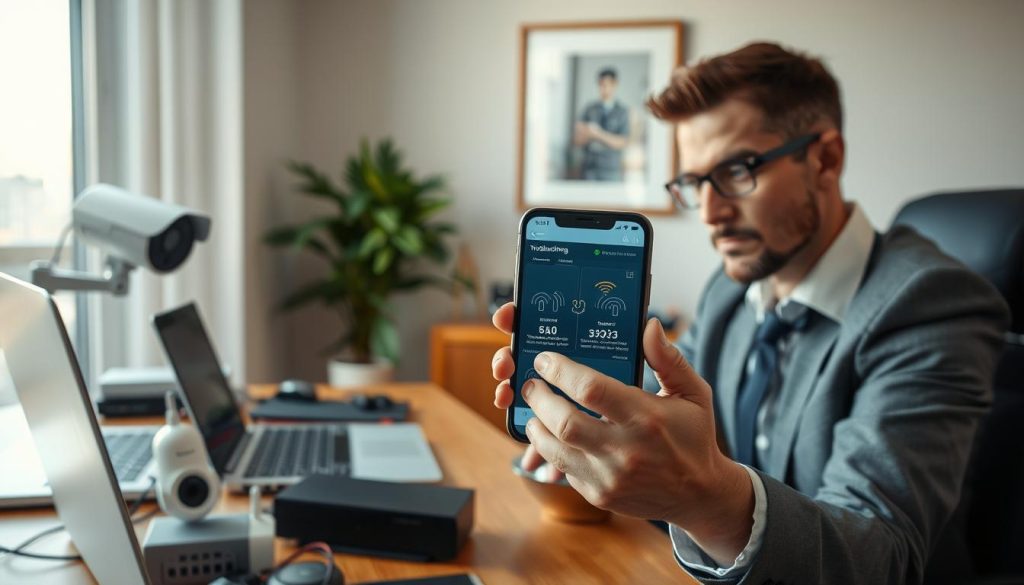
Resolving Network and WiFi Connectivity Issues
Weak wireless signals often cause intermittent camera connections. Physical obstructions and distance from routers impact signal strength. Moving cameras closer to access points typically improves stability.
Network configuration problems prevent proper device communication. Incorrect IP settings or subnet mismatches create connection barriers. Verifying network parameters ensures all devices communicate properly.
Internet service fluctuations affect remote viewing capabilities. Singapore’s tropical weather sometimes impacts fiber optic performance. Checking your internet speed confirms adequate bandwidth availability.
Router settings might block camera communications. Firewall restrictions or port blocking prevent data transmission. Adjusting security settings maintains protection while allowing surveillance traffic.
Power cycling network equipment often resolves temporary glitches. Restarting routers and cameras clears memory and reestablishes connections. This simple step fixes many common network issues.
Fixing App Errors and Login Credentials
Mobile application glitches cause various functionality problems. Outdated software versions lack current bug fixes and features. Regular updates maintain app performance and security.
Login credential errors prevent access to your surveillance feed. Incorrect passwords or username tyres block authentication. Double-checking entry accuracy solves most access problems.
Camera offline status indicates connection loss between devices. Power supply interruptions or network drops cause this status. Verifying camera power and network restores connectivity.
Operating system compatibility issues affect app performance. New mobile OS versions sometimes conflict with existing applications. Checking compatibility requirements prevents these problems.
Authentication server problems occasionally disrupt service. Manufacturer maintenance or regional outages temporarily affect access. These situations typically resolve automatically within hours.
“Systematic troubleshooting identifies root causes efficiently. Methodical approaches save time and frustration when resolving technical issues.”
Persistent problems may require manufacturer support assistance. Most brands provide Singapore-based technical help lines. Professional support ensures complex issues receive proper attention.
Documenting error messages helps technicians diagnose problems accurately. Screenshots and detailed descriptions accelerate resolution processes. This information guides support teams to effective solutions.
Protecting Your System: Mobile CCTV Security Best Practices
Wireless surveillance demands robust protection measures. Singaporean users must prioritize digital security alongside physical protection. Modern systems require comprehensive safeguards against evolving threats.
Cyber risks present real challenges for connected security equipment. Unauthorized access attempts target vulnerable surveillance networks. Proper security protocols prevent potential breaches effectively.
Mitigating Cybersecurity Risks in Wireless Systems
Wireless networks introduce specific vulnerabilities to surveillance setups. Hackers often target poorly secured camera systems. Understanding these risks helps implement proper countermeasures.
Public WiFi networks pose significant security threats. Avoid accessing your surveillance feed through unsecured connections. Cybercriminals monitor public networks for vulnerable devices.
Virtual Private Networks provide encrypted tunneling for remote access. VPN services create secure pathways through public networks. This encryption protects your data transmission from interception.
Network segmentation enhances overall security architecture. Isolate surveillance equipment from primary business networks. This containment limits potential damage from security breaches.
Regular security audits identify vulnerabilities before exploitation. Professional assessments evaluate your system’s protection levels. Singaporean security firms offer specialized audit services.
“Wireless security requires continuous vigilance. Proactive measures prevent most common attack vectors effectively.”
Implementing Strong Passwords and Firmware Updates
Password strength forms the first line of defense against intrusion. Default credentials represent the most common security failure. Always change manufacturer-set passwords immediately after installation.
Create complex passwords combining uppercase, lowercase, numbers, and symbols. Avoid personal information or common dictionary words. Password managers help generate and store secure credentials.
Unique passwords for each device prevent cascading security failures. Never reuse passwords across different systems or platforms. This practice limits damage from individual credential compromises.
Firmware updates address discovered vulnerabilities and improve functionality. Manufacturers release patches for security flaws regularly. Enable automatic updates where available for consistent protection.
Update schedules should follow manufacturer recommendations precisely. Check for firmware updates at least quarterly. Some systems notify users automatically about available updates.
Advanced Security Measures for Enhanced Protection
Two-factor authentication adds an extra verification layer to system access. This requires both password and secondary confirmation for entry. Mobile authenticator apps provide convenient 2FA implementation.
Access control settings limit user permissions appropriately. Different authorization levels prevent unnecessary system exposure. Administrator accounts should remain strictly limited.
Encryption methods protect data during transmission and storage. Modern systems use AES-256 encryption for maximum security. Verify encryption standards before purchasing surveillance equipment.
Privacy settings configure what data gets recorded and stored. Motion detection zones avoid capturing unnecessary footage. This reduces storage needs and enhances privacy compliance.
Comprehensive Security Checklist
- Change all default passwords to unique, complex alternatives
- Enable automatic firmware updates or check manually quarterly
- Avoid public WiFi networks for surveillance system access
- Implement VPN protection for remote connections
- Activate two-factor authentication where supported
- Configure appropriate privacy and access control settings
- Choose reputable brands with strong security features
- Conduct regular security audits and vulnerability assessments
- Segment networks to isolate surveillance equipment
- Monitor system logs for unusual access patterns
These practices create layered protection for your mobile surveillance system. Singaporean users benefit from enhanced security through proper implementation. Consistent maintenance ensures ongoing protection against evolving threats.
Choosing a Smartphone-Compatible CCTV Camera System
Selecting the right surveillance equipment requires careful consideration of mobile integration capabilities. Modern security systems offer varying levels of smartphone compatibility. Understanding these differences ensures optimal performance and user satisfaction.
Key evaluation criteria help identify suitable options for your needs. These factors determine how well your system connects with mobile devices. Smartphone integration should be a primary consideration during selection.
Brand reputation plays a crucial role in mobile app performance. Established manufacturers invest heavily in application development. Their apps typically offer better stability and more features.
Popular brands demonstrate strong commitment to mobile integration. Hikvision provides the Hik-Connect app with comprehensive functionality. ZOSI Smart delivers reliable performance for budget-conscious users.
TP-Link Kasa offers seamless integration with home automation systems. These brands represent excellent starting points for Singaporean consumers. Their track records ensure dependable mobile surveillance experiences.
“Mobile app quality often determines overall system satisfaction more than hardware specifications alone.”
Operating system compatibility requires verification before purchase. Check manufacturer specifications for iOS and Android support. Some systems work better with specific mobile platforms.
App store reviews provide valuable insights into real-world performance. Singaporean users frequently share local network compatibility experiences. These reviews highlight potential issues before installation.
Feature-rich applications enhance monitoring capabilities significantly. Look for motion alert notifications and smooth video playback. Intuitive interfaces make daily operation straightforward and efficient.
Camera specifications directly impact mobile viewing quality. Resolution determines clarity on smartphone screens. Higher megapixel counts deliver sharper images during remote viewing.
Wireless systems offer easier installation but require strong network signals. Wired options provide more stable connections for critical applications. Choose based on your property’s infrastructure and needs.
Cloud storage options affect mobile accessibility features. Some systems offer free limited storage with premium upgrades. Consider your recording retention requirements when evaluating options.
Budget considerations must balance with feature requirements. Basic systems provide essential monitoring capabilities. Advanced systems offer AI recognition and integration with other smart devices.
Singaporean consumers should consider local support availability. Brands with Singapore-based service centers provide faster assistance. This ensures quick resolution of any technical issues.
- Verify explicit iOS/Android compatibility statements
- Evaluate mobile app feature sets and user reviews
- Consider camera resolution and wireless capabilities
- Assess cloud storage options and accessibility features
- Balance budget constraints with required functionality
- Check local support availability and response times
- Test systems before full implementation when possible
Thorough evaluation ensures selecting the right smartphone-compatible system. Modern security cameras offer impressive mobile integration capabilities. Singapore users benefit from these advanced surveillance solutions.
Empowering Your Security with Mobile Access
Modern mobile integration transforms traditional security into dynamic protection systems. This technology delivers unprecedented control over your property’s safety. Singapore homeowners gain immediate response capabilities through smartphone monitoring.
Remote access provides continuous oversight from any location. Real-time alerts and live footage viewing enhance peace of mind significantly. The convenience factor revolutionizes daily security management for busy households.
Technological advancements enable seamless camera-to-phone connectivity. Future developments promise even smarter surveillance features. These innovations will further simplify security monitoring processes.
Implementing mobile-integrated systems offers exceptional value for modern living. The empowerment comes from constant awareness and quick intervention capabilities. Embrace these advanced security solutions for comprehensive property protection.
FAQ
What do I need to view my security camera on my phone?
You need a smartphone-compatible security camera system, a stable internet connection, and the manufacturer’s mobile app installed on your device. Ensure both your camera and phone are connected to the same network during setup.
How do I connect my CCTV system to my smartphone?
Download the official app from the App Store or Google Play, connect your camera to your WiFi network, and use the app to scan the QR code or enter the UID to pair the devices. Follow the in-app instructions for a seamless setup.
Why can’t I access my camera feed on my phone?
Common issues include poor internet connectivity, incorrect login details, or outdated app firmware. Check your WiFi signal, verify your username and password, and ensure both the app and camera firmware are up to date.
Are there security risks with remote camera access?
Wireless systems can be vulnerable to cyber threats. Protect your data by using strong, unique passwords, enabling two-factor authentication if available, and regularly updating your camera’s firmware to patch security vulnerabilities.
Can I view multiple cameras on one phone?
Yes, most modern apps support multi-camera viewing. You can add several devices within the same app, organize them by location, and toggle between live feeds or view them in a grid layout for comprehensive monitoring.
Do all security cameras work with iPhones and Android phones?
Most newer systems are cross-compatible, but always check the app requirements. Ensure the app supports your phone’s operating system version to avoid functionality issues or limited features.
What should I do if the video quality is poor on my phone?
Poor footage often stems from slow internet speeds or bandwidth limitations. Test your network connection, reduce the stream quality in the app settings if necessary, or position your router closer to the camera for a stronger signal.
Post Tags : CCTV camera phone connectivity CCTV camera smartphone integration Mobile camera detection technology Mobile CCTV camera detection Phone-based camera finder Remote camera detection app Remote camera scanning tool Smartphone CCTV camera locator Surveillance camera detection Wireless camera detection app


