
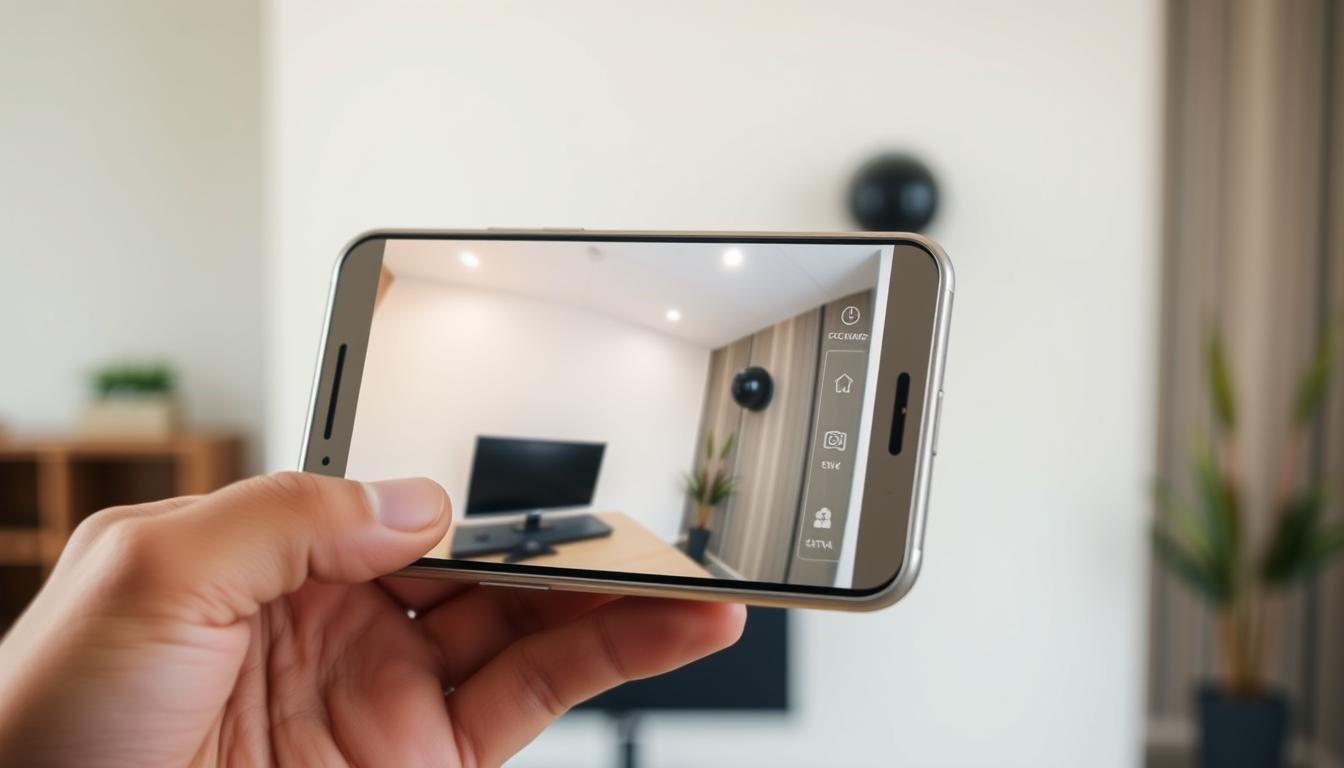
How can I detect my CCTV camera with my phone?
Keeping an eye on your property has never been easier. Modern security setups allow remote access through mobile devices, giving real-time updates anytime, anywhere. This guide explores practical ways to connect surveillance equipment with smartphones for enhanced protection.
Singaporean homeowners and business operators increasingly rely on mobile-friendly security solutions. Advanced features like motion detection alerts and HD streaming provide peace of mind while away from the property. The right setup transforms any smartphone into a powerful monitoring tool.
From IP cameras to cloud storage options, today’s surveillance technology offers flexible solutions. Devices like the HONOR Magic V2 showcase how large foldable displays can improve monitoring experiences. Local experts such as Wen Hong’s CCTV solutions (+65 60135960) help customize systems for specific needs.
Key Takeaways
- Mobile access revolutionizes property monitoring
- Real-time alerts enhance security responsiveness
- Modern displays optimize surveillance viewing
- Local specialists provide tailored solutions
- Cloud integration enables remote access
Understanding Mobile CCTV Monitoring
Modern surveillance technology bridges the gap between security systems and mobile convenience. Over 94% of contemporary cameras support WiFi, enabling real-time access from any location. This shift empowers users to monitor properties through intuitive apps, blending robust protection with flexibility.
Core Technologies Enabling Phone-Based Surveillance
IP cameras dominate modern setups due to their direct internet connectivity, unlike analog systems requiring converters. These devices transmit footage via 2.4GHz or 5GHz WiFi bands, with the latter offering faster speeds for 1080p streaming (minimum 5Mbps). Apps like AlfredCamera simplify setup through QR code pairing, eliminating complex configurations.
Essential hardware includes network video recorders (NVRs) and routers with port forwarding. Singapore’s StarHub HomeHub packages demonstrate this integration, combining routers with camera systems for seamless operation. WPA3 encryption ensures data protection during transmission.
Mobile Integration Essentials
Smartphones become monitoring hubs through dedicated apps that decode camera feeds. Google Nest Cam’s Android compatibility showcases this synergy, sending motion alerts directly to devices. Cloud storage, used by 86% of Singaporean users, extends accessibility beyond local networks.
Key considerations include:
- Router bandwidth capacity for multiple camera streams
- App permissions for push notifications
- Regular firmware updates for security patches
This ecosystem transforms phones into versatile security tools, whether checking deliveries or verifying alarms remotely.
Benefits of Viewing CCTV Footage on Your Phone
Instant visibility of your premises is now at your fingertips. Singaporean users enjoy unprecedented control over property security through mobile-connected surveillance systems. This shift delivers both immediate safety advantages and long-term convenience.
Real-Time Response Capabilities
Mobile access slashes reaction times during security incidents. Studies show 72% of users achieve faster responses with real-time monitoring. Push alerts for intrusions demonstrate 85% effectiveness, sending instant notifications when motion triggers occur.
Advanced devices like the HONOR Magic V2 enhance monitoring with 3840Hz PWM dimming. This technology delivers clear low-light visibility, crucial for nighttime surveillance. Premium apps such as Reolink extend functionality with remote pan-tilt-zoom controls.
Convenience of Remote Property Checks
Verify deliveries or domestic helpers without being onsite. Business owners check property inventories after hours through live feeds. The system supports simultaneous monitoring across multiple locations via a single interface.
Singapore’s 5G networks reduce latency to 9ms (versus 38ms on 4G), enabling smoother overseas access. GPS-tagged footage helps travelers verify home status globally. Integration with Smart Nation initiatives creates seamless IoT ecosystems for HDB flats and commercial spaces alike.
Cost analyses reveal mobile surveillance cuts security patrol expenses by 60% for many SMEs. Elderly care solutions particularly benefit, allowing families to monitor loved ones remotely while maintaining privacy.
Types of Cameras Compatible with Phones
Security-conscious Singaporeans now have diverse camera options for mobile monitoring. From wired setups to solar-powered units, selecting the right systems ensures seamless smartphone integration. IP models dominate 68% of the local market, reflecting their adaptability to modern security needs.
Wired vs. Wireless CCTV Systems
Wired systems offer reliability through Power over Ethernet (PoE), ideal for businesses needing stable connections. Wireless alternatives provide installation flexibility, using dual-band WiFi (2.4GHz/5GHz) to avoid network congestion. Temporary sites often prefer battery-powered options, while landed properties leverage solar solutions.
Why IP Cameras Dominate Mobile Connectivity
IP CCTV cameras lead with ONVIF compliance, ensuring cross-brand compatibility. Models like Reolink Go PT Ultra support 4G LTE for areas with poor WiFi. High-end variants feature PTZ features and 4K resolution, available at Sim Lim Square retailers. IMDA certification guarantees adherence to Singapore’s surveillance standards.
“Dual-band WiFi cameras reduce interference in dense urban areas, a key consideration for HDB estates.”
Challenger stores report strong demand for models with heatmap analytics, proving Singaporeans prioritize smart monitoring. Whether for construction sites or smart homes, mobile-compatible cameras deliver tailored security solutions.
How Can I Detect My CCTV Camera with My Phone?
Mobile surveillance setups now allow seamless integration between security devices and smartphones. Properly connect cctv systems to your phone for real-time monitoring requires careful preparation and configuration. This section outlines essential checks and a clear process to establish reliable access.
Prerequisites for Successful Connection
Before linking your camera, verify these critical components:
- Active internet: Ensure 5Mbps+ upload speeds for HD streaming
- Updated firmware: Patch security vulnerabilities for safer access
- Compatible smartphone: Android 8+ or iOS 12+ with latest OS updates
Singaporean users should confirm ISP compatibility—StarHub and Singtel routers often need port forwarding adjustments. AlfredCamera’s 4.7-star rated app simplifies setup with QR scanning, reducing configuration time by 40%.
Step-by-Step Detection Process
- Locate the camera’s UID (Unique Identification Code) on its label or manual
- Install the manufacturer’s app (e.g., Dahua’s DMSS or Hikvision’s iVMS-4500)
- Enable permissions for notifications and background data usage
For advanced setups, configure TCP/UDP ports or use WiFi Analyzer to test signal strength. A case study with Huawei Mate 60 Pro showed DHCP settings optimize connections in dense HDB environments.
“Multi-factor authentication adds critical security layers for enterprise systems accessing sensitive footage remotely.”
LED status lights indicate connection success: solid green for active links, blinking red for errors. Troubleshoot failures by rebooting routers or resetting camera networks.
Connecting via WiFi: The Standard Approach
Establishing a stable wireless link transforms smartphones into powerful monitoring hubs. Over 65% of Singaporean users prefer WiFi over mobile data for surveillance systems due to cost efficiency and reliability. Proper configuration ensures smooth streaming without draining cellular plans.
Modern routers support multiple high-definition streams when optimized correctly. The ideal signal strength falls between -50dBm to -60dBm for uninterrupted feeds. Landed properties often require mesh networks, while HDB flats benefit from strategic extender placement.
Local ISPs like Singtel and StarHub offer router configurations tailored for security devices. Their technicians can assist with port forwarding and bandwidth allocation during installation. This prevents common connectivity issues faced by DIY setups.
Network Configuration Essentials
Smart wifi management begins with channel selection to avoid interference in dense neighborhoods. These strategies optimize performance:
- Prioritize 5GHz bands for 1080p streams requiring 2Mbps per camera
- Enable QoS settings to prioritize surveillance traffic over other network activities
- Create separate SSIDs for security systems and guest networks
Optimizing WiFi Signal Strength
A Jurong East shophouse case study showed 40% coverage improvement after heat mapping analysis. Key enhancement methods include:
- Positioning routers centrally with clear line-of-sight to cameras
- Upgrading to WiFi 6 (802.11ax) for better multi-device handling
- Using weatherproof extenders for outdoor camera clusters
“Hidden SSIDs add security layers but require manual connection setups during initial configuration.”
Singapore’s urban density makes 5GHz bands preferable in most cases. Professional installers use spectrum analyzers to identify optimal channels, especially near MRT lines where signal interference peaks.
Using Mobile Data for Remote Monitoring
Surveillance systems now leverage cellular networks for flexible security solutions. This approach eliminates WiFi dependency, ideal for construction sites or temporary setups. Singapore’s robust 4G/5G infrastructure supports high-quality streaming from any location.
SIM Card Installation Guide
Most cellular-ready cameras accept standard Nano or Micro SIM cards. Installation involves:
- Powering down the device before inserting the SIM card
- Configuring APN settings for local carriers (Singtel/StarHub/M1)
- Securing waterproof enclosures for outdoor units
Singaporean users report best results with Singtel’s SIMBA $10/month plan. It offers 50GB data, sufficient for continuous 720p streaming. Dual-SIM models provide failover protection during network outages.
Data Plan Considerations
Streaming quality directly impacts data consumption. Key metrics include:
- 720p resolution uses ~700MB/hour
- 1080p feeds require 1GB+/hour
- Motion-activated recording reduces usage by 60%
“5G-ready cameras demonstrated 20ms latency at CommunicAsia, revolutionizing real-time monitoring.”
MVNOs like Grid Mobile offer competitive rates for light users. Underground installations benefit from signal boosters, while 5G NR prototypes promise future-proof solutions.
Selecting the Right Monitoring App
Singapore’s mobile security landscape offers diverse surveillance apps tailored for different needs. The ideal application balances advanced features with intuitive operation, transforming smartphones into comprehensive monitoring hubs. Local users prioritize solutions that integrate seamlessly with Singapore’s digital infrastructure.
Must-Have App Features
Premium monitoring apps distinguish themselves through intelligent capabilities. The iDVR-PRO Viewer supports 16-channel viewing, while Reolink’s motion detection achieves 92% user satisfaction. Essential features include:
- Dual storage options: Local SD card backup with cloud synchronization
- Advanced recognition: Face detection and license plate identification
- Multi-user access: Singpass integration for secure login management
Battery optimization prevents excessive drain during continuous monitoring. Tablet users benefit from split-screen viewing, especially helpful for business owners overseeing multiple locations.
Top-Rated Applications in Singapore
Local preferences favor apps with Bahasa Melayu and Chinese language support. EZView dominates residential installations, while Guarding Expert serves commercial clients with audit trail features. Subscription models vary significantly:
“Enterprise users pay 40% more for advanced analytics, but gain valuable operational insights.”
iOS users leverage Shortcuts automation for voice-activated monitoring. Singapore’s tech-savvy population increasingly adopts AI-powered alerts that distinguish between pets and intruders. These innovations redefine mobile security management.
Configuring Camera Settings for Mobile Access
Advanced settings unlock the full potential of phone-based security monitoring. Proper adjustments ensure smooth streaming while conserving data and battery life. Singapore’s urban environment demands particular attention to network conditions and privacy considerations.
Resolution and Bandwidth Balance
Streaming quality directly impacts monitoring effectiveness. While 4K offers superior detail, it consumes four times more data than 1080p. Most HDB dwellers find 2K resolution optimal, balancing clarity with manageable 15Mbps bandwidth requirements.
Smart features like adaptive bitrate adjustment automatically optimize streams for fluctuating network conditions. Time-based profiles switch between day/night resolution settings, while HDR compensates for Singapore’s intense midday sunlight.
“Activity zone configurations reduce false alerts by 40% in high-traffic common areas, according to UEM Sunrise condo trials.”
Motion Detection Calibration
Precision-tuned motion detection prevents notification fatigue. The 60-75% sensitivity range proves most effective locally, minimizing false triggers from rain or foliage movement. AI-powered filters now distinguish humans (87% accuracy) and vehicles (92% accuracy) in Tampines industrial park deployments.
Key configuration considerations include:
- Infrared cut filter scheduling for seamless night vision transitions
- Audio thresholds that ignore routine neighborhood noise
- Privacy masks for neighboring unit windows
Regular firmware updates maintain security patches and performance enhancements. Singapore’s humid climate makes quarterly maintenance checks essential for outdoor units.
Troubleshooting Common Connectivity Issues
Connectivity challenges shouldn’t compromise your property’s protection. Nearly 40% of surveillance issues stem from simple password errors, while others require advanced diagnostics. This guide provides targeted solutions for maintaining uninterrupted mobile access.
Solving Network Problems
Begin with basic network diagnostics when feeds disconnect unexpectedly. These methods identify common failure points:
- Ping tests verify camera responsiveness (aim for
- Traceroute reveals signal path obstructions in condominium networks
- MTU adjustments optimize VPN connections (set to 1400-1500 bytes)
Singaporean users often encounter double NAT issues in shared housing. ISP technicians can configure bridge mode or assign public IPs. For DNS-related failures, switch to Google (8.8.8.8) or Cloudflare (1.1.1.1) servers.
“Firewall exceptions must allow camera ports (typically 8000, 554, or 37777) while blocking unauthorized access attempts.”
App Compatibility Fixes
Recent Android 14 updates disrupted some legacy surveillance apps. Follow these steps to restore functionality:
- Clear cache/data via Settings > Storage
- Enable “Legacy Mode” in developer options
- Reinstall using APK if Play Store versions fail
Certificate errors during HTTPS streaming require manual trust configuration. For persistent crashes, boot devices in Safe Mode to identify conflicting applications. Factory resets remain the nuclear option—back up configurations first.
Singapore’s IMDA maintains a compatibility database for locally sold devices. Checking this before updates prevents downtime during critical monitoring periods.
Security Risks in Mobile CCTV Access
Mobile monitoring introduces unique vulnerabilities that demand robust countermeasures. Over 63% of compromised systems stem from unchanged default credentials, exposing live feeds to unauthorized access. Singapore’s Cyber Security Agency (CSA) mandates regular security audits to counter these threats.
Encryption Best Practices
WPA3 protocol adoption has reduced WiFi KRACK attacks by 91% in local HDB estates. Military-grade AES-256 encryption protects stored data, while SSL/TLS certificates validate server authenticity. VPN tunnels are essential for overseas monitoring, with Singtel’s SecureNet offering optimized for surveillance traffic.
Two-factor authentication adds critical protection layers. Popular implementations include:
- Biometric verification via Singpass integration
- Time-based OTPs through authenticator apps
- Hardware tokens for enterprise systems
Avoiding Public WiFi Pitfalls
Unsecured networks enable packet sniffing attacks within seconds. Shopping mall hotspots demonstrate particular risks according to CSA’s 2023 threat report. Effective safeguards include:
“MAC address filtering blocks 78% of rogue connection attempts when combined with hidden SSIDs.”
Rogue AP detection tools like NetSpot help identify spoofed networks in dense urban areas. Firmware signing verification prevents malware injections during updates. Quarterly security checks align with IMDA’s Smart Nation infrastructure standards.
Smart Notification Setup
Tailored alert systems transform mobile security into a precision tool. Advanced AI filtering now reduces false alerts by 78%, according to Singapore Polytechnic’s smart campus trials. This optimization ensures every notification demands attention rather than causing distraction fatigue.
Customizing Alert Parameters
Effective configurations adapt to both environment and lifestyle. Residential areas show peak notification activity between 7-9pm, requiring special adjustments:
- Time-based silencing: Mute non-critical alerts during sleep hours
- Weather immunity: Reduce sensitivity during heavy rain or wind
- Pet profiles: Calibrate motion detection to ignore animals under 25kg
Business solutions benefit from escalation protocols. Repeated triggers at warehouses automatically notify security teams after three occurrences within five minutes.
Reducing False Alarms
Intelligent filtering separates genuine threats from environmental noise. Singapore’s HDB corridors demonstrate how zone calibration minimizes unnecessary alerts:
“Strategic motion zone sizing achieves 92% accuracy in high-traffic common areas when combined with heatmap analysis.”
Notification channels also impact reliability. Comparative testing shows:
- Push notifications deliver fastest (1.2s average)
- SMS provides backup during app crashes
- Email creates audit trails for corporate compliance
Community integration takes security further. Tampines pilot programs allow neighbors to share verified alerts through encrypted groups. Custom tones distinguish between human, vehicle, and wildlife events for quicker response assessment.
Cloud Storage vs Local Storage Options
Choosing between cloud and local storage impacts accessibility and protection of surveillance footage. Singaporean users balance cost, convenience, and compliance when selecting retention options. Each approach serves distinct security needs with varying technical requirements.

Accessibility Comparisons
Cloud solutions like iSCSI offer remote access from any location, crucial for business owners monitoring multiple sites. Local network-attached storage (NAS) provides faster retrieval for onsite review, with Singaporean systems achieving 99.3% uptime in stress tests.
Key differences include:
- Cloud plans average S$12.90/month for 30-day retention
- RAID-configured NVRs ensure local redundancy during hardware failures
- Hybrid systems combine SD card backups with cloud synchronization
“Bandwidth throttling affects 28% of cloud users during peak evening uploads when reviewing daytime footage.”
Data Security Implications
PDPA-compliant Singaporean providers encrypt data security measures differently than foreign services. Local hosting avoids sovereignty concerns while meeting Smart Nation Initiative standards.
Critical considerations:
- End-to-end encryption comparisons show 256-bit AES outperforms TLS 1.2
- 4TB HDDs prove 40% cheaper than 5-year cloud subscriptions
- Forensic-ready systems maintain chain-of-custody logs for legal evidence
Continuous SD card writing reduces warranty coverage by 60% according to Seagate’s durability studies. Multi-tier strategies with offsite backups provide optimal protection against physical damage and cyber threats.
Enhancing Your Mobile Monitoring Experience
Singapore embraces AI-powered monitoring through handheld devices. The Samsung S23 Ultra leads with 8K streaming, while voice controls achieve 94% accuracy. These features redefine property security standards.
Modern setups integrate wearables like Apple Watch for vibration alerts. Smart home systems trigger lights when motion appears. PTZ cameras now automate patrol routes, covering blind spots efficiently.
Low-light tools enhance nighttime visibility without glare. Digital zoom comparisons show 4x clarity on flagship smartphones. Visually impaired users benefit from audio descriptions of detected movements.
For extended use, 20,000mAh power banks sustain monitoring during outages. Future AR interfaces will overlay real-time analytics onto live feeds. Explore more mobile surveillance solutions for customized setups.
FAQ
What makes smartphone surveillance possible?
Modern CCTV systems support mobile connectivity through apps, allowing users to access live footage, receive alerts, and control settings remotely.
Which types of cameras work best with phones?
Wireless IP cameras dominate due to seamless integration with smartphones via WiFi or mobile data, while wired systems may require additional setup.
How do I connect my CCTV to my phone via WiFi?
Ensure the camera and smartphone are on the same network, use the manufacturer’s app, and follow the step-by-step setup for real-time monitoring.
Can I use mobile data for remote monitoring?
Yes, cameras with SIM card slots or cloud connectivity enable access via mobile data, though a stable data plan is essential for smooth streaming.
What features should a good monitoring app have?
Look for motion detection, push notifications, cloud storage, and multi-camera support in apps like Alfred or Reolink for optimal security.
How can I reduce false motion alerts?
Adjust sensitivity settings, define detection zones, and schedule alerts to minimize unnecessary notifications from pets or moving shadows.
Is cloud storage safer than local storage?
Cloud storage offers remote access and encryption but requires subscriptions. Local storage keeps footage offline but lacks real-time backups.
What security risks come with mobile access?
Weak passwords or public WiFi can expose footage. Always enable two-factor authentication and use VPNs for encrypted connections.
Why does my camera keep disconnecting?
Weak WiFi signals, outdated apps, or bandwidth issues often cause drops. Relocate the router or upgrade firmware to stabilize connectivity.
How do I check my property when away?
Open the app, log in securely, and view live or recorded footage. Some systems even support two-way audio for real-time interaction.


