
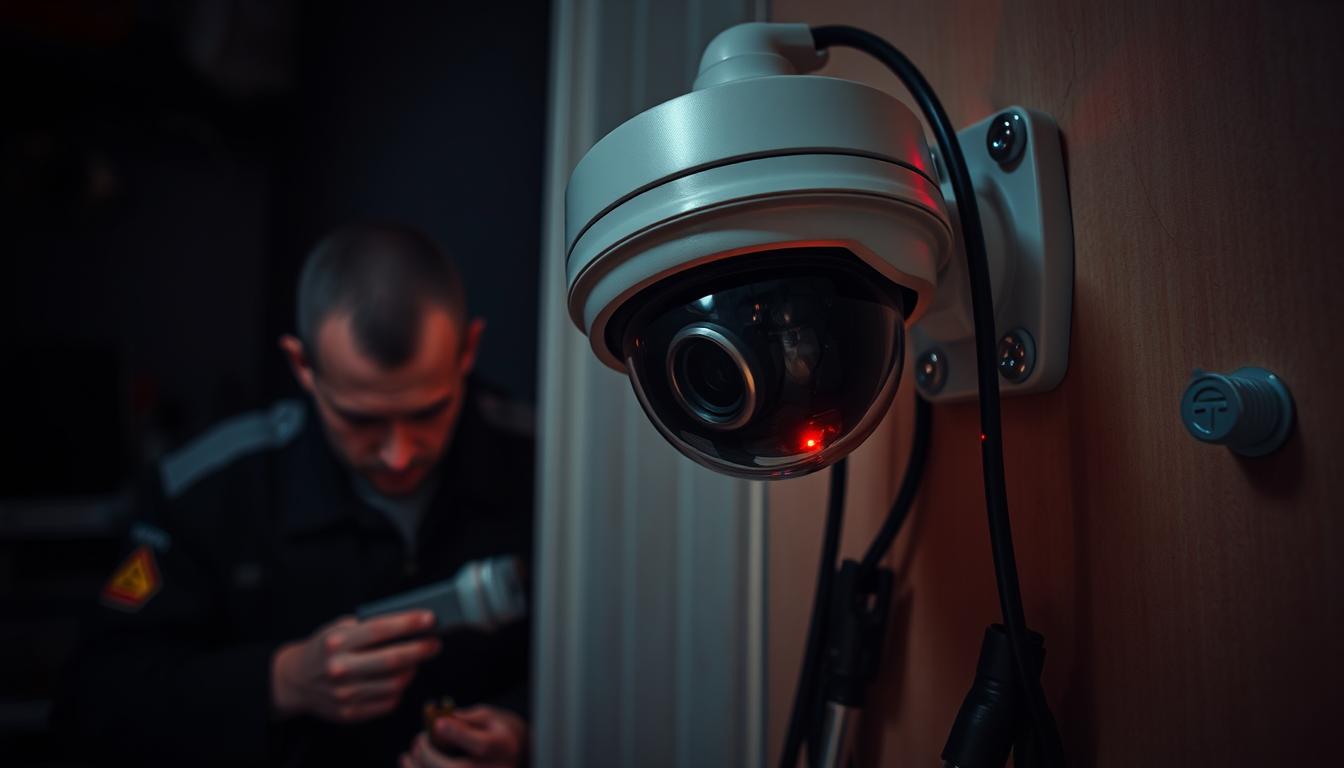
Fixing Issues: Why CCTV Camera Suddenly Stopped Working
Ever wondered why your CCTV camera just stopped working? It’s a big worry for those who rely on security systems. Knowing how these devices work is key to fixing common problems. This article will help you understand and fix CCTV camera issues.
We’ll share important maintenance tips to keep your system running smoothly. You’ll learn what causes sudden failures and how to fix them quickly. This way, you can keep your security system up and running.
Key Takeaways
- Understanding the reasons why CCTV cameras fail is vital for effective troubleshooting.
- Regular checks on power connections and settings can prevent many common issues.
- Identifying camera functionality and possible malfunctions can save time and resources.
- Expert support is available, and reaching out can facilitate quick solutions to persistent problems.
- Routine maintenance plays a key role in ensuring the longevity and reliability of CCTV systems.
If you’re having trouble with your CCTV system, contact CCTV Maintenance today. Call +65 60135960 to learn more about the latest solutions and offers!
Understanding CCTV Camera Functionality
CCTV camera operation depends on many parts working well together. Knowing these parts is key to making video surveillance work best.
CCTV systems have different camera types. They are either wired or wireless. Wired cameras use cables and need constant power for a strong connection. Wireless systems, on the other hand, use Wi-Fi and can be affected by weak signals or interference.
- Live viewing: Watching live footage helps respond quickly to security issues.
- Recording capacity: Knowing how to store footage is important for managing it well.
- Remote access: This feature lets users check feeds from anywhere, making it very convenient.
Understanding these aspects is very helpful when fixing CCTV camera problems. It’s important to check connections, look for power issues, and make sure Wi-Fi is strong. If you’re having trouble, getting help from experts is a good idea.
For specific solutions and the latest in CCTV tech, contact CCTV Maintenance today at +65 60135960. They have current offers available.
Common Reasons for CCTV Malfunctions
CCTV cameras can face many problems that make them stop working right. Knowing what causes these issues helps fix them quickly.
- Insufficient Power Supply: A common problem is when cameras don’t get enough power. This can happen if cables are loose, too long, or if one source uses too much power. It might cause a black screen at night or flickering videos.
- Power Spike & Interference: Sudden power spikes can mess with cameras, like during electrical storms. Using surge protectors can help avoid this.
- Weak WiFi Connection: WiFi cameras need a strong connection to work well. If the connection is weak or unstable, video loss can happen. A clear, strong signal is key.
- IR Cut Filter Issues: Problems with infrared night vision can cause video loss at night. It’s important to check and adjust settings for IR components.
- Signal Compatibility Problems: Cameras and systems from different brands or with different resolutions can cause issues. Make sure all equipment works together well.
- Cabling Problems: Damaged or twisted cables can lead to video loss. Regular checks and replacing cables when needed are important.
- Hardware & Firmware Issues: Old firmware or broken hardware can cause ongoing problems. Keeping software up to date and replacing faulty parts is necessary.
- IP Address Conflicts: When devices share the same IP address, it can block camera feeds. Each device must have its own unique IP address for smooth operation.
Fixing common problems with CCTV cameras is key to keeping surveillance effective. By being proactive, users can reduce the chance of system failure. If issues don’t get better or get worse, seeking expert help is a good idea. Contact CCTV Maintenance today at +65 60135960 to learn more about CCTV solutions and offers.
Troubleshooting CCTV Camera Issues
When CCTV cameras malfunction, it’s important to act fast. First, check the connections and power. Make sure everything is set up right. Also, check the cabling quality, as poor cabling can cause issues like no video output or dark camera LEDs.
If simple checks don’t work, try rebooting the camera. A simple power cycle can fix many problems. Also, watch out for IP address conflicts, as they can cause cameras to fail.
Keeping your cameras’ firmware up to date is key. Use the manufacturer’s software for the best results. If problems continue, a factory reset might be needed to go back to default settings.
Looking at FAQs and contacting tech support can help find solutions. Also, investing in quality cameras can prevent many issues.
Often, video loss is due to power problems. This can cause cameras to go black at night or flicker. Power spikes and interference can also damage equipment.
A weak WiFi connection or low bandwidth can also cause video loss. Distance, signal interruptions, and network traffic can affect performance. Issues like a malfunctioning IR cut filter or faulty night vision can also cause black screens after dark. Proper settings and extra lighting can help.
Lastly, damaged cables or wires can ruin the signal. This can lead to camera dysfunction. Keeping your camera’s network environment in check is important for avoiding problems.
For more help with CCTV camera issues, contact CCTV Maintenance today at +65 60135960. They offer the latest solutions and deals.
CCTV Camera Power Failure
Power issues are a common reason for CCTV camera malfunctions. Knowing how to fix these problems is key to keeping your surveillance system working well.
Checking Power Supply Connections
Start by checking the power supply connections if your CCTV camera isn’t working. Cameras need the right voltage and wattage to function right. Bad connections or damaged cables can lead to power problems and video loss.
- Look for any damage on the cables.
- Make sure all power adapters are plugged in tight.
- Use power supplies that meet the camera’s needs, like the 802.3af POE for up to 15.4W.
Power spikes and interference can also cause video loss. Keeping an eye on these can help avoid damage to your cameras.
Battery Functionality in Wireless Cameras
For wireless cameras, it’s important to keep the batteries working well. Check the battery levels often and replace them when needed. Weak WiFi signals and low bandwidth can make problems worse, leading to video loss.
| Camera Type | Power Source | Common Issues |
|---|---|---|
| Wired CCTV | Power Adapter | Loose Connections, Power Spikes |
| Wireless CCTV | Battery Operated | Low Battery, Weak WiFi Signal |
Manufacturers also offer tools to find connected cameras. This helps spot cameras that might have had power failures. If needed, try hard resetting a camera or NVR. Keeping your system in good shape helps avoid power-related problems.
Need help with your CCTV system? Contact CCTV Maintenance at +65 60135960 for expert advice and the latest solutions.
Why CCTV Camera Suddenly Stopped Working?
Several factors can cause a CCTV camera to stop working without warning. One major reason is power supply problems. If connections are loose or power is low, video can fail. Checking connections and power sources regularly can spot these issues fast.
WiFi connectivity issues are another common problem, mainly in wireless systems. Weak signals or low bandwidth can disrupt footage. Moving routers or cameras closer can improve performance and reduce problems.
Keeping your CCTV system’s firmware and software up to date is critical. Old software can cause problems, like issues with remote viewing and image quality. Regular updates help keep your system running smoothly and prevent failures.
A table below summarizes these common reasons for CCTV failures and possible solutions, making it easier to understand what to do:
| Common Reasons for CCTV Failures | Possible Solutions |
|---|---|
| Insufficient Power Supply | Check power connections; ensure PoE equipment is used correctly. |
| Weak WiFi Connection | Relocate cameras closer to routers; troubleshoot network issues. |
| Firmware/Software Issues | Regularly update system software and firmware; reset if necessary. |
| Cabling Problems | Inspect and replace damaged cables; ensure proper wiring. |
| Compatibility Issues | Ensure devices are compatible; consult support for technical help. |
Regular maintenance is key to avoiding sudden failures. Investing in top-quality cameras from brands like Reolink, Logitech, or Lorex can improve reliability, even if they cost more. For help with your CCTV camera problems, call CCTV Maintenance at +65 60135960. They offer the latest security solutions and deals.
CCTV Camera Not Recording: An Overview
When a CCTV camera won’t record, it can be really frustrating. It might also weaken your security. Understanding the parts involved is key to fixing the problem. We’ll look at two main areas: checking storage and camera settings to make sure everything works right.
Examining Storage Solutions
Storage problems are a big reason CCTV cameras don’t record. If hard drives are full or not set up right, recording stops. It’s important to check how much space is left on storage regularly. Also, make sure storage devices, like NVRs, are working well. Here’s a quick look at common storage issues:
| Storage Issue | Possible Cause | Solution |
|---|---|---|
| Full Hard Drive | Capacity exceeded | Delete old footage or upgrade storage |
| Improper Formatting | Incorrect file system | Reformat storage device |
| Connectivity Problems | Network issues with NVR | Check connections and reset device |
Confirming Camera Settings
Checking camera settings is also vital. Sometimes, people forget to turn on motion detection. This feature is key for recording when there’s movement. Adjusting sensitivity and setting up the right detection zones are important steps. Here’s what to focus on:
- Activating motion detection
- Adjusting sensitivity settings
- Ensuring correct activity zones are set up
Fixing these issues is key to making CCTV systems work well. For more help with your CCTV setup, reach out to experts.
CCTV Camera System Malfunction and Its Symptoms
It’s key to spot a CCTV camera system malfunction to keep security tight. Signs like signal loss or image quality problems can show up. Catching these early helps fix issues fast and keeps your security footage reliable.
Identifying Signal Loss
Signal loss is common in CCTV systems. It can be due to damaged cables or weak wireless connections. Checking the cables is important; twisted or bent ones can cause video issues.
Things like power spikes from lightning or interference from metal camera mounts can also affect signals. For wireless cameras, weak Wi-Fi, often due to barriers, is a big problem. Keeping an eye on these can stop video loss.
Recognizing Image Quality Issues
Image quality problems show up as flickering or low resolution. They can come from camera or recording device failures, or wrong camera settings. For example, IR cut filters not working right at night.
Regular checks on hardware and updates to firmware are needed to keep things running smoothly. Finding out what’s causing the problem, like power issues or network problems, is key to fixing it.
For the latest in CCTV solutions and deals, call CCTV Maintenance at +65 60135960.
CCTV Camera Maintenance Tips
Keeping CCTV systems in good shape is key to their long life and reliability. By following some simple CCTV camera maintenance tips, you can boost your security setup’s performance.
It’s important to check for physical damage regularly, more so for outdoor cameras. They need to be weatherproofed to handle different weather conditions. Indoor camera lenses should be cleaned every six months to keep the view clear. Having a regular check-up schedule helps spot problems early.
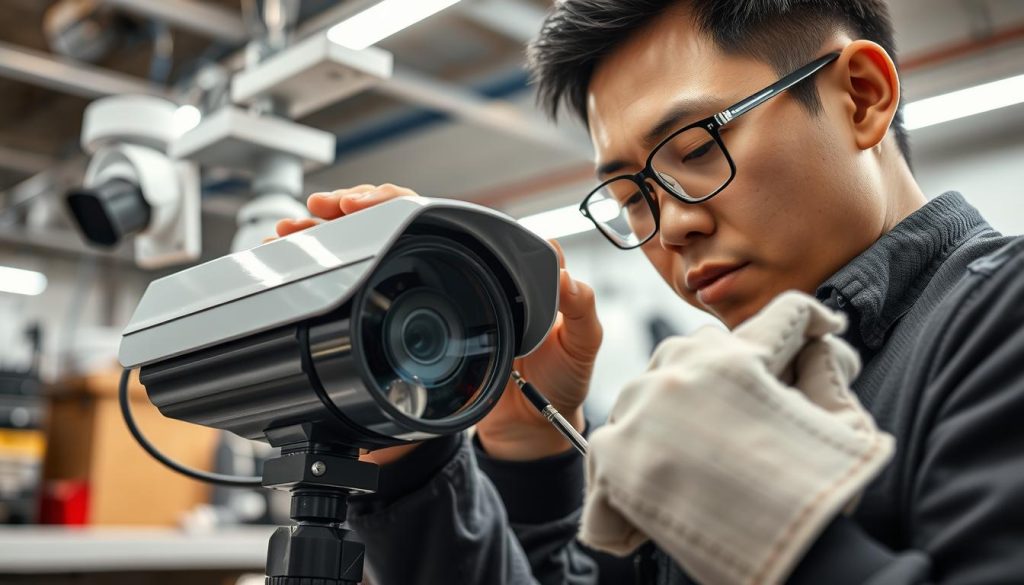
Updating software and firmware is vital for better system performance and security. Keeping your client software current improves video quality and fixes security holes. Training your team on proper maintenance also boosts system efficiency.
By taking these steps, you can lower the risk of CCTV system failure. This protects your property. For more on CCTV solutions and offers, contact CCTV Maintenance at +65 60135960 today.
Call to Action: Get Professional Help
If you’re having trouble with your CCTV system, getting help from experts is key. Professional CCTV maintenance fixes technical issues fast and well. Trained techs can spot problems you might miss.
When looking for CCTV service in Singapore, choose specialists. They make sure your security systems work right. This gives you peace of mind.
Call CCTV Maintenance today at +65 60135960. They can tell you about the best CCTV solutions and services. Regular maintenance keeps your systems running smoothly. Don’t let small problems turn into big ones. Act now to keep your place safe.
Conclusion
In this CCTV troubleshooting summary, we’ve explored why security cameras might stop working. Issues like power problems or connectivity issues are common. Knowing these helps users fix problems before they get worse.
Regular checks and maintenance are key to keeping your cameras working. Solutions like checking connections and updating software can help. Also, choosing top brands like Reolink or ZOSI can help avoid many issues.
If you’re having trouble with your CCTV system, contact CCTV Maintenance at +65 60135960. Our team is here to help with a custom plan. We aim to keep your system running smoothly and give you peace of mind.
FAQ
Why did my CCTV camera suddenly stop working?
Several reasons can cause this problem. These include power supply failures, loose connections, or firmware issues. It’s key to check these areas to find the main cause.
How can I troubleshoot CCTV camera issues?
Begin by examining power supply connections and network stability for wireless models. Look for any damage in cables. Also, make sure your camera settings are correct.
My CCTV camera is not recording anything; what should I do?
First, see if your storage, like an external hard drive, is full or wrong. Also, check if your recording settings are on and motion detection is active if it’s needed.
What causes power failure in CCTV cameras?
Power failures can come from bad connections or dead batteries in wireless systems. Always check that power cables are well connected. Also, keep an eye on battery levels and replace them when necessary.
How do I identify a malfunctioning CCTV system?
Look for signs like signal loss or poor image quality. This could mean hardware or software issues that need fixing.
What maintenance do CCTV cameras require?
Regular checks for damage, firmware updates, and cleaning the camera lenses are vital. They help keep your CCTV system working well and prevent common problems.
When should I contact a professional for CCTV maintenance?
If you can’t fix issues yourself, it’s best to get professional help. Experts can give a detailed diagnosis and effective solutions.
How can I ensure the longevity of my CCTV camera system?
Regular maintenance, keeping firmware updated, and checking for hardware and software problems are key. They help extend your CCTV system’s life.
Source Links
- https://www.caughtoncamera.net/news/common-cctv-problems-fix/
- https://network-data-cabling.co.uk/blog/12-cctv-problems-and-fixes/
- https://reolink.com/blog/video-loss-on-security-camera/?srsltid=AfmBOoo-CXwgg4jLESL28Sbk5Mefo51QLWEPFONYzG1cxpqxorn0Y37W
- https://www.westerndigital.com/en-in/solutions/cctv/blog/3-reasons-your-cctv-camera-is-broken–and-how-to-fix-it
- https://montavue.com/blogs/news/common-reasons-for-video-loss-on-security-cameras-how-to-fix-them?srsltid=AfmBOoq_gkknG4u3y3F7KTOVOLLirWjdsI1OKKhHEY3PaH-qheZJLRQA
- https://web.securitysystem.com.sg/cctv-problems-and-fix/
- https://reolink.com/blog/video-loss-on-security-camera/?srsltid=AfmBOop9jTotGA0-3lF0kZYBn3kMOuPkov_RRM1d3eR6zymFo9n0YurU
- https://reolink.com/blog/security-camera-wont-work/?srsltid=AfmBOor1mo3RC9rRmx_WSCNYDJeO2cCN8joaP-yKrEdc4XbsktgRYfka
- https://reolink.com/blog/video-loss-on-security-camera/?srsltid=AfmBOooKxn7s_uqtf5vhqxxnWETyhItnM-WJMB241bROU_6N_MQU6-k8
- https://reolink.com/blog/video-loss-on-security-camera/?srsltid=AfmBOop3ABGmBj-3i-gCDy6hcodrWABRK0qceNFRefU3Xx68InMfdB94
- https://www.use-ip.co.uk/forum/threads/power-cut-then-only-1-camera-working.9097/
- https://www.firstsolution.com.sg/blog/7-common-cctv-cameras-problems-how-to-troubleshoot-and-fix-them/
- https://reolink.com/blog/security-camera-wont-work/?srsltid=AfmBOoqxNFlyLvrJcNwOt3asUbEBtlrPSHIwEucdvGRSCnD9Ttjprall
- https://reolink.com/blog/video-loss-on-security-camera/?srsltid=AfmBOoofNY1JqUOan6TOG576GjXIqvpSdBjk17oIEPsiTL1Du2VnLBjk
- https://reolink.com/blog/security-camera-motion-detection-not-working/?srsltid=AfmBOopgS7Dn4H_qawK2WUtomVKB5Et1dHbLyVwFg5zSBRM328J8ykkZ
- https://reolink.com/blog/video-loss-on-security-camera/?srsltid=AfmBOorjI28FxiTUVTjZzcYWpUK88FIZv4i0tq54HtO1CvT4y6rKCncF
- https://ipvm.com/discussions/problem-missing-video-gaps-in-recording
- https://reolink.com/blog/video-loss-on-security-camera/?srsltid=AfmBOoqBBmA7SGCLdzfuty9BVNH1PYWPfuh5tPwaucmYb4uKfNDvU-kR
- https://montavue.com/blogs/news/common-reasons-for-video-loss-on-security-cameras-how-to-fix-them?srsltid=AfmBOoreCQIgfRQ5A607oeZtjEFRzMsKatjkgigf2Oe1NSHFYF5Lcta4
- https://mammothsecurity.com/blog/security-maintenance-tips
- https://casasecurity.com.au/troubleshooting-solutions-when-your-security-camera-doesnt-work/
- https://houseofit.ph/blog/10-foolproof-ways-to-troubleshoot-a-cctv-camera
- https://reolink.com/blog/security-camera-wont-work/?srsltid=AfmBOoqyWULPB0s8zbu2Z8QAnDJMV8JE-1L7fXg4MPiPFla8BqGMSGnx
- https://reolink.com/blog/video-loss-on-security-camera/?srsltid=AfmBOoopw7FRK_z5twtfQKRmLXe_BVFZa_yPjJ0zrn5NUadD93mNqjXa
- https://reolink.com/blog/security-camera-wont-work/?srsltid=AfmBOorMFR-n7mLkKz6_Ko2TnVXf9iy316PHSNVjP1CDVh6G8zJraZZR
- https://reolink.com/blog/video-loss-on-security-camera/?srsltid=AfmBOor5NS_A7LKnnHMUTR9IaE352S0QRNgOcQJjRFCgpZkj9tHauwJO
- https://blog.zositech.com/security-camera-wont-work/


