
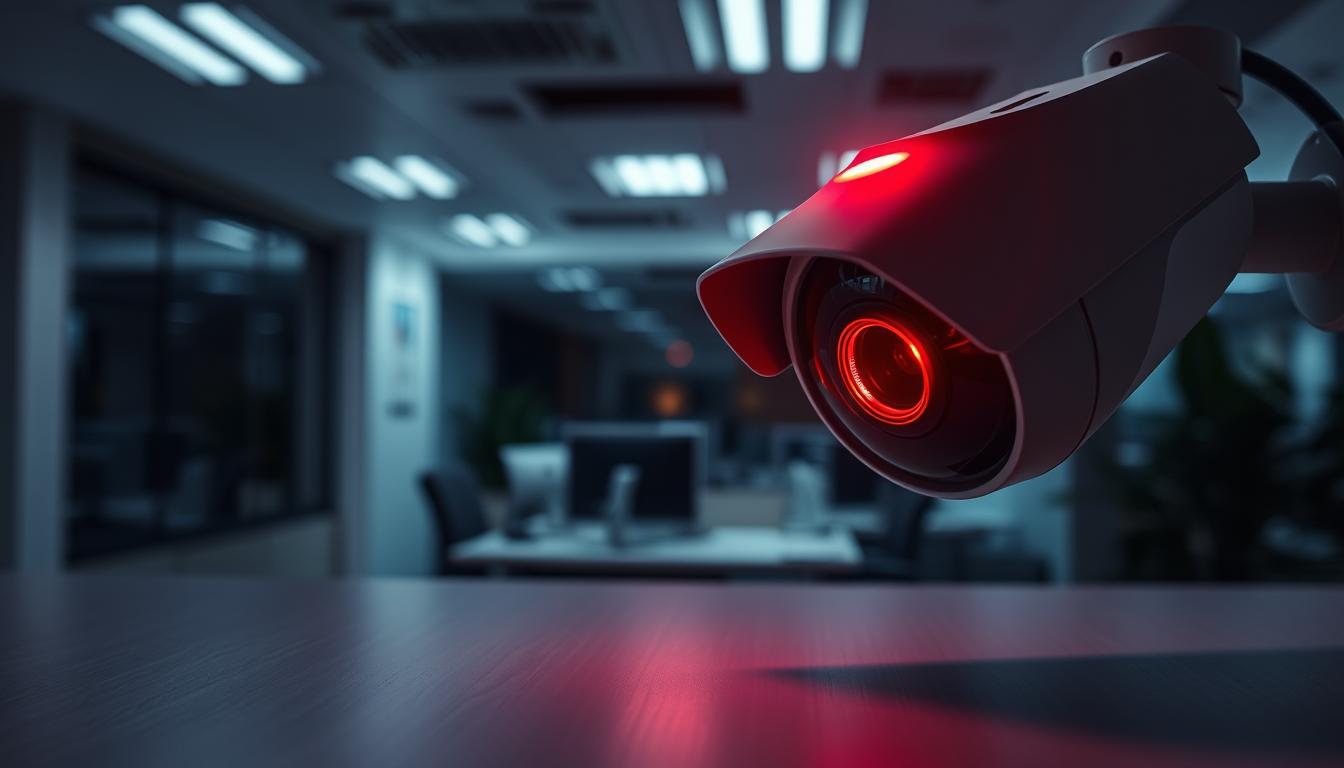
Does Red Light Mean Recording? A Guide to Security Cameras
Security cameras have become essential tools for protection in Singapore. Many devices use visible indicators to show their status. These lights can appear in various colors and patterns.
Understanding what these signals mean is crucial for proper surveillance. Different camera systems use indicator lights in unique ways. The same color might signal different functions across various models.
This guide explores the complex world of camera indicators. We examine both traditional CCTV and modern IP camera systems. You’ll learn to interpret what different light patterns actually signify.
Key Takeaways
- Security cameras use indicator lights to show different status conditions
- Red lights can signal various functions beyond just recording activity
- Traditional CCTV and modern IP cameras often use different indicator systems
- Understanding light patterns helps verify if your camera is working properly
- Infrared technology affects light visibility during night surveillance operations
- Singapore has specific legal considerations for surveillance systems
- Different colors and blinking patterns convey distinct messages about camera status
Understanding Security Camera Status Indicators
Modern surveillance devices communicate through visual signals that provide instant status updates. These indicators have transformed from basic power lights to sophisticated communication systems.
Camera status lights serve as immediate visual feedback mechanisms. They inform users about operational conditions without requiring technical expertise.
The Purpose of Visual Signals on Cameras
Visual indicators on surveillance equipment serve multiple crucial functions. They provide real-time information about the device’s operational state.
These signals help users quickly identify if their security system is functioning properly. They also alert to potential issues that might require attention.
Modern systems use standardized patterns across different locations. This ensures consistent communication regardless of the specific camera model.
Common Light Colors and Their General Meanings
Different colors convey specific messages about camera status. Understanding these color codes is essential for proper monitoring.
- Green illumination typically indicates normal operation with power but may not signal active capture
- Blue signals often represent data transfer or network connectivity processes
- Amber or yellow glows usually warn about system issues or storage limitations
- Steady crimson indicators frequently denote active recording in many contemporary models
The evolution of these visual signals reflects advancements in smart surveillance technology. Modern systems provide more transparent and detailed status information than earlier versions.
The Function of Red Lights in Camera Systems
The crimson glow from security devices often indicates more than just basic functionality in modern systems. These visual cues communicate vital information about device status and operational conditions.
A constant crimson indicator typically confirms that surveillance equipment is powered on and capturing footage. This signal appears across various monitoring setups, particularly in traditional CCTV configurations.
Standard Roles of a Steady Red Indicator
Steady illumination serves as a reliable confirmation of normal operation. Many security systems utilize this visual feedback to assure users of proper functionality.
The Land Transport Authority’s network employs specialized infrared LEDs that activate automatically. These systems respond to ambient brightness levels dropping below specific thresholds.
Advanced camera configurations synchronize LED activity with sensor operation. This coordination prevents flickering and ensures consistent performance during surveillance activities.
Infrared Technology and Its Distinctive Red Glow
Infrared illumination creates a distinctive crimson glow visible in low-light conditions. This technology enables clear footage capture in complete darkness while providing visual confirmation of active monitoring.
Most infrared security equipment operates at 850nm wavelength. This specific frequency creates visible illumination during nighttime operation while remaining effective for surveillance purposes.
The crimson glow from infrared cameras serves dual purposes: enabling night vision capabilities and communicating active surveillance status. Understanding this distinction helps users accurately interpret their equipment’s operational condition.
Does a Blinking Red Light Mean Recording?
Many homeowners misinterpret blinking patterns on their security systems as recording confirmation. These intermittent signals actually communicate various operational statuses across different surveillance models. Understanding these patterns prevents unnecessary concerns about your protection setup.
Interpreting the Blinking Red Signal
Flashing crimson indicators serve as diagnostic tools rather than simple activity confirmations. Manufacturers program distinct patterns to convey specific messages about system health. These visual cues help users identify issues requiring attention.
Blink camera systems exhibit particular flashing behaviors under certain conditions. They pulse every three seconds during internet disconnection. Five extended flashes typically follow new battery installation.
Eufy security setups use similar visual language for connectivity problems. Their homebase units flash crimson when losing network access. This consistent approach across brands helps users quickly identify common issues.
Common Scenarios That Trigger a Flashing Light
Multiple situations activate blinking indicators on surveillance equipment. These patterns signal anything from normal processes to urgent alerts.
- Setup mode activation during initial configuration or device pairing
- Connectivity problems including Wi-Fi drops or internet loss
- Power warnings indicating low battery levels or charging issues
- Motion alerts signaling detected activity in smart camera systems
- System errors covering firmware updates or storage capacity problems
Unlike steady illumination that confirms normal operation, blinking patterns typically demand user intervention. Each manufacturer implements unique sequences for these notifications. Consulting your device manual provides the specific meanings for your equipment.
Smart camera technology uses these visual signals to maintain transparency about system status. Proper interpretation ensures your surveillance setup functions optimally. Recognizing these patterns helps avoid false assumptions about recording activity.
Red Light vs. Other Indicator Colors
Modern protection systems feature multi-color LED indicators that provide detailed status updates about camera operations. These visual signals create a comprehensive communication system beyond basic power confirmation.
Each hue serves a distinct purpose in the surveillance ecosystem. Understanding this color-coded language helps users interpret their equipment’s condition accurately.
What a Solid Green Light Typically Signifies
A steady green illumination usually confirms power supply without active capture. This signal indicates proper functionality but not necessarily footage recording.
Many security systems use this color for normal operational status. It assures users that the device is powered and ready for action.
Enterprise-grade setups often separate power and activity signals. They employ different colors for distinct operational states.
The Meaning Behind Blue and Amber Indicators
Blue pulses frequently signal data transfer or cloud synchronization processes. These indicators appear during network connectivity activities.
Firmware updates often trigger blue illumination patterns. The color represents communication between the device and external systems.
Amber or yellow warnings typically indicate system issues requiring attention. Connection problems and storage capacity limitations activate these signals.
Some advanced traffic enforcement units employ alternating color patterns. These specialized systems use visual cues during active monitoring operations.
Modern IP cameras feature RGB technology for complex status reporting. This allows for detailed communication through color sequences and patterns.
Understanding manufacturer-specific coding systems ensures proper interpretation. Always consult your device manual for accurate signal meanings.
How to Verify if Your Security Camera Is Actively Recording
Confirming your surveillance equipment’s operation requires a two-pronged approach. You need both digital monitoring and physical inspection methods. This dual verification ensures complete confidence in your protection setup.
Modern security systems offer multiple ways to check recording status. These methods work for both traditional CCTV and newer IP cameras. Understanding these techniques helps you maintain optimal surveillance coverage.
Using Manufacturer Software and Mobile Apps
Manufacturer applications provide the most accurate status information. These platforms offer real-time insights into your camera’s operation. They display whether the device is capturing footage at any moment.
Most security camera apps show clear recording indicators. You can typically see active recording status through simple icons. Many systems also display storage capacity and network connectivity.
“Modern surveillance apps transform complex technical data into user-friendly visual indicators that anyone can understand.”
These applications often send push notifications for important events. You might receive alerts for motion detection or system errors. This immediate feedback helps you respond quickly to any issues.
Key app features to monitor include:
- Live view functionality showing real-time footage
- Storage status indicators confirming video saving
- Connection status displays ensuring proper data transmission
- System health reports highlighting any technical problems
Physical Checkpoints and Hardware Indicators
Physical inspection provides additional confirmation of camera operation. Many devices feature visible indicators that show recording status. These hardware signals work even when network connectivity fails.
Steady illumination often confirms active capture in many models. This visual cue remains visible during both day and night operation. PTZ cameras might show movement when tracking subjects.
Infrared illumination around the lens confirms night vision operation. This glow indicates the camera is functioning in low-light conditions. The technology enables clear footage capture after dark.
Essential physical checks include:
- LED status lights showing various operational states
- Camera movement indicating active tracking and recording
- Power supply verification ensuring continuous operation
- Cable connection inspection preventing technical failures
Combining app monitoring with physical inspection offers the best verification method. This approach ensures you never miss important security events. Regular checks keep your surveillance system functioning perfectly.
An Overview of Modern Camera and Recording Technology
Today’s camera technology bears little resemblance to traditional monitoring equipment. The transformation spans both hardware capabilities and status communication methods. These advancements have revolutionized how security systems operate and communicate their status.
Modern surveillance devices incorporate sophisticated indicator systems that convey detailed operational information. These visual signals have evolved alongside recording and storage innovations. The relationship between technology and status indicators has become increasingly sophisticated.
From Traditional CCTV to Modern IP Systems
Traditional CCTV systems relied on coaxial cables and simple power indicators. These wired setups often lacked clear visual status confirmation during capture operations. The technology primarily focused on basic functionality rather than user communication.
Modern IP cameras represent a complete paradigm shift in surveillance technology. Wireless connectivity enables flexible placement without compromising functionality. Advanced systems like the Mi Wireless Outdoor Security Camera 1080p demonstrate this evolution with its 5700mAh battery supporting up to 90 days of operation.
Contemporary security solutions feature RGB LED indicators capable of displaying multiple colors. These sophisticated visual systems communicate various operational states and diagnostic information. The transition from analog to digital has fundamentally changed how cameras communicate with users.
How Recording Technology Influences Indicator Lights
Storage advancements have directly impacted indicator light functionality. Modern systems use visual signals to convey complex status information beyond basic power confirmation. These indicators now communicate storage status, connectivity, and system health.
Cloud integration has introduced new visual indicators for synchronization and upload status. Wireless technology requires additional status signals for connectivity and battery life monitoring. These features represent significant advancements over traditional wired systems.
“The evolution from analog to digital recording has transformed status communication, with modern systems providing detailed operational transparency through sophisticated indicator systems.”
Infrared technology improvements maintain visible indicator functions while enhancing night vision capabilities. High-security installations can now store footage for six months or more depending on capacity and legal requirements. This represents a substantial improvement over earlier systems limited by physical storage constraints.
For more detailed information about traditional systems, explore our guide on CCTV operational indicators and their modern equivalents.
Modern security cameras integrate multi-functional indicators that combine status and diagnostic functions. This approach provides users with comprehensive system awareness through visual signals. The technology continues evolving toward more intuitive and informative status communication.
Identifying Real Cameras vs. Fake Dummy Units
Distinguishing genuine surveillance equipment from imitation units requires careful examination. Many property owners face confusion when evaluating security installations. Both functional and dummy devices appear similar at first glance.
Authentic protection systems demonstrate specific characteristics that fakes cannot replicate. Understanding these differences helps consumers make informed decisions. Proper identification ensures your investment provides actual security rather than false confidence.
Authentic Indicators vs. Deceptive Imitations
Genuine security cameras display consistent, purposeful indicator patterns. These signals correspond to actual system functions and status changes. Manufacturers design these visual cues to communicate specific operational information.
Fake units often employ blinking patterns as deceptive imitations. These mimic the appearance of functionality without actual recording capability. The inconsistent flashing typically lacks the purposeful timing of real systems.
High-quality devices like the Reolink Altas PT Ultra demonstrate proper indicator behavior. Their illumination patterns match actual system operations. This authenticity separates them from counterfeit products.
Physical and Technical Giveaways of Functional Cameras
Physical inspection reveals crucial differences between real and imitation units. Authentic devices have substantial weight due to internal electronic components. They feature proper cabling connections and weatherproof ratings.
Genuine products display manufacturer branding and model information clearly. Certification stickers and proper mounting hardware indicate quality construction. These details often appear missing or poorly replicated on fake units.
Functional security cameras require power connections to operate. They show signs of operational activity like infrared illumination in darkness. PTZ models demonstrate responsive movement when tracking subjects.
Key identification features include:
- Substantial weight from internal electronics and metal components
- Actual lens elements with proper glass and optical quality
- Ventilation ports and cable connections for operational needs
- Manufacturer warranties and support documentation
- Responsive movement in pan-tilt-zoom models
Advanced detection methods can further verify camera authenticity. Bug detectors identify operational electronic components through RF signals. Infrared sensors confirm actual heat generation from working devices.
Magnetic field detectors can spot active electronic circuits within genuine units. These technical verification methods provide additional confirmation beyond visual inspection.
“The weight test never lies – real security cameras have substantial heft from internal components that fake units simply cannot replicate.”
Understanding these distinctions helps consumers avoid deceptive products. It ensures investments go toward actual protection rather than imitation devices. Proper identification maintains effective security coverage for your property.
Understanding the Different Types of Red Light Indicators
Visual signals on surveillance equipment communicate through distinct patterns and rhythms. These variations help users interpret device status at a glance. Different illumination patterns convey specific operational information.
Manufacturers design these visual cues with purpose and consistency. Each pattern serves as a communication tool between device and user. Understanding these differences ensures proper system monitoring.
Steady, Blinking, and Pulsating Patterns
A constant crimson glow typically confirms normal operation. This steady signal indicates powered-on status with active capture. Many systems use this pattern for basic functionality confirmation.
Intermittent flashing often signals system status changes rather than recording activity. These patterns might indicate connectivity problems or power issues. Some devices use blinking for motion detection alerts.
Pulsating rhythms may represent infrared activation or diagnostic modes. This gentle fading pattern differs from sharp blinking. It often appears during night vision operation or system checks.
Alternating patterns combine multiple colors for complex messaging. These advanced signals provide detailed status information. They help users understand sophisticated system operations.
Manufacturer Variations in LED Programming
Different brands implement unique visual language systems. Bosch security equipment typically uses steady crimson for active capture confirmation. Their systems maintain consistent illumination during recording.
Hikvision models may employ crimson indicators for infrared mode activation. Their programming differs from simple recording confirmation. This variation requires careful interpretation by users.
Axis Communications devices feature rhythmic blinking during firmware updates. This specific pattern provides visual feedback about maintenance processes. It helps users identify system updates without app checking.
Dahua Technology systems incorporate color-coded storage status indicators. Their crimson patterns might signal capacity warnings or system errors. These visual cues help prevent data loss situations.
“High-end cameras like the RED Epic feature exceptionally clear status illumination systems that make operational status immediately apparent without menu navigation.”
Understanding brand-specific programming is essential for accurate interpretation. Each manufacturer implements unique sequences for similar functions. Consulting device manuals provides the specific meanings for your equipment.
For more information about blinking patterns, explore our detailed guide on blinking indicator interpretations across various security systems.
These variations demonstrate the importance of manufacturer knowledge. Proper interpretation ensures optimal system monitoring and maintenance. Always reference specific device documentation for accurate signal understanding.
Legal and Privacy Considerations in Singapore
Singapore’s legal framework establishes clear boundaries for surveillance operations through comprehensive legislation. These regulations ensure proper implementation of security systems while protecting individual privacy rights. Understanding these rules helps users operate their devices within legal parameters.

The country maintains a careful balance between public safety and personal privacy. Various government agencies oversee different aspects of surveillance implementation. This multi-agency approach ensures comprehensive coverage of all security concerns.
PDPA Guidelines for Surveillance and Indicators
The Personal Data Protection Act sets strict standards for surveillance equipment usage. Section 18 specifically limits data collection to necessary security purposes only. This affects how organizations deploy and monitor their camera systems.
Legal requirements mandate visible notices within 5 meters of recording devices. Clear signage must indicate surveillance areas for public awareness. These measures ensure transparency in monitoring operations.
Commercial properties follow additional Urban Redevelopment Authority guidelines. These specifications cover indicator brightness and placement standards. Proper implementation prevents unnecessary public alarm while maintaining security effectiveness.
Balancing Public Security with Personal Privacy
Singapore’s approach recognizes both security needs and privacy rights. Law enforcement agencies receive exemptions under the Protection from Harassment Act. These allowances permit covert operations when necessary for public safety.
The Infocomm Media Development Authority regulates technical standards for surveillance equipment. Their guidelines include specific indicator light specifications. This ensures consistency across different security systems.
Recent cases have demonstrated the importance of accurate status representation. Businesses faced penalties for using inactive cameras with active indicators. These rulings highlight the need for truthful system operation.
“Singapore’s legal framework represents a careful balance between security needs and privacy protection, with clear requirements for surveillance transparency.”
The Building and Construction Authority provides additional installation guidelines. These cover both public and private space implementations. Proper following ensures legal compliance and optimal security coverage.
Singapore’s comprehensive approach serves as a model for other jurisdictions. The system respects individual rights while maintaining robust security measures. This balance benefits both citizens and security professionals alike.
The Role of Camera Indicators in Urban Security
Urban environments benefit greatly from clear visual communication between surveillance systems and citizens. These visual signals serve as a bridge between technology and public awareness in modern cities.
Properly implemented indicator systems create a transparent security environment. They help citizens understand when monitoring occurs in public spaces. This openness builds trust between communities and their protection systems.
Promoting Transparency and Public Awareness
Visible status indicators demonstrate a commitment to open surveillance practices. They show that monitoring serves public safety rather than hidden observation. This approach aligns with Singapore’s values of transparency and accountability.
Recent surveys reveal strong public support for clear status indicators. Nearly 90% of residents appreciate knowing when cameras operate. This awareness creates a sense of shared responsibility for community safety.
Standardized indicator systems across different areas help citizens quickly recognize surveillance status. Consistent visual language ensures everyone understands the meaning behind various signals. This consistency enhances overall urban security effectiveness.
The Deterrent Effect of Visible Recording Status
Visible indicators significantly impact criminal behavior through psychological deterrence. Potential offenders notice active surveillance and often reconsider their actions. This prevention effect reduces crime before it occurs.
Research demonstrates impressive results from visible status systems. Retail environments experience 31% fewer opportunistic crimes with clear indicators. The visual confirmation of active monitoring discourages impulsive illegal acts.
Properly calibrated indicators maintain neighborhood security without disturbing residents. Brightness levels and placement follow urban design guidelines. This balance ensures effective deterrence without visual pollution.
“Visible status indicators transform surveillance from a hidden activity into a community partnership for safety.”
Public education campaigns enhance the deterrent effect further. When citizens understand indicator meanings, they become active participants in urban security. This collective awareness creates safer environments for everyone.
The psychological impact of visible recording status contributes significantly to urban crime prevention. It represents a smart approach to security that respects both safety needs and personal privacy in public spaces.
Applying Your Knowledge of Camera Indicators
Mastering visual signals transforms how you monitor protection systems. These cues offer immediate insight into operational status and potential issues.
Most authentic surveillance equipment avoids blinking crimson patterns. Blue illumination often signals connectivity or data transfer instead.
Understanding these differences helps users distinguish functional devices from imitations. Regular status checks ensure optimal performance and quick problem resolution.
Consult manufacturer documentation for specific indicator interpretations. Different brands use unique visual languages for their systems.
For professional CCTV solutions and expert guidance, contact Wen Hong at +65 60135960. They provide current offers and customized security recommendations.
FAQ
What does a steady red light on a security camera usually mean?
A steady red indicator often means the device is powered on and may be in standby mode. Many systems use this signal to show normal operation without active recording.
Does a blinking red light always mean the camera is recording?
Not always. While some models use a flashing red LED to show active recording, others may use it for errors, network activity, or infrared night vision activation. Check your user manual for specifics.
How can I tell if my security camera is actually recording footage?
Verify recording status through the manufacturer’s app or software, which shows live feeds and storage activity. Also, look for additional indicators like a green light or listen for internal drive sounds in DVR systems.
Are there legal rules about camera recording indicators in Singapore?
Yes. Under Singapore’s PDPA, organizations must notify individuals of surveillance. While not always mandating lights, visible indicators help meet transparency requirements and respect privacy.
Can fake or dummy cameras have realistic-looking red lights?
Some dummy units imitate real devices with LED lights, but these often lack subtle behaviors like varied blinking patterns or response to movement. Authentic cameras usually have more complex indicator sequences.
Why do some cameras have no visible lights at all?
Many modern devices, especially IP-based systems, hide status LEDs to maintain discretion or avoid drawing attention. Users can typically disable lights via settings for covert surveillance where permitted by law.
What other colors might I see on a camera, and what do they mean?
Green often means normal operation or stable network connection. Amber or yellow can indicate boot-up, pairing mode, or weak signal. Blue might show Bluetooth connectivity or firmware updates.
Do all security camera brands use the same indicator light patterns?
No, light signals vary by brand and model. For example, Arlo, Ring, and Hikvision devices may use different colors and blinking rates to communicate status. Always refer to the product manual for accurate interpretations.


