
Connect CCTV to Phone sans WiFi: Step-by-Step Guide
Ever thought about keeping an eye on your property without the internet? Connecting your CCTV camera to your phone without WiFi is possible. This is key in today’s world, where security and WiFi reliability are big concerns. Knowing how to access your CCTV system offline is vital, whether you’re in Singapore or elsewhere.
In this guide, we’ll look at ways to monitor your CCTV system on your phone without WiFi. You’ll learn about effective methods and insights to keep your property safe, with or without internet.
Key Takeaways
- Exploring reliable Analog or HD-CVI Systems ideal for areas lacking WiFi.
- Understanding how Network IP Surveillance Systems can leverage existing ethernet wiring.
- Learning about the advantages of Power Over Ethernet (PoE) for simpler installations.
- Finding mobile apps compatible with certain CCTV systems, like iDVR-PRO for iPhone users.
- Examining the functionalities of various offline solutions, including DVRs, NVRs, and SD card cameras.
- Recognizing the limitations and ensuring your cameras and smartphones are compatible.
- Considering professional consultation for complex connectivity issues.
For more specific advice on CCTV solutions and offers, contact CCTV Maintenance today at +65 60135960.
Understanding CCTV and Mobile Connectivity
CCTV (Closed-Circuit Television) is key for security in homes and businesses. Mobile monitoring technology has made these systems better, letting users watch cameras on their phones. Knowing how CCTV works with mobile devices is important for a good experience.
It’s vital to understand how different cameras connect to phones. Also, knowing the options for watching them offline is important.
Mobile Integration and Compatibility
Most security cameras, like IP cameras, can connect to phones now. Many apps work with different phones, making it easy to use. With the right app, you can see live feeds, change settings, and get alerts on your phone.
Challenges and Solutions
Even with these benefits, problems can happen. Issues might come from internet problems, IP address changes, or faulty devices. To keep your system safe, choose cameras with strong encryption.
This helps prevent hackers from getting into your footage.
Optimal Setup and Monitoring
Putting CCTV cameras in the right spots makes them work better with phones. After setting them up, test each camera to make sure it works. Adjusting the camera angles is also important for good surveillance.
Customizing your security settings can make your system even better. It lets you fit it to your specific needs.
For advice on CCTV, call CCTV Maintenance at +65 60135960. Our experts can help you find the best security solutions.
Importance of Mobile Monitoring
Mobile monitoring is key for keeping personal and business places safe. It lets owners watch their properties live, giving them peace of mind. Thanks to new tech, remote surveillance has gotten better, helping to secure places all over.
Being able to see live footage on mobiles is a big plus. It lets people act fast when they see something wrong. For example, 4G cameras like Reolink Go Plus let you watch and get alerts without WiFi.
Looking back at past footage helps with investigations. Systems like Reolink RLK8-800B4 keep an eye on places like farms without WiFi. Seeing cameras around can also scare off bad guys.
As tech gets better, more people are adding mobile monitoring to their security plans. It works for RVs, construction sites, and even places far from cities. Using these tools keeps everyone safe and informed, no matter what.
If you want to improve your security or learn about new tech, reach out to CCTV Maintenance. Call them at +65 60135960 for info on the latest CCTV solutions and deals.
How to Find the Right CCTV Camera for Mobile Connection
When picking CCTV for mobile access, think about a few important things. Most modern cameras have WiFi, with 98% of them being WiFi-enabled. Look for compatible security cameras that work well with your smartphone through mobile apps.
It’s key to get alerts for things like motion detection. About 80% of CCTV systems linked to phones offer this. Also, make sure the camera works with both Android and iOS for more people to use it.
Check if the camera can connect directly to mobile data. About 75% of CCTV cameras can do this, making sure you can watch even without WiFi. Also, think about how you’ll store footage—65% of systems offer cloud storage for easy access.
Look at brands like Reolink for innovative solutions. The Reolink Go Plus, for example, works without WiFi and has SD card storage for offline recording. It’s great for places far from the internet.
Here’s a quick comparison table of different features to consider:
| Feature | Percentage |
|---|---|
| Systems with WiFi Connectivity | 98% |
| Push Notifications for Events | 80% |
| Cloud Storage Options | 65% |
| Support for Mobile Data Networks | 75% |
| Common Issues Relating to Connectivity | 85% |
| Limitations on Simultaneous User Access | 70% |
Choosing the right CCTV camera means knowing what you need and where it will be used. For personalized advice, call CCTV Maintenance at +65 60135960. They can help you find the best CCTV solutions and deals for your needs.
How can I connect my CCTV camera to my phone without WiFi?
There are many ways to connect your security camera to your phone without WiFi. Choosing the right CCTV solution keeps you connected, even without internet. These methods meet different security needs, ensuring reliable offline access.
Selecting the Suitable CCTV Solution
Many options are available for connecting cameras to phones without WiFi. The Reolink Go Plus is a battery-powered 4G camera that lets you view remotely. It’s great for places without internet.
The Reolink RLK8-800B4 NVR system also offers 4K recording locally. This means you can watch your premises without needing the internet. It’s perfect for remote areas, construction sites, or farms.
Options for Offline Connectivity
- 4G Security Cameras: These devices connect directly to your phone. They send notifications and let you monitor in real-time, all without WiFi.
- CCTV Systems with SD Card Options: Cameras like the Reolink E1 Pro use SD cards for motion-activated recordings. This is a good way to see footage when there’s no internet.
- Cellular Trail Cameras: Made for remote spots, these cameras send images and footage to your phone via 4G LTE. They’re great for hunting and outdoor activities.
Using these methods for offline CCTV connectivity makes it easy to control and integrate through mobile apps. Make sure your chosen setup works with all devices for smooth operation.
For more info on CCTV solutions and offers, call CCTV Maintenance at +65 60135960.

Using a DVR with Built-in Monitor
Using a DVR with a built-in monitor is a great way to connect your CCTV camera to your phone without WiFi. This setup makes DVR mobile monitoring easy by linking your camera directly to the DVR. You can watch live feeds and recorded videos right from the DVR unit.
Make sure your security camera works well with the DVR you choose. Picking the right DVR model boosts your system’s performance. This ensures you get the most out of your offline camera setup with DVR, giving you peace of mind.
Here are some benefits of this setup:
- Real-time access to camera feeds.
- Simple setup without internet requirements.
- Ability to record and store footage locally.
To learn more about technical specs and models, check out different options from well-known brands. Getting help from experts can also make sure your system fits your needs perfectly. This way, you get a surveillance system that’s just right for you.
Thinking of improving your security system? Call CCTV Maintenance today at +65 60135960. They can tell you about the latest CCTV solutions and deals.
| Feature | DVR with Built-in Monitor | Traditional DVR Setup |
|---|---|---|
| Setup Complexity | Easy | Moderate |
| Access to Live Feeds | Yes | Requires additional setup |
| Internet Requirement | No | Can require internet for mobile access |
| Recording Options | Local | Local/Cloud options available |
Connecting a 3G/4G CCTV Camera to Your Phone
Connecting a 3G or 4G CCTV camera to your phone boosts security monitoring. It works without a traditional internet connection. Mobile data sends video feeds straight to your smartphone, perfect for places without Wi-Fi.
Knowing how to connect and the data plans involved is key. This knowledge helps make your mobile surveillance better.
Using Data Plans for Direct Connectivity
4G camera data plans offer smooth connection with phones. Many camera makers team up with providers like T-Mobile. They create data plans just for security cameras.
These plans change based on how much you use them. It’s important to check the plan’s coverage and speed, mainly in remote spots. Using 3G CCTV cameras helps keep an eye on things, even where internet is scarce.
Understanding Limitations of 3G/4G Cameras
Mobile security cameras have big pluses, but some downsides too. Signal strength affects camera quality, causing feed issues if the signal weakens. Also, using a lot of data can raise costs and slow speeds.
Other problems like router issues or IP address changes can also mess with mobile connections. So, it’s vital to know your environment and needs for reliable surveillance.
For more info and help picking the right CCTV, call CCTV Maintenance at +65 60135960. We’ll share our latest offers with you.
Setting Up a CCTV System with Network Video Recorder (NVR)
Setting up a CCTV system with an NVR makes surveillance easy and reliable. An NVR works well without the internet, keeping your monitoring steady. Start by setting up your hardware to connect your IP cameras. This step is key for a good CCTV NVR setup. Always follow the manufacturer’s instructions to ensure your system works well.
Hardware Setup for NVR Systems
To set up an offline video recording system, connect the NVR to your IP cameras with Ethernet cables. This connection is stable and secure, reducing video stream interruptions. Here’s a quick guide to the equipment and setup you’ll need:
| Component | Description |
|---|---|
| NVR Unit | Choose an NVR with enough channels for your cameras. It should also have expandable storage. |
| IP Cameras | Pick cameras with at least 12-megapixel resolution. Look for night mode or HDR for better images. |
| Cables | Use high-quality Ethernet cables for secure connections between the NVR and cameras. |
| Power Supply | Make sure the NVR and cameras have a stable power source. A UPS can help with power outages. |
| Storage Options | Choose built-in storage or external options like NAS for keeping data safe. |
Good power management is key for your system to run without stops. Use big power banks or solar chargers for outdoor setups. With the right planning and tools, your CCTV system will capture and store important footage well.
For help and the latest in CCTV solutions, call CCTV Maintenance at +65 60135960.
Utilizing Security Cameras with SD Cards
Security cameras with SD card slots are great for offline video recording. They let users store and access footage easily. This makes it simple to review recordings without needing the internet.
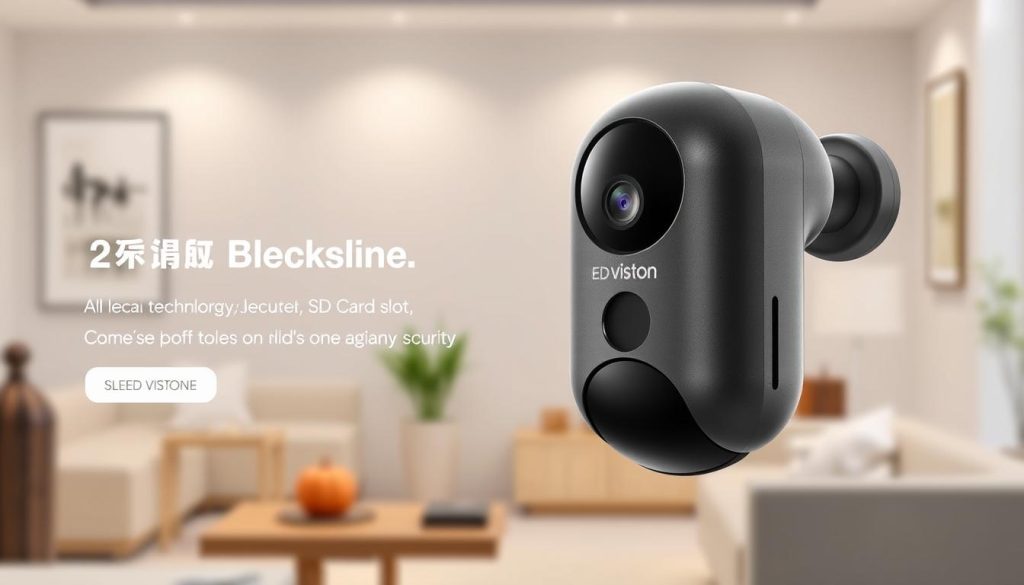
But, these cameras don’t support remote viewing on their own. You need a device that can stream to see footage online. This might be a problem for those who like to watch live feeds.
The table below shows different ways to store CCTV footage. It highlights what each option offers.
| Camera Type | Storage Solution | Offline Recording | Remote Viewing |
|---|---|---|---|
| Reolink E1 Pro | Micro SD card (up to 256GB) | Yes | Requires WiFi |
| Reolink Go Plus | Cloud and local storage | Yes | Supports 4G LTE |
| Reolink RLK8-800B4 | Built-in HDD (2TB) | Yes | Requires local network |
| Hunting Cameras | SD card | Yes | Generally No |
To find the best monitoring solutions, call CCTV Maintenance at +65 60135960. They can tell you about the latest CCTV solutions and offers. Choose the right security camera for your needs today.
Conclusion
There are many ways to connect your CCTV camera to your mobile without WiFi. You can use DVRs, 3G/4G cameras, or NVR systems. Each has its own benefits for different security needs.
With over 75% of CCTV cameras now supporting WiFi, offline monitoring is key. It’s perfect for those who need strong security solutions.
High-end smartphones, like the HONOR Magic V2, make watching CCTV footage better. They ensure you can monitor your place more effectively.
Cloud storage is also getting more popular, with a 40% increase in users. This shows how mobile tech and CCTV systems work well together.
If you want to see how these features can help your security, contact CCTV Maintenance today at +65 60135960. Our team will help you find the best CCTV solutions. Your property will stay safe, even when you’re not around.
FAQ
How can I connect my CCTV camera to my phone without WiFi?
You can connect your CCTV camera to your phone without WiFi. Use a dedicated DVR, a 3G/4G enabled camera, or an NVR. Each has its own setup and offline monitoring features.
Are there CCTV cameras that work offline with mobile phones?
Yes, many CCTV cameras work offline. They use SD cards for local storage or 3G/4G for mobile access through cellular data.
What is the role of a DVR in connecting CCTV cameras to mobile phones?
A DVR connects CCTV cameras and shows live feeds on a monitor. It also lets you access recorded footage. This makes it easy to connect to mobile devices without WiFi.
Can I use my mobile data with a 3G/4G CCTV camera?
Yes, 3G and 4G CCTV cameras use mobile data plans. They connect your phone to the camera. This lets you access live footage as long as you’re in cellular coverage.
What should I look for when selecting a CCTV camera for mobile connection?
Look for features like mobile app compatibility and support for Android and iOS. Make sure it connects directly without WiFi.
How do I set up an NVR system for offline CCTV connectivity?
Connect the NVR to your IP cameras with Ethernet cables. Follow the manufacturer’s guide for setup.
Can I view recorded footage from an SD card on my phone?
You can’t view SD card footage directly on your phone. But, you can on a device with an SD card reader.
What are the limitations of using a 3G/4G camera for CCTV monitoring?
3G/4G cameras rely on cellular signal strength. This can impact video quality. They also use your mobile data, which can cost money.
Source Links
- https://www.cctvsecuritypros.com/blog/using-security-cameras-with-no-wifi/?srsltid=AfmBOorh-tvo4H3BM0h9dMI5FFla-sC83SZrrmNLPh24H8CZUWrbcQRT
- https://montavue.com/blogs/news/how-to-connect-security-camera-to-phone-beginners-guide?srsltid=AfmBOoo82aBEc2aOtDMcg5BGNlEd5HhVcfnixv3m0zTcTOjEy4vzVfBp
- https://reolink.com/blog/can-security-cameras-work-without-internet/?srsltid=AfmBOopDxKENH9sG3Ko2JLZhVOY-EqeF_1RCU1zOmE4LbOZXQ05NmprR
- https://www.cctvnz.co.nz/blog/how-to-connect-cctv-to-your-smartphone
- https://nightvision.com.np/how-to-connect-cctv-camera-to-mobile/
- https://www.honor.com/uk/blog/how-to-connect-cctv-camera-to-cell-phone/?srsltid=AfmBOoosOJigYbLaxl9VP0fHT7fRCYvtivdhLHknj2rbOSGgTIMFXjpu
- https://reolink.com/blog/solutions-for-wireless-security-cameras-without-internet-access/?srsltid=AfmBOopFrHZNcsE8Le73RFZEet7jIrWXVPw-3R7mexVFf5ioMgHsFEBd
- https://www.security.org/security-cameras/no-wifi/
- https://reolink.com/blog/mobile-security-cameras-buying-guide/?srsltid=AfmBOorAb5l_rBEKs57j7Y19JWmEhV6vNTrEDbSfM6-XO_py0wpkwoZs
- https://www.honor.com/uk/blog/how-to-connect-cctv-camera-to-cell-phone/?srsltid=AfmBOooYGC6oGuPuXznpjQLexwPwyMS1fcfgwmcunwOgOBqUcYC0LaHG
- https://reolink.com/blog/solutions-for-wireless-security-cameras-without-internet-access/?srsltid=AfmBOorYOfFbni__OY2CfdOYnRWXYDW4EBIbLiTNyjpjRqxDFG7EEtBP
- https://reolink.com/blog/solutions-for-wireless-security-cameras-without-internet-access/?srsltid=AfmBOorJmI_uv7DsdWVqah_dkjtQ2zgHAqiPpaIbBpbfOYFlmuxgma08
- https://www.honor.com/uk/blog/how-to-connect-cctv-camera-to-cell-phone/?srsltid=AfmBOortl2khzy6siBnHMpev0FzvKHBU7WGjSpUPbWg_C2jsP018pjKi
- https://reolink.com/blog/solutions-for-wireless-security-cameras-without-internet-access/?srsltid=AfmBOopw2cDBMXV8NIReZ98iZt4HTCxgUeCq6qr1_qei0PWxFZSVyLC-
- https://montavue.com/blogs/news/how-to-connect-security-camera-to-phone-beginners-guide?srsltid=AfmBOooY6KUy1OCl_R__0tBmsPjeLR3xsBMJCtnIsKOgPn_aBMOzM9o2
- https://montavue.com/blogs/news/how-to-connect-security-camera-to-phone-beginners-guide?srsltid=AfmBOoqtlagzT4KUvc4qRnfgny2gqZWdrJu-XWD9Xq4-0CGGX3LUb9tD
- https://reolink.com/blog/mobile-security-cameras-buying-guide/?srsltid=AfmBOop81dQM1mePrKojEsiKm7jbpqPwG1r2bXrinaSY_t26p1_Xx7uP
- https://cctvcameravision.com/how-to-use-mobile-as-cctv-camera-without-internet/
- https://www.firstsolution.com.sg/blog/can-home-cctv-cameras-work-without-wifi/
- https://reolink.com/blog/solutions-for-wireless-security-cameras-without-internet-access/?srsltid=AfmBOoqY6wmPOvX09Q1YKWFED4Oz9KWsBk1l024Rza8stehx21c1nSpW
- https://reolink.com/blog/solutions-for-wireless-security-cameras-without-internet-access/?srsltid=AfmBOoqwQRDBQVyH7ZcyJVV8W860V18hfQxClE9Gg1NzPmgo4JZdZyt_
- https://montavue.com/blogs/news/how-to-connect-security-camera-to-phone-beginners-guide?srsltid=AfmBOoqlR5iD9Ly6lu6PjGzNJoqjrFBfbwX9zHogM5KpMgv5b8SOLIJw
- https://www.honor.com/uk/blog/how-to-connect-cctv-camera-to-cell-phone/?srsltid=AfmBOoqz5hWPOqG5T11sBe1B-byc6-VnOVuX4gT7Hb6QORiRjBdwfhSC
- https://www.lsvisionhd.com/how-to-connect-camera-to-phone-without-wifi/


