

Can you retrieve old CCTV footage? Expert Advice
Losing important surveillance recordings can feel like a major security setback. Whether for evidence or daily monitoring, that video data holds significant value.
In Singapore, both homes and businesses rely on these systems for protection and peace of mind. When recordings go missing, it creates a real problem.
The good news is that recovering this data is often possible. Success depends on understanding your specific setup and acting quickly with the right approach.
This guide provides a clear roadmap through the entire recovery process. We cover everything from identifying your system type to using professional data recovery tools.
Several key factors influence your chances. The storage method, retention settings, and how soon you act after deletion all play critical roles.
Solutions differ for DVR, NVR, and cloud-based security cameras. What works for one hard drive may not apply to another storage system.
Taking informed, systematic steps dramatically improves outcomes. Let’s explore how to get your valuable surveillance video back.
Key Takeaways
- Recovering deleted surveillance video is frequently achievable with proper methods.
- Immediate action following data loss significantly boosts success rates.
- The recovery process varies greatly between DVR, NVR, and cloud storage systems.
- Storage capacity and retention settings are crucial factors in footage recovery.
- Using specialized recovery software or professional services offers the best results.
- Understanding your specific CCTV system is the first step in any recovery attempt.
- Maintaining regular backups prevents future loss of critical security recordings.
Understanding the Core Question: Can You Retrieve Old CCTV Footage?
Historical security recordings often seem to vanish when needed most. This creates frustration for homeowners and business operators across Singapore. The answer to whether you can access this material involves both technical realities and management practices.
Several elements determine what happens to surveillance video over time. Storage capacity, retention settings, and system configuration all play roles. Immediate action following any data loss dramatically improves outcomes.
The Short Answer and Key Factors
The possibility exists, but success depends on multiple variables. Storage capacity dictates how much video a system can hold before overwriting begins. Most security setups have finite space, forcing automatic management of files.
Retention settings control how long recordings remain accessible. These vary significantly between different types of properties. Residential systems typically preserve material for shorter durations than commercial installations.
Typical retention periods illustrate this variation clearly. Home security cameras often keep footage for just 14 to 30 days. Business systems may retain video for 30 to 90 days based on their policies.
Financial institutions like banks follow stricter guidelines. They sometimes maintain surveillance data for at least six months. This extended period supports regulatory compliance and investigation needs.
Whether data has been overwritten represents the most critical factor. New recordings replace the oldest files once storage reaches capacity. This automated process occurs without manual intervention in most systems.
Why “Old” Footage Is Often Hard to Find
The definition of “old” varies considerably in surveillance contexts. Material from two weeks ago presents different challenges than recordings from two years ago. Time dramatically affects recovery odds for any security system.
Automatic overwriting cycles manage limited storage space efficiently. This isn’t manual deletion but a continuous replacement process. Once new video occupies the physical space of older files, recovery becomes extremely difficult.
Default deletion settings frequently trigger after approximately one month. This standard configuration risks permanent data loss for unwary users. Understanding your specific system’s settings is essential for planning.
The storage medium’s physical condition also impacts accessibility. Damaged hard drives or corrupted memory cards complicate data recovery efforts. Professional services may be required for physically compromised devices.
As explained in our guide on accessing very historical surveillance material, extreme age presents particular obstacles. Systems constantly refresh their available space through overwriting mechanisms.
Realistic expectations are crucial when seeking archived security video. The combination of time, system settings, and storage health determines what remains accessible. Proactive management offers the best protection against irreversible loss.
How CCTV Systems Store and Manage Your Video Data
The architecture of your surveillance system fundamentally determines how video data is preserved and accessed. Different technologies use distinct methods for handling recordings. Understanding these mechanisms is the first critical step in any recovery attempt.
Modern security setups typically fall into three categories. Each has unique storage characteristics and management processes. Knowing your system type guides where to look for historical material.
DVR vs. NVR vs. Cloud-Based Storage
DVR (Digital Video Recorder) systems represent traditional analog technology. They connect to cameras via coaxial cables and save recordings to an internal hard drive. This local storage is physically housed within the recorder unit itself.
These setups offer straightforward management but limited flexibility. The hard drive has finite capacity that dictates retention periods. Once full, the system begins overwriting the oldest files automatically.
NVR (Network Video Recorder) systems work with digital IP cameras. They receive data through a network connection rather than direct cables. Storage options expand to include network-attached storage (NAS) devices or cloud services.
This flexibility allows for distributed storage solutions. Businesses in Singapore often use NAS for additional redundancy. Wireless security cameras may also save directly to SD cards as a secondary option.
Cloud-based storage shifts management to service providers. Recordings upload continuously to remote servers over the internet. This requires a consistent, reliable connection to function properly.
Retention policies depend on your subscription plan with the provider. Some services offer longer archival options for an additional fee. Accessing material involves logging into your account through a web portal or app.
The Automatic Overwrite Cycle: How Footage Gets “Deleted”
Most surveillance systems operate on a continuous recording basis. They fill available storage space with new video data constantly. This creates a rolling archive of recent activity.
When the hard drive or storage media reaches capacity, a critical process begins. The system starts overwriting the oldest files to make room for new recordings. This isn’t manual deletion but an automated management function.
The speed of this cycle depends on several factors. Recording quality has a major impact on storage consumption. Higher resolution and frame rates create larger files that fill space faster.
A camera recording at 24 frames per second uses substantial storage. This reduces the window before overwriting occurs. Compression technology helps but doesn’t eliminate the fundamental space limitation.
This overwrite mechanism is often why material becomes unavailable. Once new data occupies the physical space of older files, recovery becomes challenging. Specialized data recovery tools may still find fragments in some cases.
Typical Data Retention Periods for Homes and Businesses
Retention settings control how long recordings remain accessible before deletion. These vary significantly between residential and commercial installations. Most systems have configurable options for this timeframe.
For home security systems, 14 to 31 days is standard. This balances storage costs with practical security needs. Some homeowners extend this slightly with additional hard drive capacity.
Businesses configure longer periods based on risk assessment. Retail stores might keep 30 to 60 days of surveillance material. Financial institutions often require six months or more for compliance purposes.
Cloud storage providers set retention according to subscription tiers. Basic plans might offer 7 to 14 days of rolling storage. Premium plans can extend to several months or even years of archival access.
Checking your system’s settings reveals your specific data lifespan. Look for “retention,” “storage,” or “overwrite” settings in the menu. Our guide on accessing very old surveillance material explores extreme cases.
Higher quality recordings shorten retention windows dramatically. A 4K camera fills storage much faster than a 1080p model. Adjusting resolution or frame rate can extend how long files remain available.
Understanding these storage dynamics informs recovery strategies. It determines whether to check local drives, network storage, or cloud archives. This knowledge positions you for successful footage recovery when needed.
Common Reasons CCTV Footage Is Lost or Unavailable
From automated systems to physical accidents, multiple factors can erase critical video evidence. Pinpointing the exact cause is essential for choosing the correct recovery process.
This diagnostic framework categorizes the primary culprits. Understanding them transforms frustration into a actionable plan.
Automatic Deletion Due to Storage Limits
This is the leading cause of data loss in surveillance systems. Most recorders manage finite space through continuous overwriting.
Once the hard drive or storage media reaches capacity, the system automatically replaces the oldest files. It happens silently, without any user warning.
Industry analysis indicates automatic overwriting accounts for over 75% of incidents where video becomes unavailable.
Higher resolution recordings and more cameras accelerate this cycle. The time window to act before permanent overwriting is often short.
Accidental or Intentional Manual Deletion
Human error plays a significant role. During system maintenance or file management, users can mistakenly format a drive or delete crucial dates.
In rarer cases, intentional deletion occurs to conceal activity. Both scenarios make footage seem permanently gone from the standard interface.
Unlike automatic overwriting, manual deletion often marks space as “available” without immediately destroying the data. This makes recovery software a viable first option.
Hardware Failure and Physical Damage
Physical device issues account for a substantial portion of loss. Hard drive crashes are common, especially in DVR units running constantly in non-climate-controlled spaces.
Solid-state drives (SSDs) and SD cards also fail. Environmental damage is a major threat in Singapore.
Water leaks from air conditioning, fire, or even direct impact can destroy storage drives. Physical damage typically requires professional data recovery services, as DIY attempts can cause further harm.
Corruption from Power Surges or Malware
Sudden power outages or surges during thunderstorms can corrupt a file system. The system may recognize the hard drive but cannot read the videos.
Malware or virus attacks, while less common for standalone cctv systems, can also corrupt data. The recording files become unreadable by the native surveillance software.
Corruption issues often leave the physical storage device intact. Specialized software tools can sometimes rebuild the cctv data structure for footage recovery.
Knowing the reason directly informs your next step. Logical deletion points to recovery software, while physical damage demands expert help.
Your First Step: Identifying Your CCTV System Type
Before attempting any retrieval, mapping your surveillance setup is essential. This foundational step determines every subsequent action in the recovery process. Correct identification saves time and directs you to the right recovery tools.
Many users in Singapore jump straight to software without understanding their equipment. This approach often leads to frustration. A systematic audit of your system creates a clear recovery roadmap.
Is Your System Analog (DVR) or Digital/IP (NVR)?
Examine the cables connecting your cameras. Analog setups use thick, round coaxial cables ending in BNC connectors. These feed into a DVR box, which converts analog signals to digital.
Digital or IP systems use standard Ethernet network cables, like those for internet routers. These connect to an NVR unit or sometimes directly to a network switch. The physical device often has “NVR” printed on it.
Wireless security camera models can be confusing. They may have power cables but transmit video data wirelessly. These digital cameras typically use NVR systems or cloud services for storage.
Cloud-based storage represents another digital option. If you access recordings via a mobile app or web login, you likely have this setup. Your primary storage exists on remote servers managed by a service provider.
Locating Your Primary Storage Device
For DVR and NVR units, the main hard drive sits inside the recorder box. You might need to open a panel to see it. Some systems also support external USB drives connected to available ports.
Network-attached storage (NAS) devices are common with modern IP systems. These are separate boxes connected to your local network. Check near your router or network equipment for additional hardware.
Individual camera storage is another possibility. Many wireless models contain microSD card slots. You may need to physically remove the camera to check for cards.
Cloud storage has no physical local device. Your recordings reside on your provider’s servers. Access requires your account credentials through their app or website.
Checking Your System’s Recording Settings and Capacity
Access your recorder’s menu using its remote control or front panel buttons. Look for sections labeled “Storage,” “Record,” or “Settings.” Here you’ll find critical configuration details.
Note the recording resolution and frame rate. Higher settings consume storage capacity faster. This directly affects how long files remain before overwriting occurs.
The retention or overwrite policy is the most important setting. It specifies how many days video recordings are kept. Residential systems often default to 7-30 days in Singapore.
Check the storage status indicator, usually shown as a percentage or bar graph. This reveals how much space remains on your drive. A nearly full device has less historical data available.
Calculate your actual recording time by dividing total capacity by daily data usage. This tells you exactly how far back you might recover material. This knowledge dictates whether to pursue local, network, or cloud recovery.
Document your findings: system type, model numbers, storage locations, and settings. This information is powerful for any data recovery effort. It ensures you use appropriate methods for your specific surveillance setup.
Checking for Backups: The Simplest Recovery Path
Restoring from archived copies should be your first action when video evidence disappears. A functional backup system eliminates the need for advanced data recovery techniques. This path offers immediate access to preserved files without specialized tools.
Speed significantly impacts success rates for this method. Acting quickly improves your chances of finding intact archives. The process involves locating backup folders and moving recoverable material back to accessible locations.
Regular backup routines are essential for securing critical video. They provide a safety net against system failures and accidental deletions. Implementing this habit represents the ultimate form of control over your surveillance data.
How to Access Local Backup Drives or NAS Devices
Begin by examining all external storage connected to your system. Look for USB drives, external hard disks, or dedicated NAS units. These devices often store scheduled copies of surveillance recordings.
Network-attached storage requires accessing your local network. Use a computer to browse network locations or connect directly via IP address. Check for folders named after your cctv system or containing date-stamped video files.
For DVR units, inspect USB ports for connected media. Some models automatically copy recordings to external storage when certain conditions are met. Review your recorder’s manual for specific backup functionality details.
Reviewing Cloud Storage Accounts Linked to Your Cameras
Many modern security camera systems integrate with cloud services. Log into your manufacturer’s online portal using your account credentials. Navigate to archive sections or historical footage libraries within the interface.
Verify your subscription status and storage limits. Some services require active payments for archival access. Check whether automatic uploading was enabled during your initial setup phase.
Examine retention policies specific to your cloud provider. These determine how long recordings remain available in remote archives. Download options may be available for critical time periods you need to review.
Restoring Footage from a Backup Archive
Once you locate archived material, copy files to a secure location. Avoid working directly on the original backup media. This preserves the integrity of your archival copy throughout the restoration process.
Use standard file management tools for this task. Drag and drop or copy-paste methods work effectively. Ensure you have sufficient storage capacity on your destination device before transferring large video files.
Industry surveys indicate that organized backup systems prevent approximately 80% of data loss incidents involving surveillance material.
Test restored files by opening them with compatible video players. Verify that timestamps and content match your requirements. Corrupted archives may require specialized recovery software or professional assistance.
Establishing a robust backup strategy transforms data protection. It provides peace of mind for homeowners and businesses across Singapore. Regular verification ensures your archives remain functional when needed most.
Using Data Recovery Software for CCTV Drives and Cards
Specialized software provides a powerful do-it-yourself method for restoring lost surveillance material. This approach scans physical storage media for traces of video files that are no longer visible through normal system interfaces.
Success hinges on acting before new data overwrites the deleted information. When used correctly, these tools offer a high probability of restoring critical evidence. Popular options like EaseUS Data Recovery Wizard report success rates as high as 99.7%.
The process is logical but requires careful preparation. Rushing can lead to permanent data loss. Following a structured guide ensures the best possible outcome for your footage recovery attempt.
How Recovery Software Works on Surveillance Storage
When a file is deleted, the system typically removes its directory entry but not the actual data. The space is marked as available for new recordings. Recovery software operates in a read-only mode to scan for these residual file signatures.
It searches for specific patterns associated with common video formats. These include MP4, AVI, and MOV files used by many security systems. The software then attempts to reconstruct the file structure, making the video accessible again.
This technique works as long as the original data clusters haven’t been overwritten. The longer a drive remains in use after deletion, the lower the chance of success. This principle applies to internal hard drives, SD cards, and external storage media.
Step-by-Step: Preparing Your Drive and Running a Scan
First, safely power down your system and remove the storage device. For a DVR, this usually means opening the unit to access the internal hard drive. For cameras with SD cards, carefully remove the card.
Connect the drive to a computer using the appropriate adapter. A SATA-to-USB adapter works for internal hard drives. A simple card reader handles SD or microSD cards.
Critical Rule: Install the recovery software on a different computer drive. Never install it on the same device you are trying to recover from. This prevents overwriting the very data you want to save.
Launch the software and select the connected storage for scanning. Choose a “Deep Scan” or “Full Scan” option for thorough analysis. This scan can take several hours, depending on the storage capacity.
Leading tools like Disk Drill offer free trial versions, often limiting recovery to 500 MB. This allows you to preview found files before purchasing a full license.
Selecting and Previewing Recoverable Video Files
After the scan completes, the software presents a list of found files. They are often organized by file type or original folder structure. Use filters to show only video files, which speeds up the selection process.
The preview function is invaluable. It lets you verify the content and quality of a video before recovering it. You can check timestamps and playback to confirm it’s the correct recording.
Carefully review the list and select the files you need. Look for date ranges and file sizes that match your missing surveillance period. Avoid selecting everything, as this can complicate the final recovery process.
Saving Recovered Footage Safely to a New Location
This is the most critical step. Always save recovered data to a different physical drive. Saving back to the original source risks overwriting other recoverable deleted footage.
Choose a destination with ample free space, like an external hard drive or a different computer partition. The software will guide you through selecting this destination folder.
Once the recover deleted operation finishes, immediately verify the saved files. Play them with a standard media player to ensure they are intact and uncorrupted.
If files are corrupted or unplayable, the data loss may be more severe. This could indicate physical hard drives issues or complete overwriting. In such cases, professional data recovery services become the next logical step.
Using recovery tools effectively requires patience and precision. When executed correctly, it represents the most accessible path to cctv data recovery for many users in Singapore.
Accessing Historical Recordings from Network Storage (NAS)
NAS technology transforms how surveillance data is preserved, offering network-accessible archives that require proper authentication to access. These dedicated devices connect directly to your local network, creating centralized storage for multiple security cameras.
Businesses and advanced home systems in Singapore increasingly adopt this approach. It provides scalable capacity beyond traditional DVR internal drives.
The demand is clear with modern multi-camera installations. A system with 40 cameras recording at 2MP resolution can generate approximately 420 TB of data annually.
NAS solutions efficiently manage this substantial volume. They organize files by camera, date, and time for streamlined retrieval.
Connecting to Your NAS Device Securely
Begin by identifying your NAS on the network. Most devices have a static IP address assigned during initial setup.
Access the management interface through a web browser. Enter the IP address exactly as configured in your network settings.
Use the administrator credentials created during installation. Never rely on default usernames or passwords for security.
Consider these essential connection steps:
- Verify network connectivity between your computer and the NAS
- Ensure you’re using a secure connection (HTTPS when available)
- Check firewall settings that might block access to the device
- Update NAS firmware before attempting critical data operations
Some manufacturers provide dedicated desktop applications. These tools often simplify the connection and file management process.
Wireless access is possible but less reliable for large file transfers. Use wired Ethernet connections when recovering substantial video archives.
Navigating Network Archives for Specific Dates and Times
Once connected, explore the folder structure systematically. Most NAS devices organize surveillance data logically.
Look for directories named after camera locations or IDs. Within these, you’ll typically find date-based subfolders.
Time-stamped files follow consistent naming conventions. The structure might appear as:
- Main Surveillance Folder
- Camera 01 (Front Entrance)
- 2024-11-15 (Date Folder)
- 08-30-00.mp4 (Time-stamped File)
Use the search function if your NAS software supports it. Filter by date range and file type to locate specific material quickly.
Preview files directly through the web interface when available. This confirms content before initiating downloads.
Download critical files to a local computer for analysis. Ensure you have sufficient storage capacity on your destination drive.
Maintain the original folder structure during transfer. This preserves organizational context for later reference.
When NAS Recovery Requires Additional Software Tools
Standard access methods sometimes fail. Deleted files or corrupted directories demand specialized approaches.
First, check the NAS health indicators. Most systems provide SMART status monitoring for connected drives.
Warning signs include slow performance or unusual noises. These suggest potential physical drive issues requiring professional attention.
For logical deletion problems, consider network-aware recovery software. These tools can scan NAS volumes without removing drives.
Leading data recovery applications now include NAS support, allowing direct network scans while maintaining data integrity throughout the process.
As a last resort, physically remove drives from the NAS enclosure. Connect them directly to a computer using appropriate adapters.
This bypasses potential NAS operating system limitations. It allows standard recovery software to analyze the raw storage media.
RAID configurations add complexity to this process. Professional services often handle these specialized array recoveries.
Always maintain separate backups of your NAS content. Follow the 3-2-1 strategy: three copies, on two media types, with one offsite.
Regularly verify backup integrity and accessibility. Test restoration procedures to ensure they work when needed most.
Proper NAS management prevents most recovery scenarios. Proactive maintenance is the best defense against surveillance data loss.
Retrieving Footage from Cloud-Based CCTV Systems
Retrieving archived material from cloud CCTV systems involves navigating service agreements rather than accessing physical storage devices. This approach fundamentally changes the recovery process compared to local hard drives.
Your video resides on remote servers managed by a third-party provider. Access depends entirely on their infrastructure and policies. Understanding this relationship is key to successful data recovery.
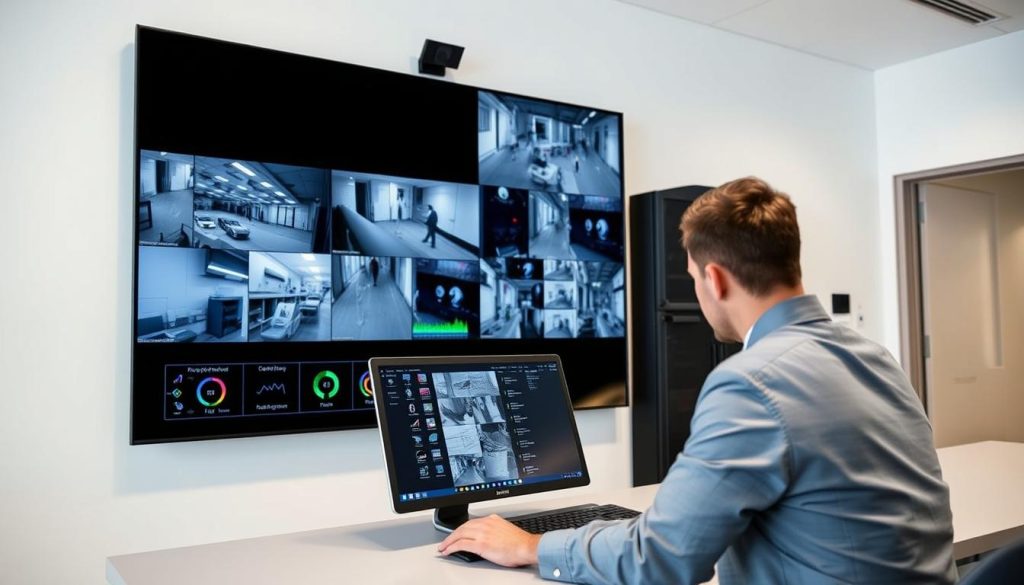
Cloud solutions like Amazon S3 Glacier offer high durability for stored data. However, flexibility comes with reliance on the provider’s specific rules. A consistent internet connection is mandatory for both uploading and accessing files.
Understanding Your Cloud Provider’s Retention Policy
The retention policy dictates how long your surveillance material remains accessible. This is usually tied directly to your subscription tier. Basic plans might preserve recordings for just 7-14 days.
Premium subscriptions often extend this to several months. Some business plans offer yearly archives. Always check your service agreement for exact timeframes.
Manufacturer-specific clouds have their own rules. Integrations with AWS or Azure follow those platforms’ storage class policies. Archived footage in cold storage has different accessibility than recent video.
Storage capacity isn’t your primary concern with cloud services. Instead, focus on the retention duration your plan guarantees. This determines your window for recovery.
How to Request Archived Video from a Cloud Service
Formal requests are typically required for deleted or deep-archive material. Start by logging into your provider’s support portal. Submit a detailed ticket specifying the exact date and time ranges needed.
Include camera identifiers if you have multiple cameras. The more precise your request, the faster the provider can locate relevant data. Some services charge retrieval fees for restoring from cold storage tiers.
Industry experts note that structured requests specifying camera ID, date, and exact time windows receive priority processing from cloud providers.
Follow these steps for an efficient request:
- Gather all camera identifiers and location names
- Document exact date ranges with start and end times
- Note the incident type for provider reference
- Check if your subscription includes retrieval services
- Submit through the official support channel
Response times vary by provider and archive depth. Recent deletions might be restored within hours. Deep archives could take several days.
Limitations and Latency in Cloud Footage Retrieval
Cloud storage offers “hands-off” convenience but reduces direct user control. You cannot run software scans on remote servers. The recovery process depends entirely on provider cooperation.
Latency is a significant factor when restoring from cold storage. Services like Amazon Glacier may require 3-5 hours for standard retrievals. Expedited options exist but at higher costs.
Internet bandwidth affects download speeds once files are restored. Large recordings demand substantial download time. This contrasts with immediate access from local storage.
Potential extra costs include:
- Retrieval fees for deep archives
- Expedited processing charges
- Data egress fees for downloading
- Subscription upgrades for longer retention
Always maintain a local backup or export important clips. This avoids sole dependence on cloud provider availability. Hybrid systems offer the best protection for critical surveillance needs.
Realistic expectations are essential for cloud-based CCTV users. While convenient, this system trades some immediacy for offsite security. Understanding these trade-offs prepares you for effective data recovery when needed.
When to Engage Professional Data Recovery Services
Sometimes, do-it-yourself methods reach their limit. When data loss stems from physical trauma or deep logical corruption, expert intervention becomes necessary.
This decision point is crucial for preserving irreplaceable evidence. Knowing when to call professionals saves time and prevents further damage to your storage media.
Reputable professional data recovery labs in Singapore, like Ever Higher Pte Ltd, report success rates as high as 95%. They specialize in complex cctv data recovery scenarios beyond typical software fixes.
Signs You Need a Professional: Physical Damage and Complex Failures
Specific symptoms indicate that DIY efforts will likely fail. Recognizing these signs early directs you to the appropriate solution.
Audible clicking or grinding from a hard drive signals a mechanical head crash. This requires a cleanroom environment for repair. Physical damage from water, fire, or impact also falls into this category.
Repeated failures with recovery software suggest deeper logical issues. A severely corrupted file system may be unreachable by standard tools. Failed RAID arrays in network storage setups are another complex challenge.
If your system does not recognize the storage device at all, the problem is often physical. These are clear indicators that professional data recovery services are your best option.
What to Expect from the Professional Recovery Process
Engaging experts follows a structured recovery process. Understanding this sequence sets realistic expectations for timeframe and cost.
The first step is an initial consultation and diagnostic assessment. Many firms, including those in Singapore, provide a no-obligation quote within one business day.
After agreement, the lab work begins. This often involves cleanroom procedures to open and repair damaged drives. Specialized hardware extracts raw data from the compromised media.
“The goal is to image the drive and reconstruct the files onto a new, healthy storage device,” explains an industry specialist. This careful approach protects the original evidence.
The entire process typically takes one to five days for standard cases. You will receive the recovered recordings on a new external drive. Costs reflect the complexity of the work but are an investment in irreplaceable video evidence.
Choosing a Reputable Service in Singapore
Selecting the right provider is critical. Look for companies with proven experience in surveillance data recovery.
Key credentials include ISO-certified cleanrooms and partnerships with major brands like WD and Seagate. Verify their success rates and ask for client testimonials, especially related to CCTV or DVR footage recovery.
Transparent, upfront pricing is essential. A reputable service will explain all potential costs before any work begins. They should also provide strong data privacy assurances for your sensitive recordings.
Local providers like Ever Higher Pte Ltd offer specific advantages. Their understanding of common camera systems and formats used in the region can streamline the recovery.
Ultimately, seeking professional data help is a smart strategic move. It turns a potentially catastrophic loss into a manageable procedure with a high chance of success.
The Impact of Camera and System Specifications on Recovery
Camera settings and system configurations create hidden challenges for data restoration efforts. Technical specifications directly influence both the likelihood and methodology of successful recovery.
Every surveillance setup has unique characteristics that affect how video evidence is preserved. Understanding these details transforms your approach to data recovery.
How Resolution, Frame Rate, and Compression Affect Files
Higher resolution creates larger individual video files. A 4K camera produces much bigger recordings than a 1080p model.
These larger files consume storage capacity faster. This reduces retention time before automatic overwriting begins.
Frame rate determines playback smoothness. Higher rates like 30fps create more data than 15fps settings.
Advanced compression like H.265 saves space but adds complexity. Recovery software must understand these formats to reconstruct files properly.
“High-bitrate streams from multiple cameras create recovery scenarios different from single low-quality streams,” notes a surveillance technology expert.
Compression artifacts can complicate the restoration process. Damaged files might show visual distortions even after successful recovery.
Proprietary Formats and Encrypted Recordings
Many manufacturers use custom video formats for their systems. These require specific player software for proper playback.
Encrypted recordings add another layer of difficulty. Without the correct decryption keys, recovered files remain unreadable.
Some security camera systems employ digital rights management. This protects content but creates obstacles for data recovery efforts.
File naming conventions follow manufacturer patterns. A typical format might be “Camera3_2024_11_15_14_30_00.mp4”.
This structure includes camera identification and precise timestamps. Recognizing these patterns helps when sorting through recovered material.
Why System Knowledge Improves Your Recovery Odds
Understanding your equipment’s capabilities sets realistic expectations. It guides whether DIY methods or professional services offer better solutions.
Gather your system’s manual and specifications sheet. This documentation contains crucial details about file formats and storage methods.
Knowing recording bitrates helps calculate storage needs. It also explains why some periods have better quality evidence than others.
Camera specifications influence recovery software selection. Some tools specialize in particular manufacturers’ formats.
Consider these factors when planning surveillance upgrades:
- Balance resolution needs against storage requirements
- Choose compression standards with broad software support
- Document all system settings for future reference
- Test backup and recovery procedures regularly
This technical knowledge empowers better equipment decisions. It also prepares you for effective data recovery when incidents occur.
Surveillance systems represent significant investments in security. Understanding their technical aspects protects that investment through informed management practices.
Legal and Privacy Considerations for Retrieving Footage
The right to access recorded video is balanced by strict privacy obligations under Singapore law. Any attempt to restore lost material must operate within this legal framework. Ignoring these rules can turn a successful recovery into a serious compliance violation.
This section outlines the essential regulations every system owner must understand. We focus on the Personal Data Protection Act (PDPA) and its implications. Following these guidelines protects you from penalties while securing your evidence.
Singapore’s PDPA and Access to Recorded Video
The Personal Data Protection Act (PDPA) is Singapore’s cornerstone privacy law. It governs how organizations collect, use, and disclose personal data. Recorded surveillance material containing identifiable individuals falls under this definition.
Individuals have a right to request access to their personal data. This includes video where they appear. Organizations must generally assist with these access requests.
They may charge a reasonable fee for providing the information. The data should only be kept as long as necessary for its purpose. A clear retention policy is not just a best practice—it’s a legal requirement.
“The PDPA establishes a balance between the needs of organizations to collect, use, or disclose personal data for legitimate purposes, and the right of individuals to protect their personal data,” states the Personal Data Protection Commission.
This balance is crucial during any data recovery effort. The purpose of restoring files must be legitimate and compliant.
Legal Grounds for Retrieving and Sharing Surveillance Footage
Not every recovery attempt or sharing request is automatically lawful. Specific legal grounds justify these actions. Understanding them prevents misuse of restored material.
Valid reasons for retrieving and sharing recordings include:
- Security investigations: Reviewing incidents like theft or vandalism on your property.
- Law enforcement requests: Providing evidence to police, who may present a warrant or follow specific procedures.
- Insurance claims: Submitting video proof to support a claim for damages or loss.
- Internal disciplinary actions: Using footage for HR matters within a workplace, with proper policies in place.
The legal rules for surveillance material can vary by jurisdiction. In Singapore, the PDPA provides the primary framework. Following data protection laws is vital during every step of the recovery process.
Always verify the identity and authority of any third party requesting video. Unauthorized sharing can lead to severe breaches of privacy.
Best Practices for Maintaining Compliance
Proactive measures keep your surveillance system within legal boundaries. These practices protect you and the privacy of individuals captured on camera.
First, establish and document a clear retention policy. Align it with your operational needs and legal obligations.
Common retention periods in Singapore include:
- 30 days for general retail environments.
- 6 months or more for banks and financial institutions.
- 14 to 31 days for typical residential systems.
Second, secure access to all stored video. Use strong passwords and encryption for your storage device and system. Limit physical access to the recording hardware like DVRs or NVRs.
Third, only share footage with authorized parties for legitimate purposes. Maintain a log of all access and sharing events. This creates an audit trail for accountability.
Non-compliance with the PDPA can result in significant financial penalties. The Personal Data Protection Commission (PDPC) can impose fines based on the severity of the breach.
Ethical considerations are equally important. Balance your security needs with reasonable privacy expectations. Use signage to notify people of surveillance in areas where they have a lower expectation of privacy.
This legal primer is essential for homeowners and businesses. It ensures recovery efforts and overall surveillance usage remain lawful and respectful of individual rights.
Best Practices to Prevent Future CCTV Data Loss
Proactive measures transform surveillance from a reactive tool into a reliable evidence archive. Implementing a few key strategies dramatically reduces the risk of losing critical video.
This approach focuses on prevention rather than complex recovery. It builds resilience directly into your security infrastructure.
Implementing a Robust 3-2-1 Backup Strategy
The 3-2-1 rule is the gold standard for data protection. It creates multiple safety nets for your surveillance material.
Follow this structure for maximum security:
- Three total copies of your important video files.
- Two different media types, like a Network Attached Storage (NAS) device and a cloud service.
- One copy stored off-site, such as in a secure cloud storage account.
This method ensures a failure in one system doesn’t cause total data loss. Regularly test your backups by performing a restoration drill.
Regular System Health Checks and Maintenance
Schedule monthly reviews of your entire security setup. Consistent maintenance catches small issues before they become major problems.
Your checklist should include:
- Verifying all cameras are recording and lenses are clean.
- Checking the health of storage drives using S.M.A.R.T. monitoring tools.
- Updating system firmware and security camera software.
- Testing the power supply and battery backups.
These simple actions extend the lifespan of your equipment. They also ensure continuous recording without gaps.
Configuring Optimal Retention and Overwrite Settings
Balance your need for historical footage with available storage capacity. Misconfigured settings are a leading cause of unexpected deletion.
Understand your system’s automatic overwrite triggers. Set retention periods that match your operational and legal requirements.
Common guidelines in Singapore include:
- Residential systems: 14 to 31 days
- General retail: 30 days
- Financial institutions: 6 months or more
Adjust recording resolution and frame rate to manage file sizes. Higher quality creates larger files that fill storage faster.
Investing in Adequate Storage Capacity from the Start
Undersized storage is a primary reason for premature data loss. New recordings overwrite old files too quickly when space is limited.
Calculate your needs based on:
- Number of cameras in your system
- Desired recording resolution and frame rate
- Target retention period in days or months
Purchase drives designed for continuous surveillance use. These are built to handle constant writing and rewriting of video data.
Industry analysis shows systems with properly sized storage experience 70% fewer incidents of critical footage being overwritten.
Consider future expansion when planning your initial setup. Adding cameras later will increase your storage requirements.
Additional protective measures include using Uninterruptible Power Supplies (UPS). These protect against file corruption during power surges or outages.
Implement strong network security to prevent malware attacks. Physically secure your DVR, NVR, and storage drives from unauthorized access.
Train anyone who manages the system on proper procedures. Human error accounts for a significant portion of data loss incidents.
Adopting these best practices creates a resilient surveillance infrastructure. Your video evidence remains secure and accessible when you need it most.
Taking Control of Your Surveillance Footage Security
Mastering your security recordings transforms uncertainty into actionable confidence when incidents occur. This guide has mapped the complete recovery journey.
Start by identifying your system type. Check all backup locations first. Use specialized software for logical file issues. Contact professionals for physical damage cases.
Time remains your greatest adversary. Acting quickly prevents overwriting of critical evidence. Each hour reduces recovery possibilities.
You now possess the knowledge to manage your surveillance data lifecycle. Implement the preventive strategies discussed. Regular backups and system checks form your best defense.
Your security footage holds immense value for safety and evidence. With proper methods, loss is not always permanent. Take charge of your system today to ensure future protection.
FAQ
How long do most CCTV systems keep footage before it’s deleted?
Retention periods vary widely. Home systems often overwrite video after a few days to a week due to limited storage capacity. Commercial systems might retain recordings for 30 to 90 days. The exact time depends on your DVR or NVR settings, the number of cameras, and recording quality. Always check your system’s configuration.
Can I get back video that was automatically overwritten?
A> Once video is overwritten by new recordings, recovery is nearly impossible. The storage space is reused, permanently erasing the old data. This is why checking backup archives immediately is crucial. Professional data recovery services have tools for complex cases, but success isn’t guaranteed after overwrite.
What should I do first if I need to find old surveillance video?
A> First, identify your system type—DVR, NVR, or cloud-based. Then, check for any existing backup drives, NAS devices, or cloud accounts linked to the security camera. Do not continue recording on the affected drive, as new data can overwrite the files you want to retrieve.
Is it safe to use recovery software on my CCTV hard drive?
A> Using recovery software can be safe if done correctly. Create a sector-by-sector clone or image of the hard drive first and run the scan on that copy. This protects the original media from further damage. Avoid installing the software on the same drive you are trying to restore data from.
When should I contact a professional data recovery service?
A> Contact a professional data recovery expert for physical damage (like clicking sounds), hardware failure, severe corruption, or if software tools fail. For critical security camera evidence, professional services in Singapore like Data Recovery Lab offer cleanroom facilities and specialized tools for surveillance formats.
Does cloud storage guarantee I can retrieve old footage?
A> Not always. Cloud storage providers have strict retention policies. Your video may be automatically purged after a set period. Accessing archived video might require a formal request and could involve latency. Always know your provider’s terms and use additional local backup for vital recordings.


