

Can I get CCTV footage from 2 years ago?
CCTV footage is key for security and as evidence. Yet, many wonder if they can get footage from two years back. Getting such footage is hard because of storage limits and automatic deletion rules.
Most CCTV systems delete old footage after 30 days. Knowing how much your system can store is very important. This is even more so when dealing with Singapore’s CCTV rules on keeping and accessing footage.
Key Takeaways
- CCTV footage is essential for security and legal purposes.
- Most systems overwrite footage after 30 days, complicating retrieval.
- Understanding your system’s storage capabilities is key.
- Singapore CCTV regulations govern access to archived footage.
- Retrieving old footage often requires specialized processes.
The Importance of CCTV Footage in Today’s World
CCTV footage is key in today’s security and surveillance. It has changed how we watch over public and private areas. Businesses and homeowners use it to keep safe, stop crime, and help solve cases.
Role in Security and Surveillance
CCTV helps lower crime rates in many places. Cameras scare off criminals and record incidents. This helps police and courts a lot.
Trend and Statistics on CCTV Usage
More places are using surveillance systems now. In Singapore, laws require CCTV in schools and public areas. This shows how important surveillance is becoming.
Over 60% of preschools in Singapore have CCTV. This big change shows a move towards better security.
Understanding How CCTV Storage Works
CCTV storage systems are key for keeping surveillance records. Different types of CCTV storage affect how long and how you can access footage. Knowing about these systems helps users choose the right security and follow data retention rules.
Different Types of Storage Systems
There are many CCTV storage options, each with its own benefits. Here are some common ones:
- Digital Video Recorders (DVR): Used with analog cameras, DVRs have limited storage. This means footage is kept for shorter times.
- Network Video Recorders (NVR): Work with IP cameras and often use cloud storage. This offers more flexible storage options.
- Local Hard Drives: Great for quick access but limited by space. This can shorten how long data is kept.
- Cloud Services: Provides lots of storage and is easy to access. But, it can cost more over time.
- Network-Attached Storage (NAS): Good for big setups, NAS devices support many users. They offer a lot of storage space.
Data Retention Policies in CCTV Systems
Understanding data retention policies in CCTV systems is also key. Many systems delete footage when storage is full. Different industries have rules on how long recordings must be kept. Businesses need to know these rules to follow the law.
Common Reasons CCTV Footage Gets Deleted
CCTV footage is key for security and watching over areas. But, many things can cause it to be deleted. Knowing why helps prevent loss and better manage data. Here are the main reasons footage gets deleted.
Automatic Overwriting and Storage Limitations
Many CCTV systems automatically delete the oldest footage. This is to make room for new recordings. Without a plan to manage data, important evidence can be lost forever. To avoid this, users should back up data regularly or get bigger storage.
Manual Deletion and its Consequences
Sometimes, users delete footage by mistake or to free up space. This can lead to a lot of lost data, if there’s no backup. Not being able to get back deleted footage can cause big problems, like in security checks or investigations.
Environmental Factors Affecting Footage
Environmental factors can also harm CCTV storage. Things like water damage, fires, and hardware problems can ruin footage. Systems exposed to bad conditions or cyber threats can lose data for good.
Can I get CCTV footage from 2 years ago?
Getting old CCTV footage depends on several things. These include the CCTV system type, its storage, and how it’s used. Each place has its own rules for keeping footage, based on their needs and the law.
Factors Influencing Footage Retrieval
Many things can make it hard to get old footage. These include:
- Storage Capacity: If a system can’t hold much, it might delete old videos.
- System Type: Each CCTV system works differently and keeps footage for varying lengths.
- Retention Policies: Each place has its own rules for how long to keep footage.
Case Studies of Different Industries
Looking at how different places store CCTV footage shows big differences. Banks, for example, keep footage for months or even years. This helps them meet rules and keep things safe. On the other hand, stores might only keep footage for 30 days, focusing on quick security needs.
These examples show that knowing how a place stores footage can help. It’s important for places to check their own rules to see if they can get old footage.
Identifying Your CCTV System Type
Knowing your CCTV system is key to getting back lost footage. There are many types of CCTV systems, each with its own features. Finding out what type you have helps you manage your data better.
Here are some common types of surveillance systems:
- Analog systems use DVR technology, good for small places.
- Digital systems use NVRs, great for cloud storage and modern networks.
- IP-based systems offer remote access and live monitoring, perfect for big places.
Each system stores and retrieves data in its own way. Knowing your system type can greatly improve your chances of getting back lost footage.
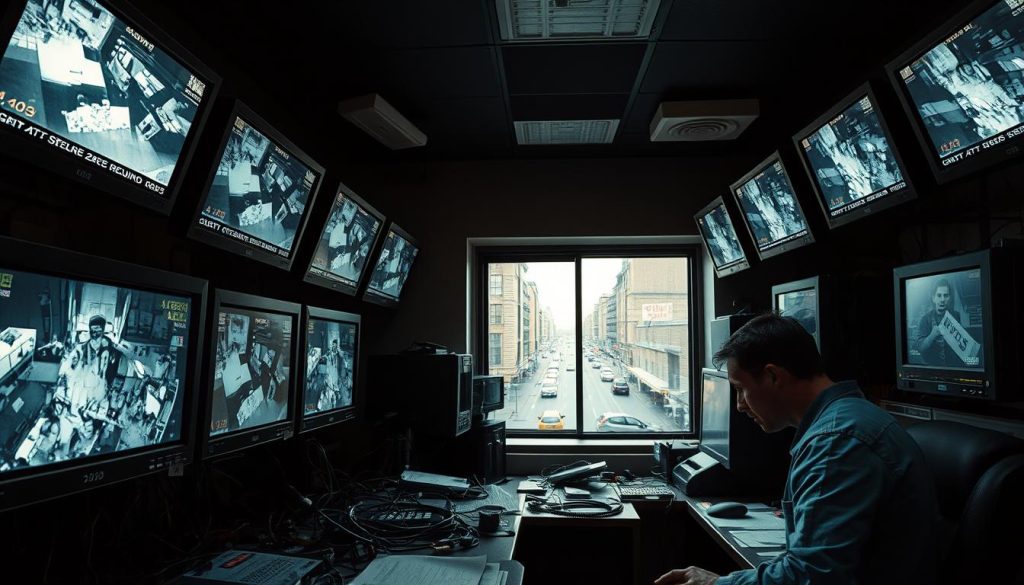
Challenges in Retrieving Old CCTV Footage
Getting old CCTV footage can be tough. It’s hard to get to the information we need because of it. The way video is stored and problems that can happen make it hard to get the recordings back.
Impact of Hardware Failures
When trying to get old footage, hardware failures are a big problem. A broken hard drive can stop you from getting your data. To avoid this, it’s important to check for hardware issues regularly.
Also, updating your systems helps keep your footage accessible. This way, you can always find what you need.
Technical Difficulties with Data Recovery
Technical issues often come up when trying to get data back. Problems like corrupted files or damaged storage can make it hard. Without the right skills, it’s tough to overcome these challenges.
Fixing these problems needs someone who knows about CCTV technology and how to restore data. They have the knowledge to get past these obstacles.
Recovering Deleted Footage from Backups
In the world of CCTV, making backups is key. It keeps your footage safe. Regular backups help you get back footage if it gets lost. Knowing how to restore files quickly is important.
Importance of Regular Backup Systems
A good backup system is vital for CCTV users. It acts as a safety net against data loss. This includes things like overwriting or hardware failures. Regular backups lower the risk of losing important footage.
Step-by-Step Process for Restoration
To restore deleted footage, follow these steps:
- Access the backup storage and find the right footage folder.
- Pick the deleted files you want to restore.
- Put the recovered footage back where it belongs.
Utilizing Data Recovery Software
When dealing with lost or deleted CCTV footage, using the right data recovery software can be a game changer. The tools you choose and how well they work can greatly affect your success. There are many software solutions for recovering footage, each with its own set of features.
Popular Data Recovery Solutions for CCTV
Many people use tools like EaseUS Data Recovery Wizard and Stellar Photo Recovery. These tools are known for working well with different file types and having high success rates. Their easy-to-use interfaces make it simpler to try and recover lost video files.
Using data recovery software for CCTV can greatly improve your chances of getting back important recordings.
How to Effectively Use Recovery Tools
To get the most out of recovery tools, follow a step-by-step approach. First, install the software and make sure it works with your operating system. Then, do a thorough scan of the storage where your footage was saved.
Choose the footage you want to recover and save it to a safe place. This way, you avoid losing it again. By following these steps carefully, you can increase your chances of successful recovery.
Accessing Historical CCTV Recordings via NAS
Network-attached storage for CCTV is key in today’s security systems. It’s vital for businesses and big installations. It lets users manage video from many cameras easily and quickly.
The way NAS is set up is very important. A good setup helps manage lots of data. This is key as more cameras are added, making more data to handle.
Knowing how to back up CCTV footage is critical. Without the right settings, finding old recordings can be hard. It’s smart to check settings often to keep your system running smoothly.
For more on keeping recordings, check out how many hours can a CCTV record. Using NAS well can make your surveillance better and more efficient.
Legal Considerations for Accessing Archived Footage
Getting access to archived CCTV footage is a complex task. It involves understanding data protection and privacy laws. In Singapore, the Personal Data Protection Act (PDPA) is key. It tells organizations how to handle personal info from surveillance.
It’s important for companies to follow this law closely. They must know how long to keep footage and when it’s okay to look at it. They also have to protect the data well.
Companies dealing with CCTV footage need to be careful. They should check their footage regularly. This makes sure it’s not kept too long. They also need to have good reasons for looking at it again.
If they don’t follow these rules, they could face big problems. This includes fines and losing public trust.
In short, knowing the law about CCTV footage is vital. Companies must follow privacy laws to protect themselves and others. This helps avoid legal issues and builds trust with the public.
FAQ
Can I retrieve CCTV footage that is two years old?
Getting CCTV footage from two years ago is hard. Most systems erase footage after 30 days. The chance to get older footage depends on the storage system and how it’s managed.
What role does CCTV footage play in security?
CCTV footage is key for security. It helps document incidents, monitor activities, and prevent crimes. In places like the UK, CCTV has cut crime rates a lot.
What types of storage systems are used in CCTV?
CCTV systems use many storage types. These include DVRs, NVRs, local hard drives, cloud services, and NAS. Each affects how you get footage.
What are common data retention policies for CCTV systems?
Data retention policies vary. Many systems delete old footage to save space. Businesses must follow rules on how long to keep footage, from 30 days to months.
Why does CCTV footage get deleted automatically?
CCTV systems delete old recordings to save space. Without backups or more storage, you might lose important evidence.
What can cause accidental deletion of CCTV footage?
Accidental deletion can happen when clearing storage or doing maintenance. Without a good backup, you could lose vital data.
How do environmental factors affect CCTV footage?
Water damage, fire, and hardware problems can harm footage. Systems at risk of these issues may lose data more often.
What factors influence whether old CCTV footage can be retrieved?
The chance to get old footage depends on the storage system, its size, and how it’s managed. Also, the organization’s retention policies matter.
Are there different data retention durations across industries?
Yes, retention policies vary by industry. Banks might keep footage for six months, while retail stores might only keep it for 30 days.
What issues can arise from hardware failures in CCTV systems?
Hardware failures, like bad hard drives, can block access to old footage. Regular checks and updates help keep data safe.
What technical difficulties might arise during data recovery?
Getting old footage can be tough due to technical issues like corrupted files. You need special skills to overcome these problems.
Why are regular backups important for CCTV footage?
Backups protect against losing CCTV footage. They help recover data if it’s deleted by mistake.
What is the step-by-step process to restore deleted CCTV footage?
To recover footage, first access the backup storage. Then, find the right folder and select the deleted files. Lastly, move the recovered footage back to its original spot.
What data recovery solutions are available for CCTV footage?
Tools like EaseUS Data Recovery Wizard and Stellar Photo Recovery can help. They support many file formats and have high success rates.
How can I effectively use data recovery tools?
First, install the recovery software. Then, scan for recoverable files. Choose the footage to restore and save it safely. Following the instructions carefully boosts your chances of success.
How does network-attached storage (NAS) enhance CCTV footage management?
NAS devices make managing CCTV footage easier. They allow remote access and easy retrieval, which is great for large installations.
What are the legal considerations when accessing archived CCTV footage?
Accessing old footage must follow data protection and privacy laws. In places like Singapore, the Personal Data Protection Act (PDPA) sets rules for storage and access.
Post Tags : CCTV footage retention policy Data protection laws for CCTV videos Digital evidence preservation Legal access to past security tapes Privacy considerations in video retrieval Retrieving old CCTV footage Storage duration for security footage Surveillance footage retrieval Timeframe for CCTV data retrieval Video recording archival


