
How Many Months CCTV Camera Stores When Not Working
A reliable surveillance system is a cornerstone of modern security. But what happens when the cameras are off? Understanding footage retention during downtime is crucial for planning.
The global market for these systems is growing fast. Retention periods are not one-size-fits-all. They can range from a single day to an entire year.
Most businesses keep recordings for about 30 days. Larger operations often require 90 days or more. Your specific security needs dictate the right storage duration.
This guide explores the factors that determine how long video evidence lasts. We cover technical settings, legal rules in Singapore, and best practices. You will learn to optimize your setup for peace of mind.
Key Takeaways
- Retention periods for security camera footage vary widely, from 24 hours to over a year.
- Industry standards often recommend 30 to 90 days of storage for commercial use.
- Your CCTV system’s configuration and video resolution directly impact storage capacity.
- Legal compliance, especially under Singapore’s PDPC guidelines, influences required storage duration.
- Proper planning for storage needs ensures critical surveillance footage is available when needed.
- Regular system checks prevent unexpected data loss during periods of inactivity.
Understanding Your CCTV Camera’s Storage During Downtime
System failures create gaps in monitoring. The fate of previously recorded evidence during these periods is often misunderstood. Knowing how your setup preserves data when inactive is fundamental.
This knowledge affects both security planning and regulatory compliance. Different scenarios impact footage retention in unique ways. Let’s clarify what happens behind the scenes.
What “Not Working” Really Means for Footage Retention
Equipment malfunctions cover several situations. A complete power outage is one common example. Hardware failures in recorders or cameras represent another.
Software glitches can freeze recording functions. Scheduled maintenance periods also count as intentional downtime. Each scenario affects accessibility differently.
During a brief power loss, most modern systems protect existing files. The storage capacity of your hard drive determines how much survives. Extended outages risk data corruption without proper backup.
Hardware failure in a camera stops new recordings. Previously saved surveillance footage typically remains secure on the recorder. This assumes the storage device itself remains functional.
Software issues might prevent viewing live feeds. Archived material often stays intact within the system. Regular diagnostics help identify these problems early.
Maintenance windows require temporary shutdowns. Professionals should backup critical files beforehand. This ensures no vital evidence gets lost.
Key Terms: Retention Periods, Shelf Life, and Storage Capacity
Three concepts govern your video archive’s lifespan. Retention periods define how long recordings remain accessible. Most configurations maintain files for 30 to 90 days by default.
This storage duration is adjustable based on your security needs. Businesses often require longer timelines than homes. Legal requirements in Singapore may dictate specific minimums.
Shelf life refers to physical media durability. Hard drives typically last three to five years under normal conditions. Environmental factors like humidity accelerate degradation.
High temperatures strain electronic components. Controlled environments extend media longevity. This is crucial for maintaining data protection standards.
Storage capacity measures available space in terabytes. A 1TB drive holds about one week of 4K video. The same drive stores roughly one month of 1080p recordings.
Higher video resolution dramatically increases file sizes. This directly reduces how many footage days you can archive. Planning for extended retention requires larger drives or smarter settings.
Continuous recording fills space faster than motion-activated alternatives. Smart motion detection settings conserve valuable capacity. This allows for longer retention without hardware upgrades.
Understanding these terms helps optimize your setup. It ensures critical evidence remains available when needed. Proper planning prevents unexpected data loss during inactive periods.
Why Storage Duration Matters for Security and Compliance
Effective security management requires careful planning around video retention timelines. The period you keep surveillance footage available directly affects incident response capabilities. It also determines compliance with various regulations.
Singapore’s landscape features nearly one million installed security cameras. This massive network generates enormous amounts of data daily. Proper protocols prevent critical information from disappearing when needed most.
Without adequate storage time, investigations often reach dead ends. Both criminal cases and internal audits depend on accessible historical recordings. The right retention period bridges the gap between event occurrence and analysis.
Balancing Evidence Preservation with Practical Limits
Every organization faces the challenge of ideal versus realistic storage duration. Security teams want to keep footage longer for comprehensive protection. Budget and technology constraints create practical boundaries.
Financial considerations play a significant role in this balance. Larger storage capacity means higher hardware costs. Cloud storage subscriptions add recurring expenses to operational budgets.
Different industries maintain unique retention periods based on their risk profiles. Financial institutions often must keep recordings for at least six months. Retail environments might function well with thirty to ninety days of accessible history.
Singapore’s PDPA guidelines introduce ethical considerations. They require responsible handling of personal data captured by surveillance systems. Your retention policies must respect individual privacy while meeting security needs.
Automatic overwrite processes present particular risks. When local storage reaches its limit, older files delete to make space. Critical evidence could vanish right before an investigation begins.
The Risks of Inadequate Footage Retention
Insufficient footage retention creates multiple vulnerabilities. Legal cases may collapse without supporting video evidence. Internal audits lose their ability to verify events and employee actions.
Security assessments become incomplete with gaps in the recorded timeline. Investigators cannot reconstruct sequences leading to incidents. This limitation weakens an organization’s overall protective posture.
Consider a theft investigation in a retail setting. Without thirty days of surveillance footage, patterns of suspicious behavior remain invisible. The same principle applies to workplace safety incidents and access control breaches.
Operational impacts extend beyond immediate security concerns. Compliance violations may occur when legal requirements mandate specific retention timelines. Regulatory bodies can impose penalties for inadequate data protection practices.
Organizations should evaluate their risk levels against practical constraints. High-risk environments justify investment in extended retention solutions. Lower-risk settings can optimize their storage needs more conservatively.
Proper planning ensures evidence remains available during crucial investigations. It transforms raw video data into a reliable security asset. Strategic storage solutions support both immediate response and long-term risk management.
The Critical Factors That Dictate Your Storage Timeline
Multiple technical elements converge to determine how long your surveillance recordings remain accessible. Your chosen equipment and settings create the foundation for your archive’s lifespan. Understanding these variables helps you plan effective storage solutions.
Each configuration choice affects the total footage days you can maintain. From camera specifications to recording methods, every detail matters. Let’s explore the key factors shaping your retention period.
Video Resolution and Its Massive Impact on Data Size
Video resolution represents the most significant factor in storage consumption. Higher resolutions capture more detail but create much larger files. A 4K stream requires approximately four times the space of a 1080p recording.
This exponential growth directly reduces how long you can keep recordings. A system recording in 4K might fill a hard drive in weeks. The same setup using 1080p could maintain archives for six months or more.
Frame rates further influence data requirements. Smoother video at 30 frames per second uses more space than 15 fps footage. Modern compression technologies help manage these demands efficiently.
Codecs like H.264 and H.265 compress files while preserving quality. H.265 can reduce sizes by up to 50% compared to older standards. This technology enables longer retention without sacrificing visual clarity.
Balancing resolution with practical storage needs is essential. High-risk areas might justify 4K surveillance for identification purposes. General monitoring zones often work well with 1080p or even 720p streams.
Storage Medium: DVR, NVR, and Hard Drive Capacity
The recording device itself establishes physical limits for your archive. DVR systems work with analog cameras and typically include 1TB drives. This capacity handles approximately eight cameras for basic camera storage.
NVR solutions connect to IP cameras and offer greater flexibility. They support multi-terabyte internal drives and expandable options. Many NVRs accommodate several hard drives for massive storage capacity.
Hard drive specifications determine your system’s raw potential. A 1TB unit holds about one week of continuous 4K footage from four cameras. The same drive stores roughly one month of 1080p material.
Larger 4TB or 8TB drives become necessary for extended retention requirements. Some organizations use RAID configurations for redundancy and expanded space. Understanding your recording duration needs helps select appropriate hardware.
Environmental conditions affect hardware reliability. Excessive heat or humidity can shorten a drive’s operational life. Proper ventilation and climate control support consistent data protection.
The Role of Recording Mode: Continuous vs. Motion-Activated
Recording methodology dramatically alters storage consumption patterns. Continuous capture saves every moment the camera operates. This approach provides complete coverage but rapidly consumes available space.
Motion-activated alternatives record only when sensors detect activity. This intelligent method can reduce storage needs by up to 80% compared to continuous operation. The savings enable significantly longer retention periods.
Consider a four-camera HD surveillance system with standard settings. Using continuous recording, it might preserve just one month of surveillance footage. With optimized motion detection, the same system could maintain archives for six months.
The number of cameras multiplies these effects. Each additional device increases total data generation proportionally. A sixteen-camera installation requires four times the storage of a four-camera setup.
Smart configuration balances comprehensive monitoring with practical limits. High-traffic areas might use continuous recording during business hours. Low-activity zones can rely entirely on motion-based capture.
These technical factors combine to create your unique storage timeline. Proper planning ensures your cctv system meets both security and compliance requirements. Strategic choices transform raw capacity into reliable evidence preservation.
How Many Months Can Store the CCTV Camera If It Is Not Working?
When surveillance equipment ceases operation, the preserved recordings continue to follow predetermined storage protocols. The system’s configuration dictates how long this archived material remains accessible. Understanding these timelines helps organizations maintain proper security coverage during periods of inactivity.
Standard practices vary significantly between different environments. Homeowners have different requirements than large corporations. Each setting balances practical limits with specific security demands.
The General Rule: 30 to 90 Days for Most Businesses
Most commercial establishments maintain video evidence for one to three months. This 30 to 90 day range represents an industry standard. It balances comprehensive security with practical storage limitations.
This storage duration allows sufficient time for incident investigation. Most thefts or safety issues get reported within this window. The timeline also aligns with common audit cycles and operational reviews.
Financial considerations shape these retention periods. Longer archives require more hardware or cloud subscriptions. Businesses optimize their investment based on actual risk profiles.
System configuration directly impacts achievable timelines. A larger hard drive enables extended retention of critical evidence. Motion-activated recording conserves valuable space compared to continuous capture.
Industry variations exist within this general framework. Retail stores often use the shorter end of the spectrum. Manufacturing facilities might require the full 90 days for safety compliance.
Even during equipment downtime, preserved files follow these settings. The cctv system continues managing existing data according to its programming. This ensures important evidence remains available when needed most.
Residential vs. Commercial System Expectations
Home security setups operate on different principles than business installations. Residents typically need recordings for two to four weeks at most. Incidents in domestic settings usually get noticed quickly.
Most homeowners find little value in video older than one month. Their security needs focus on recent activity monitoring. This allows for smaller, more cost-effective storage solutions.
Commercial requirements demand more robust archives. Companies face greater liability and regulatory scrutiny. They must preserve evidence for potential legal proceedings or insurance claims.
Cost considerations create practical boundaries for all organizations. Larger storage capacity means higher initial investment. Cloud services add recurring operational expenses to budgets.
Available technology also influences what’s achievable. Modern systems offer smarter compression and analytics. These features enable longer retention without proportional cost increases.
Industry-specific examples highlight these differences. Banking institutions often must keep transaction area footage for at least six months. This complies with financial regulatory requirements for fraud investigation.
Entertainment venues like casinos sometimes maintain surveillance footage for a full year. Their high-risk environment justifies this extensive data protection protocol. Each industry tailors its approach to unique threats.
Determining appropriate storage duration requires assessing several factors. Organizational size and risk profile matter greatly. Compliance obligations and past incident history also guide decisions.
Proper configuration ensures optimal coverage for any setting. As explained in this comprehensive guide, understanding your system’s capabilities is crucial. Strategic planning transforms raw storage into reliable security assets.
Industry-Specific Retention Periods You Need to Know
Retention requirements vary dramatically across business sectors based on risk profiles and regulations. What works for a retail store may fail a bank’s compliance audit. Understanding these differences ensures your surveillance system meets both security and legal standards.
Each industry tailors its retention policies to address unique threats and obligations. Financial fraud investigations need different timelines than shoplifting cases. Government facilities face distinct challenges compared to private hospitals.
Banking and Financial Sector: 6 Months to a Year
Financial institutions operate under the strictest video evidence mandates. They typically must keep transaction area footage for at least six months. Many extend this to a full year for comprehensive fraud investigation support.
This extended retention addresses complex financial crimes. Fraud patterns often emerge over quarterly periods. Regulatory bodies demand accessible records for compliance audits.
Singapore’s banking sector follows rigorous data protection standards. The Monetary Authority of Singapore (MAS) provides specific guidelines. These influence how long institutions keep recordings of sensitive areas.
Teller counters, vault entrances, and ATM lobbies require continuous monitoring. Their cctv footage serves as crucial evidence in disputes. Proper storage solutions prevent critical data loss during investigations.
Retail and Hospitality: The 30 to 90 Day Standard
Shopping malls, hotels, and restaurants commonly use 30 to 90 day retention periods. This window supports theft prevention and customer safety initiatives. Most incidents get reported within this timeframe.
Retail establishments balance security with practical storage needs. High-resolution footage of sales floors consumes significant space. Smart motion detection settings help optimize camera storage.
Hotels maintain lobby and corridor recordings for guest security. Restaurants monitor kitchens and cash handling areas. Their storage duration aligns with typical investigation cycles for common incidents.
The Singapore Personal Data Protection Act (PDPA) influences these practices. Businesses must respect customer privacy while meeting security needs. This creates careful balance in retention policies.
Healthcare and Government: Navigating Strict Regulations
Healthcare facilities face unique challenges balancing patient privacy with security. They typically preserve surveillance footage for about 30 days. Sensitive areas like patient rooms require special consideration.
Medical centers must comply with privacy regulations alongside security requirements. Entry points and pharmacy areas need consistent monitoring. Their cctv system configurations reflect this dual responsibility.
Government installations follow particularly strict compliance standards. Retention periods vary based on facility sensitivity. Some maintain recordings for several years due to national security considerations.
Transportation systems like MRT stations maintain minimum 30-day footage retention. This supports public safety investigations across Singapore’s network. Their storage capacity plans account for high-traffic environments.
Each sector’s approach reflects its risk profile and regulatory environment. Non-compliance brings potential penalties and security vulnerabilities. Proper planning ensures your organization meets all legal requirements.
Legal and Compliance Frameworks in Singapore
Operating security cameras in Singapore requires careful navigation of comprehensive data protection regulations. The city-state maintains nearly one million surveillance devices across its territory. This dense network operates within a sophisticated legal ecosystem.
Singapore’s approach balances robust security with individual privacy rights. Organizations must understand both the Personal Data Protection Act (PDPA) and related guidelines. Compliance is mandatory for all businesses using security cameras.
Singapore’s PDPC Guidelines and Data Protection Act (PDPA)
The Personal Data Protection Commission (PDPC) oversees implementation of the PDPA. This regulatory body provides specific guidance for surveillance footage management. Their rules affect every organization with a cctv system.
A core principle governs how long businesses keep recordings. The PDPA mandates retention only “as long as necessary” for legitimate purposes. This flexible standard requires thoughtful retention policies.
Most commercial establishments should limit cctv footage preservation to about 30 days. Extended storage without proper justification violates regulations. Each organization must document its specific security needs.
Different sectors face unique requirements under this framework. Financial institutions often must keep transaction area footage for six months or more. Retail environments typically align with the 30-day recommendation.
The PDPC frequently updates its data protection requirements. Companies must review guidelines regularly to maintain compliance. This dynamic regulatory landscape demands ongoing attention.
Singapore’s high urban density influences these regulations. With cameras everywhere, privacy concerns receive significant consideration. Businesses must balance monitoring effectiveness with respect for individuals.
Consequences of Non-Compliance for Businesses
Violating Singapore’s data protection rules carries serious penalties. Financial fines can reach SGD 1 million for significant breaches. The Personal Data Protection Commission has enforcement authority.
Monetary penalties represent just one dimension of risk. Reputational damage often proves more costly than official fines. Customers lose trust in organizations that mishandle their personal data protection.
Consider these common compliance pitfalls:
- Failing to document retention policies for surveillance footage
- Keeping recordings beyond justified retention periods
- Inadequate security for local storage or cloud storage systems
- Not reviewing PDPC guideline updates regularly
- Poor employee training on data protection protocols
Operational disruptions frequently follow compliance violations. Investigations consume management time and resources. System modifications may become necessary to address deficiencies.
Organizations should implement these practical compliance steps:
- Conduct regular audits of cctv storage practices
- Document specific justifications for storage duration choices
- Establish clear protocols for footage retention and deletion
- Train staff on PDPA requirements and company retention policies
- Review legal requirements at least annually
Proper documentation serves as your first defense during audits. Records should explain why certain retention periods meet the “as long as necessary” test. This demonstrates responsible data protection management.
Storage solutions must align with both security objectives and privacy obligations. Some businesses choose longer retention for high-risk areas. They must justify this extended retention with documented risk assessments.
The PDPA recognizes legitimate security needs while protecting individual rights. Smart organizations view compliance as integral to operations. They avoid treating it as merely a legal checkbox.
Singapore’s framework continues evolving alongside technological advances. Staying informed about regulatory changes protects your business. It ensures your surveillance system remains both effective and lawful.
Choosing the Right Storage Solution for Your Needs
Your choice of archival platform shapes everything from retrieval speed to long-term evidence protection. Different approaches offer unique advantages for managing recorded material. Selecting the optimal method requires understanding your operational environment.
Singapore’s diverse security landscape demands flexible storage solutions. A retail shop has different requirements than a corporate headquarters. Each organization must balance accessibility with cost considerations.
Three primary options dominate modern cctv storage strategies. Local systems provide physical control without ongoing fees. Cloud platforms offer remote access and scalability. Hybrid models combine both approaches for comprehensive coverage.
Local Storage (DVR/NVR): Pros, Cons, and Typical Capacity
Local systems keep all recordings within your premises. They use dedicated hardware like DVRs or NVRs with internal hard drive arrays. This approach provides complete physical control over your cctv footage.
DVR systems connect to analog cameras through coaxial cables. They typically feature one to eight storage bays. Each bay accommodates a separate hard drive for expanded storage capacity.
NVR solutions work with IP cameras over network connections. These systems often support sixteen or more drive bays. They deliver superior video resolution and advanced management features.
Local storage solutions offer several distinct advantages:
- Complete physical control over your recorded material
- No monthly subscription fees beyond initial hardware costs
- Operation without internet dependency for basic functions
- Immediate access to recordings without network delays
- Customizable retention policies tailored to specific needs
These systems also face certain limitations. Physical damage risks include theft, fire, or environmental factors. Hardware failure can result in complete data protection loss without proper backups.
Expansion capabilities remain finite with local setups. Adding more storage capacity requires purchasing additional drives. There are practical limits to how many drives your system supports.
Typical storage capacity ranges from 1TB to 16TB in commercial systems. A 1TB hard drive retains approximately thirty days of continuous recordings. Higher capacity drives enable longer retention periods for critical evidence.
Many businesses configure their systems for specific retention periods. Retail environments often set thirty-day limits. Financial institutions typically require at least six months of accessible footage.
Cloud Storage: Flexibility, Security, and Subscription Models
Cloud platforms store recordings on remote servers managed by service providers. This approach eliminates local hardware maintenance responsibilities. It transforms camera storage into a managed service.
Remote accessibility represents the primary cloud advantage. Authorized users can view surveillance footage from any internet-connected device. This supports distributed security teams and remote management.
Virtually unlimited capacity comes through subscription scaling. Providers offer tiered plans based on storage needs. Organizations pay for exactly the storage duration they require.
Advanced security features protect against unauthorized access. Encryption protocols secure data during transmission and storage. Multi-factor authentication adds additional data protection layers.
Consider these cloud storage benefits for your surveillance system:
- Remote accessibility from smartphones, tablets, or computers
- Automatic software updates and security patches
- Disaster recovery protection against physical damage
- Scalable capacity that grows with your organization
- Professional monitoring of system health and performance
Cloud solutions also involve certain considerations. Recurring costs create ongoing operational expenses. Monthly fees typically range based on storage capacity and retention periods.
Internet dependency affects reliability during network outages. Slow connections can delay footage retrieval. Some organizations have concerns about multi-tenant environment security.
Subscription models usually offer seven to ninety-day retention periods. Premium plans sometimes provide extended retention options. Businesses should verify provider compliance with Singapore’s legal requirements.
Hybrid Solutions: Combining Local and Cloud for Optimal Coverage
Hybrid approaches leverage both local and cloud advantages simultaneously. Local systems handle immediate recording and quick access. Cloud backup ensures long-term preservation of critical material.
This dual-layer strategy protects against multiple threat vectors. Physical damage cannot destroy cloud-stored copies. Network outages don’t interrupt local recording functions.
Most modern cctv systems support hybrid configurations. They continuously record to local hard drive arrays. Selected footage automatically uploads to cloud servers for backup.
Organizations benefit from these hybrid features:
- Immediate local access to recent recordings
- Cloud backup of important events for longer retention
- Reduced bandwidth usage through selective uploads
- Cost optimization by balancing local and cloud expenses
- Comprehensive protection against both physical and cyber threats
Practical implementation examples demonstrate hybrid value. A retail chain might use local recording for all store activity. It could configure cloud backup for point-of-sale transactions only.
A corporate office may keep footage locally for thirty days. Critical entrance monitoring footage might backup to cloud for six months. This balances storage needs with budget constraints.
Cost-benefit analysis helps determine the right approach. Local systems require higher initial investment but lower ongoing costs. Cloud solutions involve predictable monthly expenses without hardware purchases.
Hybrid models offer middle-ground financial planning. They spread costs between capital expenditure and operational budgets. This flexibility supports organizations with evolving security needs.
Selecting your optimal storage solution requires assessing multiple factors. Consider your required retention period and accessibility needs. Evaluate budget constraints and technical capabilities.
Regular reviews ensure your approach continues meeting organizational requirements. As security cameras evolve, so should your archival strategy. Proper planning today prevents evidence gaps tomorrow.
Maintaining Storage Integrity on Non-Operational Systems
Without regular upkeep, even the most advanced storage solutions can fail silently. A surveillance system that appears functional might already be losing data. Proactive care ensures your archived evidence remains intact and retrievable.
This maintenance is especially critical for periods of planned or unexpected downtime. When your cctv system is not recording, the health of its storage media determines if past footage survives. A disciplined approach prevents catastrophic loss.
Routine System Health Checks and Diagnostics
Monthly diagnostics are non-negotiable for optimal performance. They verify that all components function correctly and identify subtle warning signs. Early detection is the best data protection strategy.
Start by reviewing system logs for any errors or missed recordings. Check that the hard drive is recognized and reporting correct storage capacity. Verify all cameras are streaming at their intended video resolution.
Look for these early warning signs of storage problems:
- Blurry or choppy footage that wasn’t present before
- Unexplained gaps in the recording timeline
- System errors mentioning “disk full” or “write failure”
- Unusually slow playback or footage retrieval times
Regular firmware updates are a key part of system health. They patch security vulnerabilities that could expose your cctv footage. Updates also maintain compatibility and often improve storage efficiency.
Establish a simple monthly checklist for your team:
- Review all camera feeds for image quality.
- Confirm recording is active for each channel.
- Check available storage duration and remaining space.
- Verify the system time and date are accurate for proper logging.
- Test playback of footage from different recordings days.
Preventing Data Degradation and Hardware Failure
Environmental controls are your first defense against data degradation. Stable temperature and humidity levels prevent physical damage to storage media. Hard drive components are particularly sensitive to heat and moisture.
“Preventive maintenance is far less costly than data recovery or lost evidence. It’s an investment in the reliability of your entire security posture.”
Under normal use, hard drives typically last three to five years. Proper care can extend this lifespan significantly. Ensure your local storage equipment has adequate ventilation and is free from dust buildup.
Singapore’s tropical climate demands specific considerations. High humidity can corrode electronic contacts. Use dehumidifiers in server or equipment rooms. Protect systems from direct sunlight and temperature extremes.
After severe weather events, conduct a professional inspection. Look for water damage, power surge effects, or physical impacts. This is crucial for maintaining longer retention capabilities.
Follow this preventive maintenance schedule for key components:
- Quarterly: Clean fan filters and vents; check cable connections.
- Bi-annually: Perform a full disk health scan using manufacturer tools.
- Annually: Consider a professional servicing to assess overall system health.
Proper load management also extends hardware life. Avoid running your storage solutions at maximum capacity continuously. If you must keep footage for six months or more, ensure your hardware is rated for that duty cycle.
The relationship between regular maintenance and reliable retention policies is direct. A well-maintained system will faithfully preserve footage according to your set retention period, even during inactivity. This ensures your security needs are always met.
Best Practices for Managing and Backing Up Vital Footage
Implementing disciplined backup routines protects your organization from catastrophic evidence loss during critical moments. Your surveillance footage represents valuable security intelligence that must remain accessible. Effective management transforms this data from raw recordings into reliable evidence.
Robust strategies prevent critical evidence from disappearing when needed most. Both cloud storage services and external drives provide essential redundancy. This layered approach ensures your cctv system maintains integrity during equipment failures.
Automated solutions eliminate human error through scheduled data transfers. They operate consistently without manual intervention. Custom retention policies must align with specific legal requirements in Singapore.
Different industries maintain unique mandates for how long to keep footage. Financial institutions often must keep transaction records for at least six months. Retail environments might function with shorter storage duration.
Effective protocols include daily backups for high-security zones. Weekly audits delete unnecessary video to free up storage capacity. This balance maintains optimal system performance.
Implementing a Reliable Automated Backup Protocol
Automated backup systems provide consistent protection without manual effort. They schedule regular data transfers according to your security needs. This approach eliminates the risk of forgotten or delayed backups.
Modern surveillance systems offer built-in automation features. These can be configured for specific frequencies and destinations. The result is a hands-off solution that maintains data protection standards.
Consider these essential components of an automated protocol:
- Scheduled transfers to both local storage and cloud storage destinations
- Verification processes that confirm backup completion and integrity
- Alert systems that notify administrators of any failures or issues
- Encryption methods for protecting sensitive recordings during transfer and storage
Encryption is particularly important for compliance with privacy regulations. Singapore’s PDPA guidelines require responsible handling of personal data. Proper encryption ensures your cctv footage remains secure in backup systems.
Practical examples demonstrate effective backup frequencies. High-security areas like bank vaults require daily backups. Standard commercial operations might use weekly schedules. Residential systems could function with monthly archiving.
Selective archiving balances comprehensiveness with storage efficiency. Instead of backing up all footage, focus on critical events. Motion-activated recordings from sensitive zones deserve priority backup treatment.
During system downtime or maintenance, backup needs become especially important. Ensure your protocol continues operating during these periods. Some systems can be configured to increase backup frequency when primary recording stops.
“A well-designed automated backup protocol functions like an insurance policy for your surveillance evidence. It works silently in the background, ensuring critical footage remains available when primary systems fail.”
Documentation frameworks help maintain compliance and operational clarity. Create templates that outline your specific backup procedures. These should include frequency, destinations, verification methods, and responsible personnel.
Case studies show the value of effective backup strategies. One Singapore retail chain preserved critical theft evidence during a recorder failure. Their automated cloud storage backup provided investigators with clear footage. This led to successful identification and prosecution.
Setting and Periodically Reviewing Custom Retention Policies
Custom retention policies define how long your organization keep recordings accessible. These policies must balance security needs with practical storage solutions. They represent a crucial component of overall data protection strategy.
Begin by assessing your specific operational requirements. Different areas within your facility may need different retention periods. Entry points might require longer retention than interior corridors.
Follow this framework for establishing effective policies:
- Conduct a risk assessment to identify critical zones and evidence needs
- Research industry standards and legal requirements for your sector
- Determine practical limits based on available storage capacity and budget
- Document specific timelines for different camera types and locations
- Implement technical controls that enforce these policies automatically
Regular policy reviews adapt to changing regulations and threats. Singapore’s PDPA guidelines receive frequent updates. Your retention policies must evolve alongside these changes.
Schedule quarterly reviews for high-security environments. Standard commercial operations might review policies every six months. This ensures continued compliance with all legal requirements.
Consider these factors during policy reviews:
- Regulatory changes from Singapore’s PDPC or industry bodies
- Incident history that reveals actual evidence usage patterns
- Storage technology advancements that might enable extended retention
- Organizational changes like expansion or new facility acquisitions
Different industries maintain specific evidence preservation mandates. Banking sectors typically keep footage longer – often for six months or more. Healthcare facilities balance patient privacy with security monitoring needs.
Effective policy documentation includes clear justification for each timeline. Explain why certain areas require specific retention periods. This documentation supports compliance during audits or investigations.
Technical implementation ensures policies function automatically. Configure your cctv systems to overwrite footage according to established timelines. Set alerts for when storage capacity approaches critical levels.
Training staff on policy importance and procedures completes the implementation. Ensure security personnel understand why certain footage retention timelines exist. This knowledge helps them manage the system effectively.
Properly managed retention policies transform storage solutions from cost centers into security assets. They ensure evidence remains available for investigations while respecting privacy concerns. This balance represents professional surveillance system management.
Configuring Your System for Maximum Storage Efficiency
Optimizing your setup is the most direct path to extending your video archive without hardware upgrades. Smart configuration choices directly impact your storage capacity and achievable retention period. This process transforms raw storage solutions into intelligent assets.
Every adjustment balances evidence quality with practical storage needs. The goal is to preserve critical cctv footage for as long as your security needs demand. Let’s explore the key settings that control your system’s efficiency.
Leveraging Motion Detection to Save Critical Space
Motion detection is the most powerful tool for storage efficiency. It changes recording from a constant stream to an event-based log. This simple shift can reduce storage needs by 60% to 80%.
Continuous recording captures every quiet moment, wasting precious hard drive space. Motion-activated modes save only the moments that matter. The result is dramatically extended retention on the same hardware.
Proper calibration is essential for reliable coverage. Set sensitivity too high, and you’ll record leaves blowing or shadows shifting. Set it too low, and you might miss a crucial event.
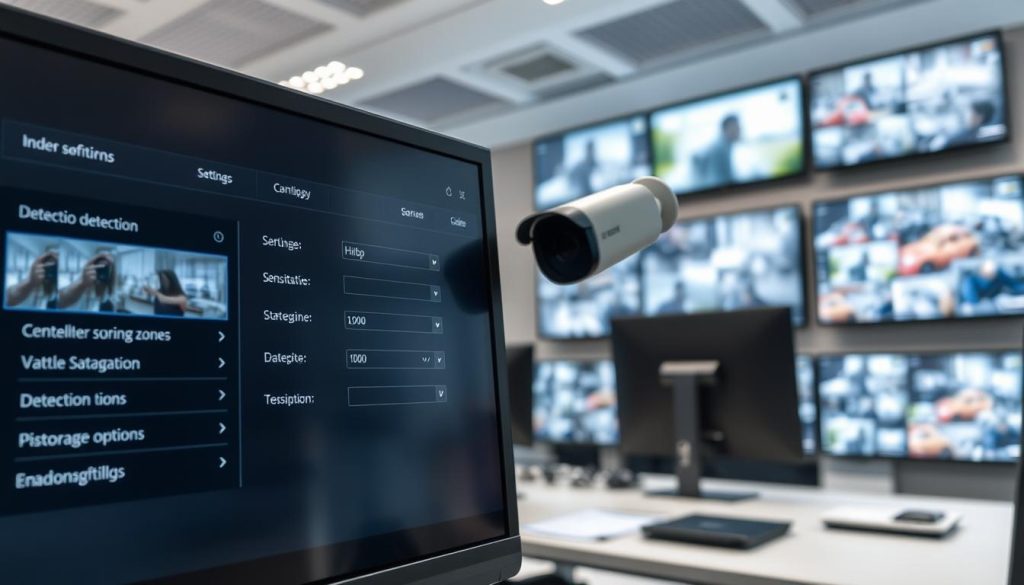
Follow this step-by-step guide to configure your system:
- Access your camera’s settings menu through its software interface or web portal.
- Locate the motion detection section, often found under “Recording” or “Events.”
- Draw detection zones on the camera view. Focus on entry points, aisles, or valuable asset areas.
- Adjust sensitivity sliders. Start at a medium setting and test with actual movement.
- Set recording duration. Configure how long to record after motion stops (e.g., 10-30 seconds).
- Schedule active periods. Enable motion recording only during relevant hours, like business closures.
Zone configuration focuses resources on high-priority areas. Ignore sections with constant, irrelevant movement. A retail store might monitor cash registers and stock rooms while ignoring a busy sidewalk.
Advanced systems use AI-powered analytics for smarter detection. They can distinguish between a person, a vehicle, and a stray animal. This intelligence further reduces false recordings and optimizes camera storage.
“A well-tuned motion detection system doesn’t just save storage; it makes evidence review faster and more actionable by filtering out hours of empty footage.”
Consider this practical example. A standard four-camera setup using continuous 1080p recording might fill a 2TB drive in about 30 days. By implementing optimized motion detection, the same system could preserve cctv footage for 90 to 120 days. That’s a potential tripling of your retention period.
Adjusting Resolution and Frame Rate for Your Needs
Video resolution and frame rate are the twin engines of file size. Higher settings deliver beautiful detail but consume space rapidly. Strategic reduction here unlocks massive storage duration gains.
Not every camera needs to record in 4K. Assess the identification requirements for each location. A parking lot overview camera may work perfectly at 1080p, while a front desk camera needs higher clarity.
Here is a breakdown of common resolutions and their impact:
- 4K (3840×2160): Excellent for facial or license plate identification. Uses approximately 4x the storage of 1080p.
- 1080p Full HD (1920×1080): The business standard. Provides clear detail for most investigations.
- 720p HD (1280×720): A strong option for general monitoring. Can cut file sizes by nearly half compared to 1080p while maintaining usable quality.
Frame rate controls how many images are captured per second. Smooth 30 frames-per-second (fps) video is ideal for fast action. However, reducing to 15 fps is often sufficient for security monitoring and can save significant space.
Modern compression codecs like H.265 are essential. They can shrink file sizes by up to 50% compared to older H.264, with no visible quality loss. Always ensure your cctv system uses the latest compression standard.
Create a camera-by-camera plan. Assign settings based on each location’s priority:
- High Priority (Entrances, Cash Points): 1080p or 4K at 15-20 fps.
- Medium Priority (Aisles, Corridors): 1080p or 720p at 10-15 fps with motion detection.
- Low Priority (Storage Rooms, Empty Halls): 720p at 10 fps with motion detection only.
This tiered approach ensures critical areas have the detail needed for identification. It also conserves overall storage capacity for longer retention. Regular reviews help adjust these settings as your security needs evolve.
Combining these techniques creates a powerful efficiency engine. Use motion activation as your primary space-saver. Then, fine-tune resolution and frame rate for each camera’s specific role. This layered configuration maximizes every gigabyte of your local storage or cloud storage subscription.
Ultimately, intelligent configuration meets both operational and compliance goals. It allows businesses to keep recordings for the required retention periods, whether that’s 30 days or six months. It turns your surveillance system into a smarter, more sustainable security partner.
What Truly Happens to Footage When Retention Periods End
The lifecycle of recorded video evidence concludes with a critical, automated phase governed by your system’s settings. Understanding this final stage is essential for both operational security and regulatory compliance. It ensures your cctv storage practices align with privacy laws and security needs.
The Automatic Overwrite Process Explained
Modern surveillance systems are designed to manage finite storage capacity intelligently. When space runs low, they initiate an automatic overwrite cycle. This process follows a first-in-first-out principle.
The oldest cctv footage gets replaced by the newest recordings. Think of it as a continuous loop of digital tape. Your system constantly writes new data while erasing the oldest files.
This technical function prevents manual intervention for routine storage needs. The system maintains itself within the configured retention period. For example, a 30-day policy means footage from day 31 is automatically deleted.
Key technical aspects make recovery nearly impossible. The overwrite doesn’t just mark files as deleted. It physically writes new video data over the old magnetic patterns on the hard drive.
This permanent erasure is a core feature, not a bug. It protects against unauthorized data recovery attempts. Once a file is overwritten, specialized forensic tools cannot retrieve it.
Differences exist between local storage and cloud storage solutions. Local DVR/NVR systems manage this loop internally on their drives. Cloud services handle it on remote servers, often with more granular controls.
You can configure the overwrite process to match your retention policies. Systems allow setting different retention periods per camera. A front door camera might keep footage for 90 days, while an interior hall uses 30 days.
Secure Data Destruction and Privacy Best Practices
Proper data destruction is a legal and ethical imperative. Singapore’s Personal Data Protection Act (PDPA) sets clear expectations. The Data Protection Commission provides guidelines for secure disposal.
When retention periods expire, secure deletion prevents privacy breaches. Organizations must follow established protocols. This is especially true for footage containing identifiable individuals.
“Secure data destruction is the final, non-negotiable step in responsible video surveillance management. It closes the loop on privacy commitments.”
Implementing a secure deletion protocol involves several steps:
- Define clear policies: Document exactly when and how data is destroyed.
- Use system automation: Configure your cctv system to handle routine overwrites.
- Manual verification: For sensitive data, confirm deletion through audits.
- Maintain logs: Keep records of data destruction for compliance audits.
Different industries have specific requirements. Financial institutions that must keep transaction footage for six months need robust destruction logs. Healthcare facilities prioritize patient privacy in their data protection plans.
Best practices for documentation are straightforward. Create a simple log template with these fields:
- Date and time of deletion
- Camera or location identifier
- Storage duration that was configured
- Method of deletion (automatic overwrite, manual wipe)
- Name of responsible personnel or system process
This documentation proves compliance during an audit. It shows your organization takes personal data protection seriously. The Data Protection Commission may request these records.
For extended retention requirements, planning is key. If you need to keep recordings for many recordings days, ensure your storage solutions can handle it. Larger hard drive arrays or scalable cloud storage are necessary.
Ultimately, managing the end of a recording’s life is about balance. You must meet security needs for footage retention. At the same time, you must respect privacy by not holding data indefinitely.
Configure your security cameras and cctv systems to enforce your policies automatically. This hands-off approach ensures consistency. It removes human error from the data disposal equation.
Regularly review these settings against evolving legal requirements. Singapore’s regulations can change. Your surveillance system management should adapt accordingly.
Common Mistakes to Avoid in CCTV Storage Management
Many organizations discover their video evidence is unavailable precisely when they need it most. This frustrating scenario often stems from preventable errors in storage planning and maintenance. Avoiding these common pitfalls ensures your surveillance system remains reliable.
Even robust security setups can fail due to simple oversights. These mistakes compromise investigations and violate compliance standards. Understanding them is the first step toward building a resilient archive.
Ignoring Legal Retention Requirements and Updates
Singapore’s Personal Data Protection Act (PDPA) sets clear mandates for video evidence. Organizations often misjudge these legal requirements or fail to track updates. The Data Protection Commission frequently revises its guidelines.
Non-compliance carries serious consequences. Fines can reach SGD 1 million for significant violations. Beyond financial penalties, reputational damage often proves more costly.
Consider a retail chain that kept general cctv footage for only two weeks. When a customer injury required investigation, the evidence was already overwritten. This violated PDPA principles and exposed the business to liability.
Financial institutions face particularly strict rules. They typically must keep transaction area recordings for at least six months. Some regulations demand a full year of accessible evidence.
The “set and forget” approach creates major vulnerabilities. Organizations install systems with initial retention policies but never review them. Evolving threats and new regulations render these settings obsolete.
Regular policy reviews are essential for compliance. Schedule quarterly assessments for high-security environments. Standard operations should conduct reviews every six months.
Underestimating Future Storage Needs and Scalability
Initial storage capacity calculations often overlook growth. Businesses add cameras or increase video resolution without expanding their storage solutions. This leads to premature overwrite of critical evidence.
Capacity shortfalls trigger automatic deletion cycles too soon. Important footage retention periods get cut short. Investigations lose access to timelines needed for reconstruction.
Choosing storage solutions based solely on upfront cost is risky. Cheap local storage with limited expansion cannot scale. Future camera additions or resolution upgrades become impossible without complete system replacement.
Many organizations purchase systems that meet today’s needs perfectly. They fail to account for tomorrow’s requirements. A business adding four cameras next year needs proportional storage capacity increases.
Inadequate backup strategies represent another critical error. Relying on single hard drive arrays creates points of failure. Physical damage or corruption can destroy entire archives.
Cloud storage services offer scalability but require planning. Subscription models should accommodate growing storage needs. Regular assessments prevent unexpected overage charges or service limitations.
Practical Guidance for Avoiding Common Errors
Implement these practices to maintain reliable cctv storage management. They address both compliance and operational requirements. Your security needs will evolve alongside your organization.
First, establish a regulatory monitoring system. Designate staff to track PDPC guideline updates. Subscribe to industry newsletters from security associations in Singapore.
Second, conduct regular storage capacity planning exercises. Assess current usage and project future requirements. Include potential camera additions and resolution upgrades in your calculations.
Use this simple assessment checklist every quarter:
- Review current storage duration against legal requirements
- Calculate remaining footage days available at current recording rates
- Project storage needs for planned expansions or upgrades
- Verify backup systems are functioning and tested regularly
- Document any changes to retention policies with proper justification
Third, implement layered backup strategies. Combine local storage with cloud storage for redundancy. Automate backup processes to eliminate human error.
Fourth, budget for scalability from the beginning. When purchasing cctv systems, consider expansion capabilities. Choose solutions that allow adding drives or upgrading components easily.
“The most expensive storage solution is the one that fails when you need it most. Investing in proper planning and scalable systems pays dividends during critical incidents.”
Finally, train personnel on proper data protection protocols. Security staff should understand why specific retention periods exist. They must know how to retrieve and preserve evidence properly.
Real-world examples demonstrate these principles. A Singapore manufacturing plant avoided major liability by maintaining proper extended retention. Their system preserved safety incident footage for the required ninety days.
Another company faced penalties for keeping general area footage too long. They violated PDPA principles by holding non-essential recordings. Proper policy reviews would have prevented this compliance failure.
Your surveillance footage represents valuable security intelligence. Managing it effectively requires avoiding common pitfalls. Regular assessments and scalable storage solutions ensure evidence remains available.
Stay informed about regulatory changes in Singapore’s dynamic landscape. Plan for future storage needs before capacity becomes critical. These practices transform your cctv system from a cost center into a reliable security asset.
Leveraging Technology for Smarter, Extended Storage
The evolution from basic recording to intelligent analysis represents a quantum leap in storage efficiency for modern security. Advanced technologies now enable organizations to preserve critical evidence far longer without expanding physical hardware. These innovations transform passive video collection into active, space-saving security intelligence.
Artificial intelligence and smart compression work together to maximize every gigabyte of storage capacity. They analyze content in real-time and reduce file sizes dramatically. This approach extends retention periods significantly beyond traditional limits.
How AI Analytics and Smart Compression Save Space
Artificial intelligence transforms how security cameras manage data. Advanced algorithms analyze video streams continuously. They identify relevant events while discarding empty corridors automatically.
Machine learning technologies optimize camera storage by understanding patterns. The system learns what constitutes normal activity. It only preserves footage that deviates from established baselines.
Consider these practical AI applications in surveillance:
- Person detection distinguishes humans from other moving objects
- Vehicle recognition identifies cars, trucks, and license plates
- Unusual activity identification flags behaviors outside normal patterns
- Crowd monitoring analyzes group sizes and movements
- Object tracking follows items or people across camera views
Smart compression formats deliver remarkable efficiency gains. H.265 technology cuts file sizes by 50% compared to older H.264 standards. This reduction happens without sacrificing visual quality for investigations.
The combination creates powerful storage solutions. AI decides what to record based on content importance. Smart compression then makes those files as small as possible. Together, they enable longer retention on existing hardware.
“Intelligent video analytics don’t just watch footage—they understand it. This comprehension allows systems to preserve only what matters, extending evidence archives by months without additional storage investment.”
Cost-benefit analysis favors technological upgrades. The initial investment in smart systems pays dividends through extended retention. Organizations avoid purchasing additional hard drive arrays or cloud storage subscriptions.
Case studies demonstrate impressive results. A Singapore retail chain implemented AI analytics across sixteen locations. They extended their retention period from thirty to ninety days. This happened without adding any physical storage capacity.
Another organization serving financial institutions adopted H.265 compression. They reduced their storage needs by forty percent immediately. This allowed them to keep recordings for the required six months more cost-effectively.
The Benefits of Modern IP-Based Surveillance Systems
Modern IP-based systems offer superior advantages over traditional analog setups. They provide better quality, remote access, and advanced management features. These capabilities translate directly into smarter cctv storage practices.
IP cameras deliver higher video resolution with less infrastructure. They transmit data over existing network cables. This eliminates the need for separate coaxial wiring throughout facilities.
Remote accessibility represents a key benefit for distributed organizations. Security teams can view surveillance footage from any internet-connected device. This supports efficient evidence review without physical presence at recording locations.
Advanced management features optimize storage duration automatically. Systems can implement different retention policies per camera based on location importance. Entry points might keep footage longer than interior hallways.
IoT integration represents the next frontier in smart storage management. Connected sensors trigger recording based on environmental changes. Motion sensors, door contacts, and glass-break detectors activate cameras only when needed.
Consider how IoT devices enhance efficiency:
- Motion sensors in low-traffic areas activate recording only during movement
- Door contacts trigger cameras when entrances open after hours
- Temperature sensors can activate recording in server rooms during anomalies
- Audio detectors start recording when unusual sounds occur
These technologies work together to extend retention periods without additional hardware investment. They ensure critical evidence remains available according to legal requirements. Singapore’s Data Protection Commission guidelines emphasize responsible data management.
Organizations should follow this guidance for implementation:
- Assess current infrastructure and identify upgrade opportunities
- Prioritize high-value areas for initial technological deployment
- Calculate return on investment based on storage needs reduction
- Train personnel on new system capabilities and management protocols
- Monitor performance and adjust settings based on actual usage patterns
Future trends promise even greater storage efficiency. Edge computing processes video analytics within cameras themselves. This reduces bandwidth usage and central processing requirements.
5G connectivity will enable faster data transfer to cloud storage platforms. Artificial intelligence will become more sophisticated at understanding complex scenarios. These advancements will further optimize cctv systems for evidence preservation.
Smart technology selection requires understanding organizational security needs. High-risk environments justify more advanced solutions. Standard commercial operations can implement basic AI analytics effectively.
Budget considerations remain important for all organizations. However, the long-term savings from reduced storage solutions costs often outweigh initial investments. Technological upgrades typically pay for themselves within twelve to eighteen months.
Proper implementation ensures compliance with personal data protection principles. Systems should be configured to respect privacy while meeting security objectives. This balance represents professional surveillance system management in Singapore’s regulatory environment.
Future-Proofing Your CCTV Storage Strategy
The true test of any security system comes not at installation, but through its ability to adapt to changing threats and regulations. Your surveillance system must evolve alongside your organization and Singapore’s dynamic security landscape. Forward-thinking design prevents costly replacements when new requirements emerge.
Strategic planning addresses both technological advancements and regulatory shifts. It ensures your storage solutions remain effective for years. This approach protects your investment while maintaining compliance with evolving standards.
Planning for Scalable and Upgradeable Solutions
Modular architecture forms the foundation of adaptable cctv systems. Network Video Recorders with expandable bays allow gradual storage capacity increases. You can add hard drives as your security needs grow without replacing entire units.
Cloud storage offers virtually unlimited expansion through subscription models. Businesses adjust capacity based on current storage needs. This flexibility supports sudden growth or seasonal variations in monitoring requirements.
Consider these upgrade paths during initial system selection:
- Choose NVRs with empty drive bays for future expansion
- Select cameras supporting higher resolutions than currently needed
- Implement hybrid local-cloud architectures from the beginning
- Verify software supports firmware updates and new features
- Plan network infrastructure for additional camera connections
Predictive analytics help anticipate storage needs before issues arise. Modern systems analyze usage patterns and alert administrators. They recommend adjustments to maintain optimal retention periods.
Budget planning should account for gradual upgrades over system lifespan. Allocate funds annually for storage solutions enhancements. This prevents large capital expenditures when expansion becomes urgent.
“The most expensive surveillance system is the one that cannot adapt. Investing in scalability today prevents obsolescence tomorrow and ensures continuous protection as your organization evolves.”
Real-world examples demonstrate scalable success. A Singapore retail chain started with eight cameras and 30-day retention policies. Their modular NVR allowed expansion to 32 cameras over three years. They maintained consistent footage retention throughout their growth period.
Financial institutions face particular scalability challenges. They often must keep transaction footage for at least six months. Their storage solutions require careful capacity planning from installation.
Staying Ahead of Evolving Security and Privacy Regulations
Singapore’s regulatory environment undergoes continuous refinement. The Personal Data Protection Commission regularly updates guidelines. Organizations must build flexibility into their retention policies to accommodate changes.
Establish monitoring systems for regulatory developments. Designate staff to track PDPC announcements and industry bulletins. Subscribe to security association newsletters specific to Singapore’s market.
Flexible retention policies accommodate new legal requirements without system overhaul. Configure your cctv system with adjustable timelines per camera type. This allows quick adaptation when regulations change.
Implement these practices for regulatory readiness:
- Conduct quarterly policy reviews against current PDPC guidelines
- Maintain detailed documentation justifying all retention periods
- Build relationships with compliance consultants familiar with Singapore’s landscape
- Train security staff on privacy principles and data protection requirements
- Implement audit trails showing policy compliance over time
Technology assessments ensure your surveillance system remains current. Schedule annual reviews of hardware and software capabilities. Compare your setup against industry standards and emerging solutions.
Regular strategy updates keep your approach relevant. Many organizations review their entire cctv storage strategy every 12-18 months. This frequency matches typical regulatory and technological change cycles.
Framework development creates consistency in your review process. Establish templates for assessing storage solutions against organizational needs. Include evaluation criteria for capacity, compliance, and cost-effectiveness.
Singapore-specific considerations require particular attention. The tropical climate affects hardware longevity differently than temperate regions. High humidity demands specific environmental controls for local storage equipment.
Budget considerations must balance current needs with future adaptability. While scalable systems may cost more initially, they prevent complete replacements later. Calculate total cost of ownership over five to seven years.
Successful implementations demonstrate these principles. A corporate campus in Singapore designed their cctv system with 50% extra storage capacity from day one. This allowed them to keep footage longer when new regulations emerged.
Another organization implemented adjustable retention policies across different zones. Their system could easily accommodate when certain areas required extended retention. This flexibility proved valuable during regulatory audits.
Future-proofing represents ongoing commitment rather than one-time action. It requires regular attention to both technology and compliance landscapes. The result is a surveillance system that grows with your organization while meeting all security needs.
Ensuring Your Surveillance System Remains Reliable
Proactive care transforms your security cameras from simple recorders into trusted assets. Consistent maintenance routines are the cornerstone of long-term system reliability. They prevent unexpected failures and ensure your archive remains intact.
This diligence directly supports your retention policies and compliance with legal requirements. A well-maintained system guarantees critical evidence is preserved and accessible, whether during active monitoring or planned downtime.
Implement a holistic approach. Schedule regular hardware checks, software updates, and environmental monitoring. This commitment safeguards your security investment and provides lasting peace of mind.
FAQ
How long do most security cameras keep recordings?
Most standard CCTV systems in homes and businesses are configured to retain footage for 30 to 90 days. This duration balances security needs with practical storage capacity. The exact timeline depends on your system’s hard drive size, video resolution, and whether it records continuously or only on motion detection.
What legal rules govern footage retention in Singapore?
In Singapore, the Personal Data Protection Commission (PDPC) provides guidelines under the PDPA. While not prescribing a fixed period, the PDPA requires organizations to keep personal data, including CCTV footage, only as long as necessary for business or legal purposes. Specific sectors, like financial institutions, often have stricter retention periods mandated by their own regulators.
Does footage get deleted if my camera stops functioning?
A> No, existing recordings are typically preserved. If a camera malfunctions or disconnects, the surveillance system’s main unit (like a DVR or NVR) continues to store the footage already on its hard drive. New footage simply won’t be recorded until the issue is fixed. It’s crucial to perform routine system health checks to prevent such gaps in coverage.
What’s the difference between local and cloud storage for CCTV?
Local storage uses an on-site hard drive in a DVR/NVR, offering one-time cost and direct control. Cloud storage uploads footage to remote servers via the internet, providing off-site backup and accessibility from anywhere, usually for a monthly fee. Many opt for hybrid solutions to combine the immediate access of local storage with the disaster recovery benefits of the cloud.
How can I make my CCTV footage last longer?
A> To extend your footage retention, consider adjusting key settings. Enabling motion detection instead of continuous recording drastically saves space. You can also lower the video resolution or frame rate for non-critical areas. Upgrading your system’s hard drive capacity or implementing smart AI analytics to filter out irrelevant motion are effective storage solutions for longer retention.
Are there industries that must keep surveillance video for over six months?
A> Yes, certain sectors face extended retention mandates. For example, banks and other financial institutions often must retain CCTV footage for at least six months to a full year due to strict regulatory oversight. Government facilities, casinos, and some healthcare environments may also have legal requirements for longer retention periods to meet compliance and audit trails.


