
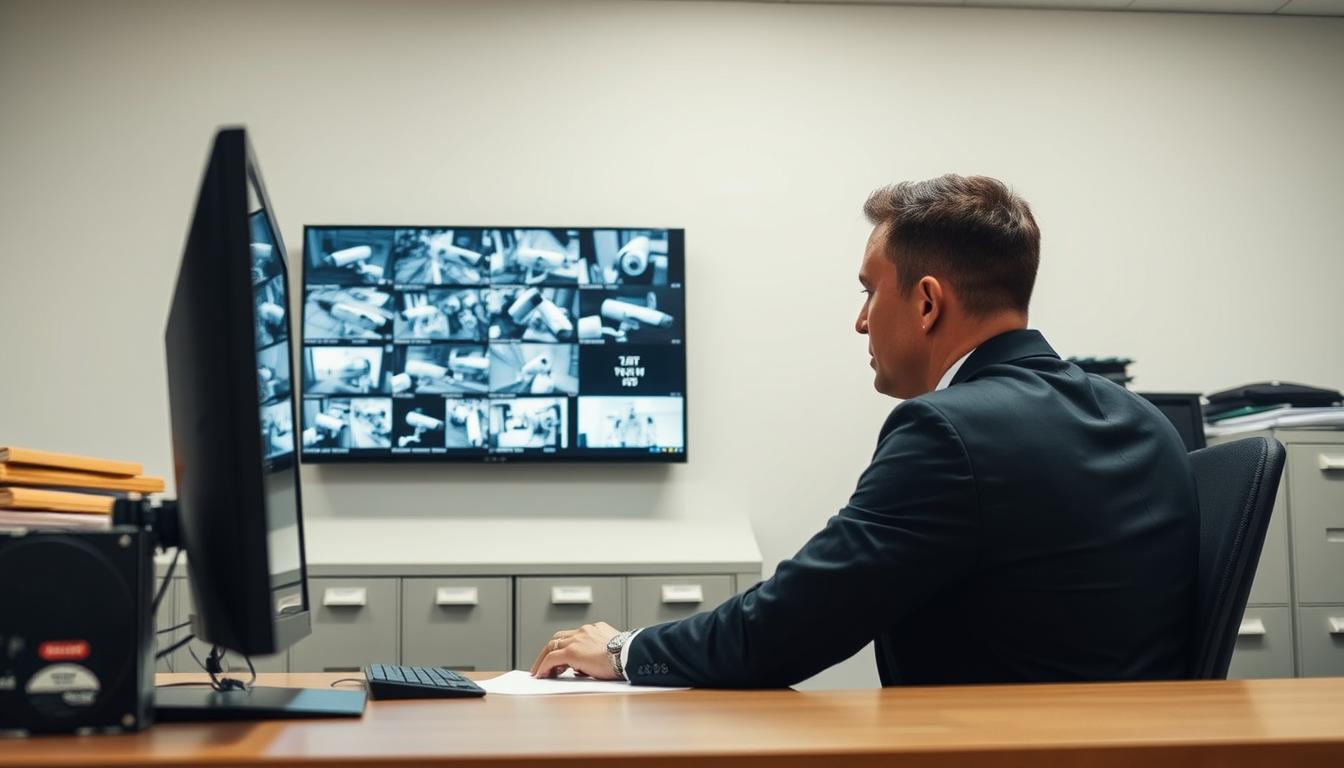
Can I get CCTV footage from 10 months ago? Steps to Retrieve
Many homeowners and businesses in Singapore face this pressing question when they need older video evidence. Accessing surveillance recordings from several months back presents a significant challenge for most security systems.
The possibility of successful retrieval depends on multiple technical factors. Your system’s storage capacity and configured data retention policies play the most crucial roles. Most modern setups automatically overwrite older files to manage limited space.
This guide provides a practical, step-by-step approach to attempting recovery. We cover both do-it-yourself methods and when to seek professional assistance. Understanding Singapore’s unique conditions, like high humidity affecting hardware, adds local context.
We also explain the legal framework here, specifically the Personal Data Protection Act (PDPA). Acting quickly improves your chances significantly before permanent overwriting occurs.
Key Takeaways
- Retrieving old surveillance recordings depends on your system’s storage capacity and retention settings.
- Most security camera systems automatically overwrite older data to manage limited storage space.
- Immediate action dramatically increases success rates for recovery attempts.
- Singapore’s humid climate can affect storage hardware longevity and data preservation.
- The Personal Data Protection Act (PDPA) governs access to surveillance data in Singapore.
- Practical steps include checking system type, exploring backups, and using recovery software.
- Both DIY methods and professional services offer potential solutions for data retrieval.
Understanding the Real Possibility of Retrieving Old Footage
The technical reality of accessing surveillance recordings from nearly a year ago hinges on several critical system limitations. Most security setups face inherent constraints that make long-term archival challenging without proper configuration.
The Core Challenge: Storage Limits and Overwrite Cycles
Every digital video recorder (DVR) or network video recorder (NVR) has finite storage capacity. This physical limitation forces the system to delete older files automatically. New recordings require space, so the oldest data gets removed first.
Modern security systems utilize a circular buffer mechanism. Once the storage drive reaches approximately 75-80% capacity, the overwrite cycle begins. The system erases the earliest files to accommodate incoming video streams.
High-resolution cameras dramatically accelerate this process. A 4K camera generates files four times larger than standard definition models. This increased data volume fills available storage much faster, shortening retention periods significantly.
Key Factors That Determine Feasibility
Several elements influence whether ten-month-old surveillance material might still exist. Your specific configuration determines the actual outcome more than any universal rule.
Recording mode represents the first major variable. Continuous 24/7 capture consumes storage rapidly. Motion-activated recording conserves space by only saving relevant activity. This approach can extend retention periods substantially.
Original storage capacity sets the absolute limit. Larger hard drives provide longer windows before overwriting occurs. Enterprise systems often feature robust storage arrays with explicit retention policies.
Backup protocols offer potential salvation. Some organizations implement archiving strategies that preserve critical footage beyond normal cycles. External drives, network-attached storage (NAS), or cloud solutions might contain the needed recordings.
Physical hardware health remains crucial. Storage drives degrade over time, especially in Singapore’s humid climate. Component failure can cause data loss independent of system settings. Regular maintenance helps preserve device longevity.
Consumer-grade setups typically offer limited retention compared to commercial installations. Understanding these core limitations represents the essential first step. Realistically assessing your odds requires examining your specific equipment and configuration. For those interested in retaining surveillance footage for extended periods, implementing proper archival strategies becomes essential.
Can I Get CCTV Footage from 10 Months Ago? Assessing Your Odds
The odds of successfully obtaining video evidence from ten months back depend heavily on your specific security setup. Most standard configurations are not designed for such extended archival without deliberate planning.
Realistic assessment requires examining two key areas. First, understand typical data retention periods across different system types. Second, consider how local environmental factors impact storage hardware longevity.
Typical Retention Periods for Home and Business Systems
Residential security systems usually maintain recordings for 14 to 30 days. This limited window suits most household needs while managing storage constraints effectively.
Commercial installations often feature longer retention periods. Many businesses configure their systems to preserve data for 30 to 90 days. This accommodates monthly review cycles and incident investigation timelines.
Singapore’s financial sector operates under stricter requirements. Banks must retain transaction area surveillance material for at least six months due to regulatory mandates. This represents a notable exception to standard practices.
A ten-month retrieval target falls far beyond typical scope for most setups. Specialized archiving strategies become essential for such extended preservation needs.
How Singapore’s Climate Uniquely Affects Storage Hardware
Singapore’s tropical environment presents distinct challenges for electronic equipment. Consistently high humidity and heat accelerate physical hardware degradation inside recorders.
Moisture can lead to condensation on drive platters and electronic components. This promotes corrosion and electrical shorts over time. Heat buildup increases the risk of overheating and data corruption.
Local storage specialist Wen Hong explains the real-world impact.
“Humidity reduces HDD lifespan by 18-20% compared to climate-controlled data centers.”
This environmental stress can shorten effective retention periods by 15-20%. A drive might fail before completing its configured overwrite cycle.
Consider your recorder’s installation environment carefully. Systems placed in cool, dry server rooms fare better than those in non-climate-controlled spaces. This distinction significantly affects hardware reliability and data preservation.
The concept of “effective” versus “configured” retention becomes crucial here. Your system settings might indicate 90 days of storage capacity. Environmental factors could reduce actual, reliable retention to just 70 days.
Understanding how surveillance systems manage deletion automatically is essential. This knowledge forms the foundation for assessing what you’re truly up against in recovery attempts.
How CCTV Systems Manage and Automatically Delete Data
Behind the scenes, security recorders operate on a set of strict rules governing how long visual evidence is preserved. This automated process is crucial for maintaining system operation but creates the central challenge for retrieving older material.
Grasping these internal mechanisms explains why surveillance video has a finite lifespan. It also highlights where failures can occur beyond simple deletion.
The Inevitable Overwrite: How Circular Buffers Work
Modern surveillance systems function like a continuous, looping tape. They employ a circular recording buffer based on a First-In, First-Out (FIFO) protocol.
Imagine the storage drive as a circle. New video recordings fill the space sequentially. Once the drive reaches about 75-80% capacity, the system loops back to the beginning.
It then overwrites the oldest data to make room for new streams. This is a deliberate design feature, not a malfunction.
The feature ensures uninterrupted security monitoring without manual intervention. Unfortunately, it is also the primary reason material from many months prior becomes permanently unrecoverable through normal means.
Other Common Causes of CCTV Footage Loss
Automatic overwriting is the main culprit, but several other issues can lead to data loss. Recognizing these helps in diagnosing problems and guiding recovery efforts.
Manual Deletion Errors account for a significant portion of incidents. In multi-user environments, an employee might accidentally format a drive or delete specific files. This human error is distinct from automated system processes.
Hardware Failures present a severe risk. A hard drive crash, PCB failure, or developing bad sectors can render all stored footage inaccessible. This occurs regardless of configured retention settings and often requires professional intervention.
Firmware Corruption within the DVR or NVR unit itself is another technical hazard. Corrupted firmware can damage file indexes or make the entire storage drive unreadable by the system.
Environmental Damage is particularly relevant in Singapore. The local climate poses unique threats to electronic hardware.
“Monsoon-related flooding and frequent electrical surges during storms are leading causes of physical recorder failure here. These events can instantly destroy drives and their controllers.”
Consistent high humidity and heat also accelerate the degradation of internal components. This environmental stress compounds the risk of premature hardware failure.
Understanding these causes—from automated loops to environmental damage—frames the obstacles you face. The following steps provide a structured approach to attempt retrieval despite these challenges.
Identifying Your Specific CCTV System Type
Your journey to retrieve older video evidence begins with one critical task: determining exactly what type of surveillance equipment you own. The recovery process differs dramatically between various technologies. Proper identification informs every subsequent step.
Three primary architectures dominate modern security setups. Each employs distinct data management and storage protocols. Understanding your specific configuration is essential for successful retrieval attempts.
Analog DVR vs. Digital NVR vs. IP-Based Systems
Analog DVR systems represent the traditional approach. These setups use coaxial BNC cables to connect cameras to a Digital Video Recorder. They typically offer lower resolution recordings compared to newer solutions.
Digital NVR systems work with high-definition cameras using HD-TVI or AHD technology. The Network Video Recorder processes digital signals directly. This represents a significant upgrade in video quality.
Fully IP-based systems utilize network cables and Power over Ethernet (PoE). Each camera transmits data over your local network. These offer the highest flexibility and integration capabilities.
Physically inspecting your equipment reveals the technology in use. Look at the cables connecting your cameras. Coaxial cables indicate analog, while RJ45 network cables signal IP-based solutions.
The recorder unit itself provides crucial clues. It is usually a box containing a hard drive. Check its rear panel for connection ports and manufacturer labels.
How to Locate and Decipher Your Recorder’s Model Number
Finding the model number unlocks detailed specifications. This information is typically on a sticker on the bottom or back of your DVR or NVR unit. Camera model numbers follow the same pattern.
Major brands like Hikvision and Dahua use specific coding systems. For example, Hikvision’s “DS-2CD2143G0-I” contains encoded feature information. The fourth character often indicates the camera type and capabilities.
Deciphering these patterns reveals storage compatibility and retention settings. It also indicates which playback interfaces are available. Local monitor access, web browser controls, and mobile apps depend on your hardware.
This identification determines potential backup locations. Local drive storage, Network-Attached Storage (NAS), and cloud solutions vary by system type. Knowing your setup guides where to search first.
Many Singaporean installations feature hybrid systems. These combine analog and IP-based channels on a single recorder. Checking all available channels becomes necessary during recovery efforts.
Accurate system identification informs all subsequent steps. It dictates which data recovery software to use. It also determines the complexity of manual interface navigation.
Step 1: Manually Check Your DVR or NVR Interface
Before exploring complex recovery methods, a manual inspection of your surveillance system’s interface offers the quickest path to success. This direct approach lets you see exactly what visual evidence remains on the primary storage drive.
Starting here makes logical sense. You avoid unnecessary software tools when the files might still be accessible through normal channels. This step requires no special technical knowledge beyond basic navigation skills.
Accessing the Playback and Storage Management Menus
You have three main options for connecting to your security recorder. Each provides access to the same critical menus but through different interfaces.
A direct monitor connection uses HDMI or VGA cables. This method offers the most stable and responsive control. It’s ideal for initial setup and thorough searches.
Web browser access works through your local network. Type the device’s IP address into your browser’s address bar. Common formats include 192.168.1.100:9000 or similar combinations.
Manufacturer mobile apps provide remote convenience. Apps like Hik-Connect or iVMS-4500 let you check recordings from anywhere. Network stability affects performance with this method.
Default login credentials often work if unchanged. Try combinations like admin/12345 or admin/admin first. System administrators should know the current credentials.
Once logged in, navigate to the “Playback” or “Log” section. These menus typically feature a calendar view. Recorded dates appear highlighted or marked differently from blank days.
The “Storage Management” area shows drive health and capacity. Check partition allocations and available free space here. This information indicates whether overwriting has likely occurred.
Searching for Archived Files by Date and Time
Security systems organize recordings in predictable patterns. Most use folder structures based on date formats like YYYYMMDD. Understanding this helps locate specific time periods.
Use the calendar search function to jump to your target date. Select the exact day from ten months prior. The system will display available video streams for that 24-hour period.
Refine your search using time sliders or input boxes. Narrow down to the specific hour or minute range needed. This precision saves time during review.
Check the storage drive’s status while searching. Total capacity versus used space reveals the retention window. A nearly full drive suggests recent overwriting of older material.
Some systems include a “Recycle Bin” for deleted files. These typically hold items for seven days before permanent removal. While ten months exceeds this window, checking takes only moments.
“Never force-restart the recorder during menu navigation. Improper shutdowns can corrupt file indexes and make remaining data unrecoverable. Always exit through the proper logout or shutdown sequence.”
Manual checking serves as your essential first diagnostic. It either delivers the needed recordings or confirms their absence. This knowledge guides your next actions in the retrieval process.
Proceed to backup searches only after exhausting this direct access method. The interface holds answers about what survives on the primary storage medium.
Step 2: Exhaustively Search for Existing Backups
Systematic backup protocols represent the most dependable avenue for accessing surveillance material that has cycled off primary drives. When the recorder’s internal storage shows no trace of needed files, your investigation must shift to secondary and tertiary repositories.
Organized backups provide the highest probability of successful retrieval for older visual evidence. This step requires methodical checking of all potential archive locations within your infrastructure.
Locating Physical Backups on External Hard Drives and NAS
Begin your search with tangible storage media connected to your security system. Many organizations follow the industry-standard 3-2-1 backup rule for critical data preservation.
This gold standard involves maintaining three total copies of your recordings. You store them on two different media types, with one copy kept offsite. Implementing this strategy ensures redundancy against multiple failure scenarios.
Check these common locations for physical backup devices:
- External USB hard drives directly connected to the DVR or NVR unit
- Dedicated Network-Attached Storage (NAS) devices on your local network
- Older rotation drives that may have been swapped out but not erased
- Locked cabinets, fireproof safes, or climate-controlled storage units
For external drives, physically inspect all USB ports on your recorder. Look for connected devices that might store automated backups. Some systems schedule nightly copies to attached media.
Network-Attached Storage requires accessing the device’s web interface. Common brands in Singapore include QNAP and Synology. Type the NAS IP address into your browser to log into its management portal.
Navigate to shared folders often named “backup” or “cctv_archive”. Standard network paths resemble \\192.168.1.50\backup\surveillance. Browse these directories using the date-based folder structure mentioned earlier.
Accessing Cloud Storage Archives from Your Provider
Cloud-based storage solutions offer another potential repository for older surveillance files. These services may operate automatically as part of your system subscription or enterprise IT infrastructure.
Many modern IP camera systems include optional cloud recording plans. These services typically sync motion-triggered events or continuous streams to remote servers. Log into your camera manufacturer’s cloud portal first.
Enterprise organizations often use separate cloud backup services like Amazon S3 Glacier or Microsoft Azure Archive. These platforms provide cost-effective long-term archival solutions.
Follow this process to check cloud archives:
- Log into your cloud provider’s dashboard (AWS Console, Azure Portal, Google Cloud Platform)
- Navigate to the storage or archive section relevant to your surveillance system
- Use date filters to search for files from your target period
- Check both standard storage and cheaper archive tiers where older files may reside
Understanding cloud lifecycle policies is crucial. Most providers automatically move files to archive storage after set periods, like 30 or 90 days. Some eventually delete data entirely unless you configure explicit retention rules.
“Singapore-based data centers offer PDPA-compliant cloud storage with significantly faster local access speeds. For surveillance evidence that may require legal proceedings, local hosting avoids cross-border data transfer complications.”
Archive retrieval involves specific protocols and potential costs. Standard retrieval might take minutes to hours, while deep archive restoration can require days. Budget accordingly if you need to recover large volumes of historical footage.
Finally, implement clear labeling practices for all future backup media. Mark external drives with date ranges and system names. This simple habit transforms future searches from detective work into straightforward retrieval.
Step 3: Utilizing Data Recovery Software on Local Storage
For visual evidence that appears lost due to deletion or logical errors, dedicated recovery software can perform digital archaeology on your storage media. These specialized tools scan drives at a fundamental level, searching for file signatures that remain after deletion.
This approach becomes viable when manual interface checks yield nothing. The software operates on the principle that deleted files often persist physically until overwritten. Success depends heavily on how much new data has been written since the original deletion.
Top Tools for CCTV Video Recovery: EaseUS, Disk Drill, and Stellar
Several reputable data recovery software options specialize in surveillance formats. Each offers distinct strengths for different scenarios you might encounter.
EaseUS Data Recovery Wizard boasts industry-leading success rates for video retrieval. Independent tests show a 99.7% success rate for recoverable files. It supports proprietary surveillance formats like H.264 and H.265 used by most modern systems.
Disk Drill provides exceptional user-friendliness with a generous free scanning feature. You can preview found files before purchasing a license. Its intuitive interface simplifies the process for less technical users.
Stellar Data Recovery specializes in complex cases involving RAID arrays. Many commercial surveillance systems use RAID configurations for redundancy. This tool excels at reconstructing damaged arrays and recovering from them.
Singapore-based IT professional Melissa Tan notes the local preference.
“EaseUS sees the most use here due to its format support for Asian surveillance brands like Hikvision and Dahua. Its ability to handle .dav files is particularly valuable for local systems.”
A Step-by-Step Process for Scanning and Recovering Files
Successful recovery requires meticulous preparation. Rushing can cause permanent data loss through accidental overwrites.
Step 1: Safely Remove and Connect the Storage Drive
Power down your DVR or NVR completely. Remove the internal hard drive carefully. Connect it to a Windows PC using a SATA-to-USB adapter or docking station.
For best practice, use a hardware write-blocker. This device prevents any changes to the drive during analysis. It’s an extra precaution that preserves the original evidence chain.
Step 2: Create a Disk Image for Safe Analysis
Before scanning, create a complete sector-by-sector image of the drive. Store this image file on a separate storage device with ample space. All recovery attempts should work from this image, not the original drive.
This protects against further degradation of the source media. If errors occur during scanning, you still have the pristine image for additional attempts.
Launch your chosen data recovery software. Select the drive or disk image as the target. Choose the “Deep Scan” or “Full Scan” option rather than quick scan.
This comprehensive scan examines every sector for file signatures. It can take several hours for large surveillance drives. Be patient and avoid interrupting the process.
Step 4: Preview and Identify Relevant Video Files
Once scanning completes, the software presents found files. Use filters to show only video formats like .mp4, .avi, or .dav. Sort results by date modified to locate files from your target period.
Most programs include a preview function. Verify content matches your needed timeframes before proceeding. Recovered files often have generic names, so previewing is essential.
Step 5: Save Recovered Files to a Different Drive
Never save recovered files back to the original drive. This could overwrite other recoverable data. Use a completely separate storage device for all recovered material.
Select the confirmed files and choose a secure destination. The software will reconstruct and save them with proper file headers.
Success rates decline sharply with each overwrite cycle. If the drive has been reused extensively, only fragments may remain. The software can only recover data that still exists physically on the platters.
Licenses for these tools range from S$89 to S$299 locally. This represents significant savings compared to professional services for technically comfortable users. However, physical drive damage requires expert intervention.
These methods focus on local DVR/NVR storage. Network-Attached Storage systems introduce additional complexity for retrieval.
Step 4: Recovering Footage from Network-Attached Storage (NAS)
Enterprise surveillance setups frequently incorporate NAS devices to create robust storage solutions beyond basic DVR capabilities. These dedicated network appliances centralize video archives for multiple recorders. Business environments favor them for scalable capacity and organizational efficiency.
Retrieving recordings from NAS introduces distinct technical considerations. Unlike direct-attached storage, these systems operate independently on your network. Their architecture provides advantages but also creates specific recovery challenges.
Establishing Secure Connectivity to Your NAS Device
Begin by accessing your NAS administrative interface through a web browser. Common brands in Singapore include QNAP and Synology systems. Type the device’s IP address into your browser’s address bar while connected to the same network.
Use administrator credentials to log into the control panel. Navigate to storage management sections to check pool health and status. Look for shared folders typically named “surveillance” or “cctv_archive” containing your footage.
Network security expert David Lim emphasizes proper protocol.
“Always use a wired Ethernet connection for recovery attempts. Wireless networks introduce instability that can interrupt critical data transfer processes during retrieval.”
Check system logs for any recent errors or warnings. These indicate potential hardware issues or configuration problems. Document everything you observe before making changes.
Navigating RAID Array Rebuilding and Recovery
Most business NAS devices use multiple drives in RAID configurations for redundancy. Common setups include RAID 1 (mirroring) and RAID 5 (striping with parity). These distribute data across several physical drives for protection.
This approach creates significant recovery complexity when failures occur. If one drive fails in a RAID 5 array, the system enters degraded mode. Continued operation risks complete data loss if another drive fails.
Professional data recovery for a failed RAID 5 drive typically costs S$1,200 to S$3,500 in Singapore. The price reflects specialized cleanroom work and advanced reconstruction techniques. DIY attempts often worsen the situation.
Specialized software like UFS Explorer or R-Studio can reconstruct video from RAID arrays. These tools understand how data is striped across multiple drives. They require technical expertise to operate effectively.
ZFS file systems offer superior error correction but add recovery complexity. Their advanced features make data extraction more challenging without proper tools. Always document your RAID configuration before any failure occurs.
Drive order, RAID level, and stripe size information proves critical for recovery specialists. Keep this documentation with your system maintenance records. It dramatically improves professional recovery success rates.
For any suspected RAID failure or degraded array, immediately power off the NAS. Continuing operation risks overwriting parity information. This action can render all stored surveillance footage permanently unrecoverable.
NAS recovery represents the boundary between advanced DIY methods and professional intervention. Assess your technical comfort level honestly before proceeding. Complex array failures invariably require expert assistance for successful retrieval.
Step 5: Accessing Footage from Cloud Storage Solutions
When local drives and network storage yield no results, remote data centers may hold the last copies of critical footage. Cloud-based systems provide a separate preservation layer independent of physical hardware failures.
Understanding your specific cloud configuration is essential. The term “cloud storage” covers two distinct approaches in security contexts.
Vendor-specific services come bundled with many modern IP cameras. These automatically sync motion events or continuous streams to the manufacturer’s servers. They operate through subscription plans with defined retention periods.
Enterprise cloud platforms like AWS, Azure, or Google Cloud offer different archiving solutions. Organizations manually configure these for long-term backup. They provide greater control over retention policies and access controls.
Retrieval Protocols for AWS, Azure, and Google Cloud
Accessing major cloud providers requires specific account credentials and permissions. Each platform uses a web-based management console for control.
Log into the AWS Management Console, Azure Portal, or Google Cloud Platform dashboard. Navigate to the storage services section relevant to your setup. Look for buckets or containers named after your surveillance system.
Major providers offer exceptional durability for archived material. AWS S3 Glacier provides 99.999999999% data resilience. Azure Archive Storage and Google Cloud Coldline offer similar reliability guarantees.
Proper Identity and Access Management (IAM) role configuration is mandatory for retrieval. Without correct permissions, the system will deny access to stored files. This security measure protects against unauthorized viewing.
Storage tiers dramatically affect cost and accessibility. Hot tiers keep files ready for immediate download. Cool tiers are for infrequently accessed material with slightly lower costs.
Archive tiers store data rarely needed for investigations. Retrieval from these deep archives involves specific request procedures. Understanding which tier holds your target files guides the recovery strategy.
Understanding Cloud Lifecycle and Archive Tier Policies
Automated lifecycle policies manage file movement between storage tiers. These rules transition recordings based on age or access patterns.
A common policy moves files to archive storage after 90 days. This balances accessibility with cost efficiency. The system performs these transitions automatically without user intervention.
Retrieving from archive storage requires submitting a restore request. Standard retrieval typically takes 3-5 hours to process. Expedited options can deliver files in minutes at higher costs.
Cloud infrastructure specialist Mei Ling highlights local advantages.
“Singapore-based providers like ST Engineering offer PDPA-compliant cloud storage with local data centers. This ensures faster retrieval speeds and avoids cross-border data transfer complications for legal evidence.”
Lifecycle policies can also automatically delete files after set periods. Consumer cloud plans often include this to manage infrastructure costs. Enterprise configurations allow administrators to disable automatic deletion.
Always check your account’s specific lifecycle rules. These determine whether ten-month-old material still exists in any form. The settings override any theoretical storage capacity.
Review billing statements and access logs for clues. Recurring charges indicate an active cloud service. Access logs show when files were last retrieved or viewed.
Cloud solutions represent a robust option for long-term evidence preservation. They require proactive configuration and ongoing management. Properly implemented, they provide reliable access to historical surveillance material when local systems fail.
When to Engage Professional Data Recovery Services
Certain technical failures and physical damage scenarios demand specialized expertise beyond what typical software tools can address. Knowing when to transition from do-it-yourself attempts to professional intervention can mean the difference between successful retrieval and permanent data loss.
Professional data recovery services offer advanced capabilities for the most challenging cases. These specialists possess equipment and knowledge unavailable to general users. Their intervention becomes essential when standard methods prove ineffective.
Recognizing Critical Signs That Require Expert Intervention
Several clear indicators signal that DIY recovery is unlikely to succeed. Audible clicking or grinding noises from a hard drive point to mechanical failure. These sounds mean internal components are physically damaged.
Visible physical damage like water exposure or impact marks also requires expert help. A drive that fails to be detected by any computer suggests severe electronic or firmware issues. Multiple failed software attempts confirm the problem exceeds basic tools.
Continuing to power on a failing drive risks irreversible data loss. Each spin-up can cause further platter scoring. Attempting physical repairs in non-sterile environments introduces dust that destroys delicate components.
Encrypted surveillance systems without access keys present another professional scenario. RAID array failures in NAS devices demand specialized reconstruction knowledge. These complex storage configurations exceed typical user expertise.
Evaluating and Selecting a Reputable Service Provider in Singapore
Singapore offers several established recovery services with proven track records. Providers like Ever Higher Pte Ltd report success rates around 95% for challenging cases. Selecting the right specialist requires careful evaluation.
Professional services provide disassembly in ISO-certified Class 5 cleanrooms. These dust-free environments prevent contamination during delicate operations. Specialized equipment reads data directly from damaged platters.
Experts understand proprietary CCTV video formats used by Asian manufacturers. They have experience with complex RAID and NAS system architectures. Forensic evidence handling protocols maintain legal chain-of-custody.
Use this checklist when evaluating Singapore providers:
- Inquire about success rates for cases similar to yours
- Ask for ACE or CRDE certifications from recognized data recovery associations
- Ensure they offer transparent “no recovery-no charge” pricing models
- Verify secure chain-of-custody processes for legal evidence preservation
- Request clear upfront cost estimates before work begins
Reputable labs typically provide free evaluation and quotes. Payment occurs only after successful recovery. This policy protects clients from unnecessary expenses.
Costs in Singapore range from S$300-S$800 for logical recovery. Complex physical repairs or RAID reconstructions can reach S$1,200-S$3,500. The price reflects specialized equipment and cleanroom requirements.
“Always verify provider credentials with Singapore’s Cyber Security Agency for sensitive cases. This ensures compliance with local regulations and security standards.”
Beware of providers promising unrealistic results or requesting full payment upfront. Legitimate specialists explain limitations and probabilities honestly. They provide detailed explanations of their proposed methods.
Professional data recovery represents the most powerful option for critically important footage. While costing more than software tools, it offers the highest success probability for physically damaged drives. This investment becomes justified when visual evidence holds significant legal or financial value.
Legal Framework: Accessing CCTV Footage Under Singapore’s PDPA
Singapore’s comprehensive data protection laws establish clear boundaries for handling video surveillance materials. Any visual evidence containing identifiable individuals falls under strict regulatory oversight. Understanding these rules is essential for both system owners and those seeking historical recordings.
Personal Data Protection Act (PDPA) Requirements for Retention and Access
Video surveillance content showing people qualifies as personal data under Singapore law. The Personal Data Protection Act governs how organizations collect, use, and disclose this information. This classification triggers specific legal obligations for anyone managing security camera systems.
The PDPA establishes a fundamental principle for data retention. Organizations should not keep personal information longer than necessary. Once the purpose for collection is fulfilled, deletion should occur promptly.
Important exceptions exist for legal or business needs. Investigations, dispute resolution, or regulatory compliance may justify extended preservation. These exceptions create the legal basis for retaining video evidence beyond typical periods.
Organizations must respond to access requests within 30 calendar days. They can extend this period by another 30 days with proper notification. Failure to comply with these timelines violates PDPA requirements.
“The PDPA creates a balanced framework. It protects individual privacy while recognizing legitimate needs for security and investigation. System owners must navigate both aspects carefully.”
Sector-Specific Rules for Banks, Retail, and Preschools
Different industries face distinct regulatory requirements for video evidence retention. These specialized rules sometimes mandate longer preservation periods than general PDPA guidelines.
Financial institutions operate under strict mandates from the Monetary Authority of Singapore. MAS Notice 626 requires banks to retain transaction area surveillance for at least six months. This regulatory requirement creates a minimum standard for the banking sector.
Retail establishments typically follow shorter retention schedules. Many stores maintain video recordings for approximately 30 days. This period balances loss prevention needs with storage management considerations.
Preschools and childcare centers must preserve footage for 60 days as of July 2024. This enhanced requirement addresses child safety concerns. It ensures adequate time for incident investigation and reporting.
These sector-specific rules demonstrate how a ten-month retrieval request might align with certain industry standards. Financial investigations could legitimately require reviewing older transaction area recordings.
Proper Authorization Protocols for Law Enforcement and Individuals
Legal access to surveillance materials follows established authorization channels. Only properly authorized parties can request and receive video evidence. Understanding these protocols prevents unauthorized disclosure.
Authorized requestors include several specific categories:
- Individuals who appear in the footage themselves
- Singapore Police Force officers with proper authority
- Licensed private investigators working on legitimate cases
- Certified auditors conducting compliance reviews
- Legal representatives with court orders or subpoenas
Proper request protocol involves specific documentation. Requests should be submitted in writing with clear identification of the requester. They must specify the exact date, time, and location of the needed recordings.
The request should state the legitimate purpose for seeking the material. Investigation of an incident or legal proceedings represent valid reasons. Vague or fishing expedition requests may be properly denied.
Organizations holding footage have specific obligations when receiving requests. They must verify the requestor’s identity and authority. They should confirm the legitimacy of the stated purpose.
Privacy protection measures often require redacting third-party images. When footage shows multiple individuals, organizations may need to obscure unrelated persons. This balances the requester’s needs with other individuals’ privacy rights.
Non-compliance carries serious consequences. Organizations violating PDPA requirements face financial penalties up to S$1 million. Individuals responsible for breaches may face additional sanctions.
Legal expert advice is crucial for complex situations. Both system owners and requesters should consult their organization’s Data Protection Officer. For particularly sensitive cases, seeking specialized legal counsel provides important protection.
Following proper authorization protocols ensures compliance with Singapore’s data protection framework. It protects all parties’ rights while facilitating legitimate access to surveillance evidence.
The Impact of Singapore’s Environment on Storage Media
The island’s constant heat and humidity represent silent threats to the physical media storing your surveillance recordings. These environmental factors work continuously against the delicate components inside storage devices. Understanding this relationship is crucial for anyone relying on video evidence preservation.
Singapore’s tropical climate creates conditions that accelerate hardware degradation significantly. This premature wear directly impacts your ability to retrieve older visual evidence when needed. Proactive protection measures become essential investments.
How Humidity and Heat Accelerate Hard Drive Degradation
Constant high humidity promotes oxidation and corrosion of delicate metal parts inside hard drives. Moisture in the air condenses on drive platters and electronic components. This process creates microscopic damage that accumulates over time.
Sustained heat increases mechanical wear and can cause overheating within storage devices. Electronic components operate less efficiently at elevated temperatures. This thermal stress reduces overall hardware lifespan dramatically.
Local conditions can shorten effective retention periods by 15-20% compared to climate-controlled environments. A drive might fail or develop bad sectors long before its expected lifespan ends. This environmental stress directly challenges attempts to access older recordings.
Corrupted data often results from these physical degradation processes. When platters become damaged, reading stored information becomes impossible. The system may show files as present while actually containing unrecoverable content.

Best Practices for Protecting Physical Storage Devices
Start by choosing an installation location away from direct sunlight, windows, and areas prone to dampness. Basements and exterior walls often experience higher humidity levels. Interior rooms with stable temperatures offer better protection.
Commercial settings should consider dedicated air-conditioning or dehumidifiers for critical systems. Well-ventilated server cabinets provide additional environmental buffering. These controls maintain optimal operating conditions for storage hardware.
Singapore’s frequent electrical storms necessitate robust power protection. Uninterruptible Power Supplies (UPS) and surge protectors guard against data corruption from power fluctuations. These devices prevent sudden shutdowns that can damage file structures.
Establish a maintenance schedule that includes periodic health checks. Use your recorder’s diagnostic tools or S.M.A.R.T. monitoring software to track drive conditions. Early detection of problems allows for proactive replacement.
Surveillance specialist Marcus Tan emphasizes hardware selection.
“Enterprise-grade or surveillance-rated hard drives offer 40% lower failure rates in local conditions. These are designed for 24/7 operation and better heat tolerance than consumer models.”
Consider these protective measures for different installation types:
- Residential systems: Install in air-conditioned rooms, use moisture-absorbing packets in enclosed spaces
- Small businesses: Implement basic climate control and regular ventilation checks
- Enterprise installations: Deploy server rooms with precise temperature and humidity monitoring
Regular hardware inspections should include checking for condensation signs. Look for moisture accumulation around the recorder unit. Address ventilation issues immediately to prevent long-term damage.
These protective solutions maximize the chances that your recordings remain retrievable. They represent essential investments for anyone relying on historical video evidence. Proper environmental management extends both hardware lifespan and data integrity.
Preventative Measures: Ensuring Future Footage is Retained
Implementing robust data management strategies today prevents tomorrow’s retrieval headaches. Proactive planning transforms video evidence access from a stressful scramble into a predictable process. This approach saves time, reduces costs, and provides peace of mind.
A well-designed storage solution makes retrieving critical recordings routine. It aligns technical capabilities with your operational and legal needs. The following measures build a resilient foundation for your security infrastructure.
Implementing the 3-2-1 Backup Rule for Surveillance Systems
The 3-2-1 backup rule offers a gold standard for data protection. This strategy creates multiple redundant copies of your visual evidence. It ensures availability even if primary storage fails.
Apply this rule specifically to your CCTV system. Maintain three total copies of all recordings. Store them on two different media types to protect against format-specific failures.
Keep one copy offsite to survive location-based disasters. Here is how to implement each layer:
- Primary Copy: Live recordings on the recorder’s internal hard drive.
- Secondary Copy: Scheduled backups to an external USB drive or Network-Attached Storage (NAS) device.
- Tertiary Copy: Offsite storage via cloud storage sync or a physically rotated drive kept in another building.
This multi-layered approach guarantees access to historical footage. It protects against hardware failure, theft, fire, or flooding. Regular testing verifies that all backup processes function correctly.
Configuring Your System for Optimal Retention and Archiving
Proper configuration maximizes your system’s inherent capabilities. Navigate to your DVR or NVR settings menu to adjust key parameters. These changes conserve space and extend your effective retention period.
First, modify the record schedule. Enable motion-activated recording during low-activity periods. Continuous recording fills drives quickly, while motion-based capture saves significant space.
Second, set explicit retention periods that match your requirements. Adjust the overwrite cycle to the maximum desired duration. Some systems allow storage space allocation per camera for finer control.
Third, establish automated backup tasks. Find these in the “Backup” or “Maintenance” section of professional NVR interfaces. Schedule daily or weekly transfers to external media without manual intervention.
Fourth, explore built-in archive features. Many systems can automatically move footage older than a set age to secondary storage. This keeps primary drives focused on recent events while preserving history.
“A Singapore-based security integrator can design a storage solution balancing retention needs, budget, and local compliance. They understand both the technology and PDPA requirements.”
Regular restoration testing proves your backup strategy works. Attempt to retrieve a file from each copy monthly. Document the process and success rates.
Enterprise-grade, surveillance-rated hard drives offer better longevity. They withstand constant write cycles better than consumer models. This hardware choice supports long-term data preservation.
A well-configured system with robust backups transforms evidence retrieval. It changes the question from a hopeful inquiry into a routine procedure. You gain confidence that historical recordings will be available when needed.
Cost Considerations for CCTV Footage Recovery
First,analyze I’market_analysis 10.3. I’ve completed.
3. The first moment >Fles9.
Your Action Plan for Retrieving Critical Surveillance Evidence
Successfully obtaining surveillance material from extended periods requires methodical execution of proven recovery steps. Immediate action dramatically improves your chances before further data overwriting occurs.
Follow this structured sequence for optimal results. First, identify your specific security system type. Next, manually check the recorder’s interface for existing files.
Search all backup locations thoroughly if the initial check fails. This includes external drives and cloud archives. Use specialized data recovery software on the local storage drive as your fourth step.
Contact a professional service immediately if you encounter physical drive damage. Document every action taken, especially for legal proceedings. Keep detailed notes of dates, settings checked, and communications.
Local experts like Wen Hong (+65 60135960) provide valuable assessment for complex cases. Use this experience to review and strengthen your current data retention strategy.
While retrieving older recordings presents challenges, a systematic approach maximizes your possibility of success. Implement robust backup solutions to prevent future retrieval difficulties.
FAQ
Is it possible to retrieve surveillance video after a system automatically deletes it?
Yes, but success is not guaranteed. When a security camera system overwrites old recordings, the data is marked as free space but not immediately erased. Specialized recovery software like Disk Drill or Stellar Data Recovery can sometimes find these “deleted” files if new data hasn’t overwritten them. For physically damaged drives, professional recovery services are the only option.
What are the typical video retention periods for security systems?
Retention periods vary widely. Many home and small business setups using a DVR or NVR are configured for 30 to 90 days due to storage limits. Commercial systems, especially those using cloud storage or large NAS arrays, may retain footage for six months or longer, depending on their configuration and compliance needs.
How does Singapore’s climate affect my chances of recovering old footage?
A>Singapore’s high humidity and heat can significantly accelerate storage hardware degradation. Moisture can cause corrosion on drive platters and circuit boards, while heat stresses components. This environmental damage makes data recovery more challenging and often necessitates professional intervention to salvage recordings from failing drives.
What is the first thing I should do when trying to find old surveillance footage?
A>Immediately check your recorder’s interface. Log into your DVR or NVR system and navigate to the playback or archive menu. Search manually for the specific date and time. Also, check for any manual export or backup functions you may have used. This step prevents further writes to the storage that could overwrite the data you need.
When should I stop trying DIY methods and call a professional data recovery service?
A>Contact a professional if you hear clicking or grinding noises from the hard drive, if the storage device is not recognized by your computer, or if DIY recovery software fails to find the files. Physical damage, RAID array failures, and severe logical corruption typically require a cleanroom environment and expert tools available at firms like ACE Data Recovery or Ontrack.
Are there legal restrictions on accessing surveillance recordings in Singapore?
A>Yes. Singapore’s Personal Data Protection Act (PDPA) governs the use of CCTV footage. Generally, you can access recordings you own for legitimate purposes. For accessing footage you don’t own, such as from a neighbor or business, you typically need consent or a valid legal reason. Specific sectors like banking and preschools have additional regulatory requirements for retention and access.


