
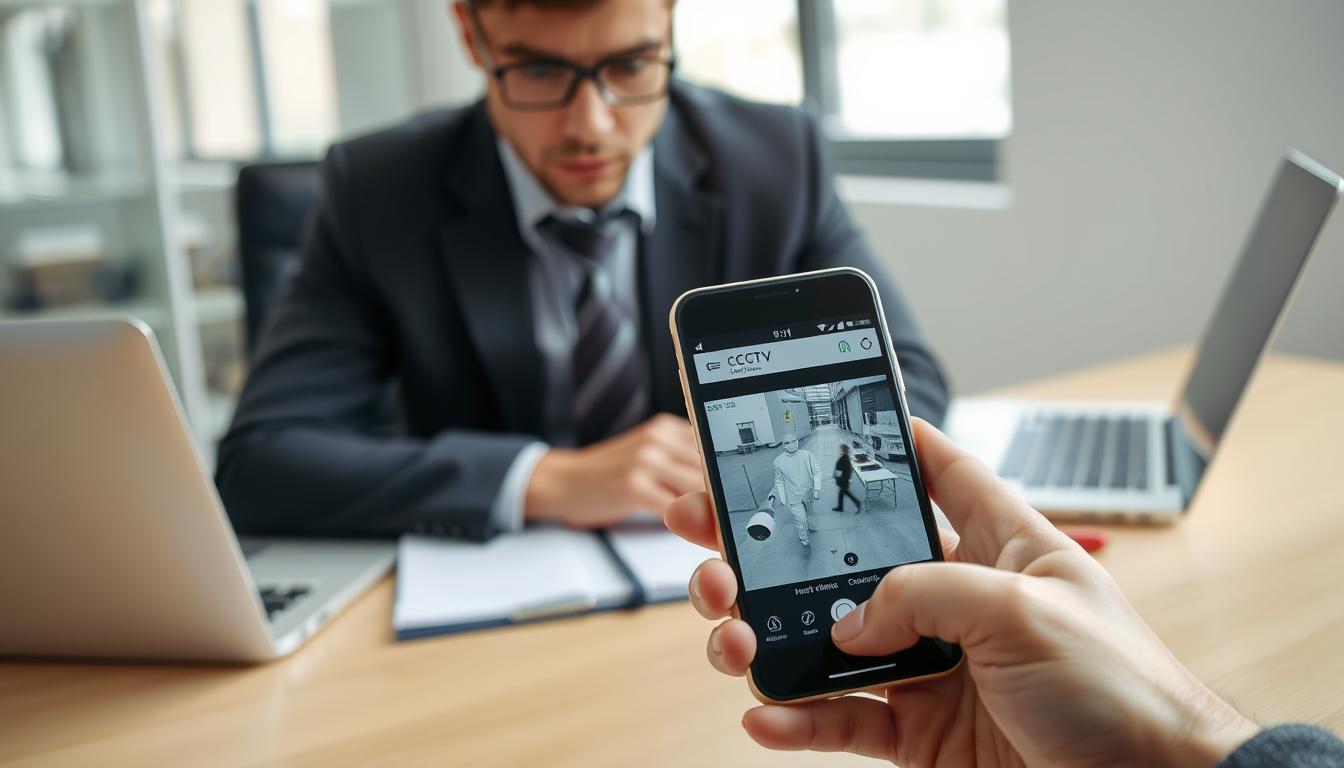
How do I know if my CCTV is working on my phone? Simple Test
Modern security systems provide incredible convenience through mobile monitoring. Many Singapore residents rely on their phones to check surveillance cameras remotely. This capability offers peace of mind in our busy urban environment.
Regular verification of your security system’s functionality is crucial. Mobile apps make it simple to confirm everything operates correctly. Proactive maintenance ensures optimal performance when you need it most.
This guide presents straightforward testing methods for your surveillance setup. You’ll learn visual confirmation techniques through smartphone applications. These steps help maintain reliable protection for your property.
Key Takeaways
- Mobile monitoring provides convenient remote access to security cameras
- Regular verification ensures your surveillance system functions properly
- Smartphone applications enable visual confirmation of CCTV operation
- Proactive maintenance prevents security gaps in urban environments
- Simple testing methods can confirm system functionality quickly
- Mobile access offers peace of mind for property protection
- Singapore’s security needs make regular checks particularly important
The Critical Importance of Remote CCTV Monitoring
Singapore’s urban density creates unique security challenges that demand advanced solutions. High-rise living and crowded public spaces require innovative protection methods. Remote surveillance technology provides the answer to these modern security needs.
Over 84% of Singapore households now consider surveillance systems essential. This reflects growing safety concerns in our urban environment. The integration of mobile technology with security systems represents a significant advancement.
Addressing Modern Security Challenges in Urban Spaces
Singapore’s high-density landscape presents specific security vulnerabilities. Narrow corridors, multiple access points, and limited visibility create monitoring challenges. Traditional security measures often fall short in these environments.
Visible security cameras reduce crime rates by 27% in housing estates. This data comes from Singapore Police Force statistics. The presence of surveillance systems acts as a powerful deterrent to potential offenders.
Remote monitoring addresses these urban challenges effectively. It provides comprehensive coverage of difficult-to-secure areas. Mobile access allows residents to monitor their properties from anywhere.
- Comprehensive coverage of high-risk urban areas
- Real-time monitoring through mobile applications
- Immediate response capability to security incidents
- Integration with Singapore’s Smart Nation infrastructure
Peace of Mind Through Remote Access and Instant Alerts
24/7 remote access to surveillance systems provides unparalleled peace of mind. Residents can check their properties anytime through their mobile devices. This constant connectivity reduces anxiety about property security.
Instant alerts transform how we respond to security incidents. Motion detection notifications reach your phone within seconds. This enables immediate action whether you’re at home or away.
Integrated security systems synchronize perfectly with mobile applications, creating a seamless protection network that aligns with Singapore’s digital infrastructure goals.
The Smart Nation initiative encourages technological adoption in security. Government support drives innovation in surveillance technology. Mobile integration represents the future of urban security solutions.
Remote monitoring bridges physical security and digital convenience. It combines traditional protection with modern technology. This integration offers the best of both security worlds.
For professional assistance with your surveillance setup, contact experts at +65 60135960. They provide comprehensive support for mobile monitoring systems.
Emergency response times improve significantly with instant alerts. Quick notifications mean faster reaction to potential threats. This efficiency is crucial in urban environments where every second counts.
Property monitoring while away becomes effortless with remote access. Business trips or vacations no longer mean security compromises. Continuous surveillance maintains protection regardless of location.
Understanding the Technology Behind Mobile CCTV Access
Behind every successful mobile surveillance experience lies a complex technological infrastructure that seamlessly connects cameras to smartphones. This digital bridge transforms traditional security monitoring into convenient mobile access.
Modern systems leverage cutting-edge protocols to ensure reliable remote monitoring. The technology enables real-time viewing from anywhere with internet connectivity.
From Analog to AI: The Evolution of Surveillance Tech
Security technology has undergone a dramatic transformation. Early analog systems required physical presence for monitoring. Today’s digital solutions offer unprecedented mobile convenience.
Peer-to-peer (P2P) technology revolutionized remote access. It creates direct connections between cameras and mobile devices. This eliminates complex network configurations.
Leading brands simplified the setup process dramatically. Reolink enables remote configuration in just two minutes. Hikvision uses QR code scanning for instant pairing.
Artificial intelligence represents the latest advancement. Modern cameras analyze motion patterns intelligently. They distinguish between relevant events and false alarms.
- Facial recognition technology identifies specific individuals
- License plate tracking enhances vehicle monitoring precision
- Smart alerts reduce notification fatigue through intelligent filtering
- AI-powered analytics provide deeper security insights
How Your Phone Connects to Your Security Cameras
Dedicated mobile applications serve as the gateway to your surveillance system. These apps manage the connection between your phone and security cameras.
The process begins with device compatibility checks. Most modern systems require iOS 11+ or Android 7+. Ensure your mobile device meets these minimum requirements.
Network stability plays a crucial role in streaming quality. HD footage typically demands 2.5-5 Mbps bandwidth. A stable internet connection ensures smooth video delivery.
Modern surveillance systems have transformed mobile security monitoring from a complex technical challenge into a user-friendly experience accessible to everyone.
QR code scanning has simplified device pairing immensely. This technology eliminates manual IP address entry. It creates secure connections within seconds.
For comprehensive guidance on mobile viewing setup, explore our detailed guide on watching CCTV on your phone. This resource covers all technical aspects thoroughly.
Real-time monitoring depends on robust network infrastructure. Both your cameras and mobile device need stable connectivity. This ensures consistent access to your security feed.
Technical requirements vary between different CCTV systems. Always verify compatibility before installation. This prevents connectivity issues and ensures optimal performance.
Essential Requirements for Mobile CCTV Setup
Successful remote monitoring depends on several technical components working together seamlessly. Each element plays a crucial role in delivering reliable surveillance access through mobile apps.
Smartphone and App Compatibility: iOS vs. Android
Your mobile device must meet specific technical requirements for optimal performance. Most modern systems require Android 7+ or iOS 11+ operating systems.
The app store availability differs between platforms. Google Play offers numerous security applications for Android users. Apple’s App Store provides equally robust options for iOS devices.
Always download the official cctv mobile app from verified sources. Third-party applications might lack proper security features. Verified apps ensure better compatibility and regular updates.
Network and Bandwidth Needs for a Stable Connection
A strong internet connection forms the backbone of remote monitoring. HD streaming typically requires 2.5-5 Mbps bandwidth per camera.
Higher resolutions demand more robust network capabilities. 4K footage needs 802.11ac Wi-Fi standards for smooth performance. Always check internet speed before installation.
Singapore’s high-density environment requires stable connectivity. Urban areas often experience network congestion during peak hours. Proper bandwidth planning prevents buffering issues.
Core Hardware: Cameras, NVRs, and Routers
Modern IP cameras serve as the foundation of your surveillance system. These devices capture high-quality footage for remote viewing.
Network Video Recorders (NVRs) process and store video data efficiently. Advanced models feature 64-bit processors handling 4K streams 40% more effectively than older systems.
Power over Ethernet (PoE) technology simplifies installation dramatically. It delivers both data and power through single cables. This reduces wiring complexity while maintaining reliability.
Dual-band routers handle multiple HD streams simultaneously. They prevent lag when accessing several security cameras at once. This is crucial for properties with comprehensive surveillance coverage.
“The right hardware combination ensures seamless integration between physical security and mobile accessibility, creating a robust protection system for modern urban living.”
Hardware compatibility determines overall system performance. Mismatched components can cause connectivity issues. Always verify specifications before purchasing surveillance equipment.
For optimal results, invest in quality network infrastructure. Reliable routers and switches maintain stable connections between devices. This ensures consistent access to your security feed through mobile apps.
Step-by-Step: Configuring Your Network for Reliability
A reliable network forms the backbone of your surveillance system. Proper configuration ensures smooth streaming to your mobile device. These steps optimize performance for consistent remote monitoring.
Optimal Router Placement and Wi-Fi Signal Enhancement
Centralize your router to minimize dead zones throughout your property. Position it away from thick walls and metal objects. This placement maximizes coverage for all security devices.
Singapore’s HDB flats present unique challenges with concrete walls. These structures absorb 5GHz signals significantly. Keep cameras within 10 meters of your router for best performance.
Network mapping applications help identify weak spots. Tools like NetSpot visualize signal strength across rooms. They reveal areas needing signal boosters or repositioning.
Router Settings Adjustments for Quality of Service (QoS)
Quality of Service settings prioritize surveillance traffic effectively. They ensure security feeds get bandwidth priority over other activities. This prevents lag during critical monitoring moments.
Configure QoS to favor your CCTV system’s data packets. This maintains smooth streaming even during network congestion. Limit non-essential devices during peak hours for optimal performance.
Each HD stream consumes 2-4Mbps of internet bandwidth. Calculate your total needs based on camera count. Adjust settings accordingly to maintain stable connections.
Understanding Wired (PoE) vs. Wireless Setups
Ethernet cables provide superior reliability for security systems. They offer 30% faster connection speeds compared to Wi-Fi. This stability is crucial for 4K camera feeds.
Power over Ethernet technology simplifies installation dramatically. It delivers both data and power through single cables. This reduces clutter while maintaining excellent performance.
Wireless setups offer flexibility but require careful planning. Use Powerline adapters to extend network coverage through electrical wiring. Green status lights indicate stable links between devices.
“Proper network configuration transforms intermittent surveillance into reliable protection, ensuring peace of mind through consistent mobile access to security feeds.”
Mesh systems provide comprehensive coverage for larger properties. They eliminate dead zones through multiple access points. This solution works well for multi-room HDB flats.
Regularly check internet speed to ensure adequate bandwidth. Performance tests verify your network can handle surveillance demands. This proactive approach prevents future connectivity issues.
For optimal results, combine wired and wireless solutions strategically. Use Ethernet for main cameras and Wi-Fi for supplementary devices. This hybrid approach balances reliability with flexibility.
Downloading and Installing Your CCTV Mobile App
Mobile applications transform smartphones into powerful surveillance control centers. These tools bridge the gap between physical security systems and digital convenience. Proper installation ensures seamless access to your protection network.
Finding the Official App on the App Store or Google Play
Always download surveillance applications from official sources. The App Store and Google Play verify developer authenticity. This prevents security risks from counterfeit applications.
Search using the manufacturer’s exact name for best results. For Hikvision systems, look for “Hik-Connect” by Hikvision Digital Technology. Reolink users should find “Reolink” by Reolink Innovation Limited.
Verify developer credentials match the manufacturer exactly. Fake apps often mimic popular brands with slight name variations. This attention to detail protects your entire security ecosystem.
Account Creation and Secure Login Credentials
Create strong accounts with robust password protection. Use at least 12 characters mixing letters, numbers, and symbols. This complexity prevents unauthorized access attempts.
Premium applications offer multi-factor authentication features. Enable this option whenever available for enhanced security. It adds an extra verification layer beyond passwords.
Remember unique credentials for each security application. Avoid reusing passwords across different platforms. This practice limits potential damage from security breaches.
“Secure application installation forms the foundation of reliable mobile surveillance. Verified downloads and strong authentication work together to create a protected monitoring environment.”
QR Code Scanning and Device Pairing Process
Many modern systems use QR codes for simplified pairing. This technology eliminates complex network configuration steps. It creates secure connections within seconds.
Position your phone 6-12 inches from the camera’s QR code. Ensure even lighting to avoid scan errors. Hold steady until the application confirms successful recognition.
Enable camera permissions when the application requests access. This allows the app to scan QR codes during setup. These permissions are essential for proper functionality.
Follow the specific steps provided by your application. Different brands may have slightly varying procedures. Carefully reading instructions ensures successful pairing.
Singapore users benefit from these streamlined processes. The tropical climate demands reliable security monitoring. Proper app installation ensures consistent performance.
The Direct Method: How do I know if my CCTV is working on my phone?
Mobile applications provide the most straightforward approach to verify surveillance system functionality. These tools offer immediate visual confirmation and real-time status updates. Users can perform comprehensive checks directly from their smartphones.
This verification process involves multiple confirmation steps. Each test validates different aspects of system operation. Together they ensure complete surveillance coverage.
Visual Confirmation: Checking the Live Feed and Timestamp
Access your monitoring application’s main dashboard immediately. The interface should display active camera feeds with current timestamps. This confirms real-time recording and proper system synchronization.
Look for the timestamp in the corner of your video display. It should match your current local time precisely. Any discrepancy indicates potential synchronization issues.
Over 80% of users rely on live footage verification. This method provides instant visual confirmation of camera operation. It’s the most trusted approach for quick status checks.
Navigate between different camera views if available. Each feed should show current activity without delays. This confirms all cameras function properly within the system.
Testing Motion Detection and Push Notifications
Motion detection testing validates alert system functionality. Walk within the camera’s field of view to trigger sensors. Your phone should receive push notifications within seconds.
Check the event log for recorded motion alerts. These entries confirm proper detection and recording activation. Consistent alerts indicate well-calibrated motion sensitivity.
Adjust detection zones through your application settings if needed. This optimization reduces false alarms while maintaining security coverage. Proper calibration ensures reliable alert systems.
Test during different lighting conditions for comprehensive verification. Motion detection should work equally well day and night. This consistency is crucial for round-the-clock protection.
“Immediate push notifications transform mobile devices into active security partners, providing real-time alerts that enable swift response to potential incidents.”
Interpreting App Dashboard Status Icons and Alerts
Security applications use visual indicators to communicate system status. Green icons typically signify normal operation. Red or yellow indicators often signal issues requiring attention.
Familiarize yourself with your specific application’s icon system. Different brands may use slightly varying color codes and symbols. Understanding these visual cues enables quick status assessment.
Status alerts provide detailed information about system events. They indicate recording activity, motion detection, and connectivity status. Regular monitoring of these alerts maintains system awareness.
Two-way audio testing completes system verification. Use the talk and listen functions through your mobile interface. Clear audio transmission confirms microphone and speaker functionality.
Singapore’s urban environment demands reliable surveillance systems. Regular mobile verification ensures continuous protection. These simple checks provide peace of mind for property owners.
Interpreting Your Camera’s Physical Status Indicators
Your surveillance equipment communicates through visual signals that reveal its operational state. These indicators provide instant feedback about system health and functionality. Understanding these signals helps maintain optimal security performance.
Modern security cameras use sophisticated LED systems for status reporting. These lights offer valuable diagnostic information at a glance. They complement mobile app notifications for comprehensive monitoring.
Decoding LED Light Colors and Their Meanings
Different colors convey specific messages about your camera’s condition. Most brands follow universal color codes for consistency. This standardization helps users across various systems.
Solid green typically indicates normal operation and proper connectivity. Your equipment functions correctly when displaying this color. It’s the ideal state for continuous security monitoring.
Flashing yellow usually means network pairing is in progress. This appears during initial setup or reconnection processes. It signals active communication between devices.
Solid red demands immediate attention to potential hardware issues. This color often indicates critical problems requiring investigation. Prompt response prevents extended downtime.
Advanced systems like Dahua feature expanded color ranges. Purple specifically signals SD card errors in their cameras. Cyan indicates ongoing firmware updates.
Hikvision models incorporate tactile feedback alongside visual indicators. Three quick vibrations confirm successful network connections. This multi-sensory approach enhances status communication.
Understanding Blinking Patterns for Diagnostics
Blink frequency provides additional diagnostic information beyond color. Different patterns signal various operational states. These rhythms help identify specific conditions.
A slow pulse of about one flash per second typically indicates standby mode. The camera remains powered but not actively recording. This mode conserves energy during inactive periods.
Rapid flashes at three per second often signal firmware updates. This pattern appears during software installation processes. It indicates the camera should not be powered off.
Irregular blinking may indicate network connectivity problems. This pattern suggests intermittent communication issues. It often requires network troubleshooting.
“Physical indicators serve as the first line of defense in system diagnostics, providing immediate visual feedback that complements digital monitoring through mobile applications.”
Manufacturer-specific patterns require consulting your equipment manual. Different brands may use unique blinking sequences. Always reference official documentation for accurate interpretation.
These visual cues work alongside mobile app notifications. They provide redundant verification of system status. This dual confirmation ensures reliable security monitoring.
Regular observation of indicator lights maintains system awareness. Quick recognition of abnormal patterns enables faster problem resolution. This proactive approach supports uninterrupted protection.
Singapore’s humid climate makes regular status checks particularly important. Environmental factors can affect electronic components. Visual indicators help catch issues early.
Performing a Night Vision Functionality Test
Testing night vision functionality ensures your security system never sleeps. This capability provides continuous protection through Singapore’s tropical nights. Proper verification maintains reliable surveillance around the clock.
Modern security cameras employ advanced infrared technology for darkness penetration. These systems automatically switch between day and night modes. Regular testing confirms optimal performance during low-light conditions.
Remote Verification via Your Mobile App
Mobile applications enable convenient night vision testing from anywhere. Access your live feed during evening hours to assess performance. The interface should show clear infrared-enhanced footage.
Check for automatic mode switching as daylight fades. Most systems transition below 2 lux ambient light levels. This threshold ensures seamless day-to-night conversion.
Smart IR technology dynamically adjusts infrared intensity. It prevents overexposure on close objects while maintaining distant visibility. This feature preserves image quality across varying distances.
“Infrared technology extends surveillance capabilities into complete darkness, providing uninterrupted security monitoring that adapts to Singapore’s tropical night cycles.”
Configure light sensitivity thresholds through your application’s advanced settings. Adjust these values based on your specific environment. Proper calibration ensures optimal night vision performance.
Checking for the Infrared (IR) LED Glow
Infrared LEDs emit light invisible to human eyes but visible to cameras. The 850nm wavelength provides 30-meter visibility range. This offers 40% greater distance than 940nm alternatives.
Perform a daylight test by covering the camera lens temporarily. Observe the faint red glow indicating IR activation. This confirms proper infrared functionality.
Thermal imaging cameras require monthly calibration checks. These specialized devices detect heat signatures rather than visible light. Regular maintenance ensures accurate temperature readings.
Supplemental IR illuminators enhance night vision in extremely low-light conditions. These external devices extend visibility beyond built-in capabilities. They provide additional security coverage for large properties.
Color night vision requires at least 0.05 lux ambient light. This technology maintains color information during low-light conditions. It provides more detailed surveillance footage than monochrome infrared.
Regular night vision testing maintains optimal security performance. These checks ensure continuous protection through all lighting conditions. They provide peace of mind for comprehensive property monitoring.
Common Mobile Viewing Problems and Immediate Solutions
Mobile surveillance systems occasionally encounter technical glitches that disrupt security monitoring. These issues typically stem from codec compatibility or network limitations. Quick identification and resolution restore reliable protection.
Resolving Black Screen or “Camera Offline” Errors
Black screens often indicate codec compatibility problems. Recent benchmarks show 62% result from H.265 encoding issues. Force H.264 encoding in your camera settings for immediate resolution.
This universal codec works across 98% of mobile devices. It ensures consistent video feed delivery. Check your app settings for codec selection options.
Camera offline errors frequently signal connection problems. Verify power supplies and physical connections first. Restart your router and mobile application simultaneously.
Fixing Lagging, Frozen, or Pixelated Footage
Connectivity issues cause most freezing and pixelation problems. Crowded 2.4GHz networks struggle with multiple HD streams. Switching to 5GHz reduces latency by 40% in Singaporean high-rises.
Bandwidth management prevents quality degradation. Limit other devices during peak monitoring hours. Configure Quality of Service settings to prioritize surveillance traffic.
Check your internet connection speed regularly. HD streams require 2.5-5Mbps per camera. Upgrade your plan if consistent lagging occurs.
“Proper codec selection and network optimization transform frustrating mobile viewing experiences into seamless remote monitoring, ensuring continuous security coverage.”
Addressing Delayed Alert Notifications
Delayed alerts compromise security response effectiveness. Push notification issues often stem from app configuration problems. Check notification permissions in your mobile settings.
Motion detection sensitivity affects alert timing. Adjust zones to focus on critical areas. Reduce false alarms while maintaining security coverage.
App updates sometimes reset notification preferences. Verify settings after installing new versions. Ensure background data usage remains enabled.
Network congestion delays alert delivery. Use dedicated bandwidth for security systems during critical hours. This ensures immediate notification of security events.
Regular system checks maintain optimal performance. Test alert functionality weekly to confirm proper operation. This proactive approach prevents security gaps.
Troubleshooting Persistent Connectivity Issues
Persistent connection problems can disrupt your security monitoring experience. These issues often stem from multiple factors working together. A systematic approach helps identify and resolve them effectively.
Singapore’s dense urban environment presents unique network challenges. High-rise buildings and numerous devices create signal interference. Understanding these factors helps develop effective solutions.
Step-by-Step Network Diagnostics
Begin with a comprehensive network assessment for your security system. Check signal strength at each camera location using mobile applications. Weak signals below -70dBm often cause feed interruptions.
Test internet connection stability through speed measurement tools. HD streams require consistent 2.5-5Mbps bandwidth per camera. Fluctuating speeds indicate network congestion issues.
Examine router settings for proper configuration. Ensure firewall exceptions exist for your surveillance system. Open necessary ports for CCTV communication protocols.
Verify all physical connections remain secure and undamaged. Ethernet cables should show no signs of wear or corrosion. Loose connections frequently cause intermittent problems.
Rebooting Devices: The First Step to Fixing Problems
Device restarting remains the simplest yet most effective solution. Power cycle your cameras, router, and mobile device simultaneously. This action clears temporary glitches and refreshes network connections.
Allow 30 seconds between powering down and restarting equipment. This ensures complete memory clearance and cache reset. The process reestablishes fresh connections between all components.
Regular rebooting maintains optimal system performance. Schedule weekly restarts during low-activity periods. This preventive measure reduces unexpected connectivity issues.
“Systematic rebooting procedures refresh network relationships between devices, often resolving persistent connectivity problems that frustrate mobile monitoring experiences.”
Checking for Firmware and App Updates
Regular updates maintain compatibility between system components. Check manufacturer websites monthly for firmware releases. These updates often address security vulnerabilities and performance issues.
Mobile applications require frequent updates for optimal performance. Apps like Hik-Connect or Reolink release improvements regularly. Enable automatic updates in your device settings for convenience.
Update cameras through your network video recorder interface. Most modern systems support remote firmware upgrades. This ensures all devices operate with the latest software versions.
Maintain update records to track improvement history. Document version numbers and installation dates. This information helps technicians diagnose future issues more effectively.
Singapore’s evolving network infrastructure demands regular updates. New technologies and security protocols emerge frequently. Current software ensures compatibility with local network standards.
What to Do When Your Camera Is Not Showing on the App
Connectivity issues can disrupt your surveillance monitoring experience. These problems often stem from multiple factors requiring systematic troubleshooting. Understanding the solutions helps restore reliable protection quickly.
Verifying Power and Physical Connections
Begin with basic hardware checks when your camera disappears from the app. Verify all power connections remain secure and undamaged. Loose cables frequently cause intermittent visibility problems.
Inspect Ethernet cables for signs of wear or corrosion. These physical issues often disrupt data transmission. Replace damaged cables immediately to restore proper functionality.
Check power indicators on your security devices. Solid green lights typically indicate normal operation. Flashing or red lights signal potential hardware issues requiring attention.
Test power outlets with other devices to confirm functionality. Electrical problems can disable your surveillance system unexpectedly. This simple check eliminates power source issues.
Checking IP Address Conflicts and Router Settings
Network configuration problems often cause camera visibility issues. IP address conflicts prevent proper device recognition. Each security camera requires a unique address on your network.
Access your router’s administration panel to review connected devices. Look for duplicate IP addresses causing conflicts. Assign static addresses to prevent future problems.
“Proper network configuration ensures seamless communication between surveillance components, maintaining consistent mobile access to your security feed.”
Review firewall settings that might block camera communication. Security applications require specific ports for optimal performance. Configure exceptions to allow uninterrupted data flow.
Check Quality of Service (QoS) settings in your router configuration. Prioritize surveillance traffic over other network activities. This prevents bandwidth competition during critical monitoring.
Singapore’s dense urban environment presents unique network challenges. Multiple devices compete for limited bandwidth in high-rise buildings. Proper router configuration manages this congestion effectively.
- Unique IP address assignment prevents network conflicts
- Firewall exceptions enable proper camera communication
- QoS settings prioritize surveillance traffic
- Regular router maintenance prevents connectivity issues
- Static IP addresses ensure consistent device recognition
Update your camera’s firmware regularly to maintain compatibility. Manufacturers release improvements addressing connectivity problems. Current software ensures optimal performance with mobile applications.
Verify mobile app compatibility with your smartphone’s operating system. Incompatible versions often cause visibility issues. Download updates from official app stores for best results.
These troubleshooting steps resolve most camera visibility problems. Systematic checking identifies issues quickly. Regular maintenance prevents future connectivity disruptions.
Ensuring Optimal Camera Positioning for Mobile Viewing
Strategic placement transforms ordinary surveillance into effective protection. Proper positioning ensures clear mobile viewing and reliable motion detection. Singapore’s urban environment demands careful consideration of camera angles.
Camera placement significantly impacts mobile surveillance effectiveness. A 15° downward tilt improves motion detection by 22% compared to level mounting. This simple adjustment enhances urban security monitoring dramatically.
Avoiding Placement Pitfalls and Blind Spots
Identify potential blind spots before installing your security cameras. Common problem areas include corners, alcoves, and elevated positions. These locations often create coverage gaps in surveillance systems.
Calculate vertical field of view using specific measurements. For standard 4mm lenses, apply this formula: (Sensor Height × Distance) / Focal Length = Coverage Area. This calculation ensures comprehensive monitoring range.
Infrared reflection causes 18% of false alerts in urban environments. Position IR cameras at least 3 meters from reflective surfaces. This prevents issues with polished marble common in Singaporean commercial spaces.
- Conduct thorough site surveys before installation
- Eliminate potential blind spots through strategic placement
- Maintain proper distance from reflective surfaces
- Consider environmental factors during positioning decisions
- Test camera views from multiple mobile devices
Optimizing Angles for Motion Detection and Clarity
Camera angles determine motion detection accuracy and video clarity. Optimal positioning captures subjects at the best possible angle. This ensures reliable alerts and identifiable footage.
The downward tilt technique improves urban surveillance effectiveness. This angle reduces false triggers from irrelevant movement. It focuses on critical areas requiring security monitoring.
“Strategic camera positioning transforms mobile viewing from simple observation into intelligent surveillance, maximizing both detection capabilities and visual clarity for comprehensive property protection.”
Consider mobile viewing requirements when positioning cameras. Ensure the feed displays clearly on various smartphone screens. Test different angles to find the optimal viewing experience.
Environmental factors significantly impact camera performance in Singapore. High humidity and frequent rainfall require weather-resistant positioning. Tropical conditions demand durable installation methods.
Regularly reassess camera positions as surroundings change. New constructions or vegetation growth can affect coverage. Maintain optimal angles through periodic adjustments.
Proper camera placement ensures reliable mobile surveillance. These strategies enhance security systems in urban environments. They provide peace of mind through effective monitoring solutions.
Advanced Features to Enhance Your Mobile Security
Modern surveillance technology offers sophisticated capabilities beyond basic monitoring. These advanced features transform your mobile device into a comprehensive security command center. They provide enhanced protection and greater control over your property’s safety.
Configuring Precision Motion Detection Zones
Advanced motion detection systems offer precise zone customization. You can create specific areas for focused surveillance coverage. This targets high-risk spots like gates and windows effectively.
SolarCam Pro’s artificial intelligence distinguishes between objects with 98% accuracy. It identifies humans, vehicles, and pets separately. This reduces false alarms from irrelevant movement.
Sensitivity sliders adjust for Singapore’s unique environmental conditions. They accommodate frequent rain and local wildlife activity. Proper calibration ensures reliable alerts without unnecessary notifications.
Setting Up Two-Way Audio for Remote Communication
Two-way audio transforms your security system into an interactive tool. It enables remote communication through your mobile device. This feature adds another layer of property protection.
Test microphone placement carefully during installation. Position speakers at least 1.5 meters from cameras. This prevents audio feedback and ensures clear communication.
Built-in noise cancellation filters urban background sounds. It reduces traffic noise common in Singapore’s environment. This technology maintains audio clarity during conversations.
“Advanced audio technology bridges the gap between observation and interaction, creating responsive security systems that communicate as effectively as they monitor.”
Exploring AI-Powered Alerts for People and Vehicles
Artificial intelligence revolutionizes security notification systems. Smart alerts distinguish between different types of movement. This intelligence reduces notification fatigue significantly.
Custom zones focus surveillance on specific monitoring needs. They ignore irrelevant areas while watching critical spaces. This precision enhances overall security effectiveness.
Professional setups often integrate with intercom systems. This creates seamless access control through your mobile device. The integration offers comprehensive property management.
These advanced features provide unparalleled peace mind for property owners. They represent the cutting edge of mobile security technology. Proper configuration maximizes their protective potential.
Maintaining Strong and Secure Internet Connectivity
Robust internet connectivity forms the foundation of reliable mobile surveillance systems. Your camera feed quality and alert responsiveness depend entirely on network stability. Singapore’s urban environment presents unique challenges that demand smart connectivity solutions.
Wi-Fi vs. Cellular Data: Best Practices for Monitoring
Choosing between Wi-Fi and cellular data depends on your specific monitoring needs. Each option offers distinct advantages for different surveillance scenarios. Understanding these differences ensures optimal performance for your security system.
Wi-Fi connections provide cost-effective solutions for fixed locations. Modern mesh networks eliminate dead zones with 91% effectiveness in multi-story homes. This technology is particularly valuable in Singapore’s high-rise environment where concrete walls disrupt signals.
Wi-Fi 6 routers represent the latest advancement in wireless technology. These devices handle up to eight 4K streams simultaneously. This capacity supports comprehensive multi-camera CCTV systems without performance degradation.
Cellular data offers flexibility for locations without fixed internet access. 4G/LTE cameras consume approximately 1.5GB per hour for 4K streaming. Data management becomes crucial for maintaining affordable surveillance.
Implement data conservation techniques for cellular monitoring. Enable app-based data saver modes that reduce resolution during off-peak hours. Lock LTE bands 3 and 7 for stable Singaporean cellular coverage.
“Strategic connectivity planning transforms mobile surveillance from intermittent viewing to reliable protection, ensuring consistent access to your security feed regardless of location or network conditions.”
Security Considerations for Remote Mobile Access
Remote access introduces additional security considerations for your surveillance system. Protecting your feed from unauthorized access is equally important as maintaining connectivity. Several measures enhance your mobile security.
Always use encrypted connections for remote monitoring. VPN services add an extra layer of protection for your data transmission. This prevents interception of your security feed during remote access.
Implement strong authentication protocols for your mobile applications. Multi-factor authentication significantly reduces unauthorized access risks. Regular password updates maintain account security over time.
Network security protocols protect your entire surveillance ecosystem. Firewall configurations should permit only necessary ports for CCTV communication. Regular security audits identify potential vulnerabilities before exploitation.
Singapore’s advanced digital infrastructure supports robust security measures. Take advantage of local network security features available through internet service providers. These enhancements complement your personal security configurations.
Regular updates maintain protection against emerging threats. Firmware updates often include security patches for newly discovered vulnerabilities. Consistent maintenance ensures your system remains secure against evolving risks.
The Importance of Regular System Checks and Updates
Consistent maintenance transforms good security into reliable protection. Regular attention prevents small issues from becoming major problems. This proactive approach ensures your surveillance remains effective over time.
Singapore’s Urban Redevelopment Authority revealed important data recently. Their 2023 report showed 58% of patched vulnerabilities addressed critical remote access flaws. This highlights why updates are non-negotiable for security cameras.
Implementing a Proactive Maintenance Schedule
Create a regular schedule for checking your entire surveillance setup. Monthly inspections catch problems before they affect security. Weekly quick verifications maintain optimal performance.
Document each maintenance session for future reference. Keep records of updates, adjustments, and performance notes. This history helps identify patterns and potential issues.
Different components require varying attention frequencies. Cameras need monthly physical inspections. Network equipment benefits from weekly status checks. Mobile applications demand update monitoring.
“Regular maintenance is the silent guardian of security systems, preventing failures before they compromise protection and ensuring continuous vigilance through proactive care.”
Updating Camera Firmware and Mobile Applications
Modern cameras use signed firmware packages for security. Brands like Hikvision and Dahua employ SHA-256 checksums during installation. This cryptographic verification prevents tampering and ensures authenticity.
Enable notification systems for update alerts. Most security applications offer update reminder features. These alerts ensure you never miss crucial security patches.
Manufacturer support varies significantly between brands. Reolink provides 5 years of firmware support. Axis offers 7 years extended service. HiLook maintains 3 years standard updates.
Always download updates from official sources. Use the app store for mobile application updates. Manufacturer websites provide genuine firmware files.
Cyber threats evolve constantly in our digital world. Regular updates address newly discovered vulnerabilities. This ongoing maintenance keeps your system secure against emerging risks.
Test your system after each update completion. Verify all features function correctly. Confirm mobile access works seamlessly with the new versions.
These practices maintain optimal security performance. They ensure your protection system remains reliable over time. Regular care provides peace of mind for property owners.
Ensuring Uninterrupted Protection and Peace of Mind
Maintaining consistent surveillance performance requires systematic attention to both technology and maintenance routines. Regular checks create a rhythm that prevents emergency repairs and extends your security system lifespan beyond standard expectations.
Document all servicing in a logbook for warranty compliance and value preservation. This documentation ensures comprehensive protection assurance through systematic maintenance approaches.
Modern systems typically last 5-7 years but perform optimally with predictive care. Real-time monitoring through mobile access provides immediate response capabilities to security incidents.
For professional support with your surveillance setup, contact experts at +65 60135960. They provide comprehensive assistance for maintaining uninterrupted security and peace of mind.
FAQ
How do I check if my CCTV is working on my phone?
Open your CCTV mobile app and look for the live feed. A clear, real-time video stream with a current timestamp confirms your system is active. Test motion detection by walking in front of a camera to trigger a push notification.
What are the basic requirements for mobile CCTV access?
You need a compatible smartphone (iOS or Android), the official app from the App Store or Google Play, a stable internet connection, and properly configured security cameras connected to your network.
Why can’t I see my camera feed on my phone?
Common causes include poor internet connection, incorrect router settings, outdated app firmware, or camera power issues. Check your network stability and verify all physical connections first.
How can I test my CCTV night vision remotely?
Access your mobile app after dark and check if the camera switches to night mode automatically. Look for a clear monochrome image and verify infrared LEDs glow red on the camera housing.
What do different status lights on my camera mean?
Solid green typically indicates normal operation, blinking green suggests network activity, solid red may signal an error, and blinking red often means connection problems. Consult your camera’s manual for specific codes.
How often should I update my CCTV system?
Perform monthly checks for mobile app updates and camera firmware upgrades. Regular maintenance ensures optimal performance and security for your remote monitoring setup.
Can I access my CCTV using mobile data instead of Wi-Fi?
Yes, most CCTV systems allow remote access via cellular data. Ensure your mobile app supports this feature and that your cameras remain connected to your home network for continuous recording.
What should I do if motion alerts are delayed?
Check your app notification settings, verify internet speed on both ends, and ensure your mobile device isn’t restricting background data. Adjust motion detection sensitivity in your app settings if needed.


