
Repurpose Old Smartphone as Security Camera: How-To
Have an unused device collecting dust? Transform it into a powerful monitoring tool with minimal effort. This clever approach offers exceptional value for home protection.
The answer is a resounding yes – your retired device can become a reliable security camera. This innovative solution bypasses expensive hardware purchases while delivering professional-grade monitoring capabilities.
Singapore residents will appreciate this eco-friendly approach that reduces electronic waste. You’re giving new purpose to technology that would otherwise sit unused.
Our comprehensive guide will walk you through the simple process step by step. You’ll discover how specialized apps like Alfred Camera can instantly transform your android phone into a vigilant security eye.
This DIY project requires no technical expertise and provides immediate peace of mind. You’ll achieve robust home security without the typical investment in dedicated equipment.
Key Takeaways
- Transform unused phones into fully functional security cameras
- Save significant money compared to traditional security systems
- Environmentally friendly solution that reduces electronic waste
- Simple setup process requiring minimal technical knowledge
- Specialized apps provide professional monitoring features
- Immediate home protection without hardware investments
- Perfect solution for Singapore residents seeking affordable security
Why Repurpose Your Old Smartphone as a Security Camera
That retired mobile device in your drawer holds untapped security potential. Repurposing technology you already own creates exceptional value for home protection.
This approach delivers professional monitoring capabilities without the typical investment. You achieve robust security while being environmentally conscious.
Cost-Effective Alternative to Traditional Security Systems
Traditional security cameras represent significant financial investments. Dedicated systems often cost hundreds of dollars with ongoing subscription fees.
Repurposing existing devices eliminates hardware purchases completely. Free applications provide professional-grade monitoring features without monthly charges.
Singapore residents save substantially compared to commercial security services. The average household can protect their entire home for zero additional equipment costs.
“I saved over $800 annually by using three retired phones instead of subscribing to a security service.”
Environmental Benefits of Giving Old Devices New Life
Electronic waste represents a growing environmental concern worldwide. Smartphones typically get replaced every 2-3 years, creating massive disposal challenges.
Repurposing extends device lifespan dramatically while reducing ecological impact. This sustainable approach aligns perfectly with Singapore’s green initiatives.
Each repurposed device prevents hazardous materials from entering landfills. You contribute directly to environmental conservation while enhancing your home’s protection.
Immediate Peace of Mind Without Additional Hardware Costs
Psychological security arrives instantly with this innovative solution. There’s no waiting for deliveries or installation appointments.
Multiple cameras can be deployed throughout your living space simultaneously. Apartments benefit particularly from this flexible approach to space utilization.
The system scales effortlessly as your needs evolve over time. Additional retired devices simply expand your monitoring coverage without complexity.
Discover more about this affordable DIY security solution that transforms how Singapore residents protect their homes.
Choosing the Right Security Camera App for Your Needs
Your retired mobile device transforms into a powerful monitoring tool with the right software selection. The application you choose determines your system’s capabilities and reliability.
Singapore’s diverse network environments require robust performance across different connectivity conditions. Selecting the optimal security camera app ensures seamless operation in local conditions.
Alfred Camera: The Most Popular Cross-Platform Solution
Alfred Camera dominates the repurposed device market with over 70 million downloads worldwide. This trusted solution receives consistent praise from WIRED, CNET, and USA Today for its exceptional performance.
The application works flawlessly across both Android and iOS platforms. Users appreciate the ability to utilize both front and rear cameras for comprehensive coverage.
Alfred’s free tier includes cloud storage for recorded footage and two-way audio communication. These features provide professional-grade monitoring without subscription costs.
“Alfred’s cross-platform compatibility made it easy to monitor my home from any device while traveling for work.”
Key Features to Look for in Security Camera Apps
Motion detection sensitivity varies significantly between different applications. Superior apps allow customization of detection zones and sensitivity levels.
Storage options represent a critical consideration for long-term monitoring needs. Cloud storage provides remote access while local storage maintains data privacy.
Night vision capabilities ensure consistent performance during low-light conditions. Two-way audio enables real-time communication through your security system.
Cross-platform compatibility ensures you can access feeds from any device. Real-time alerts keep you informed about activity within monitored areas.
Alternative App Options for Different Requirements
Faceter offers advanced facial recognition technology for enhanced security monitoring. This feature helps distinguish between family members and unknown individuals.
Epoccam specializes in transforming iPhones into high-quality webcams with security features. The application provides excellent video streaming quality for Apple users.
iVCam from E2ESoft delivers professional-grade video streaming capabilities. AtHome Camera provides comprehensive whole-home monitoring solutions.
Baby Monitor app focuses specifically on childcare monitoring requirements. SeeCiTV and WardenCam offer specialized features for different security scenarios.
Each alternative brings unique strengths for particular monitoring situations. Consider your specific needs before selecting the perfect security camera app.
Can I use my old smartphone as a security camera? Step-by-Step Setup Guide
Ready to transform that unused device into a powerful monitoring tool? This straightforward process requires minimal technical knowledge and delivers professional results.
Follow these simple steps to create an effective home surveillance system. You’ll achieve comprehensive coverage without expensive hardware investments.
Downloading and Installing Alfred on Both Devices
Begin by installing the Alfred Camera application on both phones. Visit your device’s app store and search for “Alfred Camera.”
The installation process takes just minutes to complete. Ensure both devices have stable internet connectivity during setup.
This free application works across Android and iOS platforms. Singapore users appreciate the seamless compatibility with local networks.
Configuring Viewer and Camera Roles Correctly
Proper role assignment is crucial for optimal system performance. Designate your current mobile as the viewer device.
Select the “Viewer” role when launching Alfred on your primary phone. This allows remote access to your security feed.
Your retired device becomes the monitoring camera. Choose the “Camera” role when opening the application.
This clear differentiation ensures smooth operation between devices. Each phone performs its specific function without confusion.
Pairing Devices Through QR Code Scanning
Connect both devices using Alfred’s intuitive QR code system. Sign in with the same Google account on both phones for seamless pairing.
The viewer device generates a unique QR code for scanning. Position your camera device to capture this code clearly.
This automated process eliminates manual configuration headaches. Instant connection establishes your monitoring system immediately.
“The QR pairing took seconds – much faster than traditional security system setup.”
Essential Initial Settings Configuration
Optimize your system with these critical configuration steps. These settings enhance performance and extend battery life.
Camera Selection: Choose the rear lens for superior resolution. This provides clearer footage compared to front cameras.
Audio Settings: Enable microphone for two-way communication. Consider privacy needs when activating audio features.
Motion Detection: Adjust sensitivity based on monitoring requirements. Higher sensitivity catches more activity but may increase false alerts.
Power Management: Enable display-off mode to conserve battery. This setting significantly extends operational time.
Android users benefit from additional customization options. Continuous focus and auto-reopen features ensure reliable performance.
Configure resolution settings based on your network bandwidth. Higher resolution provides clearer images but consumes more data.
Set a passcode lock for enhanced security protection. This prevents unauthorized access to your monitoring system.
For optimal streaming performance, ensure strong Wi-Fi connectivity. Position your camera device within good network range.
Explore additional mobile monitoring options to enhance your security setup. These techniques help keep an eye on your property effectively.
Remember to make sure all settings match your specific surveillance needs. Proper configuration turns your old phone into a reliable security asset.
Optimal Placement and Mounting Strategies
Strategic positioning transforms ordinary monitoring into comprehensive surveillance coverage. Proper placement maximizes your security system’s effectiveness while maintaining discreet operation.
Singapore homes benefit from thoughtful camera positioning that accounts for local architecture. HDB flats require different approaches than landed properties for optimal visibility.
Identifying Strategic Monitoring Locations
Focus on critical entry points throughout your living space. Main doors and accessible windows deserve priority placement for comprehensive coverage.
Backyard areas and valuables storage locations need vigilant monitoring. Vulnerable points like fire escape accesses require special attention in apartment buildings.
Vertical positioning reduces blind spots significantly. Corners and elevated positions provide wider viewing angles for better surveillance.
Singapore residents should consider common access areas in shared buildings. Stairwells and lift lobbies often benefit from additional monitoring.
Creative Mounting Solutions
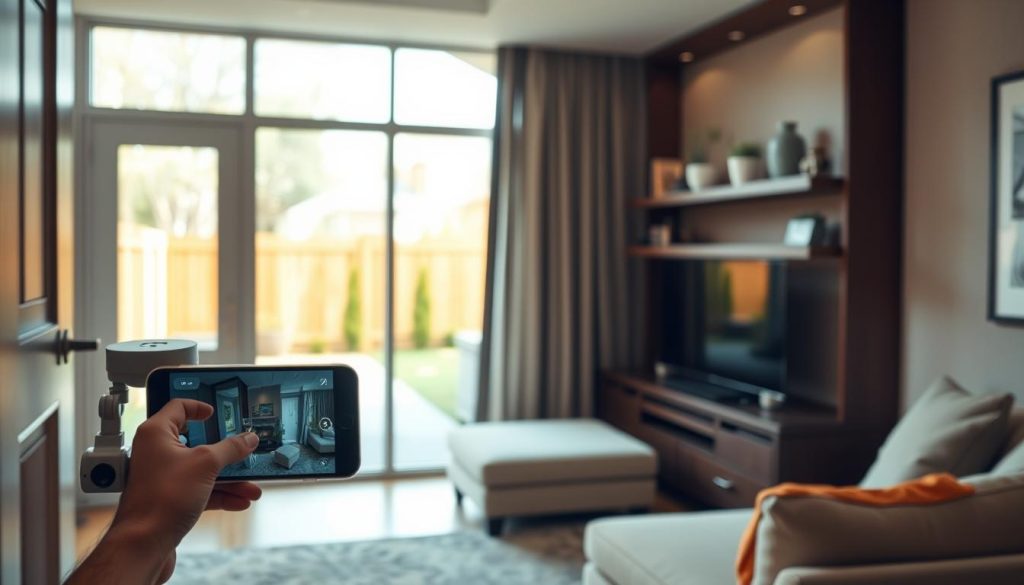
Household items offer excellent temporary mounting options. Bookshelves, curtain rods, and cabinet tops provide stable platforms without specialized equipment.
Smartphone tripods deliver flexible positioning for various angles. Suction-cup car mounts work perfectly on windows and smooth surfaces.
Wide-angle lenses costing $5-20 dramatically expand coverage areas. These affordable accessories transform limited views into comprehensive monitoring.
Experiment with different positions before final installation. Temporary testing ensures optimal coverage without permanent modifications.
“Using a simple phone tripod, I achieved perfect coverage of my entire living area without drilling any holes.”
Power Management Techniques
Continuous operation requires thoughtful power planning. Ten-foot charging cables enable 24/7 monitoring without battery concerns.
Battery preservation becomes crucial for extended surveillance. Enable power-saving modes to extend operational time between charges.
Avoid heat sources like furnace vents and sunny windows. Excessive heat damages device components and reduces battery lifespan.
Cable concealment maintains clean aesthetics while ensuring safety. Use cable management sleeves or discreet routing along baseboards.
Wi-Fi proximity ensures stable video streaming performance. Position devices within strong signal range for reliable connectivity.
Dark spaces often provide the best concealment for discreet monitoring. These locations also typically offer broad viewing angles.
Make sure to test all positions before finalizing your setup. This approach guarantees optimal coverage for your specific home layout.
Advanced Features and Functionality
Modern security applications offer sophisticated features that transform basic monitoring into comprehensive protection. These advanced capabilities elevate your DIY system to professional standards without the associated costs.
Singapore users benefit from intelligent functionality designed for modern living. The right feature set ensures reliable performance across various home environments.
Motion Detection and Alert Customization
Intelligent motion detection represents a core security feature. Advanced algorithms distinguish between significant movement and false triggers.
Customization options allow precise sensitivity adjustments. Users can define specific detection zones within the camera’s view.
Push notifications deliver instant alerts to connected devices. These real-time warnings keep you informed about activity in monitored areas.
Vibration patterns and sound preferences personalize alert experiences. Multiple notification options ensure you never miss important events.
Two-Way Audio Communication Capabilities
Built-in microphones and speakers enable real-time communication. This feature allows direct interaction through your security system.
Remote conversations provide flexibility for various situations. You can speak with family members or deter potential intruders.
Clear audio quality ensures effective communication over distances. The system functions as an intercom for whole-home coverage.
“The two-way audio let me check on my pets while traveling – it felt like being home.”
Web Viewer Access and Remote Monitoring Options
Browser-based access expands monitoring beyond mobile devices. Computer viewing provides larger screens for detailed observation.
Web viewer functionality maintains all critical features. Live streaming and playback remain accessible through any internet connection.
Remote access works seamlessly for Singapore users abroad. International monitoring ensures constant connection to your property.
Multiple device support allows simultaneous viewing from different locations. Family members can monitor feeds concurrently.
Premium Features Worth Considering
Enhanced resolution provides clearer video footage for detailed review. Zoom capabilities allow closer examination of recorded events.
Ad-free experiences create smoother monitoring interactions. Extended cloud storage preserves footage for longer periods.
AI person detection distinguishes between humans and other movement. This advanced feature reduces false alerts significantly.
Low-light filters improve night vision performance dramatically. Enhanced visibility ensures consistent monitoring after dark.
Siren functionality offers audible intrusion deterrence. This security feature can scare away potential trespassers.
Alfred Premium costs $2.49 monthly with annual commitment. The subscription unlocks professional-grade capabilities for home use.
Free versions still provide robust basic protection. Live feeds and motion alerts remain available without payment.
Consider your specific needs before upgrading to premium options. Many households find free features completely sufficient.
Security Considerations and Best Practices
Implementing robust security measures ensures your DIY monitoring solution remains protected against potential threats. These protocols form the foundation of a reliable surveillance system that safeguards both your property and personal information.
Data Wiping and Privacy Protection Measures
Complete data erasure represents the first critical step in device repurposing. Factory reset your equipment to remove all personal information before deployment.
This process eliminates previous accounts, photos, and sensitive data. Singapore residents should follow local data protection regulations during this procedure.
Privacy protection extends to your camera feeds and recorded footage. Enable encryption features within your security application for enhanced data security.
Regular audits help maintain ongoing privacy compliance. Review access logs and recording permissions periodically.
“Performing a thorough factory reset gave me confidence that my personal data was completely removed before using the phone for security purposes.”
Understanding Device Security Update Limitations
Older smartphones eventually stop receiving critical security patches. Most devices lose update support after 5-7 years of release.
This limitation creates potential vulnerabilities in your surveillance solution. Outdated operating systems may expose your system to security risks.
Automate updates whenever possible during the device’s supported lifespan. Set reminders to check for available security patches regularly.
Establish a final use-by date for repurposed equipment. Plan for responsible recycling once the device becomes too outdated for secure operation.
Understanding these limitations helps maintain a protected monitoring environment. Proactive planning ensures continuous security coverage.
Network Security and Access Management
Home network protection forms the backbone of your surveillance security. Secure Wi-Fi connections prevent unauthorized access to your feeds.
Implement strong password protocols for all connected systems. Change default credentials immediately after setup completion.
Alfred’s Trust Circle feature enables controlled access management. This function allows selective sharing with trusted individuals only.
The App Lock function provides additional security layers. It prevents unauthorized application access on your monitoring devices.
Regular network security audits help identify potential vulnerabilities. These checks ensure your surveillance solution remains protected against emerging threats.
Encryption standards should apply to both video footage and communications. This protection safeguards your data during transmission and storage.
Singapore-specific regulations may influence your security approach. Make sure your setup complies with local data protection requirements.
Getting Started with Your DIY Security Solution
That forgotten device in your drawer holds incredible security potential. Transforming it into a monitoring tool takes minutes with the right approach.
Begin by gathering retired phones and downloading the Alfred Camera app. The setup process involves simple role assignment and QR pairing. Multiple devices create comprehensive coverage throughout your living space.
This solution delivers significant cost savings while reducing electronic waste. Temporary setups work perfectly for travel or pet monitoring situations.
Share this innovative approach with friends and family members. Community adoption multiplies the environmental benefits while enhancing neighborhood security.
Your journey toward enhanced protection starts today. Download the application and transform unused technology into valuable security assets.
FAQ
What apps work best for turning an old phone into a security camera?
Alfred Camera is a popular cross-platform app that works on both Android and iOS. It offers live streaming, motion alerts, and two-way audio. Other options include Manything and Presence, depending on your specific monitoring needs.
Do I need to keep my old smartphone plugged in all the time?
Yes, for continuous monitoring, your device must stay connected to power. Leaving it plugged in ensures uninterrupted surveillance and prevents battery drain.
Can I access the video feed remotely when I’m not home?
Absolutely. Most security camera apps allow remote viewing through a companion app on your primary phone or via a web browser. You’ll receive real-time alerts and can check footage from anywhere.
How can I improve motion detection accuracy?
A> Adjust sensitivity settings in your app to reduce false alarms. Position the camera to avoid areas with frequent movement like ceiling fans or windows with shifting light.
Is my video footage stored securely?
Many apps offer free cloud storage for short clips, while others provide local or premium cloud options. Always enable app security features and use strong passwords to protect your data.
Will an old phone still work if it no longer receives software updates?
It can still function as a camera, but be aware of potential security risks. Use a dedicated Wi-Fi network if possible and avoid storing sensitive information on the device.
Can I use multiple old phones as security cameras at once?
Yes, most apps support multiple cameras. You can monitor different areas of your home by setting up several devices under one account.


