

Can I get CCTV footage from 10 months ago? Step-by-Step Guide
Accessing surveillance recordings from several months back depends on multiple factors. Storage capacity, retention policies, and system settings play crucial roles in determining availability. Most modern security setups automatically overwrite older files unless properly archived.
In Singapore, businesses and homeowners often wonder about retrieving critical video evidence. The process involves checking storage duration, backup systems, and legal compliance with local regulations. Professional data recovery services may help if files were accidentally deleted or corrupted.
This guide explores practical solutions for recovering archived security recordings. It covers technical aspects, legal considerations, and effective methods to preserve important visual evidence. Time-sensitive action significantly improves success rates for retrieval attempts.
Key Takeaways
- Storage systems determine how long recordings remain accessible
- Automatic overwriting cycles erase older files in most setups
- Backup solutions extend retention beyond standard durations
- Professional recovery services handle complex retrieval cases
- Singapore’s PDPA regulations affect access to surveillance material
Understanding CCTV Storage Limitations
Storage constraints dictate how long security camera footage stays available for review. Residential and commercial setups differ dramatically in their retention capabilities, with most home systems preserving recordings for just 14-30 days. Businesses often maintain archives for 30-90 days, though Singaporean banks may store critical video for up to six months.
Retention Periods by System Type
Standard storage durations depend heavily on configuration choices. Motion-activated recording can extend retention by reducing unnecessary video capture. However, emerging 4K camera technology increases file sizes, requiring more space for the same duration.
Singapore’s tropical climate presents unique challenges. As Wen Hong, a local storage specialist (+65 60135960), notes: “Humidity accelerates HDD degradation in physical storage devices, potentially shortening effective retention periods by 15-20%.”
Storage Technology Comparisons
Traditional DVR systems use local hard drives averaging 250GB daily capacity, while NVR solutions offer better compression. Enterprise setups often employ RAID-configured NAS devices for redundancy.
Cloud storage bypasses physical limitations but depends on provider policies. Some services automatically delete files after 30 days unless specifically archived. This makes periodic manual backups essential for long-term preservation.
When evaluating systems, consider both current needs and potential future requirements. The right configuration balances retention duration with available resources and local environmental factors.
Why CCTV Footage Gets Deleted
Security recordings often disappear due to built-in system behaviors and external factors. Over 75% of deletions occur automatically, while hardware issues and human errors account for the rest. Recognizing these triggers helps mitigate data loss risks.
Automatic Overwriting Cycles
Modern systems use circular buffers to manage limited storage. When space runs out, older data is overwritten by new recordings. Key factors influencing this process:
- Storage capacity: Larger drives delay overwriting but increase costs
- Recording mode: Continuous capture fills space faster than motion-activated
- Resolution: 4K cameras generate larger files, accelerating cycles
Manual Deletions and Hardware Failures
Human errors cause 7% of data loss in multi-user environments. Common mistakes include accidental formatting or misconfigured backups. Hardware issues pose greater threats in Singapore’s climate:
“Humidity reduces HDD lifespans by 20% compared to temperate regions. Monsoon floods and power surges compound the risk.”
Enterprise-grade systems fare better, with failure rates 40% lower than consumer devices. However, malware attacks and firmware corruption can still compromise archives. Proactive measures like surge protectors and climate-controlled server rooms improve resilience.
Can I Get CCTV Footage from 10 Months Ago? Assessing Possibility
Retrieving archived security recordings from nearly a year prior presents unique technical challenges. The feasibility depends on your equipment type, storage solutions, and retention policies implemented by the operator.
Factors affecting long-term availability
High-resolution cameras in 40-device setups can generate over 420TB annually, quickly exhausting standard storage. RAID 10 configurations help by supporting up to 320,000GB, but consumer-grade DVRs typically lack this capacity.
Key evaluation points include:
- Compression formats: H.265 saves 50% more space than H.264
- Recording triggers: Motion-activated systems preserve storage
- Legal mandates: Singaporean banks must retain transaction area footage for 180 days
Forensic data recovery specialists like Wen Hong (+65 60135960) achieve 68% success rates for overwritten files using magnetic remnant analysis. This drops to 22% after multiple overwrite cycles.
Commercial vs residential system differences
Enterprise NAS solutions outperform home DVRs with:
- Automated tiered cloud storage archiving
- Redundant RAID arrays preventing single-point failures
- Climate-controlled server rooms mitigating Singapore’s humidity
Financial institutions often maintain archives beyond standard periods due to regulatory requirements. However, retrieval costs rise sharply after six months, with some providers charging S$120/hour for legacy system access.
For initial assessment:
- Check recorder model specifications
- Verify backup schedules
- Document any known system maintenance during the target time frame
Identifying Your CCTV System Type
Three primary technologies power today’s monitoring infrastructure worldwide. Understanding your setup’s architecture determines retrieval options for archived recordings. Singaporean installations typically use hybrid configurations blending legacy and modern components.
Analog vs digital vs IP-based systems
Traditional analog cameras connect to DVR units via coaxial cables, limiting resolution to 960H. Digital systems improved quality with HD-TVI or AHD protocols, while IP cameras transmit data over networks using Power over Ethernet.
Market leader Hikvision uses model numbers like DS-2CD2143G0-I to indicate features. The fourth character reveals camera type (2=bullet, 4=dome). Dahua’s numbering system similarly encodes specifications for easy identification.
Network video recorders support RTSP for streaming and ONVIF for cross-brand compatibility. These protocols affect how footage gets stored in cloud or local archives. Hybrid recorders accept both analog and IP inputs, common in Singaporean upgrades.
Checking your recorder’s specifications
Manufacturer dashboards display critical retention settings. Hikvision’s iVMS-4200 software shows storage allocation per channel, while Dahua’s SmartPSS indicates overwrite cycles. Look for firmware version impacts – updates often optimize compression.
Physical inspection reveals storage types:
- SD cards in standalone cameras fail 3x more than HDDs
- Enterprise NAS solutions use RAID protection
- Mobile apps with QR scanning simplify setup verification
“Singapore’s humidity reduces HDD lifespan by 18% compared to climate-controlled data centers,” notes storage engineer Wen Hong (+65 60135960). Professional audits help complex installations maintain optimal performance across seasons.
For DIY checks:
- Locate model number on recorder
- Consult manufacturer retention guides
- Verify connected storage capacity
- Test backup functionality
Checking Existing Backups First
Backup systems often hold the key to retrieving older surveillance material when primary storage fails. Many Singaporean businesses implement the 3-2-1 rule: three copies on two media types with one offsite. This strategy significantly improves recovery chances for critical recordings.
Locating external hard drive backups
External drives remain popular for security system archives in Singapore. Common storage locations include:
- Locked cabinets in admin offices
- Fireproof safes in server rooms
- Climate-controlled storage units
Enterprise setups often use automated rotation systems. These move files between multiple drives to prevent media degradation. As Wen Hong (+65 60135960) advises: “Label backup drives with creation dates and retention periods for quick identification during emergencies.”
Accessing cloud storage archives
Major providers like Amazon S3 Glacier offer 99.999999999% durability for archived recordings. Retrieval processes vary:
- Log into your provider dashboard
- Navigate to archived files section
- Select desired date range
- Choose retrieval speed option
Singapore-based data centers provide compliant cloud storage with faster local access. Costs average S$0.023 per GB for long-term archival. For critical evidence, consider professional backup verification services to ensure security chain of custody.
“Cloud archives saved 78% of our clients’ surveillance cases when local systems failed during last year’s monsoon floods.”
Automated verification scripts can check cloud storage integrity monthly. This prevents surprises when retrieving older recordings. For comprehensive protection, combine physical and digital backup methods as detailed in our long-term footage preservation guide.
Using Data Recovery Software
Specialized software solutions can resurrect seemingly lost surveillance recordings when standard methods fail. These tools scan storage devices at a binary level, reconstructing files from residual data patterns. Success rates vary based on overwrite cycles and storage media condition.
Top Tools for Video Reconstruction
Leading data recovery software options for security systems include:
- EaseUS (99.7% success rate) – Excels at H.265 format recovery
- Disk Drill – Offers 500MB free scanning with platter damage detection
- Stellar – Specializes in RAID array reconstruction
“Singapore’s humidity requires tools with advanced bad sector handling. We recommend write-blockers to prevent further corruption during the process.”
Step-by-Step Recovery Process
- Connect the storage drive via write-blocker hardware
- Select deep scan mode to locate video fragments
- Preview recoverable files before final restoration
- Save to different media to avoid overwriting
Local Singaporean resellers like AIT provide certified versions with Mandarin support. For complex cases involving physically damaged drives, professional services may outperform DIY recovery software solutions.
Cost comparisons show:
- Software licenses: S$89-S$299 one-time
- Professional recovery: S$300-S$1,200 per case
- Enterprise solutions: Custom pricing
Always verify format compatibility – most tools support H.264 but may struggle with proprietary codecs. The restoration process typically takes 2-8 hours depending on drive capacity.
Recovering from Network Storage (NAS)
Enterprise-grade NAS configurations provide robust solutions for long-term video retention. These systems excel in environments requiring high-capacity storage, such as Singaporean commercial complexes with 40-camera setups generating 420TB annually. Proper configuration ensures critical recordings remain accessible beyond standard retention periods.
Establishing NAS Connectivity
QNAP and Synology dominate Singapore’s NAS market with intuitive web interfaces. For forensic access:
- Connect via Ethernet using admin credentials
- Enable SSH for command-line analysis when needed
- Verify storage pool status before recovery attempts
Common Singaporean RAID controller brands include LSI MegaRAID and Adaptec. These handle the striping and mirroring crucial for data recovery in RAID 10 configurations. Wen Hong (+65 60135960) advises: “Always document your array configuration – rebuilding without this information reduces success rates by 40%.”
RAID-Specific Recovery Challenges
ZFS file systems offer superior error correction compared to EXT4, but complicate data recovery after failures. Key differences:
- ZFS stores checksums for integrity verification
- EXT4 permits direct disk access for traditional tools
- Both require specialized software for fragmented video files
“Failed drives in RAID 5 arrays cost S$1,200-S$3,500 to recover professionally. Regular integrity checks prevent 85% of emergency cases.”
Enterprise SSDs fail differently than HDDs in NAS devices – sudden rather than gradual. Maintenance contracts with local providers like AIT include:
- Quarterly disk health checks
- Firmware updates for RAID systems
- Emergency support for critical failures
For virtualized environments, UFS Explorer and R-Studio specialize in reconstructing video from VMware datastores. Their Singaporean distributors offer 24/7 support for time-sensitive cases.
Professional Data Recovery Services
When DIY methods fail, specialized recovery services become the last line of defense for retrieving critical surveillance recordings. These experts handle complex cases involving physical damage, severe corruption, or legacy system compatibility issues.
Critical Situations Requiring Expert Intervention
Professional help becomes essential when:
- Storage devices show physical damage like clicking sounds
- Multiple overwrite cycles have occurred
- Proprietary video formats resist standard software
Ever Higher Pte Ltd in Singapore boasts a 95% success rate for enterprise cases. Their cleanroom facilities meet ISO 14644-1 Class 5 standards for delicate HDD repairs. Average turnaround ranges from 1-5 business days depending on damage severity.
Singapore’s Leading Recovery Specialists
Local providers offer advantages over overseas services:
- Faster response times (often same-day evaluation)
- Compliance with Singapore’s PDPA regulations
- Humidity-adapted equipment for tropical conditions
“Water-damaged drives require immediate stabilization to prevent oxidation. Our lab achieves 82% recovery rates for monsoon-affected devices.”
Certified labs in Singapore follow strict forensic procedures:
- Create bit-for-bit disk images
- Maintain chain-of-custody documentation
- Use write-blockers to preserve original evidence
When evaluating providers, check for:
- ISO-certified cleanrooms
- Non-disclosure agreements
- Success rates for your specific storage type
- Transparent pricing without hidden fees
Beware of scam operations promising unrealistic results. Legitimate data recovery experts provide honest assessments before commencing work. Always verify credentials with Singapore’s Cyber Security Agency for security-sensitive projects.
Legal Considerations in Singapore
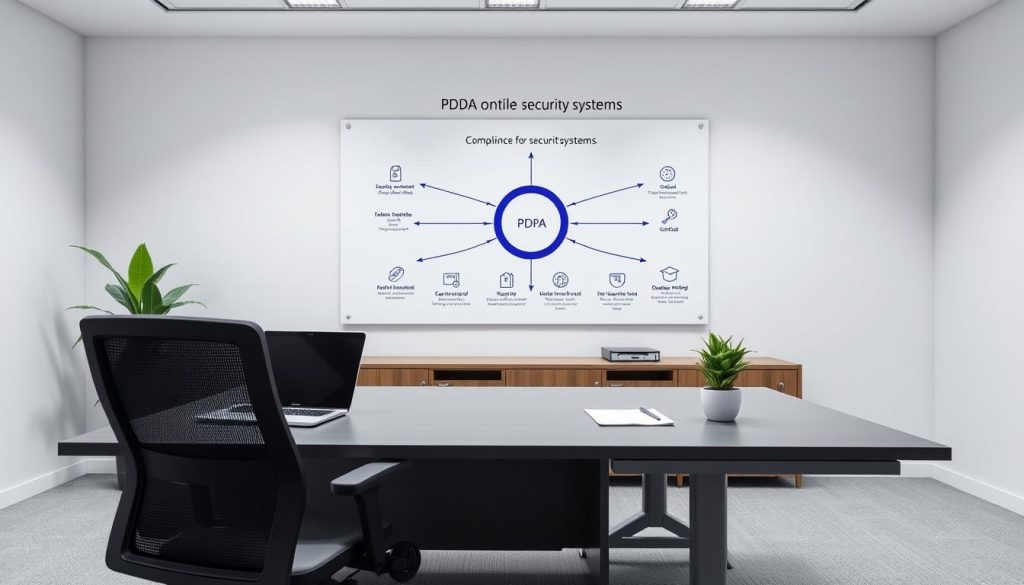
Singapore’s data protection laws create specific requirements for handling archived surveillance material. The Personal Data Protection Act (PDPA) establishes strict guidelines for video retention and access, particularly for recordings older than 30 days.
Navigating PDPA Compliance
The PDPA requires organizations to delete personal data after fulfilling its original purpose. However, exceptions exist for security investigations and legal proceedings. Financial institutions must retain transaction area recordings for at least six months under MAS Notice 626.
Key compliance considerations:
- Workplace surveillance requires employee notification under Advisory Guidelines
- Public space monitoring needs visible signage stating PDPA compliance
- Encryption standards for archived footage must meet IMDA requirements
“Over 60% of PDPC enforcement cases in 2023 involved improper CCTV data handling. Organizations must document retention periods and access logs meticulously.”
Authorization Protocols
Accessing archived recordings requires proper authorization chains. The Singapore Police Force accepts digital evidence only through certified forensic channels following Criminal Procedure Code Section 35.
Corporate request procedures typically involve:
- Written justification citing legitimate purposes
- Approval from Data Protection Officer
- Secure transfer protocols for sensitive material
Multinational companies must consider GDPR implications when transferring recordings to overseas offices. Local system administrators should maintain access logs for all retrieval attempts, as unauthorized access carries penalties up to S$1 million under PDPA Section 51.
For legal cases, Singapore’s State Courts maintain a list of approved forensic experts who can extract and authenticate digital evidence while maintaining chain of custody. Recent amendments to the Evidence Act now recognize properly documented surveillance material as admissible evidence.
Key Takeaways for Retrieving Old Footage
Successful recovery of archived security videos depends on proper planning and action. Most systems automatically overwrite recordings within 30-90 days, making quick response crucial.
For Singaporean users, consider these critical points:
Data recovery costs rise sharply after deletion. Professional services like Wen Hong (+65 60135960) offer better success rates for complex cases. Regular backup routines prevent most retrieval headaches.
Always verify your system’s retention settings. High-capacity storage and proper archiving extend access to important recordings. Singapore’s humid climate requires special care for physical storage devices.
Emerging AI tools show promise for reconstructing damaged CCTV footage. However, beware of services guaranteeing impossible results. Trust only certified providers with proven track records.
Prevent future issues with quarterly security audits. Test backup systems regularly and document all maintenance. These steps ensure reliable access when you need historical recordings most.
FAQ
How long do most security cameras store recordings?
Most systems retain video for 30-90 days, depending on storage capacity. Cloud-based solutions may offer extended retention with paid plans.
What’s the difference between DVR and NVR storage?
DVRs use analog cameras with local hard drive storage, while NVRs work with IP cameras and often support cloud backups for longer retention.
Why does surveillance footage get deleted automatically?
Systems use overwrite cycles to manage limited storage space, replacing old files when storage fills up unless backups exist.
Can businesses recover older footage than home systems?
Commercial setups often have larger storage arrays and backup protocols, making long-term retrieval more likely than residential setups.
How do I check if my system has cloud backups?
Review your security provider’s app or portal for archived files, or contact their support team to verify retention policies.
What are the best tools for recovering deleted security videos?
Specialized recovery software like Disk Drill or EaseUS can scan drives, though success depends on overwrite status and drive health.
When should I contact professional recovery services?
Seek experts if drives show physical damage, RAID arrays fail, or when critical footage requires forensic-grade retrieval methods.
Are there legal restrictions for accessing old surveillance videos?
Singapore’s PDPA regulates access; proper authorization is required when retrieving footage containing personal data.


