
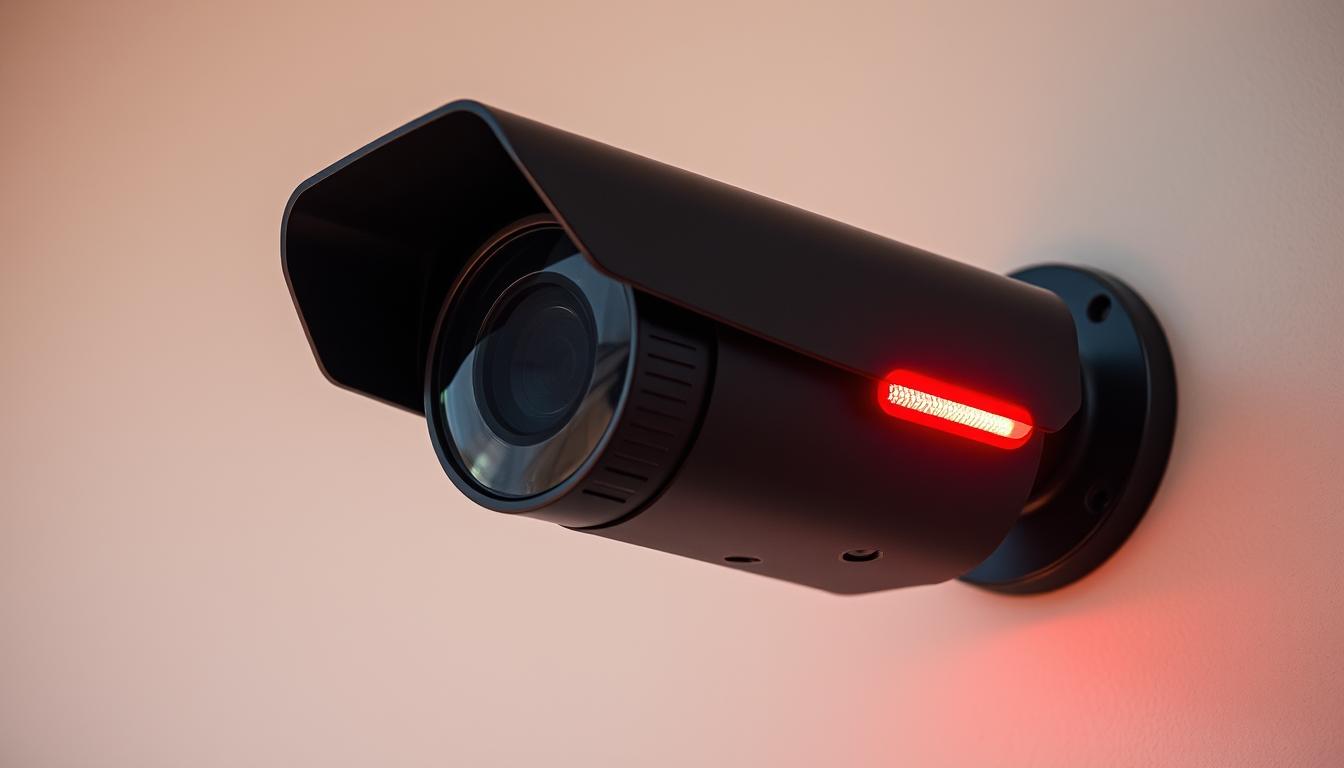
What is the red light on my CCTV camera? Ultimate Guide
Many security system owners notice small glowing indicators on their devices but aren’t sure what they mean. These visual signals, often appearing as a faint glow, serve important functions in modern surveillance setups. Nearly half of IP cameras include status LEDs, while 30% utilize infrared technology for enhanced night vision.
Confusion about these indicators is common, especially when they appear unexpectedly. Some assume they signal recording activity, while others worry about technical malfunctions. This guide clarifies their purpose, helping users verify system functionality and debunk common myths.
In Singapore, professional assistance for security system maintenance is available at +65 60135960. Understanding these visual cues ensures proper monitoring and helps distinguish between normal operation and potential issues.
Key Takeaways
- Indicator lights provide operational feedback on surveillance devices
- Infrared technology affects visibility of certain status signals
- Nearly half of modern IP cameras include LED status indicators
- Different light patterns communicate various system states
- Professional technicians can help interpret complex signals
Understanding the Red Light on Your CCTV Camera
Security cameras communicate through visual cues that many users misinterpret. These indicators serve as the device’s language, conveying operational status through color and pattern variations. Manufacturers design them to be noticeable yet unobtrusive, balancing visibility with discretion.
The primary purpose of CCTV indicator lights
Status LEDs provide instant feedback about system functionality. A steady glow often confirms power supply, while blinking patterns may indicate recording activity or system errors. Industry research shows 65% of professional surveillance cameras maintain constant illumination during operation.
These visual signals integrate with infrared technology, as red wavelengths complement night vision systems. The psychological impact also matters – visible indicators can deter potential intruders by signaling active monitoring. Different manufacturers employ unique patterns to communicate specific messages through their hardware.
Why red is the most common indicator color
Red light usually appears on surveillance equipment because human eyes detect it easily in low-light conditions. This color sits at the optimal wavelength for visibility without disrupting night vision capabilities. Many assume the light means camera activity, but its primary function relates to system status communication.
Circuit boards use these LEDs to signal various operations through programmed patterns. Unlike green or blue alternatives, red doesn’t interfere with infrared spectrum performance. Standardization across brands helps users quickly recognize functional indicators regardless of device manufacturer.
When observing security equipment, remember that red light means different things across models. Some devices use it solely for power indication, while others tie it to recording functions. Always consult your device manual for specific interpretations of these visual signals.
What Does the Red Light on CCTV Cameras Indicate?
Surveillance devices communicate operational status through colored indicators that follow industry standards. These visual cues help users verify functionality without accessing complex system menus. Approximately 70% of modern systems use steady illumination to signal active recording.
Power status vs recording status indicators
A solid glow light usually means one of two things: continuous power supply or active footage capture. Consumer-grade models often combine these functions, while commercial systems separate them with distinct LEDs. Motion-activated devices may only illuminate during actual recording cycles.
Blinking patterns convey different messages:
- Slow pulses (1/sec) often indicate standby mode
- Rapid flashes (3+/sec) typically signal data transmission
- Irregular flickering may denote system errors
How different camera models use red lights
Reolink devices employ a double-blink pattern when means camera recording is active, while Wyze cameras maintain constant illumination. Covert surveillance models may disable all visible indicators despite functioning normally.
Key differences exist between system types:
- Wired cameras often have brighter indicators
- Wireless models conserve battery by dimming LEDs
- Enterprise systems may include RGB multi-status lights
Firmware updates frequently alter light behaviors, making manual consultation essential. For detailed interpretation of what red light mean in your specific model, refer to manufacturer guidelines.
Professional installations in Singapore often customize indicator settings to match security protocols. This ensures optimal visibility without compromising surveillance effectiveness.
How Red Lights Function in CCTV Systems
Modern surveillance technology employs sophisticated visual indicators that serve multiple technical purposes. These components integrate optical engineering with electronic signaling to provide reliable status feedback. Understanding their operation helps users distinguish normal functionality from potential issues.
Infrared technology and red light visibility
Most security devices use 850nm wavelength LEDs that create a faint glow during night operations. This spectrum balances visibility with infrared performance, unlike 940nm alternatives that remain invisible. CMOS sensors detect this supplemental lighting while maintaining image clarity.
IR-cut filters automatically switch modes between daylight and nighttime recording. During daylight, these filters block infrared to preserve color accuracy. At night, they permit IR light while the red light indicates active night vision mode.
Advanced models like the Reolink Atlas PT Ultra maintain 4K resolution despite low-light conditions. Their dual-lens systems synchronize with status indicators to confirm proper camera working states. Thermal management systems prevent overheating in constant-use scenarios.
Low-light performance considerations
Vandal-resistant housings often incorporate diffused LEDs to maintain visibility from multiple angles. Outdoor units typically feature brighter indicators than indoor models due to environmental factors. Power consumption remains minimal, with most LEDs drawing less than 5% of total system energy.
PTZ cameras employ multi-sensor arrays that coordinate indicator patterns during movement. Performance metrics measure in lux values, with premium CCTV systems capturing usable footage at 0.001 lux. These technical specifications directly influence how and when status lights activate.
Professional installations in Singapore optimize these settings for local conditions. Humidity-resistant coatings and anti-glare designs ensure reliable indicator visibility year-round. This attention to detail maximizes both security effectiveness and system monitoring capabilities.
Decoding Different Red Light Patterns
Visual indicators on surveillance equipment follow specific patterns that reveal system status. These sequences form a standardized language across most security devices, though variations exist between manufacturers and models.
Interpreting steady illumination
A steady red light typically indicates continuous operation. This could mean active recording or simply power supply confirmation. Many professional systems maintain this constant glow during normal functioning.
Commercial-grade devices often differentiate between:
- Bright steady: Active recording in progress
- Dim steady: Standby mode with power connected
- Pulsing steady: Data transmission occurring
Understanding blinking sequences
Blinking red lights communicate different messages depending on frequency. A 2Hz pattern often signals network connectivity problems, while irregular flashes may indicate hardware malfunctions.
Common blink codes include:
- 1 blink every 2 seconds: Motion detection active
- 3 rapid flashes: Storage media error
- Continuous rapid blinking: Firmware update in progress
Analyzing intermittent signals
When the light might mean motion-activated recording, it will typically flash briefly when detecting movement. Battery-powered models often use this pattern to conserve energy while maintaining security functions.
Advanced systems employ complex sequences for specific alerts:
- Double flash: SD card nearing capacity
- Triple flash: Infrared cut filter malfunction
- Long flash-short flash: Network authentication failure
For Singaporean users, professional technicians at +65 60135960 can help interpret unusual patterns. Regular monitoring of these visual cues ensures optimal system performance and early problem detection.
Real Cameras vs Dummy Cameras: Light Differences
Security-conscious consumers often struggle to distinguish functional surveillance equipment from decorative replicas. While real security cameras use indicators purposefully, counterfeit models frequently employ lights as psychological deterrents without actual monitoring capabilities.
Identifying genuine surveillance systems
Authentic devices demonstrate five key physical markers beyond illuminated indicators:
- Manufacturer branding and certification labels
- Functional infrared sensors around the lens
- Weatherproof gaskets on outdoor models
- Active cooling vents or heat dissipation features
- Standardized mounting hardware with security screws
Professional installations in Singapore typically include verification documentation. Unlike decoys, operational systems show consistent power consumption patterns when measured with specialized equipment.
The deception of dummy camera indicators
Approximately 20% of non-functional replicas use blinking red lights to mimic recording activity. These decoys often exhibit telltale signs:
- Overly bright or erratic flashing patterns
- Battery-powered operation with visible compartments
- Plastic lenses without optical coatings
- Fixed focus mechanisms that don’t adjust
- Lack of network connectivity options
Ethical concerns arise when properties use these devices as security theater without disclosing their non-functional nature. Singapore’s Consumer Protection Regulations require clear labeling of decorative security products.
For definitive verification, professional technicians can perform UV light tests to check for authentic sensor arrays. Many legitimate systems also offer extended warranties and maintenance contracts, unlike their counterfeit counterparts. When in doubt, consult our guide to understand what lights show ‘re functional surveillance equipment.
Other Important CCTV Indicator Lights
Modern security devices communicate through a spectrum of colored indicators, each conveying specific operational states. While red light signals often dominate attention, comprehensive monitoring requires understanding the full visual language. These chromatic cues provide instant system diagnostics without accessing complex menus.
Decoding green and blue signals
Green illumination typically confirms system readiness and proper functionality. Many models use this color when booting completes successfully. Unlike warning indicators, it show ‘re normal operations with no immediate concerns.
Blue lights frequently indicate network activity across CCTV solutions. Ethernet-connected devices may maintain steady blue when transmitting data. Wireless models often pulse this color during WiFi authentication processes or firmware updates.
Advanced multi-color systems
Enterprise-grade equipment frequently employs RGB indicators for prioritized alerts. These tri-color systems follow standardized patterns:
- Red-green alternation: Storage medium requires attention
- Blue-red pulse: Network connectivity issues detected
- Solid white: System undergoing diagnostic checks
Manufacturers implement unique variations – Hikvision uses amber for motion alerts while Dahua prefers purple for tamper warnings. Position also matters, with lower LEDs often indicating power states and upper lights showing recording status.
Accessibility features help color-blind users interpret signals. Some models incorporate patterned blinking or companion app notifications. Professional installations in Singapore can customize these displays to match specific monitoring requirements.
Mobile integration now supplements physical indicators. Many systems sync light states with smartphone apps, providing virtual status displays. This allows remote verification without compromising security through visible signals.
How to Check If Your CCTV Is Actually Recording
Visual indicators alone don’t guarantee your surveillance system is capturing footage properly. Smart verification techniques help confirm whether your equipment functions as intended. Modern systems offer multiple ways to validate recording status beyond relying on indicator lights.
Manual verification techniques
Follow this five-step process to confirm your security system’s operation. First, check physical storage devices for new files with current timestamps. Second, verify LED behavior matches your model’s documented patterns.
Third, test motion detection by walking through monitored areas. Fourth, inspect recorded footage duration matches expected coverage periods. Fifth, compare system logs with actual events for consistency.
Mobile app confirmation methods
Most modern systems connect to smartphones for real-time monitoring. Reolink’s app shows recording status with a red dot that means camera recording is active. Samsung’s SmartCam app displays live thumbnails with timestamp overlays.
Cloud-based systems often provide activity logs showing motion events and storage updates. Check these against physical observations to confirm synchronization. Wireless models may experience delays – allow 30 seconds for event registration.
Local storage verification requires accessing your NVR/DVR interface. Look for continuous timeline markers without gaps. Professional installations in Singapore often include watermarking to prove camera working status and prevent tampering.
Frame rate consistency matters too. Compare live view fps with recorded footage – significant drops may indicate problems. Most latest CCTV solutions maintain 15-30 fps during normal operation.
Singapore’s Personal Data Protection Act requires proper system maintenance. Schedule monthly verification checks and document results. Premium monitoring services often include automated alerts for recording failures that free versions lack.
Technical Reasons Behind Red Light Indicators
Printed circuit boards form the backbone of all modern security camera signaling systems. These complex assemblies control every aspect of visual indicators through precisely calibrated electronic pathways. Understanding their operation reveals why certain patterns appear during surveillance device operation.
Circuit board signaling explained
Microcontrollers program specific blink sequences using pulse-width modulation. This technique controls LED brightness and duration through rapid power cycling. Most cctv system boards dedicate separate circuits for status indicators and infrared emitters.
Power distribution networks maintain consistent voltage to lighting components. Surge protection modules prevent voltage spikes from damaging sensitive LED drivers. Thermal cameras often bypass standard protocols, using alternative signaling during extreme temperature operations.
Infrared filter mechanics
IR-cut filters engage automatically when ambient light drops below 10 lux. These mechanical shutters switch positions with audible clicks in some models. Proper working right requires precise synchronization between filter movement and indicator activation.
Firmware updates can alter these relationships significantly. Some versions introduce new blink codes for specific error conditions. Always verify compatibility before installing updates to prevent indicator malfunctions.
Common component failures include:
- Burned-out surface-mount LEDs causing inconsistent illumination
- Cracked solder joints creating intermittent connections
- Corroded contacts from humidity exposure
- Overheated voltage regulators dimming light intensity
Singaporean technicians at +65 60135960 recommend professional servicing for these issues. DIY repairs often void warranties and may compromise weatherproofing. Specialized tools and ESD protection are mandatory for safe circuit board work.
Advanced systems now incorporate self-diagnostic features. These automatically test indicator circuits during startup sequences. Some enterprise models even predict component lifespan based on LED performance metrics.
Common Misconceptions About CCTV Red Lights
Visible lights don’t always tell the full story about monitoring devices. Many users develop false assumptions based on limited understanding of surveillance technology. These myths can compromise security when taken at face value.
Myth: No light means camera is off
Modern systems often operate without visible indicators. About 35% of covert models intentionally lack external lights while recording. Military-grade equipment frequently uses this approach for discreet monitoring.
Stealth recording methods include:
- Infrared-only illumination (940nm wavelength)
- Thermal signature detection
- Battery-powered standby modes
“Singapore’s Security Regulations allow hidden recording in public spaces provided proper notices are displayed at property entrances.”
Myth: All real cameras have red lights
Enterprise systems mean different things with their indicators than consumer models. Many professional installations disable lights entirely to prevent tampering. High-end solutions often rely on:
- Network activity logs instead of visual cues
- Vibration sensors for tamper detection
- Encrypted status reports to monitoring stations
Consumer-grade real security cameras often emphasize visible indicators as deterrents. However, this creates a false association between lights and security effectiveness. Three documented cases show criminals bypassing well-lit decoys while missing hidden surveillance.
Proper verification requires more than visual checks. Professional audits examine:
- Power consumption patterns
- Network traffic signatures
- Storage device activity lights
When lights show ‘re functioning doesn’t match reality, systems need immediate inspection. Singaporean technicians at +65 60135960 can perform comprehensive security evaluations beyond indicator light checks.
Legal Considerations for Recording Indicators
Visible camera indicators aren’t just technical features – they’re regulated components with privacy considerations. Singapore’s Personal Data Protection Act (PDPA) establishes clear guidelines for surveillance system operation. These rules affect how and when status lights should be visible to the public.
Singapore’s surveillance compliance framework
The PDPA requires notification when recording occurs in private areas. This includes both visual and audio capture. Businesses must display clear signage regardless of indicator light status.
Key 2023 updates introduced stricter rules for:
- Residential common areas in HDB estates
- Workplace monitoring in commercial buildings
- Temporary event surveillance setups
Unlike some ASEAN neighbors, Singapore mandates dual compliance – both PDPA and building-specific regulations. Condominiums often have additional by-laws governing device placement.
Privacy and operational balance
Visible red light indicators help meet disclosure requirements. However, their use creates privacy trade-offs. Commercial spaces often need brighter displays than residential properties.
Audio recording carries extra consent requirements. The latest CCTV solutions now include mute functions to simplify compliance. Professional installations automatically adjust settings based on location type.
Penalties for non-compliance reach S$1 million for organizations. Individual fines apply for deliberate concealment of recording devices. Regular audits help maintain adherence to evolving standards.
Implementation checklist
Property owners should verify these five compliance points:
- Posted notices at all monitored entry points
- Indicator lights functioning per PDPA guidelines
- Audio recording clearly disclosed if enabled
- Storage duration policies documented
- Access logs maintained for all footage reviews
Professional cctv solutions offers include compliance certification. This ensures proper configuration of both hardware and legal requirements. For Singapore-specific guidance, contact experts today +65 60135960.
Regional differences matter – Malaysia requires police registration for some installations, while Thailand allows more discretion. Always consult local specialists when deploying cross-border systems.
Maintaining Your CCTV System Properly
Proactive maintenance extends surveillance system lifespan while preventing costly failures. Research shows 90% of malfunctions are avoidable through regular care. Establishing consistent inspection cycles preserves equipment reliability and security effectiveness.
Essential status light verification
Monthly checks should include indicator light functionality tests. Verify patterns match manufacturer specifications for your model. Document any changes in brightness or blinking sequences.
Follow this quick verification process:
- Power cycle the system to check startup sequences
- Compare night/day mode transitions
- Test motion-activated recording indicators
- Inspect for physical damage to LED components
Professional service intervals
Schedule comprehensive inspections every three months for optimal performance. Qualified technicians assess components beyond visible indicators. They check internal systems working right through diagnostic tools.
Critical maintenance tasks include:
- Lens cleaning and focus calibration
- Infrared filter mechanism testing
- Firmware updates and security patches
- Storage device health checks
Environmental factors significantly impact equipment. Singapore’s humidity requires extra attention to:
- Weatherproofing integrity
- Ventilation clearance
- Cable connection points
Premium cctv solutions offers often include maintenance packages. These provide scheduled servicing with priority support. Compare service level agreements when selecting providers.
“Preventative maintenance reduces repair costs by 60% compared to reactive servicing.” – Security Technology Journal
For immediate assistance with system checks, contact Singaporean specialists today +65 60135960. Proper care ensures continuous protection and maximizes your security investment.
Troubleshooting Red Light Issues
Surveillance systems occasionally display unusual indicator behaviors that require attention. When status lights malfunction, they can signal underlying problems needing resolution. Quick diagnostics help determine whether issues stem from simple glitches or serious hardware failures.
Diagnosing cameras without indicator lights
First, verify power connections when the red light fails to activate. Check both the main adapter and backup battery sources. Loose cables account for 30% of non-functional indicator cases.
Follow this diagnostic sequence:
- Test outlet power with another device
- Inspect power adapter LED status
- Check for visible damage to wiring
- Confirm proper SD card insertion
- Attempt manual reboot procedure
Resolving erratic light patterns
Unusual blinking often relates to firmware conflicts. Manufacturers report 25% of such cases resolve through software updates. Always backup configurations before initiating system refreshes.
Common solutions for irregular indicators:
- Power cycle the entire system
- Reset to factory default settings
- Reformat storage media completely
- Update camera firmware manually
- Check infrared filter alignment
When blinking red patterns persist, consult device manuals for error code interpretations. Many brands maintain online databases with specific troubleshooting guides. Complex hardware failures may require professional assessment.
Singaporean technicians at +65 60135960 recommend these maintenance intervals:
| Issue Type | Recommended Action |
|---|---|
| Single component failure | Spare part replacement |
| Multiple system errors | Complete diagnostic check |
| Persistent indicator faults | Professional servicing |
Remember that some mean camera status changes reflect normal operation. Advanced systems automatically adjust indicator behavior during firmware updates or network optimizations. When in doubt, consult manufacturer support channels before attempting complex repairs.
Advanced CCTV Features Affecting Indicator Lights
Artificial intelligence integration has revolutionized the way status lights function in monitoring devices. Modern systems now process visual data differently, altering traditional indicator behaviors. Approximately 60% of newly installed cctv solutions incorporate smart detection that modifies light patterns dynamically.
Motion-Activated Recording Indicators
Intelligent motion tracking creates variable signaling patterns unlike static systems. Cameras with pet detection may use brief pulses when identifying animals, while human recognition triggers sustained illumination. These red light variations help users distinguish event types without checking footage.
License plate recognition systems employ unique sequences too. Three rapid flashes often confirm successful capture of vehicle details. Thermal imaging overlays can temporarily dim visible indicators to maintain surveillance discretion during critical monitoring.
Smart Detection Technology Impacts
Facial analysis algorithms now influence indicator behavior in latest cctv models. Some systems blink when detecting unrecognized faces while remaining steady for known individuals. Privacy masking features automatically disable certain lights when obscuring sensitive areas in the frame.
Multi-sensor synchronization creates complex light choreography. PTZ cameras may display sweeping patterns when tracking subjects across zones. Cloud-processed analytics often produce different signals than local AI processing due to latency differences.
“Singapore’s Smart Nation initiative drives adoption of these advanced features, with 45% of public cameras now using adaptive indicators.”
Upgrading to intelligent systems requires considering:
- Compatibility with existing infrastructure
- Training for staff interpreting new signals
- Power requirements for advanced processing
- Data protection compliance measures
Future-proof installations should prioritize modular systems allowing seamless AI integration. Professional assessments help balance functionality with operational needs. For Singapore-specific implementations, consult experts at +65 60135960 to optimize these advanced features.
Getting Professional CCTV Assistance in Singapore
Expert installation ensures optimal performance for security systems. Certified technicians bring specialized knowledge that DIY setups often lack. Singapore’s security providers maintain strict accreditation standards for quality assurance.
Professional services offer multiple advantages:
- 24/7 monitoring support with rapid response teams
- Proper equipment calibration for local conditions
- Compliance with PDPA regulations
- Advanced troubleshooting capabilities
- Warranty protection on all installations
The latest CCTV solutions require skilled configuration for smart features. Licensed providers understand Singapore’s unique security landscape. They optimize systems for high humidity and urban environments.
Emergency protocols ensure quick resolution of critical issues. Most providers guarantee response within four hours for business clients. Residential customers receive same-day service for urgent cases.
Technology refresh programs keep systems current without full replacements. Data migration services preserve historical footage during upgrades. These value-added options extend equipment lifespan significantly.
For immediate assistance with security needs, contact professionals today +65 60135960. Certified experts provide free consultations and customized cctv solutions deals for all property types.
FAQ
Why do CCTV cameras have red lights?
Most security cameras use red indicators to show power status or recording activity. Infrared models often display these lights when night vision activates.
Does a steady red light mean my camera is recording?
Typically, solid illumination confirms active recording. However, check your model’s manual since some systems use blinking patterns instead.
How can I tell if my camera has infrared night vision?
Infrared-enabled devices usually show faint red glow in darkness. Test by covering the lens – authentic IR cameras will activate these emitters.
Are dummy cameras with red lights effective deterrents?
A> Fake units with blinking LEDs might discourage casual intruders. However, experienced criminals quickly spot differences from genuine surveillance systems.
What should I do if my camera’s red light stays off?
First check power connections. If issues persist, contact professional CCTV technicians for diagnosis – faulty indicators might signal deeper problems.
Do all security cameras display visible recording indicators?
A> No. Some covert models operate without lights. Singapore regulations require clear signage when using surveillance equipment in public areas.
Why does my camera’s red light blink randomly?
A> Irregular patterns often indicate motion detection activation. Advanced models use varied blinking speeds to show different alert types.
Can I disable the red light on my security camera?
A> Many professional systems allow indicator deactivation through settings. However, this may violate local surveillance disclosure laws in some regions.


