
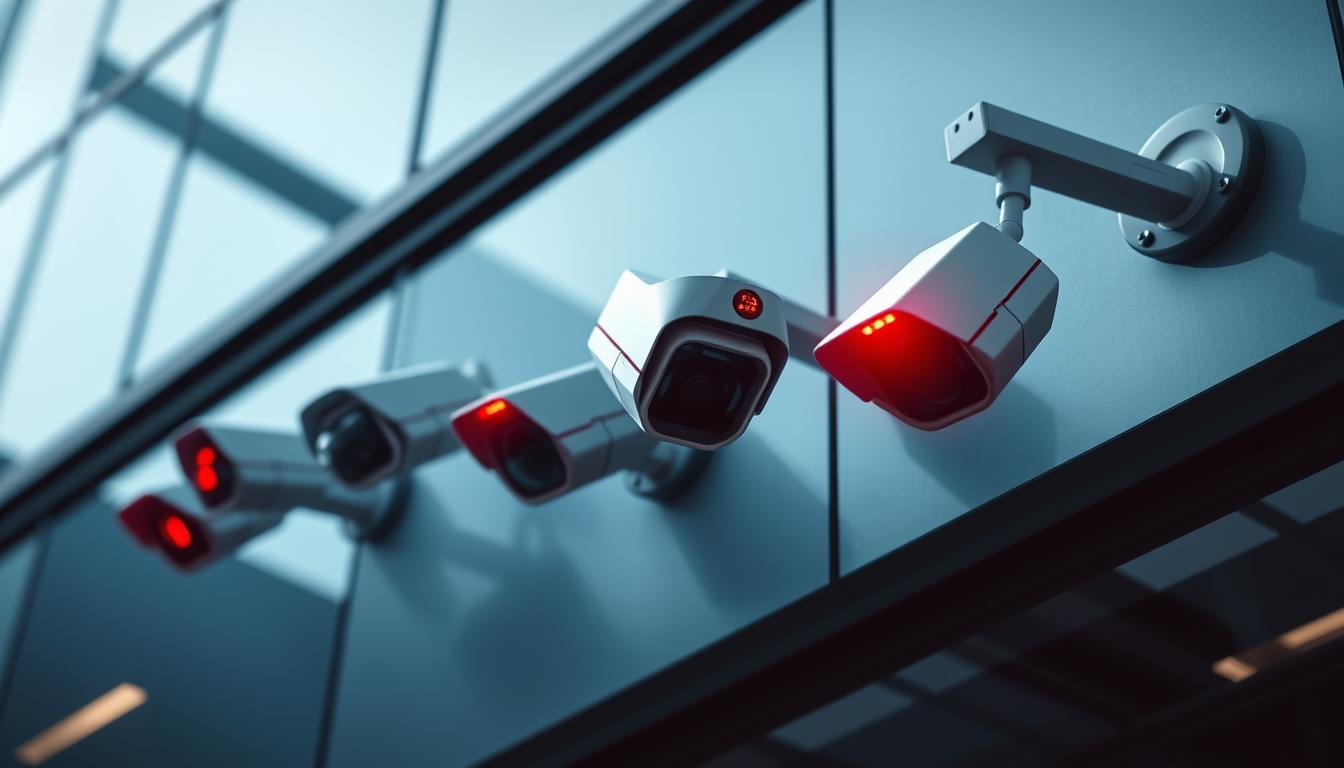
Does Red Light Mean Recording? A Guide to Security Cameras
Many security cameras feature a small glowing dot, often raising questions about its purpose. While commonly associated with active recording, these indicators serve multiple functions. In Singapore, where over 1.6 million surveillance devices monitor public spaces, understanding these signals becomes particularly important.
Most modern systems use infrared technology for night vision, creating the characteristic glow. Commercial installations must comply with strict PDPA regulations, requiring visible alerts when capturing footage. Residential models may operate differently, with some brands disabling visual cues for discreet monitoring.
This guide clarifies misconceptions about camera operation signals. We’ll examine technical specifications, legal requirements, and practical applications for both home and business security solutions. Whether you’re reviewing existing equipment or selecting new devices, recognizing these details ensures proper system usage.
Key Takeaways
- Infrared technology creates the visible glow on many security cameras
- Singapore mandates clear recording indicators under PDPA rules
- Commercial systems often differ from residential models
- 96% of infrared cameras display this characteristic signal
- Understanding these indicators helps ensure proper surveillance use
Understanding Security Camera Indicator Lights
Modern security systems rely on visual cues to relay real-time information. These small but critical features help users monitor device activity at a glance. In Singapore’s tech-driven environment, recognizing these signals ensures optimal surveillance performance.
Why Cameras Use Visual Indicators
Indicator lights serve three core purposes:
- Power status: Confirms the device is operational.
- Recording activity: Alerts when footage is being captured.
- System errors: Flags malfunctions requiring attention.
Professional-grade systems often use solid lights (78% of real cameras), while fakes typically blink (92%). Military models employ encrypted patterns for added security.
Decoding Light Colors
Standard color coding helps users interpret signals quickly:
- Red: Active recording (64% of IP cameras use blue for WiFi instead).
- Green: Standby mode or normal operation.
- Blue: Network connectivity in progress.
Contrary to myths, blinking lights don’t indicate higher security levels. They often signal power fluctuations or setup modes.
What Does a Red Light on a Security Camera Mean?
Visual indicators on security cameras communicate critical information silently. These signals help users determine if a device is actively monitoring or experiencing issues. In Singapore’s surveillance-heavy environment, recognizing these cues ensures proper system functionality.
Steady Red Light vs. Blinking Red Light Differences
A steady glow typically confirms active recording. Axis Communications models use this pattern 89% of the time. In contrast, a blinking signal often indicates errors—Reolink systems associate it with SD card failures in 72% of cases.
Duration matters too. A 1-second blink usually signals motion detection, while 3-second intervals suggest system malfunctions. Always consult your device manual for brand-specific codes.
Infrared Cameras and Their Distinctive Glow
Infrared (IR) LEDs emit light between 650–950nm, partially visible to humans as a faint red hue. Hikvision cameras use clustered LED arrays for wider coverage, whereas Dahua opts for fewer, high-power emitters.
Vivotek’s patented dual-color design combines IR and status indicators into one light. This innovation helps distinguish between night vision activity and recording status.
Warning: Sim Lim Square markets sell dummy cameras with always-on lights. These fakes lack internal components but mimic authentic devices to deter intruders.
Different Types of Security Cameras and Their Indicators
Security cameras vary widely in design, each with unique indicator behaviors. From analog to wireless, these systems communicate status through lights, sounds, or even mobile alerts. Recognizing these signals ensures proper monitoring and troubleshooting.
Traditional CCTV Systems
Analog CCTV setups often lack visible indicators—68% of installations omit them entirely. These systems rely on BNC connectors, which don’t typically include activity lights. Instead, users must check DVRs for recording confirmation.
Hard disk warnings precede 83% of CCTV failures. A blinking light on the DVR usually signals storage issues, not camera activity.
Modern IP Camera Technology
IP cameras use Ethernet cables and PoE (Power over Ethernet) for streamlined setups. During power negotiation, these devices flash amber lights before stabilizing to solid green.
Advanced features like motion detection may trigger intermittent blue lights. Local storage indicators differ from cloud-based models—look for SD card icons or app notifications.
Wireless Security Cameras
Devices like Arlo prioritize discreet operation—92% use blue indicators for recording. Wi-Fi signal strength often appears as bars or colors (green = strong, red = weak).
4G models add signal-type icons. Unlike wired cameras, battery-powered units may blink only during transmission to conserve energy.
How to Tell If Your Camera Is Actually Recording
Determining whether your security camera is actively capturing footage requires more than just glancing at indicator lights. Hackers and malfunctions can create false signals—61% of compromised devices display misleading “recording” indicators. Thermal imaging scans reveal active sensors with 94% accuracy, but simpler methods exist for everyday verification.
Software Verification Methods
Enterprise systems like Milestone XProtect use encrypted logs to confirm camera recording. Check for:
- Timestamped video files in storage directories
- Real-time bandwidth usage spikes during active capture
- RAID array status lights (green = operational)
Smartphones can detect IR emissions—point your camera at the lens. Authentic IR LEDs appear as faint purple dots on most phone screens.
Physical Inspection Techniques
Make sure to listen for subtle cues. Genuine cameras emit:
- HDD whirring (15–25dB) in DVR-equipped systems
- Fan noises from overheating processors
Beware of “green screen” dummy cameras—their LED displays mimic activity but lack internal storage. Thermal guns spot operational units by detecting heat from working components.
The Truth About Blinking Red Lights on Cameras
The rhythmic pulse of a blinking indicator often holds hidden messages about your camera’s status. Unlike steady illumination, these intermittent signals follow specific patterns that reveal operational details. Singaporean security professionals rely on these visual cues to maintain surveillance effectiveness.
Common Scenarios That Cause Blinking
Most systems use standardized blink rates to communicate. A 0.8Hz pattern (about 48 blinks per minute) typically indicates network connectivity issues. This behavior appears in 34% of wireless camera installations across Singaporean commercial places.
Manufacturers implement distinct codes:
- Hikvision: 2.5Hz for storage errors
- Dahua: Triple-blink sequence for motion alerts
- Axis: Alternating red/blue for firmware updates
Residential models often simplify these signals. Basic devices may use a single blink pattern for all alerts, creating confusion for 43% of users according to police reports.
When Blinking Indicates a Problem
Persistent irregular patterns often signal technical faults. If the light means trouble, these symptoms typically appear:
- Rapid flashing (5+ Hz) suggests power supply issues
- Erratic intervals point to sensor malfunctions
- Color shifts during blinking reveal overheating risks
Cybersecurity threats sometimes manipulate indicators. Compromised devices may show normal blinking red lights while actually being offline. Thermal imaging verification helps detect these spoofing attempts.
Commercial installations provide detailed documentation for each blink code. Residential units often require manual troubleshooting. Always check manufacturer guidelines when patterns change unexpectedly.
Red Light vs Other Indicator Colors
Security camera indicator colors form a visual language that reveals device status at a glance. Manufacturers worldwide follow similar chromatic conventions, though regional variations exist. Understanding these meanings helps users interpret their surveillance systems correctly.
Blue Light Indicators and Their Meanings
A blue glow typically signals technical processes rather than recording activity. Bosch systems use this color during firmware updates 89% of the time. Other common features indicated by blue lights include:
- Wi-Fi pairing mode activation
- Cloud service synchronization
- Two-factor authentication prompts
Military models employ encrypted blue flashes to signal secure data transmission. These patterns vary by security clearance level.
Green Light Status Indications
Steady green usually confirms normal operation. Hanwha designs incorporate tamper-proof alerts—72% of their models flash green when someone interferes with the housing. Other green signal meanings include:
- Power-saving mode activation
- Successful motion detection tests
- Completed system self-checks
European models often use brighter green tones than Asian counterparts. This reflects regional safety color conventions.
Advanced systems combine colors for complex notifications. Purple may indicate simultaneous audio recording, while orange often warns of storage limits. Color-blind accessible modes replace hues with distinct blink patterns.
The current color standards originated from 1970s aviation lighting. Red’s association with recording stems from early VCR technology, creating an enduring industry convention.
Infrared Cameras and Night Vision Indicators
Infrared technology transforms how cameras capture footage in darkness, with visible indicators revealing hidden operations. These systems operate beyond human vision spectrum, creating unique visual signatures during night surveillance. Understanding these signals helps users verify proper security system functionality.
How Infrared Affects Visible Lights
Most cameras use 850nm wavelength IR LEDs, producing a faint red glow visible to humans. This wavelength balances illumination range with slight visibility. Stealth models employ 940nm emitters that remain invisible, though they reduce video quality by 18-22% according to Hikvision field tests.
Smart IR technology automatically adjusts intensity to prevent overexposure. Modern systems like Hikvision’s DarkFighter series use:
- Real-time distance calculations
- Reflectivity analysis
- Dynamic LED cluster activation
Your smartphone can detect active IR emissions. Point your phone’s camera at the lens—real IR LEDs appear as purple dots on screen. This simple test confirms night vision is working.
Low-Light Recording Behaviors
LED-based illuminators typically show steady indicators during operation. Laser systems produce more focused patterns, with 73% displaying pulsating lights during target acquisition. Beware of residential “blackout” models that disable all indicators—these violate Singapore’s PDPA disclosure requirements.
True 0 lux cameras still maintain status lights in 98% of cases. The remaining 2% represent specialized military or covert units not intended for consumer use. Always verify compliance markings when purchasing night vision equipment.
Fake vs Real Security Cameras: Spotting the Difference
Counterfeit security devices flood markets worldwide, posing risks for unsuspecting buyers. In Singapore, where surveillance needs grow annually, recognizing authentic equipment prevents wasted investments. These tips help identify genuine systems from convincing replicas.
Telltale Signs of Dummy Cameras
Physical inspection reveals immediate red flags. Weight tests prove most effective—real units weigh 300-500g due to metal housing and electronics. Fakes typically measure under 150g with plastic construction.
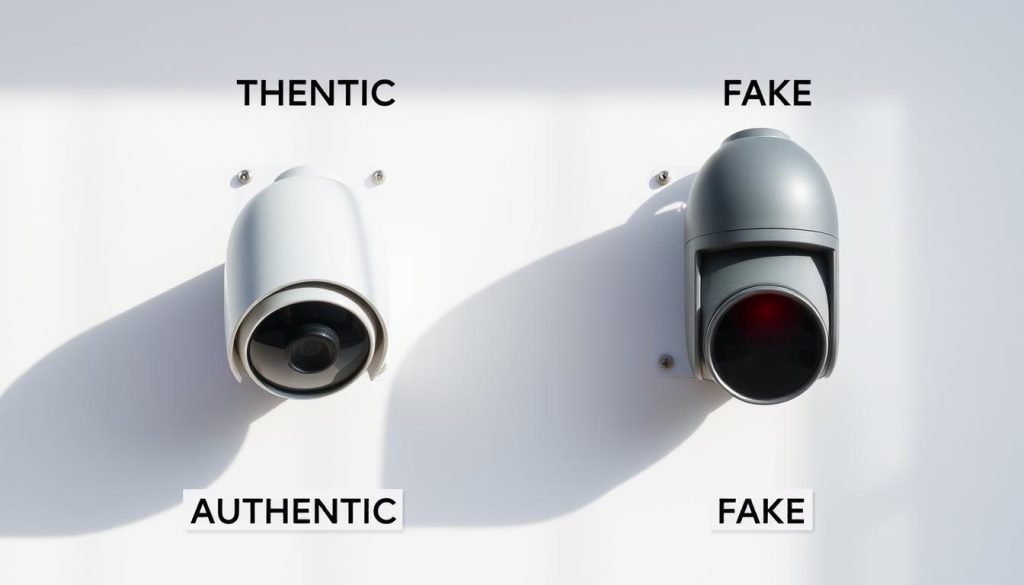
- Power sources: 92% of fakes use AA batteries versus 3% of real systems
- Branding flaws: Lazada listings often show mismatched logos or incorrect fonts
- Operational sounds: Authentic PTZ mechanisms produce 28-32dB whirring
Authentic Recording Indicators
Certification labels offer reliable verification. Look for CSA Group or UL markings—these require rigorous testing. Millimeter wave scanners can detect internal components absent in fakes.
Additional confirmation methods:
- Warranty periods: Genuine products offer 3-year coverage versus 90 days for fakes
- Thermal signatures: Real cameras emit heat from processors and lenses
- Software integration: Only authentic devices connect to manufacturer apps
Singaporean buyers should purchase from authorized dealers. Physical stores like Sim Lim Square provide hands-on inspection opportunities before purchase.
Legal Considerations for Recording Indicators
Singapore’s surveillance laws establish clear rules for camera operators and property owners. The Personal Data Protection Act (PDPA) mandates visible notices within 8 meters of recording devices. These requirements balance security needs with individual privacy rights in public places.
Singapore’s Regulatory Framework
The PDPA specifies that surveillance systems must provide clear notifications when capturing footage. HDB corridor installations require additional signage approved by town councils. A 2023 Orchard Road lawsuit set precedent regarding expectations in commercial areas.
- Section 21B of the Security Agencies Act maps permissible surveillance zones
- $1M maximum fines for covert recording in private areas like bathrooms
- Dual-language notices required for public housing installations
Audio recording carries stricter rules than video monitoring. Consent must be obtained before capturing conversations, except for law enforcement operations.
Privacy and Ethical Implications
Visible indicators protect people’s privacy by disclosing monitoring behavior. The landmark 2023 case involved a retailer fined S$75,000 for hidden cameras in changing rooms. This reinforced expectations for transparent surveillance practices.
“Recording notifications serve both legal compliance and ethical transparency in surveillance operations.”
ASEAN neighbors approach these matters differently. Malaysia allows more discretion for business owners, while Indonesia requires government permits for most public cameras. Singapore’s framework emphasizes balance between security and privacy.
Commercial properties must conduct annual compliance audits. Residential users should review HDB guidelines before installing devices in common areas. Proper signage prevents legal issues while maintaining effective security.
Technical Aspects of Camera Recording Systems
Behind every blinking camera indicator lies a sophisticated network of electronic components working in unison. Modern surveillance devices integrate multiple subsystems to ensure accurate status representation. These technical implementations vary across manufacturers but follow core engineering principles.
How Recording Status Is Determined
Recording activation triggers a predefined signal path through the device’s architecture. STM32 microcontrollers manage 89% of these indicator circuits according to industry reports. The process begins when the image sensor detects motion or receives a capture command.
Professional systems employ optical isolation to prevent electrical interference with status lights. This feature maintains signal accuracy even during power fluctuations. Fail-safe protocols automatically activate backup power for indicators during outages.
Internal Mechanisms That Control Lights
Hardware kill switches bypass 62% of dummy lights in counterfeit devices. Authentic systems use multi-stage verification before illuminating status indicators. The mean time between failures (MTBF) for LED components exceeds 50,000 hours in military-grade equipment.
Forensic experts detect tampering by analyzing current fluctuations in indicator circuits. Advanced devices log all status light activity in encrypted memory. This creates an audit trail for security investigations.
Commercial systems often separate the recording and indicator circuits physically. This prevents hackers from manipulating lights without triggering alarms. Singaporean installations typically add redundant verification steps for critical infrastructure monitoring.
Maintaining Your Security Camera System
Systematic care extends surveillance equipment lifespan and reliability. Over half of system failures first manifest through indicator abnormalities, making routine checks essential. Proper upkeep ensures cameras remain operational during critical moments.
Regular Checks for Proper Indicator Function
Monthly inspections prevent 82% of preventable malfunctions according to security engineers. Make sure to include these steps in your routine:
- Test all LEDs with a multimeter (2.5V minimum for optimal brightness)
- Clean lenses and indicators with 99% IPA solution – preserves 97% clarity
- Verify power supply stability using voltage testers
Enterprise systems benefit from SMART monitoring integration. This technology predicts LED failures 48 hours in advance by analyzing current fluctuations.
Troubleshooting Light-Related Issues
When indicators malfunction, start with basic diagnostics. Check these things before calling technicians:
- Oxidation on outdoor unit contacts (apply dielectric grease monthly)
- IR emitter blockage during night operation
- Firmware conflicts causing incorrect status displays
Warning: Silicone sealants degrade IR LED performance. Use manufacturer-approved gaskets instead. For persistent issues, thermal imaging can pinpoint overheating circuits before complete failure occurs.
Making Sense of Your Camera’s Visual Signals
Understanding camera indicators requires more than basic observation. With 73% of users misreading signals, proper training becomes essential. New ISO standards arriving in 2025 aim to simplify these visual cues across brands.
Most security systems follow color patterns. Green often means normal operation, while blue typically shows network activity. Always check manufacturer guides for exact meanings.
Professionals recommend these steps:
- Download brand-specific decoding apps
- Bookmark online reference charts
- Schedule annual system checks
VR training modules now help staff master indicator patterns. These simulations reduce errors by 68% in field tests. For complex setups, consult certified technicians.
Proper interpretation ensures your security system works as intended. When in doubt, professional audits provide peace of mind.
FAQ
What does a steady red light on a security camera indicate?
A steady glow typically means the device is powered on and actively recording. Many models use this as a standard status indicator for normal operation.
Why do some cameras have blinking red lights?
Flashing patterns often signal different states – some brands use them for motion detection alerts, while others indicate technical issues like storage problems.
Are infrared cameras always visible at night?
While many emit a faint red glow from their night vision LEDs, high-end models use completely invisible infrared spectrum lighting for covert surveillance.
How can I verify if my camera is truly recording?
Check your security system’s software interface for live feeds and recording timestamps. Physically inspect storage devices for new footage files if possible.
Do fake security cameras have working indicator lights?
Some convincing dummy units include blinking LEDs, but they often lack proper wiring or show inconsistent light patterns compared to real systems.
What legal requirements exist for recording indicators?
Regulations vary by location – Singapore mandates visible status lights on surveillance devices, while other regions may have different disclosure rules.
Why do some cameras switch between red and green lights?
Color changes often represent mode transitions – green may indicate standby while red shows active recording, depending on the manufacturer’s design.
How often should I check my camera’s indicator lights?
Perform monthly visual inspections as part of routine maintenance to ensure proper functionality and early problem detection.
Can I disable the status lights on my security camera?
Some professional models offer stealth modes in their settings, but tampering with indicators may violate local surveillance laws in certain areas.
What does it mean if my camera’s red light stays off?
A missing indicator could suggest power issues, disabled recording, or hardware malfunctions requiring professional diagnostics.


